openshift 4.10 single node, post-install, lvm and nfs
single node ocp,如果有一块单独的硬盘,那么可以用lvm operator来自动分配lvm,创建存储给应用用。我们接下来在这个存储基础上配置nfs,就变成了一个集群内部的nfs服务。
视频讲解
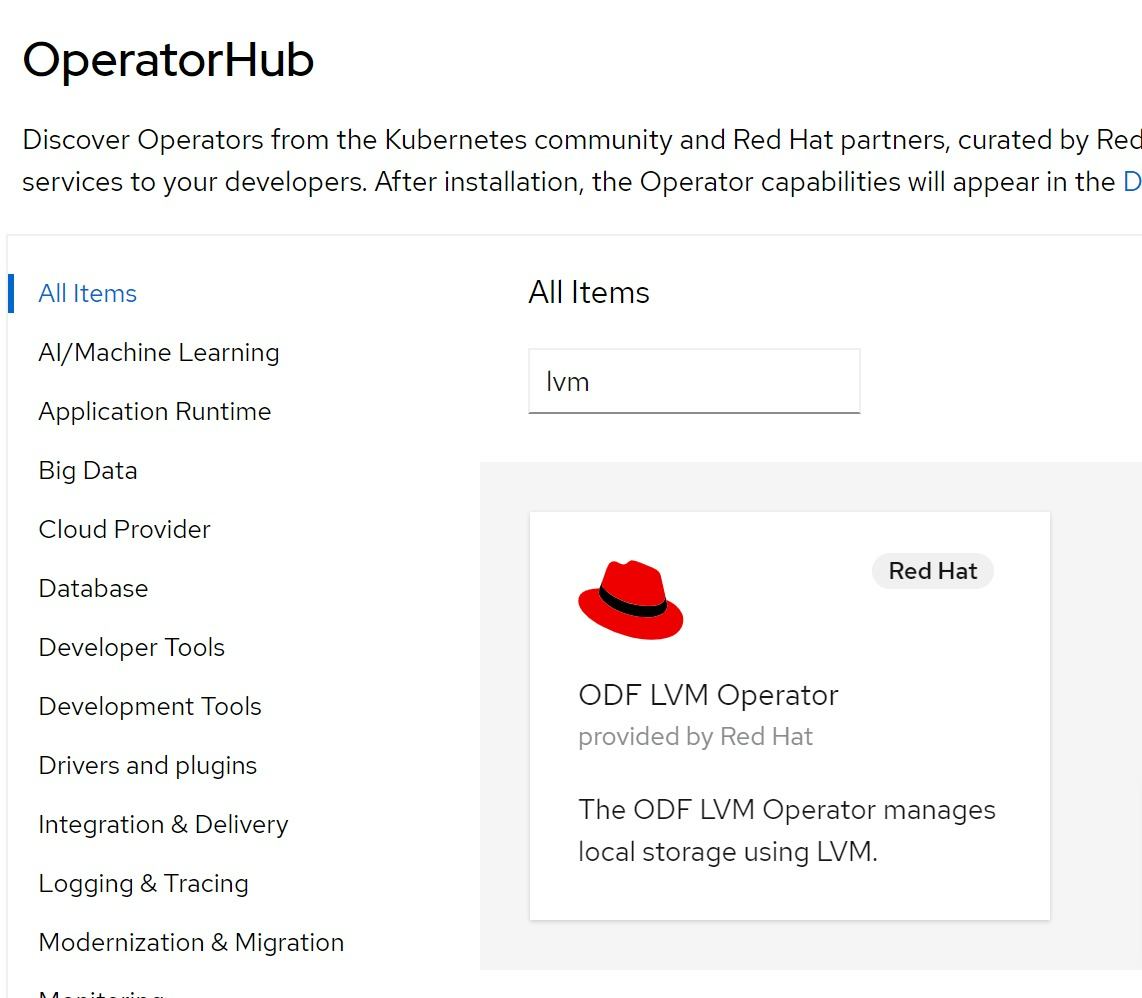
install lvm operator
we need local storage, and we are single node openshift, so we use lvm operator, find the operator from operator hub and install :
lvm operator is in TP, so it is buggy, we need some fix.
# oc create ns lvm-operator-system

cat << EOF > /data/install/lvm-operator.yaml
---
apiVersion: v1
kind: Namespace
metadata:
  name: lvm-operator-system
  annotations:
    workload.openshift.io/allowed: management
---
apiVersion: operators.coreos.com/v1
kind: OperatorGroup
metadata:
  name: lvm-operator-system
  namespace: lvm-operator-system
spec:
  targetNamespaces:
  - lvm-operator-system
---
apiVersion: operators.coreos.com/v1alpha1
kind: Subscription
metadata:
  name: odf-lvm-operator
  namespace: lvm-operator-system
spec:
  channel: "stable-4.10"
  installPlanApproval: Manual
  name: odf-lvm-operator
  source: redhat-operators
  sourceNamespace: openshift-marketplace
EOF
oc create -f /data/install/lvm-operator.yaml

# oc delete -f /data/install/lvm-operator.yaml


ssh -tt core@192.168.7.13 -- lsblk
# NAME   MAJ:MIN RM   SIZE RO TYPE MOUNTPOINT
# sr0     11:0    1  1024M  0 rom
# vda    252:0    0   120G  0 disk
# ├─vda1 252:1    0     1M  0 part
# ├─vda2 252:2    0   127M  0 part
# ├─vda3 252:3    0   384M  0 part /boot
# └─vda4 252:4    0 119.5G  0 part /sysroot
# vdb    252:16   0   100G  0 disk

oc adm policy add-cluster-role-to-user cluster-admin system:serviceaccount:lvm-operator-system:topolvm-controller -n lvm-operator-system

oc adm policy add-cluster-role-to-user cluster-admin system:serviceaccount:lvm-operator-system:vg-manager -n lvm-operator-system

oc adm policy add-cluster-role-to-user cluster-admin system:serviceaccount:lvm-operator-system:topolvm-node -n lvm-operator-system

cat << EOF > /data/install/lvm.op.yaml
apiVersion: lvm.topolvm.io/v1alpha1
kind: LVMCluster
metadata:
  name: lvmcluster-sample
spec:
  storage:
    deviceClasses:
    - name: vg1
    #   thinPoolConfig:
    #     name: thin-pool-1
    #     sizePercent: 50
    #     overprovisionRatio: 50
EOF
oc create -n lvm-operator-system -f /data/install/lvm.op.yaml

kubectl patch storageclass odf-lvm-vg1 -p '{"metadata": {"annotations":{"storageclass.kubernetes.io/is-default-class":"true"}}}'


cat << EOF > /data/install/lvm.op.pvc.sample.yaml
apiVersion: v1
kind: PersistentVolumeClaim
metadata:
  name: lvm-file-pvc
spec:
  volumeMode: Filesystem
  accessModes:
    - ReadWriteOnce
  resources:
    requests:
      storage: 5Gi
  storageClassName: odf-lvm-vg1
EOF
oc create -f /data/install/lvm.op.pvc.sample.yaml -n default

cat <<EOF > /data/install/lvm.op.app.sample.yaml
apiVersion: v1
kind: Pod
metadata:
  name: app-file
spec:
  containers:
  - name: app-file
    image: registry.access.redhat.com/ubi8/ubi:8.4
    imagePullPolicy: IfNotPresent
    command: ["/usr/bin/bash", "-c", "/usr/bin/tail -f /dev/null"]
    volumeMounts:
    - mountPath: "/mnt/file"
      name: lvm-file-pvc
  volumes:
    - name: lvm-file-pvc
      persistentVolumeClaim:
        claimName: lvm-file-pvc
EOF
oc create -f /data/install/lvm.op.app.sample.yaml -n default
install nfs service inside cluster
oc create ns nfs-system

oc project nfs-system

cd /data/install

wget -O nfs.all.yaml https://raw.githubusercontent.com/wangzheng422/nfs-ganesha-server-and-external-provisioner/wzh/deploy/openshift/nfs.all.yaml

oc create -n nfs-system -f nfs.all.yaml

# try it out

wget -O nfs.demo.yaml https://raw.githubusercontent.com/wangzheng422/nfs-ganesha-server-and-external-provisioner/wzh/deploy/openshift/nfs.demo.yaml

oc create -n default -f nfs.demo.yaml