redhat developer hub
Customer want to integrate Azure DevOps with Red Hat Developer Hub, so that they can see the code, and the pipeline status in the Developer Hub. We will try to do that.
The whole senario includes:
- rhdh
- dev workspace
- ocp gitops
To complish the target, we will use several components:
- rhsso, for azure ad integration.
- backstage plugin
- azure devops (included in rhdh)
- azure devops auto discovery (working)
- msgraph(does not work right now)
There is a great demo in demo.redhat.com, we will try this lab based on that demo env.
deploy using demo.redhat.com
try with demo.redhat.com instance:
- Red
Hat Developer Hub Demo
- using the ‘latest’ version
- RHDH Version: 1.2.0
- Backstage Version: 1.26.5
- Upstream: janus-idp/backstage-showcase main @ e3654a5e
- Midstream: gitlab.cee.redhat.com/rhidp/rhdh rhdh-1-rhel-9 @ cd137ad6
- using the ‘latest’ version
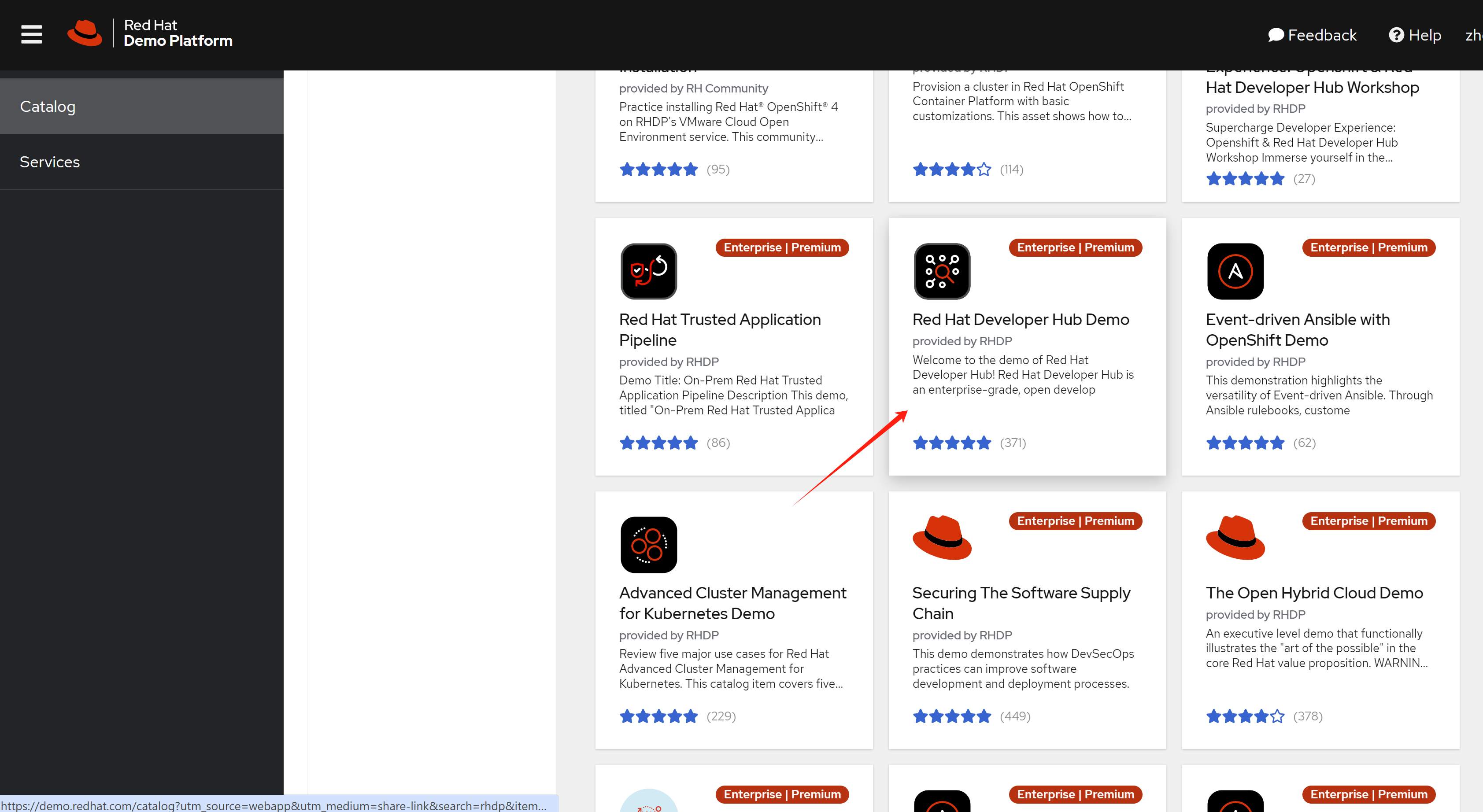
The document of this demo is here.
The github repo used for integrated gitlab:
- https://redhat-scholars.github.io/backstage-workshop/backstage-workshop/index.html
- https://github.com/redhat-gpte-devopsautomation/janus-idp-gitops
- https://github.com/redhat-gpte-devopsautomation/software-templates/tree/main
rhdh azure devops plugin
After the demo env startup, we need to customize the backstage plugin, to enable the azure devops plugin.
Azure DevOps Env
Before we can setup the plugin in rhdh, we need to setup the azure devops env.
create azure devops service in :
- https://azure.microsoft.com/en-us/products/devops
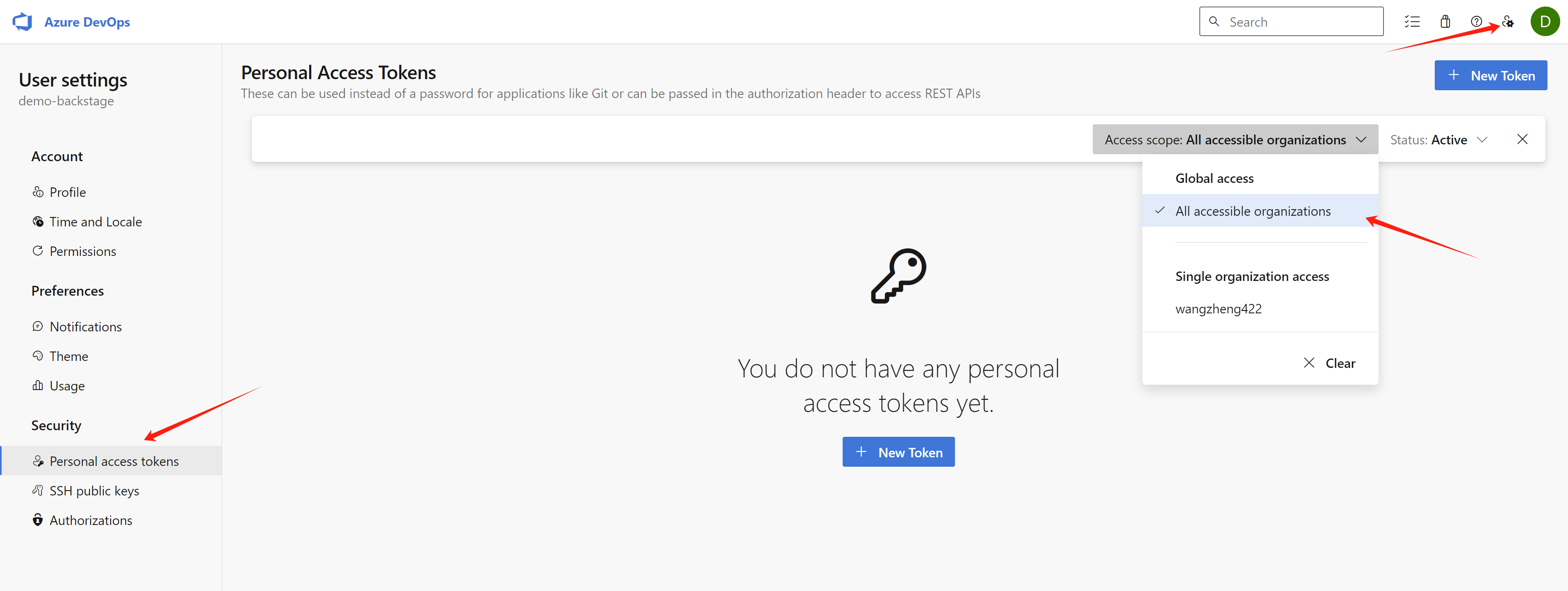
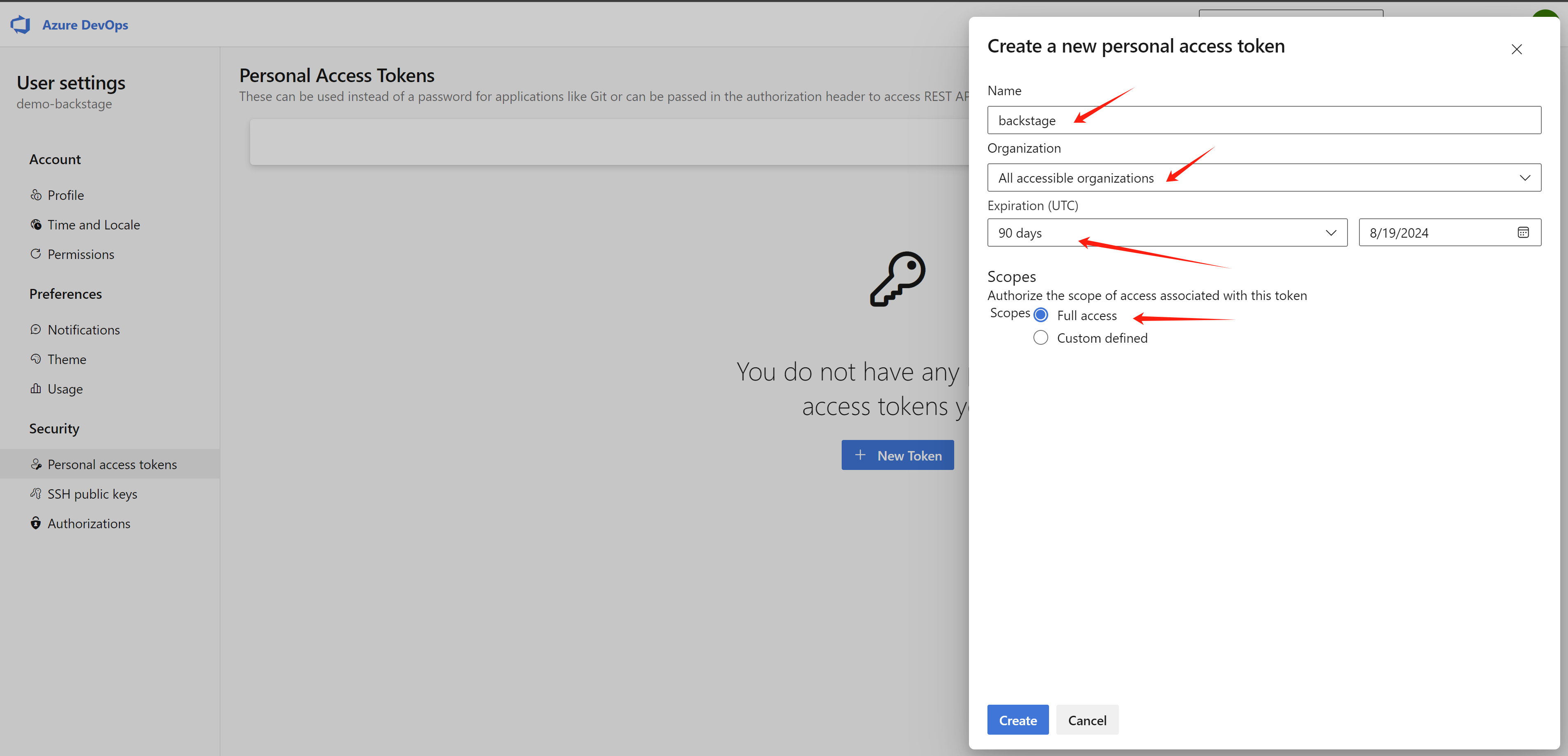
create a personal access token:
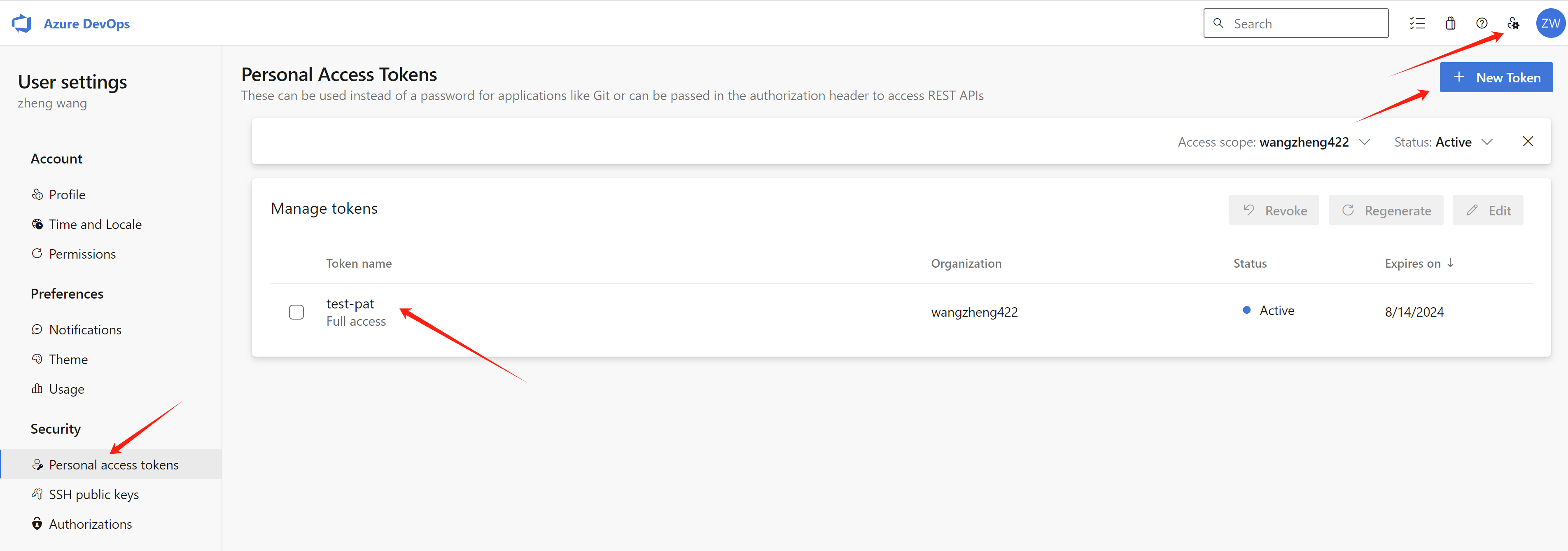
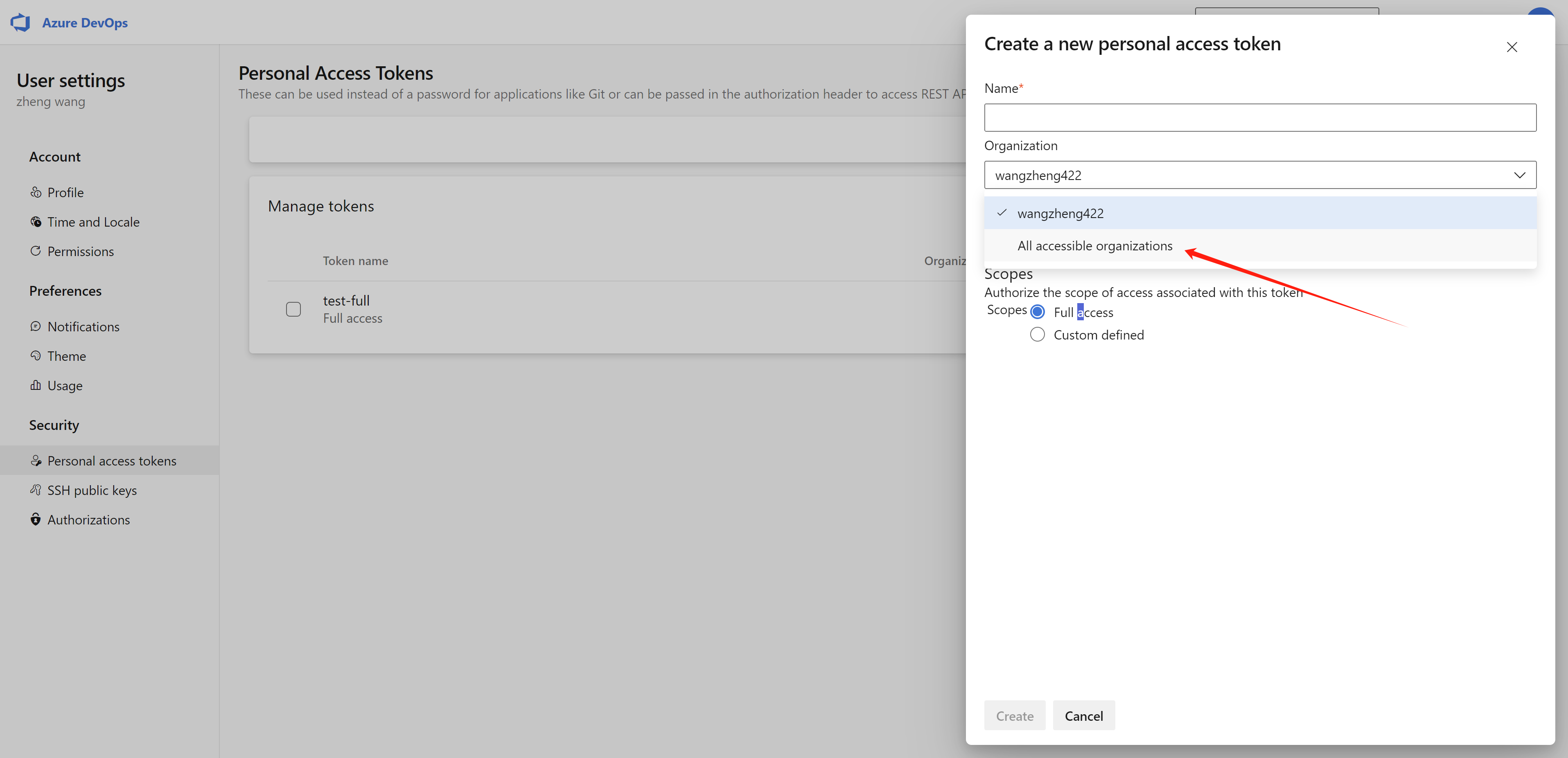
Try to create the personal access token in all organization, this will elimate the permission issue.
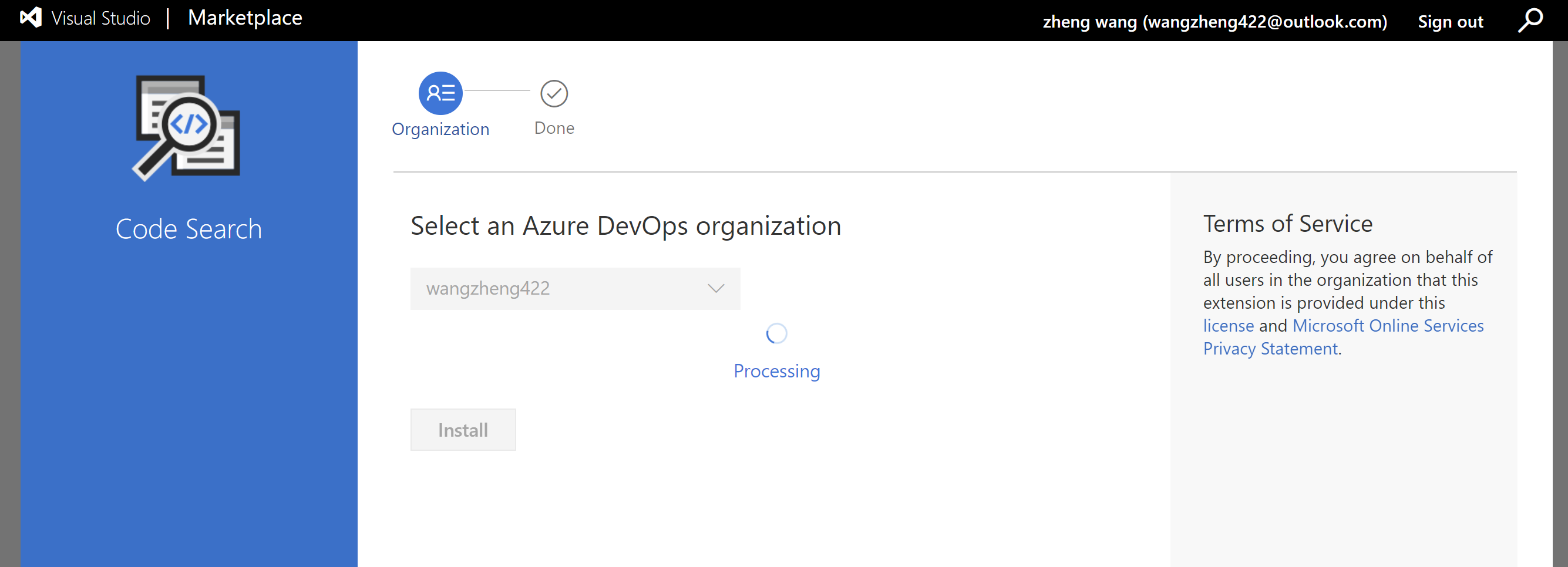
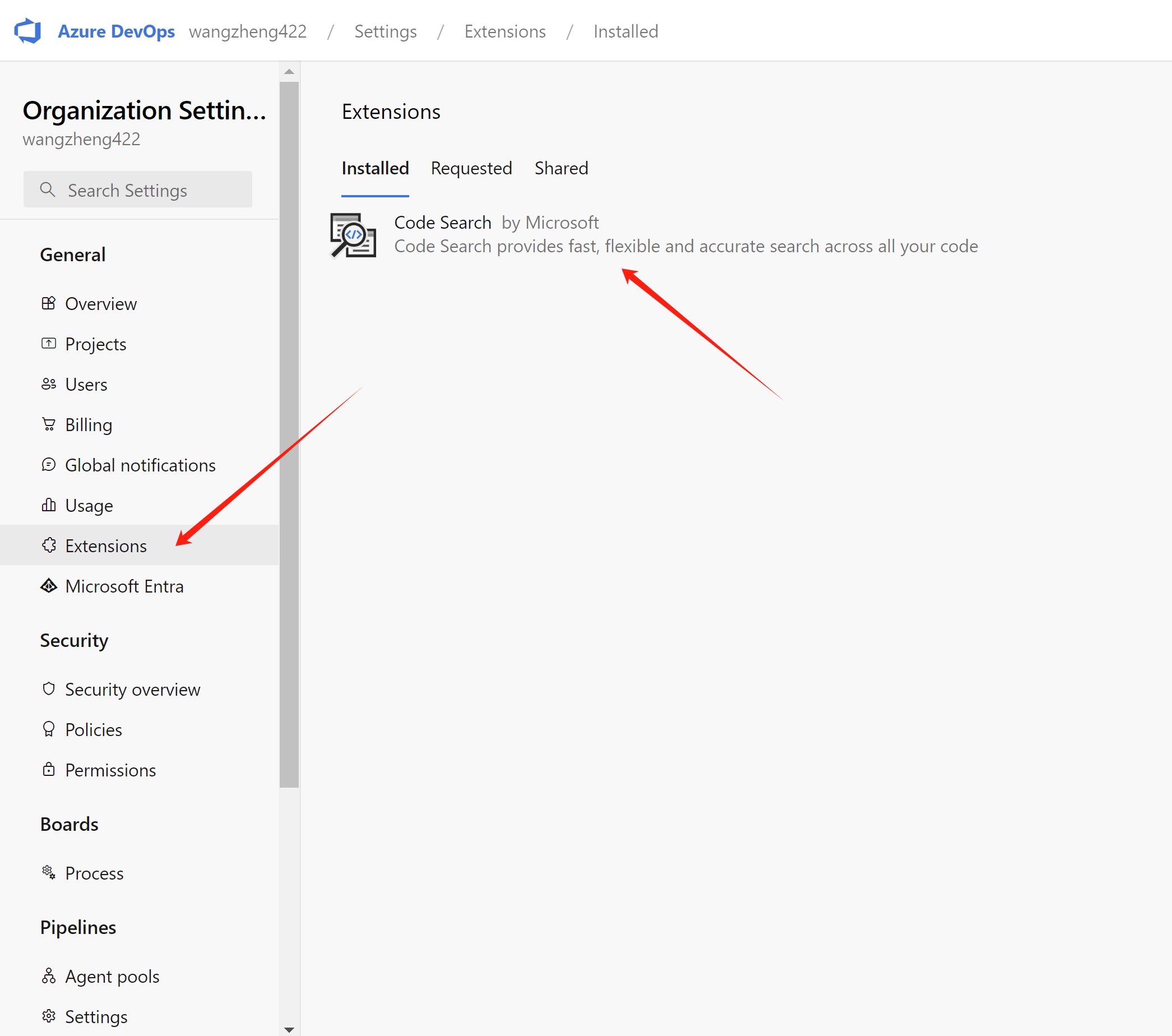
Install Code Search Feature for Azure devops
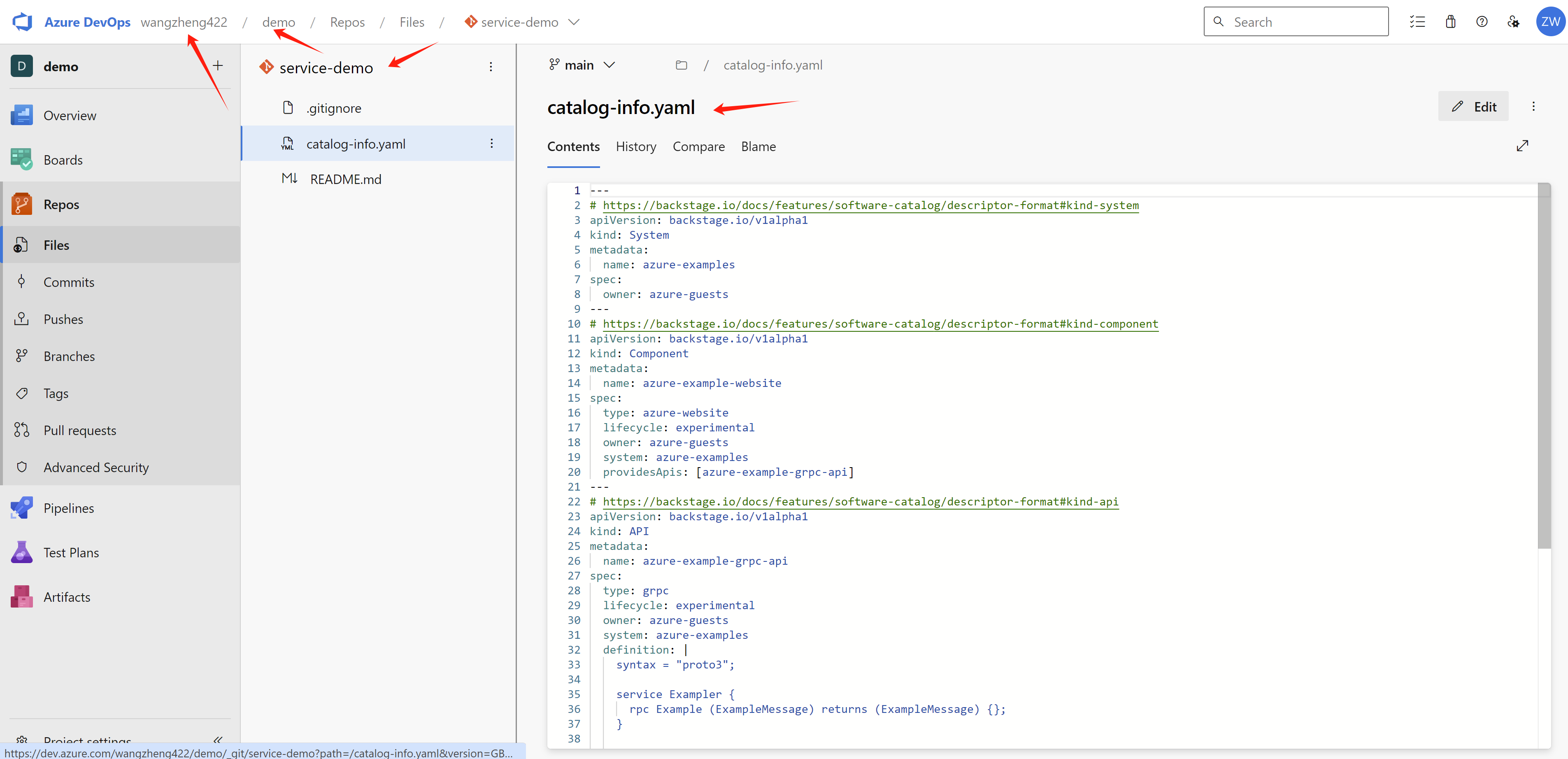
create a repo under your organization, and project. The content of the repo does matter for this lab, because it contains catalog for demo system, components, and api.
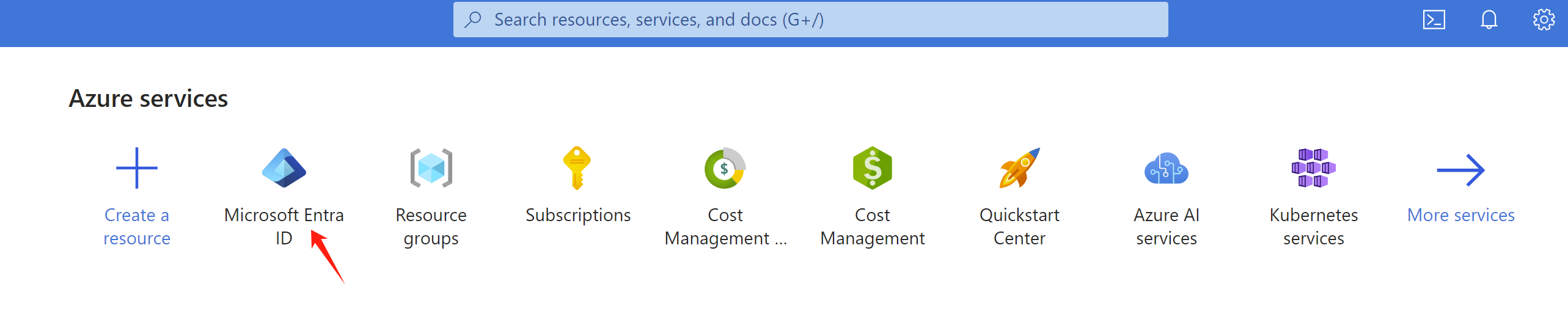
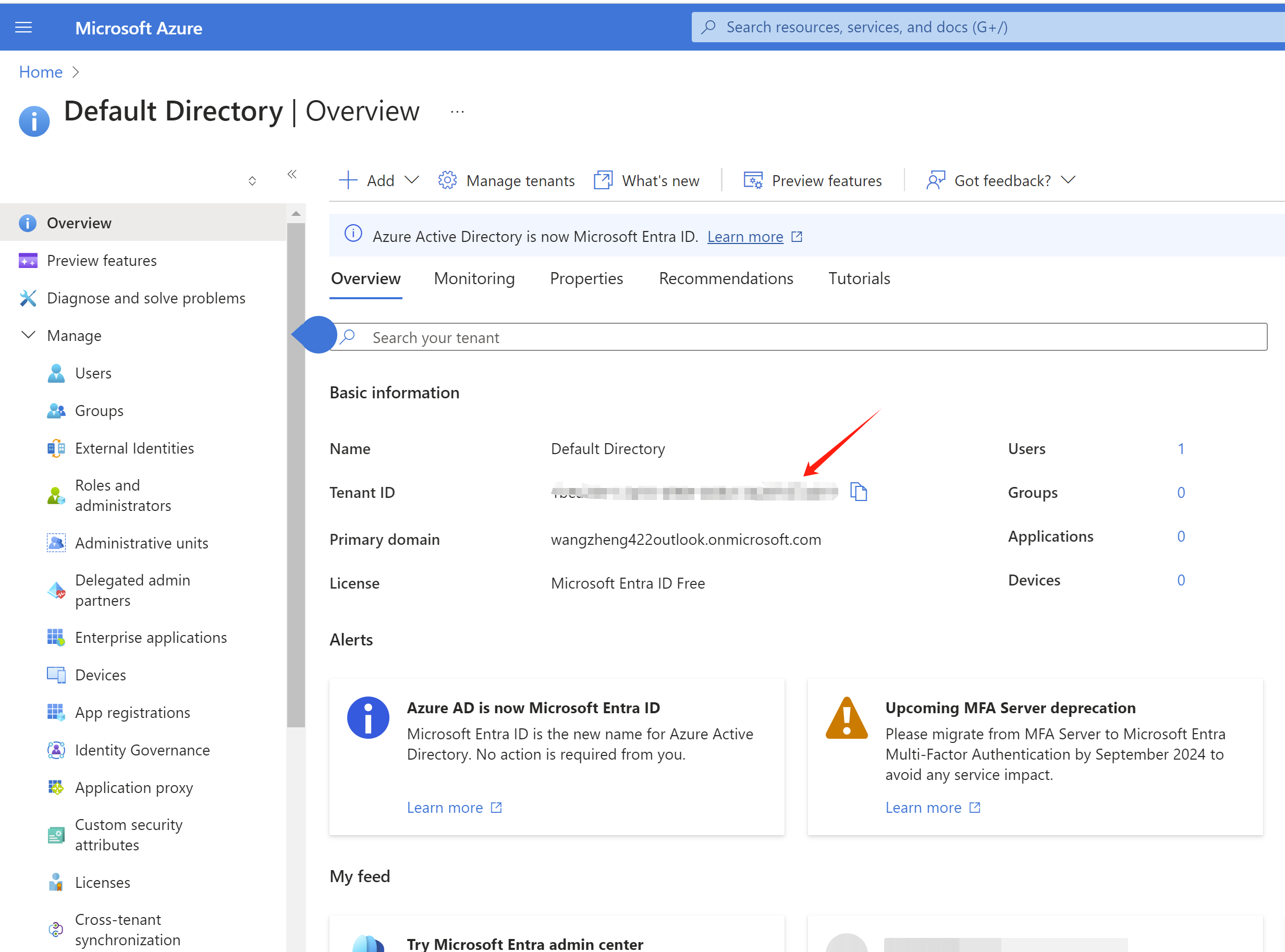
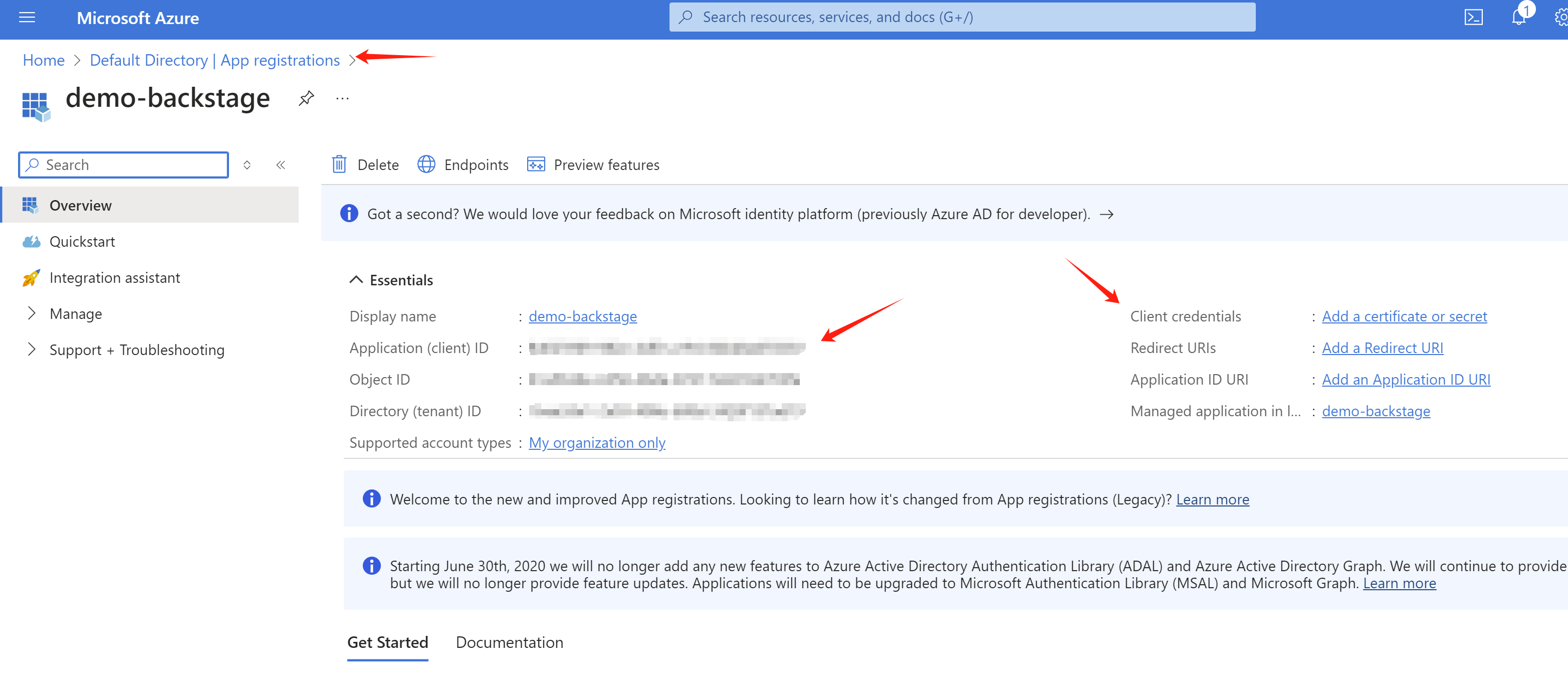
Find your tenant id, client id, and client secret
Create an application, then you can get the client id
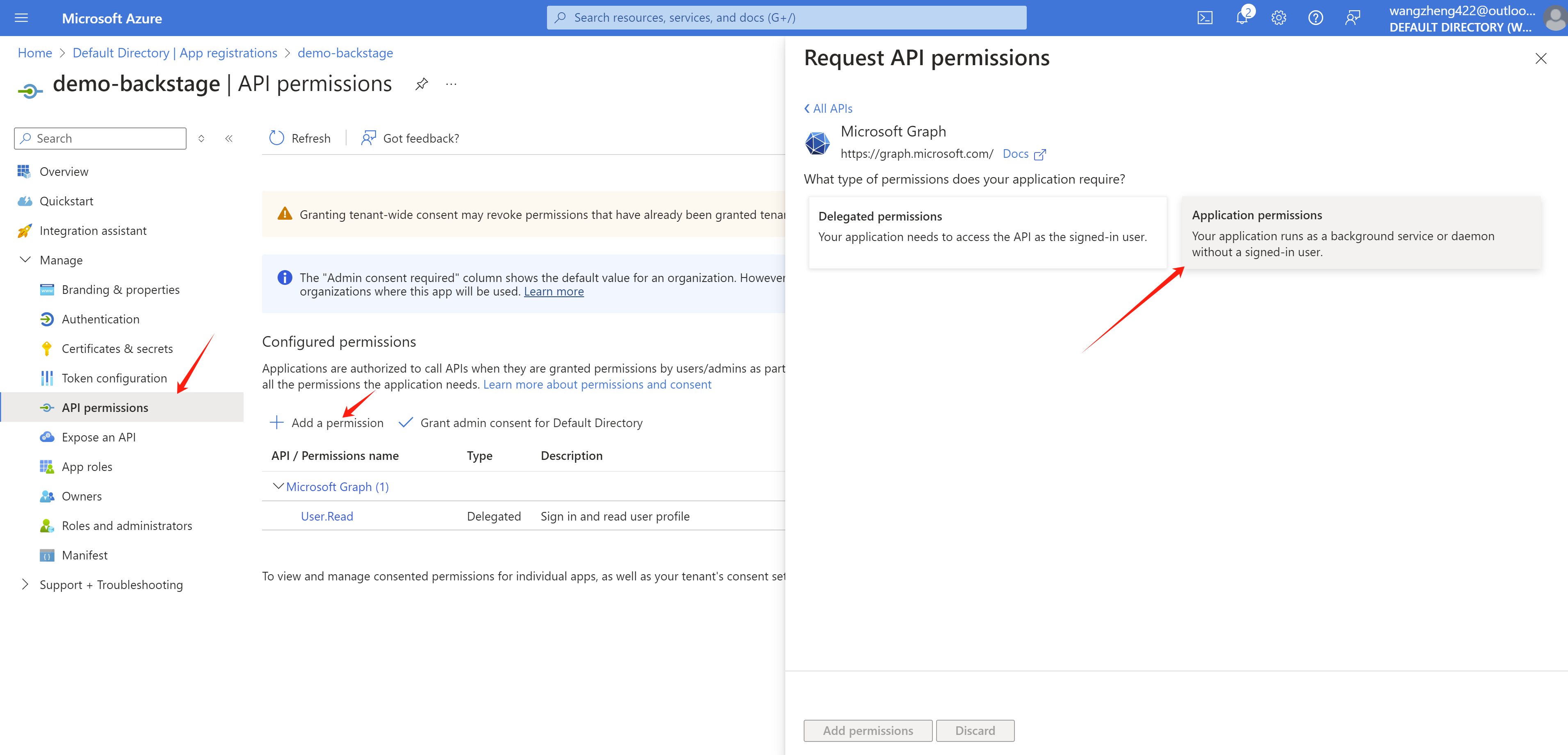
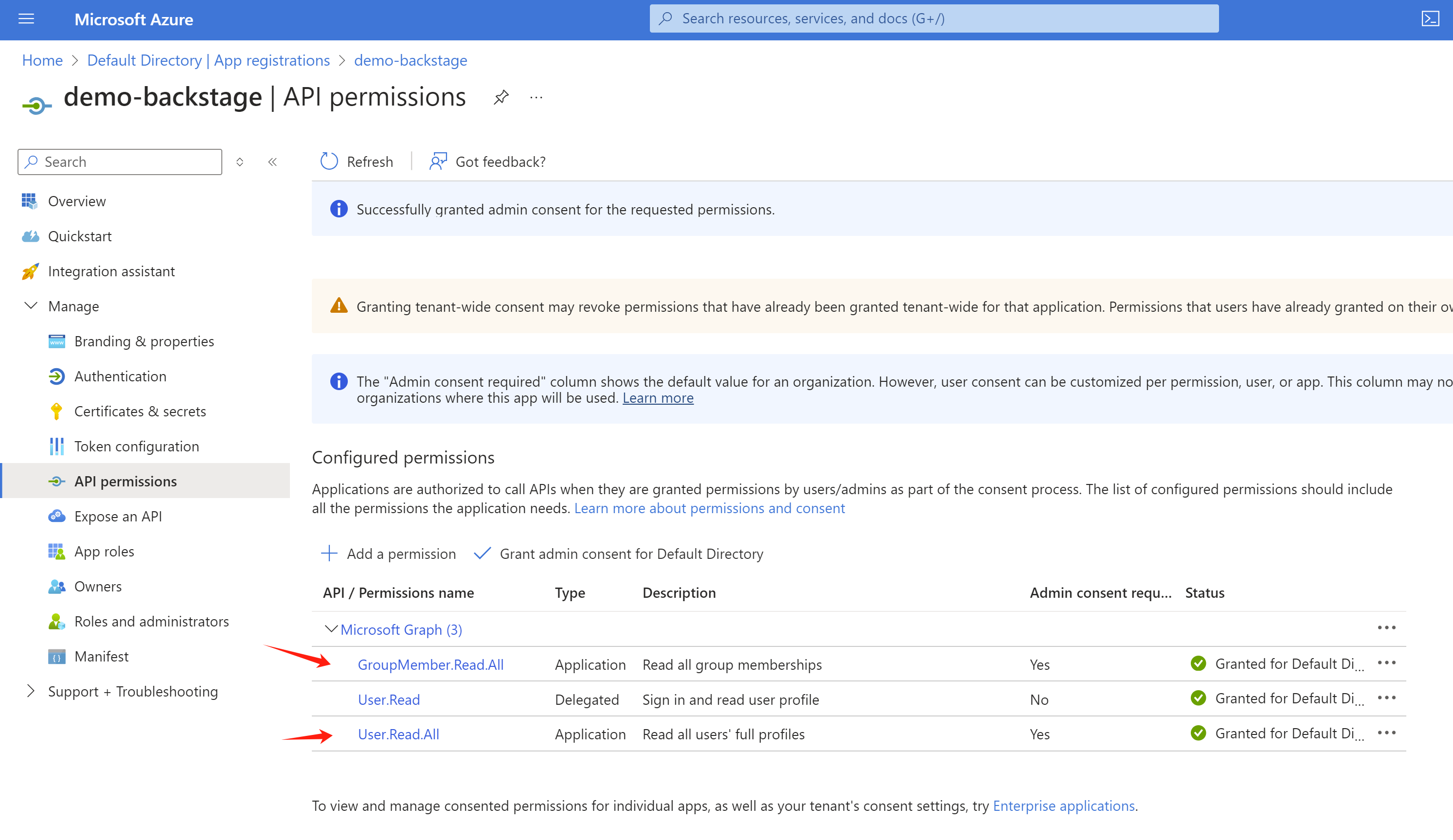
Set correct permission
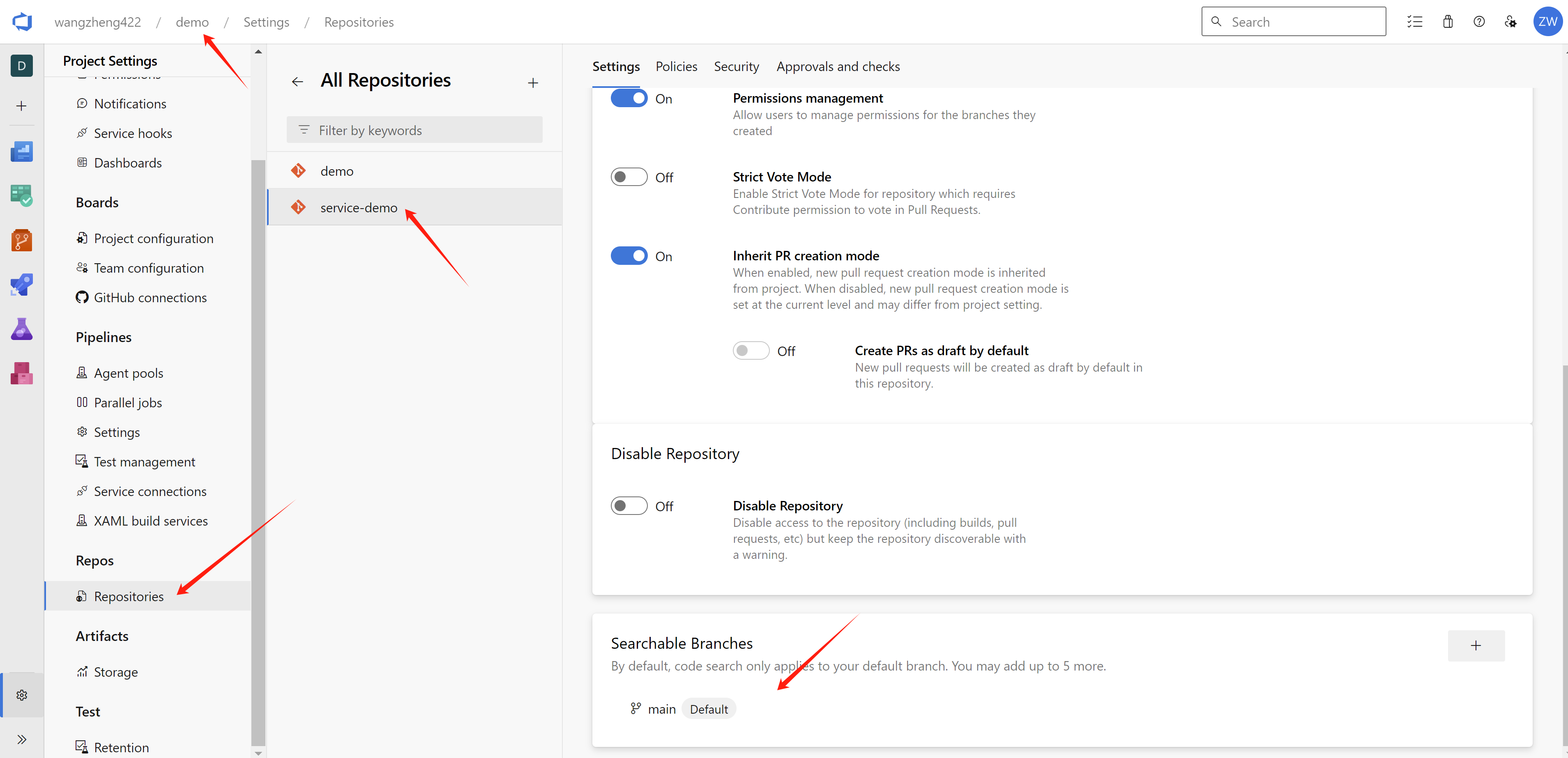
Set searchable branch.
rhdh app config
In this lab, RHDP is gitopts installed, so find in gitlab, and change the content, both plugins and integrations.
- https://gitlab-gitlab.apps.cluster-kh8kp.sandbox594.opentlc.com/gitops/janus-idp-gitops/-/blob/main/charts/backstage/backstage-values.yaml
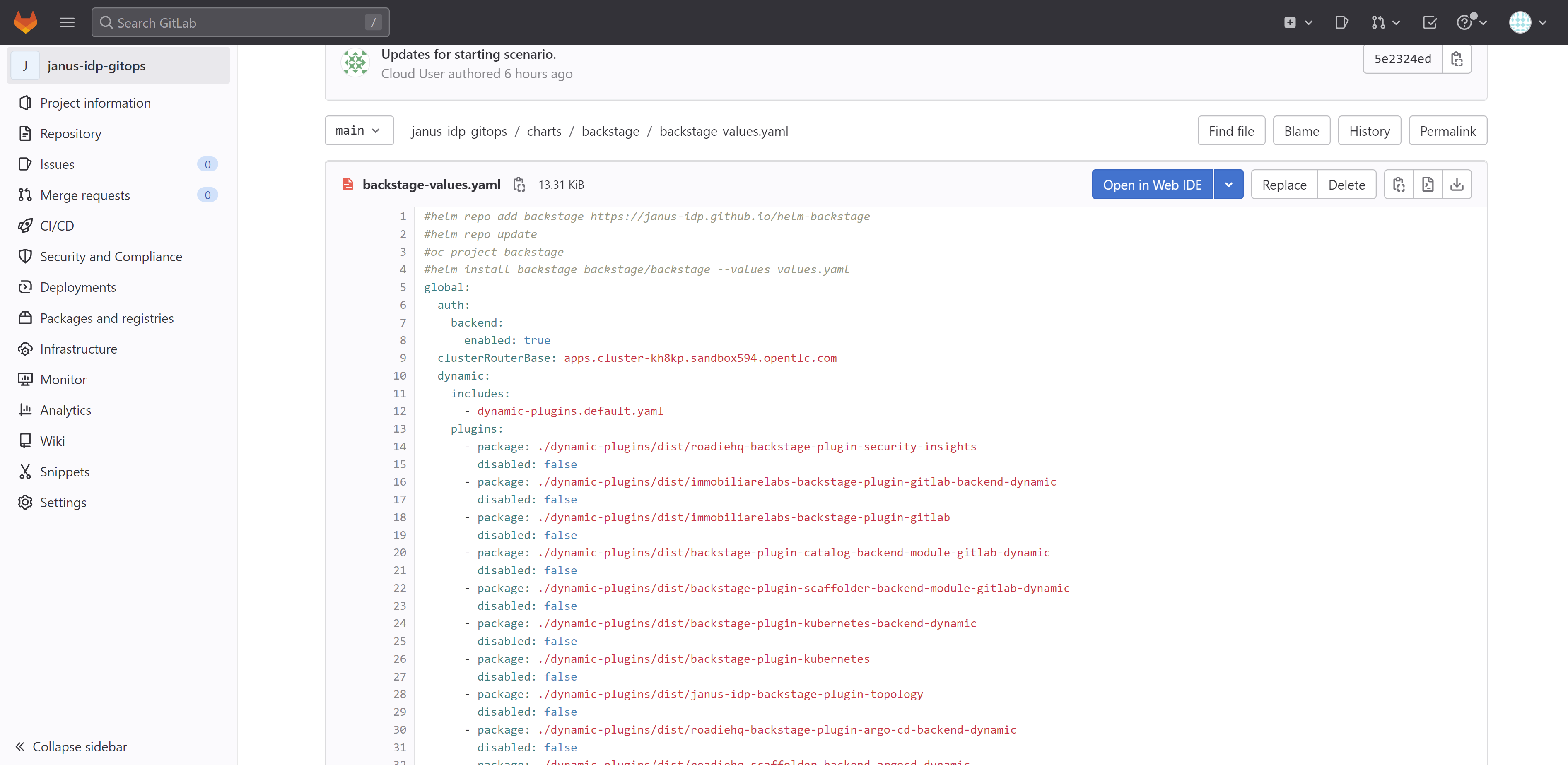
Apply below content to the backstage-values.yaml, do not delete existed, just add. Not all config is correct, I am still working on it. Replace the secure key with your own ones.
[!TIP] get checksum with
npm info
data:
  dynamic-plugins.yaml: |
    includes:
    - dynamic-plugins.default.yaml
    plugins:
      - disabled: false
        package: ./dynamic-plugins/dist/backstage-plugin-azure-devops
      - disabled: false
        package: ./dynamic-plugins/dist/backstage-plugin-azure-devops-backend-dynamic
      # - disabled: false
      #   package: ./dynamic-plugins/dist/backstage-plugin-scaffolder-backend-module-azure-dynamic
      # - disabled: false
      #   integrity: >-
      #       sha512-WxRXsTppHKxzMHpUvEiQR3rYPypSHDHABAqegjareHYEXgA5uVBsRW2zES6GpOeei45KnxGL+NcuoKQezg1D7A==
      #   package: '@backstage/plugin-azure-devops@0.4.4'
      # - disabled: false
      #   integrity: >-
      #       sha512-wHZC7riqyakSzPrxM1+edu1Et99Q0gAd0WXxrnclUo7lT45+xvqYxzbdVR9Kr7OHr/6AugMghJZV1BzCxl2+PQ==
      #   package: '@backstage/plugin-azure-devops-backend@0.6.5'
      - disabled: false
        integrity: >-
            sha512-H3d4UThnU+EUCFfH3lBPvm0mYXdAQ/GG4blg71Oe8nfjm9eN9yATxq8r74430Xyi1xn+2HVbVbLyvWpgpIp/ig==
        package: '@backstage/plugin-catalog-backend-module-azure@0.1.38'
      - disabled: false
        integrity: >-
            sha512-C7qhlHOQeXMNMPekgEoTdTiVq2hHdZkHvUHpb4EyCOE8MzGFx1LTl7r7ch4jiFkr15YQuqOImYUc/JhGNnes8A==
        package: '@backstage/plugin-catalog-backend-module-msgraph@0.5.26'
      # - disabled: false
      #   integrity: >-
      #       sha512-eBfl2rPN3HrgECEeHS9uw9Y4xaAQgzNu7qn/kYarqTRi3Rnn5V8zMm5jU4gcqfcxdBbdpUb9HpRvOqk9V96VSA==
      #   package: '@backstage/plugin-azure-devops-common@0.4.2'

upstream:
  backstage:

    extraEnvVars:
      - name: AZURE_CLIENT_ID
        value: <change me to secret value>
      - name: AZURE_CLIENT_SECRET
        value: <change me to secret value>
      - name: AZURE_TENANT_ID
        value: <change me to secret value>
      - name: AZURE_TOKEN
        value: <change me to secret value>
      - name: AZURE_ORG
        value: wangzheng422
      - name: KEYCLOAK_BASE_URL
        value: https://keycloak-backstage.apps.cluster-wzjhs.sandbox2376.opentlc.com/auth
      - name: KEYCLOAK_LOGIN_REALM
        value: backstage
      - name: KEYCLOAK_REALM
        value: backstage
      - name: KEYCLOAK_CLIENT_ID
        valueFrom:
          secretKeyRef:
            key: CLIENT_ID
            name: keycloak-client-secret-backstage
      - name: KEYCLOAK_CLIENT_SECRET
        valueFrom:
          secretKeyRef:
            key: CLIENT_SECRET
            name: keycloak-client-secret-backstage

    appConfig:
      integrations:
        azure:
          - host: dev.azure.com
            credentials:
              - organizations:
                  - ${AZURE_ORG}
                personalAccessToken: ${AZURE_TOKEN}

      catalog:
        locations:
          - target: https://dev.azure.com/wangzheng422/demo/_git/service-demo?path=%2Forg.yaml&version=GBmain&_a=contents
            # can be git url from azure devops repo
            # target: https://dev.azure.com/wangzheng422/demo/_git/service-demo?path=%2Forg.yaml&version=GBmain&_a=contents
            # https://github.com/wangzheng422/backstage-customize/blob/data/org.yaml
            type: url
            rules:
              - allow: [Group, User]
          - target: https://github.com/redhat-developer/red-hat-developer-hub-software-templates/blob/main/templates/azure/dotnet-frontend/template.yaml
            type: url
            rules:
              - allow: [Template]

        providers:
          azureDevOps:
            yourProviderId: # identifies your dataset / provider independent of config changes
              organization: wangzheng422
              project: '*'
              repository: '*' # this will match all repos starting with service-*
              path: /catalog-info.yaml
              schedule: # optional; same options as in TaskScheduleDefinition
                # supports cron, ISO duration, "human duration" as used in code
                frequency: { minutes: 30 }
                # supports ISO duration, "human duration" as used in code
                timeout: { minutes: 3 }
          microsoftGraphOrg:
            default:
              tenantId: ${AZURE_TENANT_ID}
              clientId: ${AZURE_CLIENT_ID}
              clientSecret: ${AZURE_CLIENT_SECRET}
              user:
                filter: accountEnabled eq true and userType eq 'member'
                select: [id,mail,displayName,givenName,mobilePhone]
              group:
                filter: >
                  securityEnabled eq false
                  and mailEnabled eq true
                  and groupTypes/any(c:c+eq+'Unified')
              schedule:
                frequency: PT1H
                timeout: PT50M
          keycloakOrg:
            default:
              baseUrl: ${KEYCLOAK_BASE_URL}
              loginRealm: ${KEYCLOAK_LOGIN_REALM}
              realm: ${KEYCLOAK_REALM}
              clientId: ${KEYCLOAK_CLIENT_ID}
              clientSecret: ${KEYCLOAK_CLIENT_SECRET}
              schedule: # optional; same options as in TaskScheduleDefinition
                # supports cron, ISO duration, "human duration" as used in code
                frequency: { minutes: 1 }
                # supports ISO duration, "human duration" as used in code
                timeout: { minutes: 1 }
                initialDelay: { seconds: 15 }


      enabled:
        azure: true
        azureDevOps: true
        microsoftGraphOrg: false
        keycloakOrg: true
        microsoft: false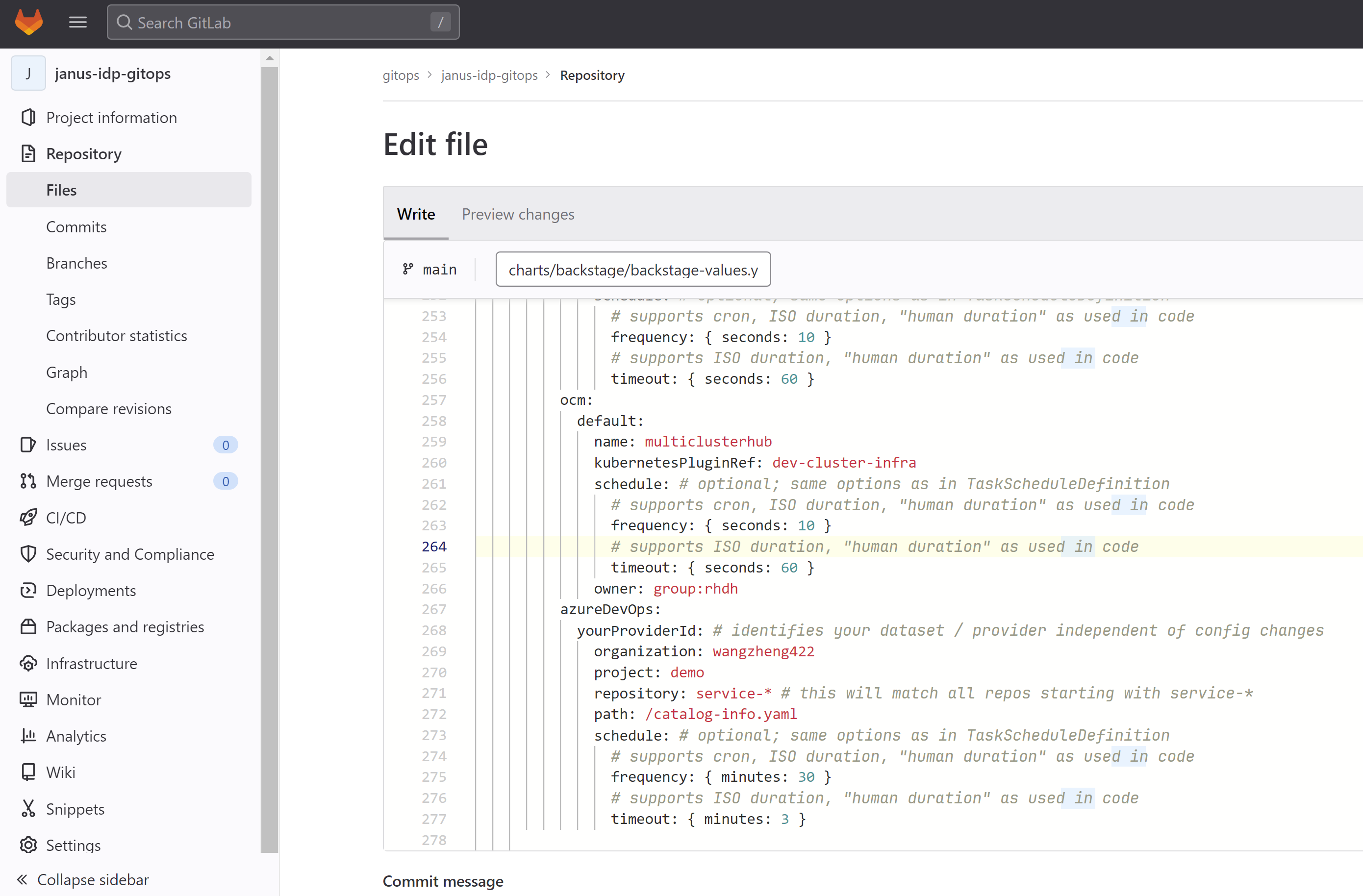
In gitlab webconsole, change the content and commit
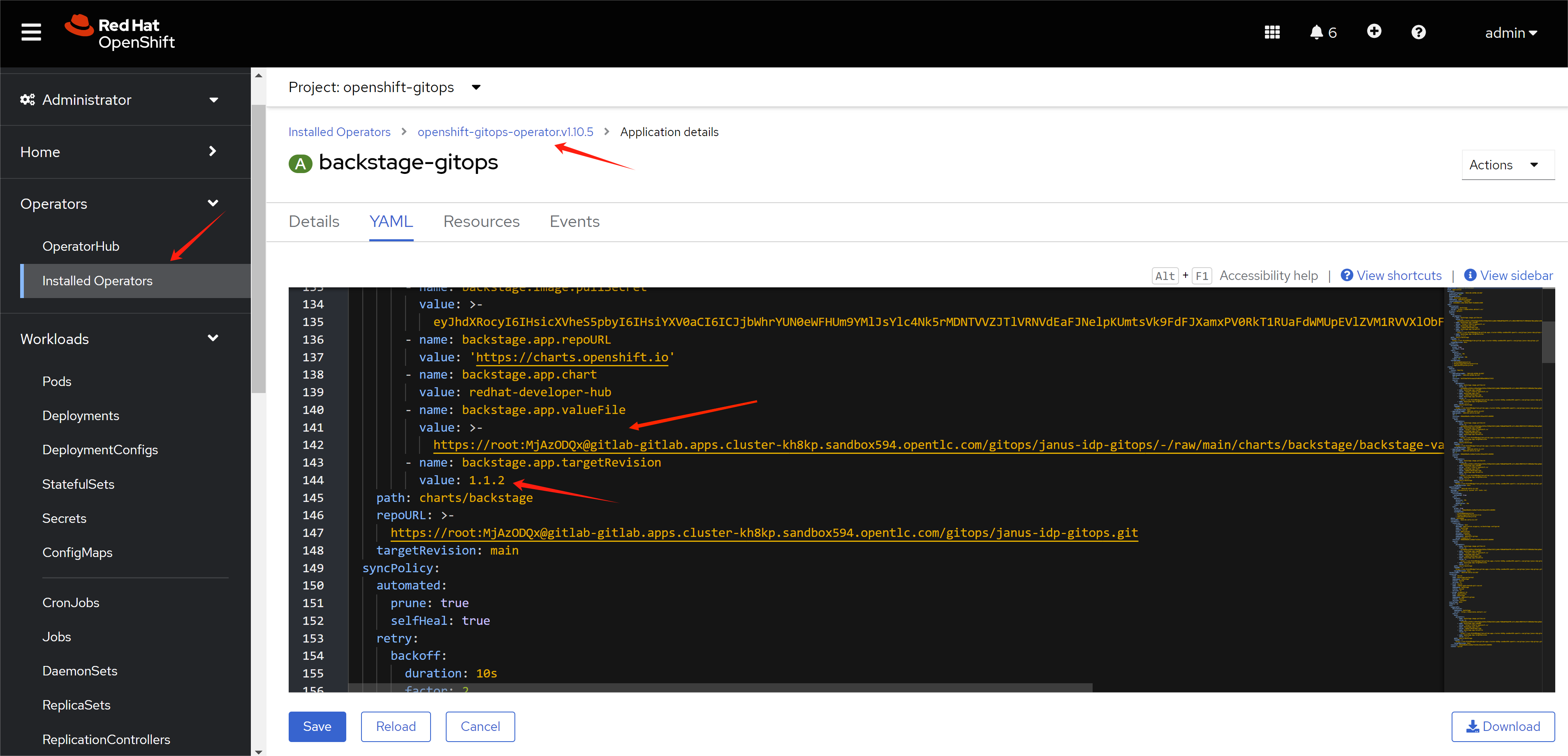
Then, from gitops operator view, update backstage.app.valueFile to the commited raw file url.
Wait sometime, you can see the plugin is enable in RHDP
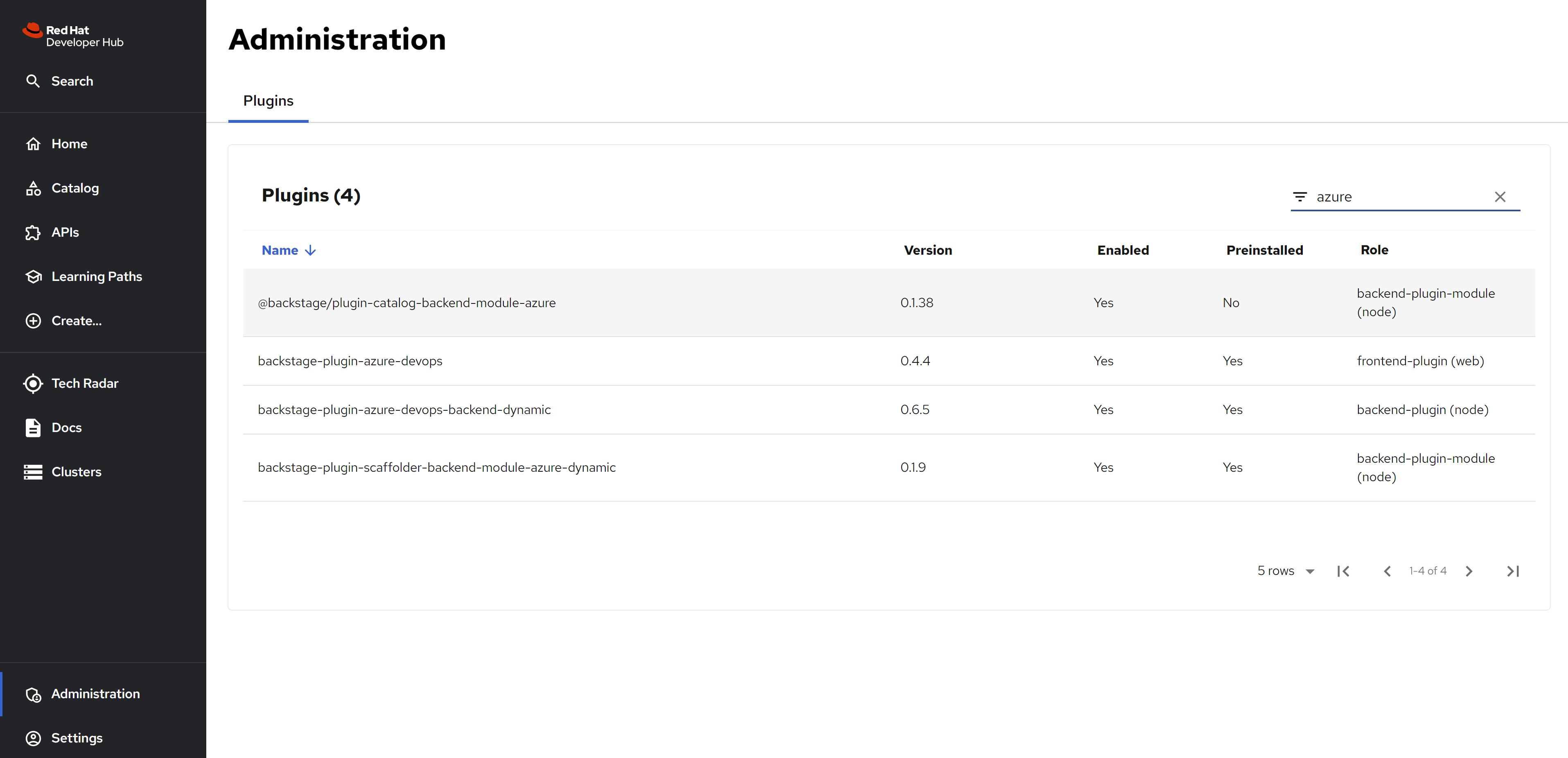
see the azure devops result
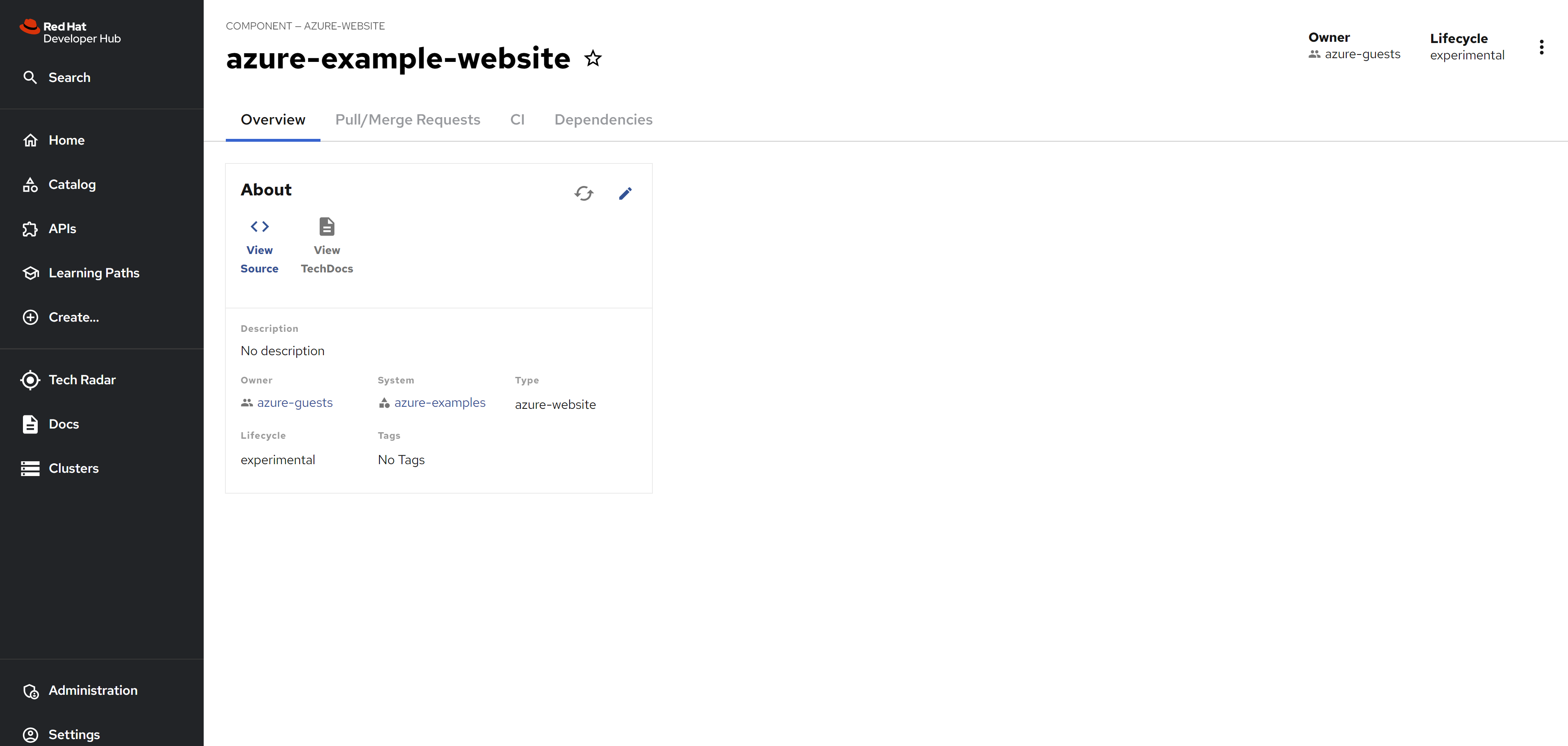
Import the resources, with reference to azure devops, with the auto discovery you can see the components, system, and api.
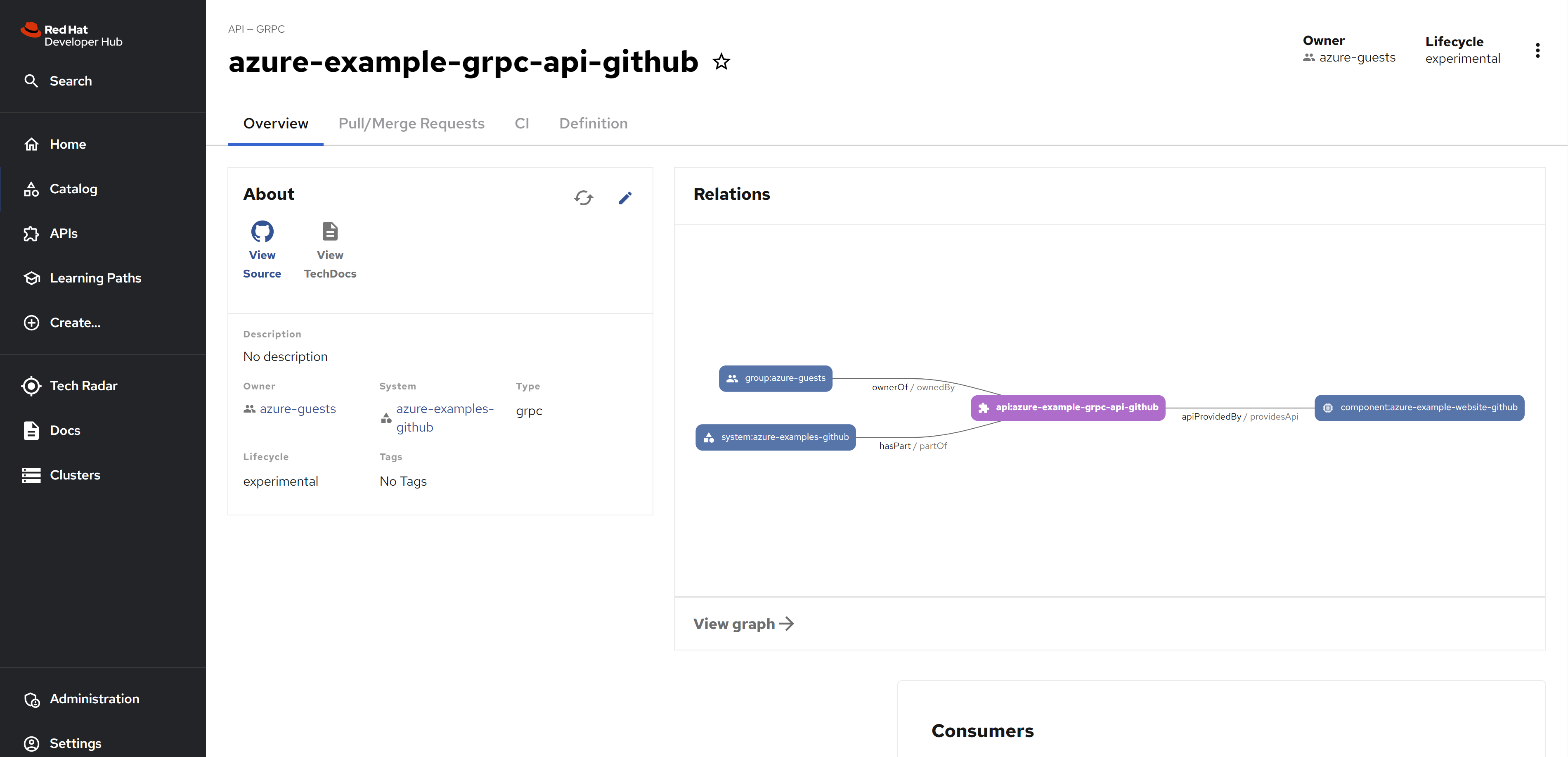
For API
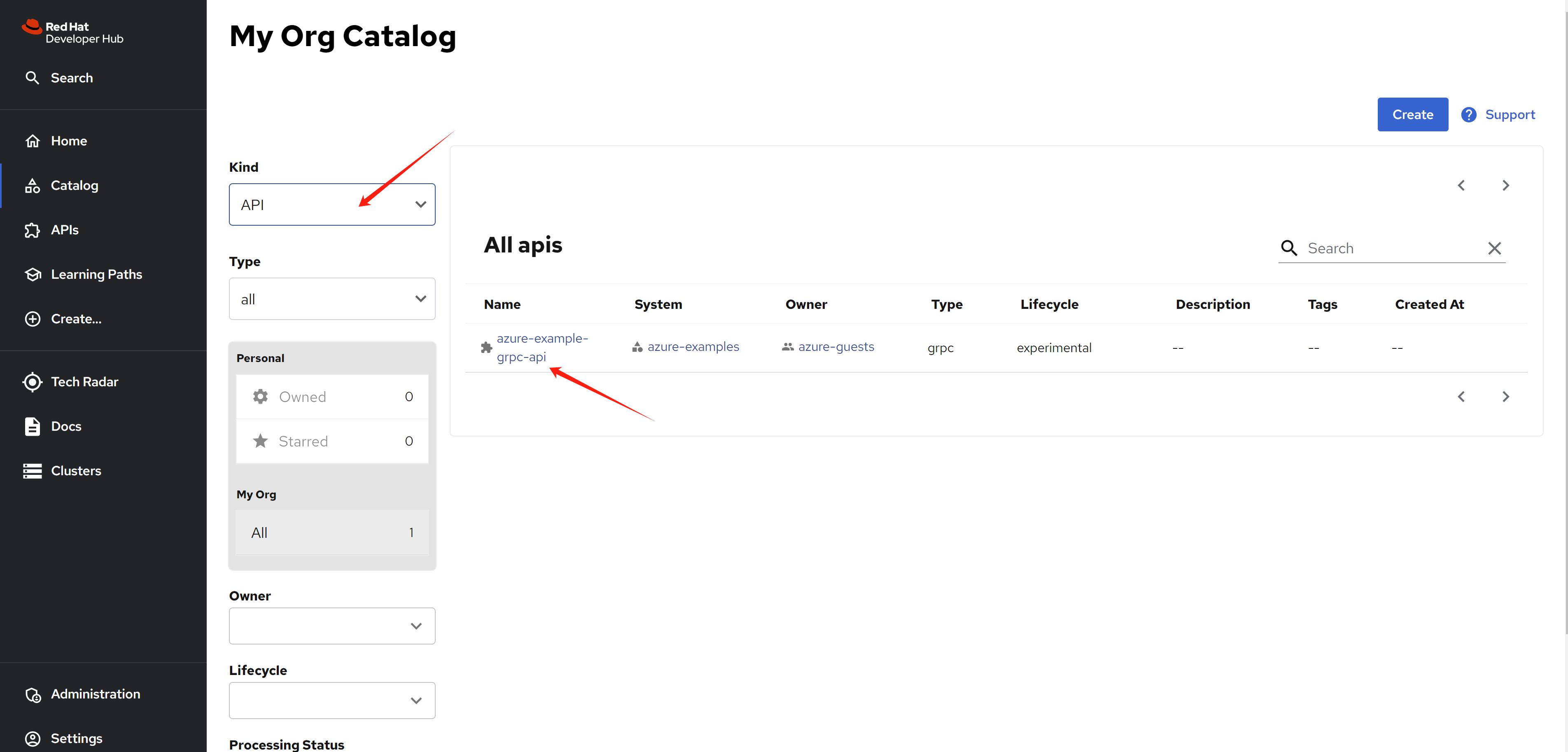
from the detail view, you can see the dependency relationship.
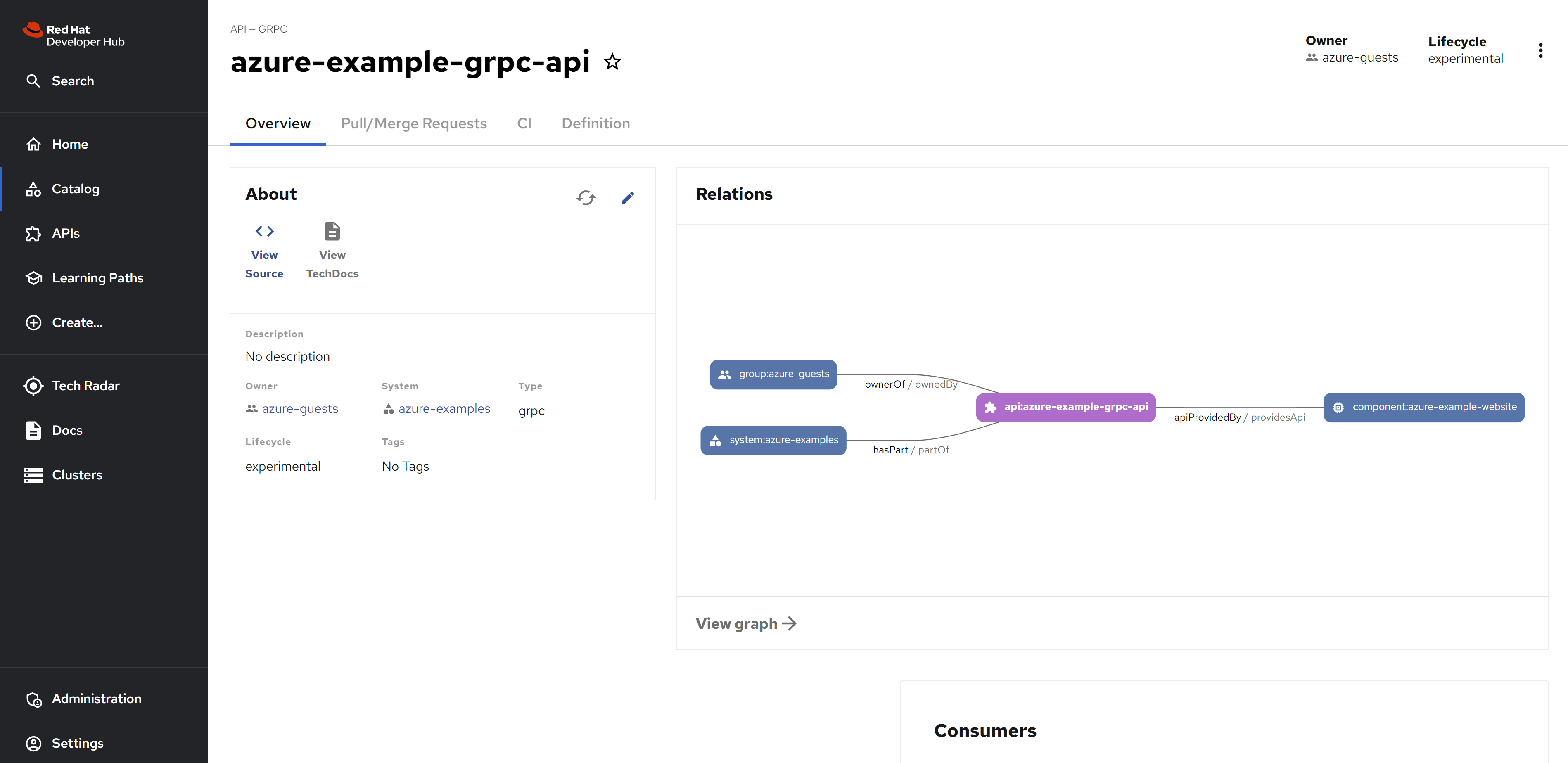
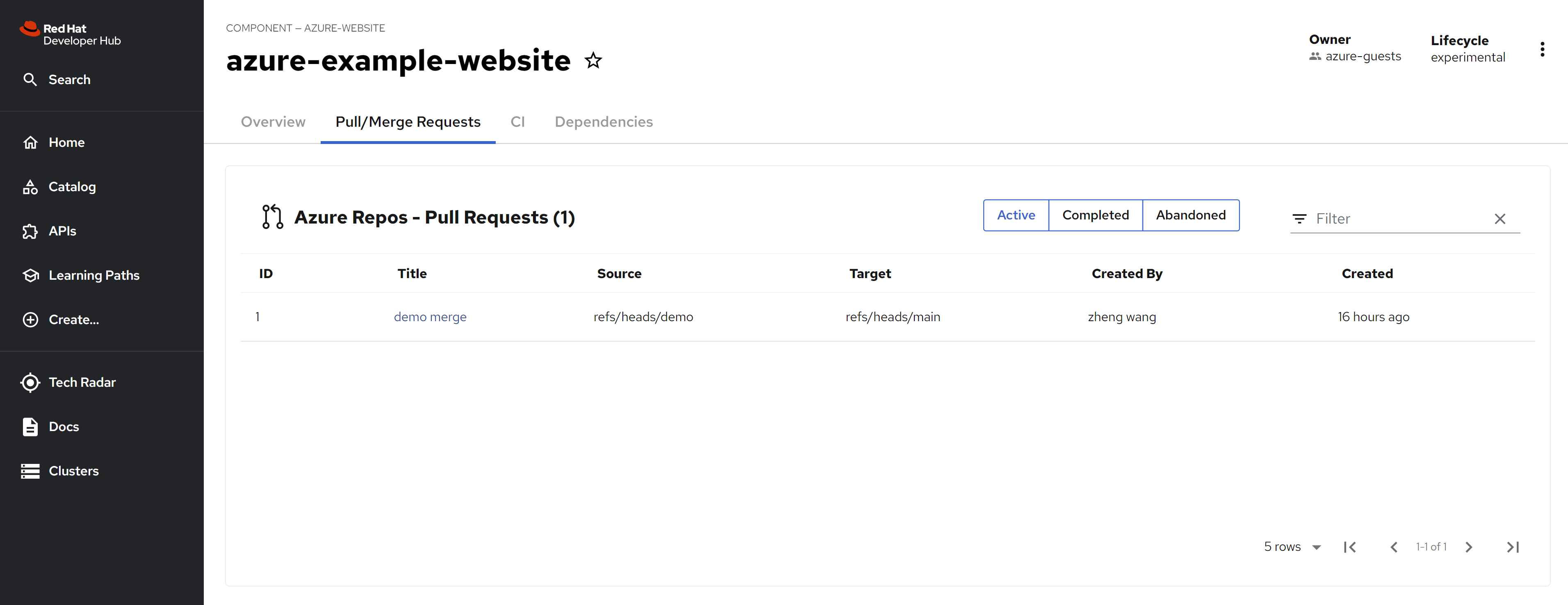
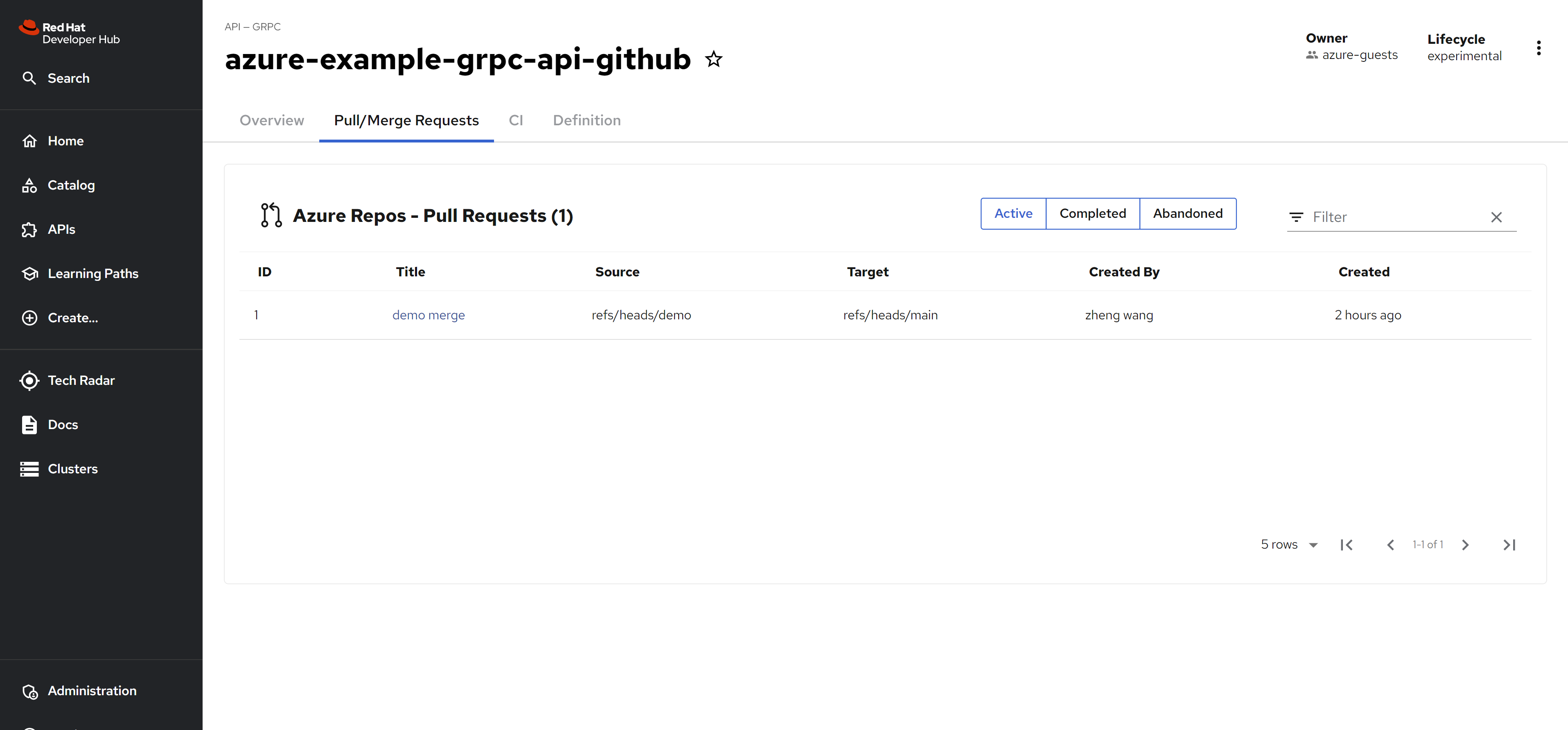
and you can see the azure devops repo’s pull request
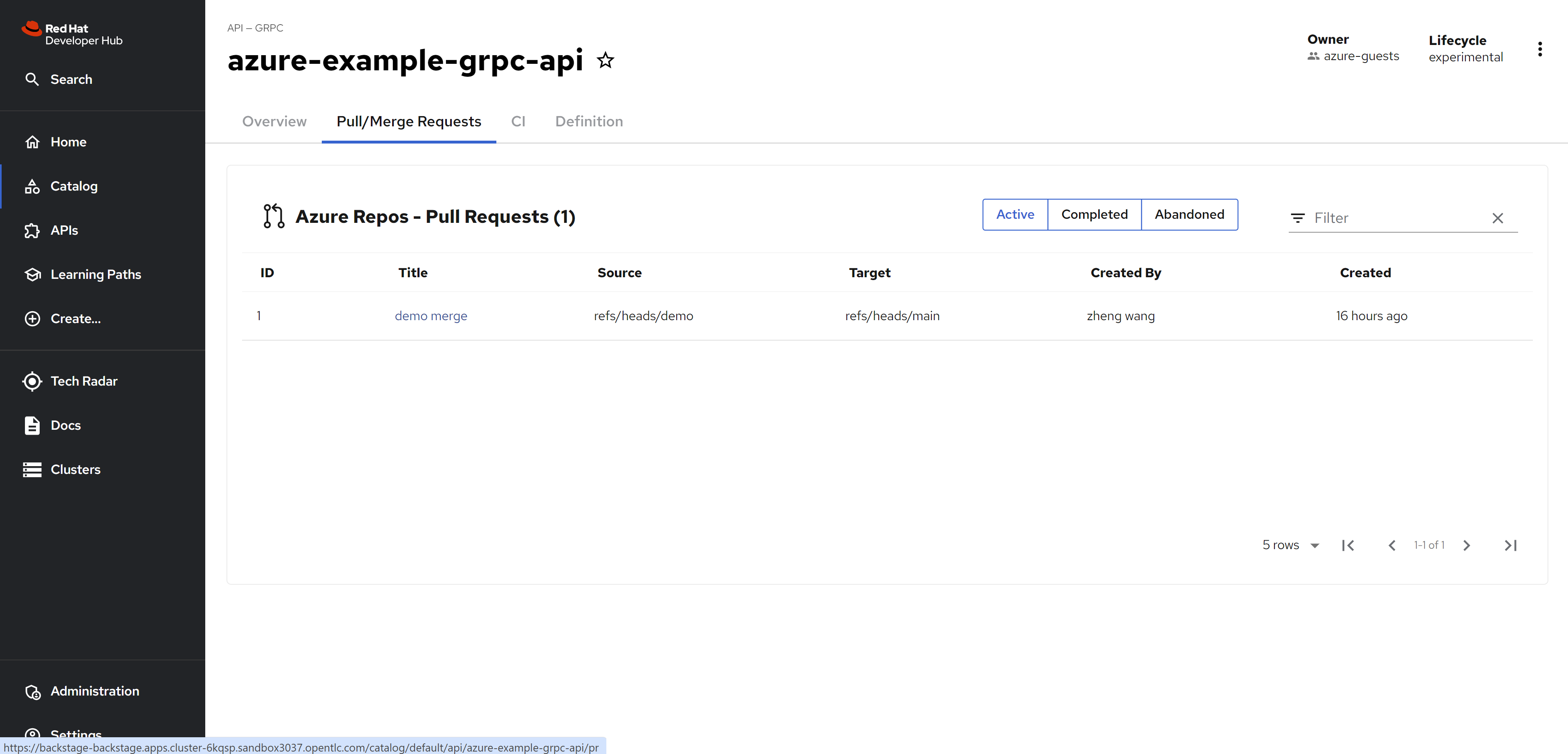
and the pipeline status
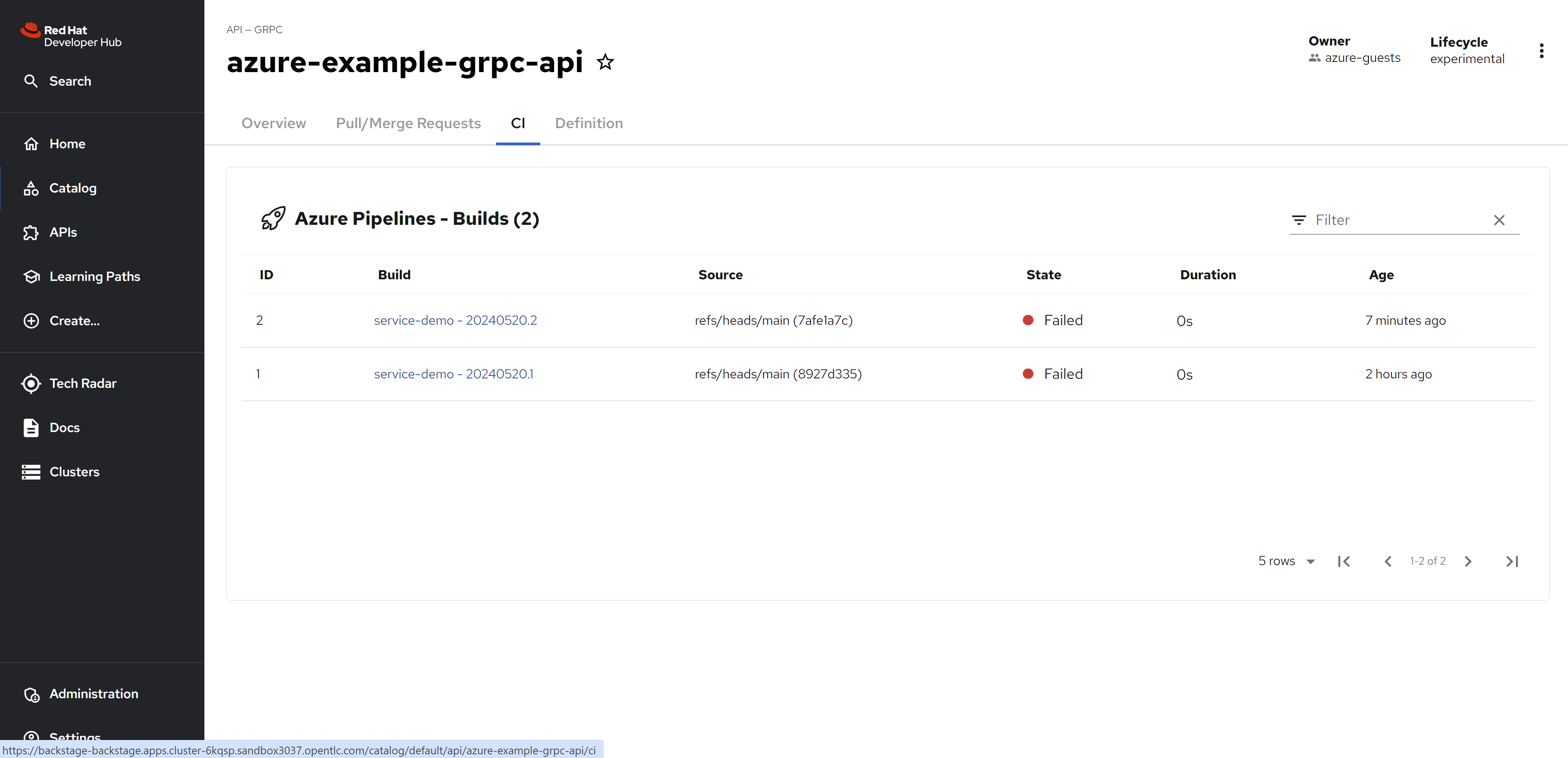
and the source code.
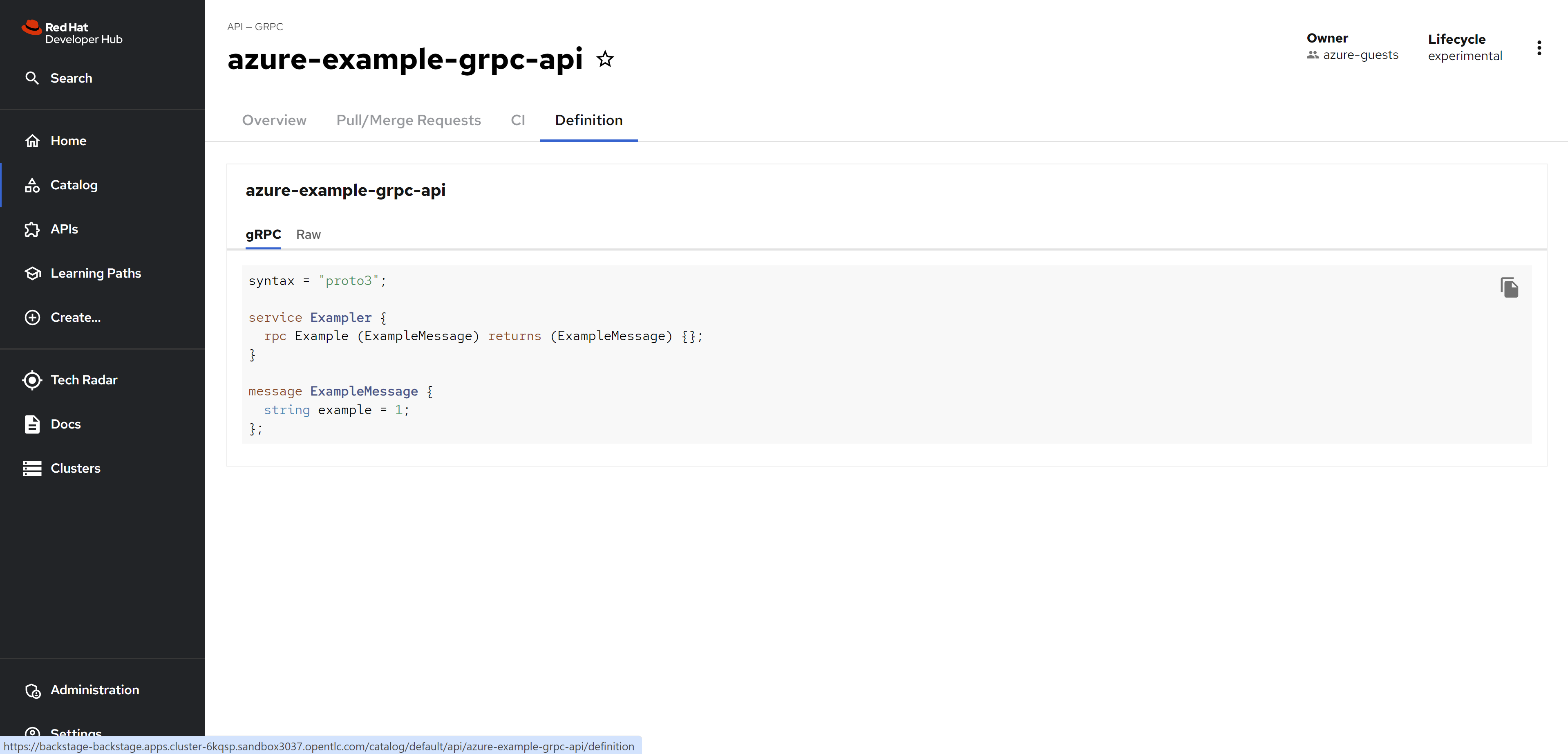
For components
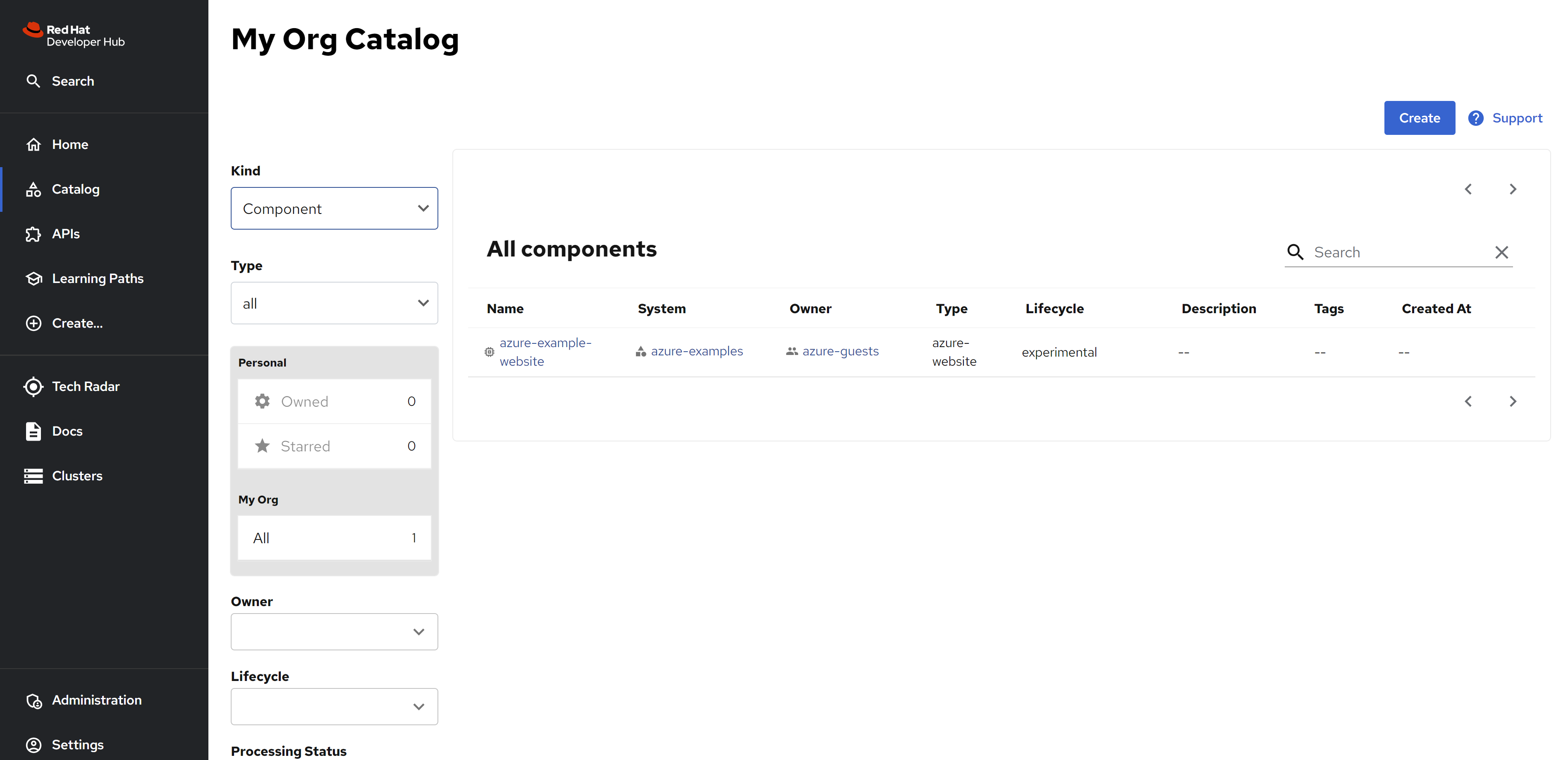
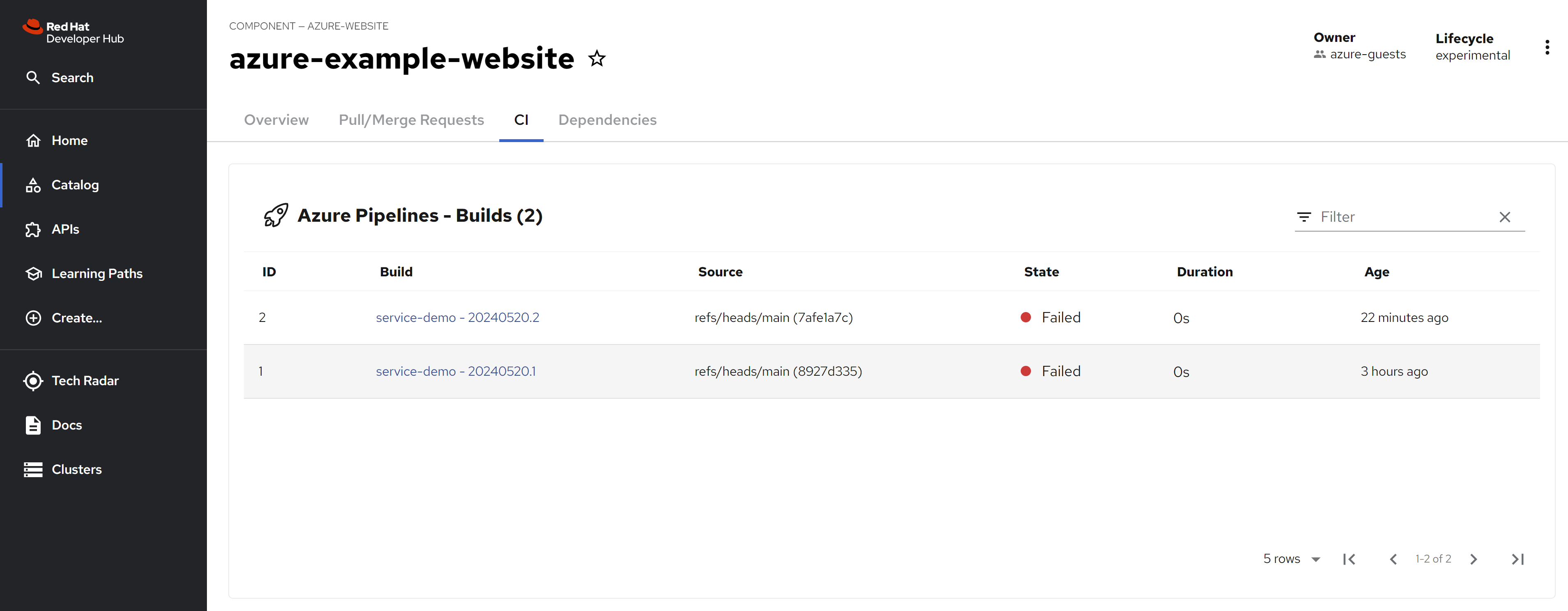
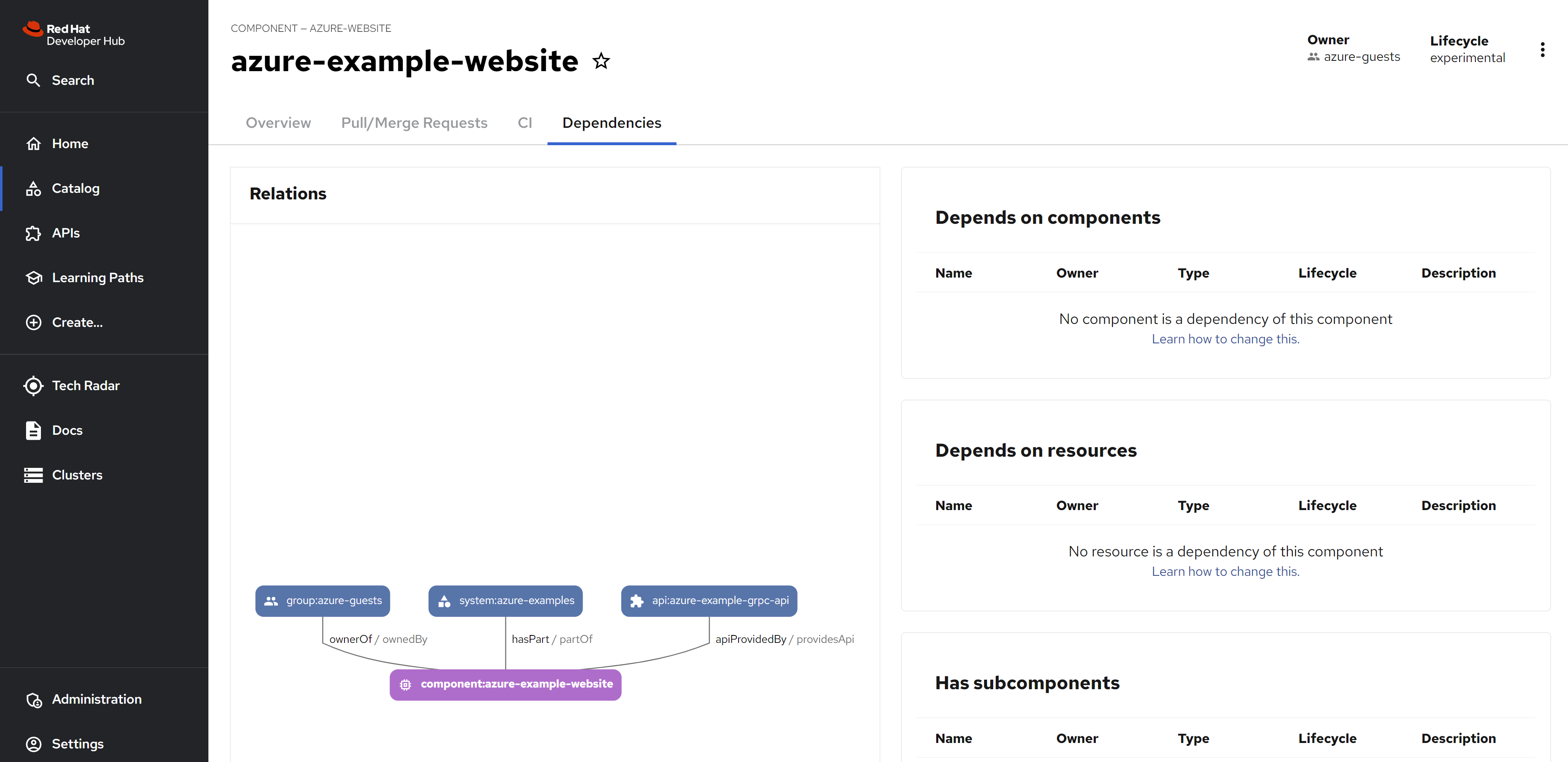
For system
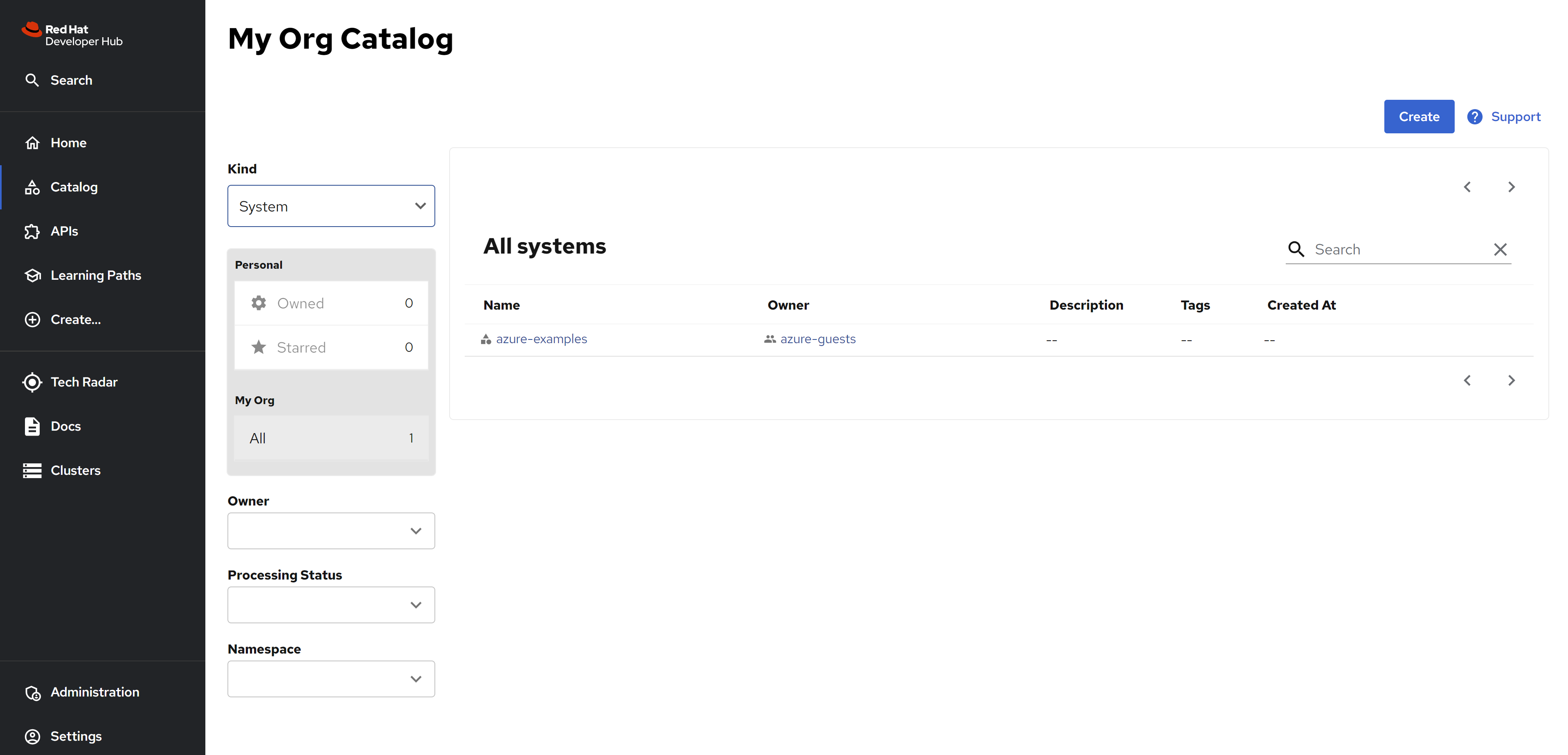
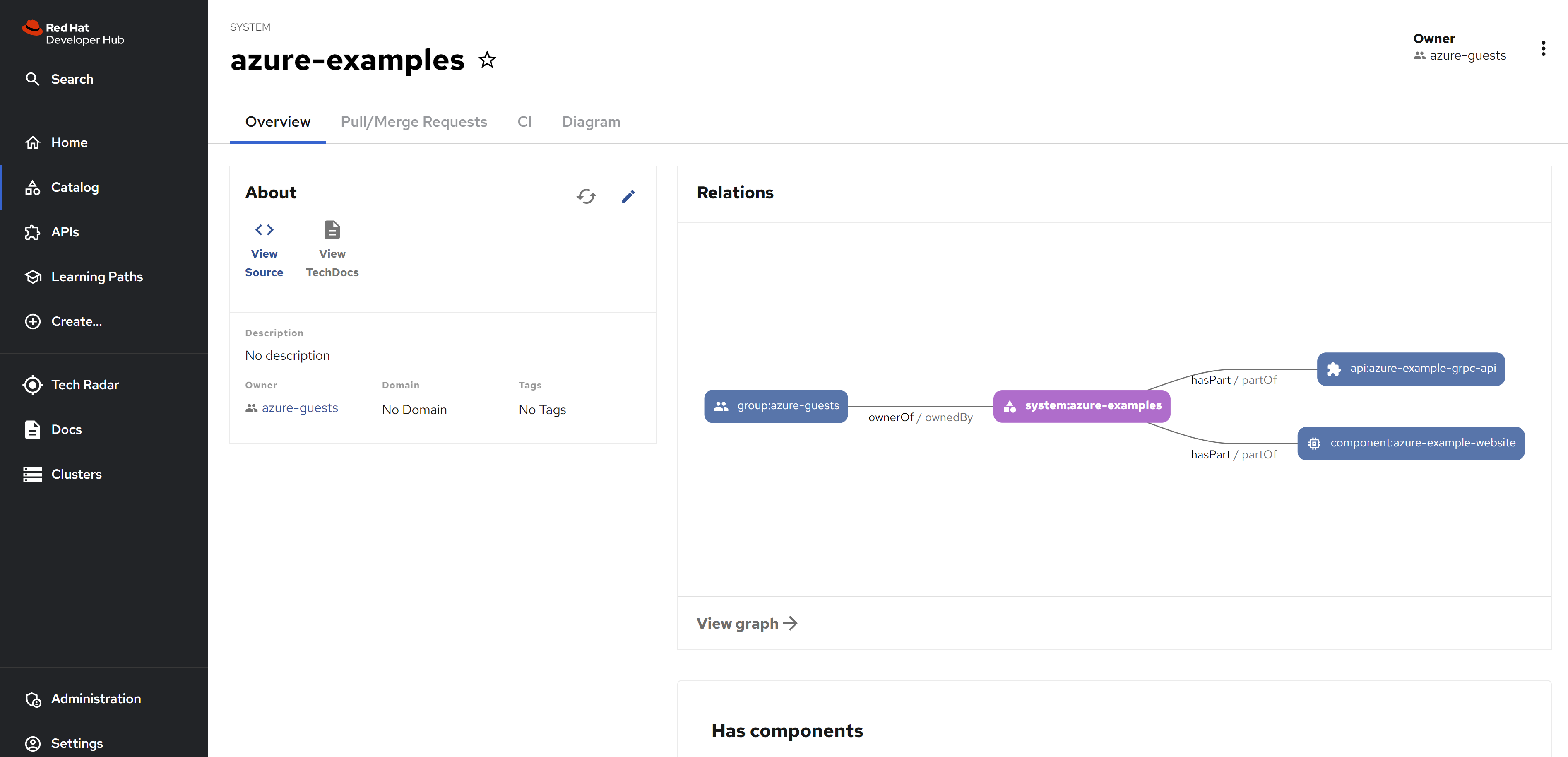
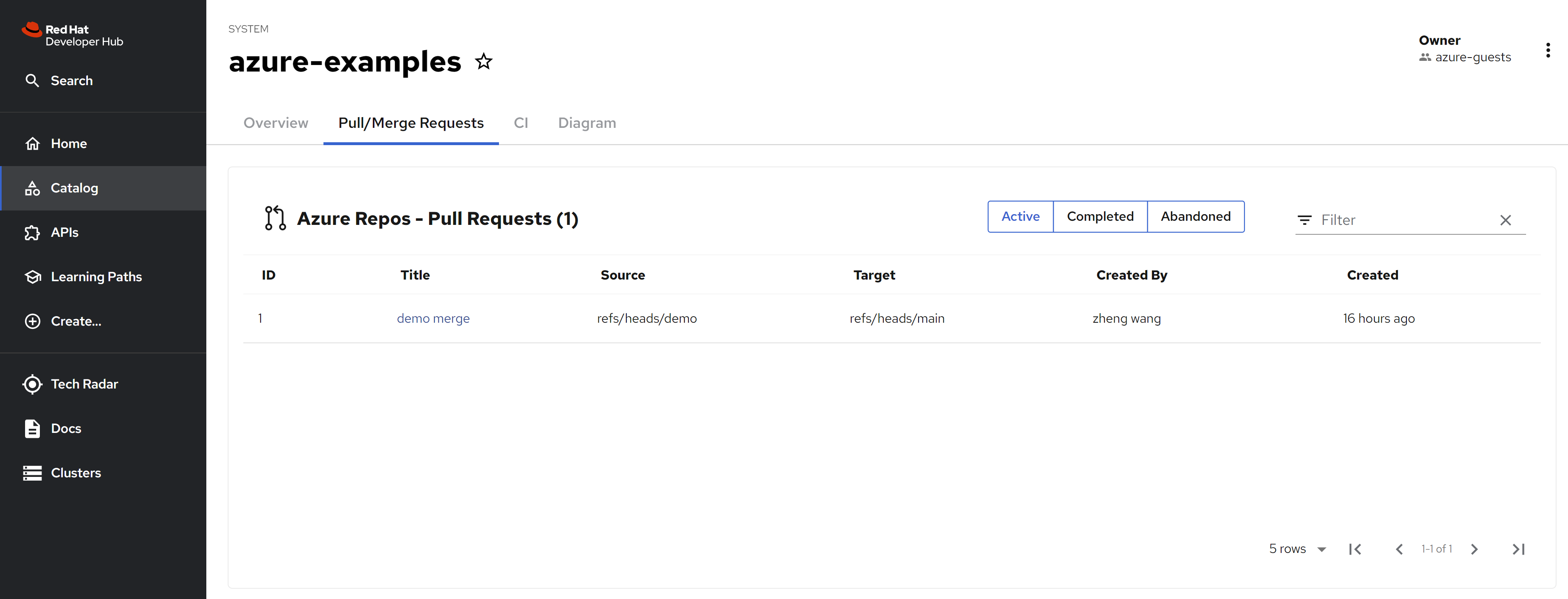
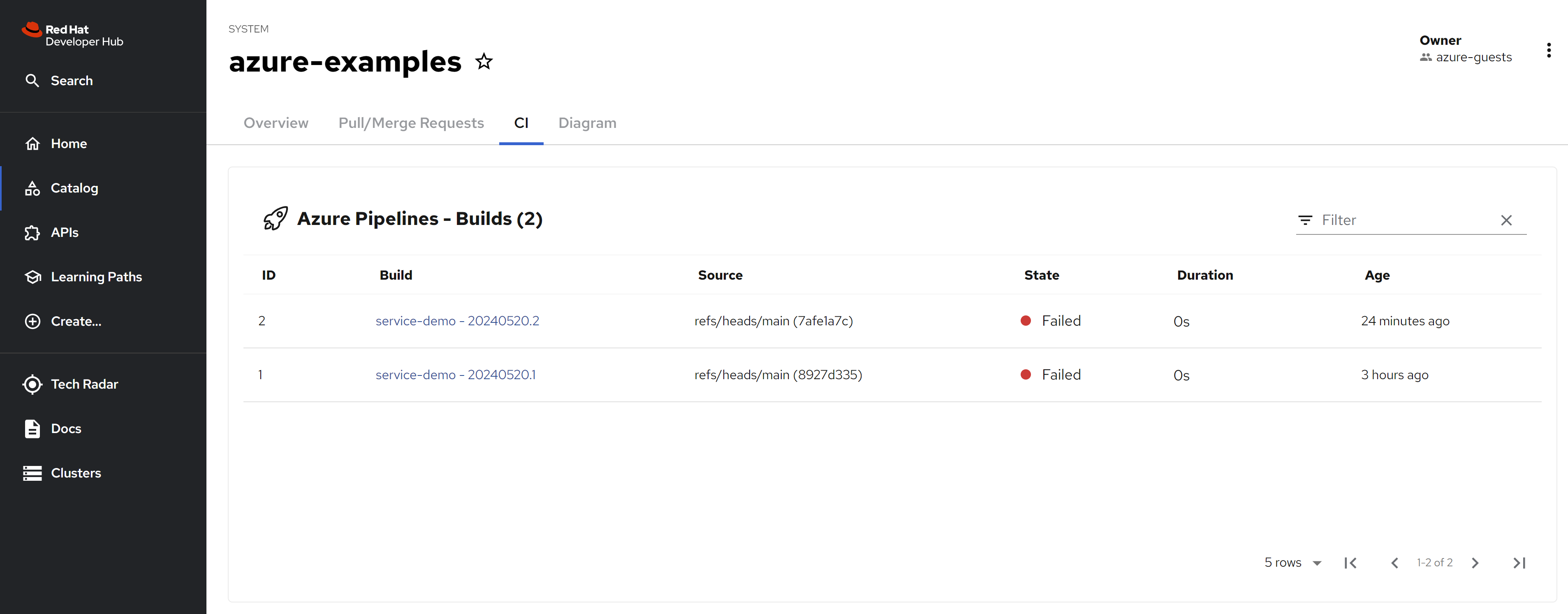
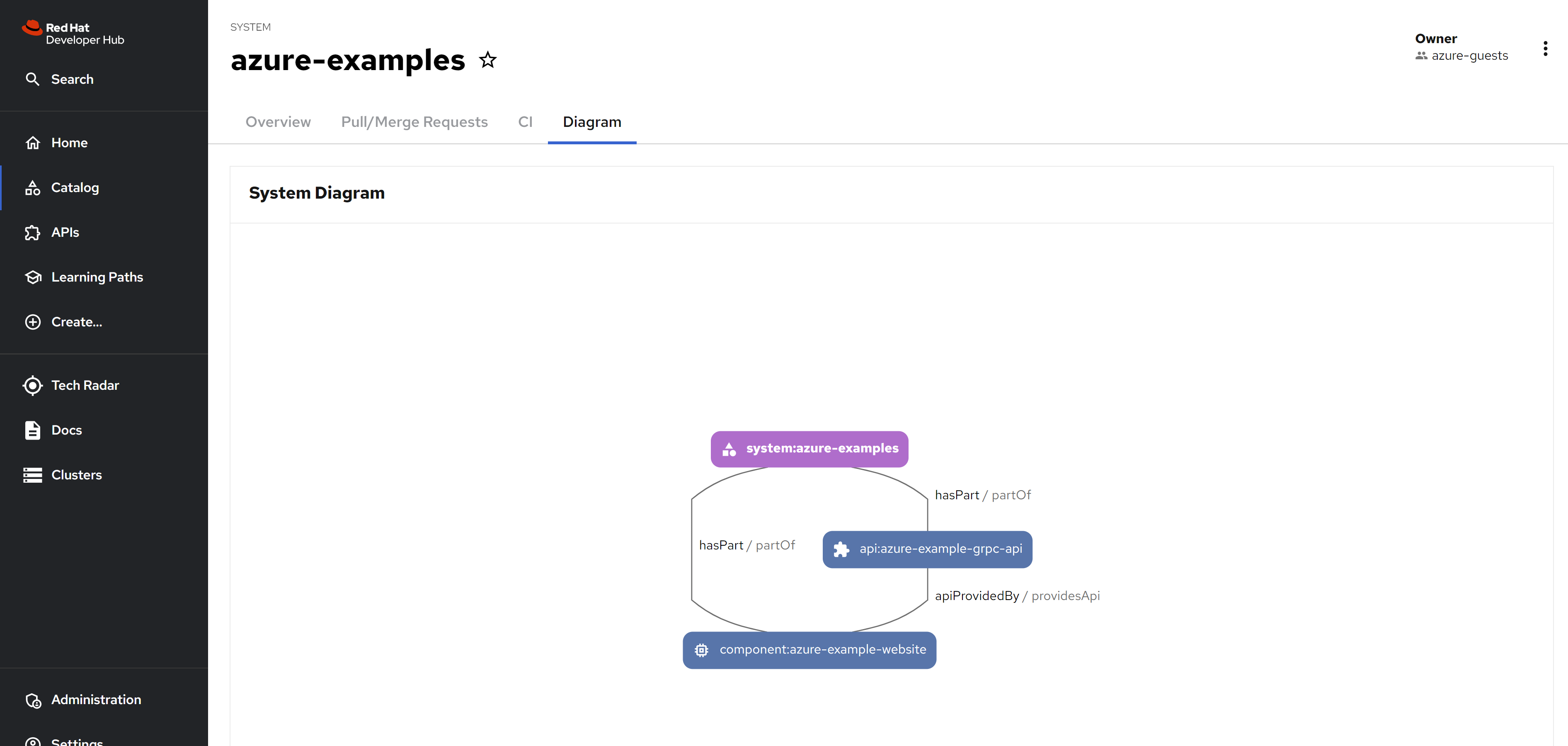
Because the msgraph does not work right now, you can see new group created, without user and the desire groups.
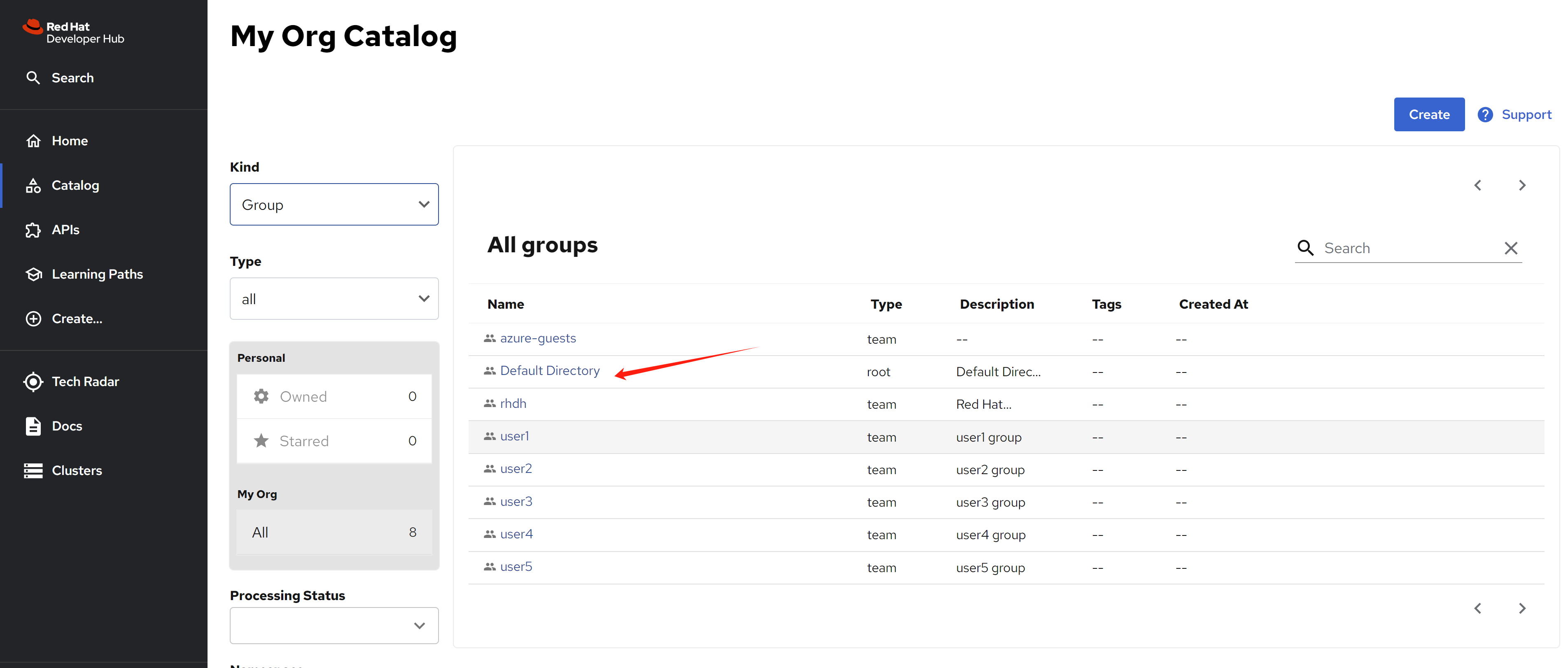
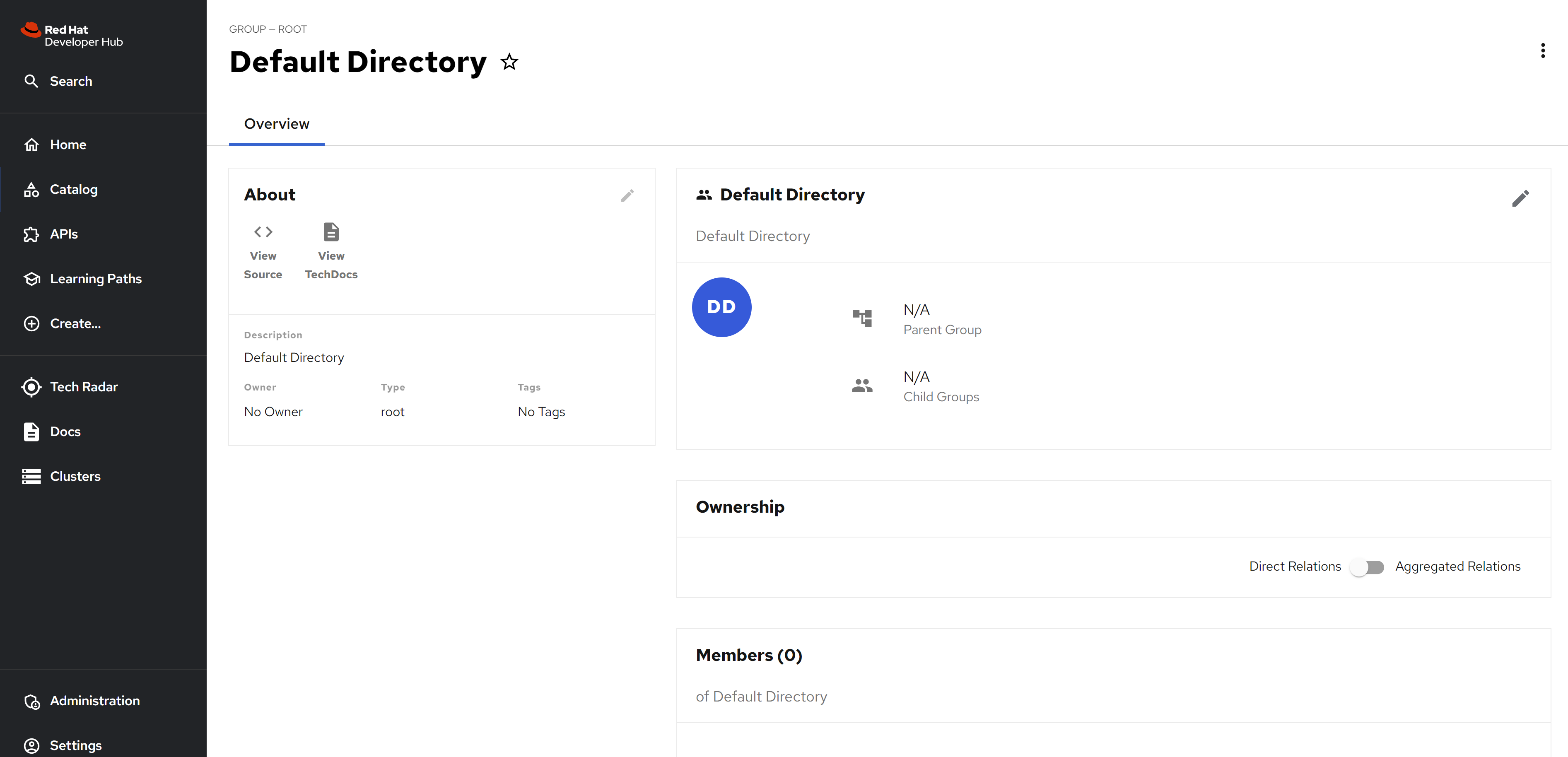
For users, we can only see the user from git source code.
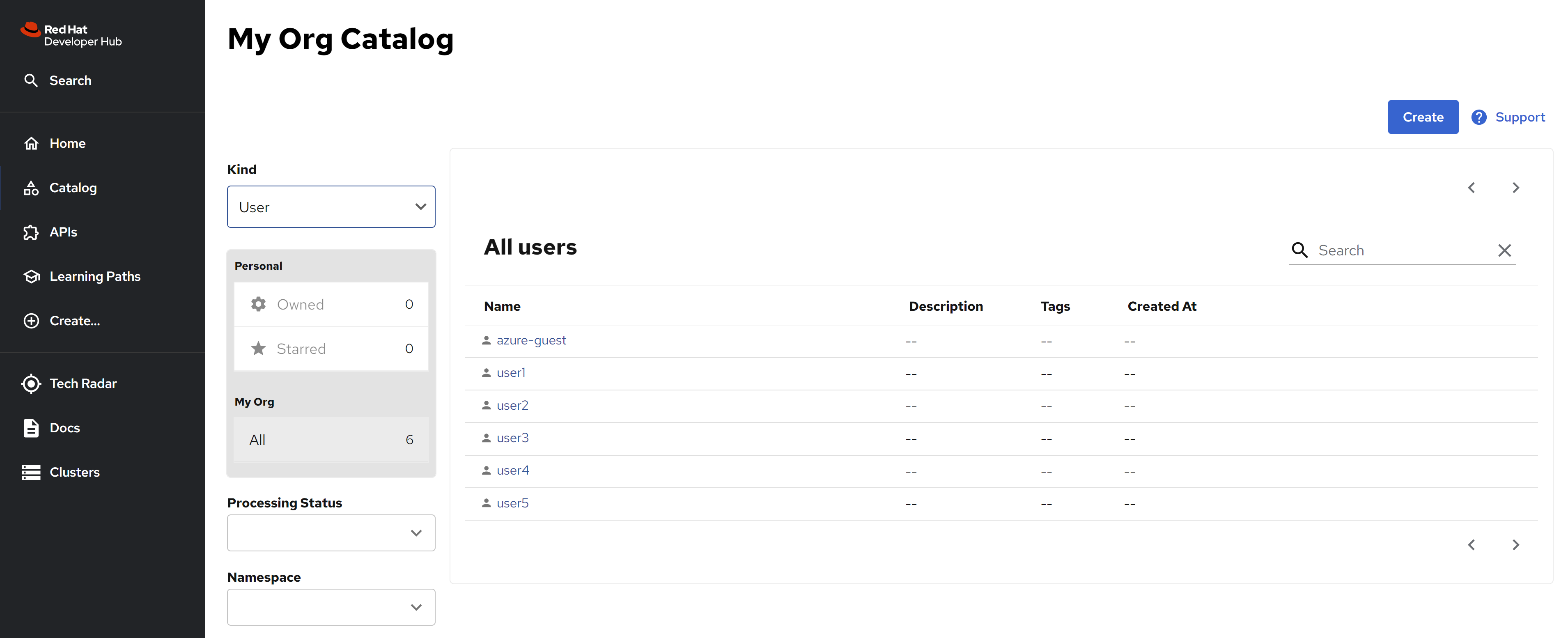
Here is the catalog-info.yaml, for your referece
---
# https://backstage.io/docs/features/software-catalog/descriptor-format#kind-system
apiVersion: backstage.io/v1alpha1
kind: System
metadata:
  name: azure-examples
  annotations:
    dev.azure.com/project-repo: demo/service-demo
    dev.azure.com/host-org: dev.azure.com/wangzheng422
spec:
  owner: azure-guests
---
# https://backstage.io/docs/features/software-catalog/descriptor-format#kind-component
apiVersion: backstage.io/v1alpha1
kind: Component
metadata:
  name: azure-example-website
  annotations:
    dev.azure.com/project-repo: demo/service-demo
    dev.azure.com/host-org: dev.azure.com/wangzheng422
spec:
  type: azure-website
  lifecycle: experimental
  owner: azure-guests
  system: azure-examples
  providesApis: [azure-example-grpc-api]
---
# https://backstage.io/docs/features/software-catalog/descriptor-format#kind-api
apiVersion: backstage.io/v1alpha1
kind: API
metadata:
  name: azure-example-grpc-api
  annotations:
    dev.azure.com/project-repo: demo/service-demo
    dev.azure.com/host-org: dev.azure.com/wangzheng422
spec:
  type: grpc
  lifecycle: experimental
  owner: azure-guests
  system: azure-examples
  definition: |
    syntax = "proto3";

    service Exampler {
      rpc Example (ExampleMessage) returns (ExampleMessage) {};
    }

    message ExampleMessage {
      string example = 1;
    };
Here is the org.yaml, for your reference
---
# https://backstage.io/docs/features/software-catalog/descriptor-format#kind-user
apiVersion: backstage.io/v1alpha1
kind: User
metadata:
  name: azure-guest
spec:
  memberOf: [azure-guests]
---
# https://backstage.io/docs/features/software-catalog/descriptor-format#kind-group
apiVersion: backstage.io/v1alpha1
kind: Group
metadata:
  name: azure-guests
spec:
  type: team
  children: []
disable auto discovery
It seems, you can disable azure devops auto discovery, and add the resource from github manually. The source code just the same.
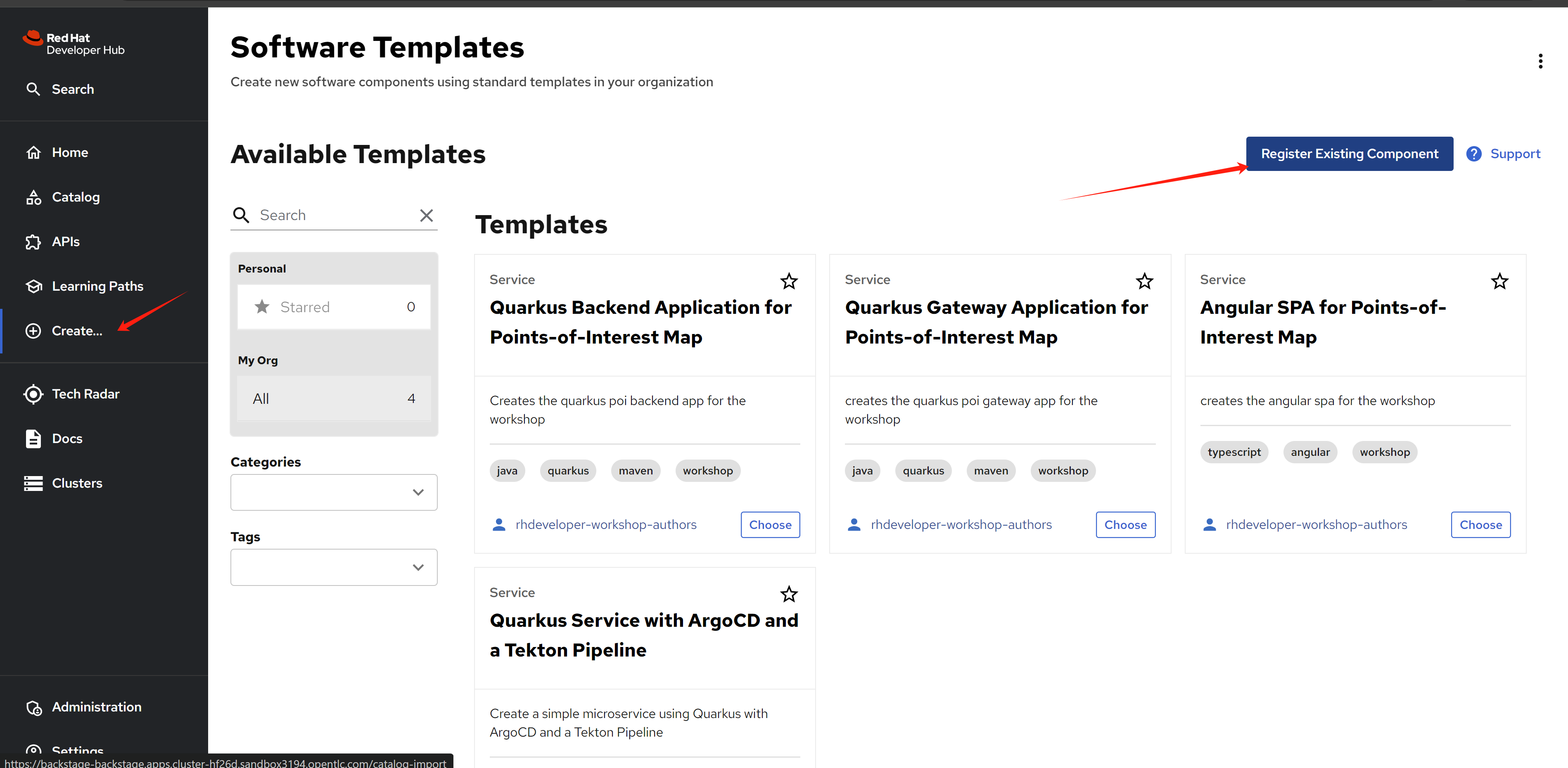
We will use a repo host on github right now. The demo repo is here:
- https://github.com/wangzheng422/backstage-customize/tree/data
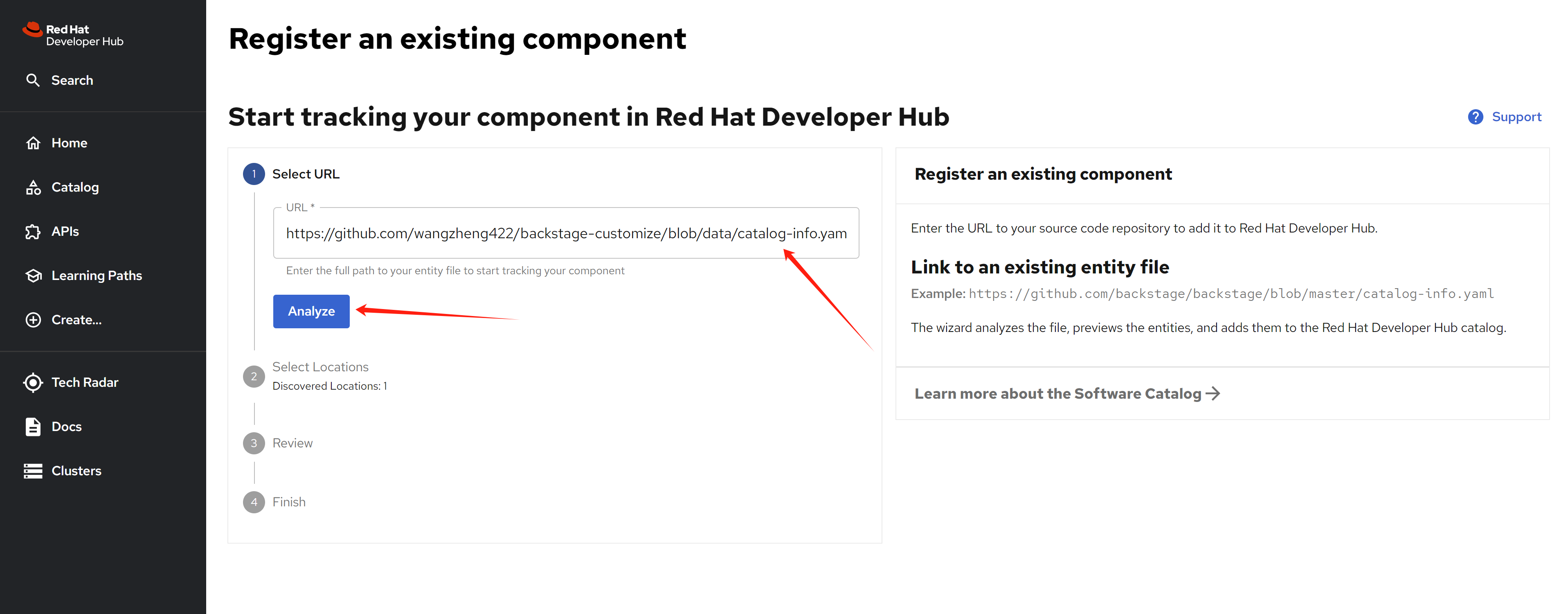
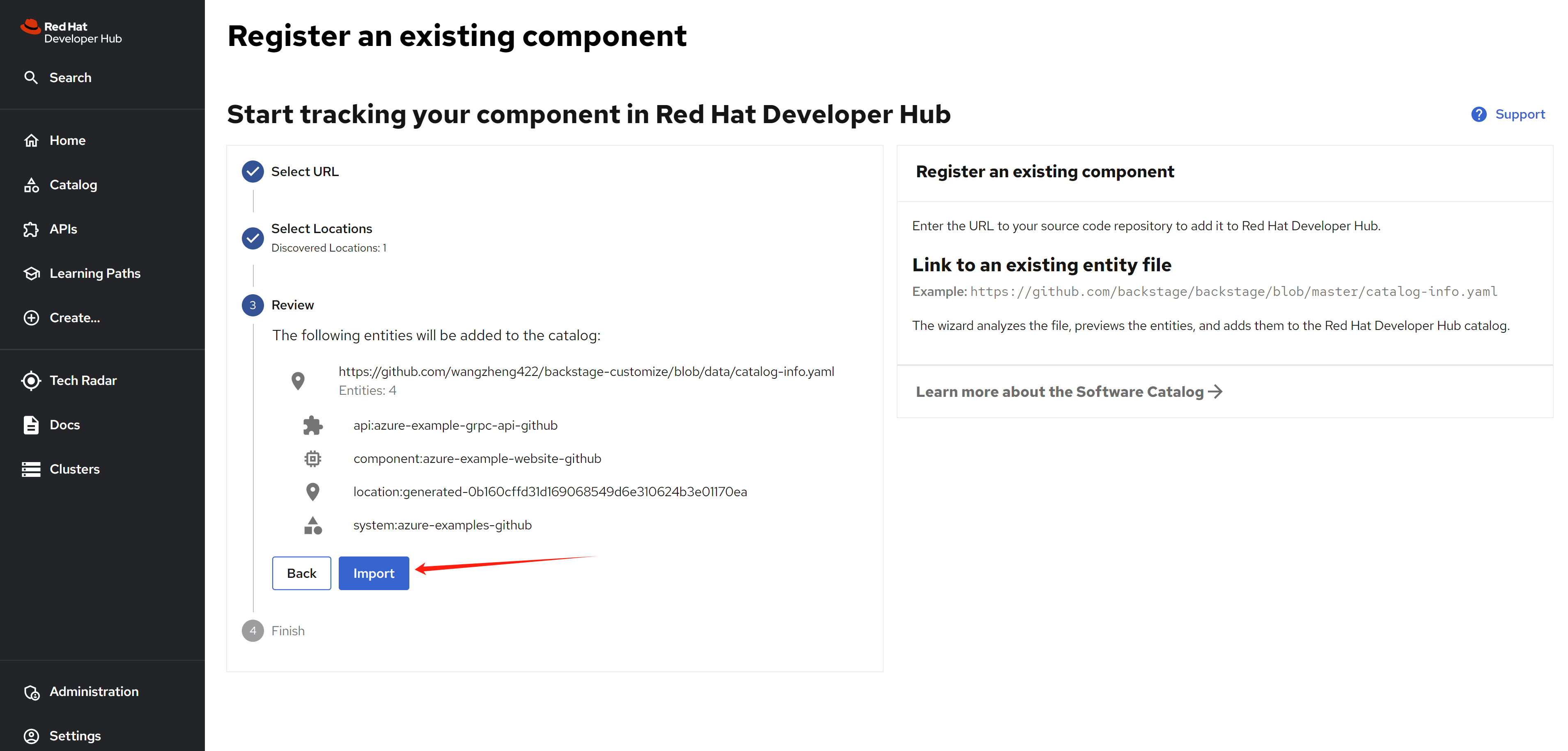
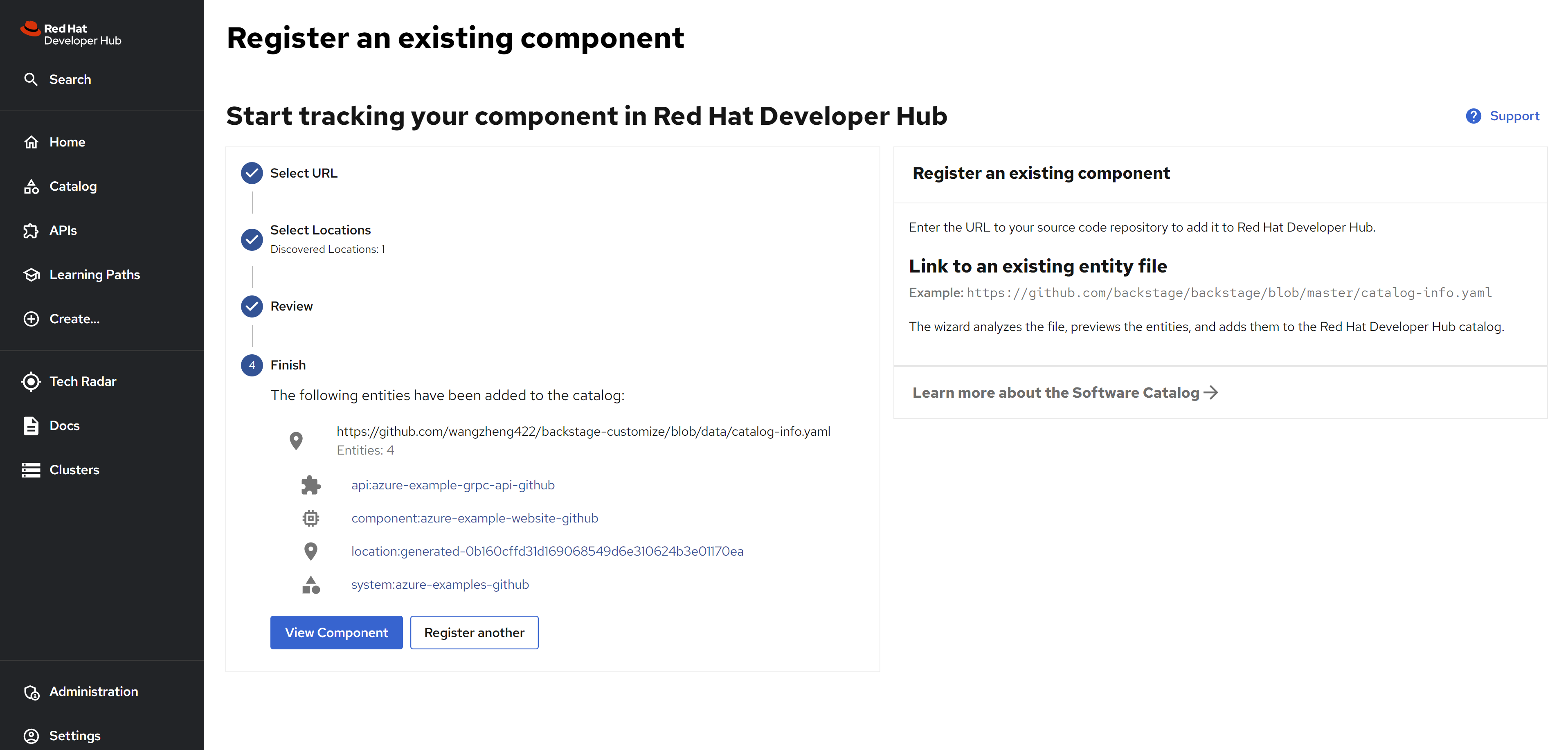
And you can see the result
And you can see there is already a merge request existed in the azure devops repo.
Azure sso using rhsso/keycloak
The demo.redhat.com ’s demo lab, using rhsso with rhdp as the identity provider, so we can use the same way to integrate with azure ad. You can use this method, if the org import(plugin msgraph) from azure do not work.
reference:
- https://medium.com/@andremoriya/keycloak-azure-active-directory-integration-14002c699566
setup
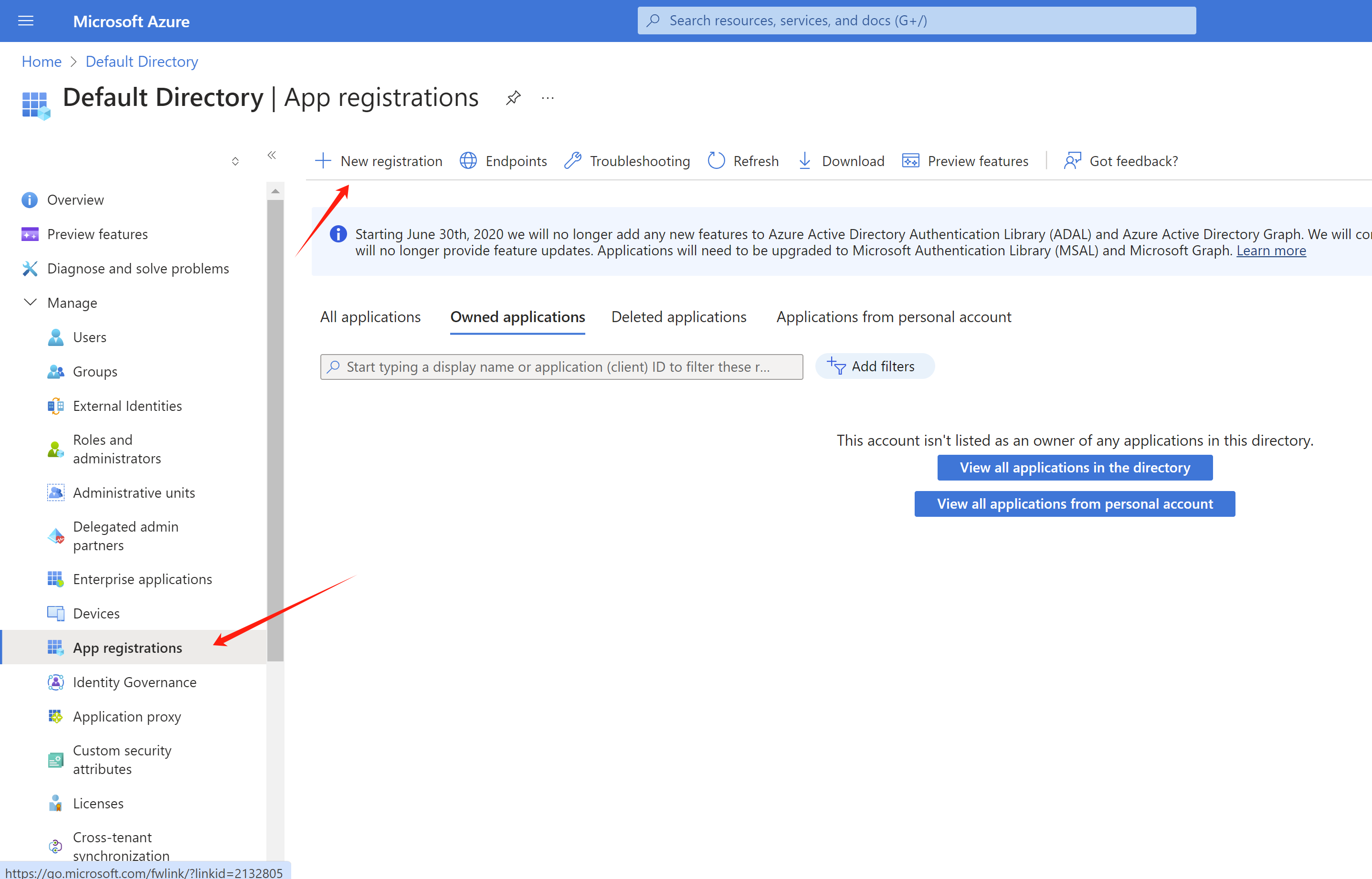
Register a new app
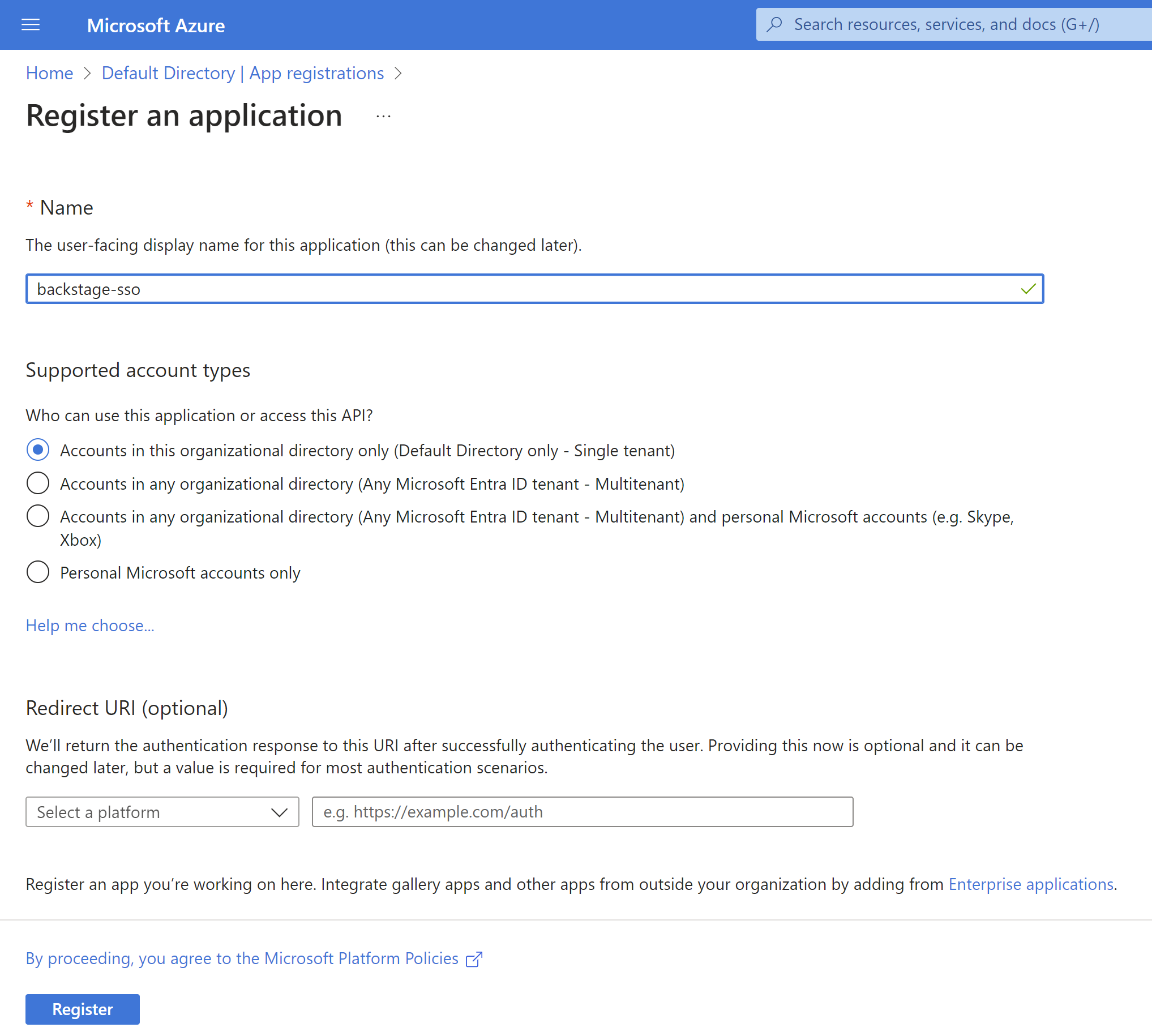
Here you can see the new client id,
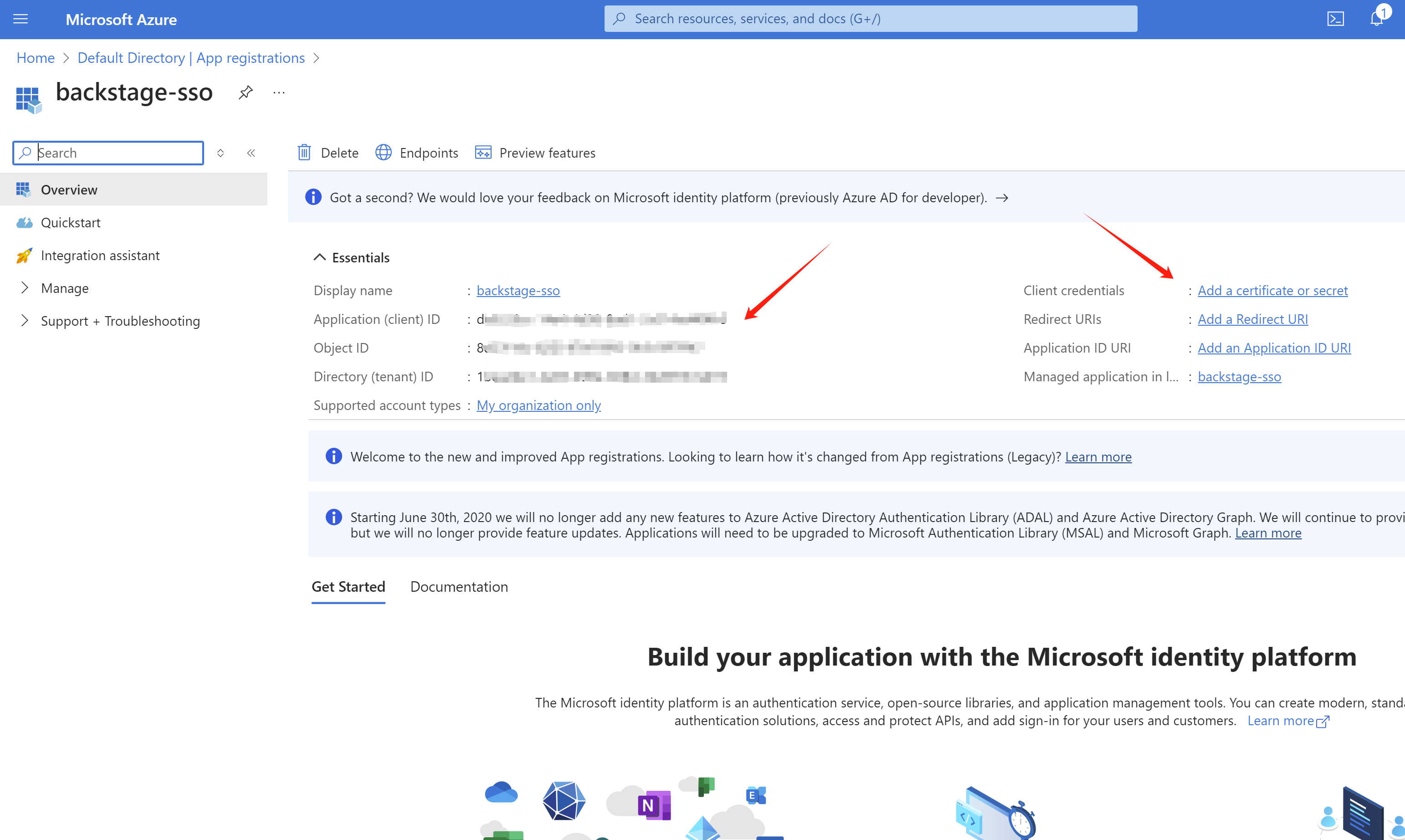
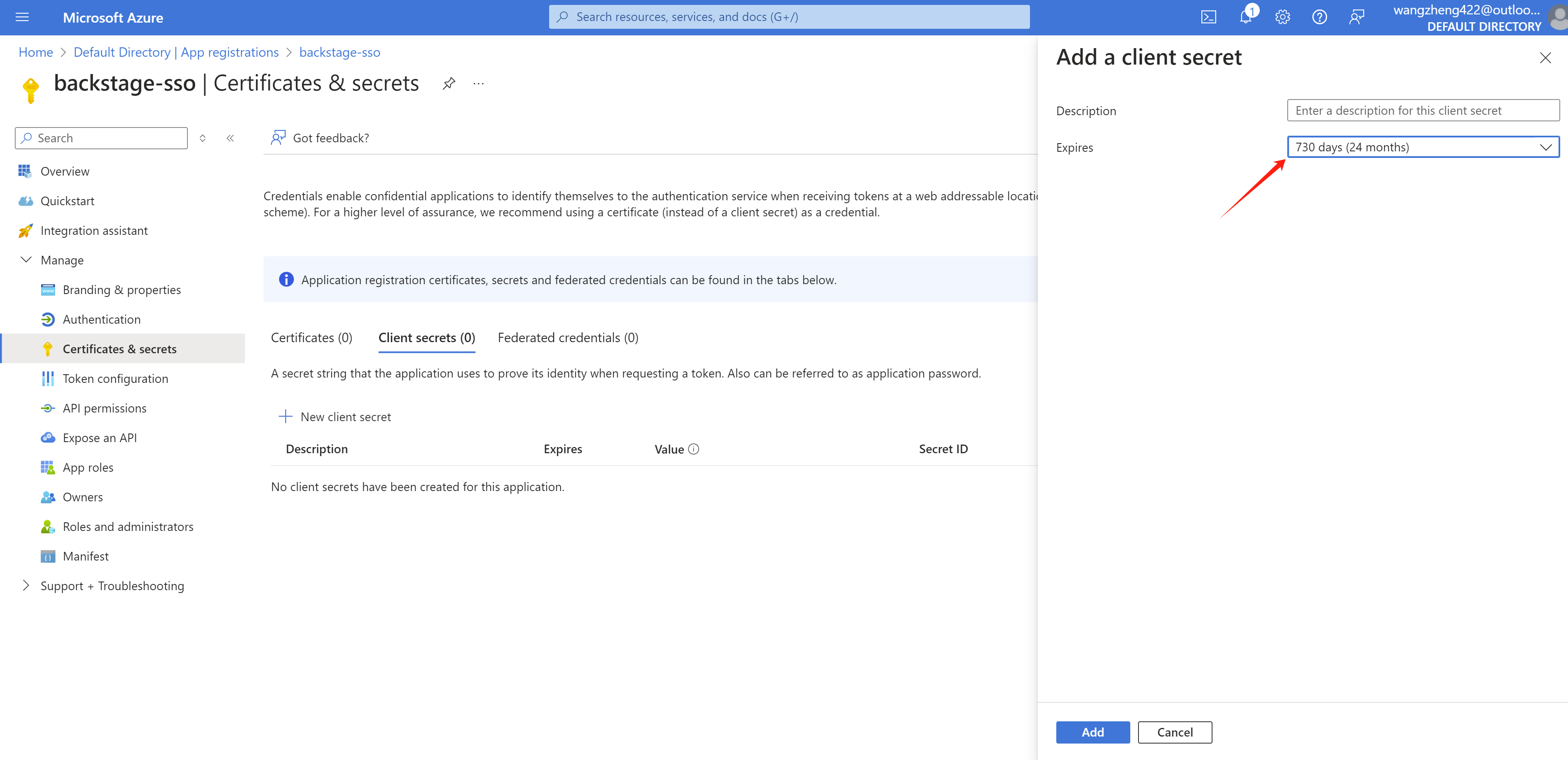
Create secret for the app
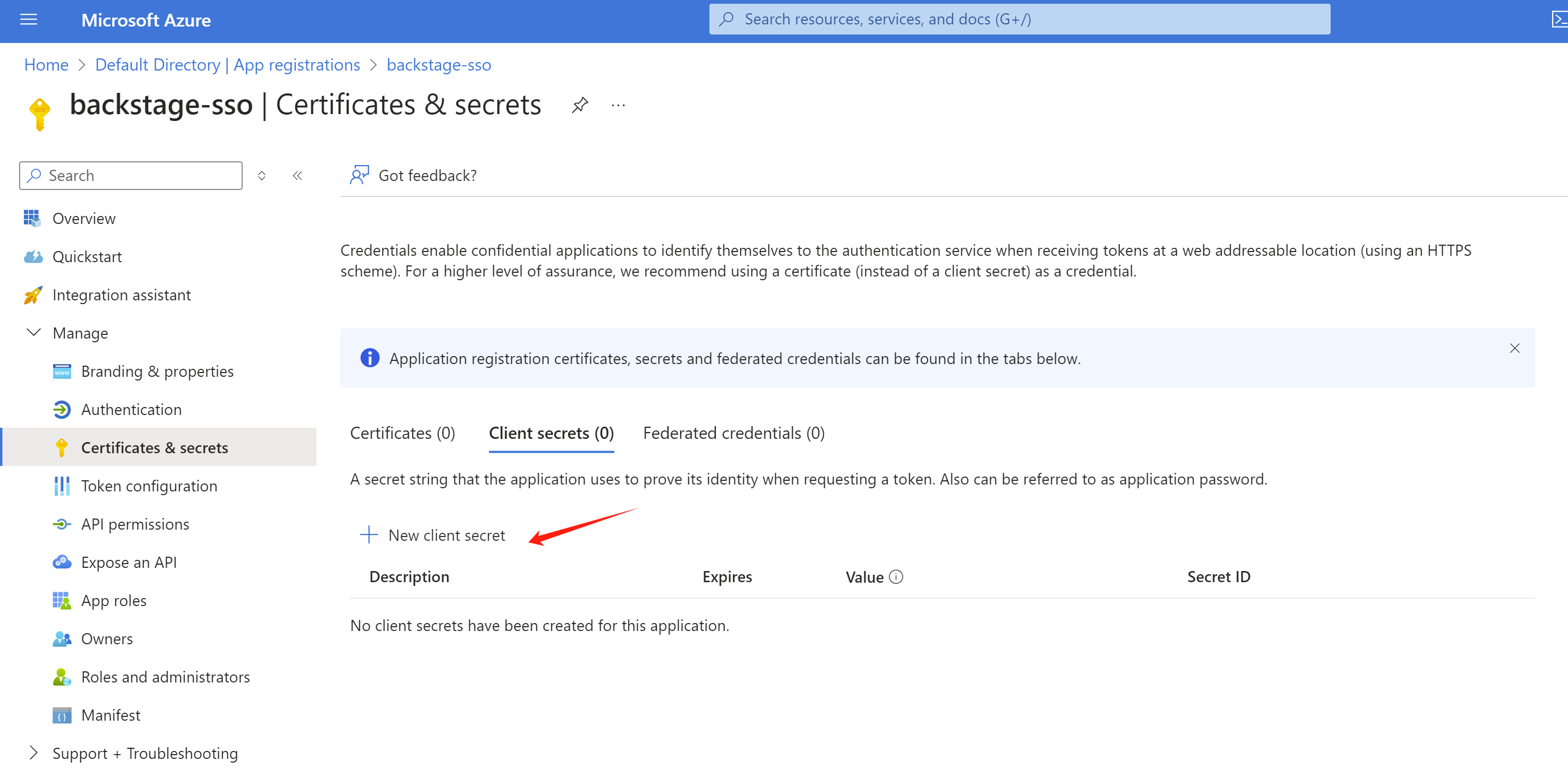
Set the expired date.
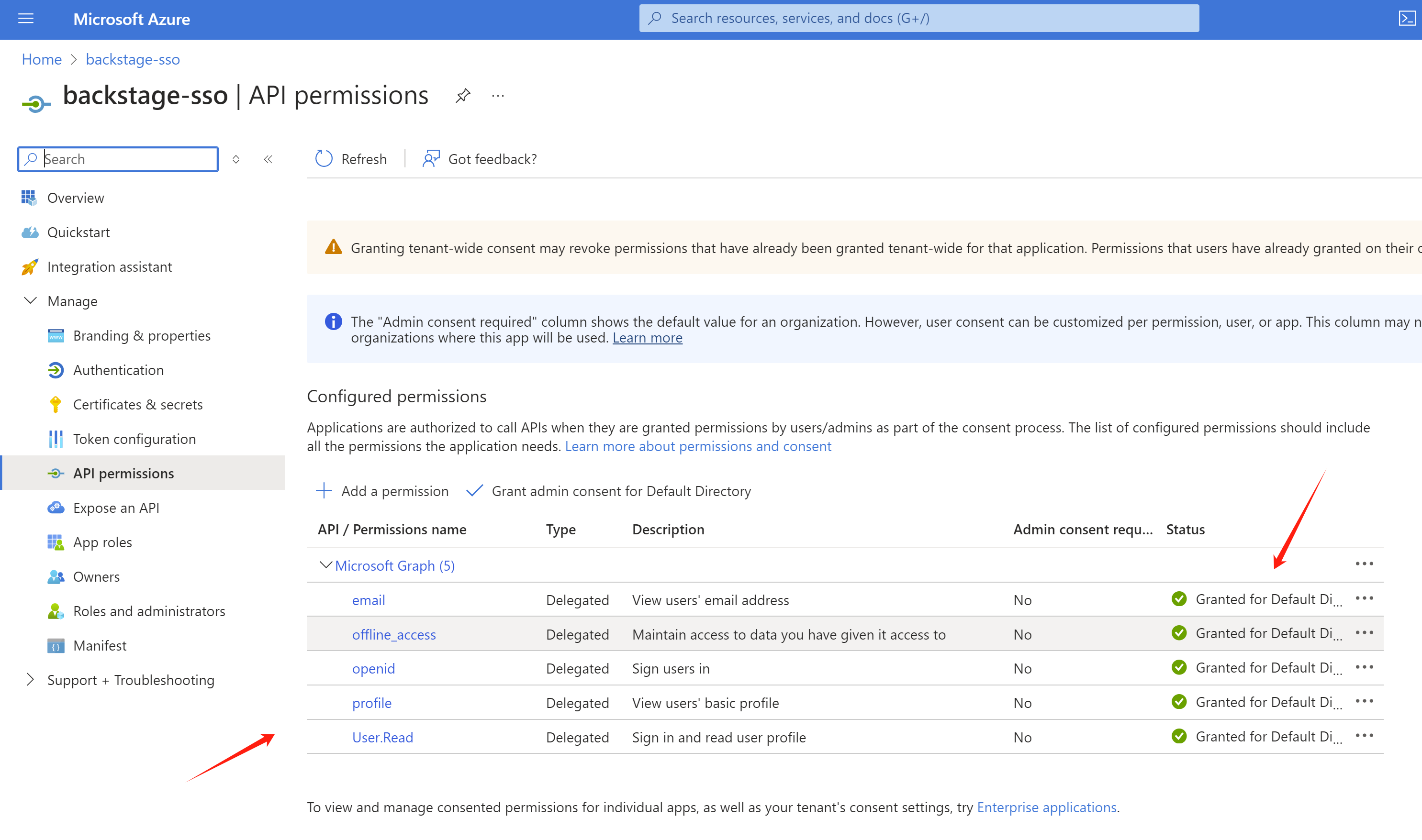
Set permission to read user info.
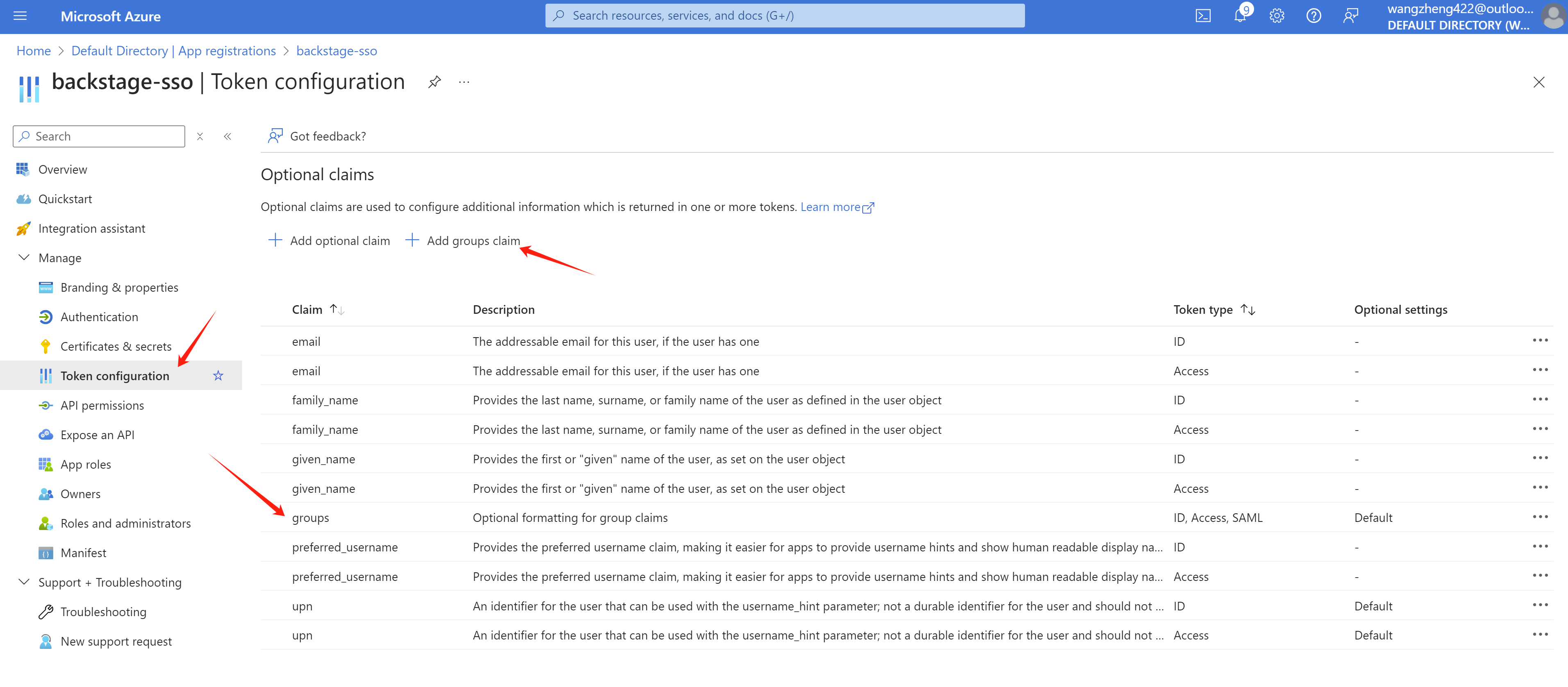
Add additional information to token claim, espeically the groups.
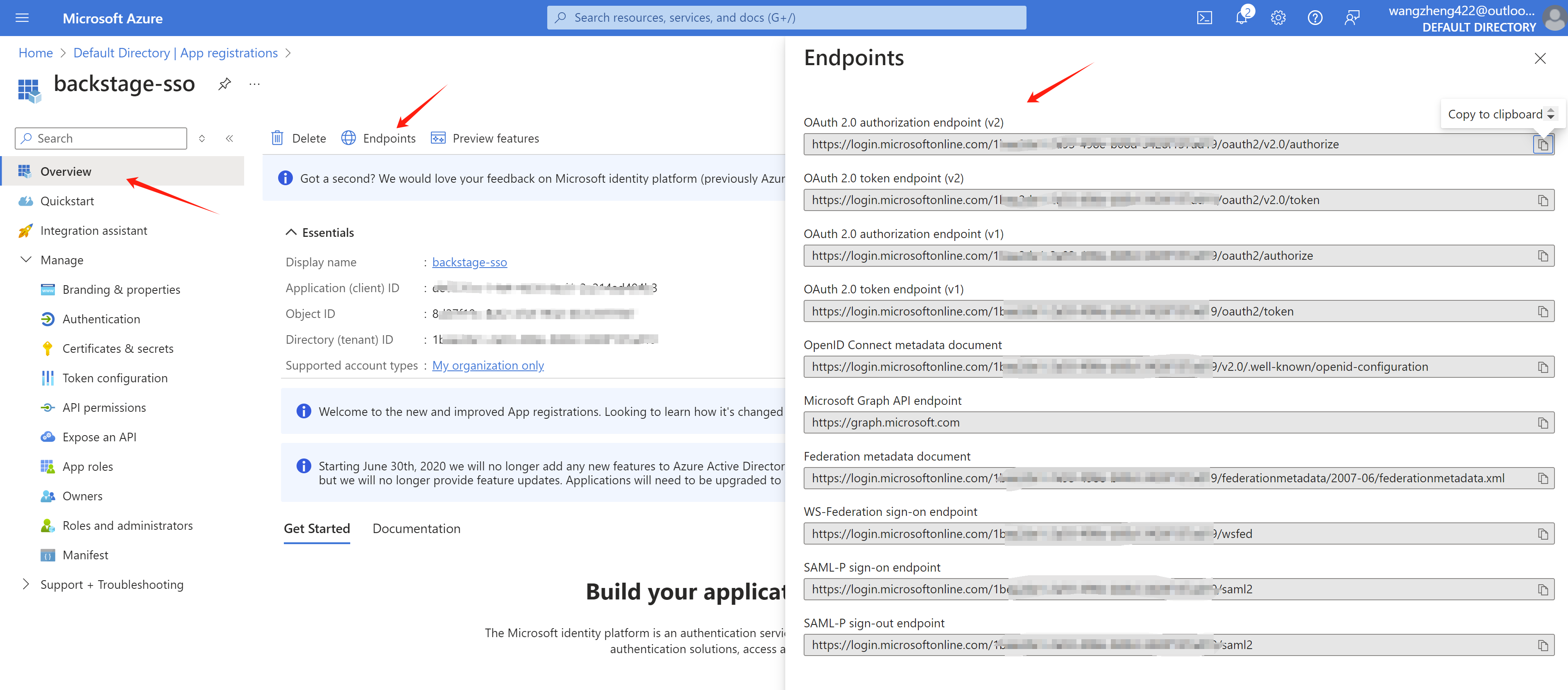
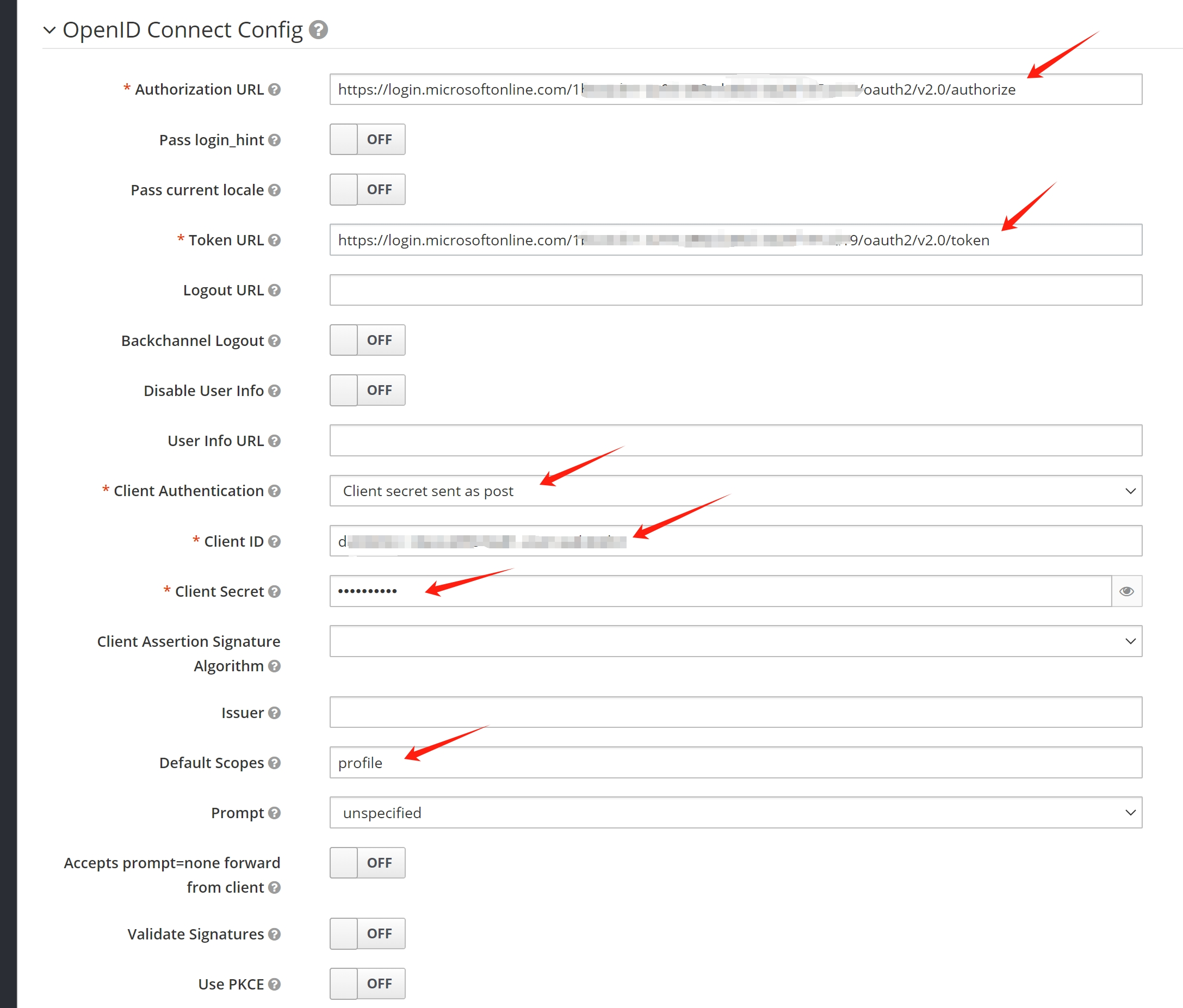
Get endpoint information:
Config rhsso
add azure ad sso integration
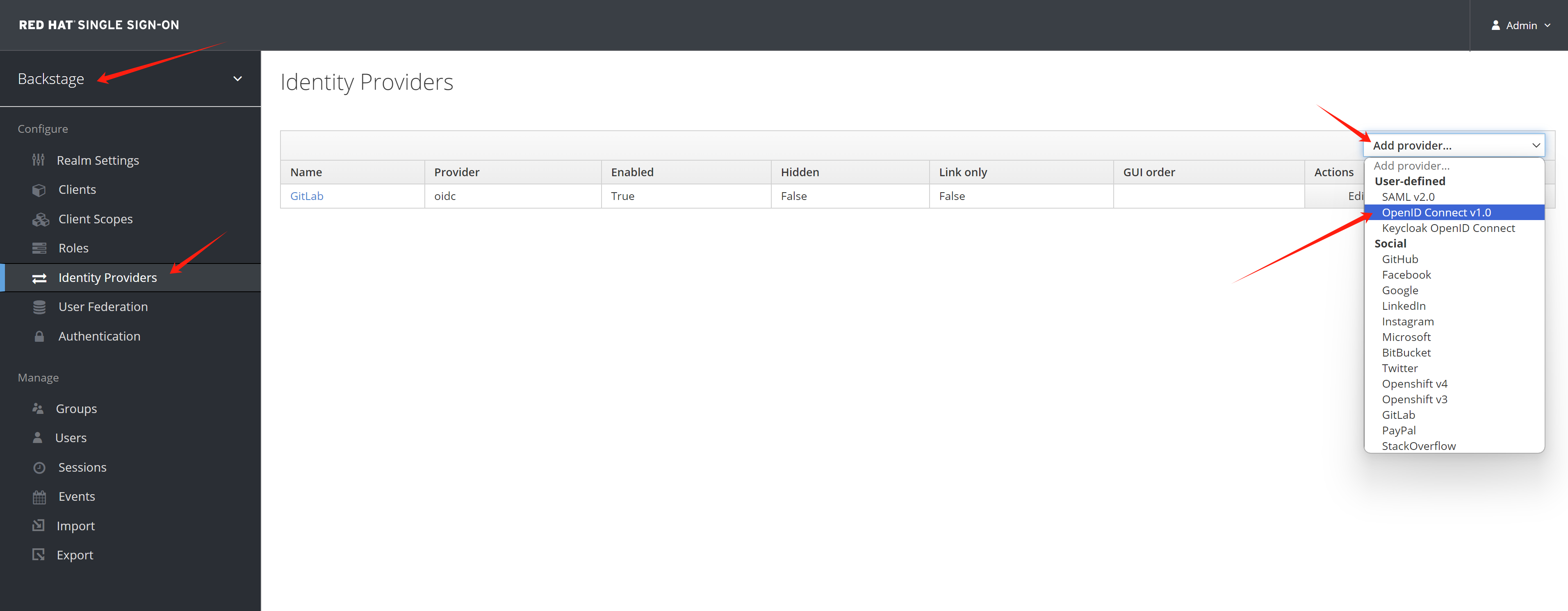
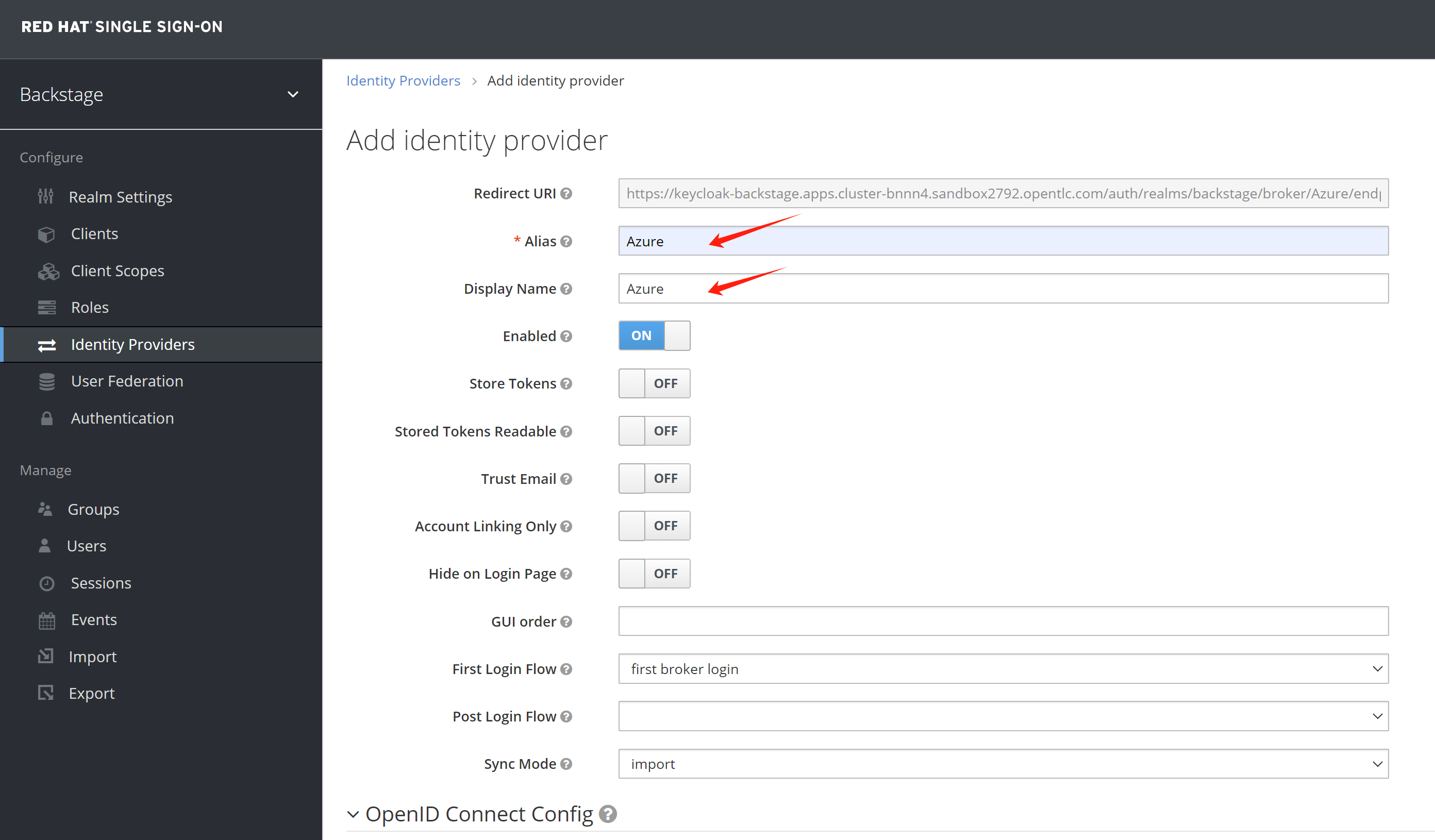
Give it a name.
Copy the endpoint config from azure
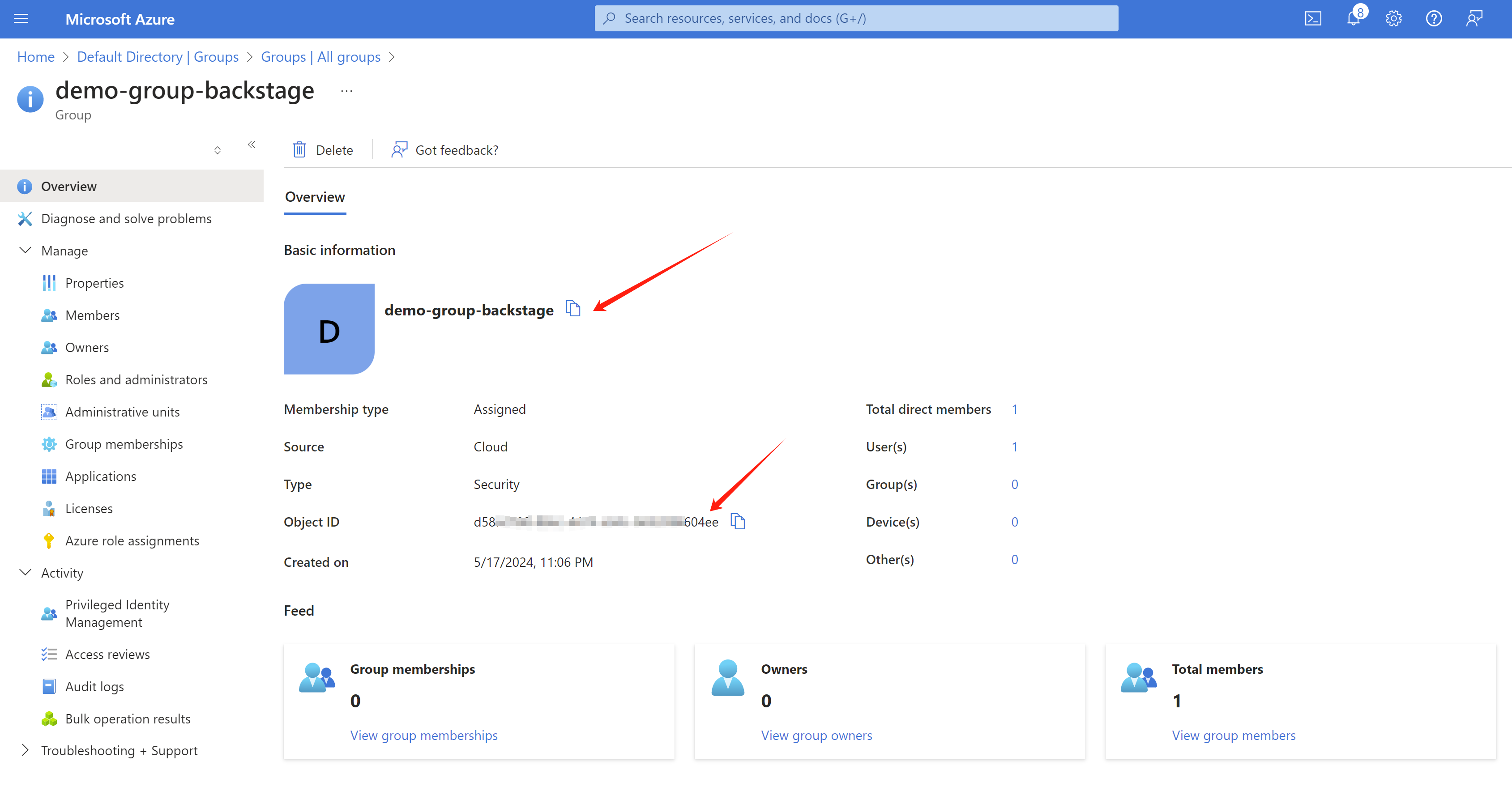
Get group name and group id from azure entra
Add group to keycloak/rhsso manually, we do not know how to add it automatically.
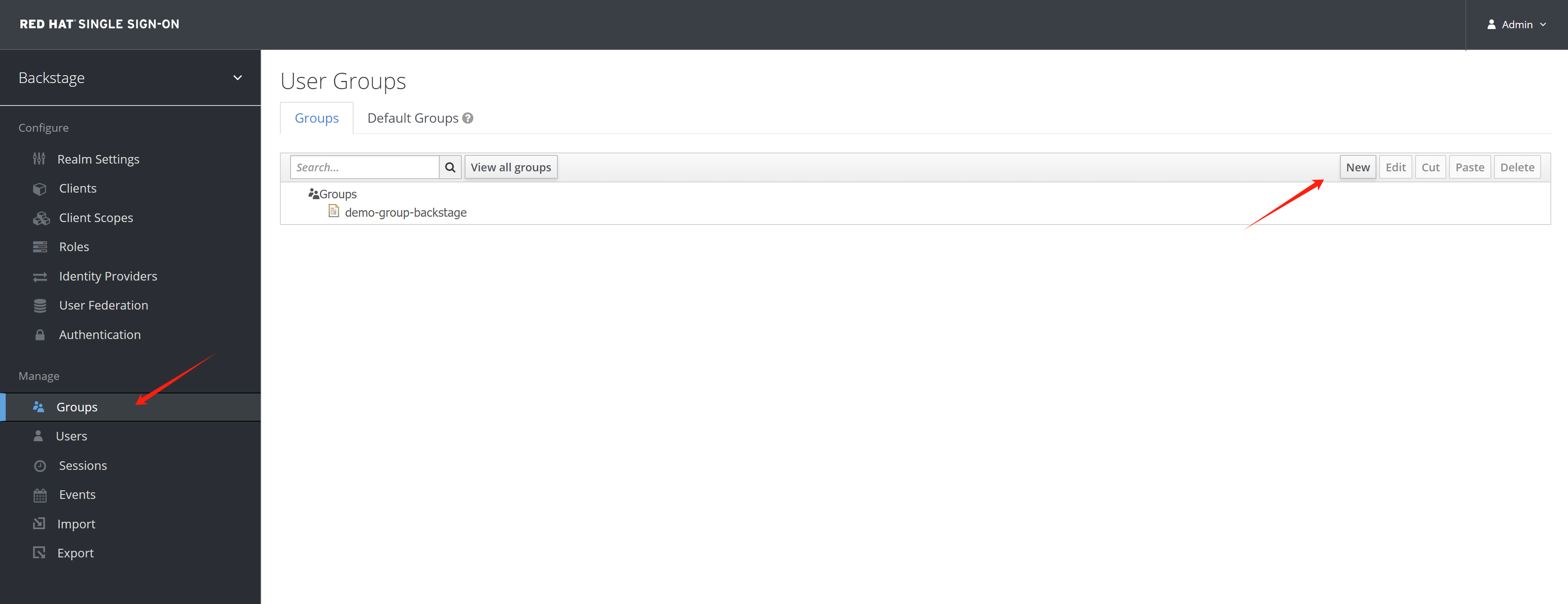
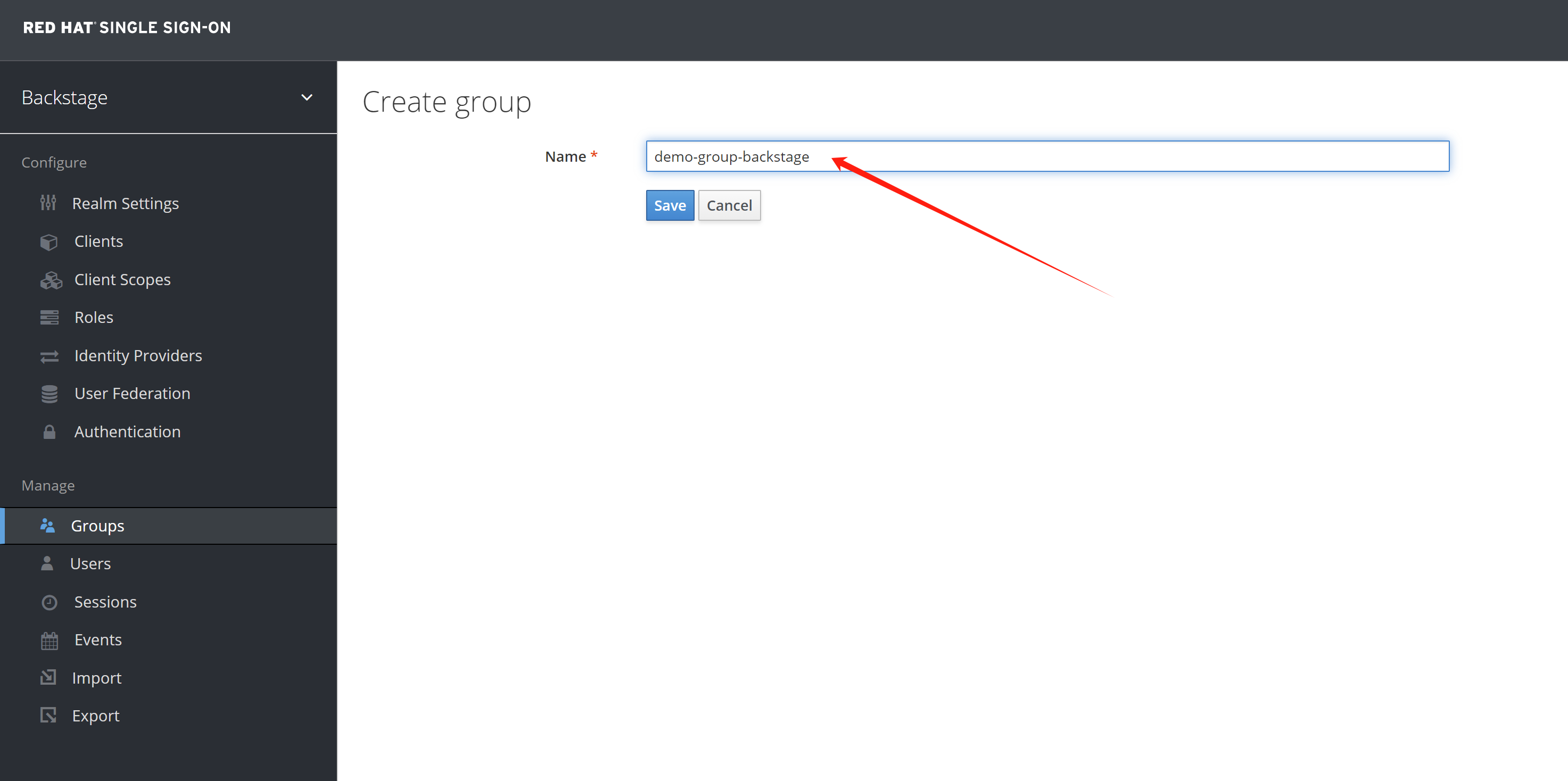
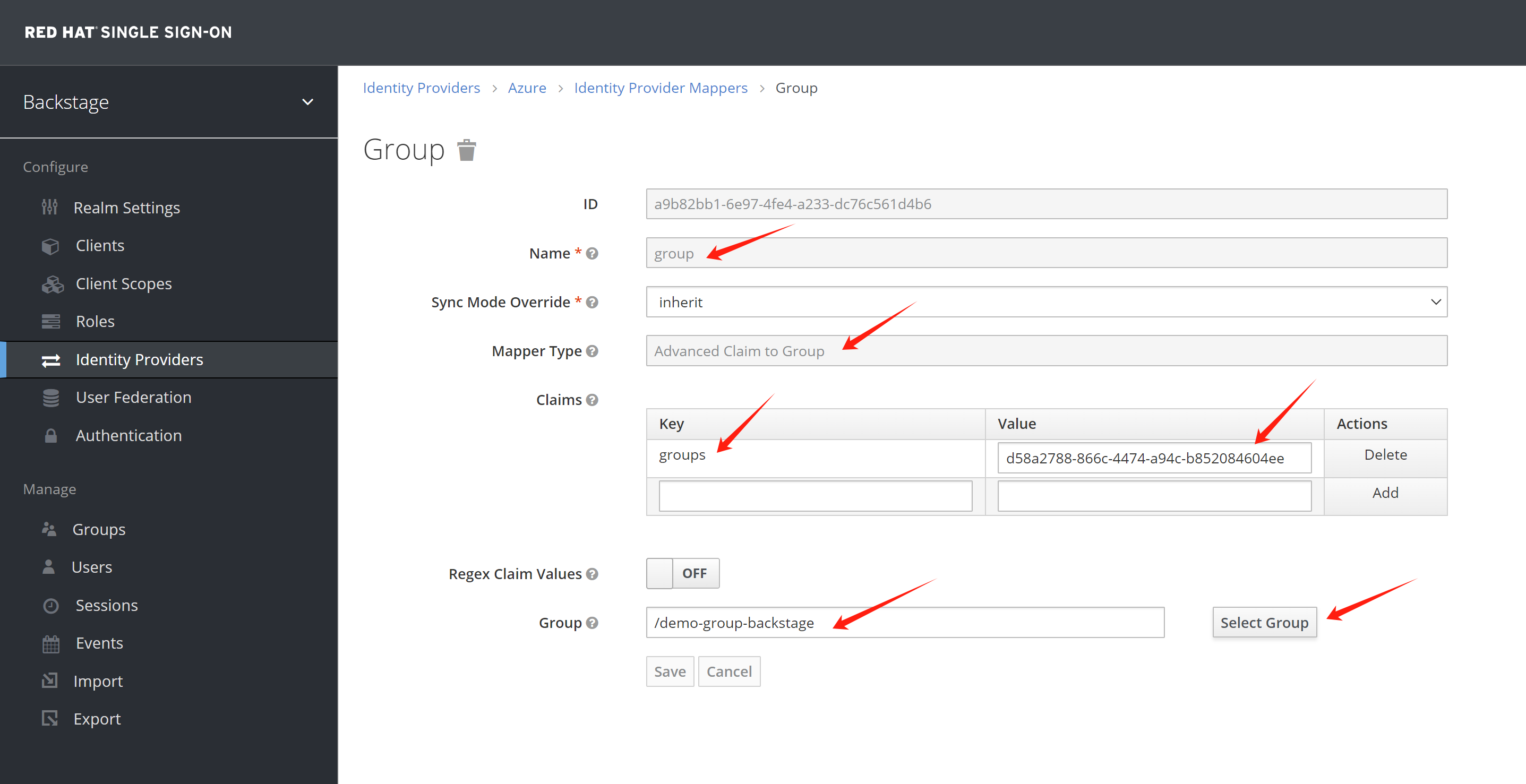
Add group mapper, so the new user will be added to its group by matching the group id.
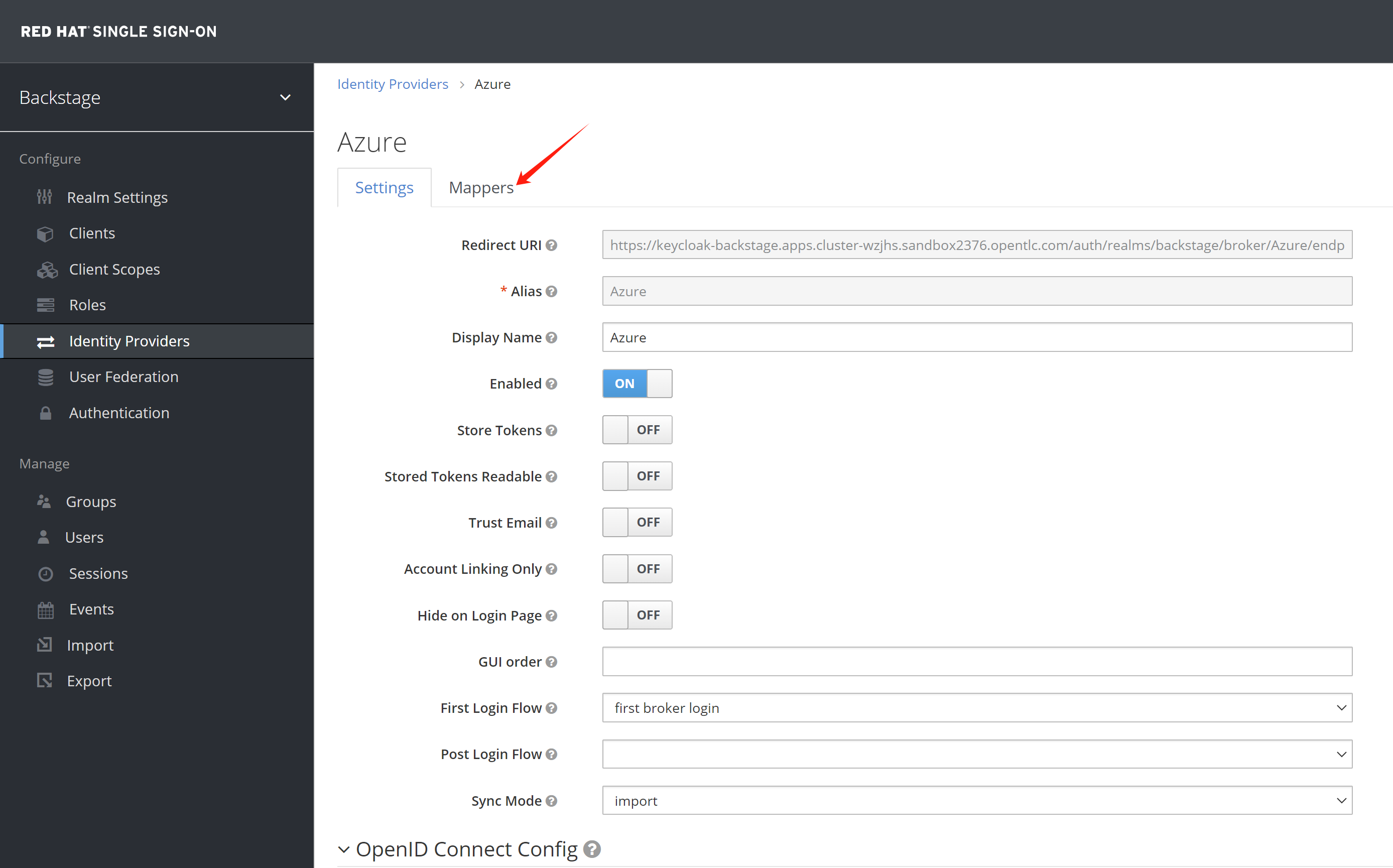
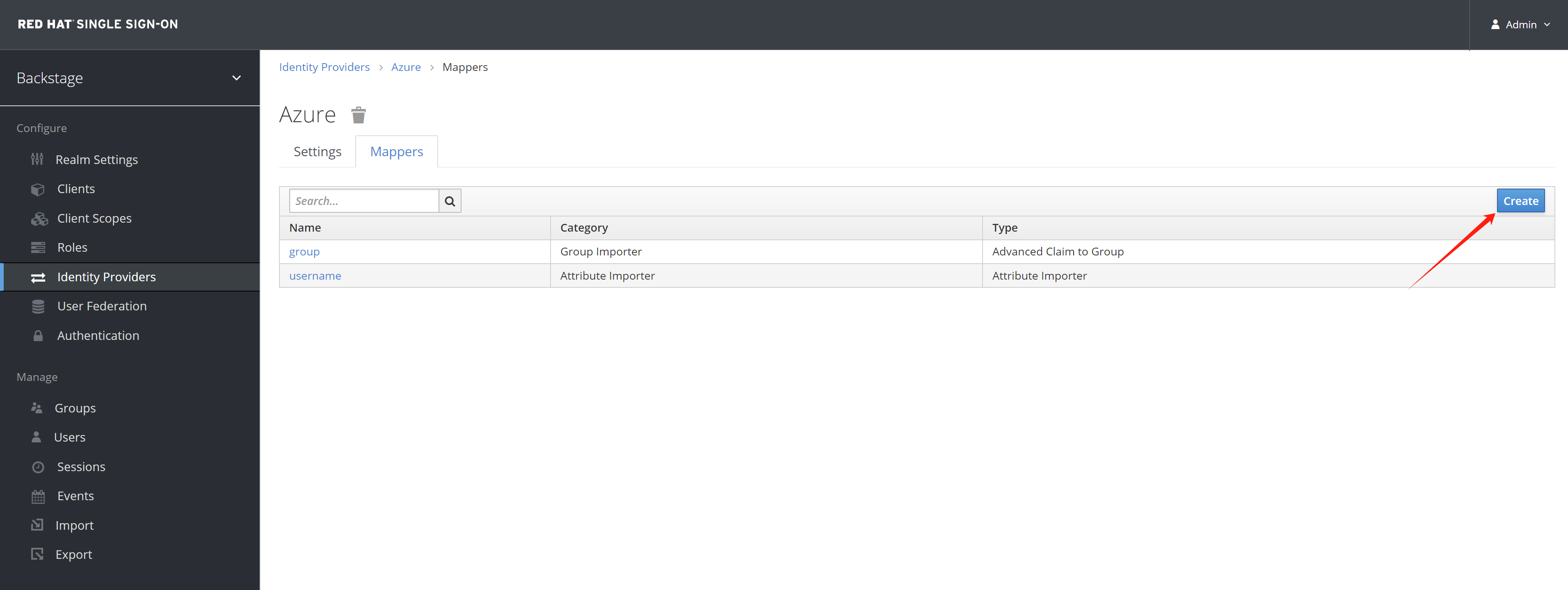
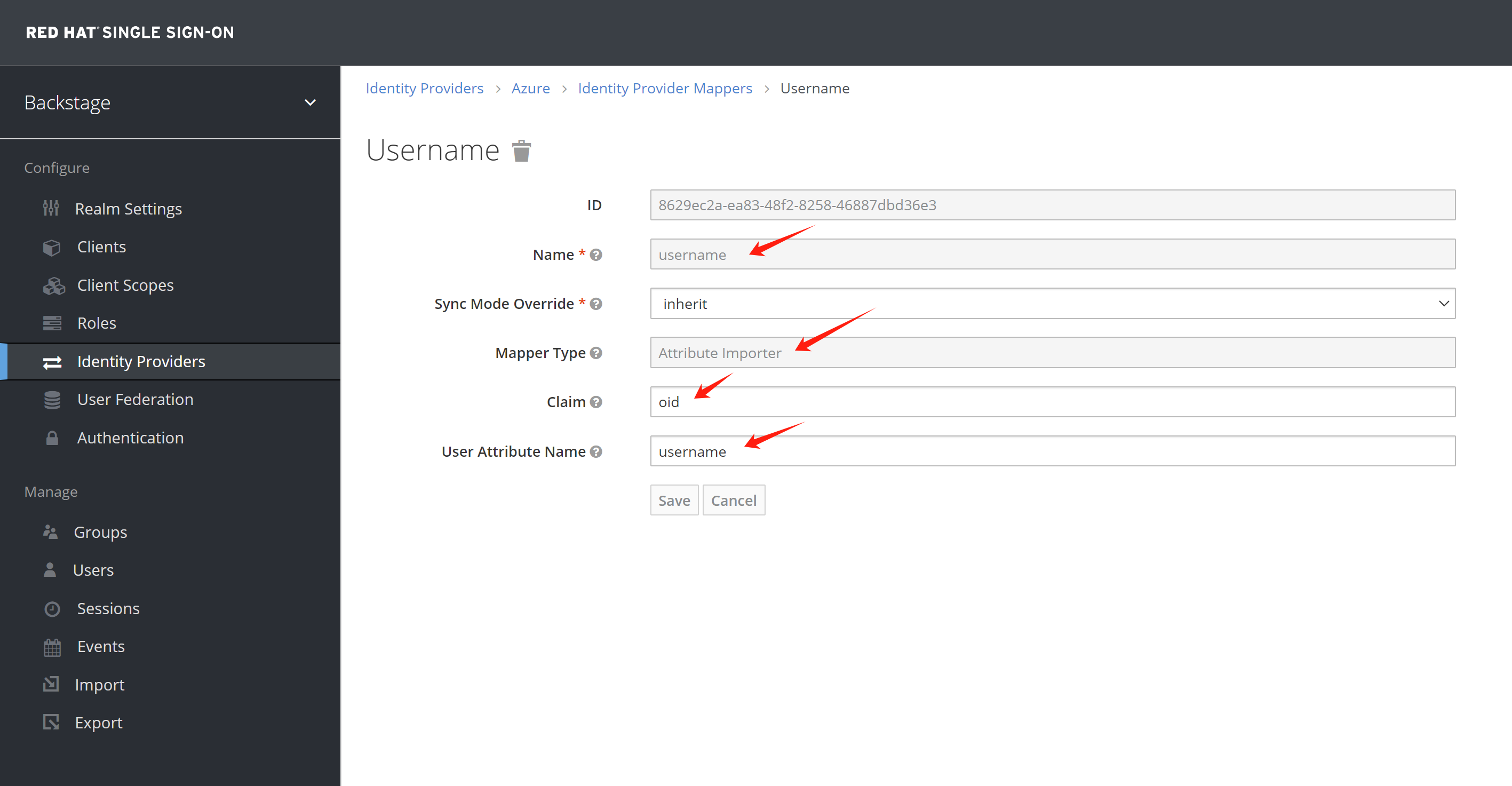
Add username mapping to oid, the rhdh will not create user entity for email address format
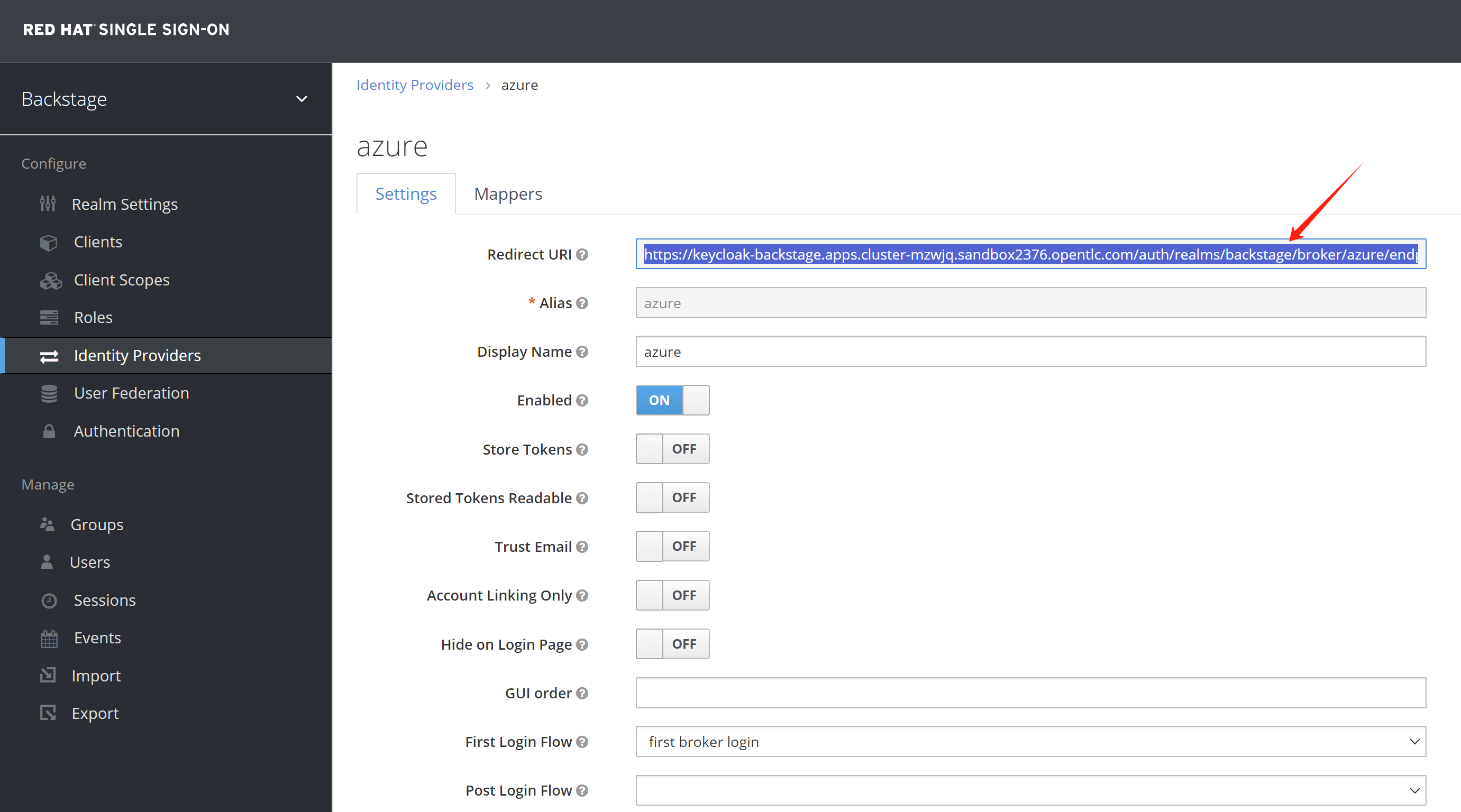
Get the redirect url setting from rhsso.
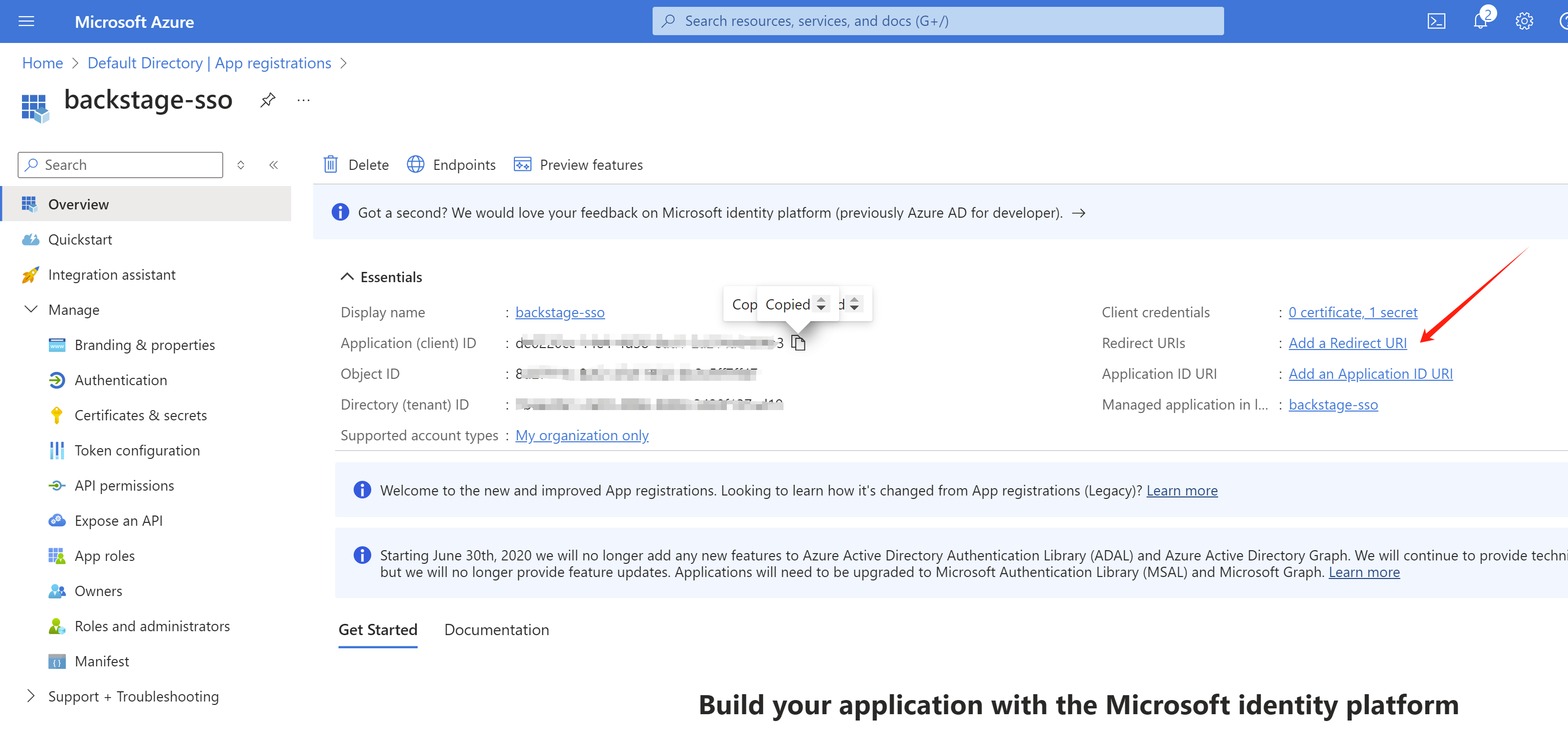
Add the redirect url to azure
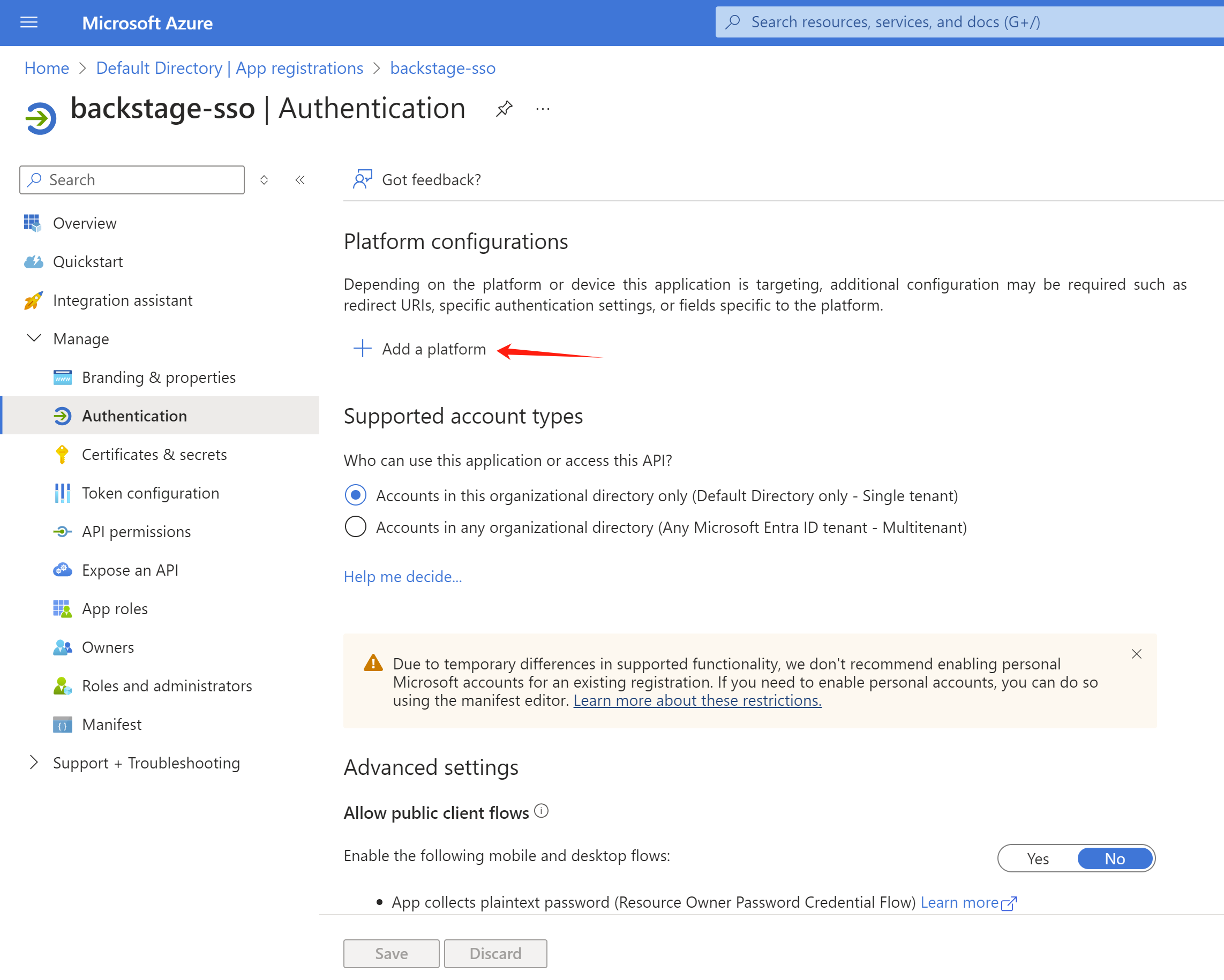
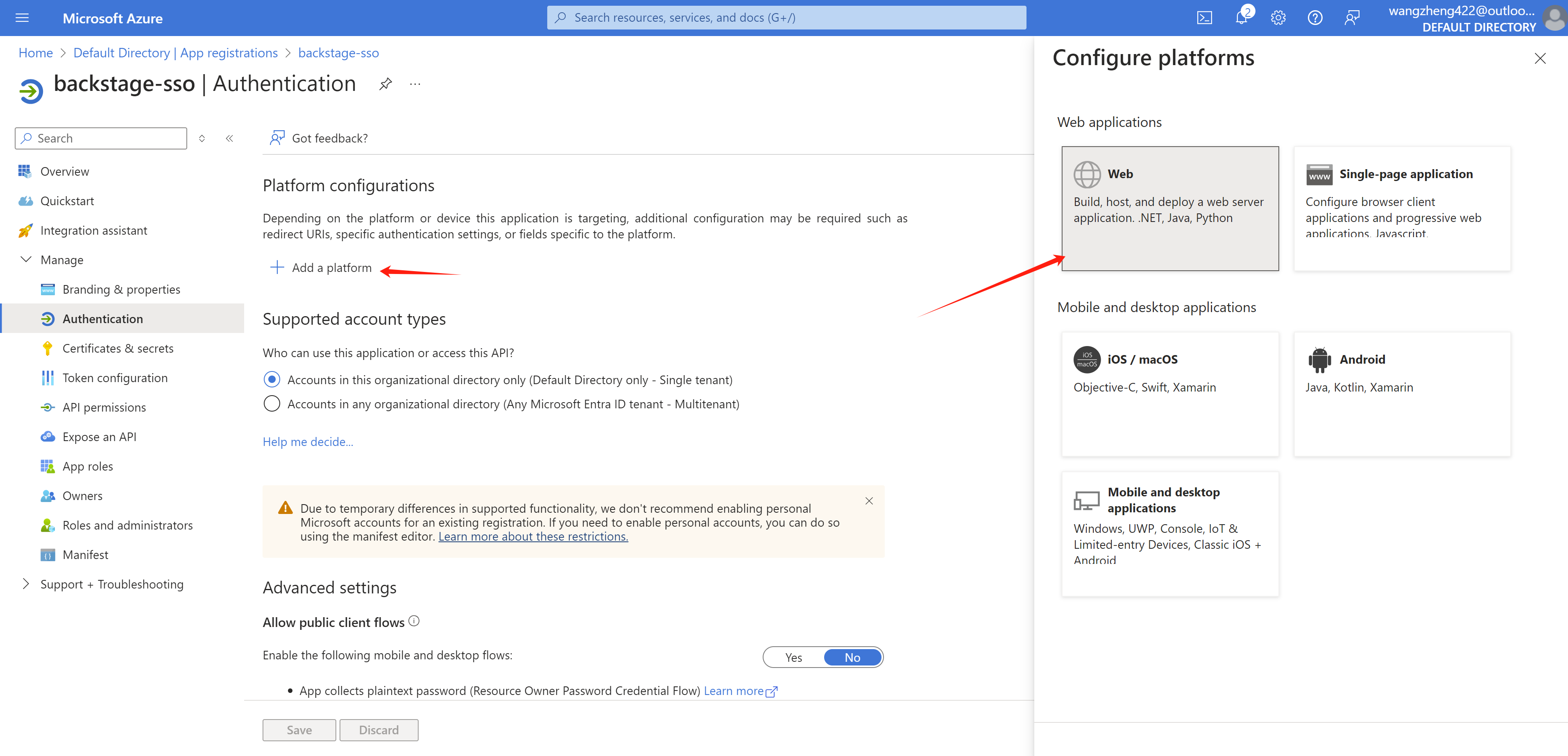
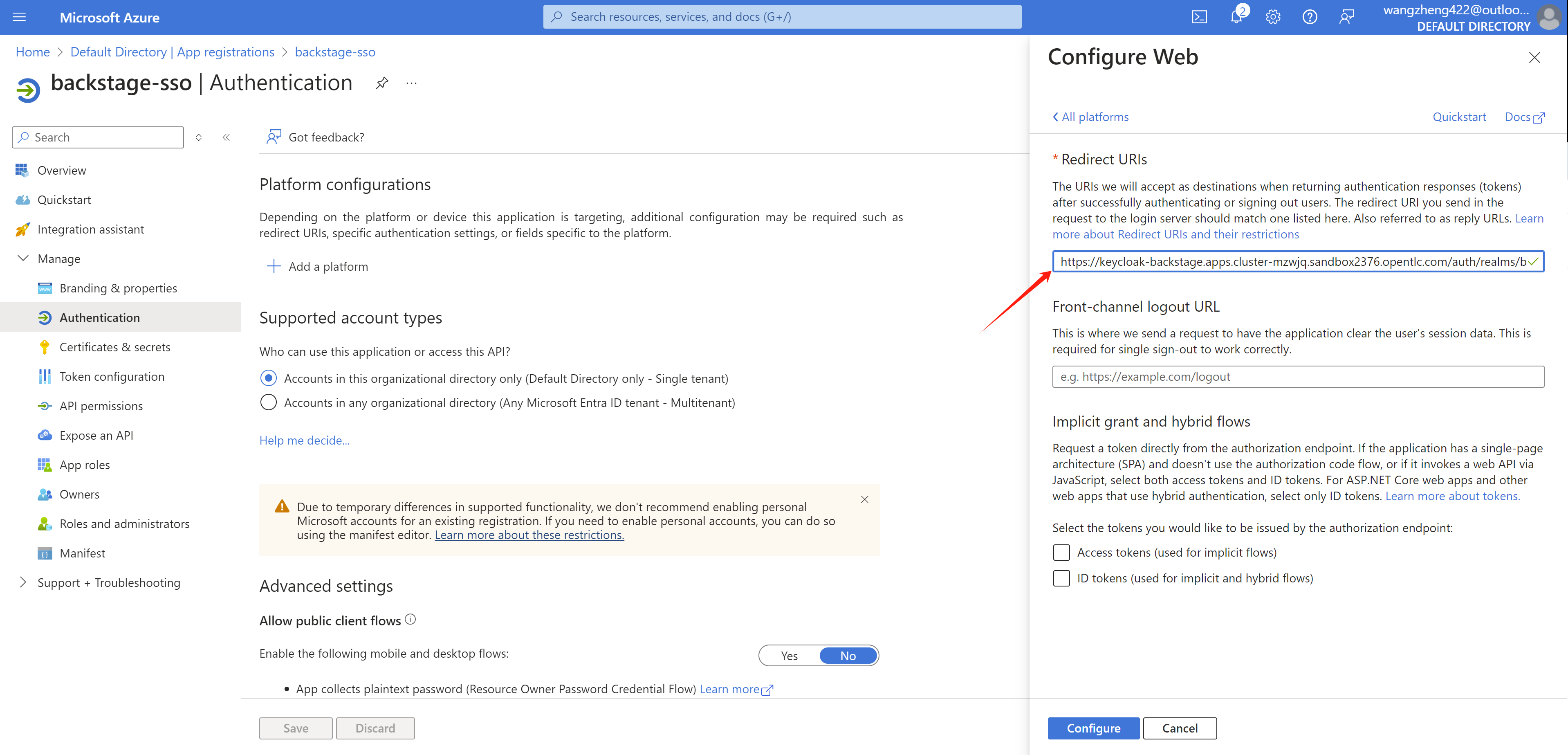
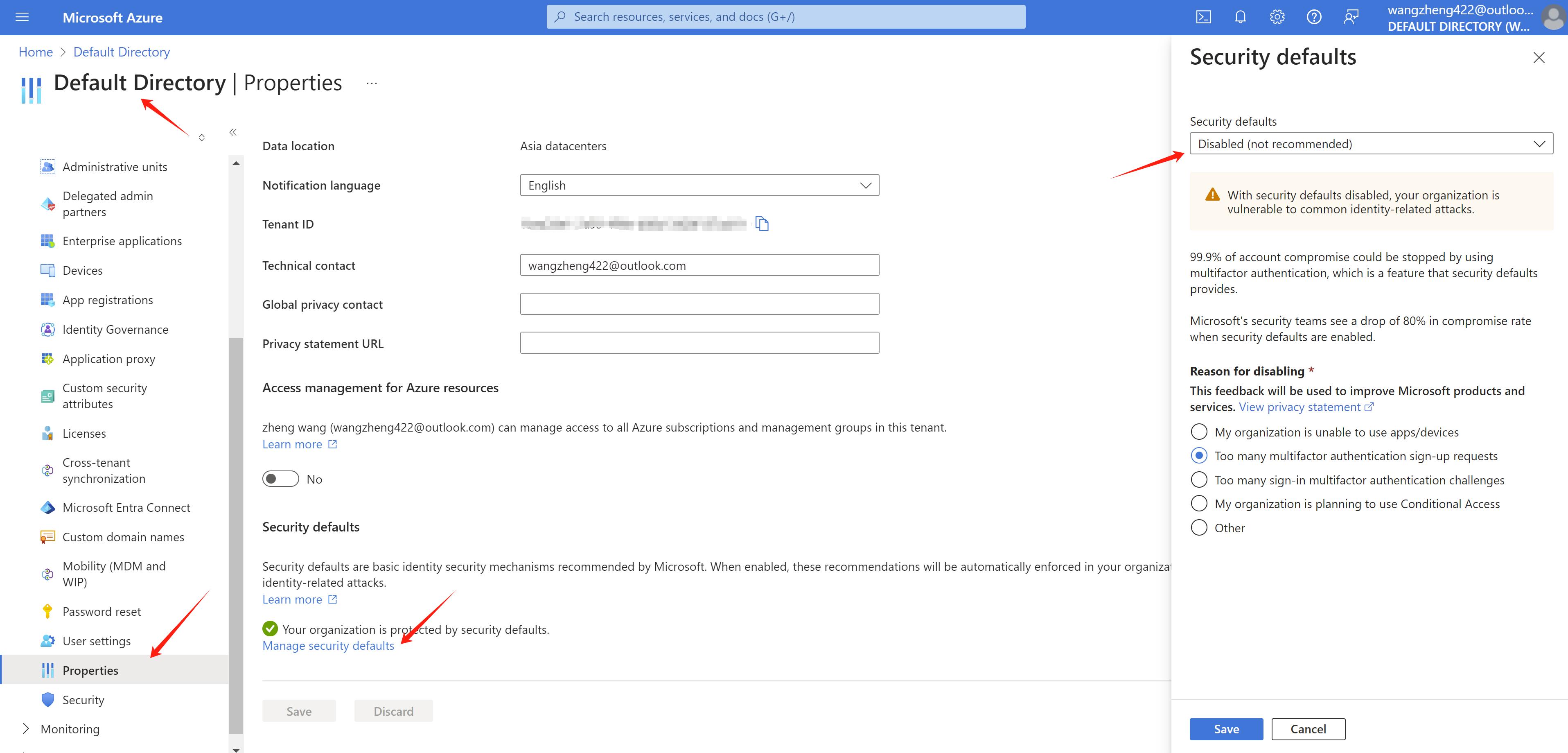
Easy the security setting for your azure org, we are testing env, so the user can login only with password.
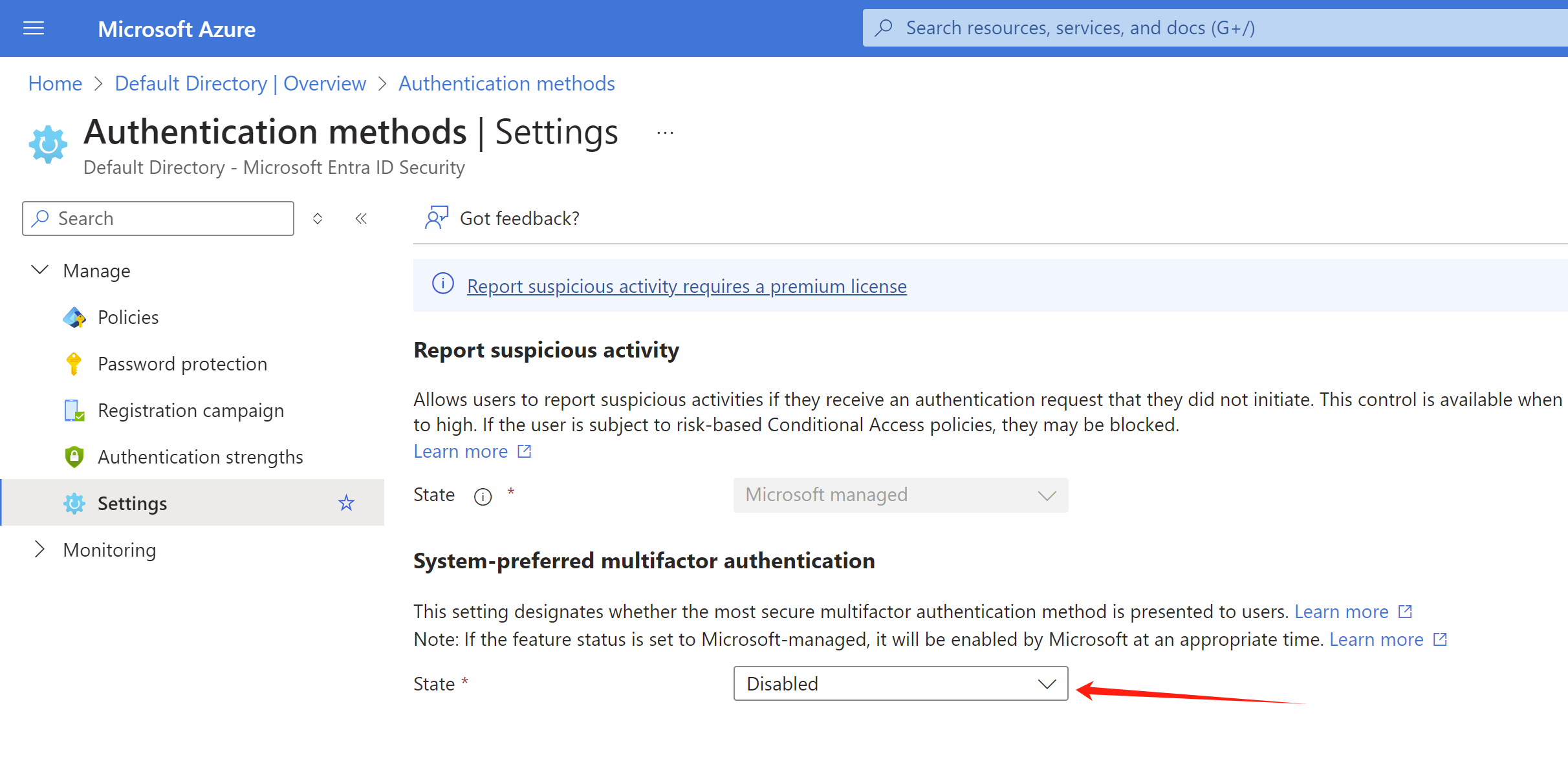
try it out
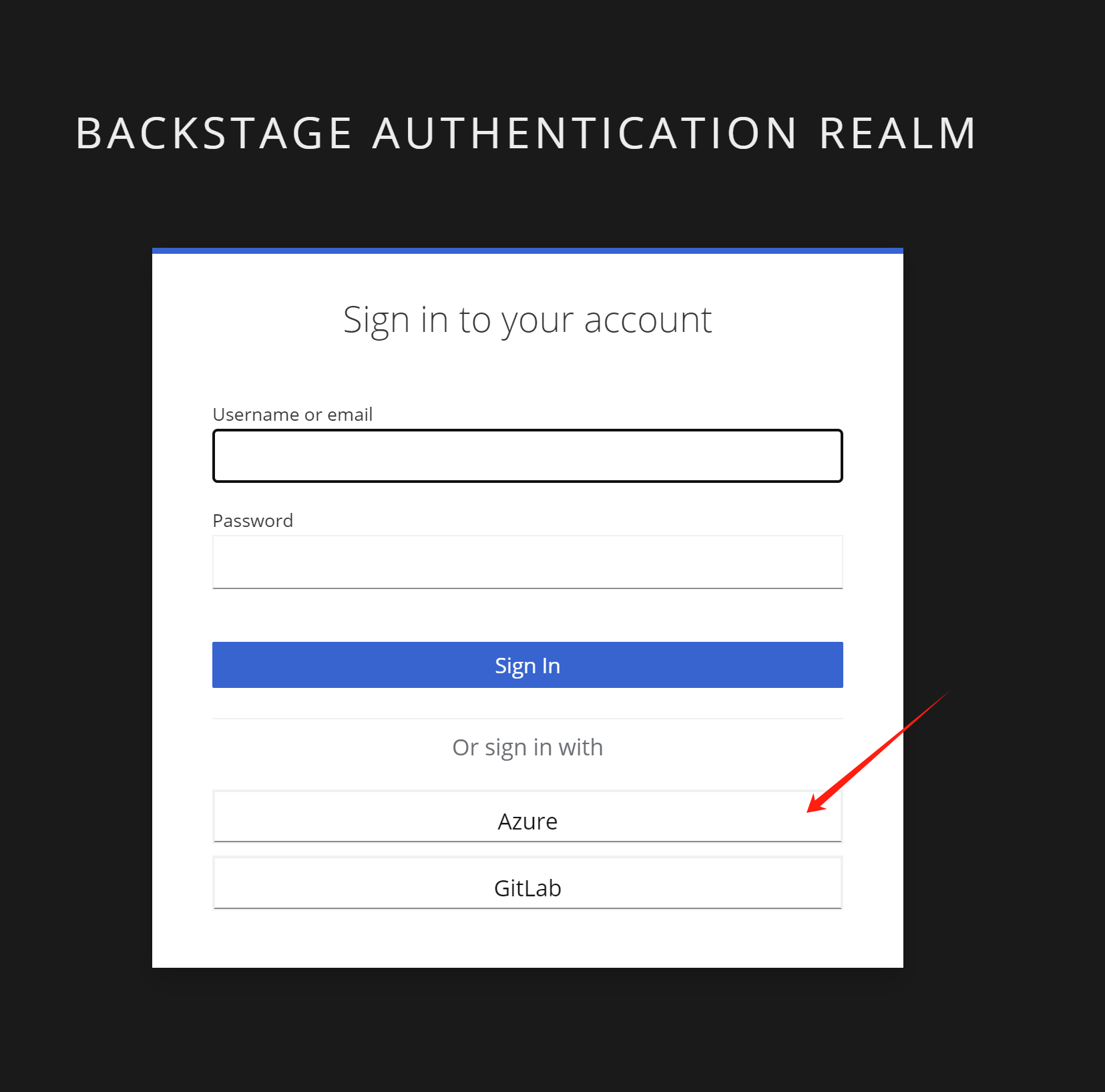
Open rhdh url, it will redirect to rhsso, select Azure
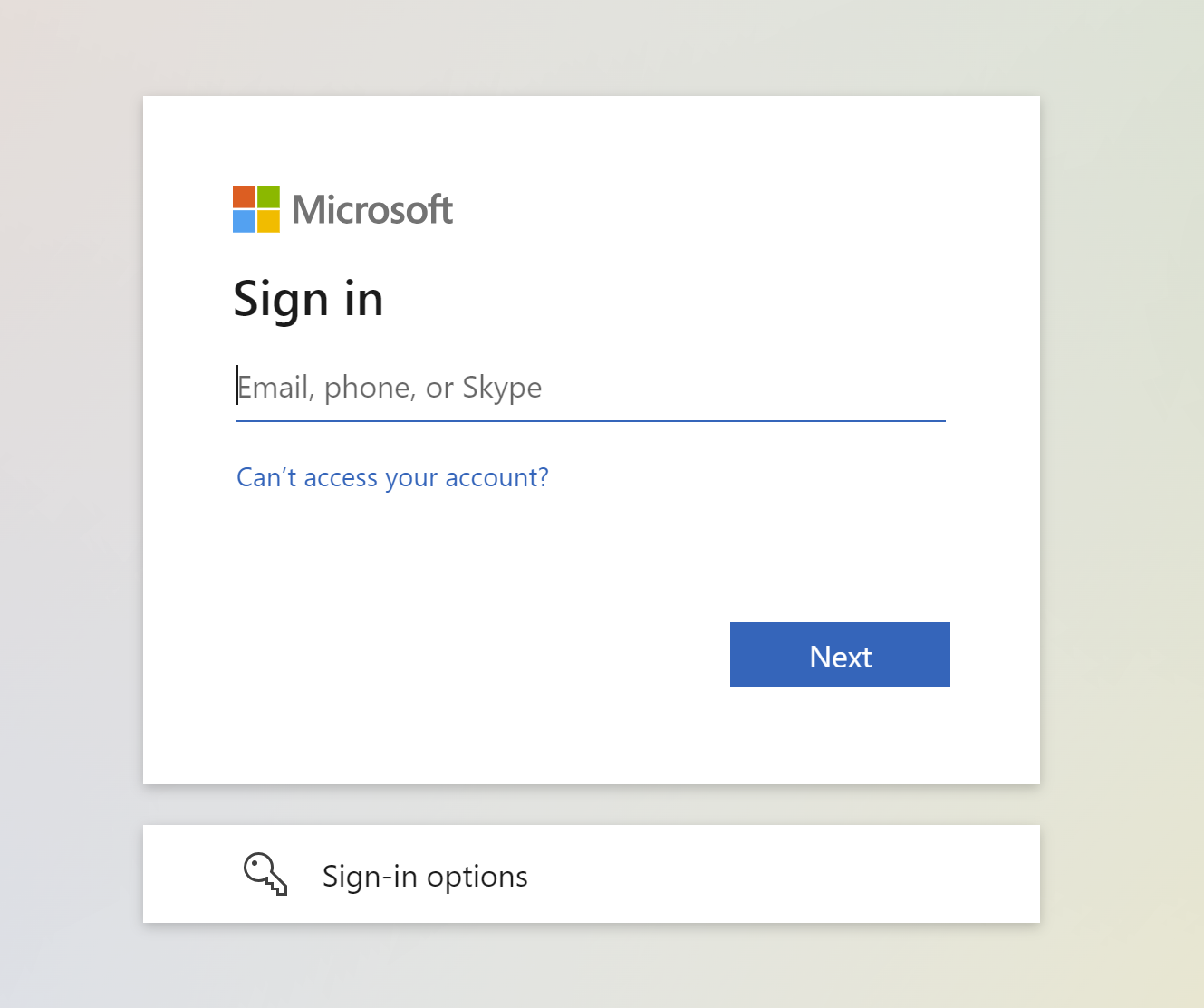
Login with azure account in your org.
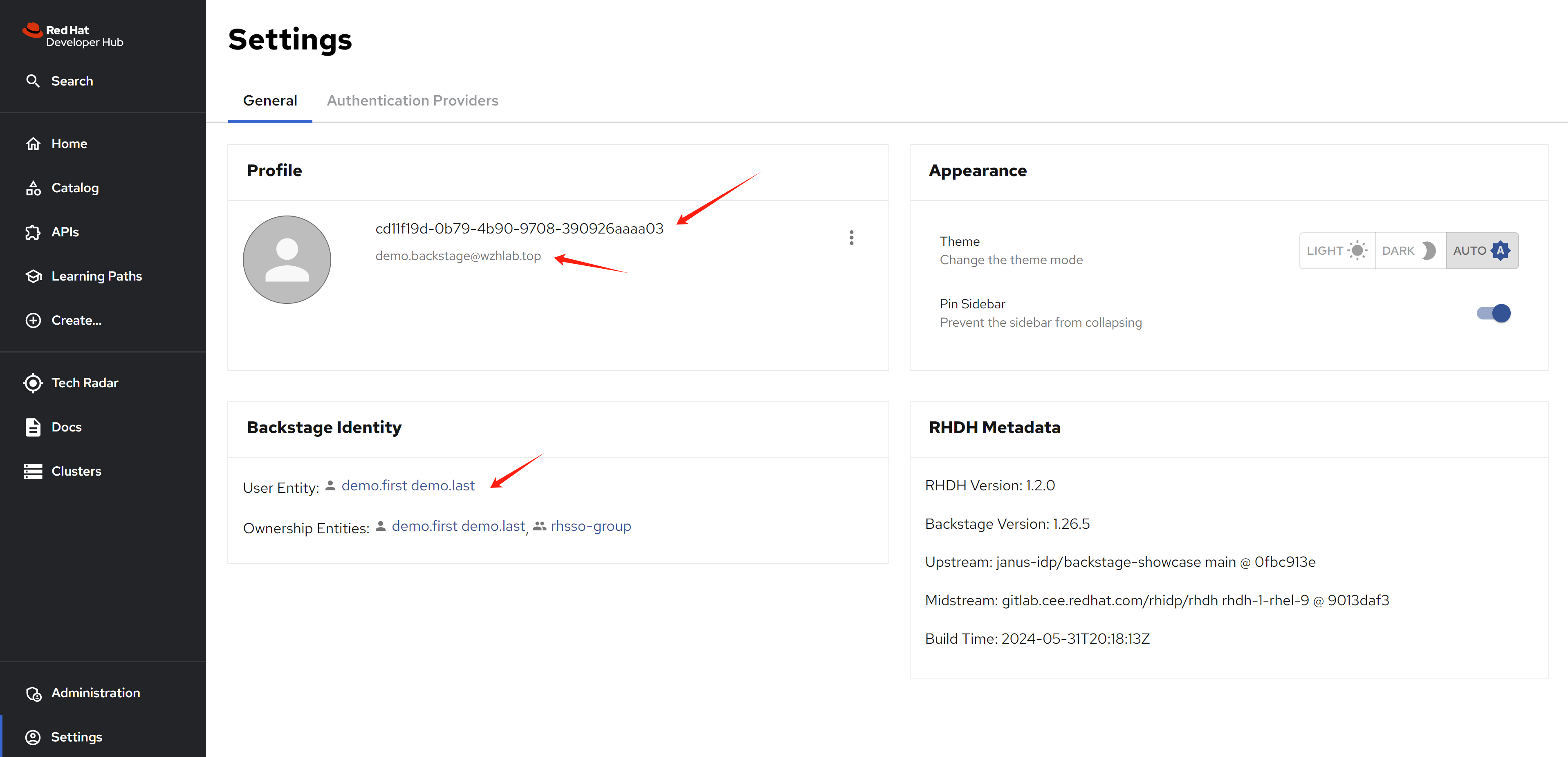
After login, you will be redirected to rhdh, your user info is automaticalty set, because we defined a client scope and mapping for you.
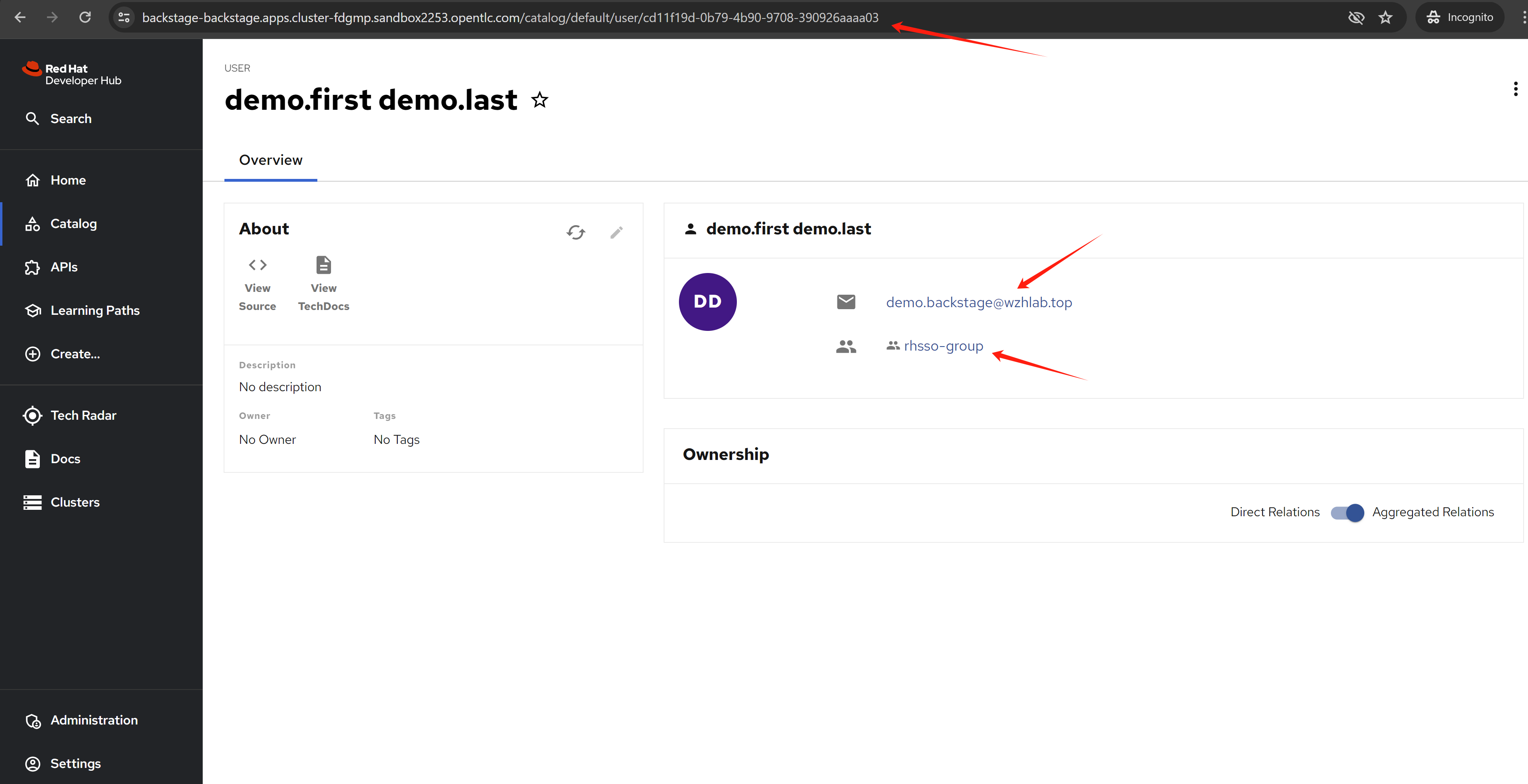
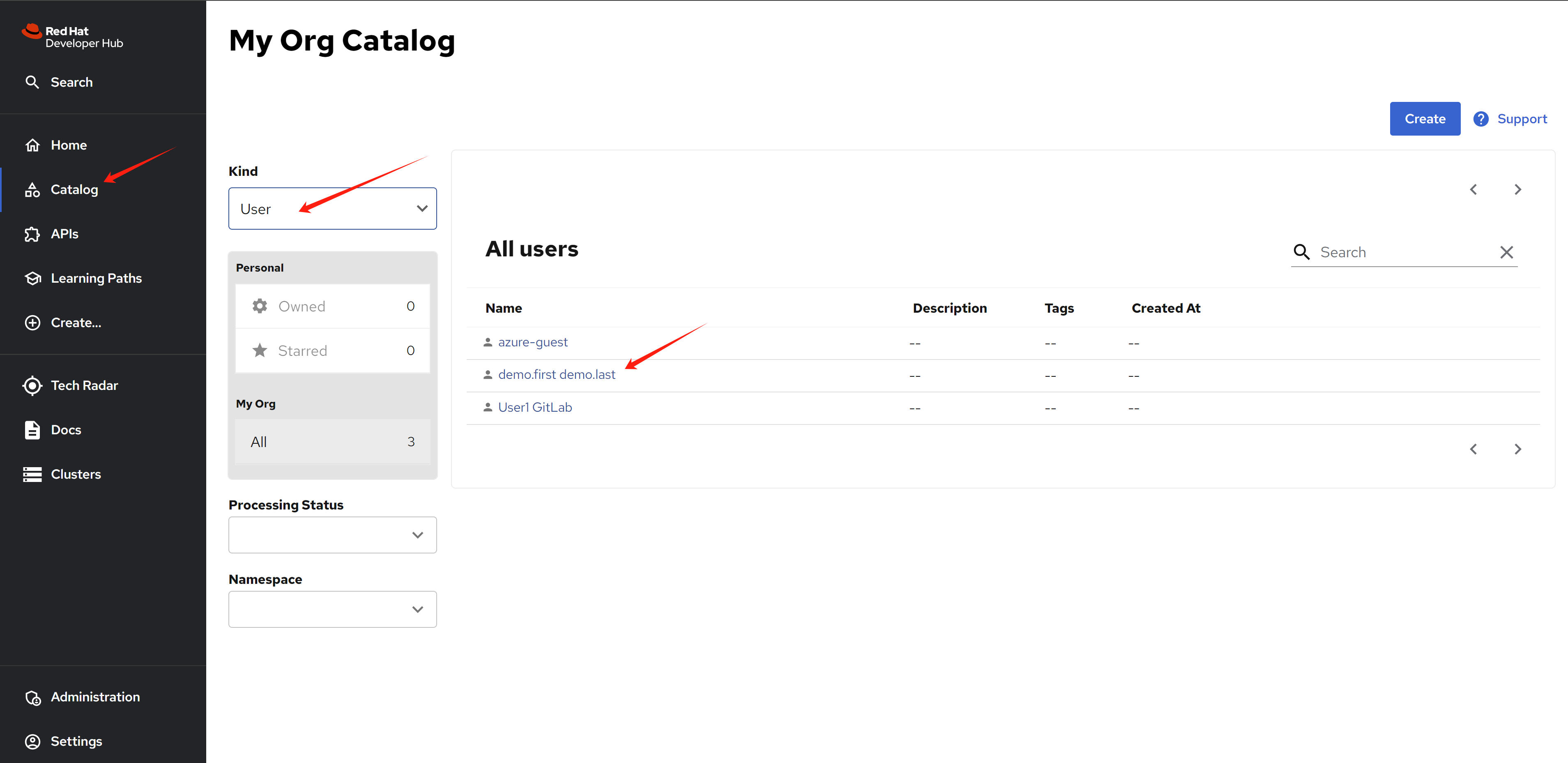
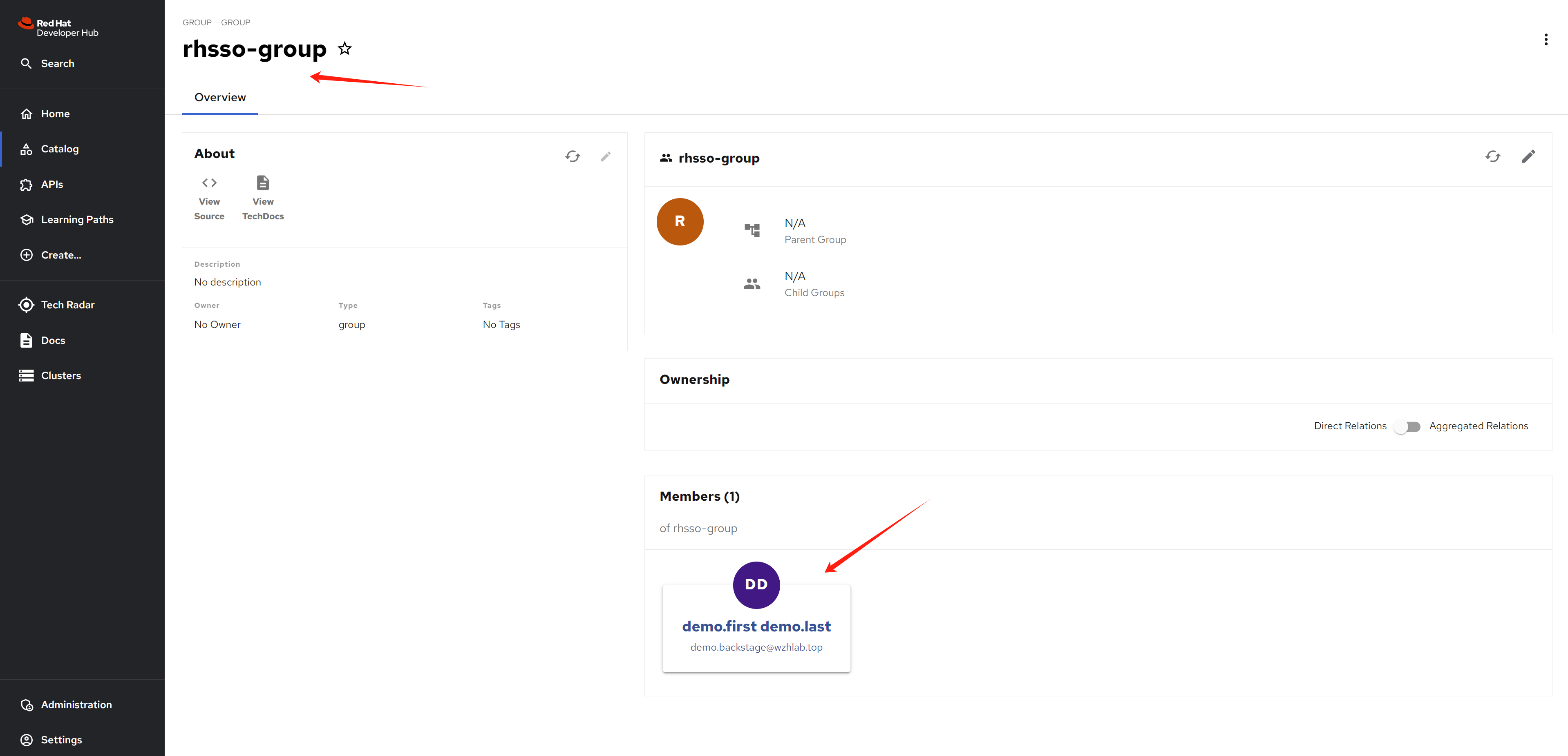
Wait some moments, after rhdh sync user and group info from rhsso/keycloak, you can see the new user created, and link to sso user info.
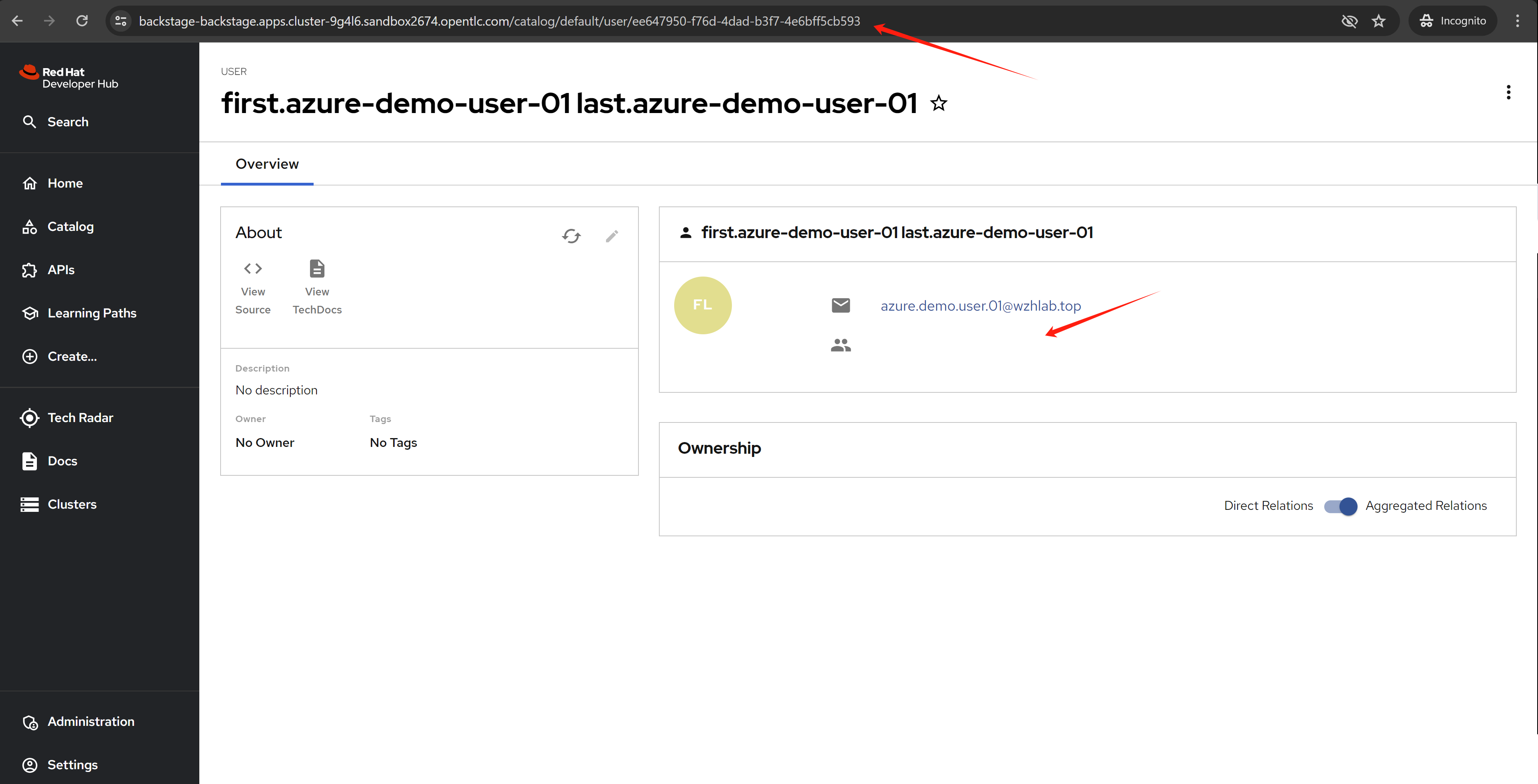
If you login using an azure user without a group, you will see this:
Azure sso with hacked msgraph
The msgraph plugin does not work with azure/microsoft sso right now, the msgraph will import user with azure email as rhdh username, but azure/microsoft sso will use azure user oid as rhdh username, they are not match, so we need to hack it.
The upstream backstage have ways to match the user using azure oid, but we are rhdh, we can not cusomize the backstage plugin, so we need to hack the msgraph plugin.
We hack the msgraph using this repo. The change is simple, just use azure user oid as rhdh username.
- https://github.com/wangzheng422/backstage/tree/wzh-patch-msgraph
The patch for demo.redhat.com is here:
data:
  dynamic-plugins.yaml: |
    plugins:
      - disabled: false
        package: ./dynamic-plugins/dist/backstage-plugin-azure-devops
      - disabled: false
        package: ./dynamic-plugins/dist/backstage-plugin-azure-devops-backend-dynamic
      # - disabled: false
      #   package: ./dynamic-plugins/dist/backstage-plugin-scaffolder-backend-module-azure-dynamic
      # - disabled: false
      #   integrity: >-
      #       sha512-WxRXsTppHKxzMHpUvEiQR3rYPypSHDHABAqegjareHYEXgA5uVBsRW2zES6GpOeei45KnxGL+NcuoKQezg1D7A==
      #   package: '@backstage/plugin-azure-devops@0.4.4'
      # - disabled: false
      #   integrity: >-
      #       sha512-wHZC7riqyakSzPrxM1+edu1Et99Q0gAd0WXxrnclUo7lT45+xvqYxzbdVR9Kr7OHr/6AugMghJZV1BzCxl2+PQ==
      #   package: '@backstage/plugin-azure-devops-backend@0.6.5'
      - disabled: false
        integrity: >-
            sha512-H3d4UThnU+EUCFfH3lBPvm0mYXdAQ/GG4blg71Oe8nfjm9eN9yATxq8r74430Xyi1xn+2HVbVbLyvWpgpIp/ig==
        package: '@backstage/plugin-catalog-backend-module-azure@0.1.38'
      - disabled: false
        integrity: >-
            sha512-RTOzk+k0XCu0ivqqHrnis4lzsQqAhEVv++6bb4exqhU8LpWGX0R15RPljVzHtWKqT35CXhNt0JWYv8hSjUPzgg==
        package: '@wangzheng422/plugin-catalog-backend-module-msgraph@0.5.26'
      # - disabled: false
      #   integrity: >-
      #       sha512-C7qhlHOQeXMNMPekgEoTdTiVq2hHdZkHvUHpb4EyCOE8MzGFx1LTl7r7ch4jiFkr15YQuqOImYUc/JhGNnes8A==
      #   package: '@backstage/plugin-catalog-backend-module-msgraph@0.5.26'
      # - disabled: false
      #   integrity: >-
      #       sha512-eBfl2rPN3HrgECEeHS9uw9Y4xaAQgzNu7qn/kYarqTRi3Rnn5V8zMm5jU4gcqfcxdBbdpUb9HpRvOqk9V96VSA==
      #   package: '@backstage/plugin-azure-devops-common@0.4.2'
      # - disabled: false
      #   integrity: >-
      #       sha512-iRxCHis0E2CemuEQ/CQvk9O5vVw3dRA/EOLvo4Ms1scfFDdJqogHH+KiVzEOf5nhf3YUmPpMT0cB+G4kx+th9A==
      #   package: '@backstage/plugin-auth-backend-module-azure-easyauth-provider@0.1.1'

upstream:
  backstage:
    # image:
    #   registry: quay.io
    #   repository: wangzheng422/qimgs
    #   tag: 'rhdh-hub-rhel9-1.1-2024.05.17.v02'

    extraEnvVars:
      - name: AZURE_CLIENT_ID
        value: <change me to secret value>
      - name: AZURE_CLIENT_SECRET
        value: <change me to secret value>
      - name: AZURE_TENANT_ID
        value: <change me to secret value>
      - name: AZURE_TOKEN
        value: <change me to secret value>
      - name: AZURE_ORG
        value: wangzheng422
      # - name: KEYCLOAK_BASE_URL
      #   value: https://keycloak-backstage.apps.cluster-qjwdr.sandbox928.opentlc.com/auth
      - name: KEYCLOAK_BASE_URL
        value: $(APP_CONFIG_catalog_providers_keycloakOrg_default_baseUrl)
      - name: KEYCLOAK_LOGIN_REALM
        value: backstage
      - name: KEYCLOAK_REALM
        value: backstage
      - name: KEYCLOAK_CLIENT_ID
        valueFrom:
          secretKeyRef:
            key: CLIENT_ID
            name: keycloak-client-secret-backstage
      - name: KEYCLOAK_CLIENT_SECRET
        valueFrom:
          secretKeyRef:
            key: CLIENT_SECRET
            name: keycloak-client-secret-backstage

    appConfig:
      integrations:
        azure:
          - host: dev.azure.com
            credentials:
              - organizations:
                  - ${AZURE_ORG}
                personalAccessToken: ${AZURE_TOKEN}
                # clientId: ${AZURE_CLIENT_ID}
                # clientSecret: ${AZURE_CLIENT_SECRET}
                # tenantId: ${AZURE_TENANT_ID}


      auth:
        environment: production
        providers:
          microsoft:
            production:
              clientId: ${AZURE_CLIENT_ID}
              clientSecret: ${AZURE_CLIENT_SECRET}
              tenantId: ${AZURE_TENANT_ID}
              domainHint: ${AZURE_TENANT_ID}
              additionalScopes:
                - Mail.Send
              signIn:
                resolvers:
                  # typically you would pick one of these
                  - resolver: idMatchingUserEntityAnnotation
                  - resolver: emailMatchingUserEntityProfileEmail
                  - resolver: emailLocalPartMatchingUserEntityName
                  - resolver: emailMatchingUserEntityAnnotation

      signInPage: microsoft


      catalog:
        locations:
          # https://dev.azure.com/wangzheng422/demo/_git/service-demo?path=%2Forg.yaml&version=GBmain&_a=contents
          # https://github.com/wangzheng422/backstage-customize/blob/data/org.yaml
          - target: https://dev.azure.com/wangzheng422/demo/_git/service-demo?path=%2Forg.yaml&version=GBmain&_a=contents
            type: url
            rules:
              - allow: [Group, User]
          - target: https://github.com/wangzheng422/red-hat-developer-hub-software-templates/blob/wzh-hack/templates/azure/dotnet-frontend/template.yaml
            type: url
            rules:
              - allow: [Template]

        providers:
          azureDevOps:
            yourProviderId: # identifies your dataset / provider independent of config changes
              organization: wangzheng422
              project: '*'
              repository: '*' # this will match all repos starting with service-*
              path: /catalog-info.yaml
              schedule: # optional; same options as in TaskScheduleDefinition
                # supports cron, ISO duration, "human duration" as used in code
                frequency: { minutes: 30 }
                # supports ISO duration, "human duration" as used in code
                timeout: { minutes: 3 }
          microsoftGraphOrg:
            default:
              tenantId: ${AZURE_TENANT_ID}
              clientId: ${AZURE_CLIENT_ID}
              clientSecret: ${AZURE_CLIENT_SECRET}
              user:
                filter: >
                  accountEnabled eq true and userType eq 'member'
                # select: ['id', 'displayName', 'mail']
              # userPrincipalName eq 'demo-backstage@wangzheng422outlook.onmicrosoft.com'
              group:
                filter: >
                  displayName eq 'demo-group-backstage'
              schedule:
                frequency: PT1H
                timeout: PT50M
          keycloakOrg:
            default:
              baseUrl: ${KEYCLOAK_BASE_URL}
              loginRealm: ${KEYCLOAK_LOGIN_REALM}
              realm: ${KEYCLOAK_REALM}
              clientId: ${KEYCLOAK_CLIENT_ID}
              clientSecret: ${KEYCLOAK_CLIENT_SECRET}
              schedule: # optional; same options as in TaskScheduleDefinition
                # supports cron, ISO duration, "human duration" as used in code
                frequency: { minutes: 1 }
                # supports ISO duration, "human duration" as used in code
                timeout: { minutes: 1 }
                initialDelay: { seconds: 15 }


      enabled:
        kubernetes: true
        techdocs: true
        argocd: true
        sonarqube: false
        keycloak: false  # true -> false
        ocm: true
        github: false
        githubOrg: false
        gitlab: true
        jenkins: false
        permission: false

        azure: true
        azureDevOps: true
        microsoftGraphOrg: true
        keycloakOrg: false
        microsoft: true
        azureEasyAuth: false

  service:
    ports:
      backend: 4180
      targetPort: backend
result
It turn out the hack works, the user is created with azure oid as username.
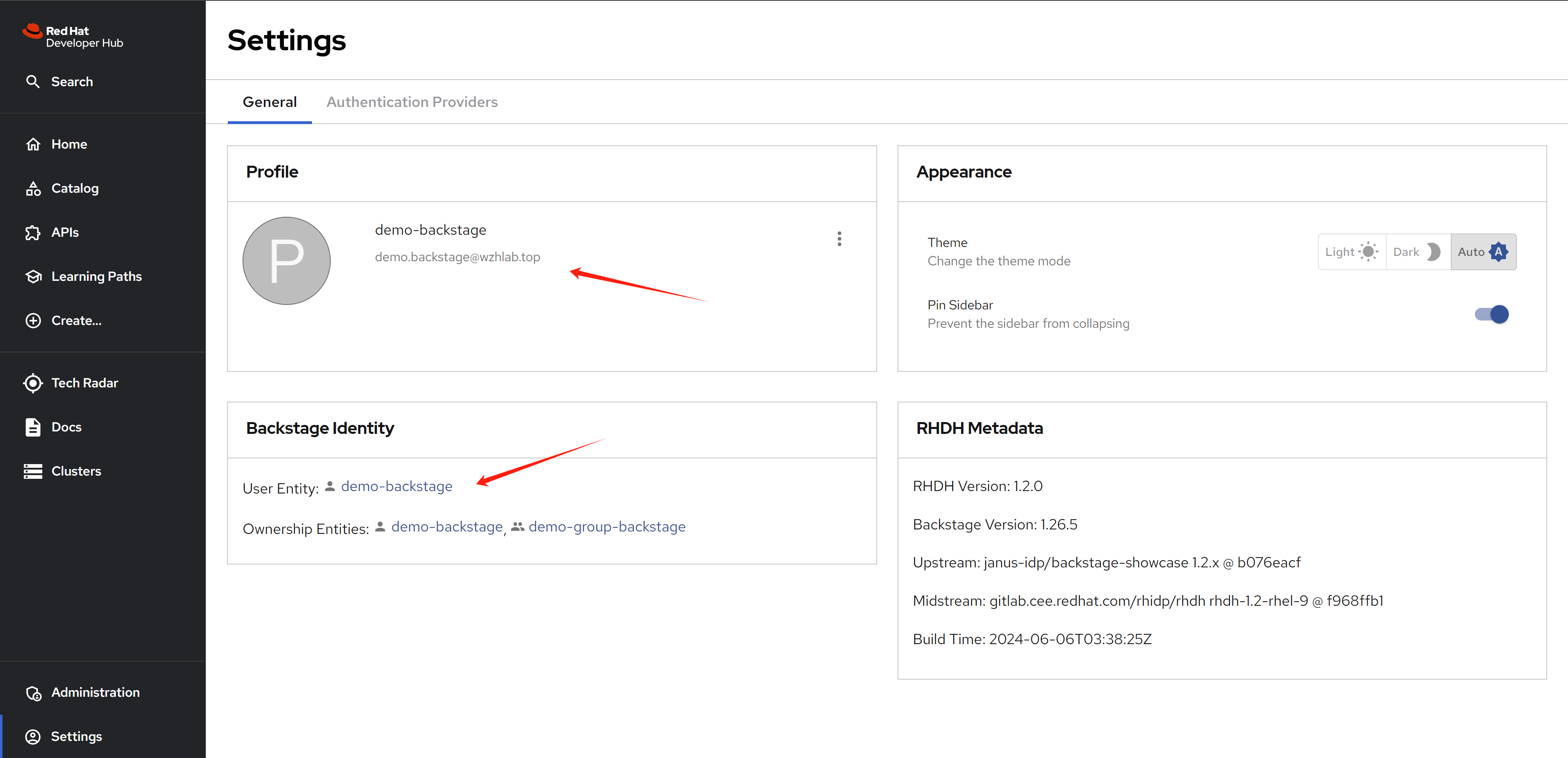
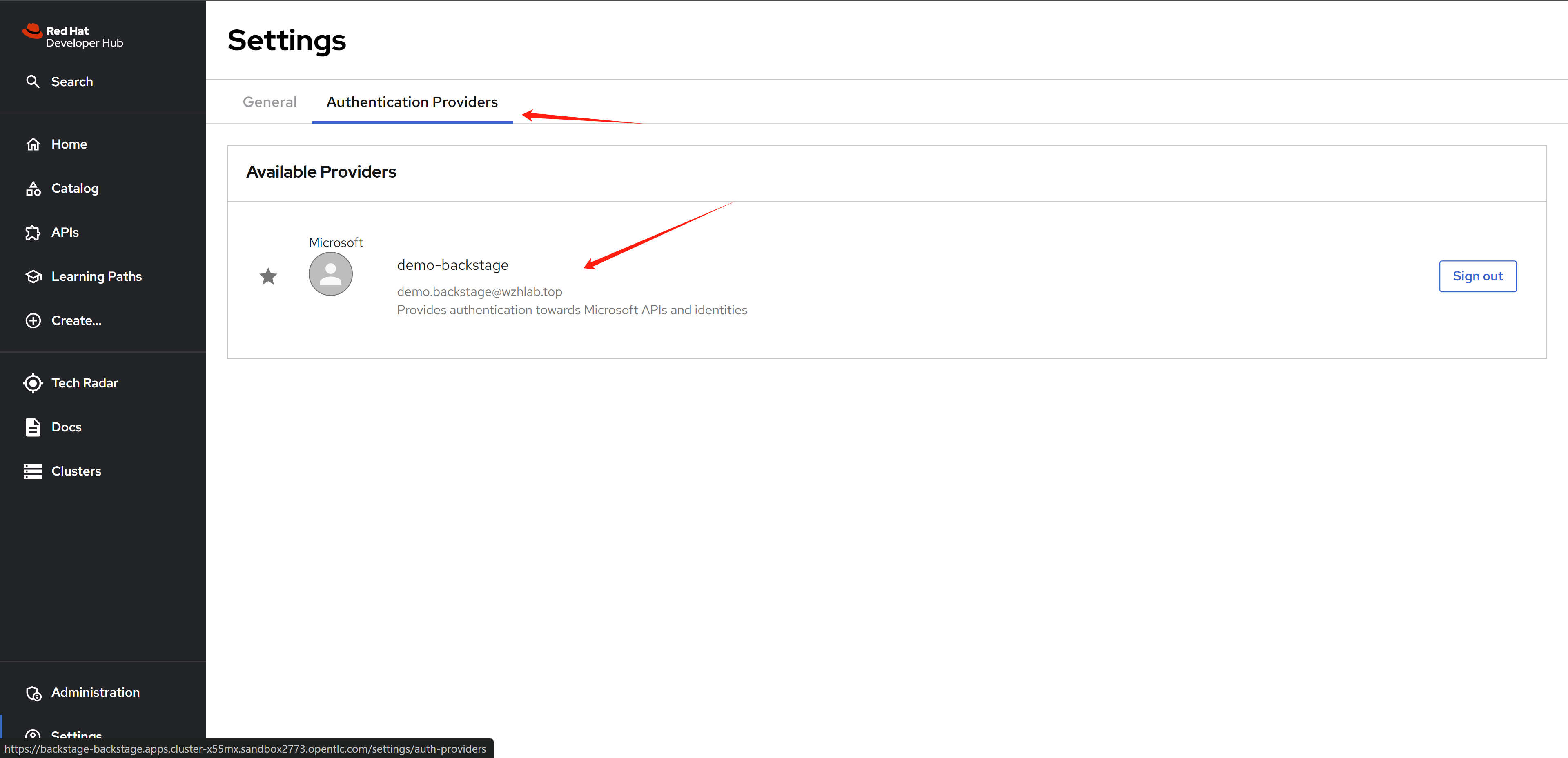
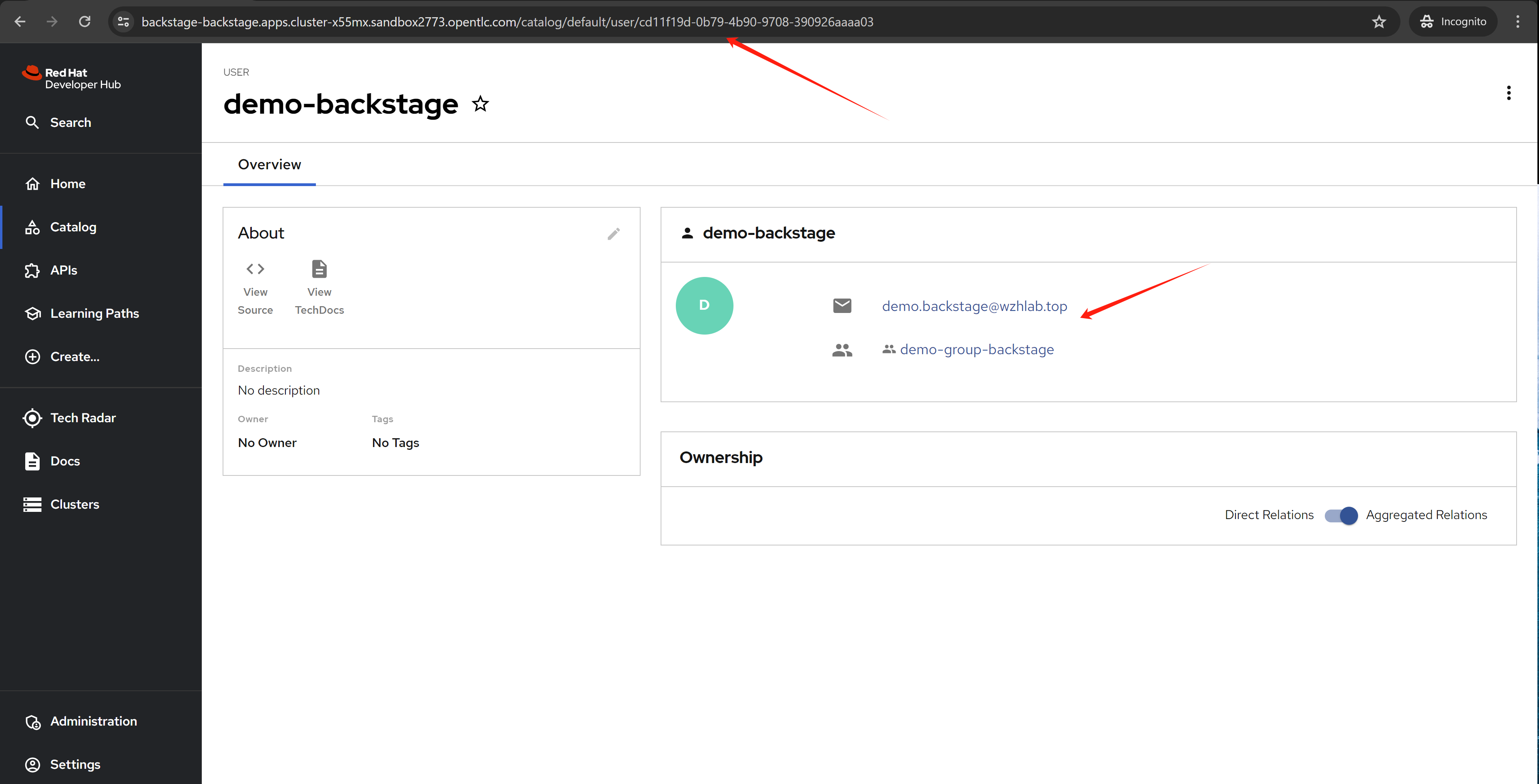
azure sso as openshift idp
- https://cloud.redhat.com/experts/idp/azuread-red-hat-sso/
- https://cloud.redhat.com/experts/idp/
- https://cloud.redhat.com/experts/
golden path template
There is a golden path template for backstage, you can use it to create a new backstage app.
- https://github.com/redhat-developer/red-hat-developer-hub-software-templates
- https://github.com/wangzheng422/red-hat-developer-hub-software-templates/blob/main/templates/azure/dotnet-frontend/template.yaml
we will use this template for test:
- https://github.com/redhat-developer/red-hat-developer-hub-software-templates/blob/main/templates/azure/dotnet-frontend/template.yaml
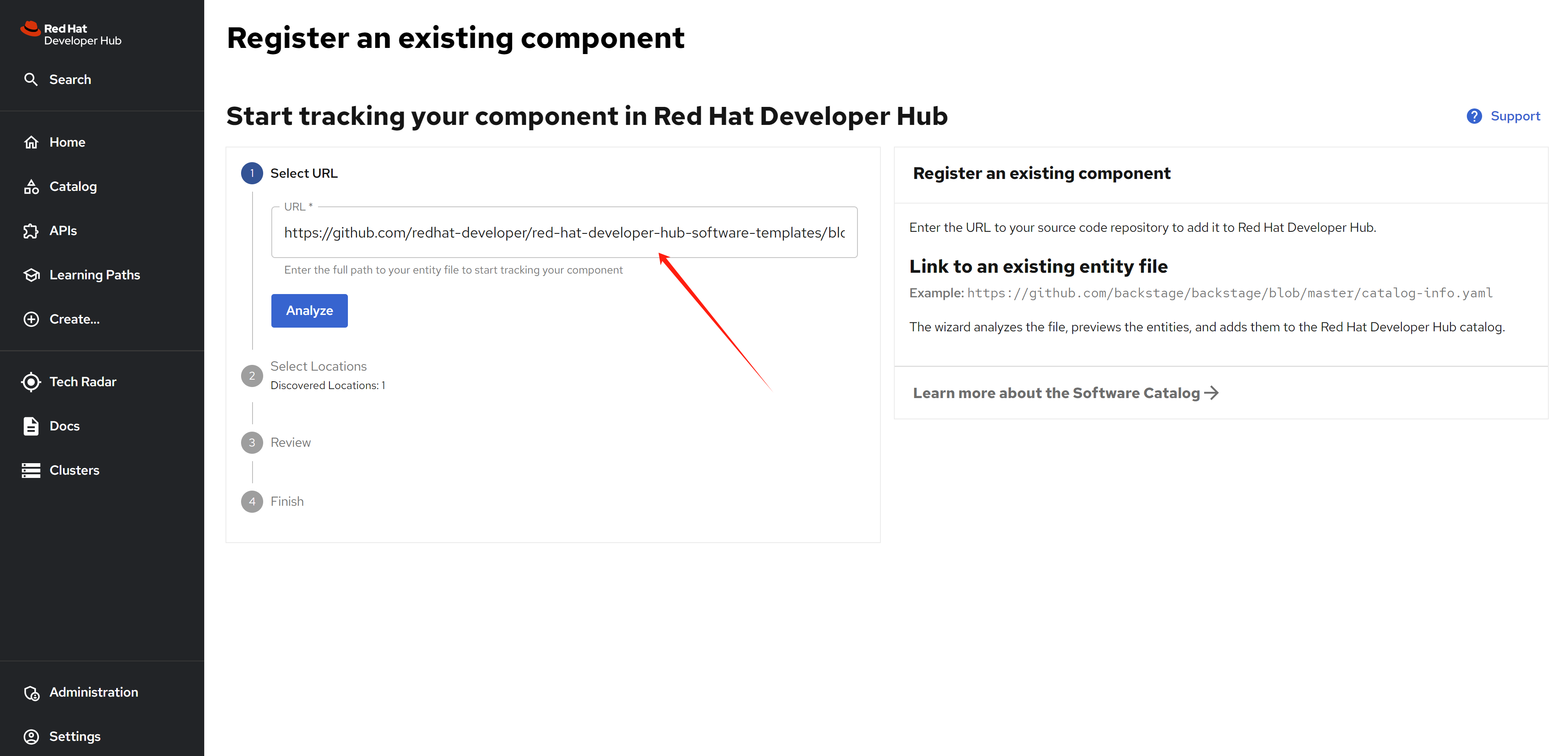
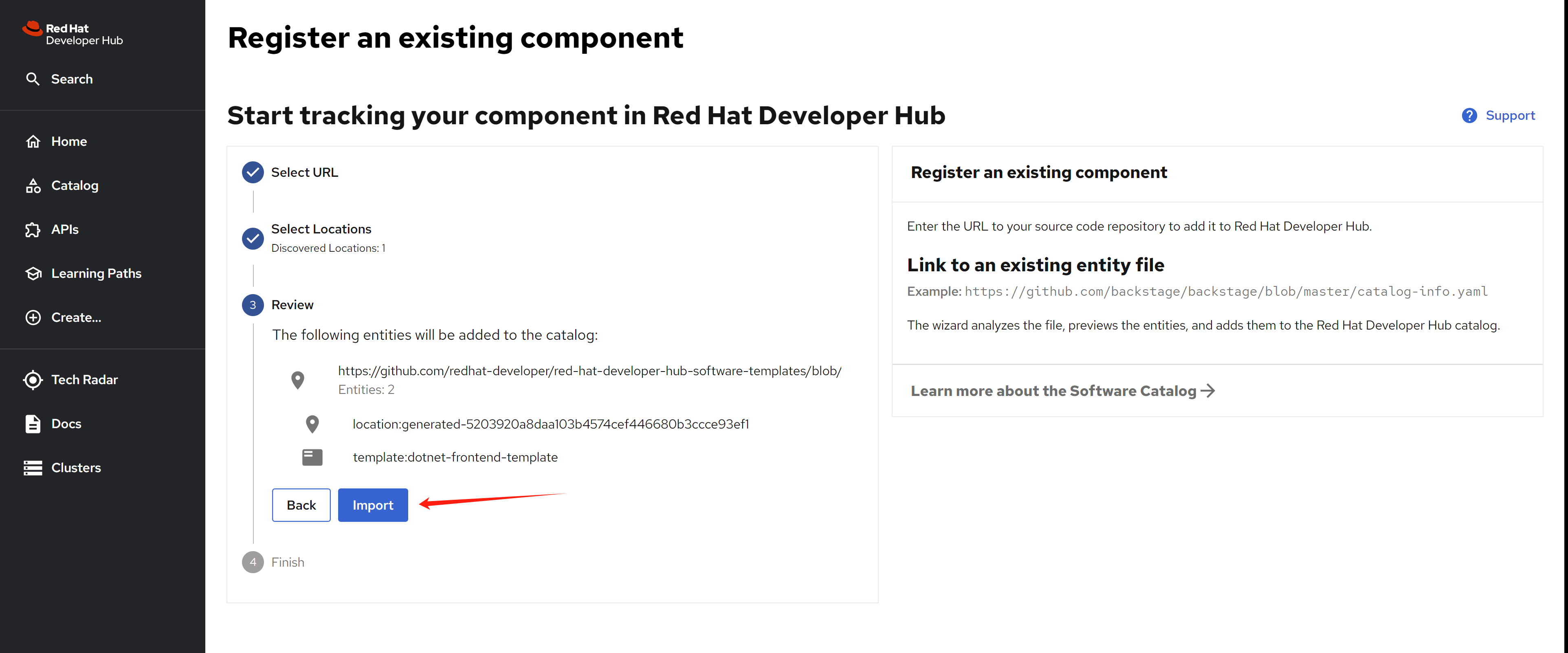
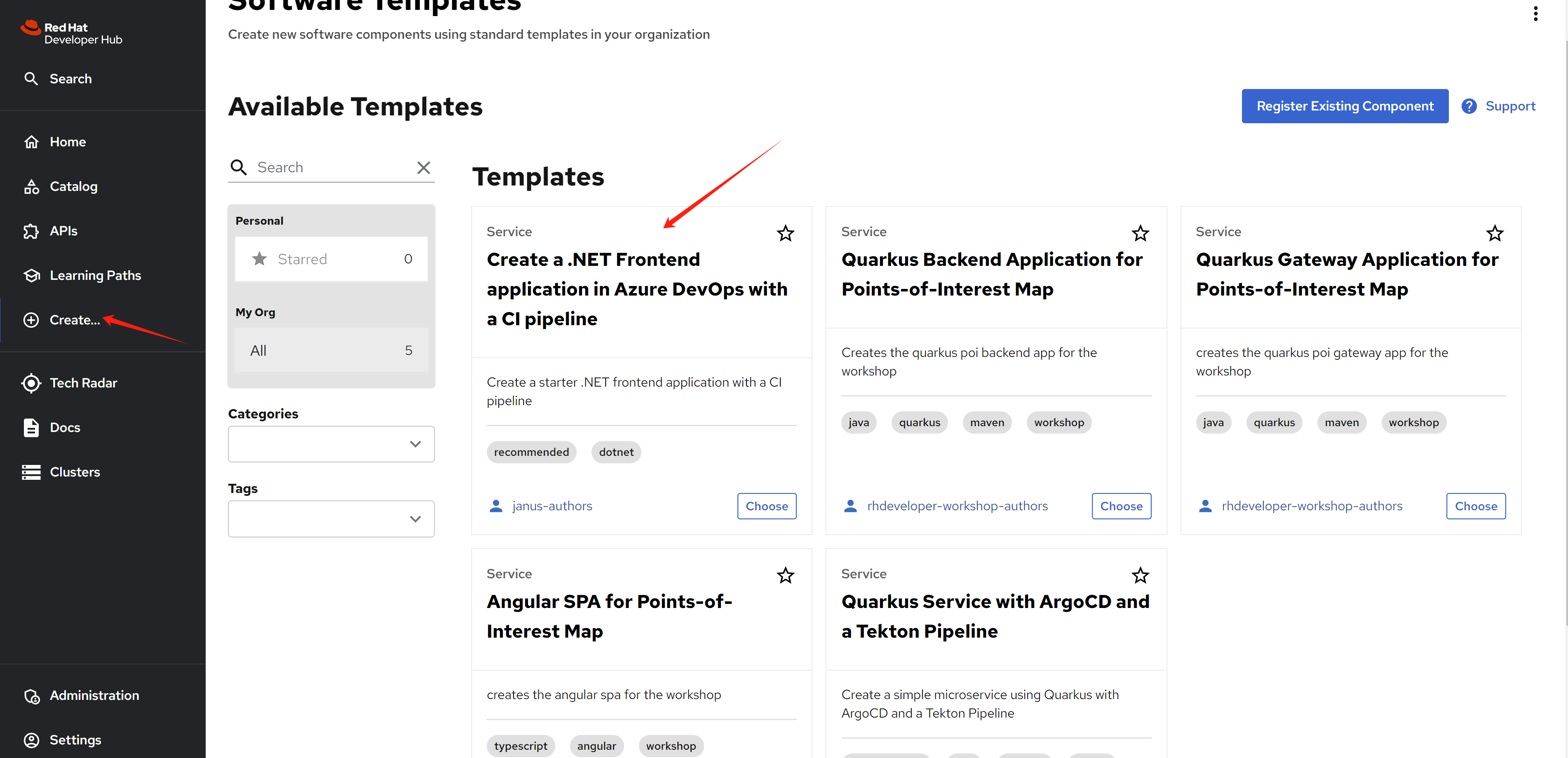
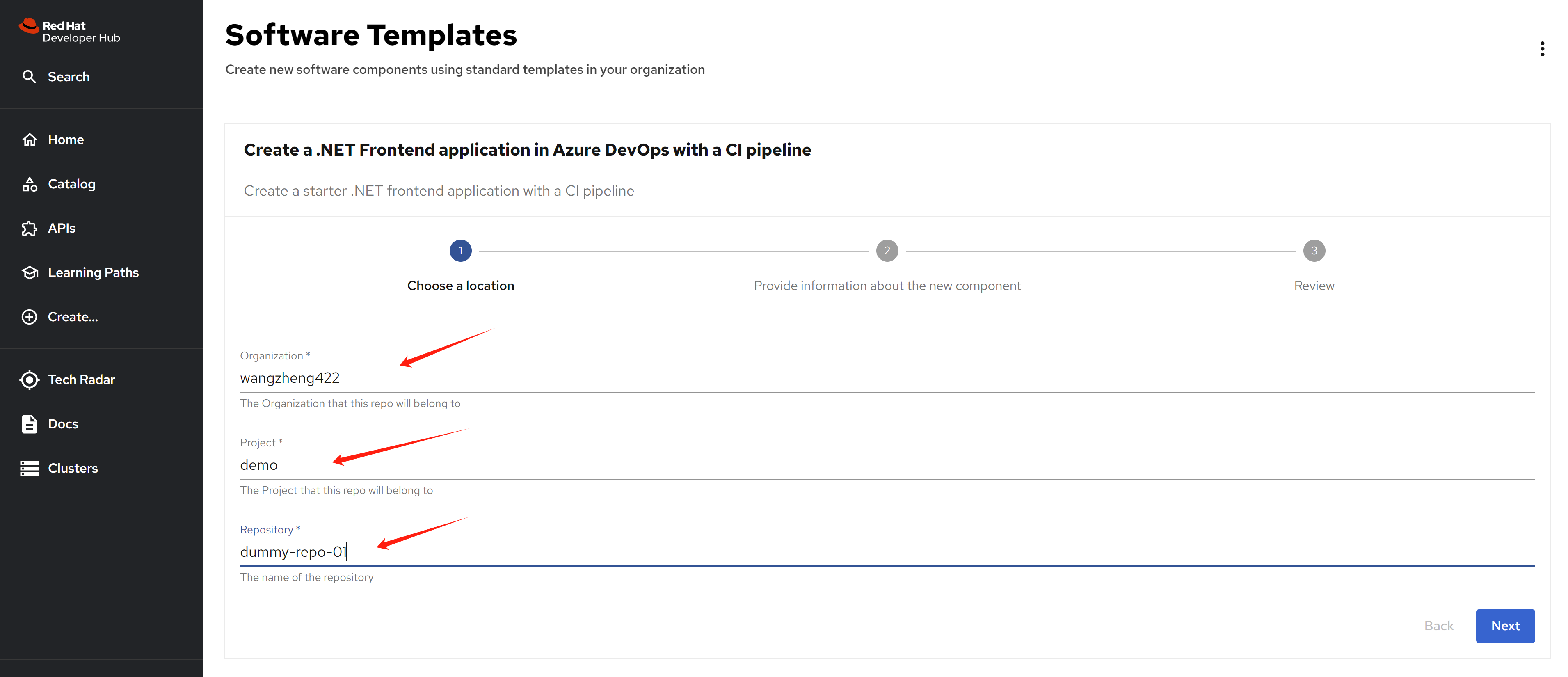
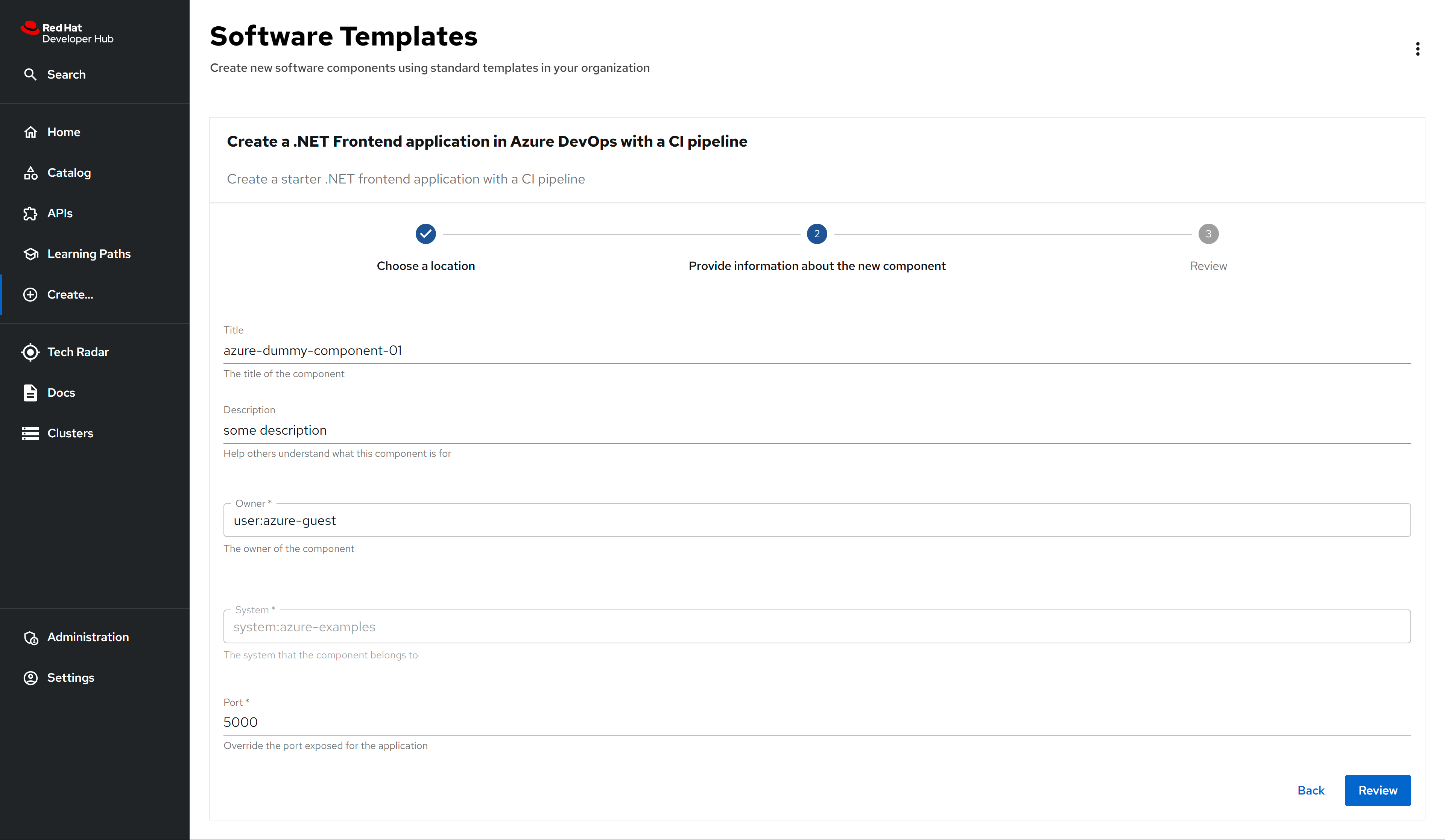
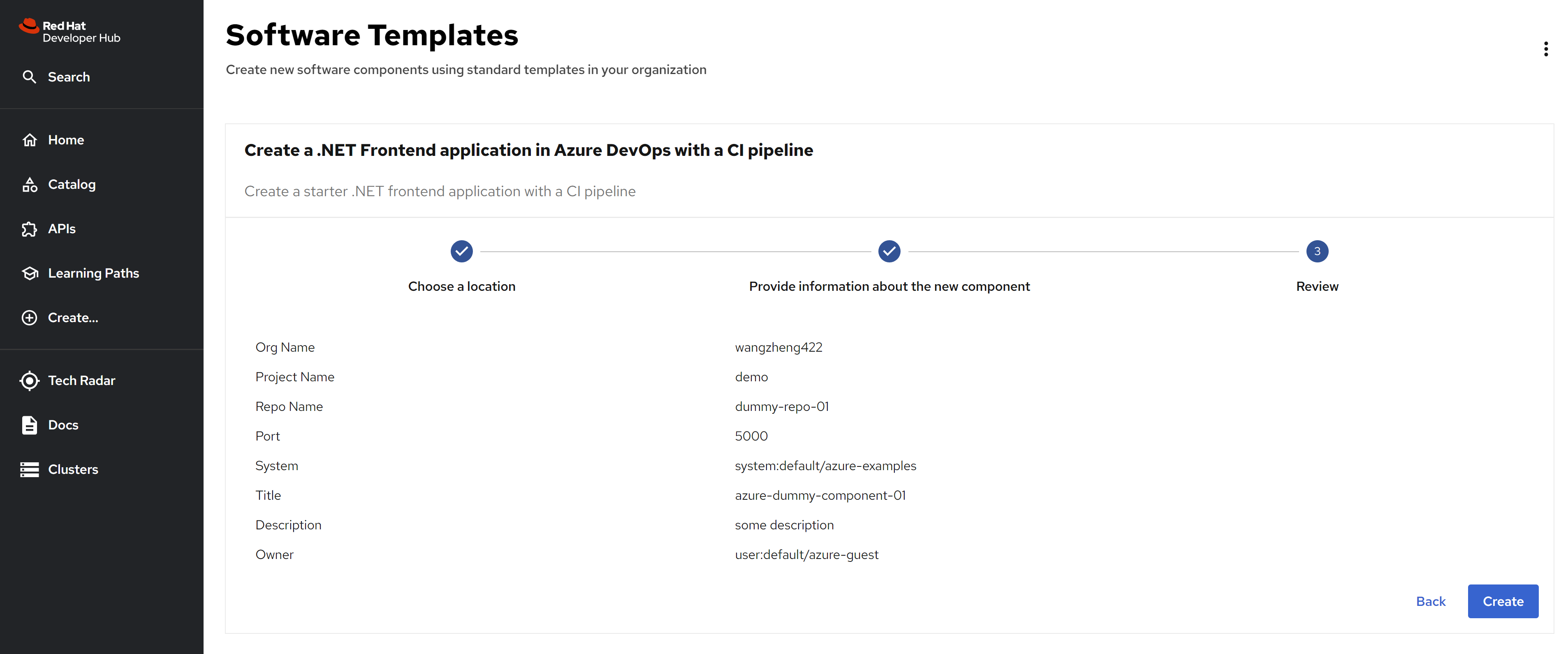
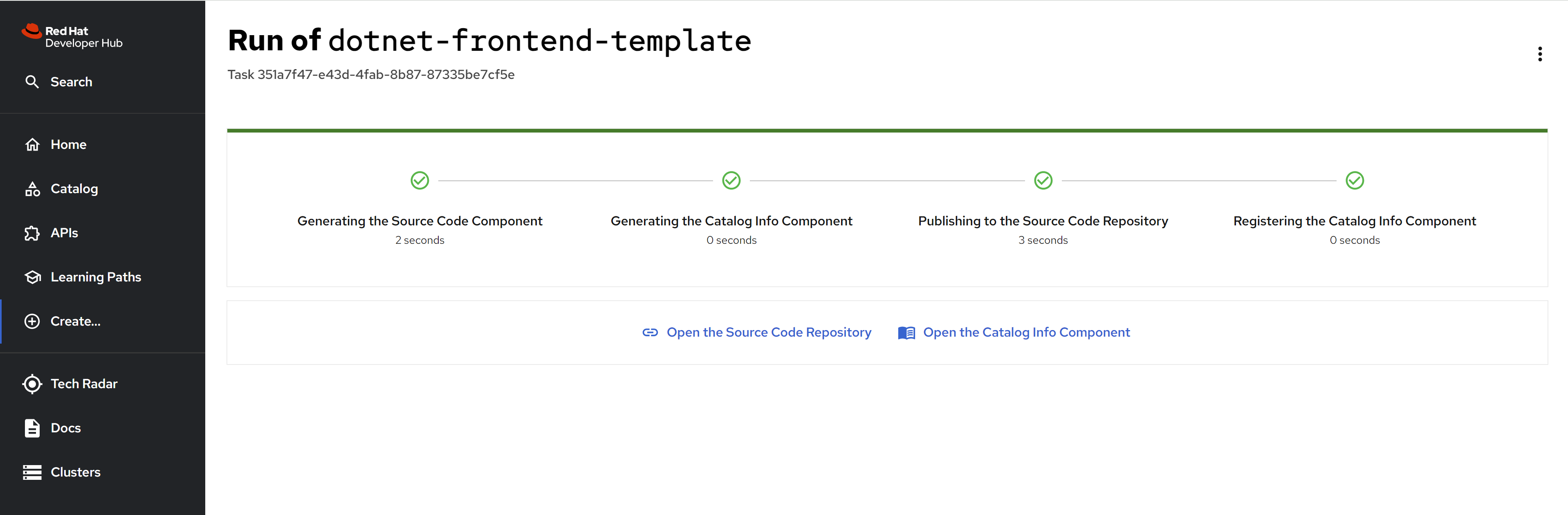
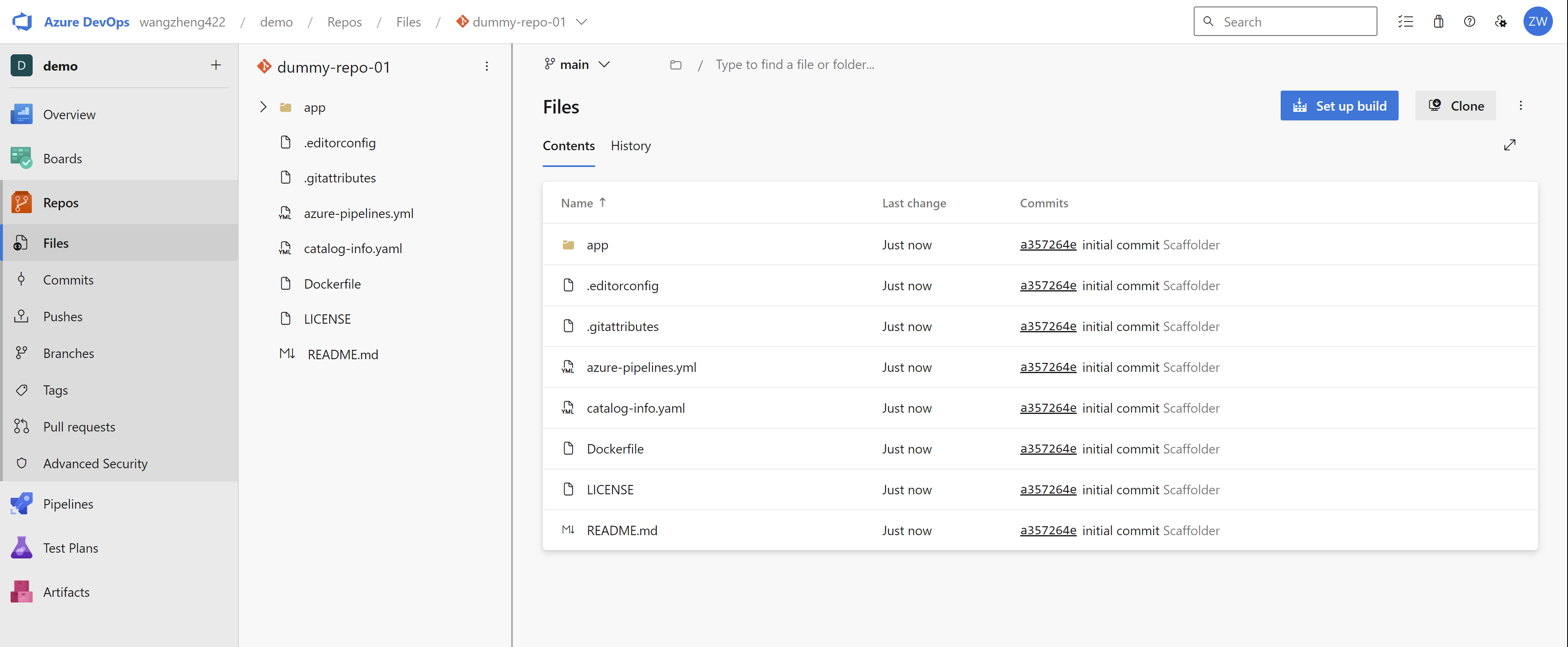
New repo created in azure devops:
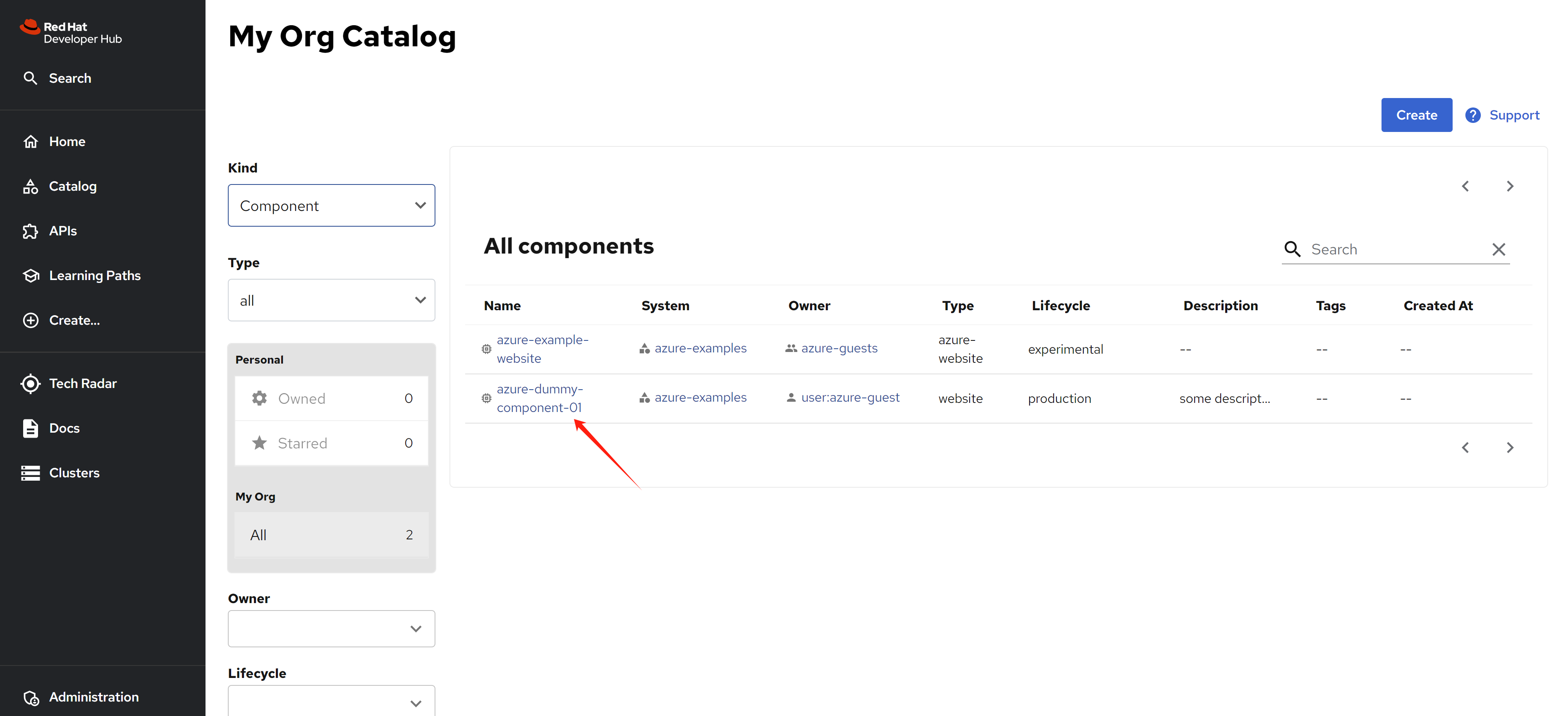
Go back to rhdh, we can see new component created.
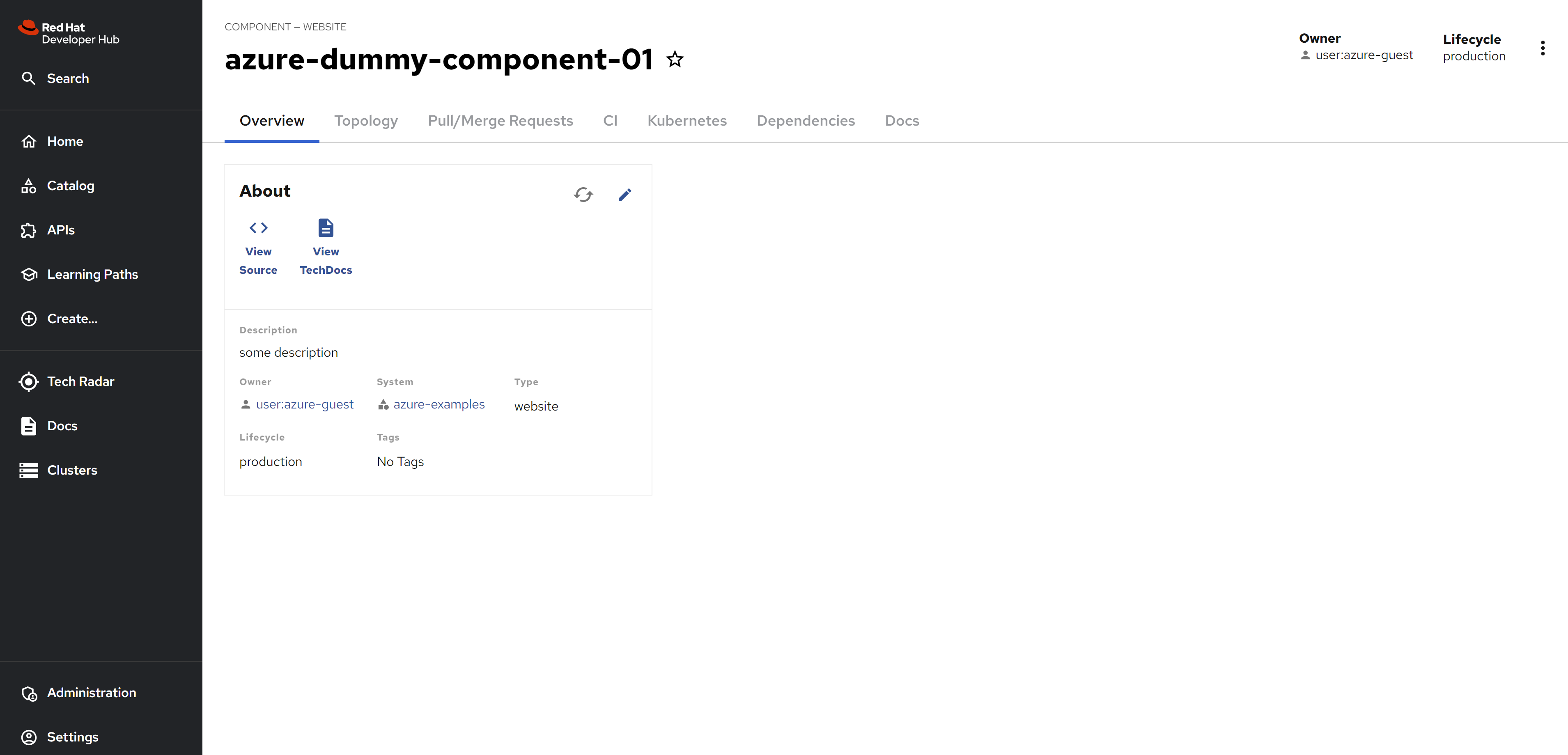
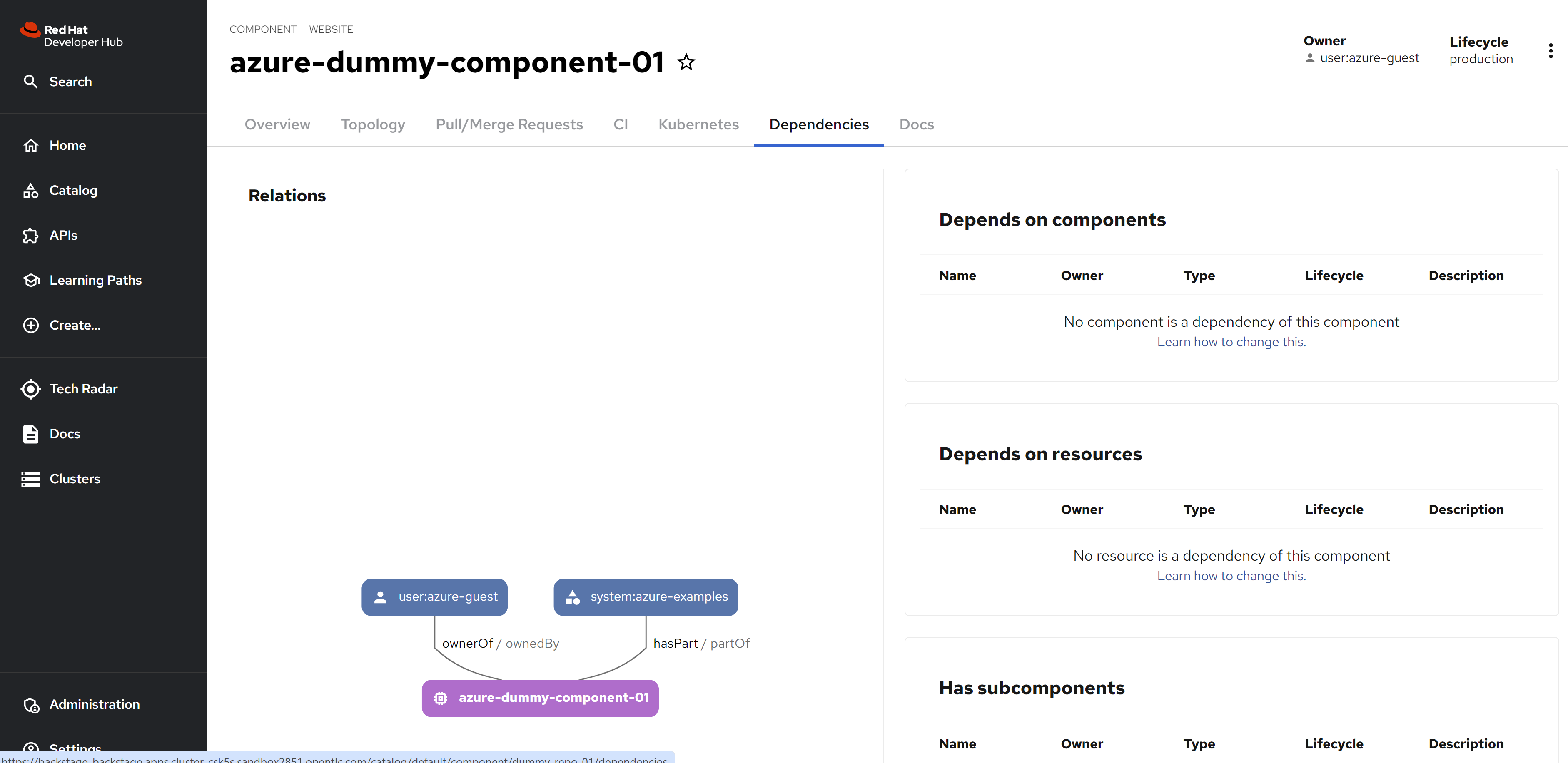
dev space
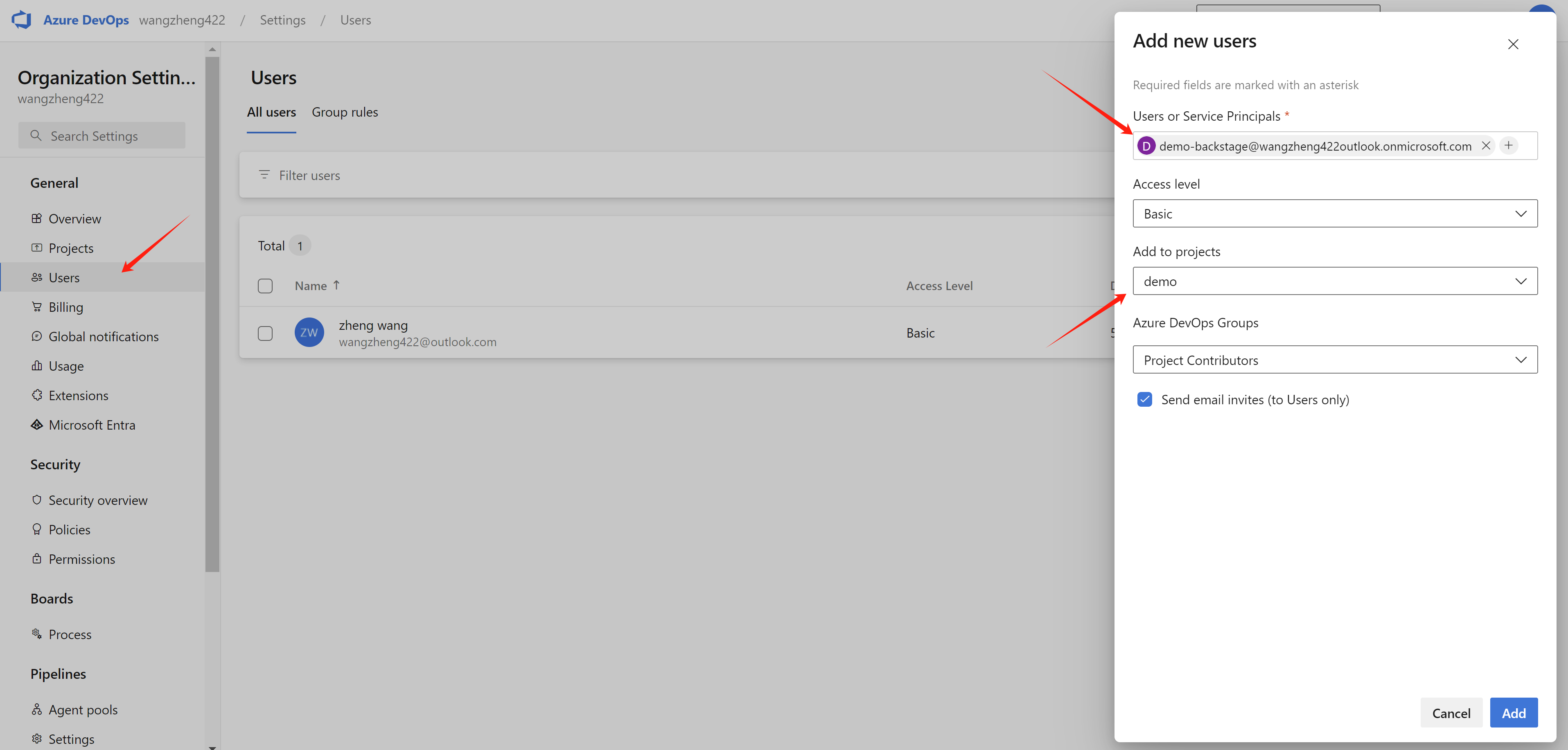
Add user to org and project.
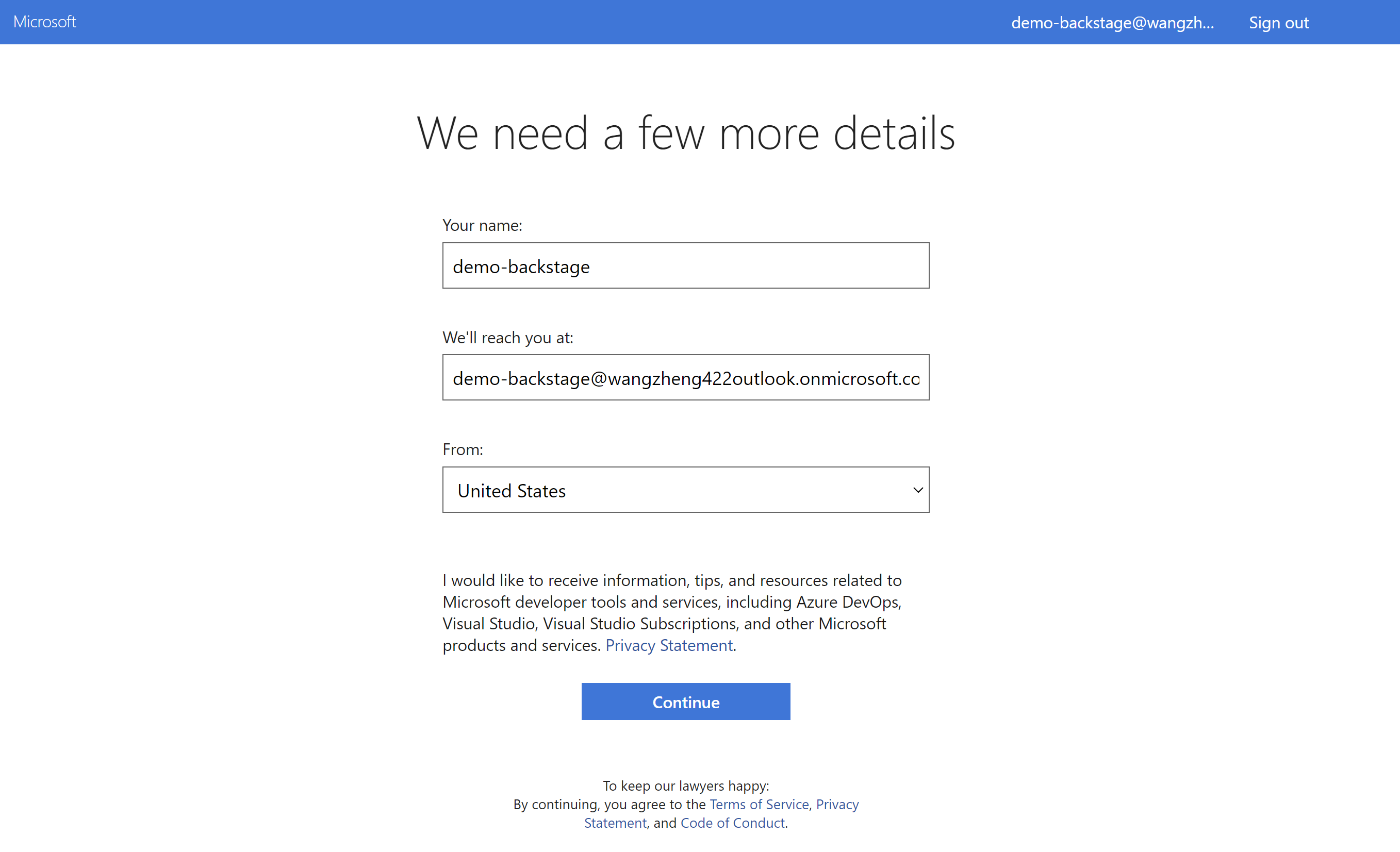
Login using user in the org.
- https://dev.azure.com/wangzheng422/demo
Set your personal access token
Copy the token generate
Access the dev space in openshift
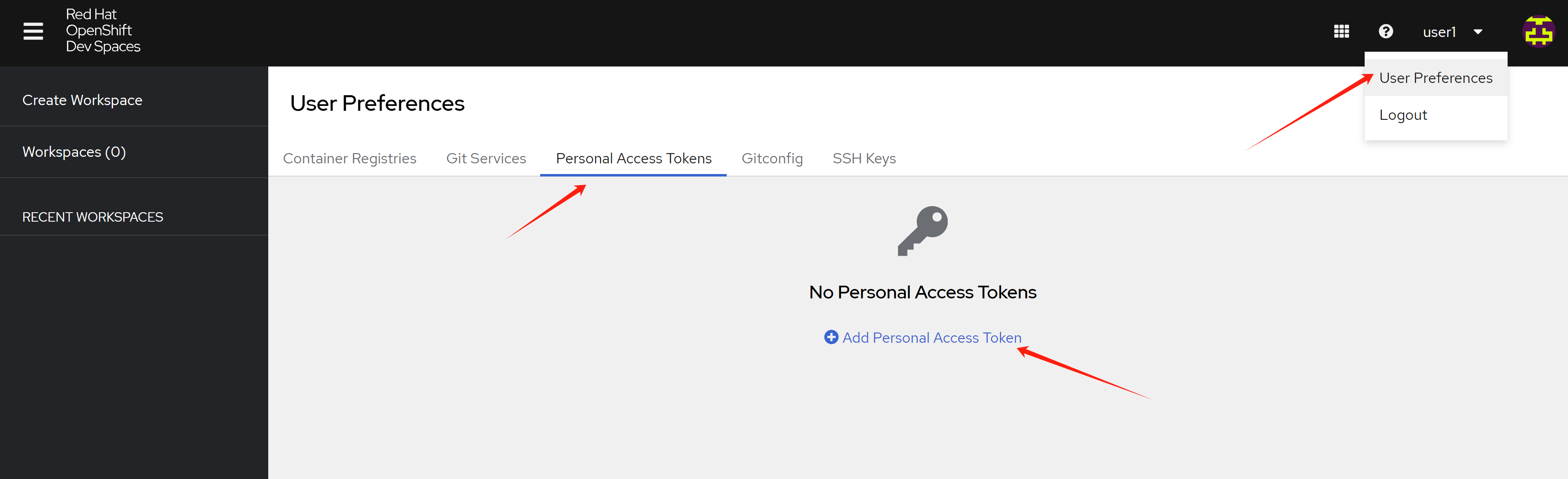
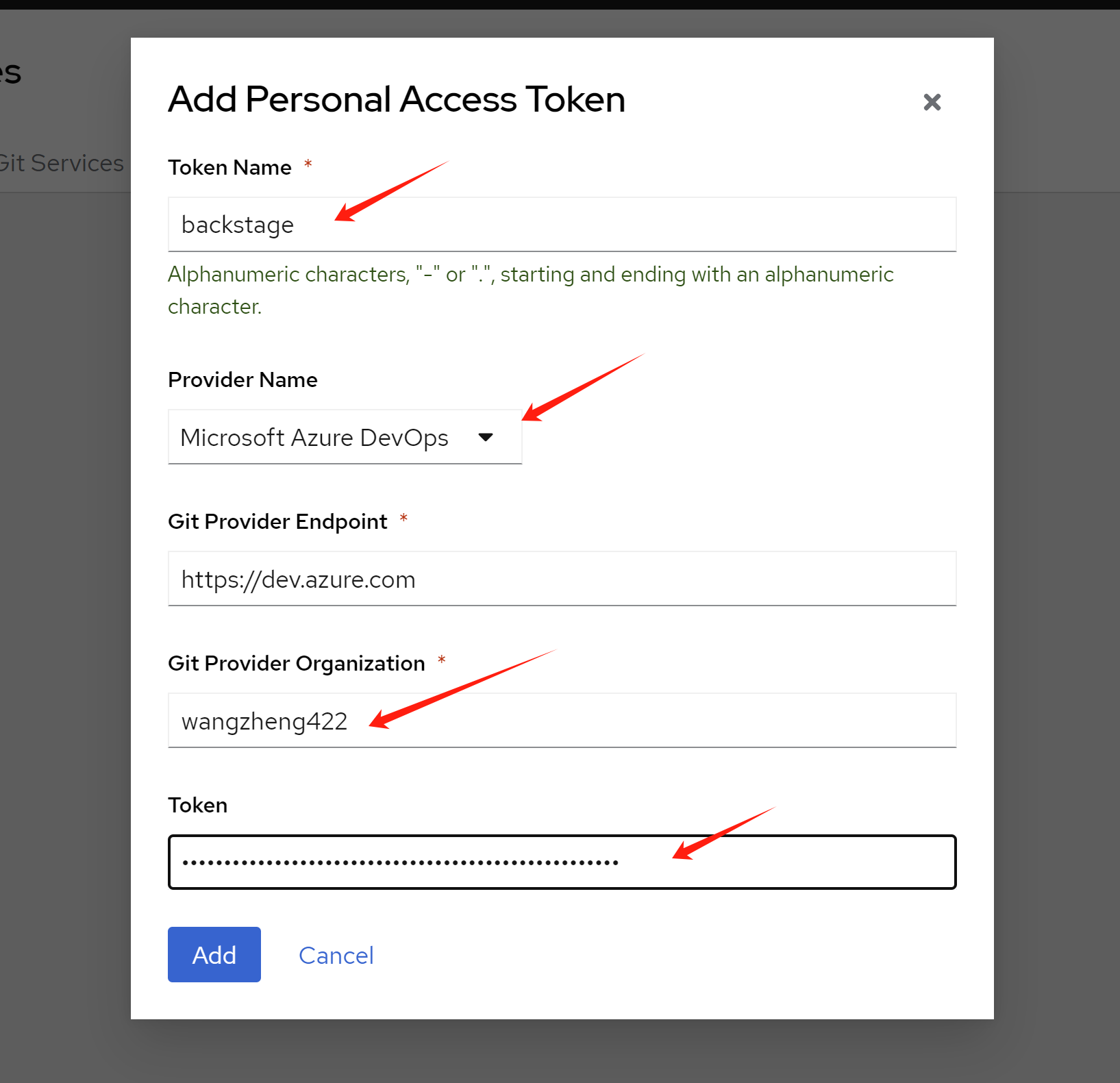
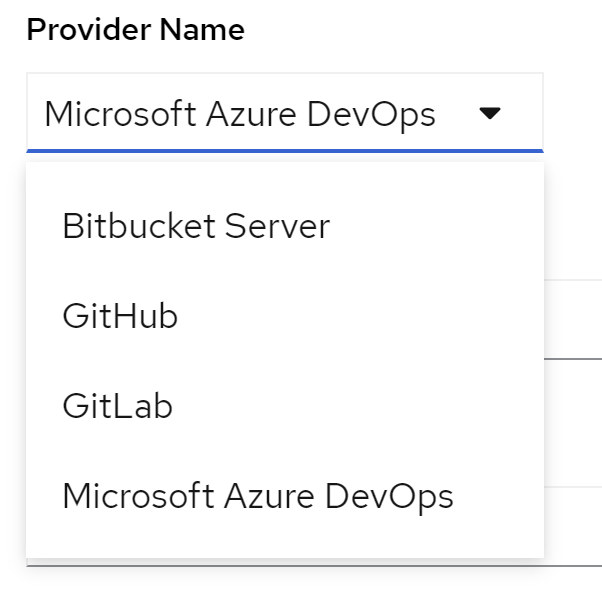
There is only 4 provider right now
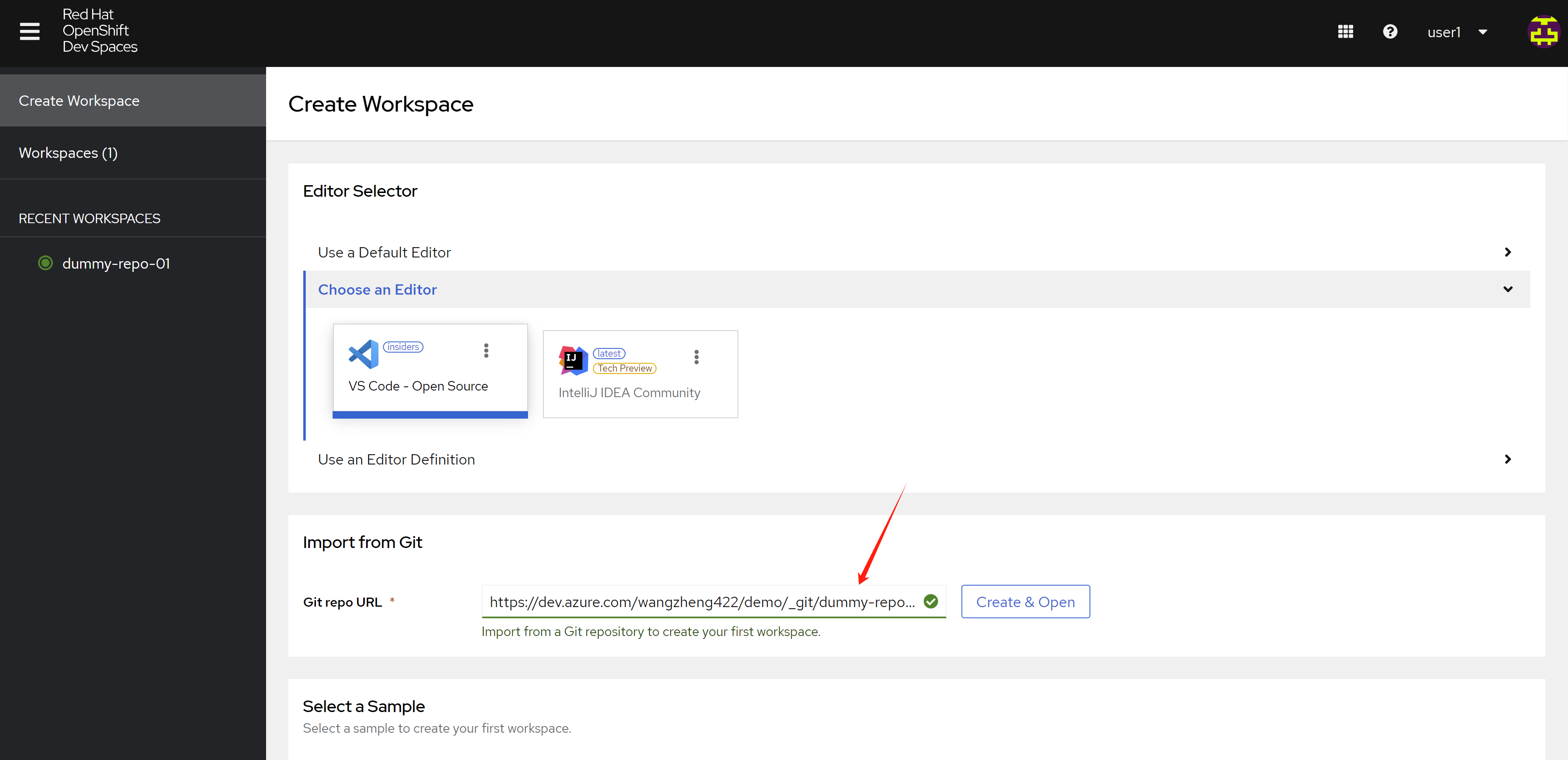
import and create the workspace
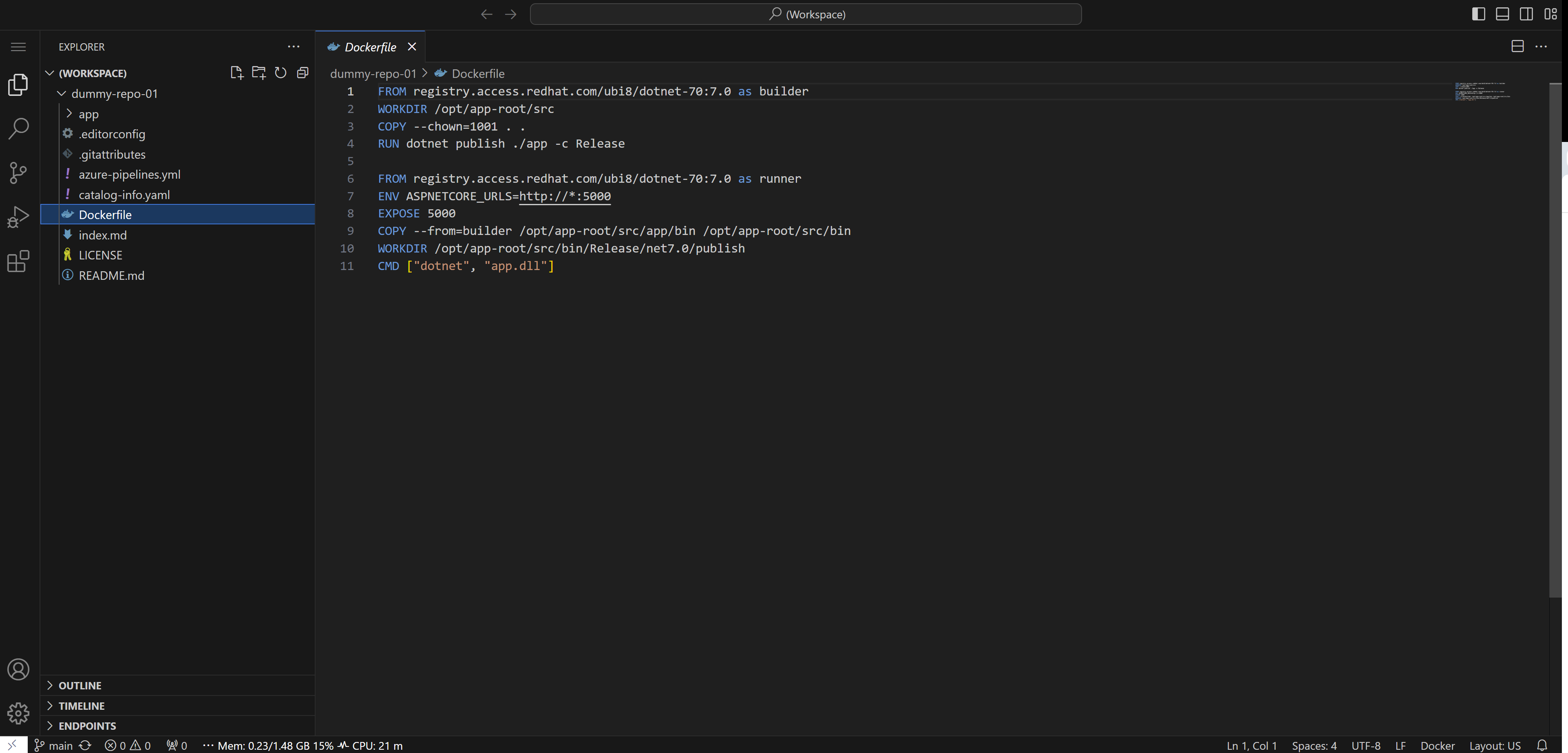
- https://dev.azure.com/wangzheng422/demo/_git/dummy-repo-01
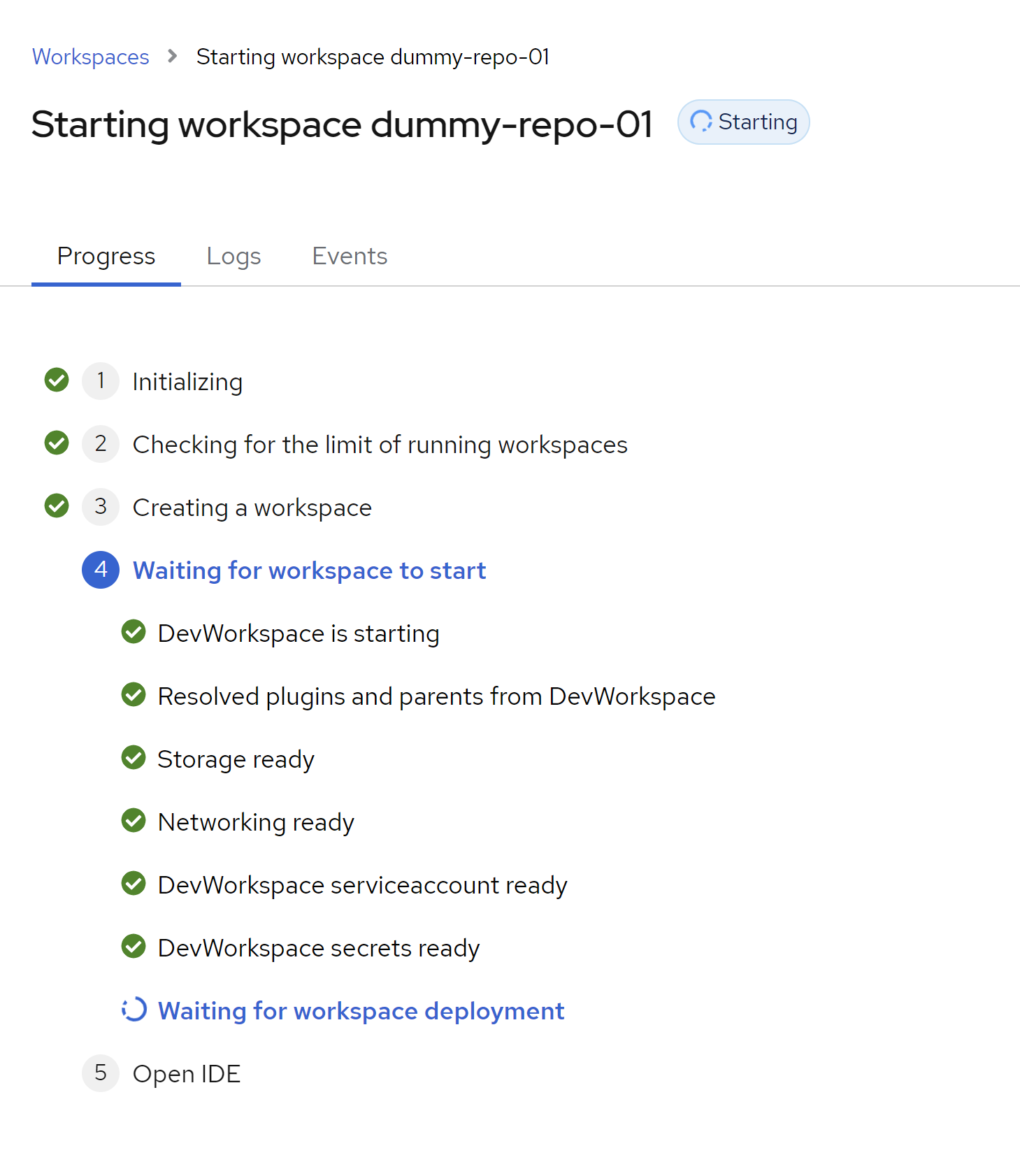
The devfile generated
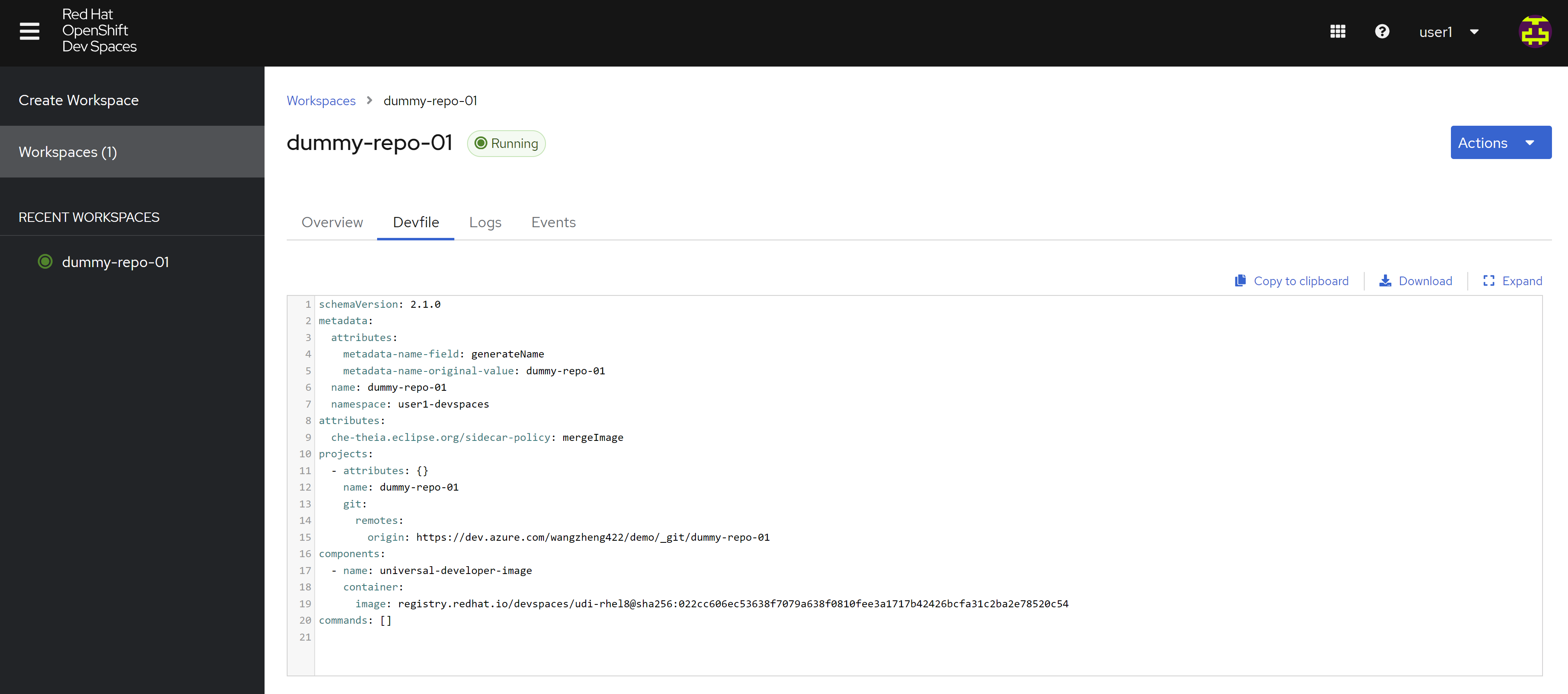
schemaVersion: 2.1.0
metadata:
  attributes:
    metadata-name-field: generateName
    metadata-name-original-value: dummy-repo-01
  name: dummy-repo-01
  namespace: user1-devspaces
attributes:
  che-theia.eclipse.org/sidecar-policy: mergeImage
projects:
  - attributes: {}
    name: dummy-repo-01
    git:
      remotes:
        origin: https://dev.azure.com/wangzheng422/demo/_git/dummy-repo-01
components:
  - name: universal-developer-image
    container:
      image: registry.redhat.io/devspaces/udi-rhel8@sha256:022cc606ec53638f7079a638f0810fee3a1717b42426bcfa31c2ba2e78520c54
commands: []
You can see the code editor webUI now.
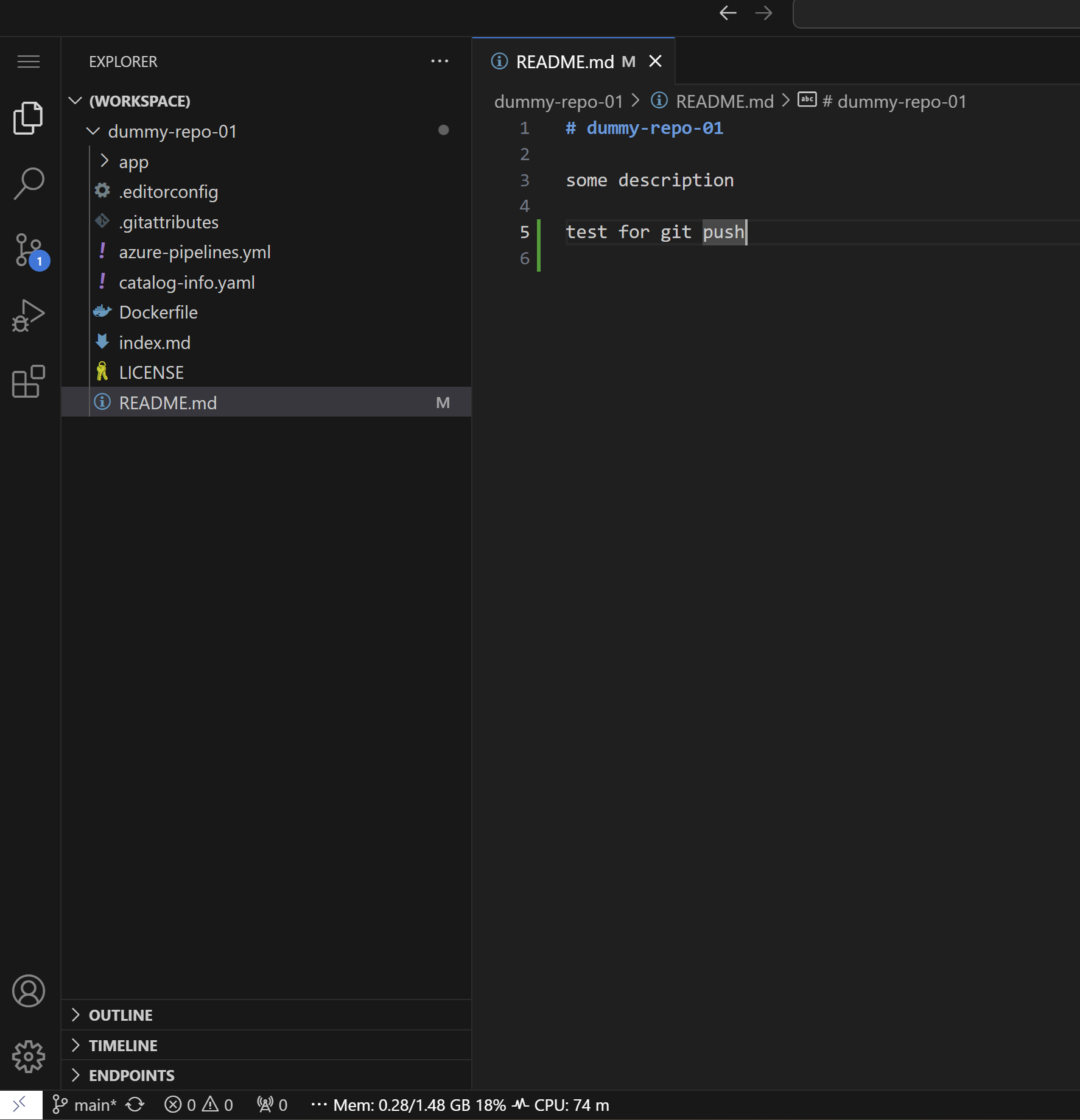
make some change to see whether git push
works.
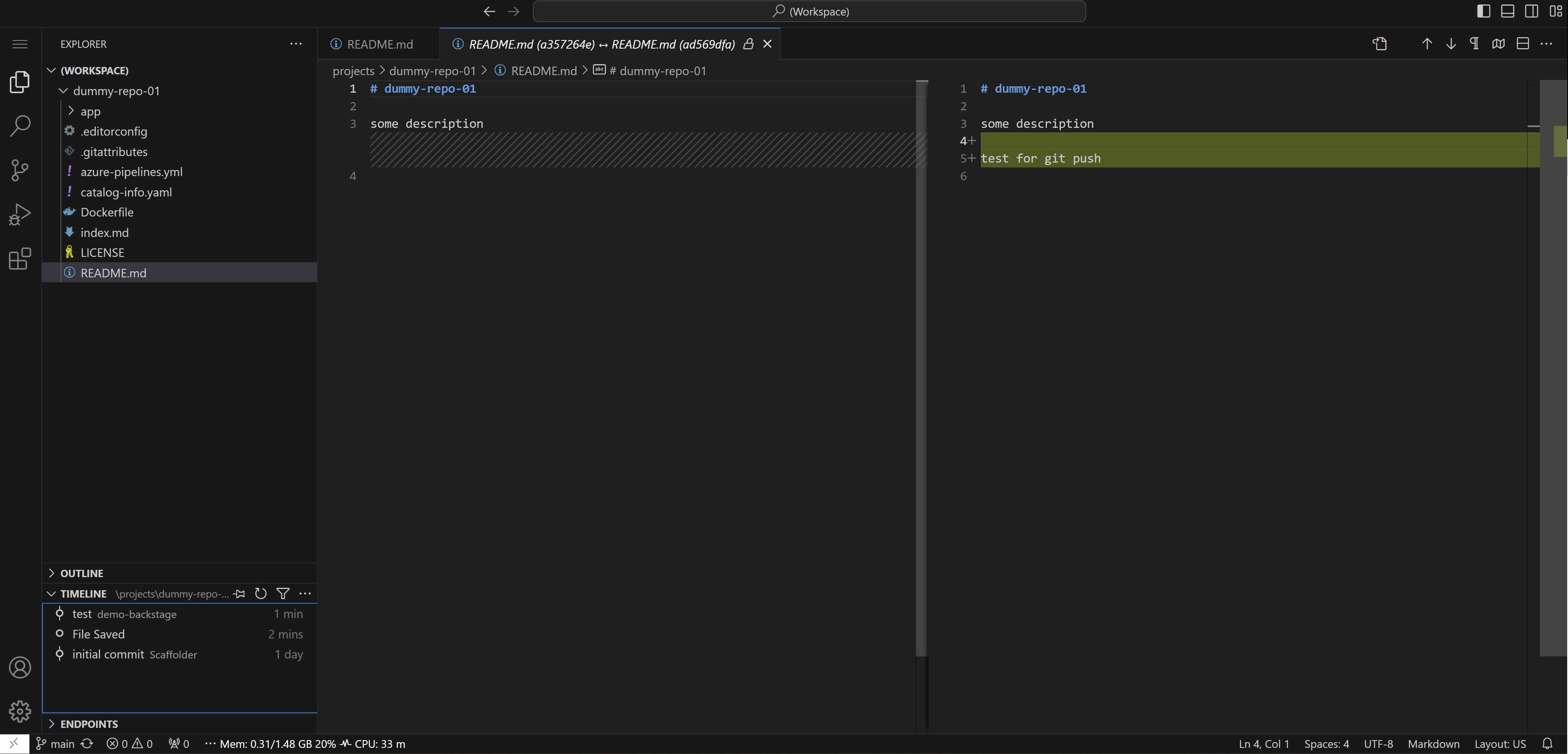
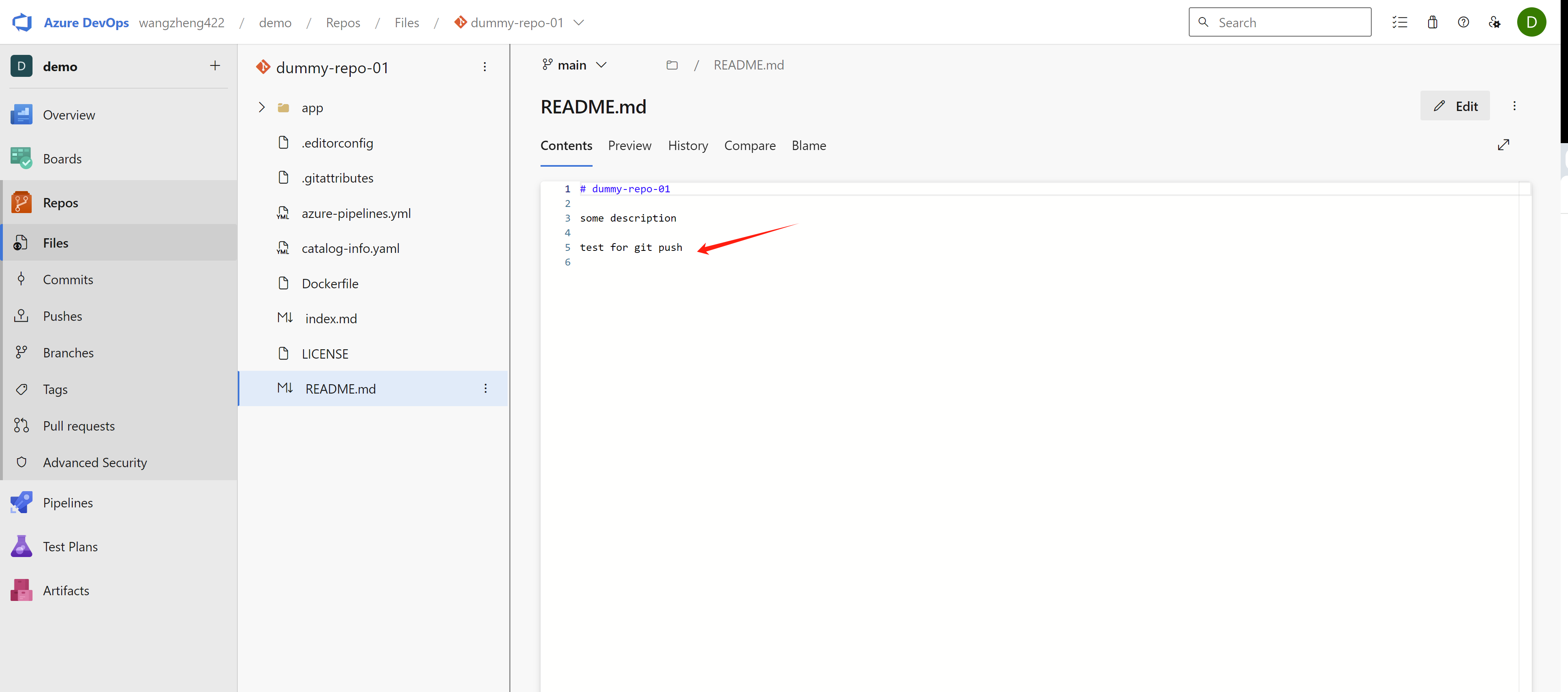
git push ok
todo
- The dev space link can be integrated into rhdh, we will show how to later.
- integrate with azure ad/sso
The offical document is here
- https://access.redhat.com/documentation/en-us/red_hat_openshift_dev_spaces/3.13/html/administration_guide/configuring-devspaces#configuring-oauth-2-for-microsoft-azure-devops-services
For our azure devops env, we can not link it to auzre ad/entra right now, because subscription/license issue. So we can not test the sso integration now.