[!TIP] Ongoing and occasional updates and improvements.
redhat developer hub (1.2) based on a book
Red Hat has published a book on how to use RHDF, which provides a detailed description of the complete project workflow and the associated software template. You can get the book from the following link:
- https://github.com/developer-hub-books
You can also get the software template from the following link:
- https://github.com/developer-hub-books/rhdh-book1-templates
Based on the requirements of the local experimental environment and service projects, I have modified the corresponding software code. The links to the relevant software are as follows:
- https://github.com/nepdemo/rhdh-book1-templates/tree/wzh
Here are the projects after parameter instantiation for easy reference and comparison.
For backend
- https://github.com/nepdemo/rhdh-book1-templates/tree/demo-play-demo-01-gitops
- https://github.com/nepdemo/rhdh-book1-templates/tree/demo-play-demo-01
For frontend
- https://github.com/nepdemo/rhdh-book1-templates/tree/demo-play-demo-02-gitops
- https://github.com/nepdemo/rhdh-book1-templates/tree/demo-play-demo-02
We primarily focus on building the foundational platform of OpenShift and configuring the related experimental environment. Additionally, we have introduced a new component, JFrog, to demonstrate the extensibility of RHDH.
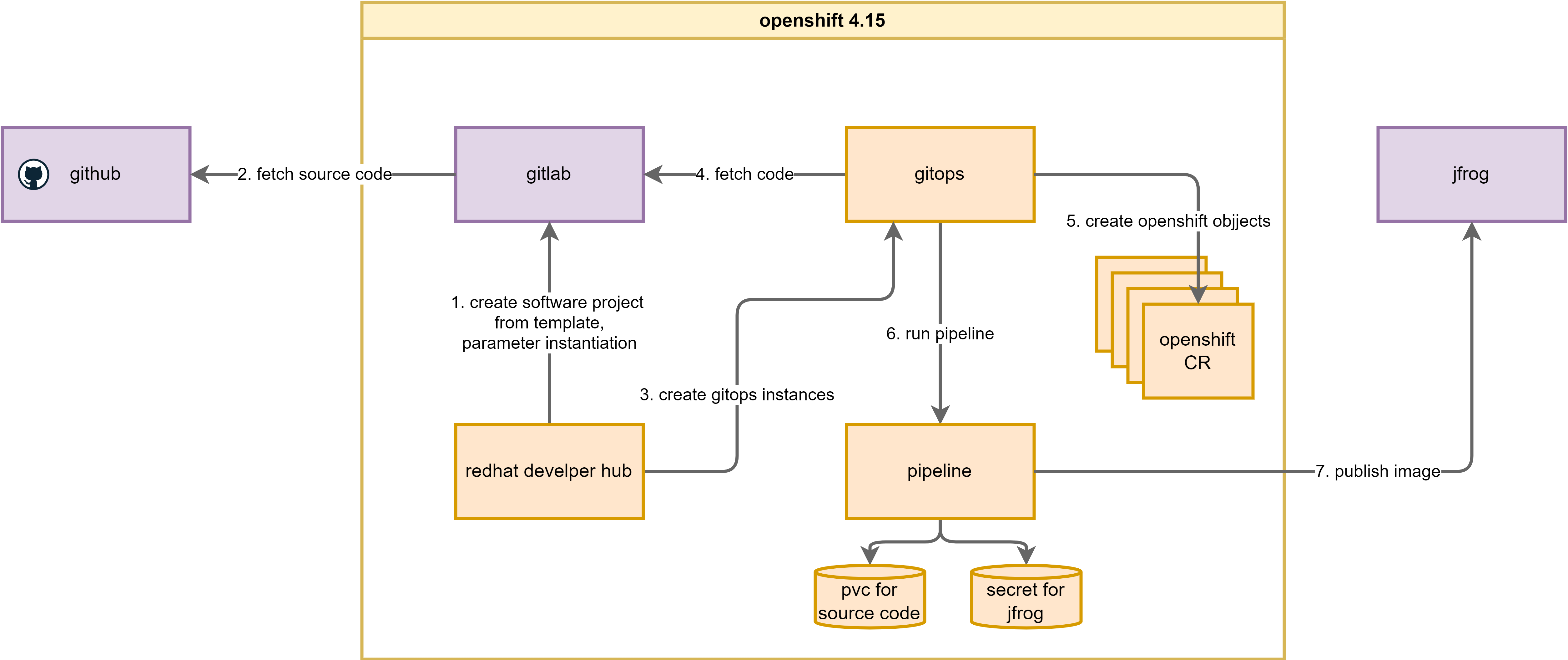
The following is the system architecture used for this document and the workflow between its various components:
install gitlab
GitLab offers various installation methods to meet the needs of different scenarios. After a series of experiments, I found that using the automated Helm installation script provided by Red Hat is the simplest and most effective method.
The project has been adapted to the local environment. The original code address and the adapted code address are as follows:
- https://github.com/redhat-gpte-devopsautomation/agnosticg.git
- https://github.com/wangzheng422/agnosticg
oc new-project demo-gitlab

mkdir -p ${BASE_DIR}/data/git

cd ${BASE_DIR}/data/git

# git clone https://github.com/redhat-gpte-devopsautomation/agnosticg.git
git clone --branch wzh https://github.com/wangzheng422/agnosticg

cd agnosticg/charts/gitlab/

cat << EOF > ./values.yaml
gitlab:
  email:
    address: "gitlab@example.com"
    displayName: "wzh"
    replyTo: "noreply@wzhlab.top"
  smtp:
    enabled: "false"
    domain: "example.com"
    host: "smtp.gitlab-demo-gitlab.apps.demo-01-rhsys.wzhlab.top"
    port: "587"
    user: "gitlab"
    password: "gitlab"
  ssh:
    host: "ssh.gitlab-demo-gitlab.apps.demo-01-rhsys.wzhlab.top"
    port: "22"
  rootPassword: openshift
  host: gitlab-demo-gitlab.apps.demo-01-rhsys.wzhlab.top
  https: "true"
  rootEmail: "admin@wzhlab.top"
  keyBase:
    db: "0123456789"
    otp: "0123456789"
    secret: "0123456789"
  users:
    password: openshift
    count: 2
  groups: []
  # groups:
  # - name: backstage
  #   repo:
  #   - name: software-templates
  #     url: https://github.com/treddy08/software-templates.git

postgresql:
  dbUser: gitlab
  dbPassword: passw0rd
  dbName: gitlab_production

EOF

# remove the role binding we created before
oc delete rolebinding admin --namespace demo-gitlab

# install gitlab using helm
helm install gitlab . --namespace demo-gitlab
# NAME: gitlab
# LAST DEPLOYED: Mon Aug 12 21:38:23 2024
# NAMESPACE: demo-gitlab
# STATUS: deployed
# REVISION: 1
# TEST SUITE: None

# if you want to remove the gitlab deployment
# helm uninstall gitlab --namespace demo-gitlab
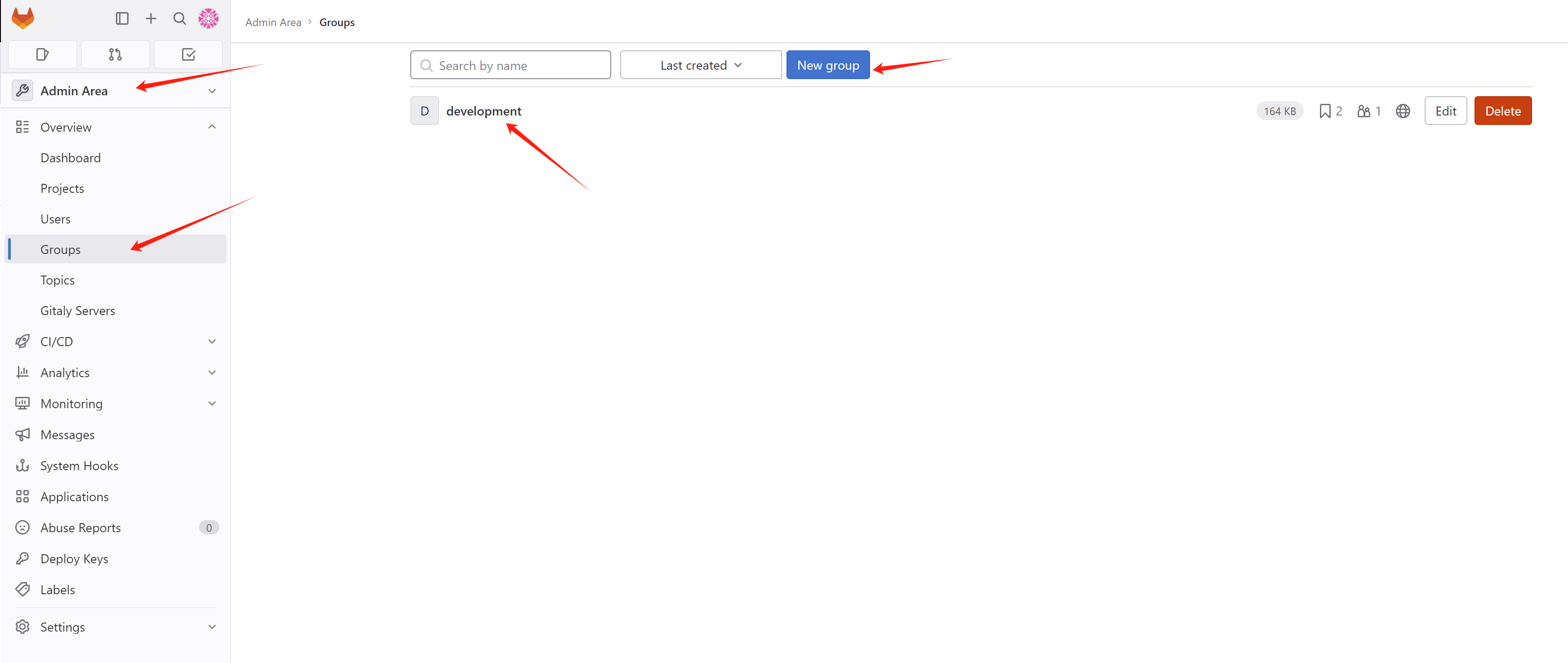
create a group development, for usage in this
lab.
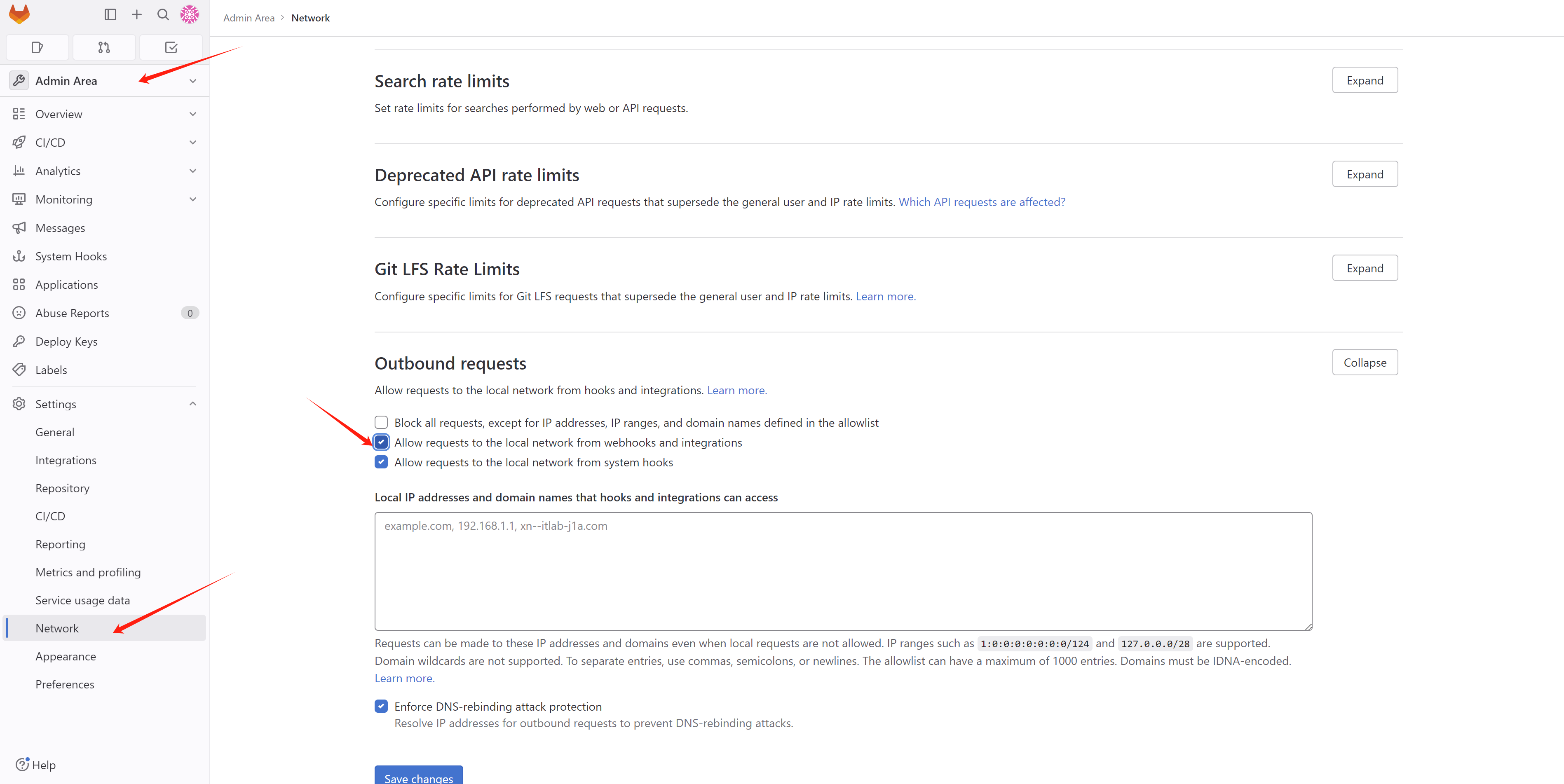
when create web hook, it will report
Url is blocked: Requests to the local network are not allowed,
so we need to add the following to the gitlab config. Offical
docs is here:
- https://docs.gitlab.com/ee/security/webhooks.html#allowlist-for-local-requests
install jfrog
To integrate with jfrog, we need a running instance, we will use opensource version of jfrog container registry, and we will use the build-in memory db. The method used in this document is the simplest and most effective, do not use in a production environment.
- https://jfrog.com/download-jfrog-container-registry/
- https://jfrog.com/help/r/jfrog-artifactory-documentation/set-up-jfrog-container-registry
# disable ipv6 totally
cat << EOF >> /etc/sysctl.d/99-sysctl.conf

net.ipv6.conf.all.disable_ipv6 = 1
net.ipv6.conf.default.disable_ipv6 = 1
net.ipv6.conf.ens192.disable_ipv6 = 1
EOF

sudo sysctl -p

sudo systemctl restart NetworkManager

# install jfrog container registry
wget https://releases.jfrog.io/artifactory/artifactory-rpms/artifactory-rpms.repo -O jfrog-artifactory-rpms.repo;
sudo mv jfrog-artifactory-rpms.repo /etc/yum.repos.d/;
sudo yum update -y
sudo yum install -y jfrog-artifactory-jcr

# active build-in memory db
sed -i 's/#   allowNonPostgresql: false/  allowNonPostgresql: true/' /opt/jfrog/artifactory/var/etc/system.yaml

systemctl restart artifactory.service

# systemctl stop artifactory.service

systemctl status artifactory.service

# yum remove -y jfrog-artifactory-jcr

# /bin/rm -rf /opt/jfrog/artifactory
# /bin/rm -rf /var/opt/jfrog

cd /opt/jfrog/artifactory/var/log
tail -f /opt/jfrog/artifactory/var/log/console.log
# ...
# ###############################################################
# ###   All services started successfully in 53.258 seconds   ###
# ###############################################################
# 2024-08-26T02:55:55.750Z [jfac ] [INFO ] [30e54f2f793096ff] [CertificateFileHandlerBase:167] [c-default-executor-0] - Loading ca certificate from database.
# 2024-08-26T02:55:55.898Z [jfac ] [INFO ] [30e54f2f793096ff] [CertificateFileHandlerBase:200] [c-default-executor-0] - [ACCESS BOOTSTRAP] Saved new ca certificate at: /opt/jfrog/artifactory/var/etc/access/keys/ca.crt
# 2024-08-26T02:55:55.898Z [jfac ] [INFO ] [30e54f2f793096ff] [CertificateFileHandlerBase:167] [c-default-executor-0] - Loading root certificate from database.
# 2024-08-26T02:55:55.987Z [jfac ] [INFO ] [30e54f2f793096ff] [CertificateFileHandlerBase:200] [c-default-executor-0] - [ACCESS BOOTSTRAP] Saved new root certificate at: /opt/jfrog/artifactory/var/etc/access/keys/root.crt
# 2024-08-26T02:55:58.714Z [jfrou] [INFO ] [2ba450275ed96969] [external_topology.go:272      ] [main                ] [] - External Topology changed: dify state changed (jfac@01j669r1vbmrhn1rx61rm213nz HEALTHY,jffe@01j669r1vbmrhn1rx61rm213nz HEALTHY,jfmd@01j669r08xadf1y7mrzh7296vw HEALTHY,jfob@01j669r75rr6211mt43gq0091t HEALTHY,jfrt@01j669r75rr6211mt43gq0091t HEALTHY)
# 2024-08-26T02:55:58.717Z [jfrou] [INFO ] [2ba450275ed96969] [routing_handler.go:410        ] [main                ] [] - External topology is changed, updating traefik external routes
# 2024-08-26T02:56:01.951Z [jfrt ] [INFO ] [33a70b18e4758697] [.e.EventsLogCleanUpService:111] [e4758697|art-exec-22] - Starting cleanup of old events from event log
# 2024-08-26T02:56:01.958Z [jfrt ] [INFO ] [33a70b18e4758697] [.e.EventsLogCleanUpService:117] [e4758697|art-exec-22] - deleteFrom=1724640931725
# 2024-08-26T02:56:01.959Z [jfrt ] [INFO ] [33a70b18e4758697] [.e.EventsLogCleanUpService:124] [e4758697|art-exec-22] - eventsDeleteInterval=14400000
# 2024-08-26T02:56:02.010Z [jfrt ] [INFO ] [33a70b18e4758697] [.e.EventsLogCleanUpService:127] [e4758697|art-exec-22] - maxBoundary.timestamp=1724637331741
# 2024-08-26T02:56:02.010Z [jfrt ] [INFO ] [33a70b18e4758697] [.e.EventsLogCleanUpService:128] [e4758697|art-exec-22] - maxBoundary.deleteErrors=false
# 2024-08-26T02:56:02.010Z [jfrt ] [INFO ] [33a70b18e4758697] [.e.EventsLogCleanUpService:155] [e4758697|art-exec-22] - Cleanup of old events from event log finished
# 2024-08-26T02:56:02.014Z [jfrt ] [INFO ] [33a70b18e4758697] [onStatusStorageServiceImpl:111] [onitor-migration-job] - Inserting new migration status record 'MigrationStatus(identifier=event-table-repo-key-migration, started=1724640962014, finished=0, migrationInfoBlob=MarkerMigrationInfoBlob(serverId=))'
# 2024-08-26T02:56:02.035Z [jfrt ] [INFO ] [33a70b18e4758697] [entTableRepoKeyMigrationDao:86] [onitor-migration-job] - start execute events table repo key migration in the first time
# 2024-08-26T02:56:02.043Z [jfrt ] [INFO ] [33a70b18e4758697] [ntTableRepoKeyMigrationDao:134] [onitor-migration-job] - finish to add  index on node_events
# 2024-08-26T02:56:07.055Z [jfrt ] [INFO ] [33a70b18e4758697] [onStatusStorageServiceImpl:124] [onitor-migration-job] - Migration for 'event-table-repo-key-migration' has finished.
# 2024-08-26T02:56:07.061Z [jfrt ] [INFO ] [33a70b18e4758697] [ntTableRepoKeyMigrationDao:185] [onitor-migration-job] - successfully finished execute events table repo key migration


# goto webui
# http://192.168.50.17:8082/ui/
# user: admin
# passwd: password

# to accept the eula
curl -XPOST -vu admin:password http://192.168.50.17:8082/artifactory/ui/jcr/eula/accept
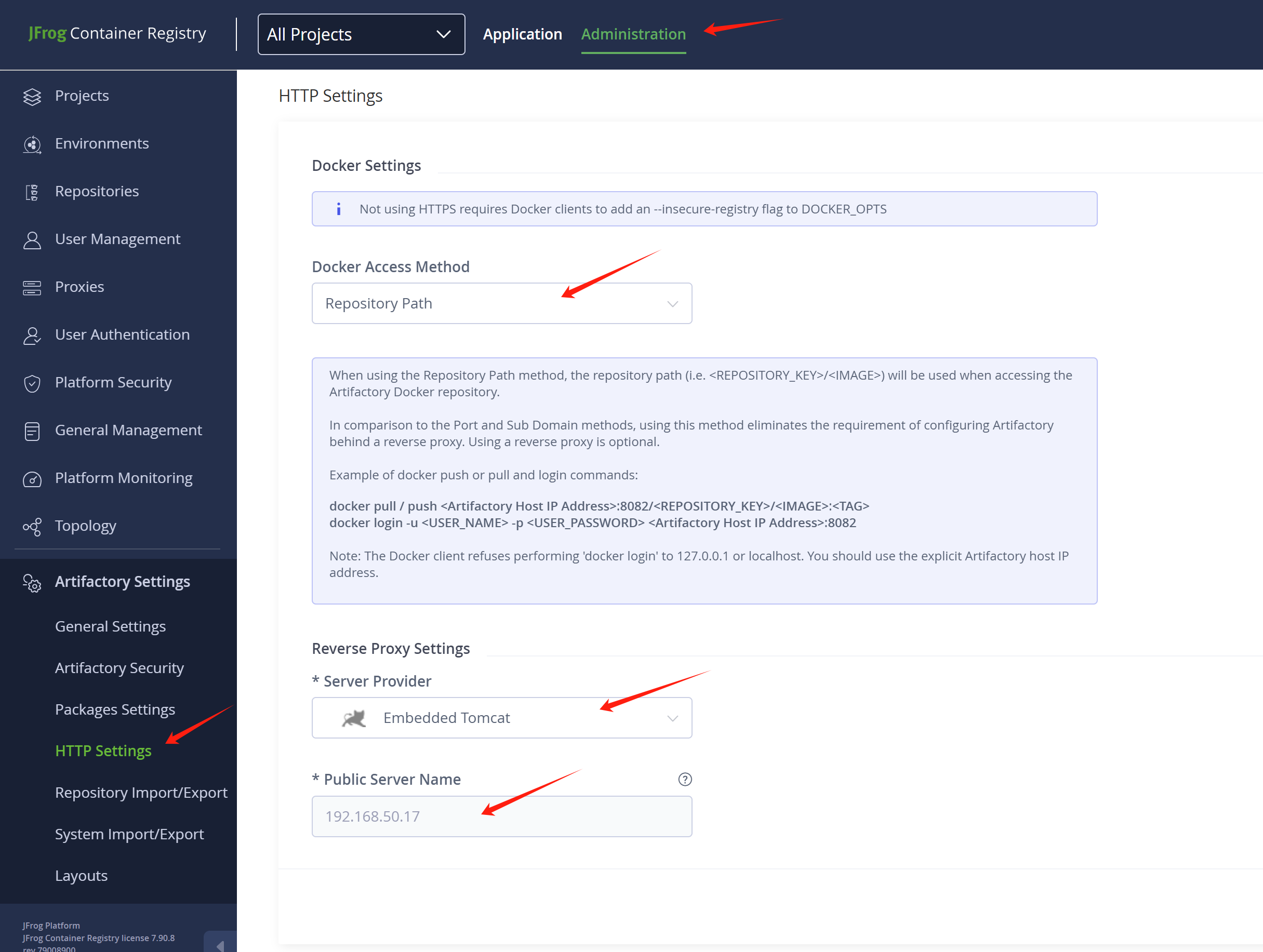
Ensure your jfrog http settings, in this demo, we use the simplest way.
# testing with the jfrog
# first trust the jfrog http endpoint
cat << EOF > /etc/containers/registries.conf.d/99-wzh.conf
[[registry]]
location = "192.168.50.17:8082"
insecure = true
EOF

# then login and push a image
podman login 192.168.50.17:8082/demo-01

podman tag docker.io/library/busybox 192.168.50.17:8082/demo-01/busybox:v1

podman push 192.168.50.17:8082/demo-01/busybox:v1
We need to add the jfrog registry to the insecure registry list of the openshift cluster, and add the pull secret for the jfrog registry.
# for ocp, add inscure registry for jfrog
cat << EOF > ${BASE_DIR}/data/install/ocp-registry.yaml
spec:
  registrySources:
    # this will write to /etc/containers/policy.json
    allowedRegistries:
    - docker.io
    - quay.io
    - registry.redhat.io
    - image-registry.openshift-image-registry.svc:5000
    - registry.k8s.io
    - gcr.io
    - k8s.gcr.io
    - nvcr.io
    - registry.access.redhat.com
    - registry.connect.redhat.com
    - ghcr.io
    - 192.168.50.17:8082
    # this will write to /etc/containers/registries.conf
    insecureRegistries:
    - 192.168.50.17:8082
EOF

oc patch image.config.openshift.io/cluster --patch "$(cat ${BASE_DIR}/data/install/ocp-registry.yaml)" --type=merge


# add pull secret for the jfrog registry
# https://docs.openshift.com/container-platform/4.15/openshift_images/managing_images/using-image-pull-secrets.html#images-update-global-pull-secret_using-image-pull-secrets
oc registry login --registry="192.168.50.17:8082" \
  --auth-basic="admin:password" \
  --to=${BASE_DIR}/data/install/internal-registry-secret.json

# merge with existed
jq --argjson newAuth "`cat ${BASE_DIR}/data/install/internal-registry-secret.json`" '.auths += $newAuth.auths' "${BASE_DIR}/data/pull-secret.json" | jq -c . > "${BASE_DIR}/data/pull-secret.json.tmp"

oc set data secret/pull-secret -n openshift-config \
  --from-file=.dockerconfigjson=${BASE_DIR}/data/pull-secret.json.tmp
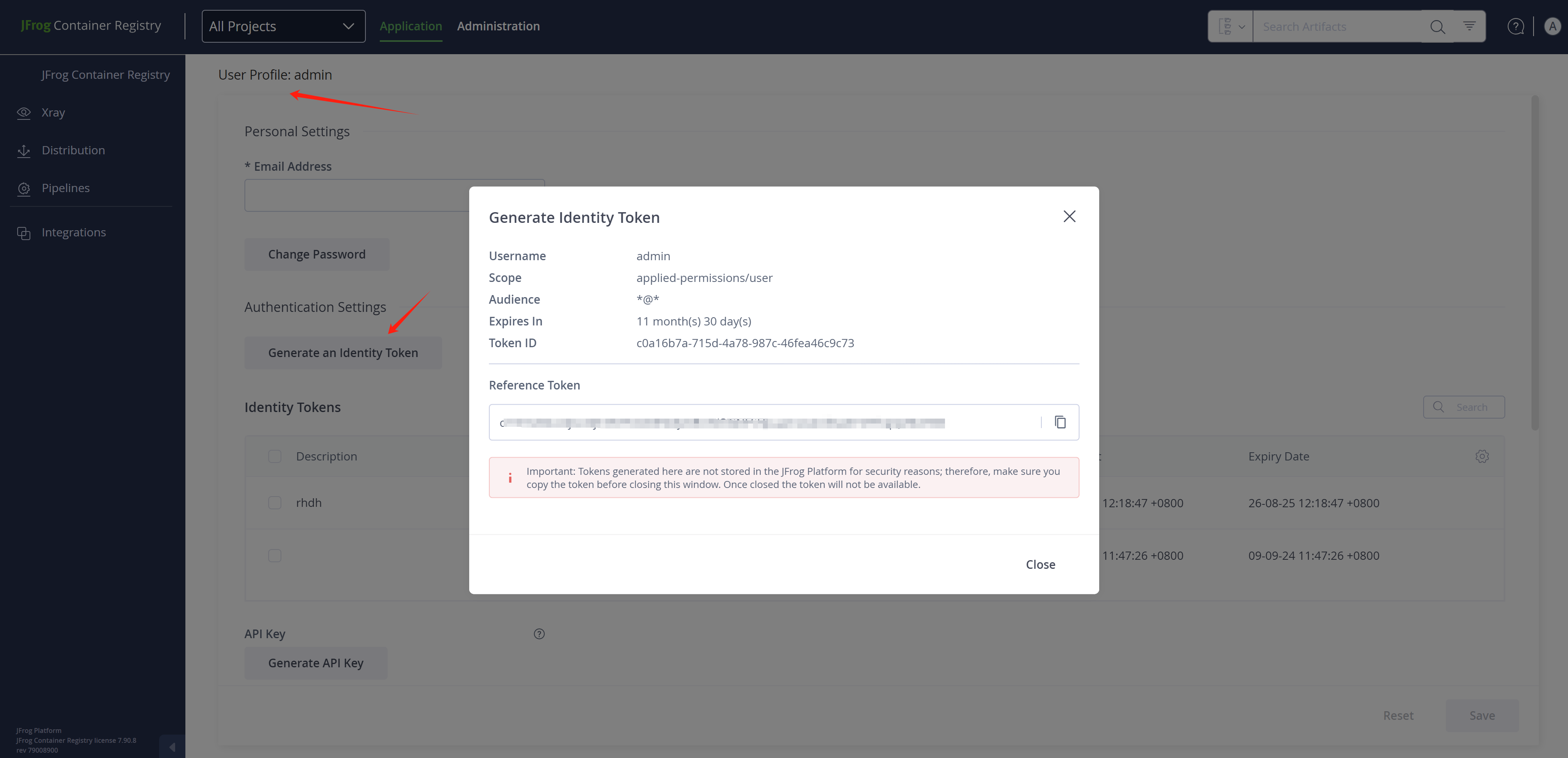
Here is how to get token, which will be used by rhdh proxy config
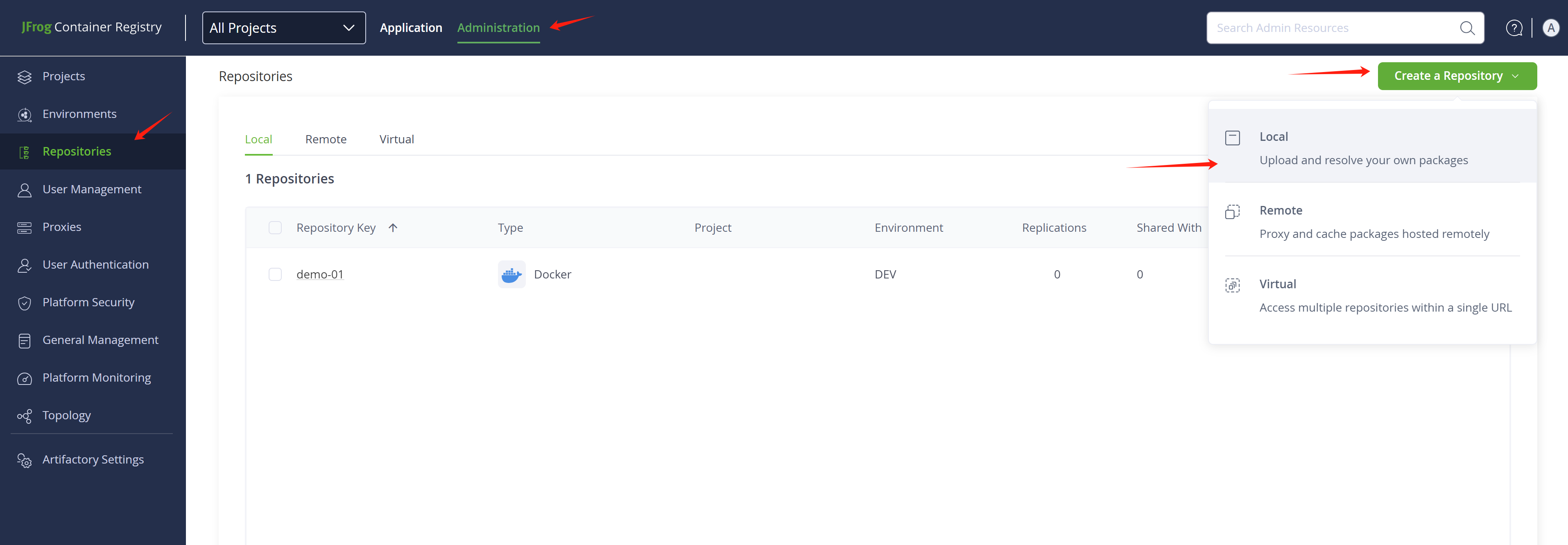
You need to add a repository in jfrog, using type docker. In our demo, the repository name should be the name of the namespace your application deployed in the openshift4 cluster.
# jfrog using graphql to query metadata
# https://jfrog.com/help/r/jfrog-rest-apis/example-1-package-by-name-and-type
cat << EOF > /tmp/demo.json
{
  "query": "query { packages(filter: { name: \"*\", packageTypeIn: [NPM, DOCKER] }, first: 3, orderBy: { field: NAME, direction: DESC }) { edges { node { name description } } } }"
}
EOF

curl -H "Authorization: Bearer cmVmdGtuOjAxOjE3NTYxODE5Mjc6RUtVOGNFSHpuamsweUh6aXY4TFhqQzRtcHBh" -XPOST http://192.168.50.17:8082/metadata/api/v1/query -d @/tmp/demo.json
install gitops
Just install the redhat gitops operator, it will create an argocd instance by default, but we will not use the default one, we will create a new argocd instance.
When deploying applications using a private certificate, Argo CD may not be able to access gitlab due to its default configuration not recognizing private certificates. To resolve this, we need to configure Argo CD to support private certificates. Two methods can be used:
- Command line method: Modify Argo CD configuration using command line tools to support private certificates.
- Manual interface method: Directly configure certificate information through Argo CD’s graphical interface, enabling it to recognize private certificates.
We recommend using the manual webUI method as it is more intuitive and easier to operate. Of course, the command line method can also be used, and specific methods can be found in relevant documentation.
How to deal with gitlab self-cert
- https://argo-cd.readthedocs.io/en/stable/user-guide/private-repositories/#self-signed-untrusted-tls-certificates
# get ingress cert of openshift
oc get secret router-certs-default -n openshift-ingress -o jsonpath='{.data.tls\.crt}' | base64 --decode > ${BASE_DIR}/data/install/openshift-ingress.crt

# cat ${BASE_DIR}/data/install/openshift-ingress.crt
# # the content of your openshift ingress cert

# create a configmap, add the content of openshift-ingress.crt to a host key
oc delete configmap argocd-tls-certs-cm -n demo-gitops
oc create configmap argocd-tls-certs-cm -n demo-gitops --from-file=gitlab-demo-gitlab.apps.demo-01-rhsys.wzhlab.top=${BASE_DIR}/data/install/openshift-ingress.crt
oc label configmap argocd-tls-certs-cm -n demo-gitops app.kubernetes.io/name=argocd-tls-certs-cm app.kubernetes.io/part-of=argocd
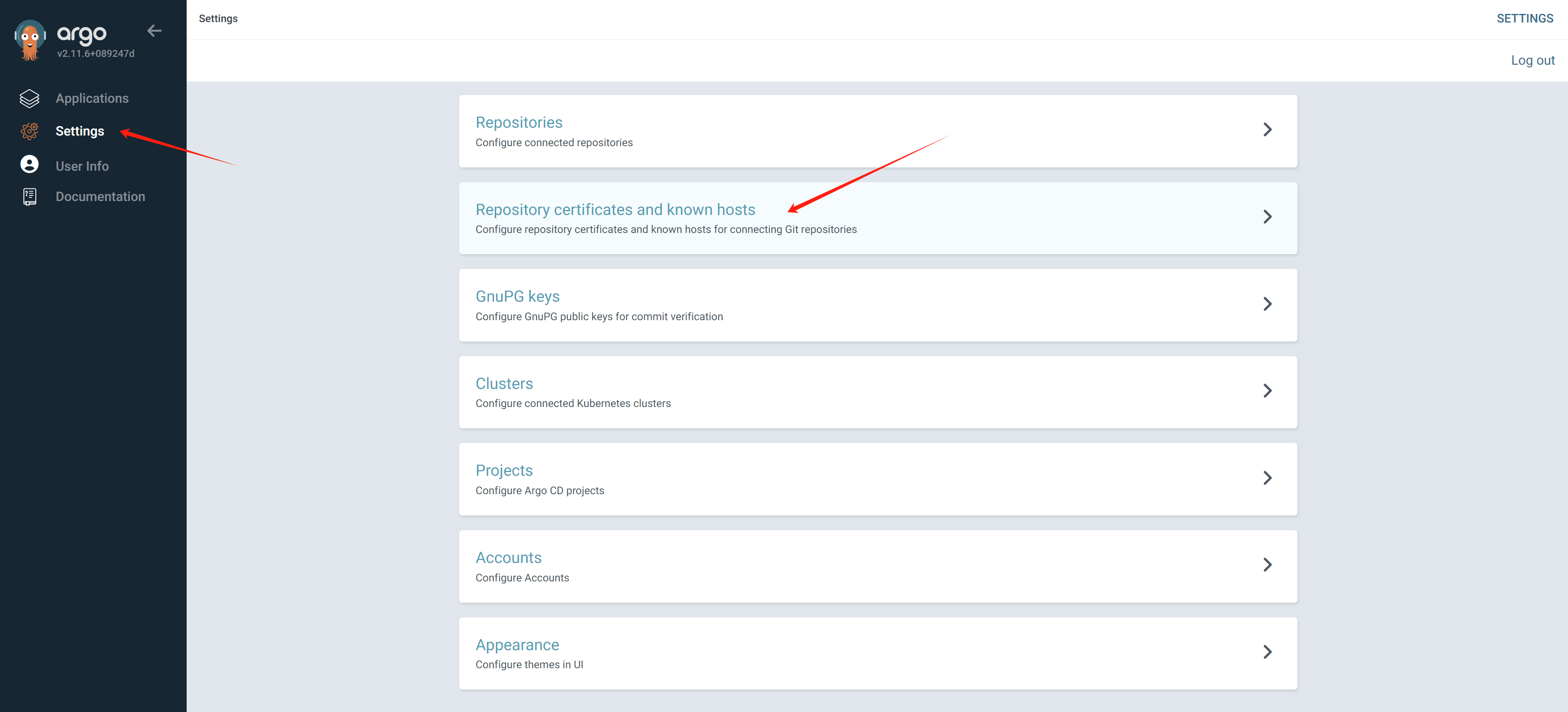
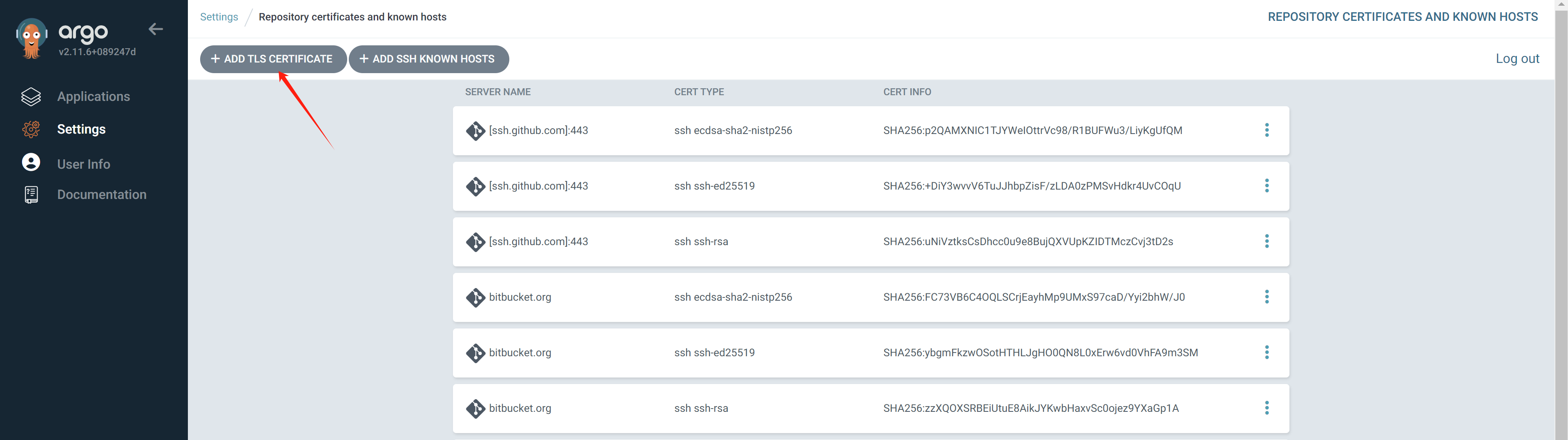
If you want to do it manually.
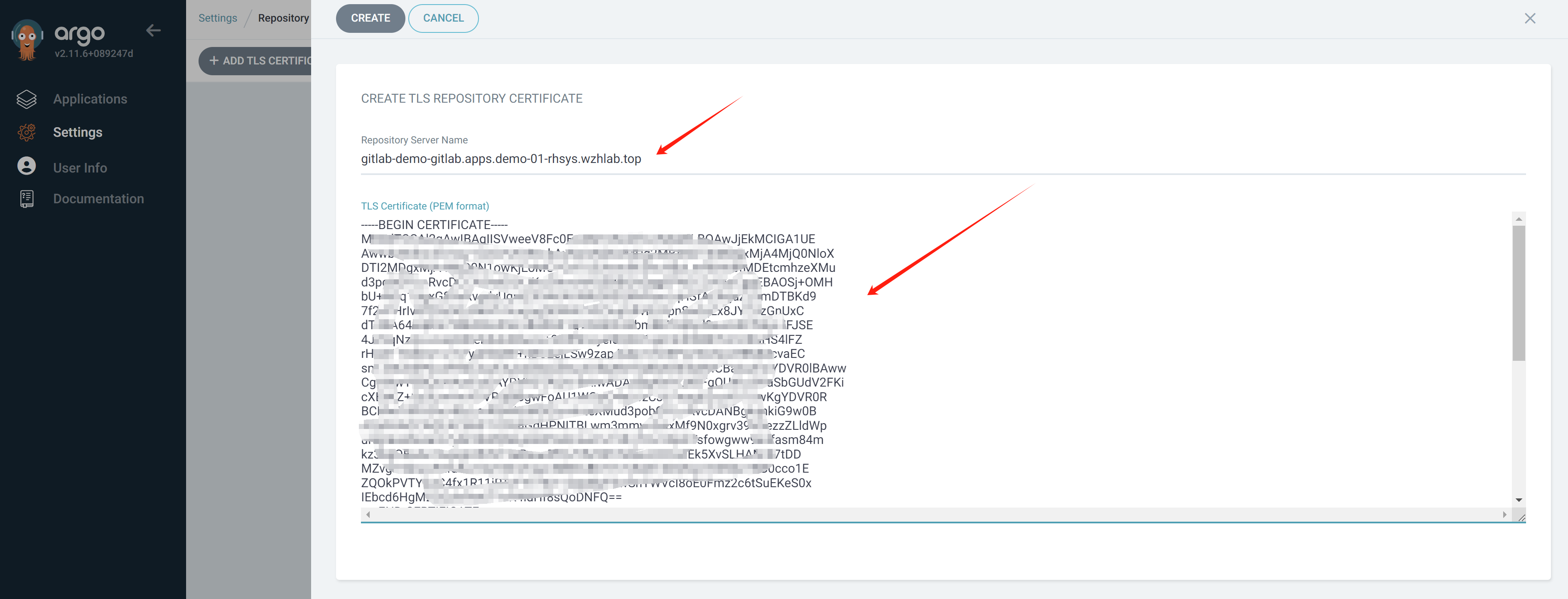
Now, create the argocd/gitops instance. When creating an Argo CD instance, we will also generate a user account. Next, we will set the password for this user via the command line. Additionally, we will demonstrate how to create this user’s account and token using a graphical interface. However, to facilitate more intuitive operations, we still recommend prioritizing the use of command line methods.
ARGOCD_NS="demo-gitops"
ARGOCD_INSTANCE_NAME="argocd"

oc new-project $ARGOCD_NS

oc delete -f ${BASE_DIR}/data/install/argocd.yaml -n $ARGOCD_NS
# https://github.com/argoproj/argo-cd/blob/master/docs/operator-manual/user-management/index.md
cat << EOF > ${BASE_DIR}/data/install/argocd.yaml
# ---
# apiVersion: v1
# kind: ConfigMap
# metadata:
#   name: argocd-wzh-user-cm
#   labels:
#     app.kubernetes.io/name: argocd-wzh-user-cm
#     app.kubernetes.io/part-of: argocd
# data:
#   # add an additional local user with apiKey and login capabilities
#   #   apiKey - allows generating API keys
#   #   login - allows to login using UI
#   accounts.alice: apiKey, login
#   # disables user. User is enabled by default
#   accounts.alice.enabled: "true"

---
apiVersion: argoproj.io/v1beta1
kind: ArgoCD
metadata:
  name: $ARGOCD_INSTANCE_NAME
spec:
  extraConfig:
    accounts.alice: apiKey, login
    accounts.alice.enabled: "true"
  server:
    route:
      enabled: true
      tls:
        termination: passthrough
  applicationInstanceLabelKey: wzhlab.top/demo-argocd
  rbac:
    defaultPolicy: 'role:admin'
    policy: |
      g, system:cluster-admins, role:admin
      g, alice, role:admin
      p, alice, *, *, *, allow
    scopes: '[groups]'
  controller:
    appSync: 30s

EOF

oc create --save-config -f ${BASE_DIR}/data/install/argocd.yaml -n $ARGOCD_NS

# get password for admin
oc get secret argocd-cluster -n $ARGOCD_NS -o jsonpath='{.data.admin\.password}' | base64 --decode && echo
# X6KEJ0wPimlMFj7CkfAULQITW9ZBxh2V

# create passwd for alice
argocd login argocd-demo-gitops.apps.demo-01-rhsys.wzhlab.top
# Context 'kubernetes' updated

argocd proj list
# NAME     DESCRIPTION  DESTINATIONS  SOURCES  CLUSTER-RESOURCE-WHITELIST  NAMESPACE-RESOURCE-BLACKLIST  SIGNATURE-KEYS  ORPHANED-RESOURCES
# default               *,*           *        */*                         <none>                        <none>          disabled

argocd account update-password --account alice --new-password redhatocp
# *** Enter password of currently logged in user (admin):
# Password updated

argocd account generate-token --account alice
# eyJhbGxxxxxxxxxxxxxxxxxxxxxxx

argocd account list
# NAME   ENABLED  CAPABILITIES
# admin  true     login
# alice  true     apiKey, login
To create token for user alice, login argocd instance webui using admin, and get the password from secret.
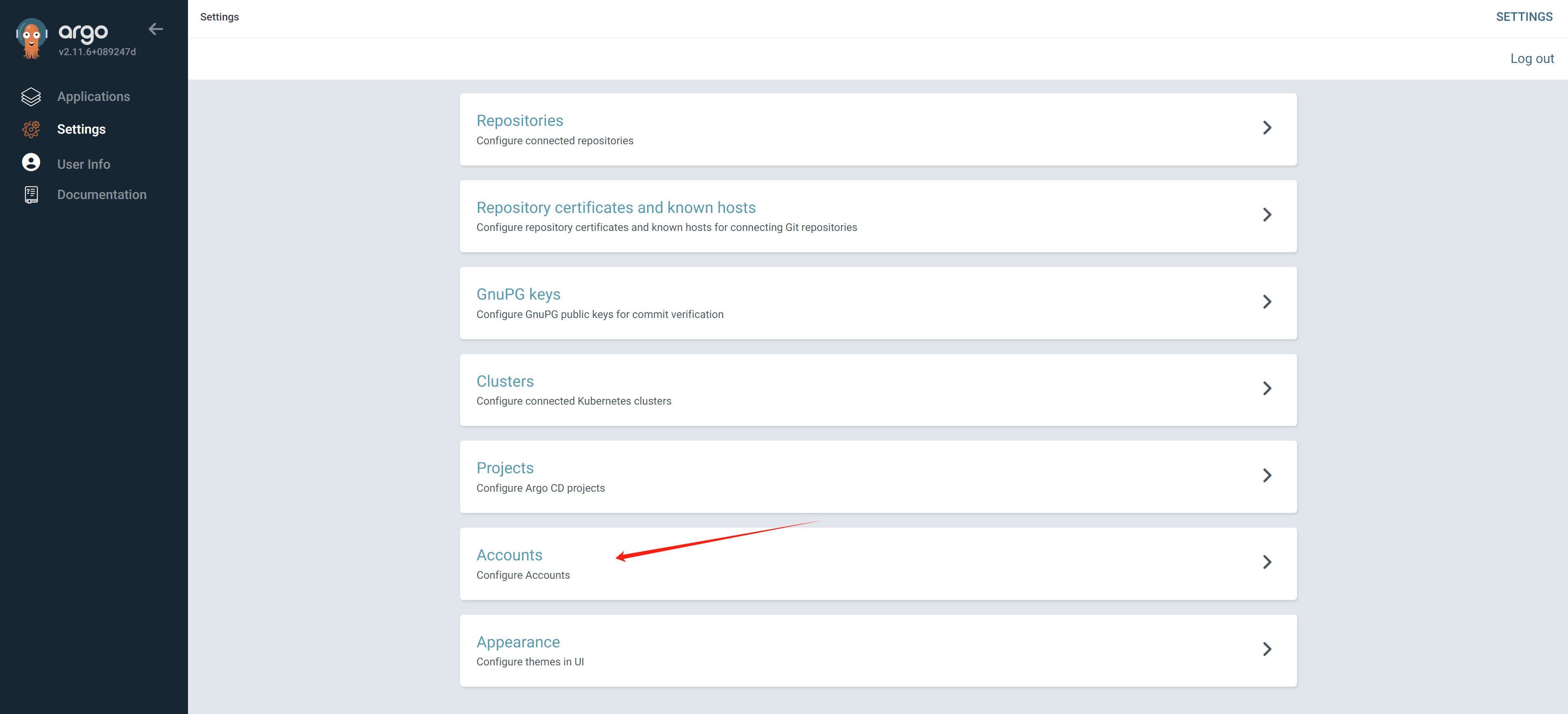
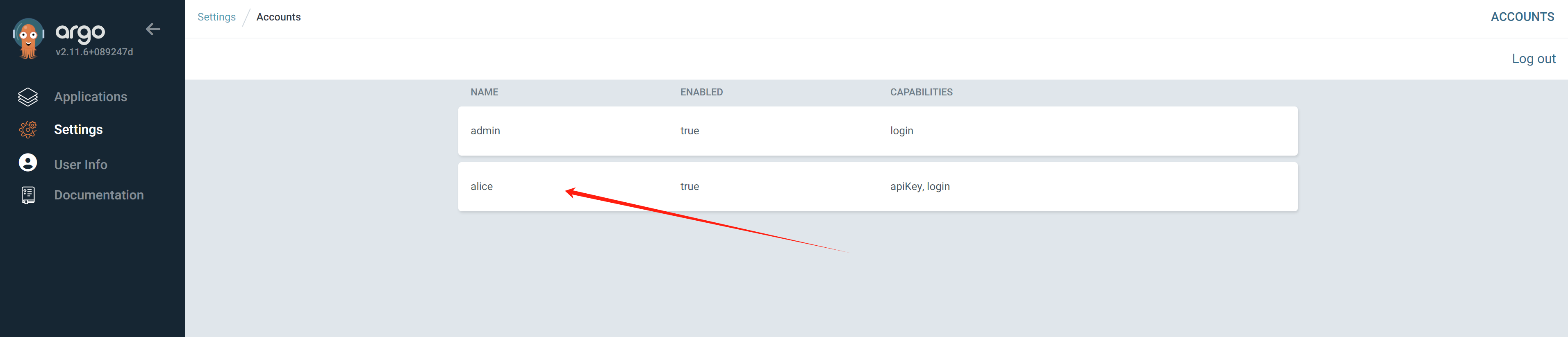
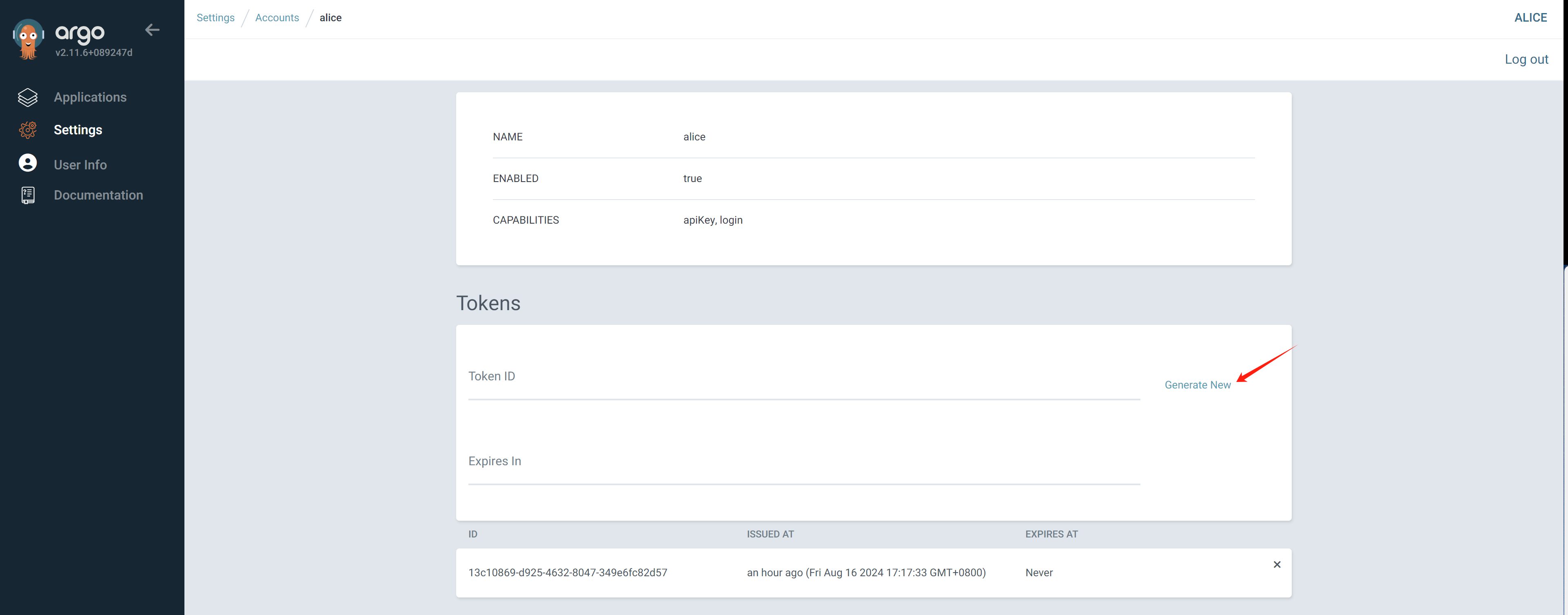
Copy the generated token, it will not be shown again.
To ensure everything is ok, just try to create a new app following:
- https://github.com/rh-mobb/gitops-bgd-app/tree/main/apps/welcome-php/base
We can know, the gitops/argocd is working.
When configure the gitops/argocd plugin in rhdh, we need to
change source code to search the argocd application by the
wzhlab.top/demo-argocd label. Here is the code
needs to changes.
First, in the catalog-info.yaml, define the search criteria, and let the plugin to search argocd application.
apiVersion: backstage.io/v1alpha1
kind: Component
metadata:
  name: demo-play-demo-01
  description: 'The NestJS service plus PostgreSQL databaes for demo-play-demo-01 (Creates a NestJS Service together with a PostgreSQL database)'
  annotations:
    ......
    wzhlab.top/app-name: demo-play-demo-01-dev
    argocd/app-selector: wzhlab.top/app-name=demo-play-demo-01-dev
    argocd/instance-name: main
    ......
......
Then, in gitops/argocd application, add the annotation, so the application can be selected.
---
apiVersion: argoproj.io/v1alpha1
kind: Application
metadata:
  name: demo-play-demo-01-dev
  namespace: demo-gitops
  labels:
    # argocd/app-name: demo-play-demo-01-dev
    wzhlab.top/app-name: demo-play-demo-01-dev
  annotations:
    # argocd/app-name: demo-play-demo-01-dev
    wzhlab.top/app-name: demo-play-demo-01-dev
......
[!NOTE] Do not use
argocd/app-name, it will cause argocd plugin to dump for unknown reason.
install pipeline
Just install the redhat pipeline operator, there is no need to create a pipeline instance.
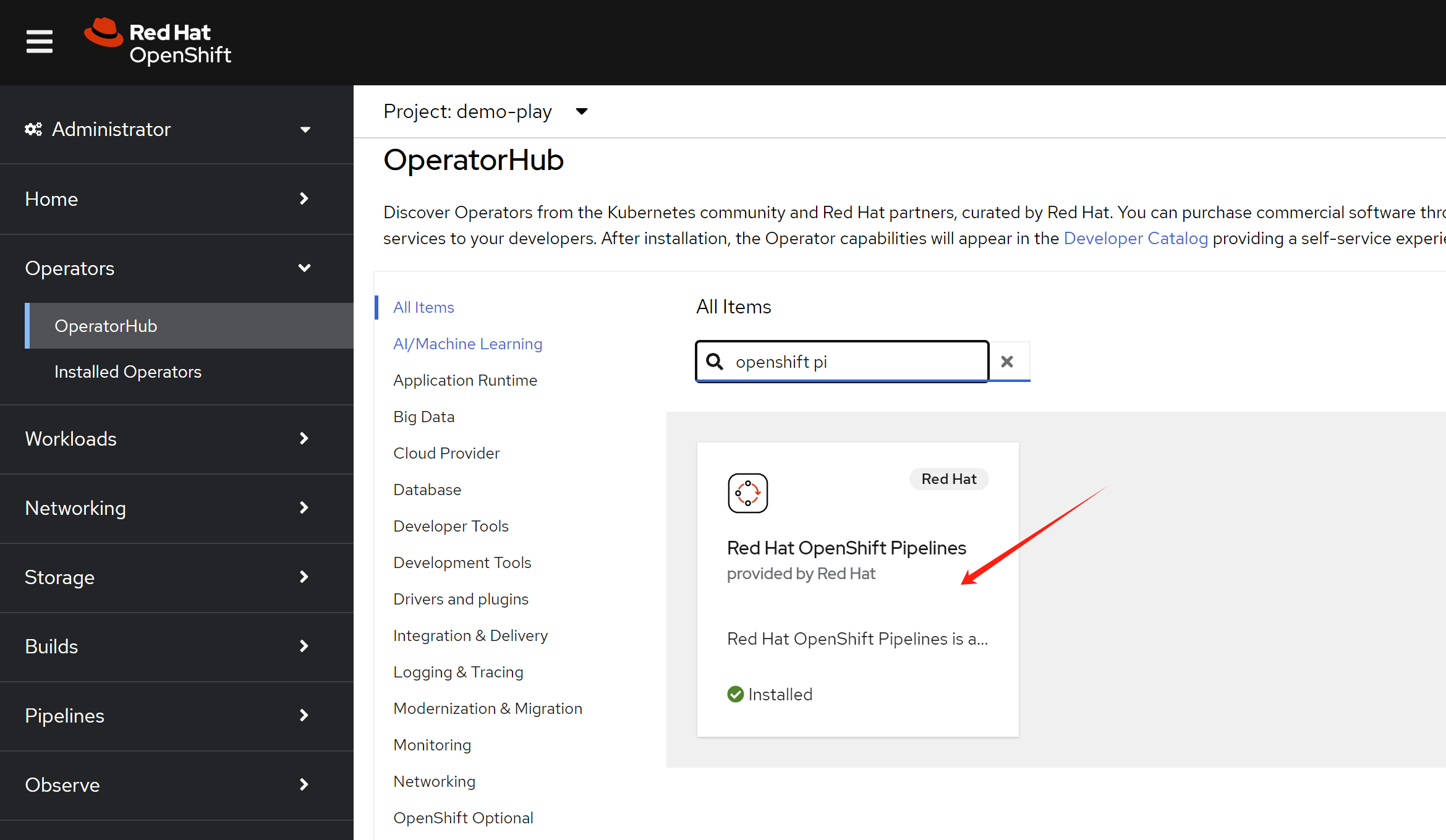
install External Secrets Operator
In our demo, it use external secret to import tokens, like gitlab webhook token, then used in pipeline and openshift4 deployment.
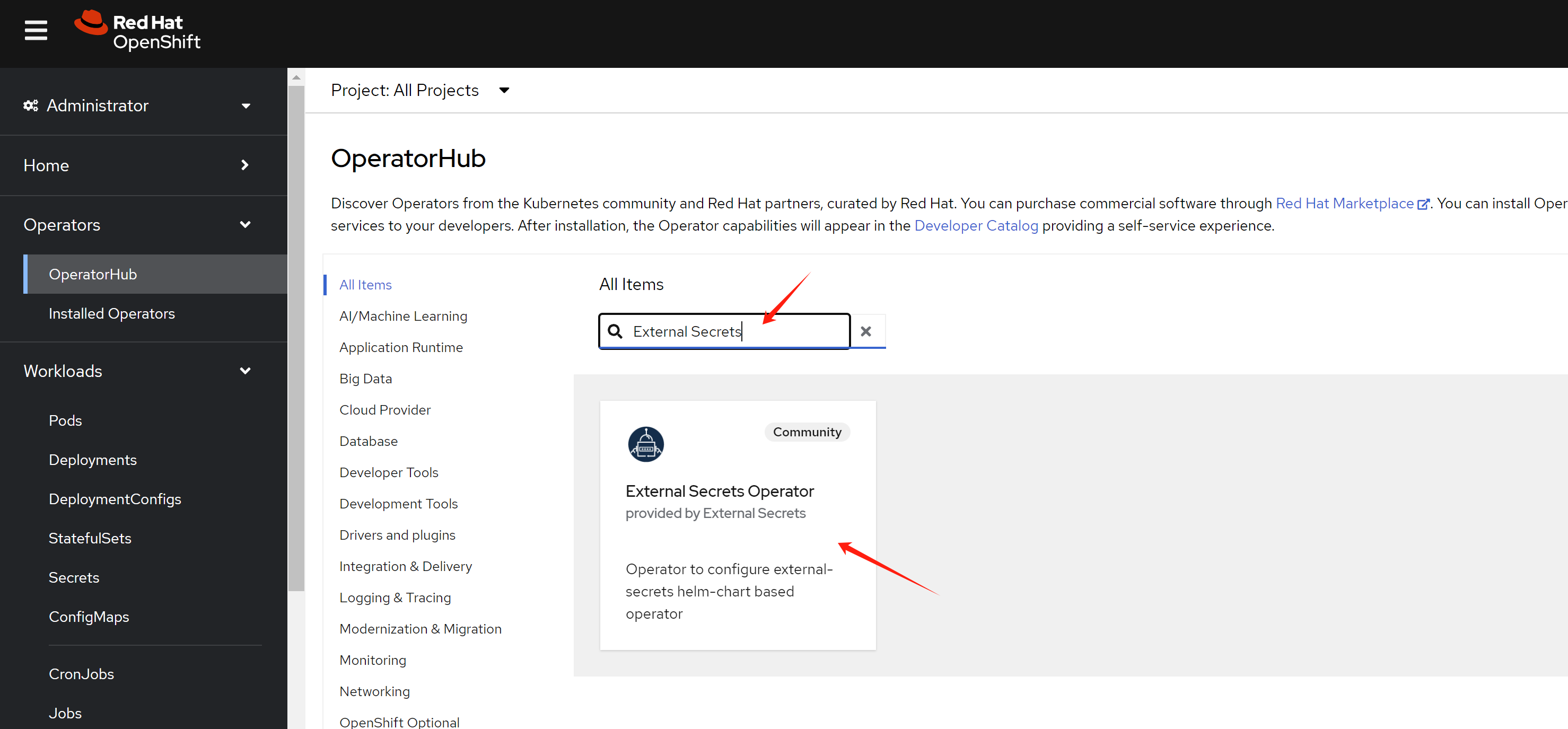
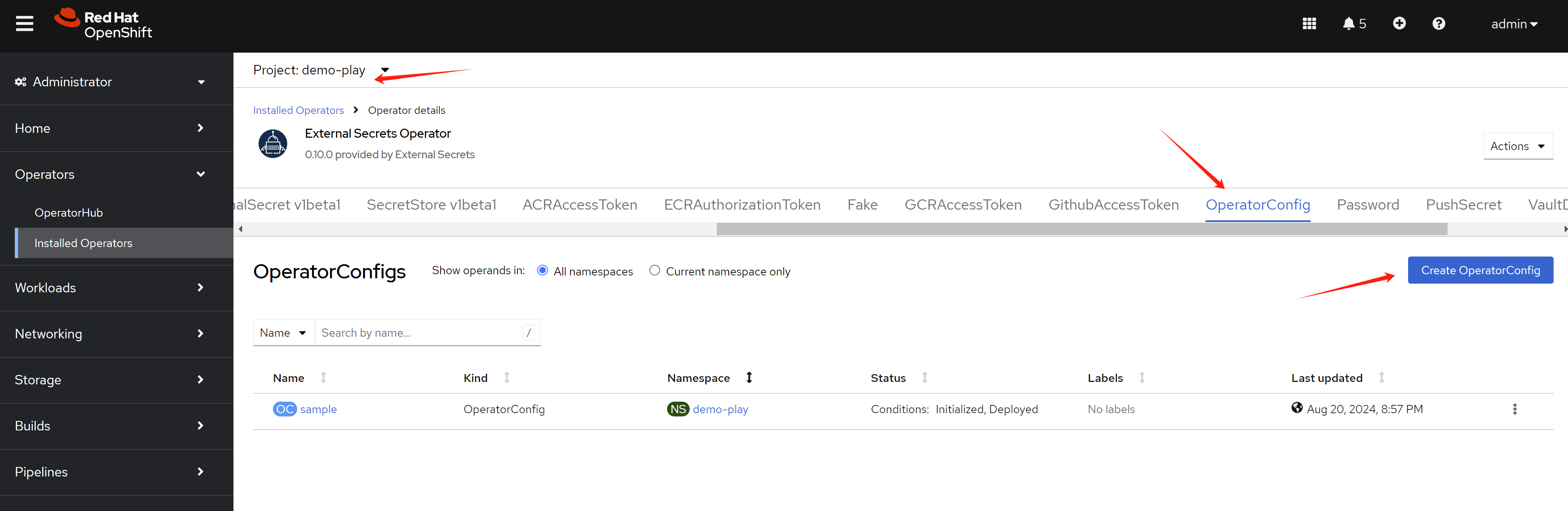
deploy an operator config instance first.
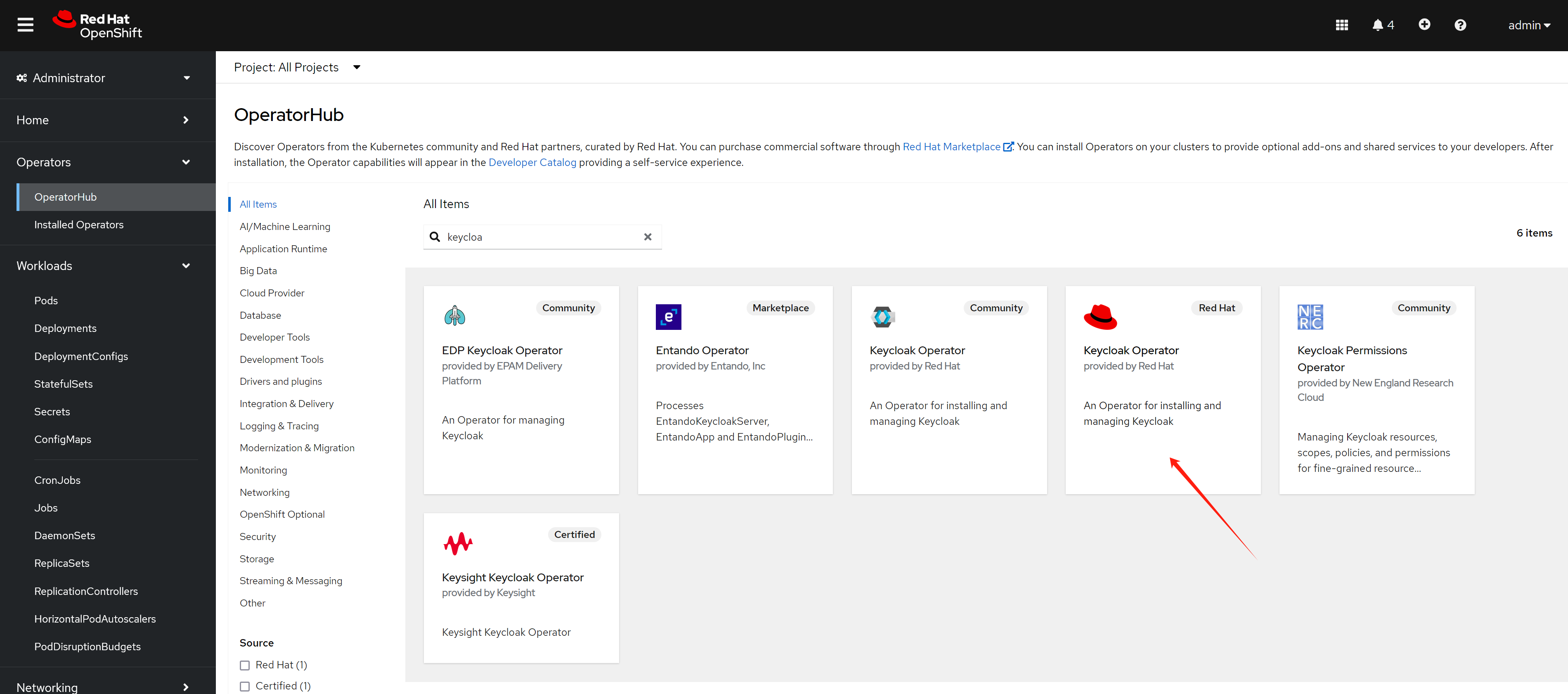
install rhsso/keycloak
We will use keycloak to manage the user, and use it as the oauth2 provider for the rhdh.
oc new-project demo-keycloak


oc delete -f ${BASE_DIR}/data/install/keycloak-db-pvc.yaml -n demo-keycloak

cat << EOF > ${BASE_DIR}/data/install/keycloak-db-pvc.yaml
apiVersion: v1
kind: PersistentVolumeClaim
metadata:
  name: postgresql-db-pvc
spec:
  accessModes:
    - ReadWriteOnce
  resources:
    requests:
      storage: 1Gi
EOF

oc create -f ${BASE_DIR}/data/install/keycloak-db-pvc.yaml -n demo-keycloak


oc delete -f ${BASE_DIR}/data/install/keycloak-db.yaml -n demo-keycloak

cat << EOF > ${BASE_DIR}/data/install/keycloak-db.yaml
---
apiVersion: apps/v1
kind: StatefulSet
metadata:
  name: postgresql-db
spec:
  serviceName: postgresql-db-service
  selector:
    matchLabels:
      app: postgresql-db
  replicas: 1
  template:
    metadata:
      labels:
        app: postgresql-db
    spec:
      containers:
        - name: postgresql-db
          image: postgres:15
          args: ["-c", "max_connections=1000"]
          volumeMounts:
            - mountPath: /data
              name: cache-volume
          env:
            - name: POSTGRES_USER
              value: testuser
            - name: POSTGRES_PASSWORD
              value: testpassword
            - name: PGDATA
              value: /data/pgdata
            - name: POSTGRES_DB
              value: keycloak
      volumes:
        - name: cache-volume
          persistentVolumeClaim:
            claimName: postgresql-db-pvc
---
apiVersion: v1
kind: Service
metadata:
  name: postgres-db
spec:
  selector:
    app: postgresql-db
  type: LoadBalancer
  ports:
  - port: 5432
    targetPort: 5432

EOF

oc create -f ${BASE_DIR}/data/install/keycloak-db.yaml -n demo-keycloak


RHSSO_HOST="keycloak-demo-keycloak.apps.demo-01-rhsys.wzhlab.top"

cd ${BASE_DIR}/data/install/

openssl req -subj "/CN=$RHSSO_HOST/O=Test Keycloak./C=US" -newkey rsa:2048 -nodes -keyout key.pem -x509 -days 365 -out certificate.pem

oc delete secret example-tls-secret -n demo-keycloak
oc create secret tls example-tls-secret --cert certificate.pem --key key.pem -n demo-keycloak


oc delete secret keycloak-db-secret -n demo-keycloak
oc create secret generic keycloak-db-secret -n demo-keycloak \
  --from-literal=username=testuser \
  --from-literal=password=testpassword


oc delete -f ${BASE_DIR}/data/install/keycloak.yaml -n demo-keycloak

cat << EOF > ${BASE_DIR}/data/install/keycloak.yaml
apiVersion: k8s.keycloak.org/v2alpha1
kind: Keycloak
metadata:
  name: example-kc
spec:
  instances: 1
  db:
    vendor: postgres
    host: postgres-db
    usernameSecret:
      name: keycloak-db-secret
      key: username
    passwordSecret:
      name: keycloak-db-secret
      key: password
  http:
    tlsSecret: example-tls-secret
  # ingress:
  #   className: openshift-default
  hostname:
    hostname: $RHSSO_HOST
  proxy:
    headers: xforwarded
EOF

oc create -f ${BASE_DIR}/data/install/keycloak.yaml -n demo-keycloak

# get the keycloak initial admin user and password
oc get secret example-kc-initial-admin -n demo-keycloak -o jsonpath='{.data.username}' | base64 --decode && echo
# admin

oc get secret example-kc-initial-admin -n demo-keycloak -o jsonpath='{.data.password}' | base64 --decode && echo
# 51a3bf077ab5465e84c51729c6a29f27


# in postgresql pod terminal
psql -U testuser -d keycloak
# Type "help" for help.

# keycloak=# SHOW max_connections;
#  max_connections
# -----------------
#  1000
# (1 row)
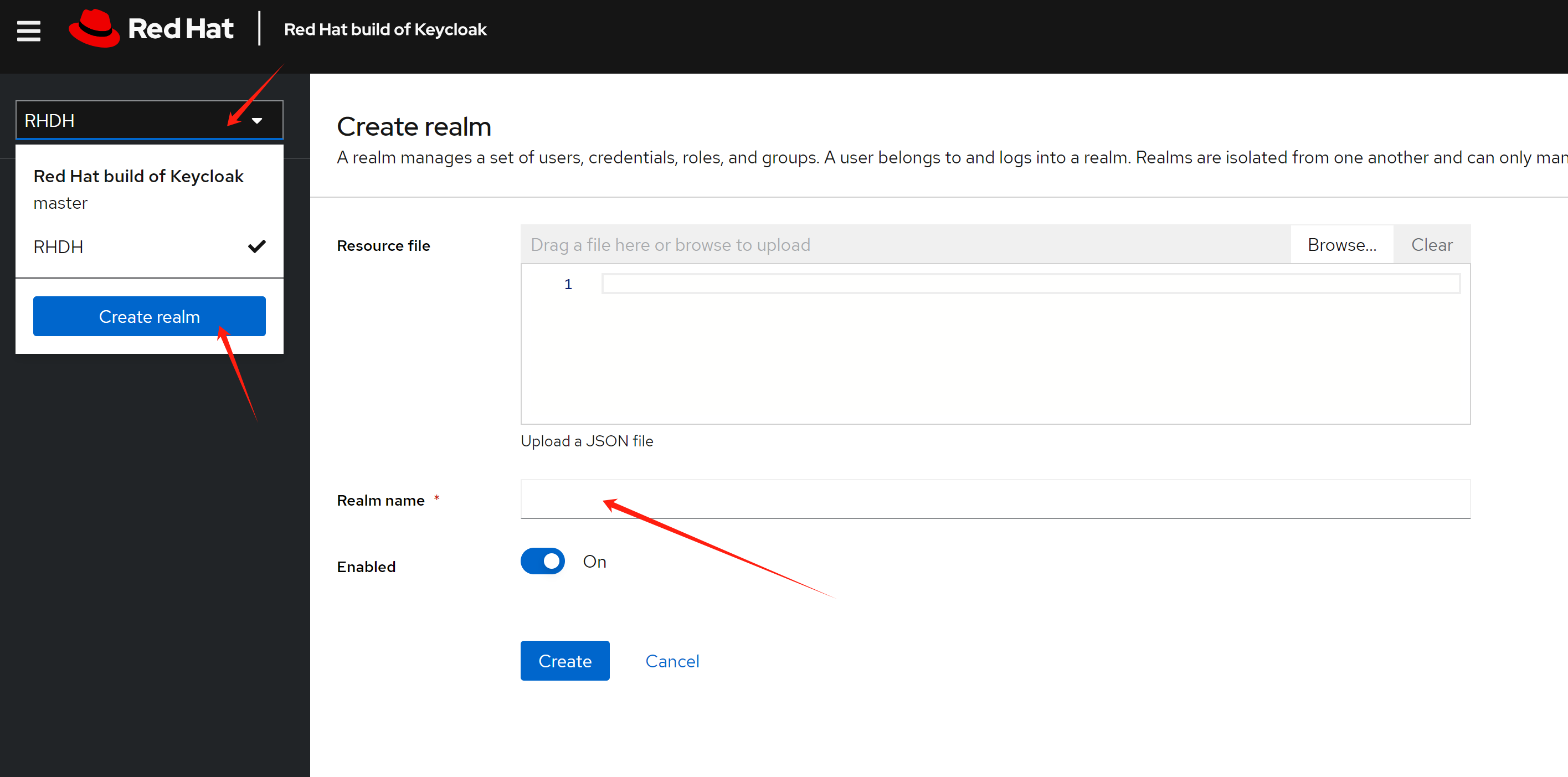
Base on the demo requirement, we need to create a realm named
RHDH, which will be used for rhdh later.
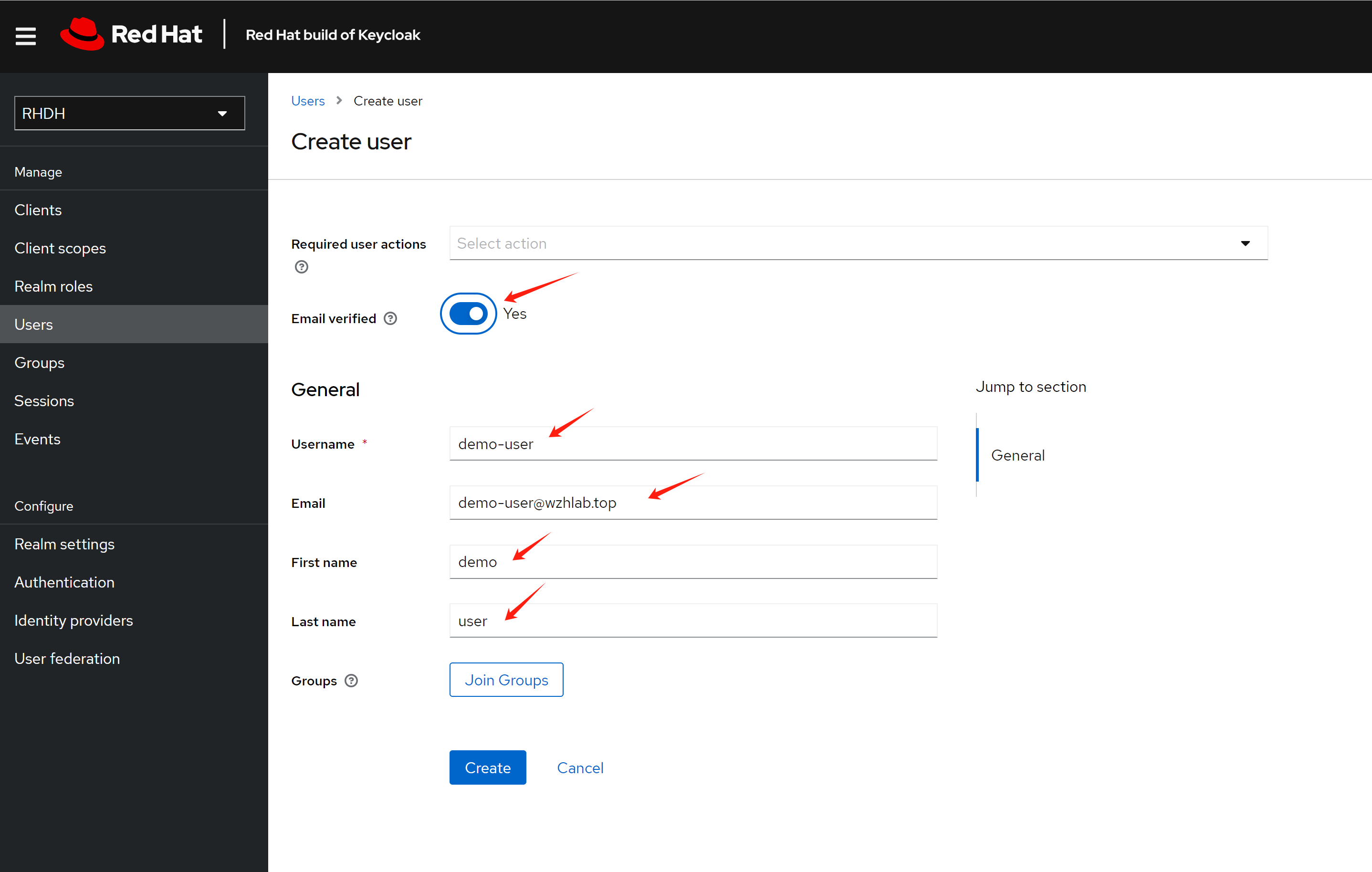
Create a test use demo-user
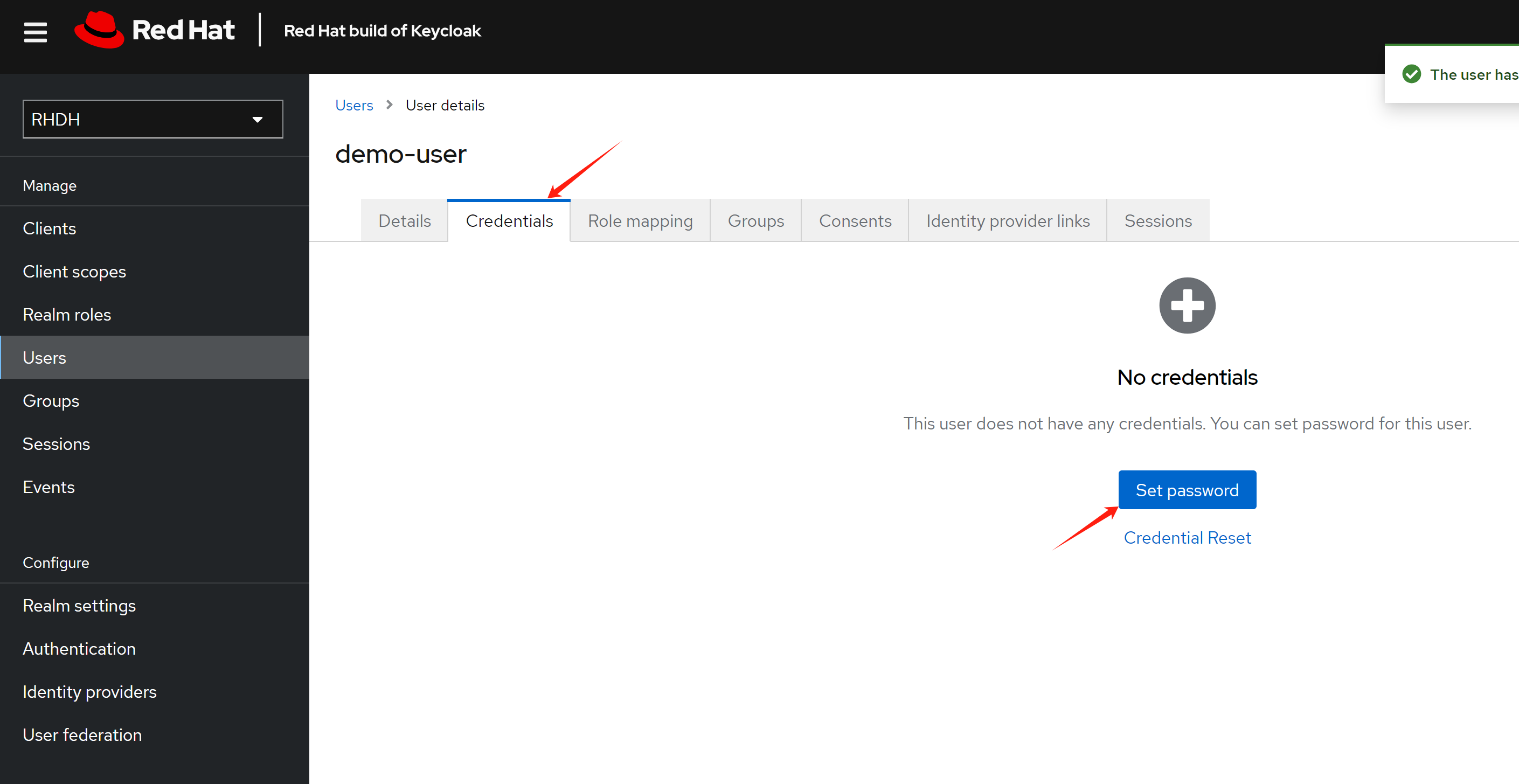
Set password for the user
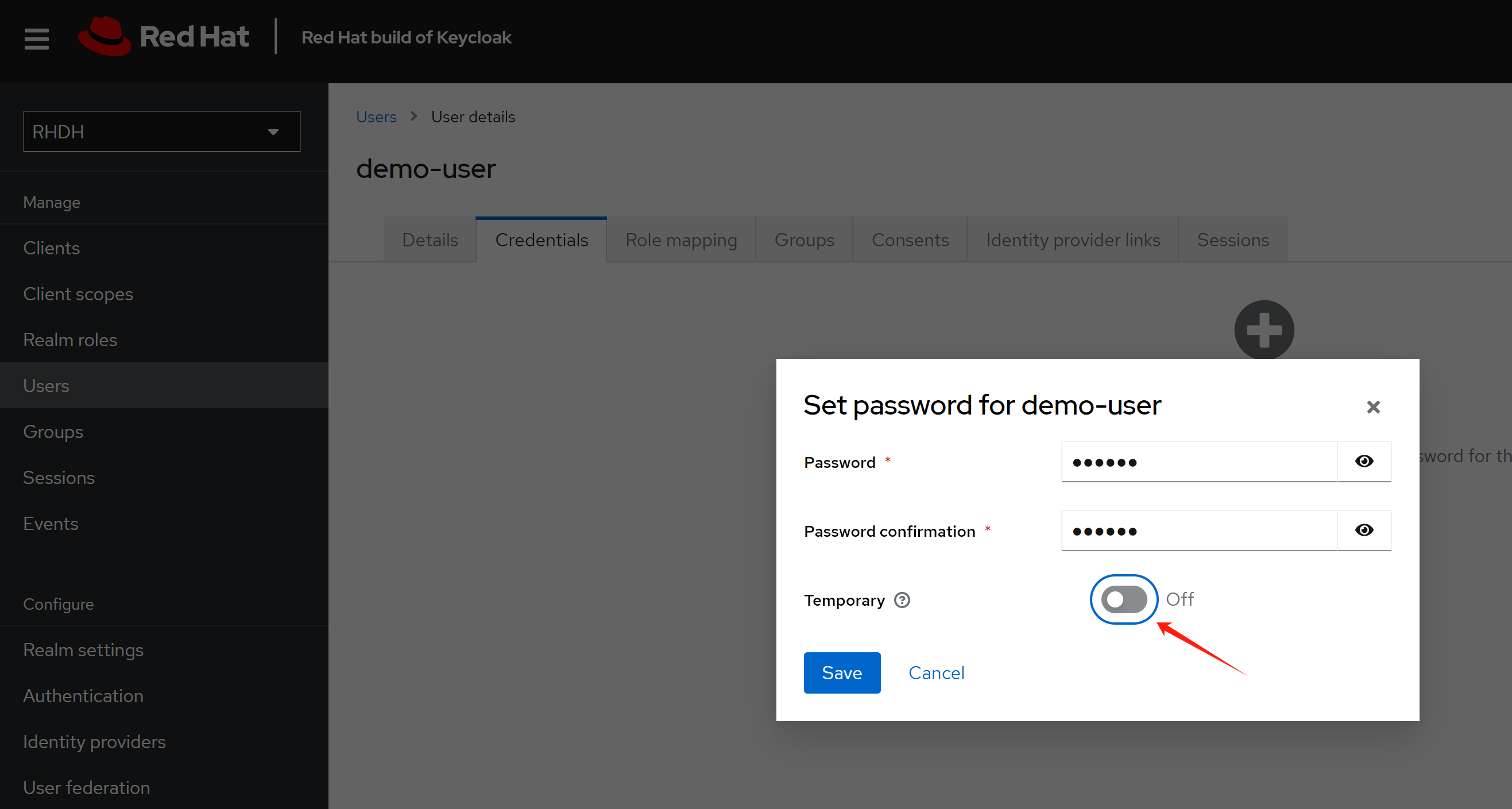
Make the password not expired.
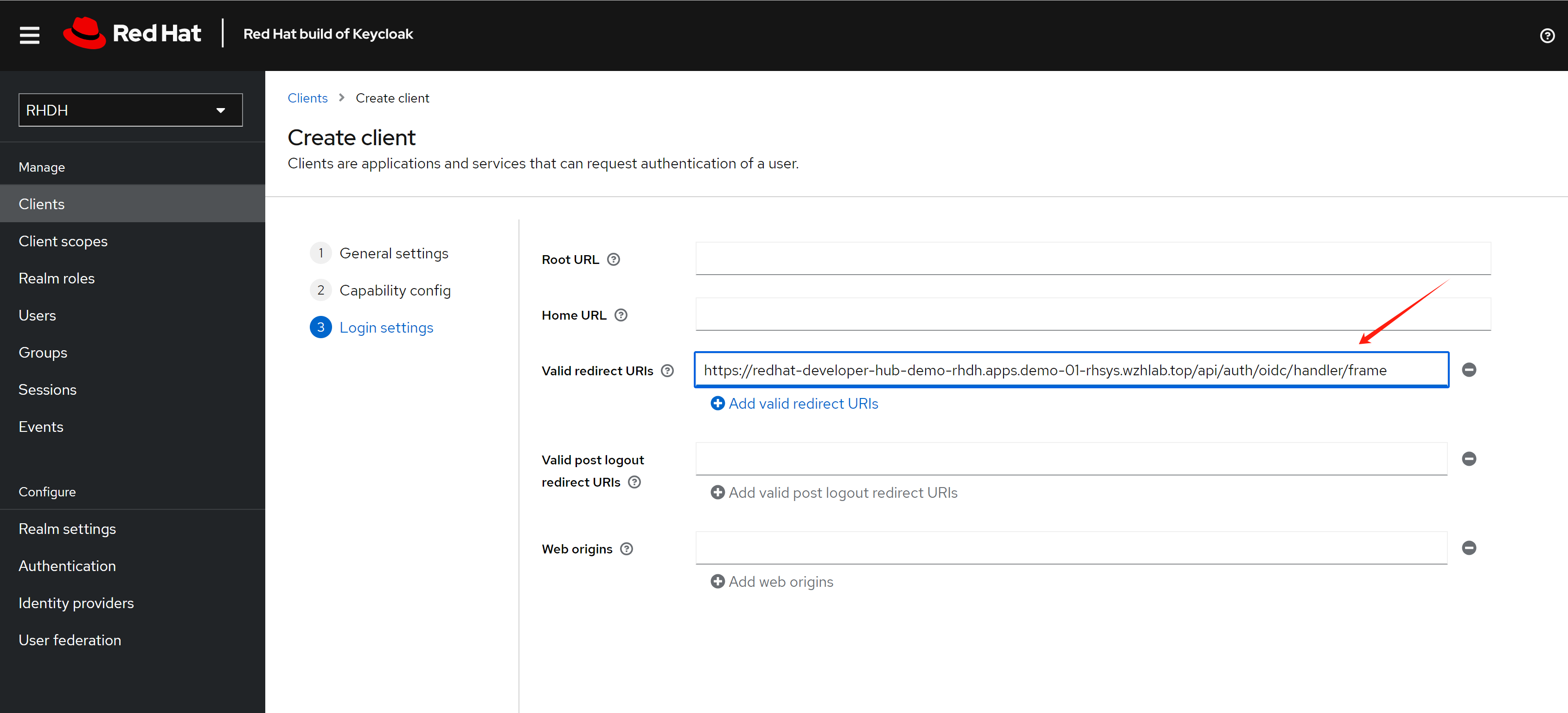
Create a client for the rhdh, and set the redirect url.
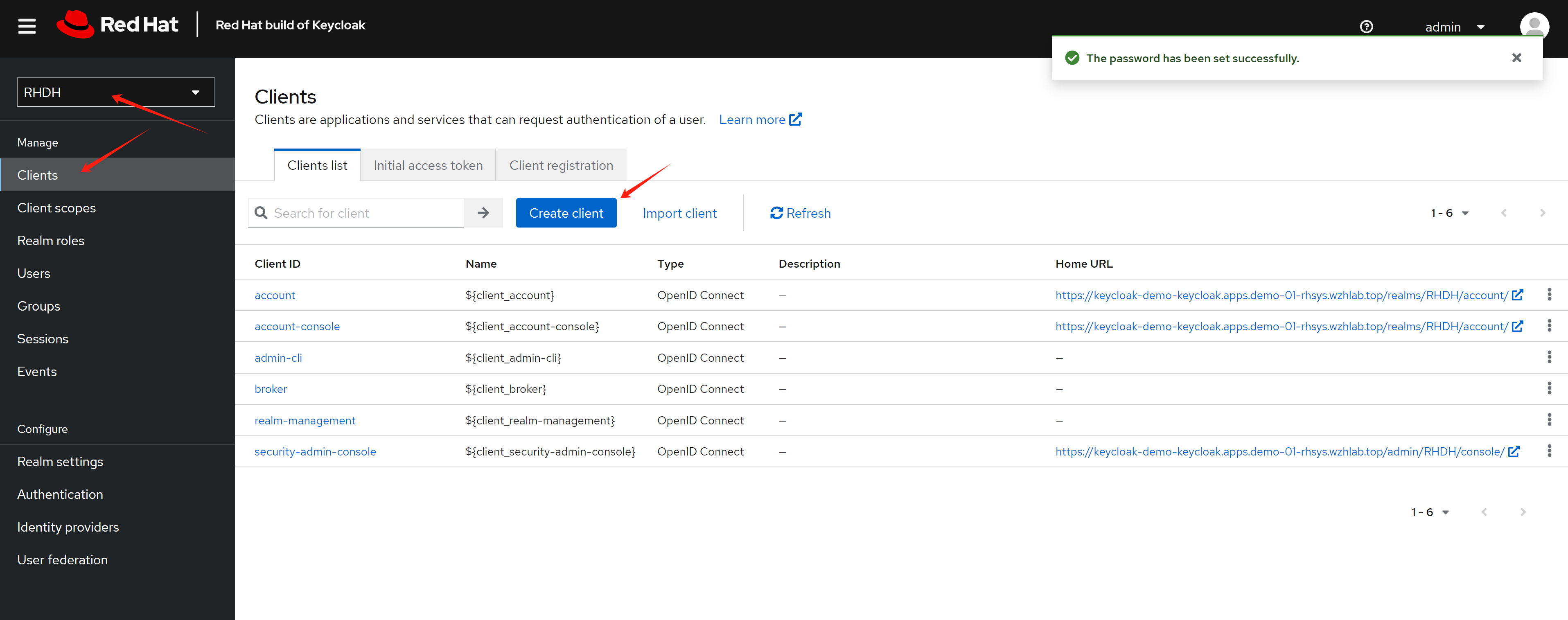
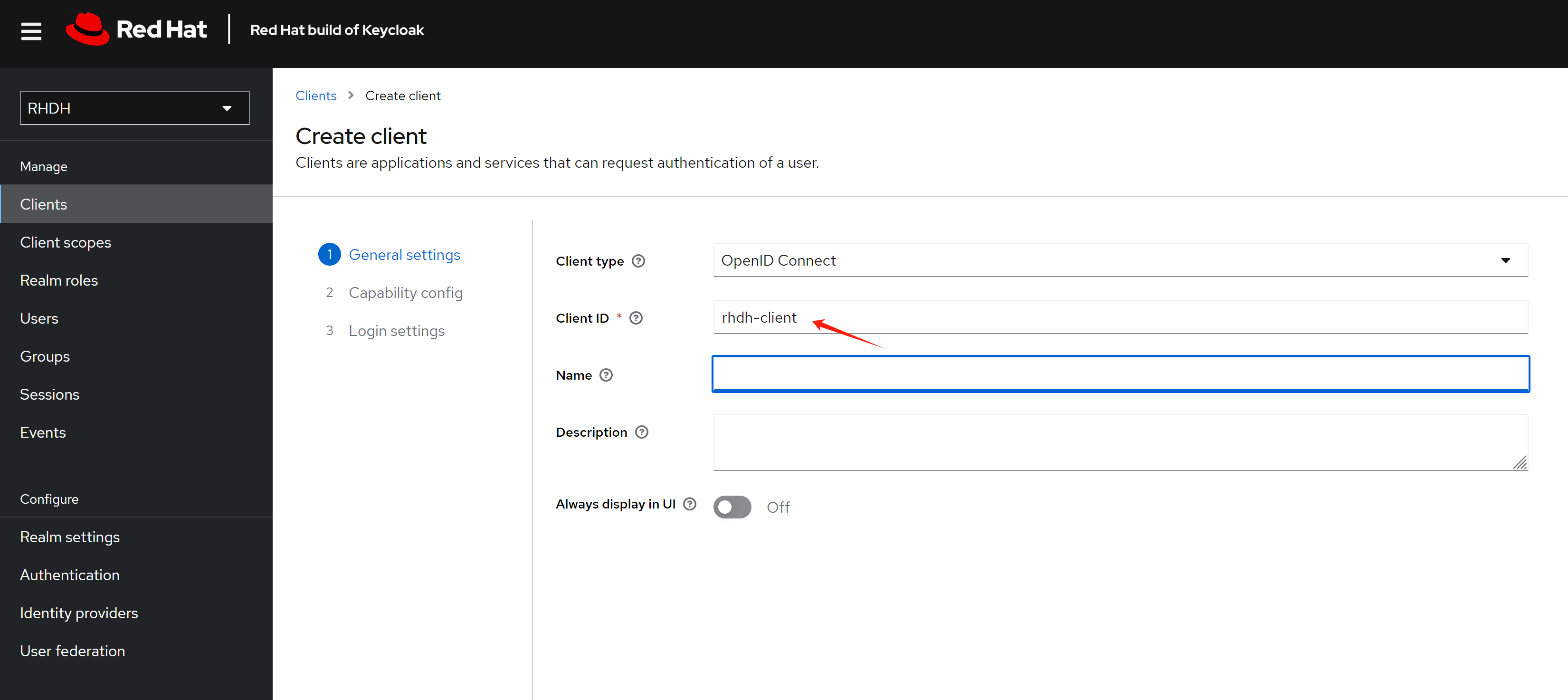
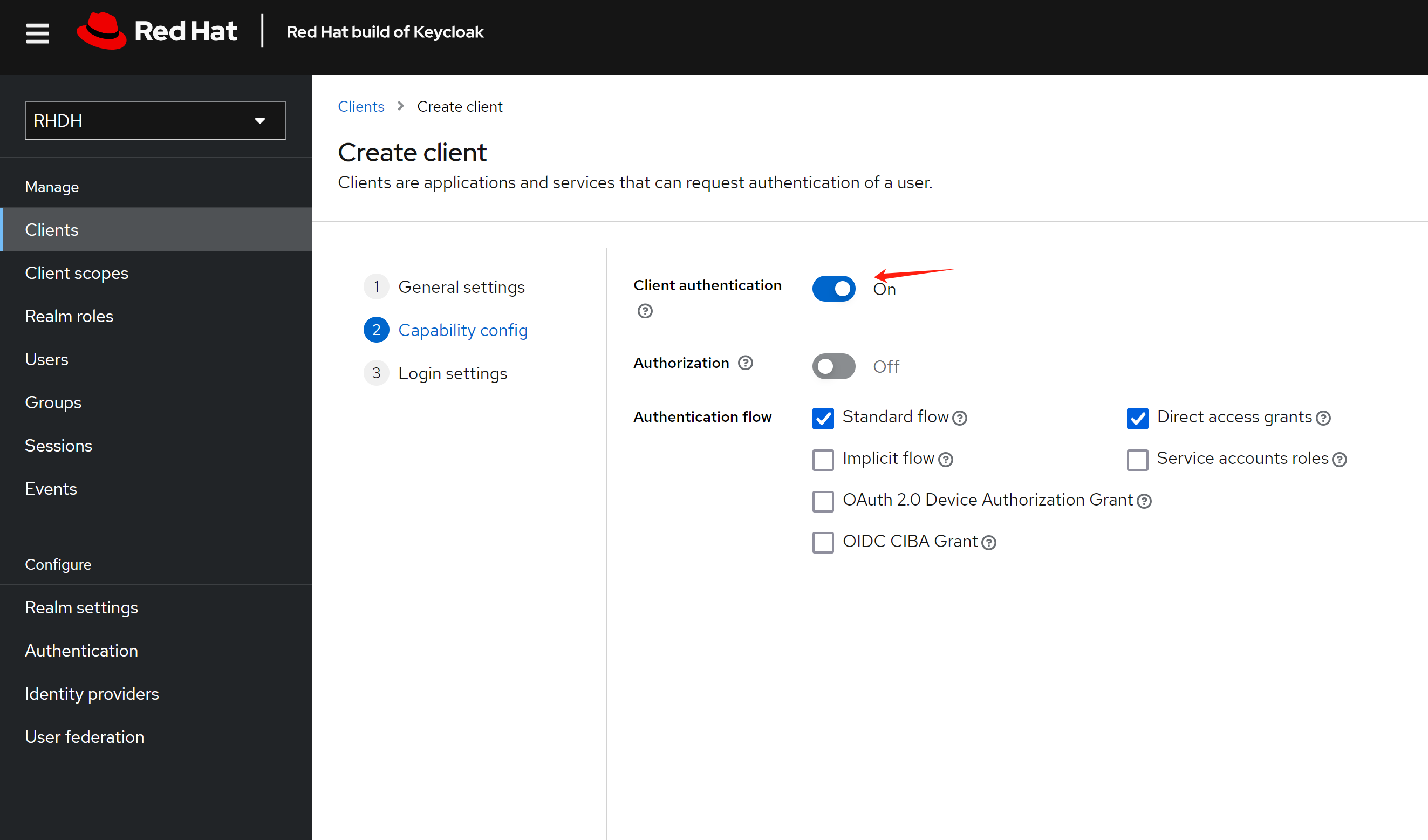
The redirect url looks like this:
https://<RHDH_URL>/api/auth/oidc/handler/frame
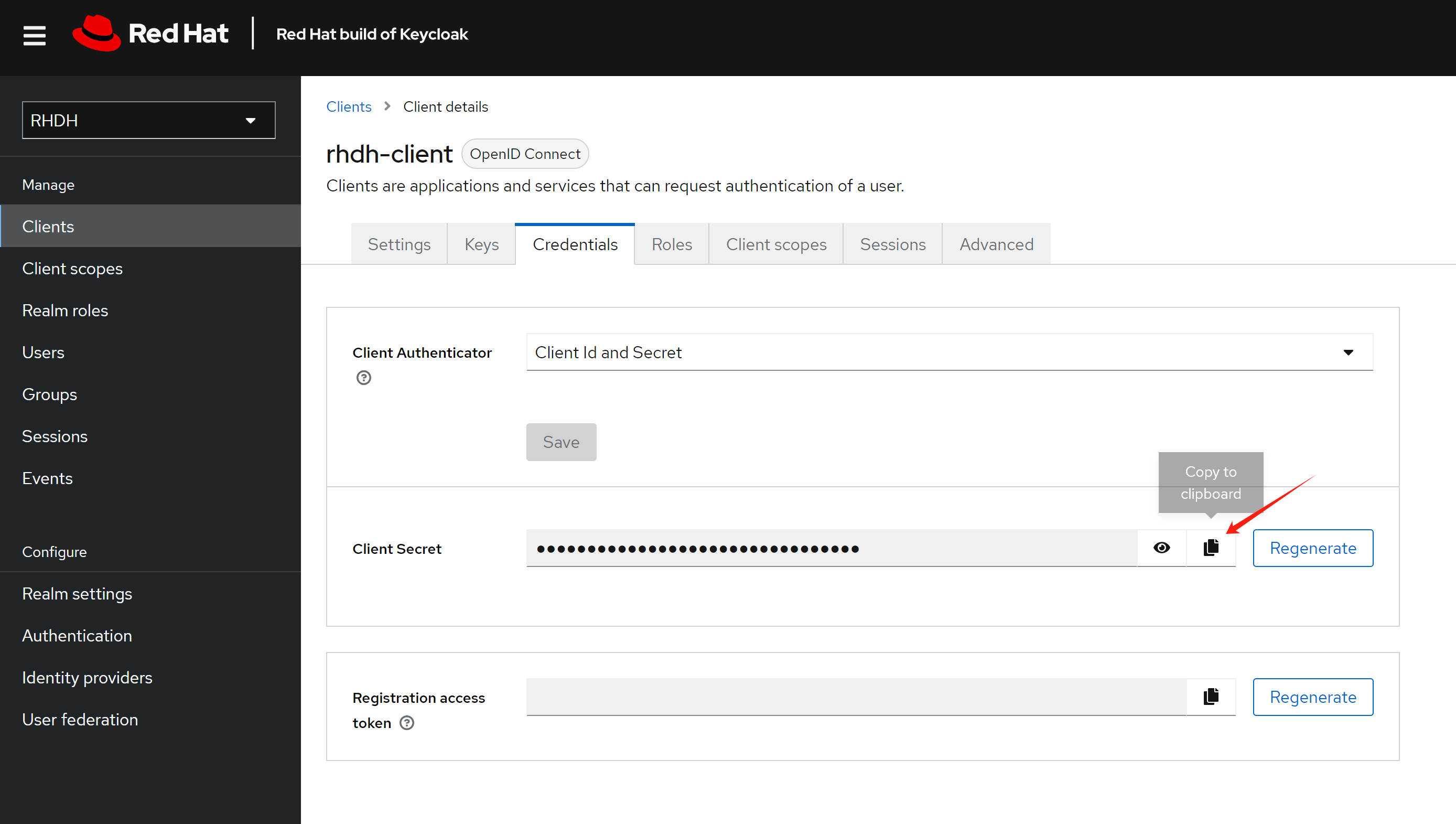
Copy out the client secret, it will used later.
install rhdh
Create a new namespace for rhdh deployment.
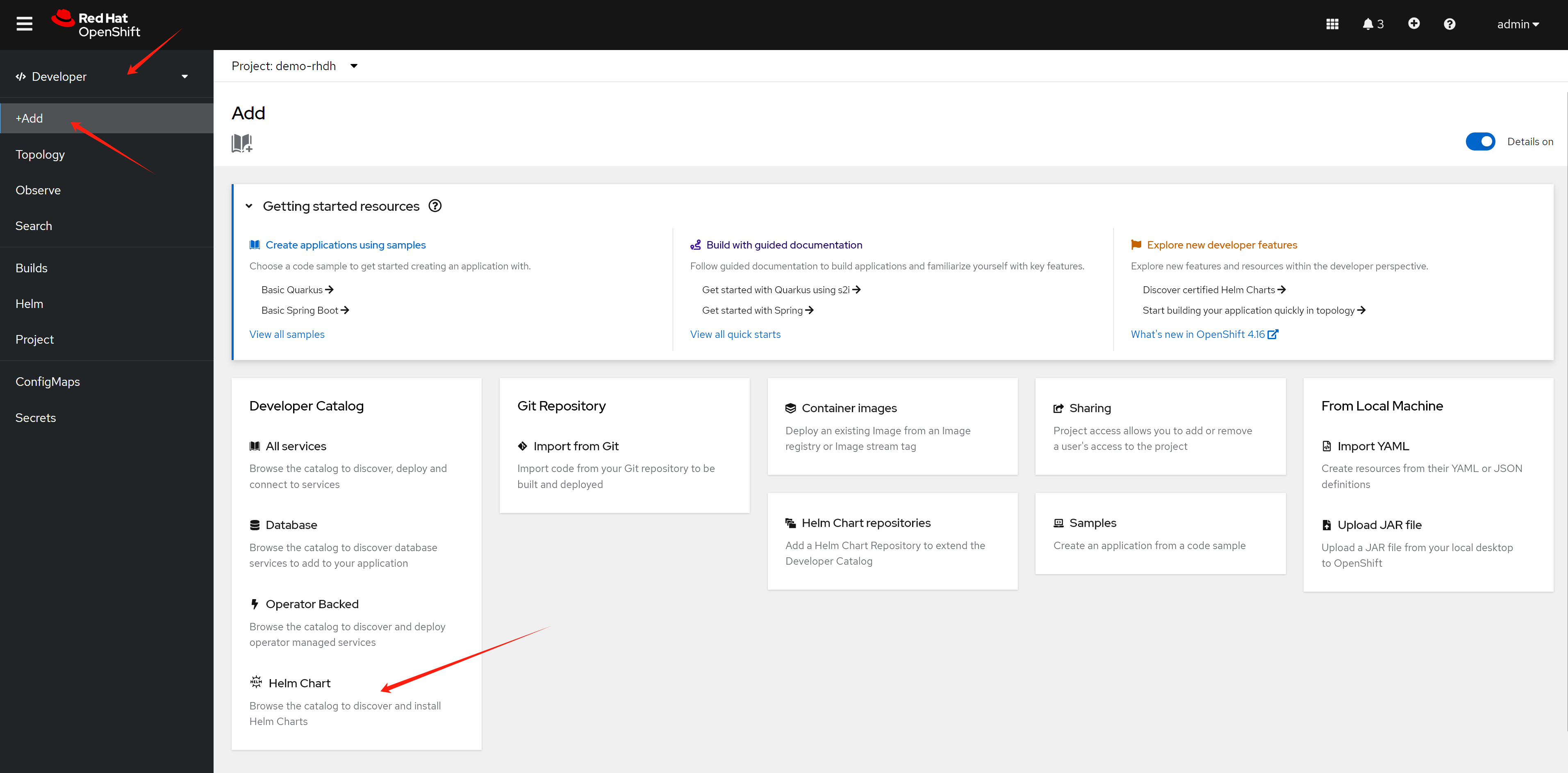
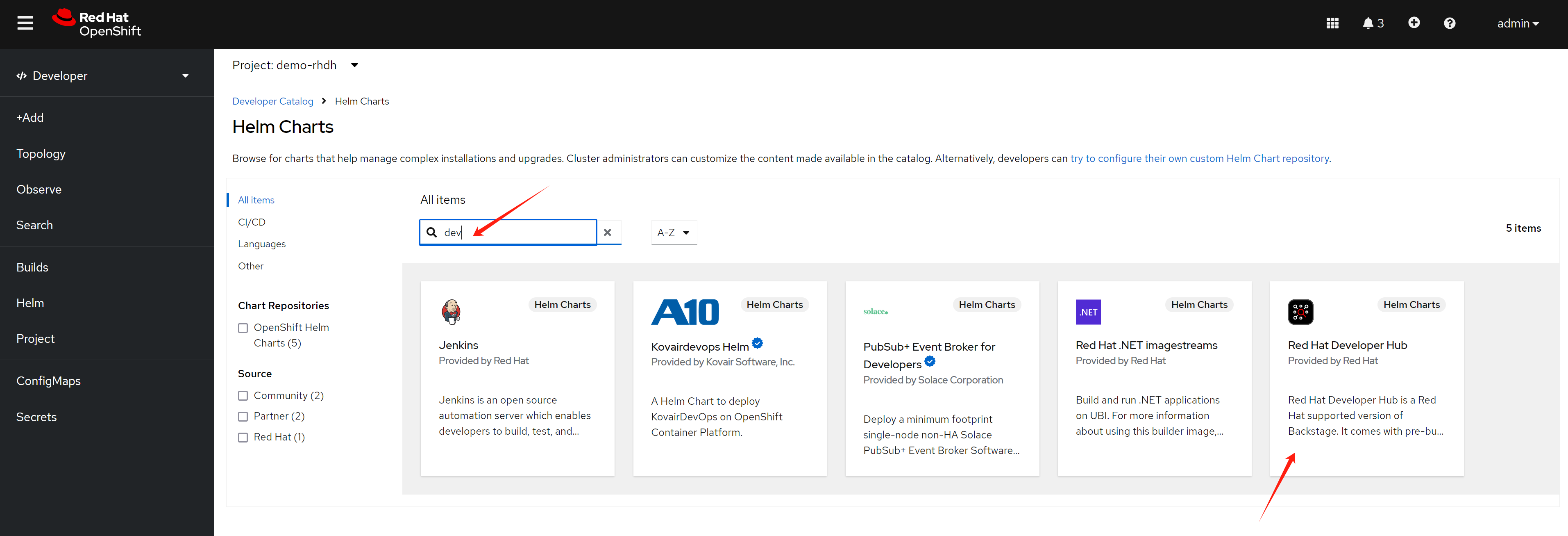
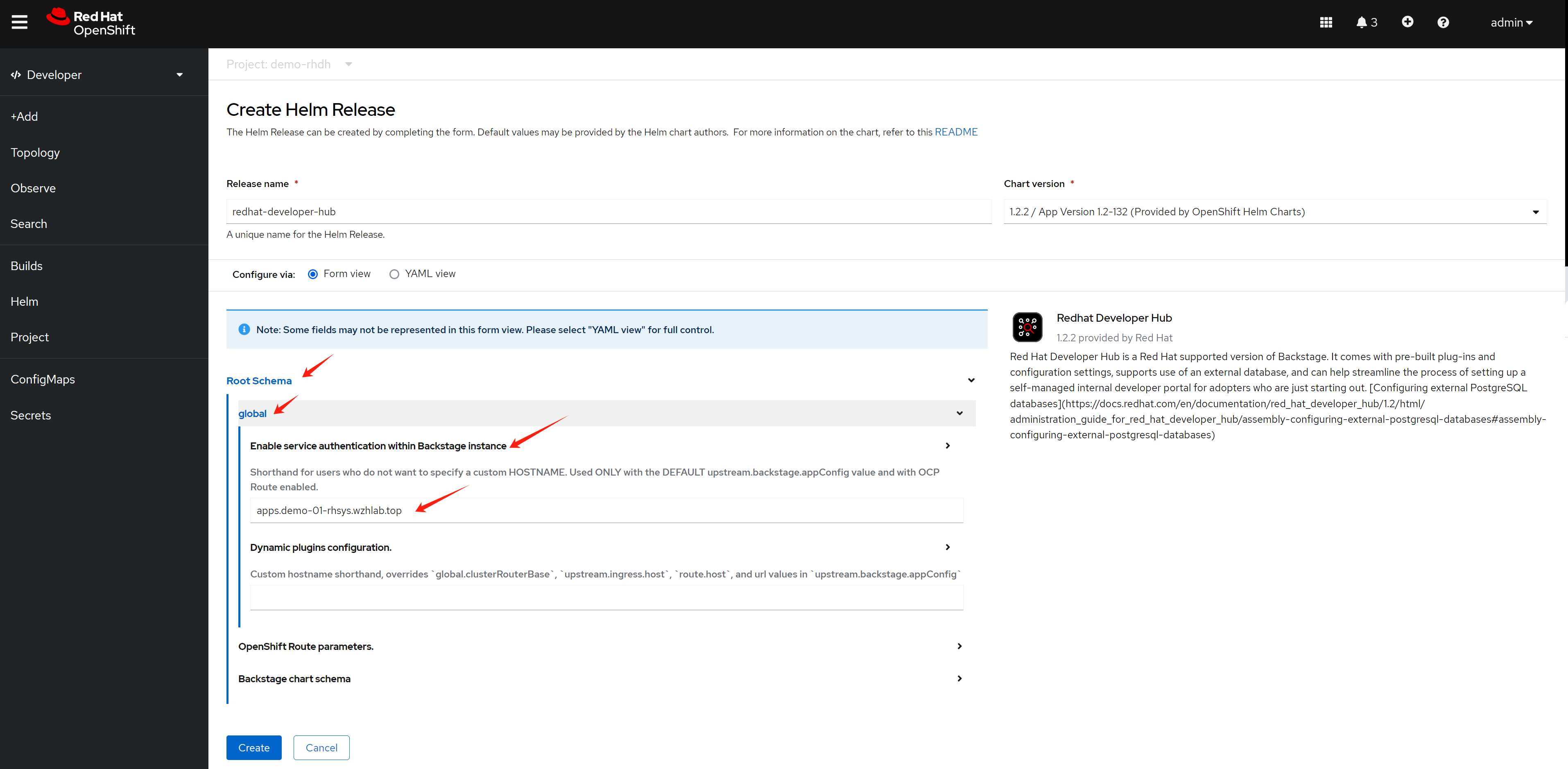
oc new-project demo-rhdhThere are 2 ways to install rhdh right now, one is using operator, one is using helm chart. Here we use the helm chart.
config rhdh
For gitlab, we need to craete a personal access token, and
save it to be used later . 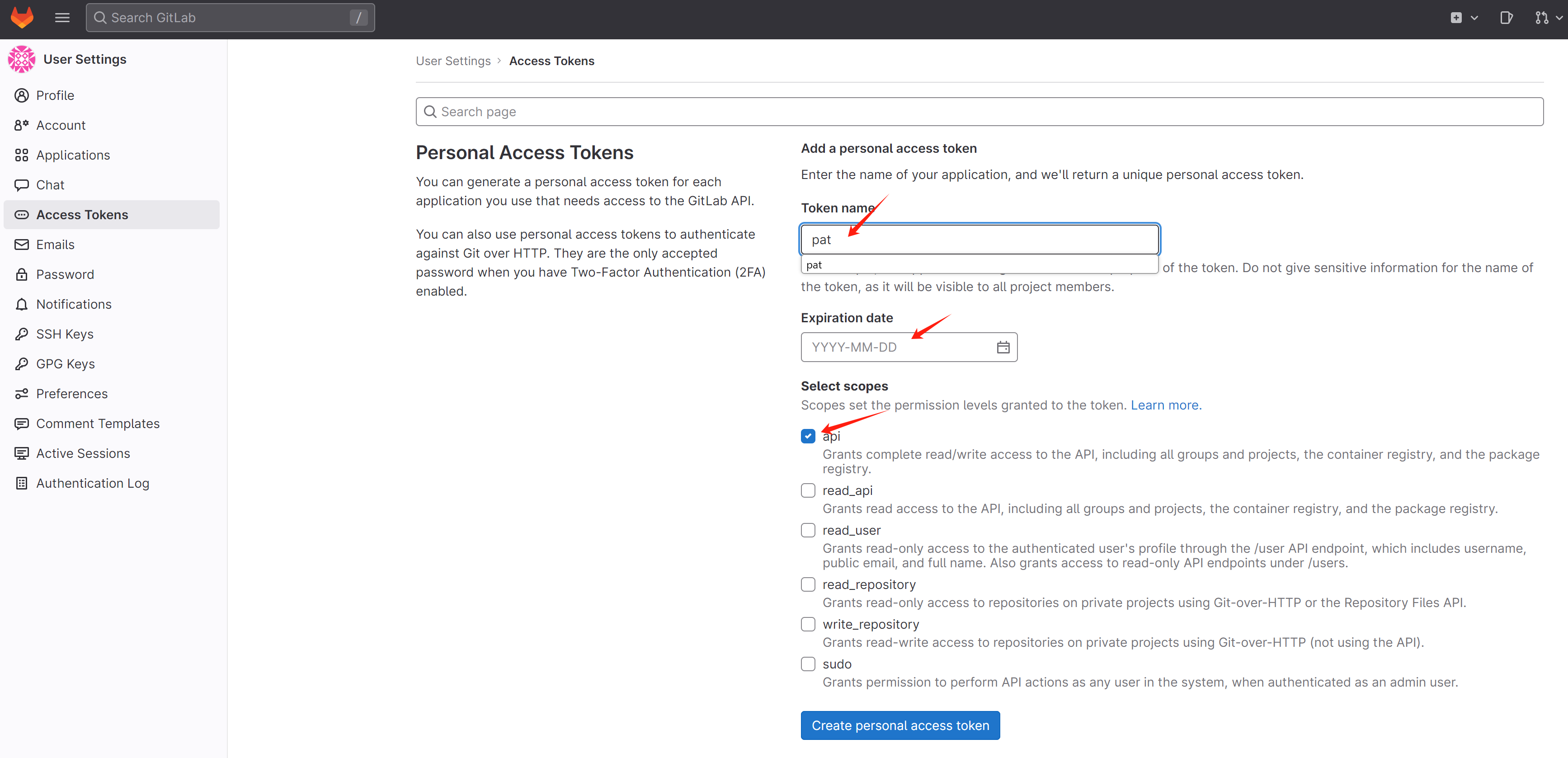
For github, go to developer settings, and add personal access token. Following https://backstage.io/docs/integrations/github/locations , to add authentication.
For keycloak
- use chrome to access the webUI
- get the metadataurl from the realm
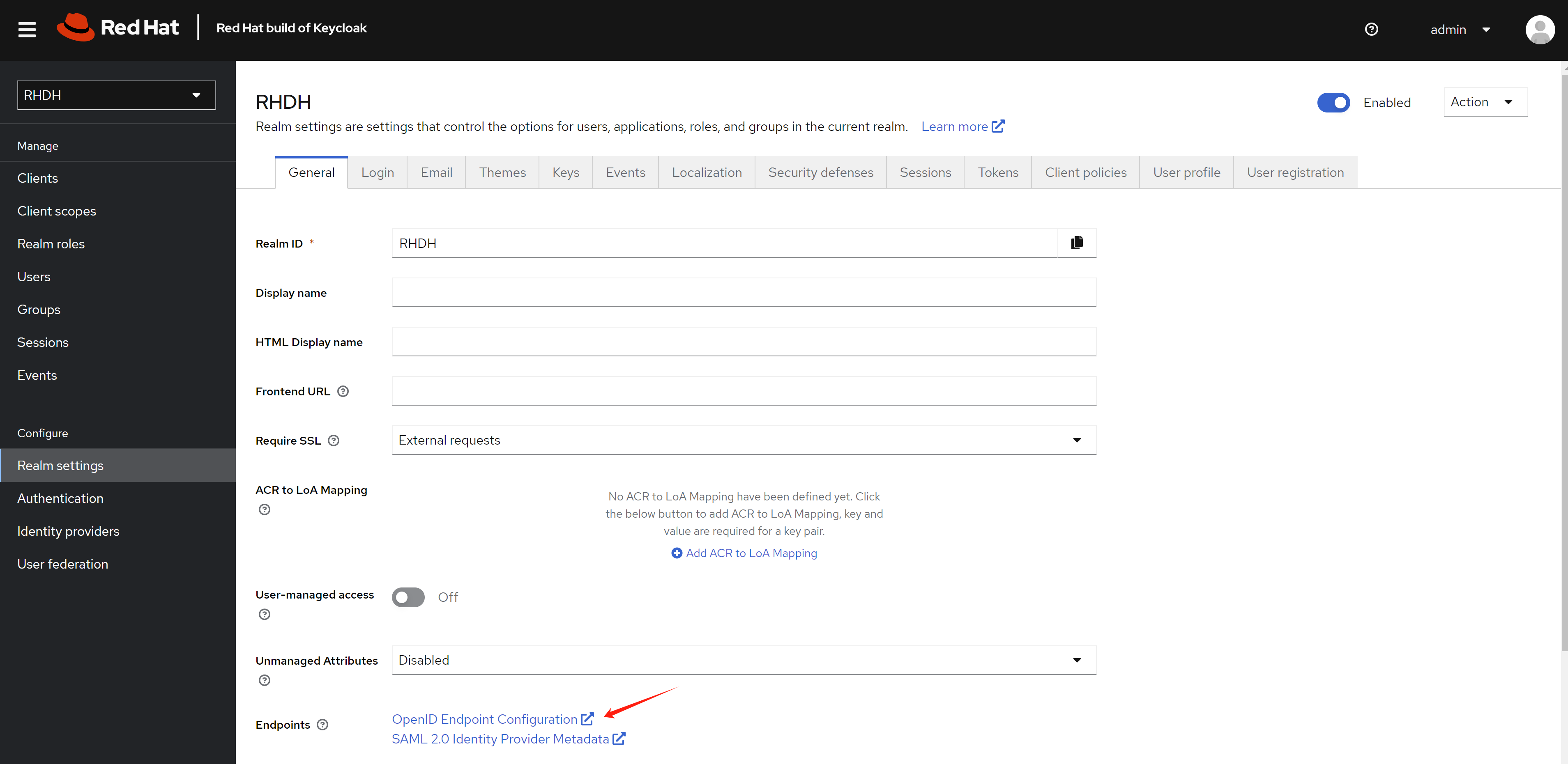
Now we begin to config the rhdh using cli.
# for k8s plugin
# let the plugin access k8s resources
oc delete -f ${BASE_DIR}/data/install/role-rhdh.yaml

cat << EOF > ${BASE_DIR}/data/install/role-rhdh.yaml
apiVersion: rbac.authorization.k8s.io/v1
kind: ClusterRole
metadata:
  name: backstage-read-only
rules:
  - apiGroups:
      - '*'
    resources:
      - pods
      - configmaps
      - services
      - deployments
      - replicasets
      - horizontalpodautoscalers
      - ingresses
      - statefulsets
      - limitranges
      - resourcequotas
      - daemonsets
      - pipelineruns
      - taskruns
      - routes
    verbs:
      - get
      - list
      - watch
  - apiGroups:
      - batch
    resources:
      - jobs
      - cronjobs
    verbs:
      - get
      - list
      - watch
  - apiGroups:
      - metrics.k8s.io
    resources:
      - pods
    verbs:
      - get
      - list
EOF
oc apply -f ${BASE_DIR}/data/install/role-rhdh.yaml


NAMESPACES="demo-rhdh"

oc delete -f ${BASE_DIR}/data/install/sa-rhdh.yaml
cat << EOF > ${BASE_DIR}/data/install/sa-rhdh.yaml
---
apiVersion: v1
kind: ServiceAccount
metadata:
  name: backstage-read-only-sa
  namespace: $NAMESPACES  # Replace with the appropriate namespace

---
apiVersion: rbac.authorization.k8s.io/v1
kind: ClusterRoleBinding
metadata:
  name: backstage-read-only-binding
subjects:
  - kind: ServiceAccount
    name: backstage-read-only-sa
    namespace: $NAMESPACES  # Replace with the appropriate namespace
roleRef:
  kind: ClusterRole
  name: backstage-read-only
  apiGroup: rbac.authorization.k8s.io

EOF
oc create -f ${BASE_DIR}/data/install/sa-rhdh.yaml -n $NAMESPACES


# create pvc for rhdh plugin
oc delete -f ${BASE_DIR}/data/install/pvc-rhdh.yaml

cat << EOF > ${BASE_DIR}/data/install/pvc-rhdh.yaml
kind: PersistentVolumeClaim
apiVersion: v1
metadata:
  name: rhdh-plugin
spec:
  accessModes:
    - ReadWriteOnce
  resources:
    requests:
      storage: 10Gi
  # storageClassName: lvms-vg1
  volumeMode: Filesystem
EOF

oc apply -f ${BASE_DIR}/data/install/pvc-rhdh.yaml -n $NAMESPACES


# create token of the sa, and save to variable, expire date is 100 years
SA_TOKEN=`oc create token backstage-read-only-sa --duration=876000h -n $NAMESPACES`

# SECRET_NAME=$(oc get sa backstage-read-only-sa -n $NAMESPACES -o jsonpath='{.secrets[0].name}' )
# SA_TOKEN=$(oc get secret $SECRET_NAME -n $NAMESPACES -o jsonpath='{.data.token}'  | base64 --decode)
echo $SA_TOKEN

# check the expire date of the token
echo $SA_TOKEN | cut -d '.' -f2 | base64 -d | jq -r '.exp' | xargs -I {} date -d @{}
# Sun Jul 23 10:57:39 AM CST 2124

# get env variable for backstage
OCP_NAME="demo-01-rhsys"
OCP_BASE_URL="demo-01-rhsys.wzhlab.top"
OCP_API="https://api.$OCP_BASE_URL:6443"

GITLAB_BASE_HOST="gitlab-demo-gitlab.apps.$OCP_BASE_URL"
GITLAB_BASE_URL="https://gitlab-demo-gitlab.apps.$OCP_BASE_URL"
GITLAB_PAT="<your gitlab personal access token>"
# AUTH_GITLAB_CLIENT_ID="you gitlab client id"
# AUTH_GITLAB_CLIENT_SECRET="you gitlab client secret"

AUTH_KEYCLOAK_CLIENT_ID="rhdh-client"
AUTH_KEYCLOAK_CLIENT_SECRET="<your keycloak client secret>"
KEYCLOAK_BASE_URL="https://keycloak-demo-keycloak.apps.$OCP_BASE_URL"
KEYCLOAK_REALM="RHDH"
KEYCLOAK_PROMPT="auto"

SESSION_SECRET=`openssl rand -hex 32`
GITHUB_TOKEN="<your github personal access token>"

ARGOCD_NS="demo-gitops"
ARGOCD_INSTANCE_NAME="argocd"
# no ending "/"
ARGOCD_URL="https://$ARGOCD_INSTANCE_NAME-$ARGOCD_NS.apps.$OCP_BASE_URL"
# ARGOCD_SECRET="$ARGOCD_INSTANCE_NAME-cluster"
# ARGOCD_PASSWORD=`oc get secret $ARGOCD_SECRET -n $ARGOCD_NS -o jsonpath='{.data.admin\.password}' | base64 --decode`
ARGOCD_USER="alice"
ARGOCD_PASSWORD="redhadocp"
ARGOCD_TOKEN="<your argocd token>"

JFROG_URL="http://192.168.50.17:8082"
JFROG_TOKEN="<your jfrog token>"


# create secret based on env variable
oc delete secret wzh-rhdh-credentials -n $NAMESPACES
oc create secret generic wzh-rhdh-credentials -n $NAMESPACES \
--from-literal=OCP_NAME=$OCP_NAME \
--from-literal=OCP_BASE_URL=$OCP_BASE_URL \
--from-literal=OCP_API=$OCP_API \
--from-literal=GITLAB_BASE_HOST=$GITLAB_BASE_HOST \
--from-literal=GITLAB_BASE_URL=$GITLAB_BASE_URL \
--from-literal=GITLAB_PAT=$GITLAB_PAT \
--from-literal=AUTH_KEYCLOAK_CLIENT_ID=$AUTH_KEYCLOAK_CLIENT_ID \
--from-literal=AUTH_KEYCLOAK_CLIENT_SECRET=$AUTH_KEYCLOAK_CLIENT_SECRET \
--from-literal=KEYCLOAK_BASE_URL=$KEYCLOAK_BASE_URL \
--from-literal=KEYCLOAK_REALM=$KEYCLOAK_REALM \
--from-literal=KEYCLOAK_PROMPT=$KEYCLOAK_PROMPT \
--from-literal=SESSION_SECRET=$SESSION_SECRET \
--from-literal=GITHUB_TOKEN=$GITHUB_TOKEN \
--from-literal=ARGOCD_NS=$ARGOCD_NS \
--from-literal=ARGOCD_INSTANCE_NAME=$ARGOCD_INSTANCE_NAME \
--from-literal=ARGOCD_URL=$ARGOCD_URL \
--from-literal=ARGOCD_USER=$ARGOCD_USER \
--from-literal=ARGOCD_PASSWORD=$ARGOCD_PASSWORD \
--from-literal=ARGOCD_TOKEN=$ARGOCD_TOKEN \
--from-literal=JFROG_URL=$JFROG_URL \
--from-literal=JFROG_TOKEN=$JFROG_TOKEN \
--from-literal=SA_TOKEN=$SA_TOKEN


# create app config
oc delete configmap app-config-rhdh -n $NAMESPACES

cat << EOF > ${BASE_DIR}/data/install/app-config-rhdh.yaml
---
kind: ConfigMap
apiVersion: v1
metadata:
  name: app-config-rhdh
data:
  app-config-rhdh.yaml: |
    app:
      title: WZH Developer Hub

    integrations:
      gitlab:
        - host: \${GITLAB_BASE_HOST}
          baseUrl: \${GITLAB_BASE_URL}
          apiBaseUrl: \${GITLAB_BASE_URL}/api/v4
          token: \${GITLAB_PAT}
      github:
        - host: github.com
          token: \${GITHUB_TOKEN}

    auth:
      # environment: production
      # using development, will give you guest login options :)
      environment: development
      session:
        secret: \${SESSION_SECRET}
      providers:
        oidc:
          # production:
          development:
            clientId: \${AUTH_KEYCLOAK_CLIENT_ID}
            clientSecret: \${AUTH_KEYCLOAK_CLIENT_SECRET}
            metadataUrl: \${KEYCLOAK_BASE_URL}/realms/\${KEYCLOAK_REALM}/.well-known/openid-configuration
            prompt: \${KEYCLOAK_PROMPT} # recommended to use auto
            # Uncomment for additional configuration options
            # callbackUrl: \${KEYCLOAK_CALLBACK_URL}
            # tokenEndpointAuthMethod: \${KEYCLOAK_TOKEN_ENDPOINT_METHOD}
            # tokenSignedResponseAlg: \${KEYCLOAK_SIGNED_RESPONSE_ALG}
            # scope: \${KEYCLOAK_SCOPE}
            # If you are using the keycloak-backend plugin, use the preferredUsernameMatchingUserEntityName resolver to avoid a login error.
            signIn:
              resolvers:
                - resolver: preferredUsernameMatchingUserEntityName
        guest:
          dangerouslyAllowOutsideDevelopment: true
          userEntityRef: user:default/guest

    signInPage: oidc

    proxy:
      endpoints:
        '/jfrog-artifactory/api':
          target: '\${JFROG_URL}' # or https://<customer>.jfrog.io
          headers:
            Authorization: 'Bearer \${JFROG_TOKEN}'
          # Change to "false" in case of using self hosted artifactory instance with a self-signed certificate
          secure: false

    catalog:
      rules:
        - allow: [Component, System, API, Resource, Location, Template]

      locations:
        - target: https://github.com/wangzheng422/docker_env/blob/dev/redhat/ocp4/4.15/files/org.yaml
          type: url
          rules:
            - allow: [Group, User]
        - target: https://github.com/nepdemo/rhdh-book1-templates/blob/wzh/quarkus-with-angular/template.yaml
          type: url
          rules:
            - allow: [Template]
        - target: https://github.com/nepdemo/rhdh-book1-templates/blob/wzh/nestjs-with-postgres/template.yaml
          type: url
          rules:
            - allow: [Template]

      providers:
        gitlab:
          yourProviderId:
            host: gitlab-demo-gitlab.apps.demo-01-rhsys.wzhlab.top # Identifies one of the hosts set up in the integrations
            branch: main # Optional. Used to discover on a specific branch
            fallbackBranch: master # Optional. Fallback to be used if there is no default branch configured at the Gitlab repository. It is only used, if branch is undefined. Uses master as default
            skipForkedRepos: false # Optional. If the project is a fork, skip repository
            # group: example-group # Optional. Group and subgroup (if needed) to look for repositories. If not present the whole instance will be scanned
            entityFilename: catalog-info.yaml # Optional. Defaults to catalog-info.yaml
            projectPattern: '[\s\S]*' # Optional. Filters found projects based on provided patter. Defaults to [\s\S]*, which means to not filter anything
            excludeRepos: [] # Optional. A list of project paths that should be excluded from discovery, e.g. group/subgroup/repo. Should not start or end with a slash.
            schedule: # Same options as in TaskScheduleDefinition. Optional for the Legacy Backend System
              # supports cron, ISO duration, "human duration" as used in code
              frequency: { minutes: 30 }
              # supports ISO duration, "human duration" as used in code
              timeout: { minutes: 3 }

            # orgEnabled: true
            # group: org/teams # Required for gitlab.com when orgEnabled: true. Optional for self managed. Must not end with slash. Accepts only groups under the provided path (which will be stripped)
            # allowInherited: true # Allow groups to be ingested even if there are no direct members.
            # groupPattern: '[\s\S]*' # Optional. Filters found groups based on provided pattern. Defaults to [\s\S]*, which means to not filter anything

        github:
          # the provider ID can be any camelCase string
          providerId:
            organization: 'nepdemo' # string
            catalogPath: '/catalog-info.yaml' # string
            filters:
              branch: 'wzh' # string
              repository: 'rhdh.*' # Regex
            schedule: # same options as in TaskScheduleDefinition
              # supports cron, ISO duration, "human duration" as used in code
              frequency: { minutes: 30 }
              # supports ISO duration, "human duration" as used in code
              timeout: { minutes: 3 }

        # kubernetes:
        #   openshift:
        #     cluster: openshift
        #     processor:
        #       namespaceOverride: default
        #       defaultOwner: guests
        #     schedule:
        #       frequency:
        #         seconds: 30
        #       timeout:
        #         seconds: 5

    kubernetes:
      serviceLocatorMethod:
        type: "multiTenant"
      clusterLocatorMethods:
        - type: "config"
          clusters:
            - name: \${OCP_NAME}
              url: \${OCP_API}
              authProvider: "serviceAccount"
              skipTLSVerify: true
              serviceAccountToken: \${SA_TOKEN}
      customResources:
        - group: 'tekton.dev'
          apiVersion: 'v1'
          plural: 'pipelineruns'
        - group: 'tekton.dev'
          apiVersion: 'v1'
          plural: 'taskruns'
        - group: 'route.openshift.io'
          apiVersion: 'v1'
          plural: 'routes'

    argocd:
      # username: \${ARGOCD_USER}
      # password: \${ARGOCD_PASSWORD}
      appLocatorMethods:
        - type: 'config'
          instances:
            - name: main
              url:  \${ARGOCD_URL}
              token: \${ARGOCD_TOKEN}
              # username: \${ARGOCD_USER}
              # password: \${ARGOCD_PASSWORD}

    # deal with "wrong project_slug or project_id"
    gitlab:
      proxySecure: false

    permission:
      enabled: false

    enabled:
      kubernetes: true
      # techdocs: true
      argocd: true
      # sonarqube: false
      # keycloak: true
      # ocm: true
      github: false
      # githubOrg: false
      gitlab: true
      # jenkins: false
      permission: false
EOF

oc create -f ${BASE_DIR}/data/install/app-config-rhdh.yaml -n $NAMESPACES


oc scale deployment redhat-developer-hub --replicas=0 -n $NAMESPACES

oc scale deployment redhat-developer-hub --replicas=1 -n $NAMESPACES
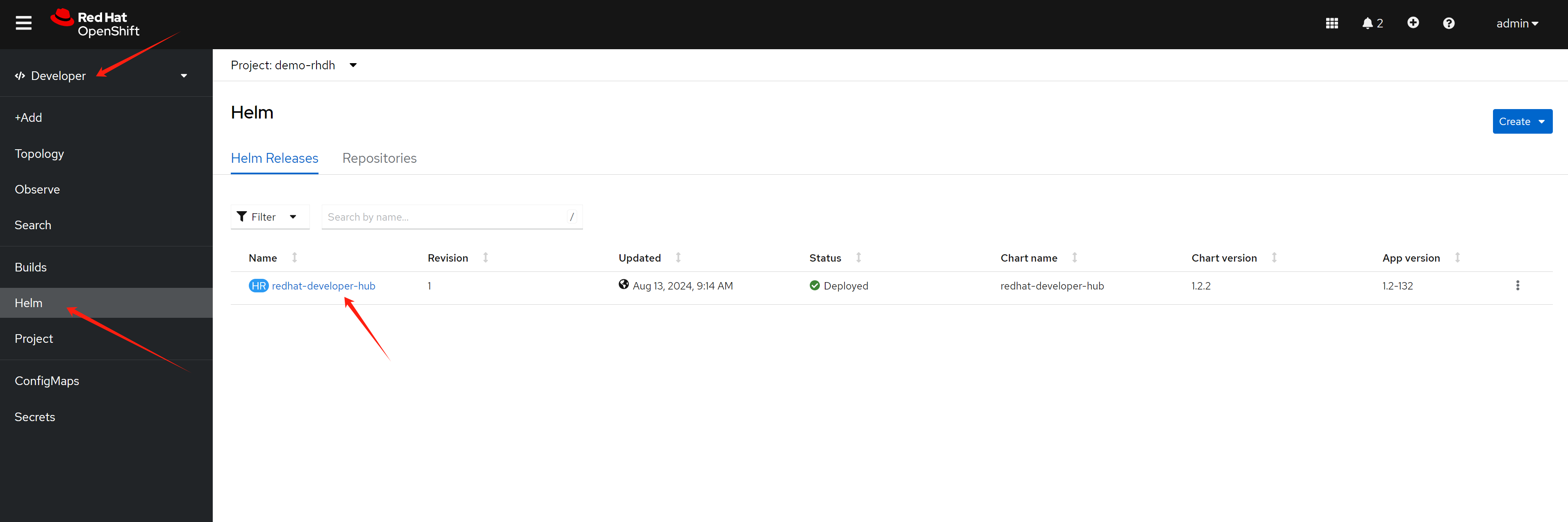
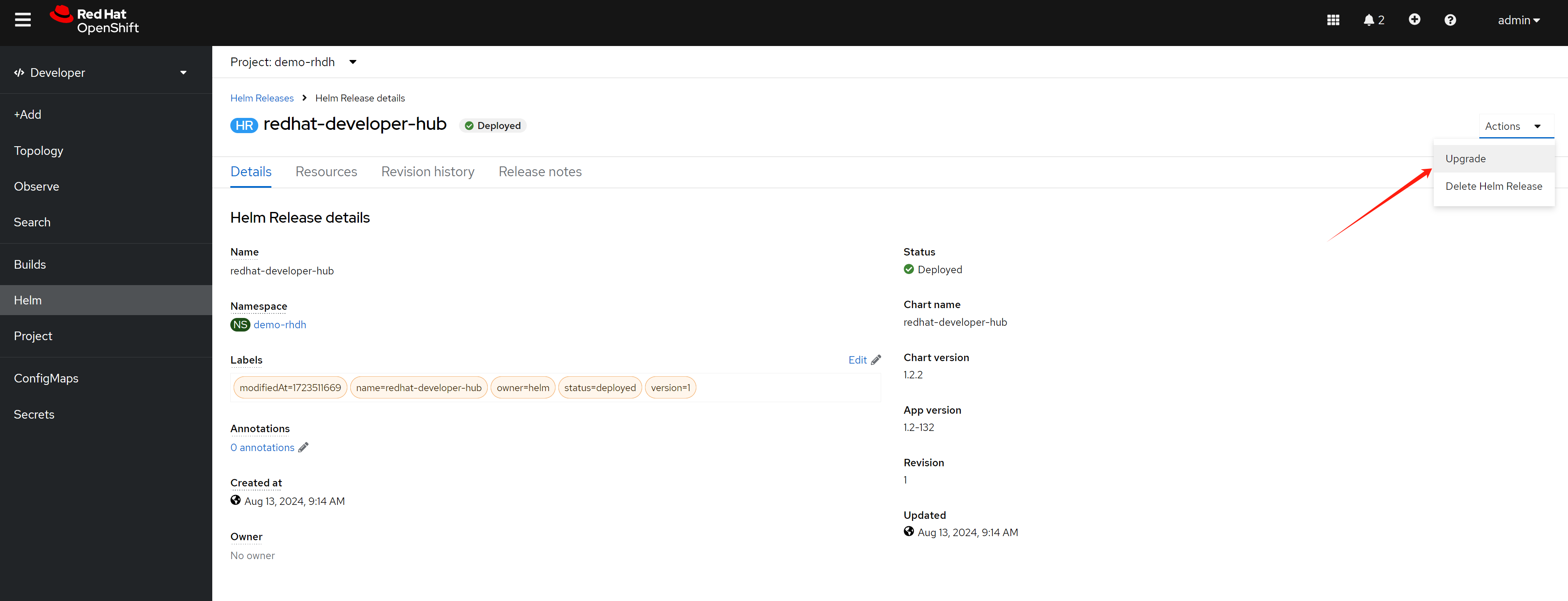
Expand Root Schema → Backstage chart schema → Backstage parameters → Extra app configuration files to inline into command arguments
upstream:
  backstage:
    extraAppConfig:
      - configMapRef: app-config-rhdh
        filename: app-config-rhdh.yaml
    # ... other Red Hat Developer Hub Hel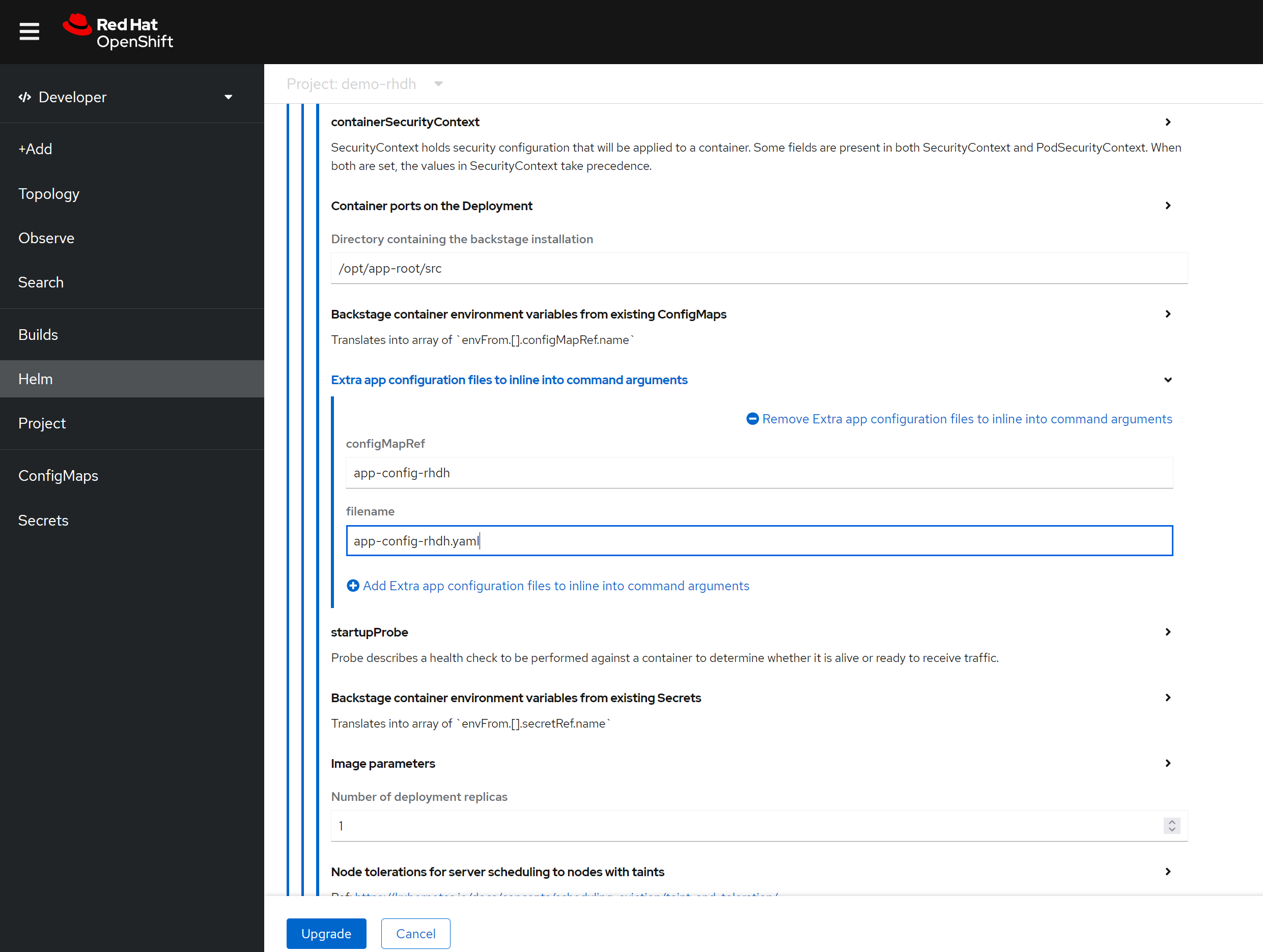
Apart from above, you can enable build-in plugins (which is disabled by default), by patch the following to the helm config, just switch to yaml view.
get the digest of the plugin first:
npm view @wangzheng422/backstage-plugin-scaffolder-backend-module-wzh-custom-actions-dynamic@0.1.9 dist.integrity
# sha512-qglFOgfep5ACQwjVmB3m+GeiOixz5JcrF/0MBiAWTbCGdp0XKIG03owGn+MDo2uxSJLSGmmRYipCQv10Um1/lA==


npm view @wangzheng422/backstage-plugin-scaffolder-backend-module-dummy-wzh-actions-dynamic@0.1.1 dist.integrity
# sha512-d8SGXRkjJExz2mQbzg8+gF3yOIUrgeYgX8+AJ0RR7eaQ46fvYKqiyRLdKjRGwjLVTdkX0PK8NU6C344VyamVUw==
global:
  dynamic:
    plugins:
      # for gitlab
      - package:    ./dynamic-plugins/dist/immobiliarelabs-backstage-plugin-gitlab
        disabled: false
      - package:    ./dynamic-plugins/dist/backstage-plugin-catalog-backend-module-gitlab-dynamic
        disabled: false
      - package:    ./dynamic-plugins/dist/immobiliarelabs-backstage-plugin-gitlab-backend-dynamic
        disabled: false
      - package:    ./dynamic-plugins/dist/backstage-plugin-scaffolder-backend-module-gitlab-dynamic
        disabled: false
      # - package:  ./dynamic-plugins/dist/backstage-plugin-catalog-backend-module-gitlab-org-dynamic
      #   disabled: false
      # - package:  '@backstage/plugin-auth-backend-module-gitlab-provider'
      #   integrity: sha512-qzNWNgneZitqYp8X2Bk6L1WYPZrzGeg5yzxm0aB79DZIaALuhqxANEVfUf+fsDj28HnzNVEU1oyoabWcNMhe3g==
      #   disabled: false

      # for github
      - package:    ./dynamic-plugins/dist/backstage-plugin-catalog-backend-module-github-dynamic
        disabled: false
      - package:    ./dynamic-plugins/dist/backstage-plugin-scaffolder-backend-module-github-dynamic
        disabled: false
      - package:    ./dynamic-plugins/dist/backstage-plugin-github-actions
        disabled: false
      - package:    ./dynamic-plugins/dist/roadiehq-backstage-plugin-github-insights
        disabled: false
      - package:    ./dynamic-plugins/dist/backstage-plugin-github-issues
        disabled: false
      - package:    ./dynamic-plugins/dist/roadiehq-backstage-plugin-github-pull-requests
        disabled: false

      # for teckton
      - package:    ./dynamic-plugins/dist/janus-idp-backstage-plugin-tekton
        disabled: false

      # for k8s
      - package:    ./dynamic-plugins/dist/backstage-plugin-kubernetes
        disabled: false
      - package:    ./dynamic-plugins/dist/backstage-plugin-kubernetes-backend-dynamic
        disabled: false

      # for gitops
      - package: ./dynamic-plugins/dist/roadiehq-backstage-plugin-argo-cd-backend-dynamic
        disabled: false
      - package: ./dynamic-plugins/dist/janus-idp-backstage-plugin-argocd
        disabled: false
      - package: ./dynamic-plugins/dist/roadiehq-backstage-plugin-argo-cd
        disabled: false
      - package:    ./dynamic-plugins/dist/roadiehq-scaffolder-backend-argocd-dynamic
        disabled: false

      # for jfrog
      - package: ./dynamic-plugins/dist/janus-idp-backstage-plugin-jfrog-artifactory
        disabled: false

      # for topology, which integrate ocp webui
      # https://janus-idp.io/plugins/topology/
      - package: ./dynamic-plugins/dist/janus-idp-backstage-plugin-topology
        disabled: false

      # for custom actions demo, wrap with dynamic plugin
      # custom action demo ok
      # - package: "@wangzheng422/backstage-plugin-scaffolder-backend-module-wzh-custom-actions-dynamic@0.1.9"
      #   disabled: false
      #   integrity: sha512-qglFOgfep5ACQwjVmB3m+GeiOixz5JcrF/0MBiAWTbCGdp0XKIG03owGn+MDo2uxSJLSGmmRYipCQv10Um1/lA==


upstream:
  backstage:
    extraEnvVars:
      # for https self certificate
      - name: NODE_TLS_REJECT_UNAUTHORIZED
        value: '0'
Summarized, you can patch the helm config like this:
global:
  # patch the base url
  clusterRouterBase: apps.demo-01-rhsys.wzhlab.top
upstream:
  backstage:
    # patch for app config
    extraAppConfig:
      - configMapRef: app-config-rhdh
        filename: app-config-rhdh.yaml
    # patch for secrets
    extraEnvVarsSecrets:
      - wzh-rhdh-credentials
    extraEnvVars:
      # for https self certificate
      - name: NODE_TLS_REJECT_UNAUTHORIZED
        value: '0'
    # extraVolumes:
    #   # patch for static pvc
    #   - name: dynamic-plugins-root
    #     persistentVolumeClaim:
    #       claimName: rhdh-plugin
custom actions
If you want to add custom action to template / scaffolder, you need to wrap your action into dynamic plugins, and import the dynamic plugins into rhdh.
Here is a demo custom action project repo coming with building dynamic plugins
- https://github.com/wangzheng422/backstage-demo-action
You can build your own custom action project based on this demo, and build the dynamic plugins, then import the dynamic plugins into rhdh.
book lab
Now we can follow the book, to do the demo, but there should be some configuration for the demo to run smoothly.
First, we need to create a new project for the demo, and
label it with
argocd.argoproj.io/managed-by=demo-gitops.
oc new-project demo-play

oc label namespace demo-play argocd.argoproj.io/managed-by=demo-gitops
Then, we need to provide the tokens for external secrets.
# we need to create a central secret store, so the lab can access the gitlab token
oc delete -f ${BASE_DIR}/data/install/external-secret.yaml -n demo-play
cat << EOF > ${BASE_DIR}/data/install/external-secret.yaml
apiVersion: external-secrets.io/v1beta1
kind: ClusterSecretStore
metadata:
  name: fake-secret-store
spec:
  provider:
    fake:
      data:
      - key: "secrets/janusidp/gitlab"
        value: "$GITLAB_PAT"
        version: "v1"
      - key: "secrets/janusidp/gitlab_webhook"
        value: "redhatocp"
        version: "v1"
EOF

oc create --save-config -f ${BASE_DIR}/data/install/external-secret.yaml -n demo-play

kubectl get SecretStores,ClusterSecretStores,ExternalSecrets --all-namespaces
# NAMESPACE   NAME                                                       AGE   STATUS   CAPABILITIES   READY
#             clustersecretstore.external-secrets.io/fake-secret-store   56m   Valid    ReadWrite      True

# NAMESPACE   NAME                                                                           STORE               REFRESH INTERVAL   STATUS         READY
# demo-play   externalsecret.external-secrets.io/demo-play-demo-01-external-git-token        fake-secret-store   1h                 SecretSynced   True
# demo-play   externalsecret.external-secrets.io/demo-play-demo-01-external-webhook-secret   fake-secret-store   1h                 SecretSynced   True
Now, we need to prepare the docker config for the pipeline, so the pipeline can access the internal registry.
# the openshift will store service account's docker config in secret, but the format is different from docker config file.
# so we need to convert it to docker config file.

# get secret name, that begin with builder-dockercfg
SECRET_NAME=`oc get secret -n demo-play | grep builder-dockercfg | awk '{print $1}'`
echo $SECRET_NAME

# get the dockercfg content from the secret
oc get secret $SECRET_NAME -n demo-play -o jsonpath='{.data.\.dockercfg}' | base64 --decode > ${BASE_DIR}/data/install/k8s_dockercfg.json

# create a python script to convert k8s dockercfg to podman authfile
cat << EOF > ${BASE_DIR}/data/install/docker.cfg.convert.py
import json

def k8s_to_podman(k8s_file, podman_file):
    with open(k8s_file, 'r') as f:
        k8s_data = json.load(f)

    podman_data = {"auths": {}}
    for registry, creds in k8s_data.items():
        podman_data["auths"][registry] = {"auth": creds["auth"]}

    with open(podman_file, 'w') as f:
        json.dump(podman_data, f, indent=2)

# 使用示例
k8s_to_podman('k8s_dockercfg.json', 'podman_authfile.json')
EOF

# convert k8s dockercfg to podman authfile
cd ${BASE_DIR}/data/install/
python3 docker.cfg.convert.py


# create k8s secret from podman authfile
oc delete secret wzh-docker-authfile -n demo-play
oc create secret generic wzh-docker-authfile --from-file=config.json=podman_authfile.json -n demo-play
If we use the jfrog, we need to provide the jfrog token to the pipeline.
oc registry login --registry="192.168.50.17:8082" \
  --auth-basic="admin:password" \
  --to=${BASE_DIR}/data/install/internal-registry-secret.json

# test with jfrog
oc delete secret wzh-docker-authfile -n demo-play
oc create secret generic wzh-docker-authfile --from-file=config.json=${BASE_DIR}/data/install/internal-registry-secret.json -n demo-play

# we also need to change the source code, to use the docker config secret
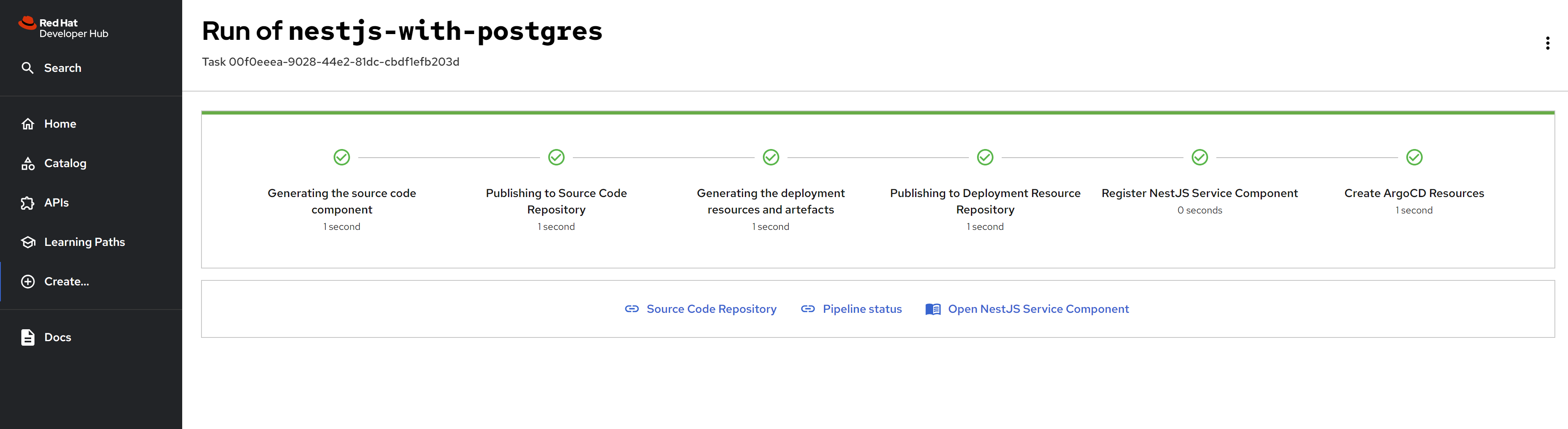
If everything works well, you can see the rhdh like these:
The resources created through the scaffolding project have been successfully completed.
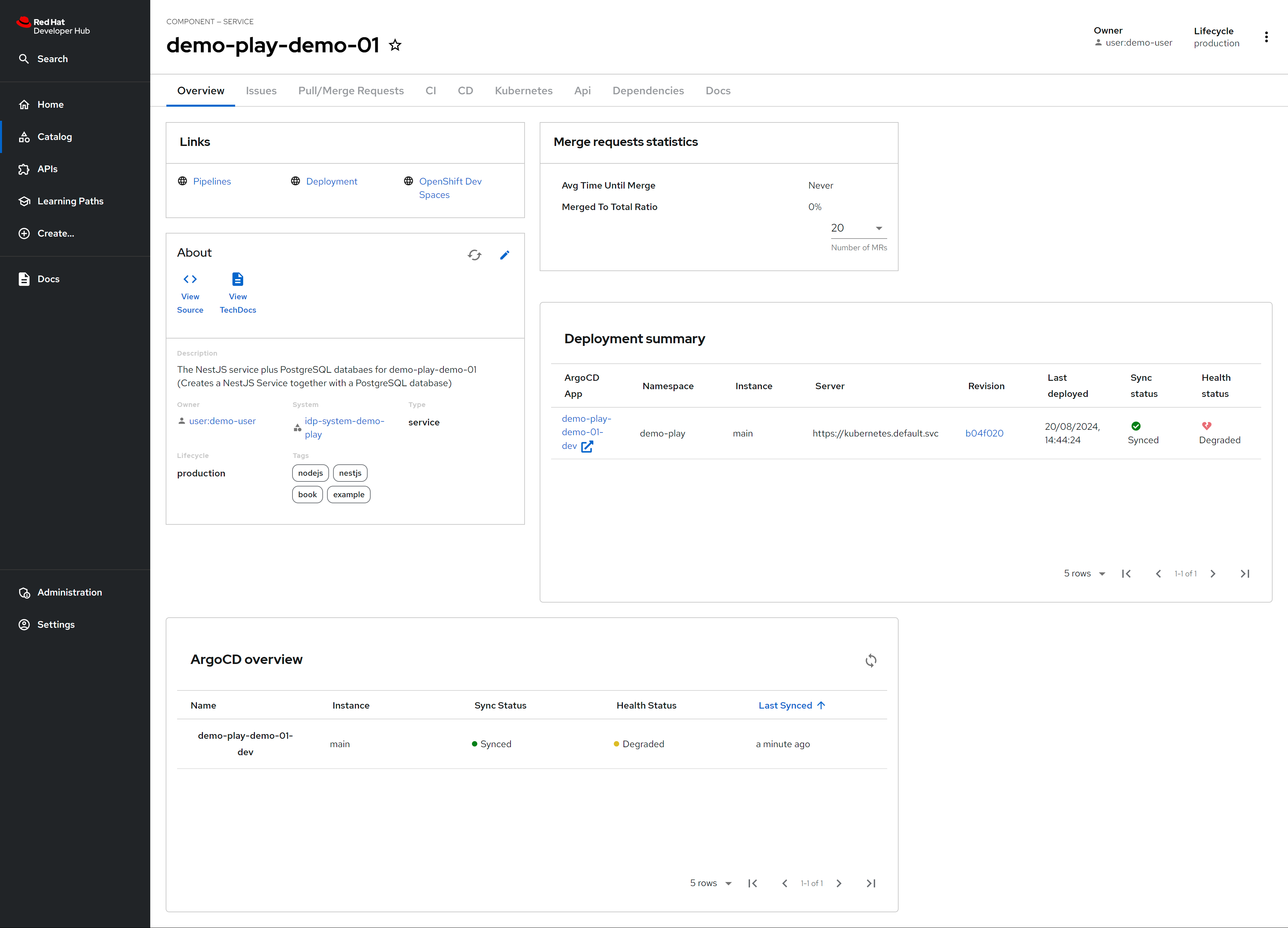
The components in RHDH is shown as below.
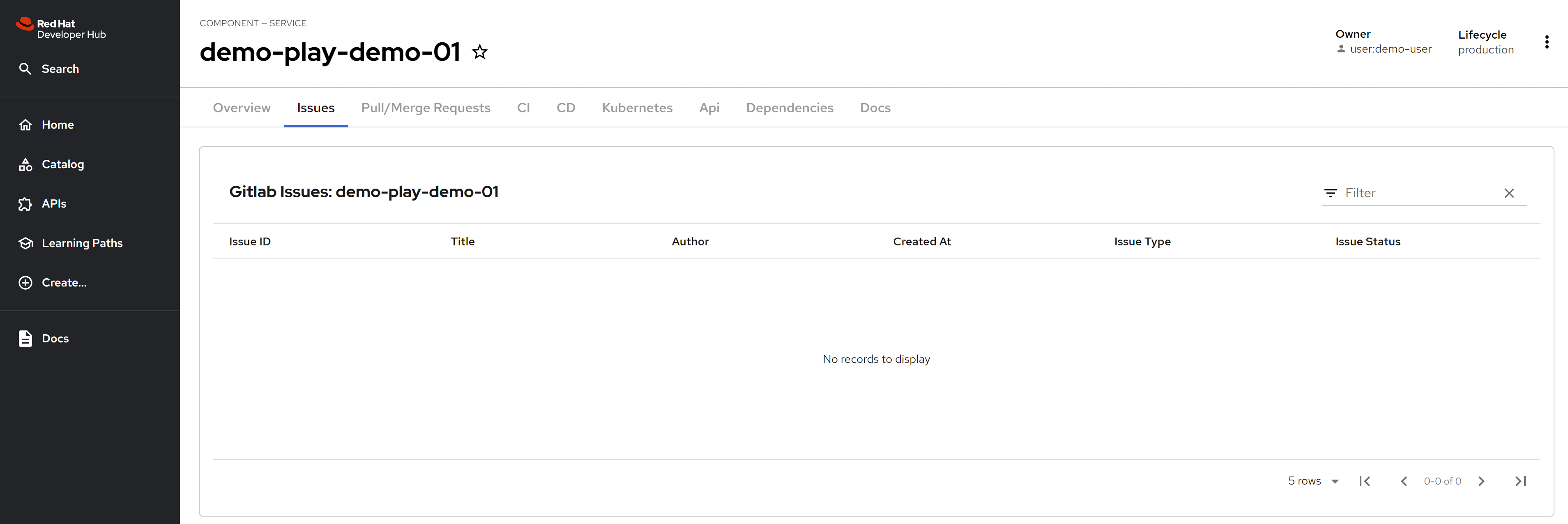
Issues from gitlab is integrated.
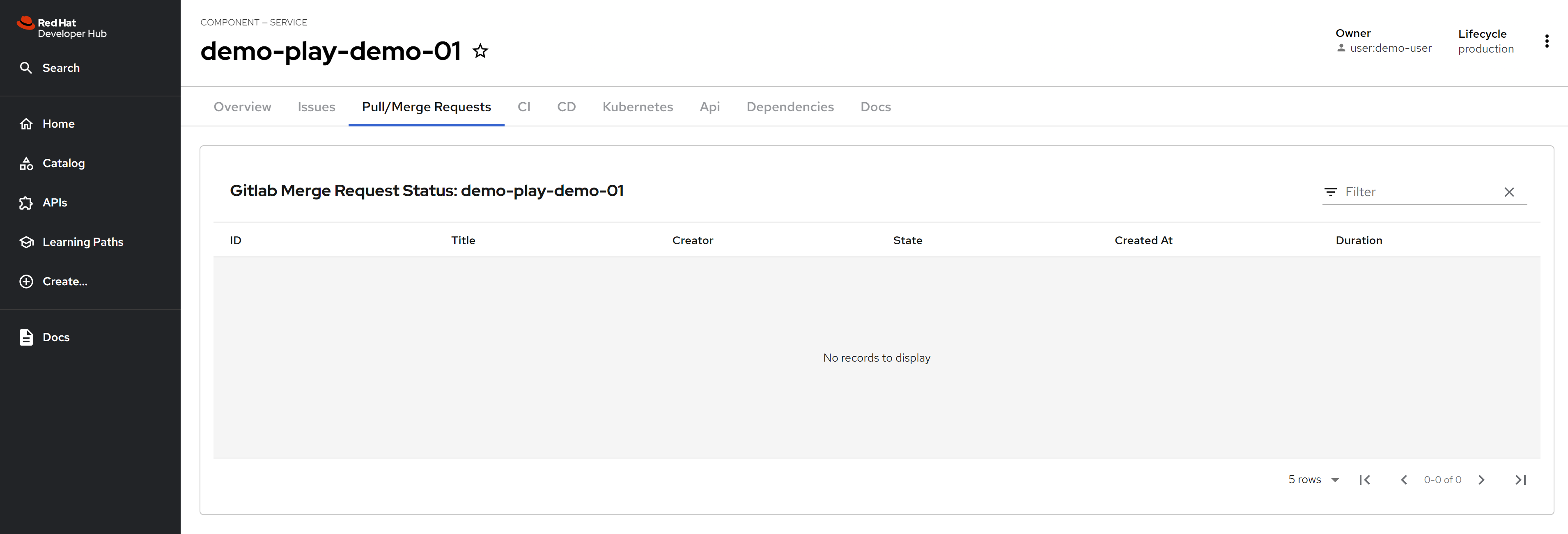
Pull/Merge requests from gitlab is integrated.
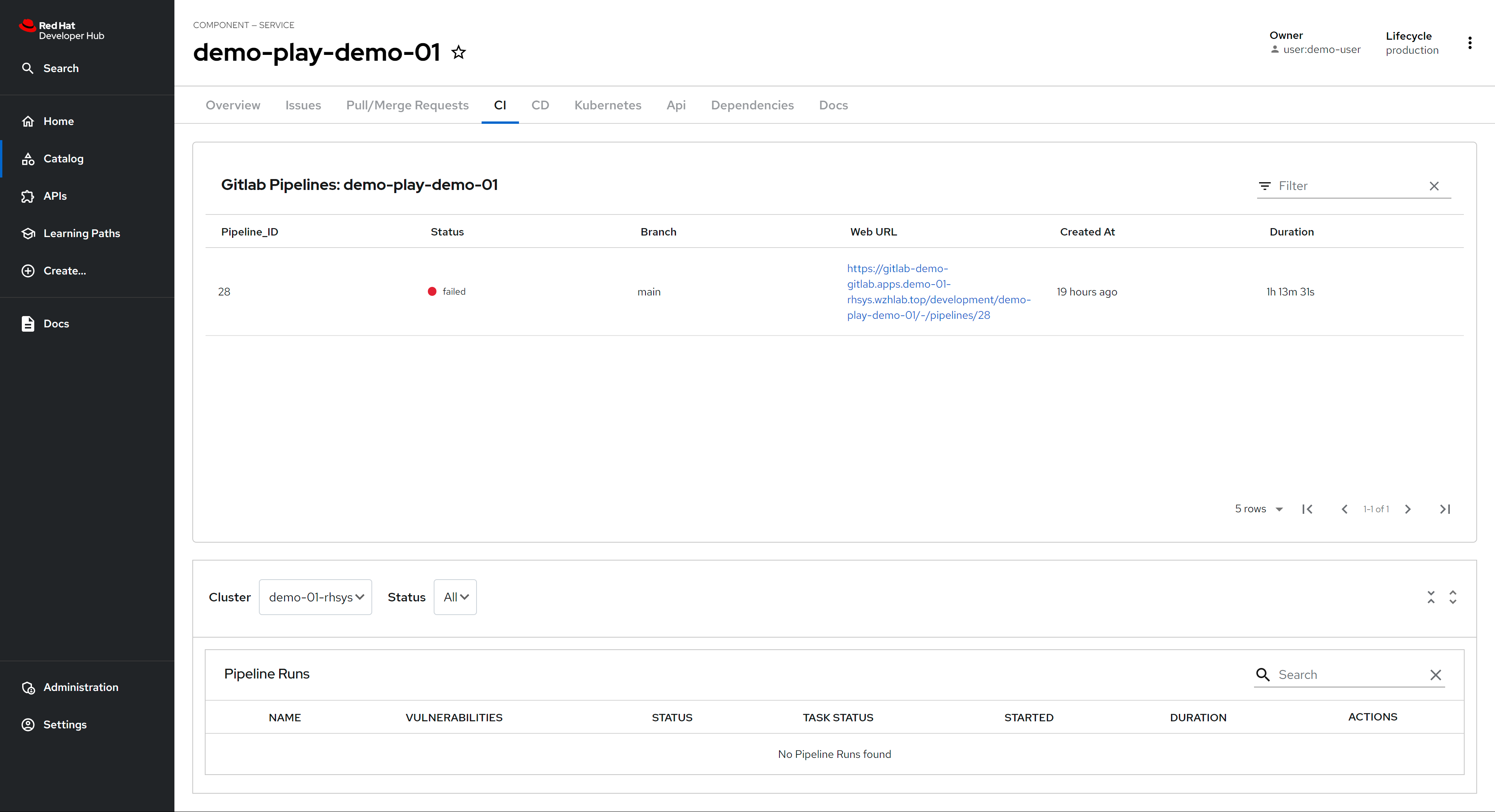
Gitlab pipeline is integrated.
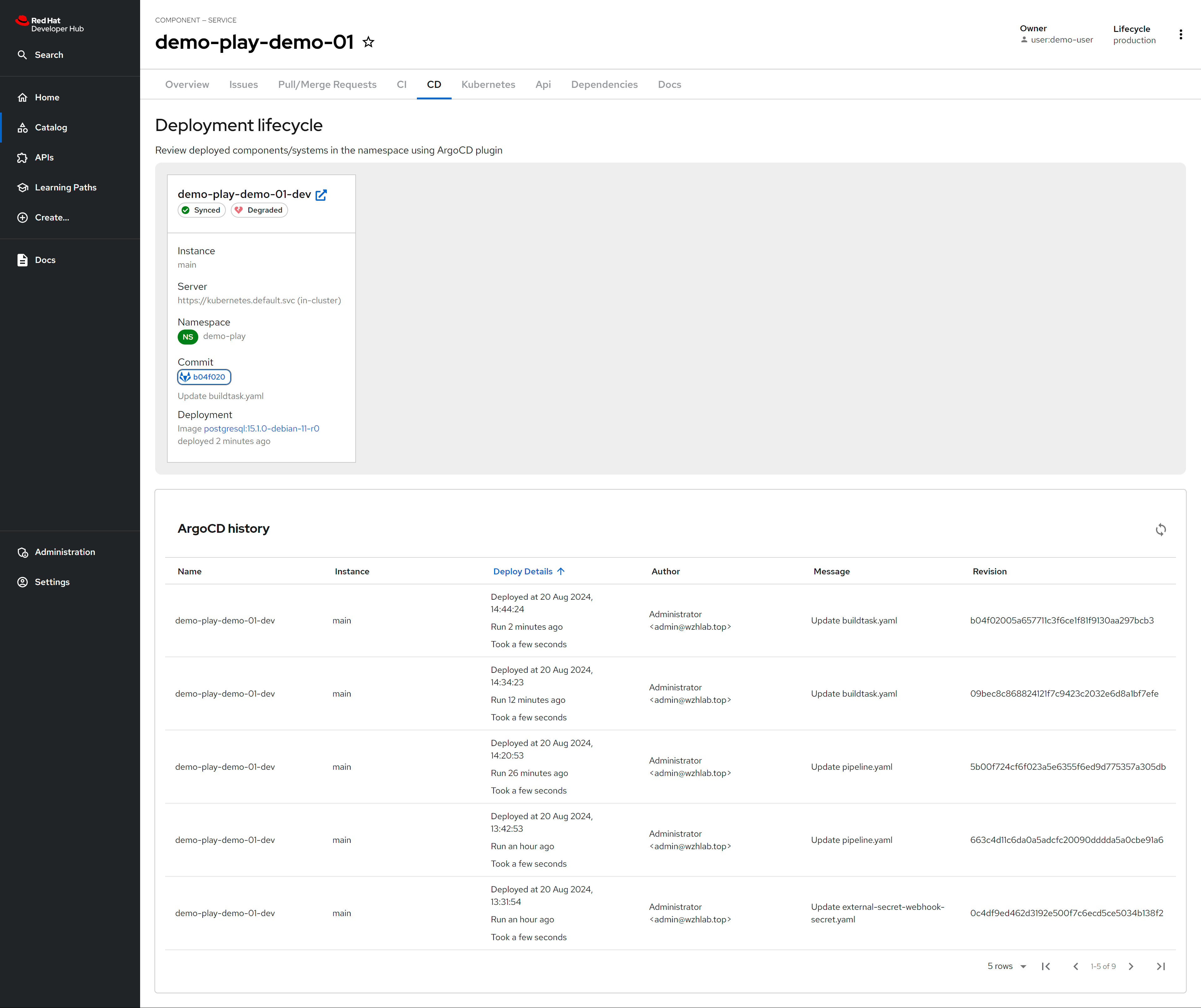
Argocd/ocp pipeline is integrated.
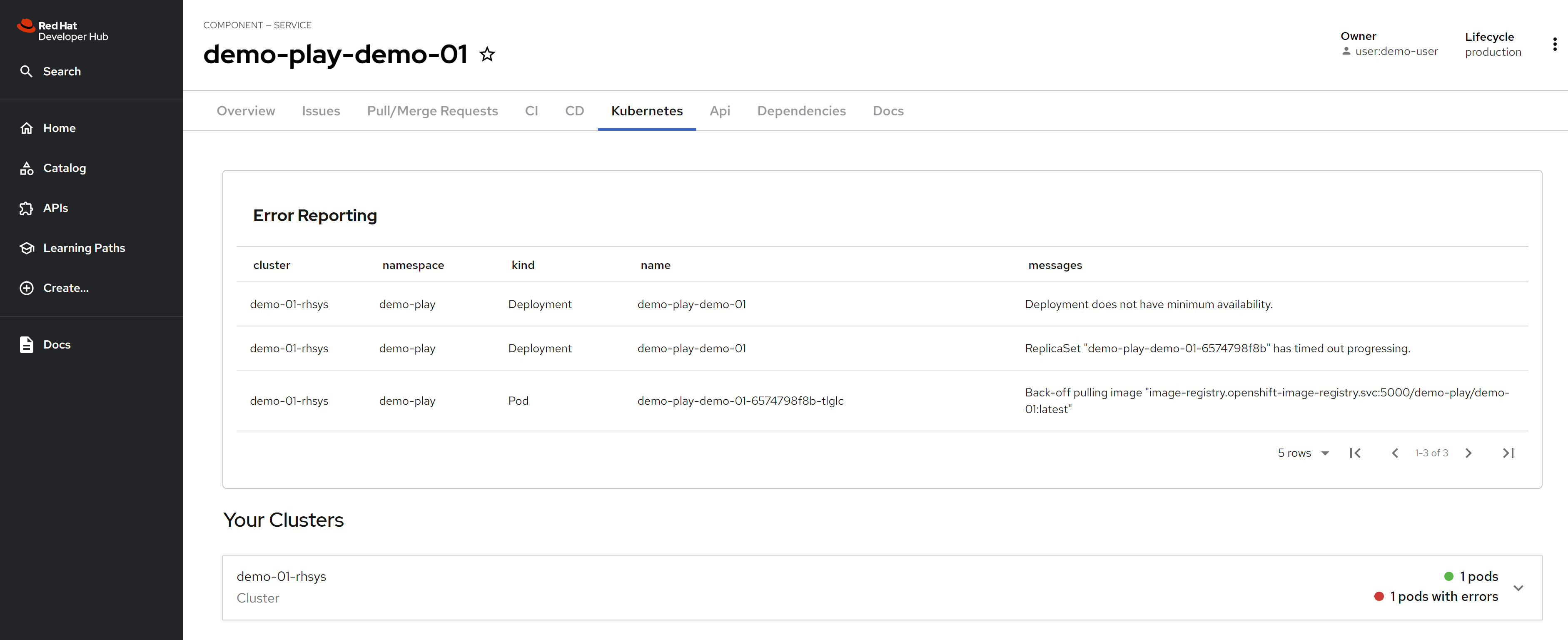
K8s/ocp resources is integrated.
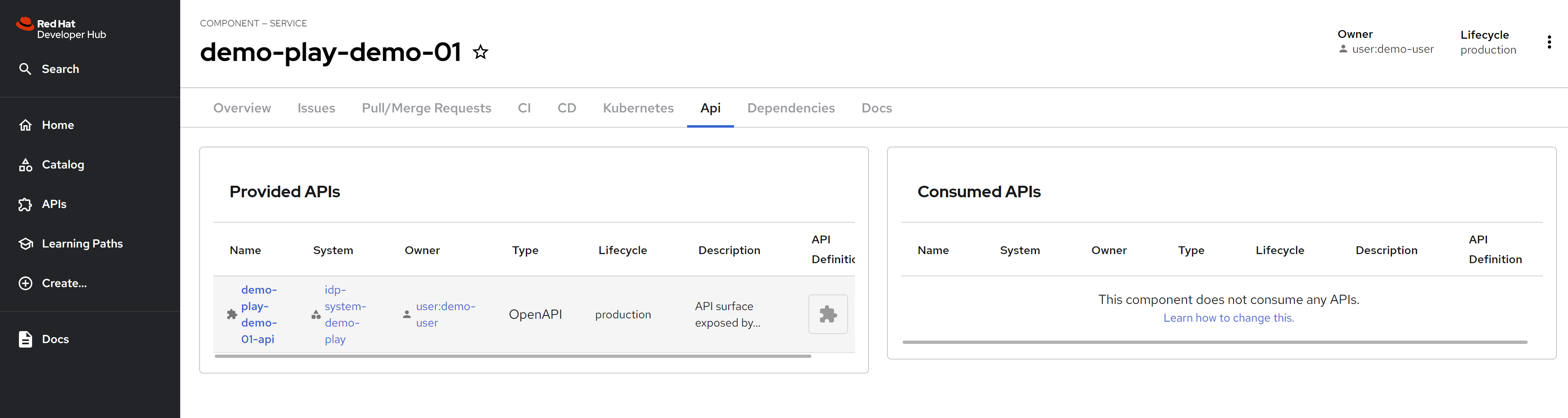
API information of the rhdh project is shown, which is defined in annotation of catalog-info.yaml
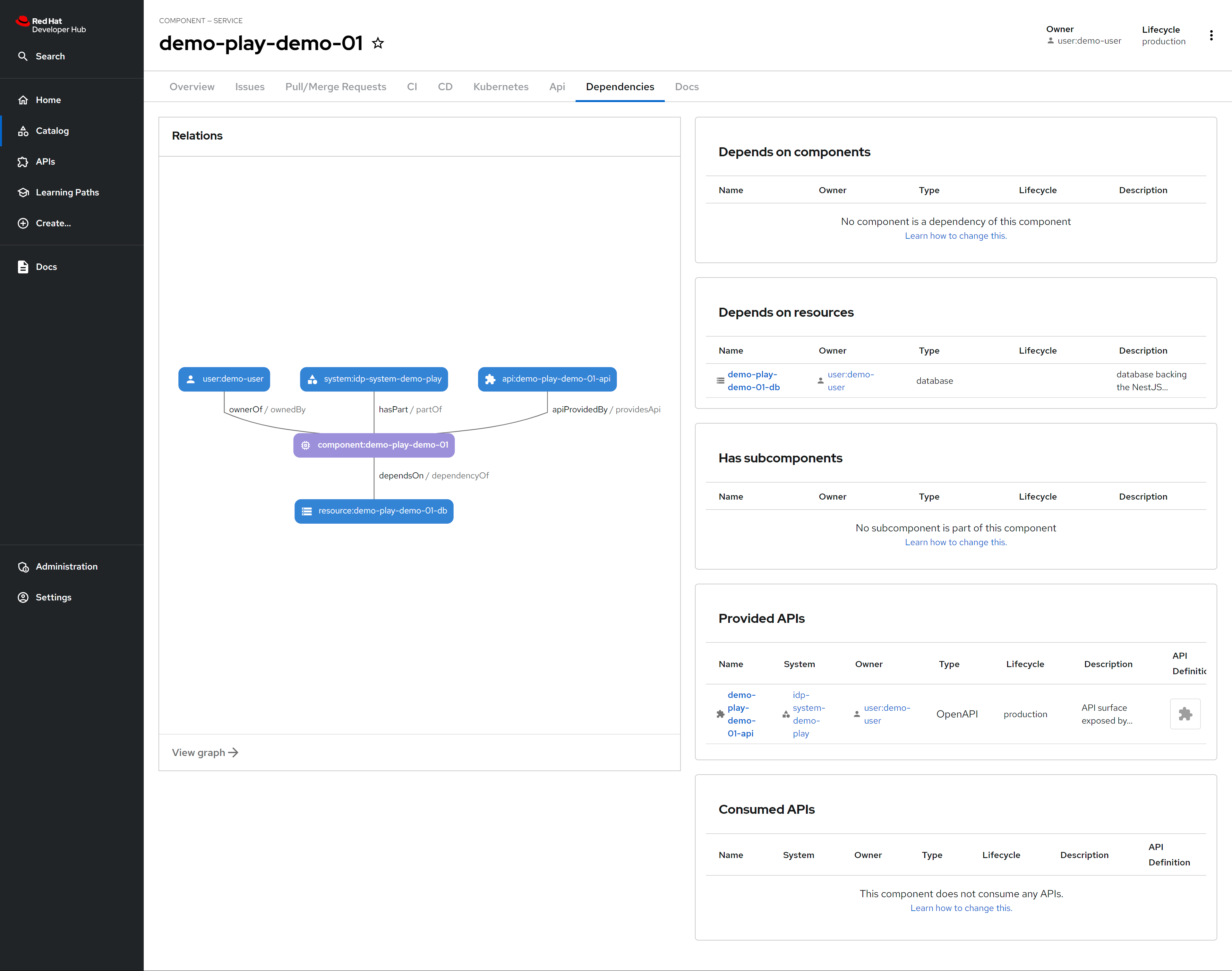
There is dependency defined in rhdh, which is in annotation of catalog-info.yaml.
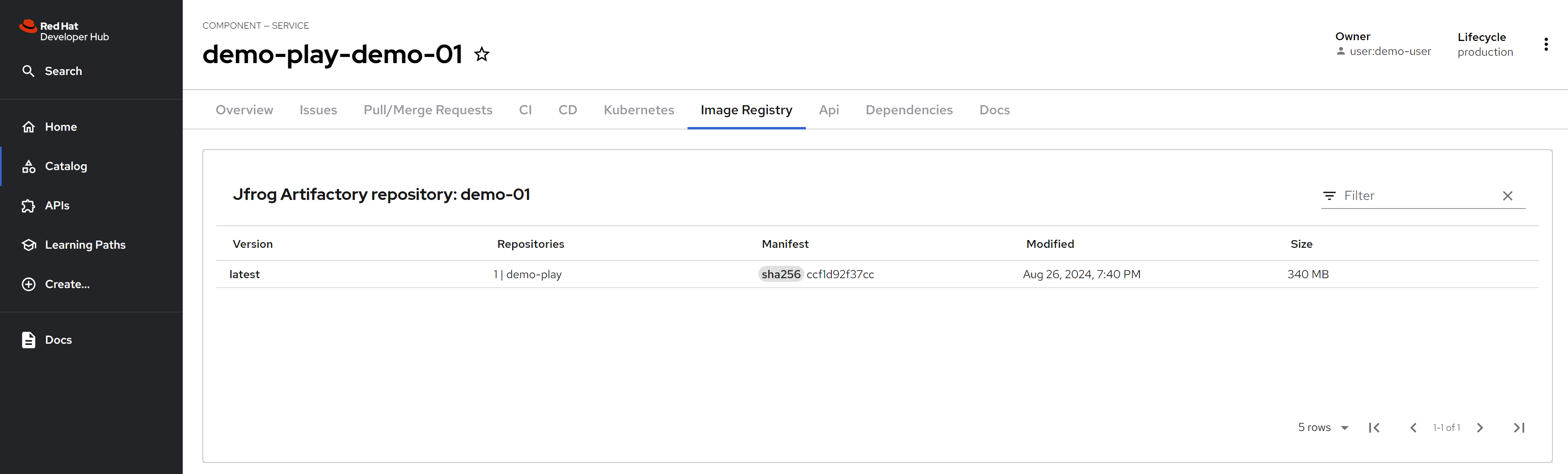
After integrate with jfrog, you can see the jfrog container image resources.
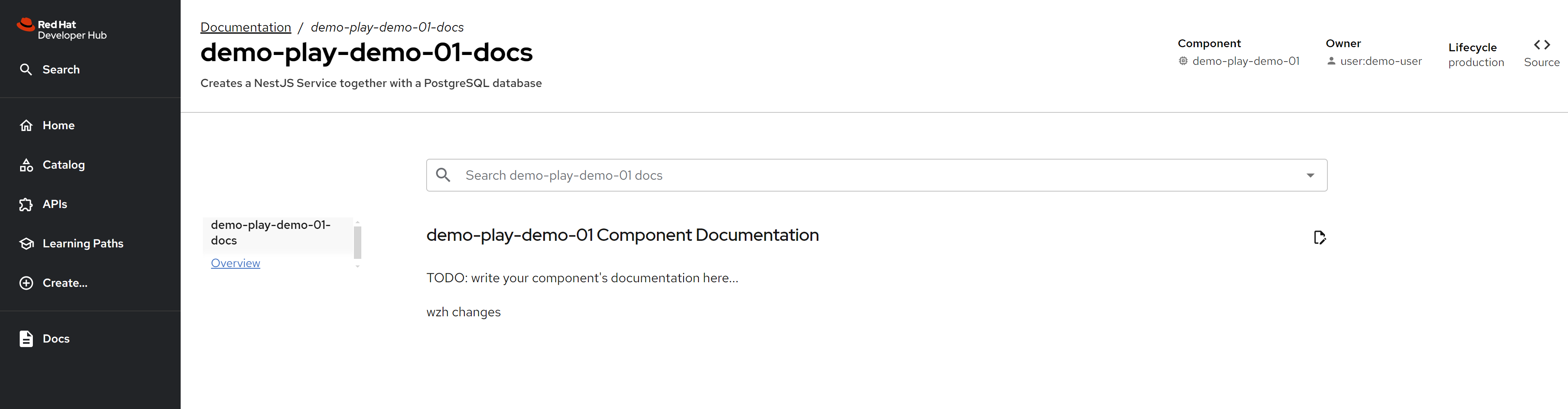
By default, the techdoc will run locally, so you can see it without any configuration, just enable it.
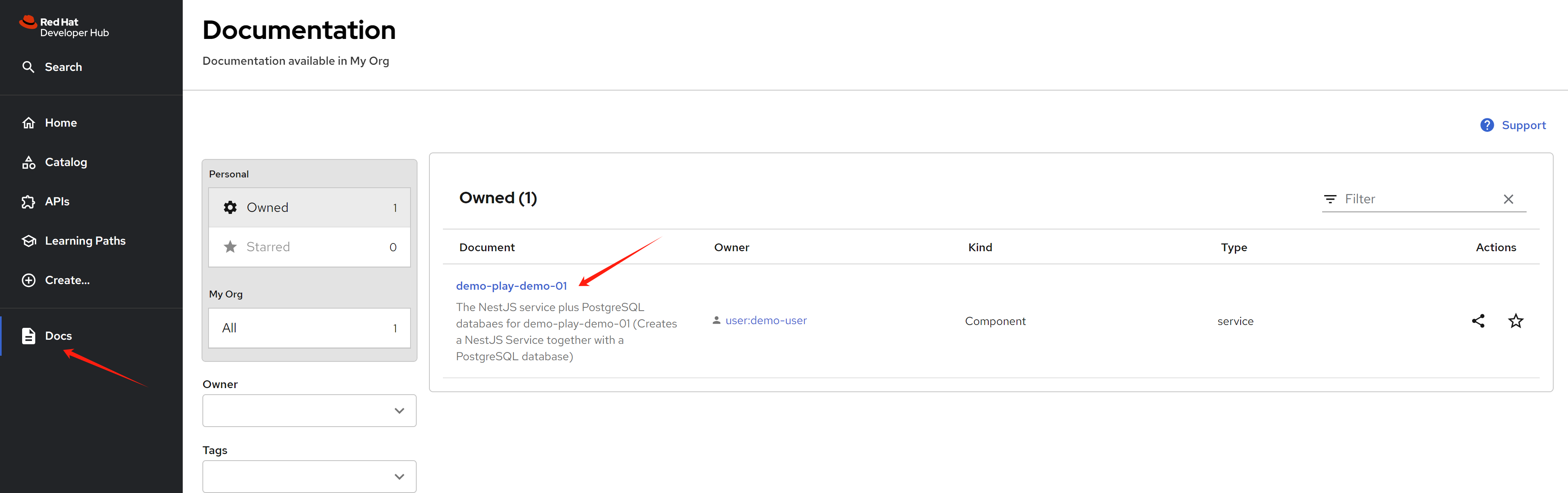
Yon can see the techdoc after click the link, and it will automatically generate the website.
continue the book
I did not realize that naming plays an important role in understanding the content of project experiments.
- demo-01 means poi-backend
- demo-02 means poi-map (frontend)
# chapter 4

# on helper

mkdir -p ${BASE_DIR}/data/git

cd ${BASE_DIR}/data/git

git config --global http.sslVerify false
git config --global user.email "you@example.com"
git config --global user.name "root"

# for backend app
git clone https://gitlab-demo-gitlab.apps.demo-01-rhsys.wzhlab.top/development/demo-play-demo-01

cd demo-play-demo-01

cat openapi.yaml | grep "\- url: "
  # - url: https://demo-play-demo-01-demo-play.apps.demo-01-rhsys.wzhlab.top/
  # - url: http://localhost:3000/

git remote add solution https://github.com/developer-hub-books/rhdh-book1-sample-code-poi-backend.git

git fetch solution

git checkout -b app-dev

git merge --allow-unrelated-histories --strategy-option theirs -m "merge provided sample code" solution/main

git commit -am "implement poi backend"

git push origin app-dev

# update the openapi.yaml for url in gitlab webIDE

# for frontend app
cd ${BASE_DIR}/data/git

git clone https://gitlab-demo-gitlab.apps.demo-01-rhsys.wzhlab.top/development/demo-play-demo-02

cd demo-play-demo-02

git remote add solution https://github.com/developer-hub-books/rhdh-book1-sample-code-poi-map.git

git fetch solution

git checkout -b app-dev

git merge --allow-unrelated-histories --strategy-option theirs -m "merge provided sample code" solution/main

git commit -am "implement poi frontend"

git push origin app-dev