[!CAUTION] under development
improve keycloak performance by seperate infinispan cache
Keycloak is a powerful and flexible open-source identity and access management solution from Red Hat. It is a popular choice for many organizations to secure their applications and services. However, as with any software, Keycloak’s performance can be affected by various factors, such as the size of the user base, the complexity of the access control policies, and the underlying infrastructure.
We wants to create a demo, by creating 50k user in keycloak, and test the performance of keycloak. Then, seperate the infinispan cache to another server, and test the performance again.
try on redhat keycloak-24
Customer using rhsso 7.1, but we want to test it on keycloak-24, to simulate the error. And we can get some basic idea about the performance of keycloak.
build keycloak tool image
- https://catalog.redhat.com/software/containers/rhbk/keycloak-rhel9/64f0add883a29ec473d40906?container-tabs=dockerfile
# as root

mkdir -p ./data/keycloak.tool
cd ./data/keycloak.tool

cat << 'EOF' > bashrc
alias ls='ls --color=auto'
export PATH=/opt/keycloak/bin:$PATH
EOF


cat << EOF > Dockerfile
FROM registry.redhat.io/ubi9/ubi AS ubi-micro-build
RUN mkdir -p /mnt/rootfs
RUN dnf install --installroot /mnt/rootfs  --releasever 9 --setopt install_weak_deps=false --nodocs -y /usr/bin/ps bash-completion coreutils /usr/bin/curl jq python3 /usr/bin/tar /usr/bin/sha256sum vim nano && \
    dnf --installroot /mnt/rootfs clean all && \
    rpm --root /mnt/rootfs -e --nodeps setup

FROM registry.redhat.io/rhbk/keycloak-rhel9:24
COPY --from=ubi-micro-build /mnt/rootfs /
COPY bashrc /opt/keycloak/.bashrc
EOF

podman build -t quay.io/wangzheng422/qimgs:keycloak.tool-2024-10-06-v01 .

podman push quay.io/wangzheng422/qimgs:keycloak.tool-2024-10-06-v01

podman run -it --entrypoint /bin/bash quay.io/wangzheng422/qimgs:keycloak.tool-2024-10-06-v01
deploy keycloak tool on ocp
oc delete -n demo-keycloak -f ${BASE_DIR}/data/install/keycloak.tool.yaml

cat << EOF > ${BASE_DIR}/data/install/keycloak.tool.yaml
apiVersion: v1
kind: Pod
metadata:
  name: keycloak-tool
spec:
  containers:
  - name: keycloak-tool-container
    image: quay.io/wangzheng422/qimgs:keycloak.tool-2024-10-06-v01
    command: ["tail", "-f", "/dev/null"]
EOF

oc apply -f ${BASE_DIR}/data/install/keycloak.tool.yaml -n demo-keycloak

# start the shell
oc exec -it keycloak-tool -n demo-keycloak -- bash

# copy something out
oc cp -n demo-keycloak keycloak-tool:/opt/keycloak/metrics ./metrics
deploy another test pod on ocp
oc delete -n demo-keycloak -f ${BASE_DIR}/data/install/demo.test.pod.yaml

cat << EOF > ${BASE_DIR}/data/install/demo.test.pod.yaml
apiVersion: v1
kind: Pod
metadata:
  name: demo-test-pod
spec:
  containers:
  - name: demo-test-container
    image: quay.io/wangzheng422/qimgs:rocky9-test-2024.06.17.v01
    command: ["tail", "-f", "/dev/null"]
EOF

oc apply -f ${BASE_DIR}/data/install/demo.test.pod.yaml -n demo-keycloak

# start the shell
oc exec -it demo-test-pod -n demo-keycloak -- bash
get keycloak config from ocp
operator config, current version:
24.0.8-opr.1
apiVersion: k8s.keycloak.org/v2alpha1
kind: Keycloak
metadata:
  name: example-kc
  namespace: demo-keycloak
spec:
  additionalOptions:
    - name: log-level
      value: debug
  db:
    host: postgres-db
    passwordSecret:
      key: password
      name: keycloak-db-secret
    usernameSecret:
      key: username
      name: keycloak-db-secret
    vendor: postgres
  hostname:
    hostname: keycloak-demo-keycloak.apps.demo-01-rhsys.wzhlab.top
  http:
    httpEnabled: true
    tlsSecret: example-tls-secret
  instances: 1
  proxy:
    headers: xforwarded
oc exec -it example-kc-0 -n demo-keycloak -- ls /opt/keycloak/conf
# cache-ispn.xml  keycloak.conf  README.md  truststores

# oc exec -it example-kc-0 -n demo-keycloak -- ls -R /opt/keycloak

oc exec -it example-kc-0 -n demo-keycloak -- cat /opt/keycloak/conf/cache-ispn.xml
<?xml version="1.0" encoding="UTF-8"?>
<!--
~ Copyright 2019 Red Hat, Inc. and/or its affiliates
~ and other contributors as indicated by the @author tags.
~
~ Licensed under the Apache License, Version 2.0 (the "License");
~ you may not use this file except in compliance with the License.
~ You may obtain a copy of the License at
~
~ http://www.apache.org/licenses/LICENSE-2.0
~
~ Unless required by applicable law or agreed to in writing, software
~ distributed under the License is distributed on an "AS IS" BASIS,
~ WITHOUT WARRANTIES OR CONDITIONS OF ANY KIND, either express or implied.
~ See the License for the specific language governing permissions and
~ limitations under the License.
-->
<infinispan
xmlns:xsi="http://www.w3.org/2001/XMLSchema-instance"
xsi:schemaLocation="urn:infinispan:config:14.0 http://www.infinispan.org/schemas/infinispan-config-14.0.xsd"
xmlns="urn:infinispan:config:14.0">
<cache-container name="keycloak">
<transport lock-timeout="60000" stack="udp"/>
<metrics names-as-tags="true" />
<local-cache name="realms" simple-cache="true">
<encoding>
<key media-type="application/x-java-object"/>
<value media-type="application/x-java-object"/>
</encoding>
<memory max-count="10000"/>
</local-cache>
<local-cache name="users" simple-cache="true">
<encoding>
<key media-type="application/x-java-object"/>
<value media-type="application/x-java-object"/>
</encoding>
<memory max-count="10000"/>
</local-cache>
<distributed-cache name="sessions" owners="2">
<expiration lifespan="-1"/>
</distributed-cache>
<distributed-cache name="authenticationSessions" owners="2">
<expiration lifespan="-1"/>
</distributed-cache>
<distributed-cache name="offlineSessions" owners="2">
<expiration lifespan="-1"/>
</distributed-cache>
<distributed-cache name="clientSessions" owners="2">
<expiration lifespan="-1"/>
</distributed-cache>
<distributed-cache name="offlineClientSessions" owners="2">
<expiration lifespan="-1"/>
</distributed-cache>
<distributed-cache name="loginFailures" owners="2">
<expiration lifespan="-1"/>
</distributed-cache>
<local-cache name="authorization" simple-cache="true">
<encoding>
<key media-type="application/x-java-object"/>
<value media-type="application/x-java-object"/>
</encoding>
<memory max-count="10000"/>
</local-cache>
<replicated-cache name="work">
<expiration lifespan="-1"/>
</replicated-cache>
<local-cache name="keys" simple-cache="true">
<encoding>
<key media-type="application/x-java-object"/>
<value media-type="application/x-java-object"/>
</encoding>
<expiration max-idle="3600000"/>
<memory max-count="1000"/>
</local-cache>
<distributed-cache name="actionTokens" owners="2">
<encoding>
<key media-type="application/x-java-object"/>
<value media-type="application/x-java-object"/>
</encoding>
<expiration max-idle="-1" lifespan="-1" interval="300000"/>
<memory max-count="-1"/>
</distributed-cache>
</cache-container>
</infinispan>on keycloak
oc rsh -n demo-keycloak example-kc-0

cd /opt/keycloak/bin
ls
# client  federation-sssd-setup.sh  kcadm.bat  kcadm.sh  kc.bat  kcreg.bat  kcreg.sh  kc.sh

export PATH=/opt/keycloak/bin:$PATH
patch to the operator config
- https://www.keycloak.org/server/all-config
spec:
  http:
    httpEnabled: true
  cache:
    configMapFile:
      key: keycloak.cache-ispn.xml
      name: keycloak-cache-ispn
  # db:
  #   poolMaxSize: 1000
  additionalOptions:
    - name: metrics-enabled
      value: 'true'
    # - name: log-level
    #   value: debug
  instances: 2
it seems the config is enabled using env.
monitoring keycloak
cat << EOF > ${BASE_DIR}/data/install/enable-monitor.yaml
apiVersion: v1
kind: ConfigMap
metadata:
  name: cluster-monitoring-config
  namespace: openshift-monitoring
data:
  config.yaml: |
    enableUserWorkload: true
    # alertmanagerMain:
    #   enableUserAlertmanagerConfig: true
EOF

oc apply -f ${BASE_DIR}/data/install/enable-monitor.yaml

oc -n openshift-user-workload-monitoring get pod

# monitor keycloak
oc delete -n demo-keycloak -f ${BASE_DIR}/data/install/keycloak-monitor.yaml

cat << EOF > ${BASE_DIR}/data/install/keycloak-monitor.yaml
---
apiVersion: monitoring.coreos.com/v1
kind: ServiceMonitor
metadata:
  name: keycloak
  namespace: demo-keycloak
spec:
  endpoints:
    - interval: 5s
      path: /metrics
      port: http
      scheme: http
  namespaceSelector:
    matchNames:
      - demo-keycloak
  selector:
    matchLabels:
      app: keycloak
# ---
# apiVersion: monitoring.coreos.com/v1
# kind: PodMonitor
# metadata:
#   name: keycloak
#   namespace: demo-keycloak
# spec:
#   podMetricsEndpoints:
#     - interval: 5s
#       path: /metrics
#       port: http
#       scheme: http
#       # relabelings:
#       #   - sourceLabels: [__name__]
#       #     targetLabel: __name__
#       #     replacement: 'keycloak.${1}'
#   namespaceSelector:
#     matchNames:
#       - demo-keycloak
#   selector:
#     matchLabels:
#       app: keycloak
EOF

oc apply -f ${BASE_DIR}/data/install/keycloak-monitor.yaml -n demo-keycloak
init users
First, we need to create 50k user in keycloak.
Lets do it by using keycloak admin cli.
ADMIN_PWD='51a3bf077ab5465e84c51729c6a29f27'
CLIENT_SECRET="N9vQU3ldclpm2rWNlFvbnbTgFXU9XUyu"

# after enable http in keycloak, you can use http endpoint
# it is better to set session timeout for admin for 1 day :)
kcadm.sh config credentials --server http://example-kc-service:8080/ --realm master --user admin --password $ADMIN_PWD

# create a realm
kcadm.sh create realms -s realm=performance -s enabled=true

# Set SSO Session Max and SSO Session Idle to 1 day (1440 minutes)
kcadm.sh update realms/performance -s 'ssoSessionMaxLifespan=86400' -s 'ssoSessionIdleTimeout=86400'

# delete the realm
kcadm.sh delete realms/performance

# create a client
kcadm.sh create clients -r performance -s clientId=performance -s enabled=true -s 'directAccessGrantsEnabled=true'

# delete the client
CLIENT_ID=$(kcadm.sh get clients -r performance -q clientId=performance | jq -r '.[0].id')
if [ -n "$CLIENT_ID" ]; then
  echo "Deleting client performance"
  kcadm.sh delete clients/$CLIENT_ID -r performance
else
  echo "Client performance not found"
fi

# create 50k user, from user-00001 to user-50000, and set password for each user
for i in {1..50000}; do
  echo "Creating user user-$(printf "%05d" $i)"
  kcadm.sh create users -r performance -s username=user-$(printf "%05d" $i) -s enabled=true -s email=user-$(printf "%05d" $i)@wzhlab.top -s firstName=First-$(printf "%05d" $i) -s lastName=Last-$(printf "%05d" $i)
  kcadm.sh set-password -r performance --username user-$(printf "%05d" $i) --new-password password
done

# Delete users
for i in {1..50000}; do
  USER_ID=$(kcadm.sh get users -r performance -q username=user-$(printf "%05d" $i) | jq -r '.[0].id')
  if [ -n "$USER_ID" ]; then
    echo "Deleting user user-$(printf "%05d" $i)"
    kcadm.sh delete users/$USER_ID -r performance
  else
    echo "User user-$(printf "%05d" $i) not found"
  fi
done
create user using job
oc delete -n demo-keycloak -f ${BASE_DIR}/data/install/keycloak-script-create-users.yaml

cat << EOF > ${BASE_DIR}/data/install/keycloak-script-sa.yaml
---
apiVersion: v1
kind: ServiceAccount
metadata:
  name: keycloak-sa
  namespace: demo-keycloak
---
apiVersion: security.openshift.io/v1
kind: SecurityContextConstraints
metadata:
  name: keycloak-scc
allowHostDirVolumePlugin: false
allowHostIPC: false
allowHostNetwork: false
allowHostPID: false
allowHostPorts: false
allowPrivilegeEscalation: true
allowPrivilegedContainer: false
allowedCapabilities: []
defaultAddCapabilities: []
fsGroup:
  type: RunAsAny
groups: []
priority: null
readOnlyRootFilesystem: false
requiredDropCapabilities: []
runAsUser:
  type: MustRunAs
  uid: 1000
seLinuxContext:
  type: RunAsAny
seccompProfiles:
- '*'
supplementalGroups:
  type: RunAsAny
users:
- system:serviceaccount:demo-keycloak:keycloak-sa
volumes:
- configMap
- emptyDir
- projected
- secret
- downwardAPI
EOF

oc apply -f ${BASE_DIR}/data/install/keycloak-script-sa.yaml -n demo-keycloak

oc adm policy add-scc-to-user keycloak-scc -z keycloak-sa -n demo-keycloak
oc delete -n demo-keycloak -f ${BASE_DIR}/data/install/keycloak-script-create-users.yaml

cat << EOF > ${BASE_DIR}/data/install/keycloak-script-create-users.yaml

---
apiVersion: v1
kind: ConfigMap
metadata:
  name: keycloak-script-config
data:
  create-users.sh: |
    kcadm.sh config credentials --server http://example-kc-service:8080/ --realm master --user admin --password $ADMIN_PWD

    for i in {1..50000}; do
      echo "Creating user user-\$(printf "%05d" \$i)"
      kcadm.sh create users -r performance -s username=user-\$(printf "%05d" \$i) -s enabled=true -s email=user-\$(printf "%05d" \$i)@wzhlab.top -s firstName=First-\$(printf "%05d" \$i) -s lastName=Last-\$(printf "%05d" \$i)
      kcadm.sh set-password -r performance --username user-\$(printf "%05d" \$i) --new-password password
    done

---
apiVersion: batch/v1
kind: Job
metadata:
  name: keycloak-create-users-job
spec:
  template:
    spec:
      serviceAccountName: keycloak-sa
      containers:
      - name: keycloak-tool
        image: quay.io/wangzheng422/qimgs:keycloak.tool-2024-10-06-v01
        command: ["/bin/bash", "-c"]
        args: ["source /opt/keycloak/.bashrc && cp /scripts/create-users.sh /tmp/create-users.sh && chmod +x /tmp/create-users.sh && bash /tmp/create-users.sh"]
        securityContext:
          runAsUser: 1000
        volumeMounts:
        - name: script-volume
          mountPath: /scripts
      restartPolicy: Never
      volumes:
      - name: script-volume
        configMap:
          name: keycloak-script-config
  backoffLimit: 4
EOF

oc apply -f ${BASE_DIR}/data/install/keycloak-script-create-users.yaml -n demo-keycloak
create user use multiple jobs
TOTAL_USERS=50000
NUM_JOBS=10
USERS_PER_JOB=$((TOTAL_USERS / NUM_JOBS))

for job_id in $(seq 1 $NUM_JOBS); do
  START_USER=$(( (job_id - 1) * USERS_PER_JOB + 1 ))
  END_USER=$(( job_id * USERS_PER_JOB ))

  cat << EOF > ${BASE_DIR}/data/install/keycloak-script-create-users-${job_id}.yaml

---
apiVersion: v1
kind: ConfigMap
metadata:
  name: keycloak-script-config-${job_id}
data:
  create-users.sh: |
    kcadm.sh config credentials --server http://example-kc-service:8080/ --realm master --user admin --password $ADMIN_PWD

    for i in {$START_USER..$END_USER}; do
      echo "Creating user user-\$(printf "%05d" \$i)"
      kcadm.sh create users -r performance -s username=user-\$(printf "%05d" \$i) -s enabled=true -s email=user-\$(printf "%05d" \$i)@wzhlab.top -s firstName=First-\$(printf "%05d" \$i) -s lastName=Last-\$(printf "%05d" \$i)
      kcadm.sh set-password -r performance --username user-\$(printf "%05d" \$i) --new-password password
    done

---
apiVersion: batch/v1
kind: Job
metadata:
  name: keycloak-create-users-job-${job_id}
spec:
  template:
    spec:
      serviceAccountName: keycloak-sa
      containers:
      - name: keycloak-tool
        image: quay.io/wangzheng422/qimgs:keycloak.tool-2024-10-06-v01
        command: ["/bin/bash", "-c"]
        args: ["source /opt/keycloak/.bashrc && cp /scripts/create-users.sh /tmp/create-users.sh && chmod +x /tmp/create-users.sh && bash /tmp/create-users.sh"]
        securityContext:
          runAsUser: 1000
        volumeMounts:
        - name: script-volume
          mountPath: /scripts
      restartPolicy: Never
      volumes:
      - name: script-volume
        configMap:
          name: keycloak-script-config-${job_id}
  backoffLimit: 4
EOF
  oc delete -n demo-keycloak -f ${BASE_DIR}/data/install/keycloak-script-create-users-${job_id}.yaml
  oc apply -f ${BASE_DIR}/data/install/keycloak-script-create-users-${job_id}.yaml -n demo-keycloak
done
performance using curl
Now, we have 50k user in keycloak. Lets test the performance of keycloak.
# test the performance of keycloak, by login with each user
# CLIENT_SECRET="lzdQLS1Wxxxxxxxx.set.your.client.secret.here"
for i in {1..5}; do
  curl -X POST 'http://example-kc-service:8080/realms/performance/protocol/openid-connect/token' \
    -H "Content-Type: application/x-www-form-urlencoded" \
    -d "client_id=performance" \
    -d "client_secret=$CLIENT_SECRET" \
    -d "username=user-$(printf "%05d" $i)" \
    -d "password=password" \
    -d "grant_type=password"
  echo
done


curl -X POST 'http://example-kc-service:8080/realms/performance/protocol/openid-connect/token' \
-H "Content-Type: application/x-www-form-urlencoded" \
-d "client_id=performance" \
-d "client_secret=$CLIENT_SECRET" \
-d "username=user-00001" \
-d "password=password" \
-d "grant_type=password" | jq .

# {
#   "access_token": "eyJhbGciOiJSUzI1NiIsInR5cCIgOiAiSldUIiwia2lkIiA6ICJick9pa2tPX3l2dmtoVzlLc05zTEVUMWctSWhfZ0g2WExZZnE5U1ZfeXZFIn0.eyJleHAiOjE3MjgyMjY5NTgsImlhdCI6MTcyODIyNjY1OCwianRpIjoiMzQ5ZGZjZTctNzY1Zi00Yjc0LTgyNjMtMzlmZmQ2NDA3ZjYwIiwiaXNzIjoiaHR0cHM6Ly9rZXljbG9hay1kZW1vLWtleWNsb2FrLmFwcHMuZGVtby0wMS1yaHN5cy53emhsYWIudG9wL3JlYWxtcy9wZXJmb3JtYW5jZSIsImF1ZCI6ImFjY291bnQiLCJzdWIiOiIxZWMxMmRhZC0wMWMwLTQ5N2YtOTkzMS0xZjIyMGJiMmI5OTMiLCJ0eXAiOiJCZWFyZXIiLCJhenAiOiJwZXJmb3JtYW5jZSIsInNlc3Npb25fc3RhdGUiOiIyOWQzYTUyZC0zNjExLTQ4YzktOWM5MC0yOTE2YmMxY2Q2ODciLCJhY3IiOiIxIiwicmVhbG1fYWNjZXNzIjp7InJvbGVzIjpbImRlZmF1bHQtcm9sZXMtcGVyZm9ybWFuY2UiLCJvZmZsaW5lX2FjY2VzcyIsInVtYV9hdXRob3JpemF0aW9uIl19LCJyZXNvdXJjZV9hY2Nlc3MiOnsiYWNjb3VudCI6eyJyb2xlcyI6WyJtYW5hZ2UtYWNjb3VudCIsIm1hbmFnZS1hY2NvdW50LWxpbmtzIiwidmlldy1wcm9maWxlIl19fSwic2NvcGUiOiJlbWFpbCBwcm9maWxlIiwic2lkIjoiMjlkM2E1MmQtMzYxMS00OGM5LTljOTAtMjkxNmJjMWNkNjg3IiwiZW1haWxfdmVyaWZpZWQiOmZhbHNlLCJuYW1lIjoiRmlyc3QtMDAwMDEgTGFzdC0wMDAwMSIsInByZWZlcnJlZF91c2VybmFtZSI6InVzZXItMDAwMDEiLCJnaXZlbl9uYW1lIjoiRmlyc3QtMDAwMDEiLCJmYW1pbHlfbmFtZSI6Ikxhc3QtMDAwMDEiLCJlbWFpbCI6InVzZXItMDAwMDFAd3pobGFiLnRvcCJ9.ioqCjbSuolrhGDPW8SF_Ls0NTOn9mJM8QO7btRo7N24lLZrNaKNrv7R5Mvcs4Bu5xDuB5KHEDh-IU-c3iT8TRK8hc5DHhWYwe7_WICp_O7DQEVIP-9wgeqSY4qmdwBkXvwYN0q8AIOjRwYOYqTP6rLcWiPEhdWDqkCL-S9tyhYBwRt44-k455zi1JOFSBd_vWVXp68TJ5b8TWResz3L-cT02Fk0y9_RZBXang1I3tZUOqpHBCVBhRlDwAvst2QtE3tG-rnIXBR4l1vVn1TXlfoRiDwXE5ski9B1KhHuRNZEqbPdkFpWIfb01h9qwtygv4yNKJEW_knw5t_7iaOwRhA",
#   "expires_in": 300,
#   "refresh_expires_in": 86400,
#   "refresh_token": "eyJhbGciOiJIUzUxMiIsInR5cCIgOiAiSldUIiwia2lkIiA6ICI2YWY4Mjc5Mi02NmQ3LTQ0OWItODI4MS0wY2M0NWU4ZjU0ZTkifQ.eyJleHAiOjE3MjgzMTMwNTgsImlhdCI6MTcyODIyNjY1OCwianRpIjoiYjczYWYxODktZDQzZi00MjZiLWJhZGYtNjc0NTI3MGIzZWIzIiwiaXNzIjoiaHR0cHM6Ly9rZXljbG9hay1kZW1vLWtleWNsb2FrLmFwcHMuZGVtby0wMS1yaHN5cy53emhsYWIudG9wL3JlYWxtcy9wZXJmb3JtYW5jZSIsImF1ZCI6Imh0dHBzOi8va2V5Y2xvYWstZGVtby1rZXljbG9hay5hcHBzLmRlbW8tMDEtcmhzeXMud3pobGFiLnRvcC9yZWFsbXMvcGVyZm9ybWFuY2UiLCJzdWIiOiIxZWMxMmRhZC0wMWMwLTQ5N2YtOTkzMS0xZjIyMGJiMmI5OTMiLCJ0eXAiOiJSZWZyZXNoIiwiYXpwIjoicGVyZm9ybWFuY2UiLCJzZXNzaW9uX3N0YXRlIjoiMjlkM2E1MmQtMzYxMS00OGM5LTljOTAtMjkxNmJjMWNkNjg3Iiwic2NvcGUiOiJlbWFpbCBwcm9maWxlIiwic2lkIjoiMjlkM2E1MmQtMzYxMS00OGM5LTljOTAtMjkxNmJjMWNkNjg3In0.un_vmkLIo8elfXAwrgYAnCd6xMHtPkER1j7xuxaDn_lbdmFJSBYJld4YdB6Rxezv7auOmEdd9y1GiFGd3SOGUw",
#   "token_type": "Bearer",
#   "not-before-policy": 0,
#   "session_state": "29d3a52d-3611-48c9-9c90-2916bc1cd687",
#   "scope": "email profile"
# }
run with python job
URL='http://example-kc-service:8080/realms/performance/protocol/openid-connect/token'

VAR_PROJECT=demo-keycloak

# copy file from ./files
oc delete -n demo-keycloak configmap performance-test-script
oc create configmap performance-test-script -n demo-keycloak --from-file=${BASE_DIR}/data/install/performance_test_keycloak.py


oc delete -n $VAR_PROJECT -f ${BASE_DIR}/data/install/performance-test-deployment.yaml

cat << EOF > ${BASE_DIR}/data/install/performance-test-deployment.yaml
---
apiVersion: apps/v1
kind: Deployment
metadata:
  name: performance-test-deployment
spec:
  replicas: 1
  selector:
    matchLabels:
      app: performance-test
  template:
    metadata:
      labels:
        app: performance-test
    spec:
      containers:
      - name: performance-test
        image: quay.io/wangzheng422/qimgs:rocky9-test-2024.10.14.v01
        command: ["/usr/bin/python3", "/scripts/performance_test_keycloak.py"]
        volumeMounts:
        - name: script-volume
          mountPath: /scripts
      restartPolicy: Always
      volumes:
      - name: script-volume
        configMap:
          name: performance-test-script
---
apiVersion: v1
kind: Service
metadata:
  name: performance-test-service
  labels:
    app: performance-test
spec:
  selector:
    app: performance-test
  ports:
    - name: http
      protocol: TCP
      port: 8000
      targetPort: 8000
EOF


oc apply -f ${BASE_DIR}/data/install/performance-test-deployment.yaml -n $VAR_PROJECT


# monitor rhsso
oc delete -n $VAR_PROJECT -f ${BASE_DIR}/data/install/performance-monitor.yaml

cat << EOF > ${BASE_DIR}/data/install/performance-monitor.yaml
---
apiVersion: monitoring.coreos.com/v1
kind: ServiceMonitor
metadata:
  name: performance-test
  namespace: $VAR_PROJECT
spec:
  endpoints:
    - interval: 5s
      path: /metrics
      port: http
      scheme: http
  namespaceSelector:
    matchNames:
      - $VAR_PROJECT
  selector:
    matchLabels:
      app: performance-test
# ---
# apiVersion: monitoring.coreos.com/v1
# kind: PodMonitor
# metadata:
#   name: performance-test
#   namespace: $VAR_PROJECT
# spec:
#   podMetricsEndpoints:
#     - interval: 5s
#       path: /metrics
#       port: '8000'
#       scheme: http
#   namespaceSelector:
#     matchNames:
#       - $VAR_PROJECT
#   selector:
#     matchLabels:
#       app: performance-test
EOF

oc apply -f ${BASE_DIR}/data/install/performance-monitor.yaml -n $VAR_PROJECT
enable monitoring & set the owners to 2
cat << EOF >  ${BASE_DIR}/data/install/keycloak.cache-ispn.xml
<infinispan
        xmlns:xsi="http://www.w3.org/2001/XMLSchema-instance"
        xsi:schemaLocation="urn:infinispan:config:14.0 http://www.infinispan.org/schemas/infinispan-config-14.0.xsd"
        xmlns="urn:infinispan:config:14.0">

    <cache-container name="keycloak" statistics="true">
        <transport lock-timeout="60000" stack="udp"/>
        <metrics names-as-tags="true" />
        <local-cache name="realms" simple-cache="true" statistics="true">
            <encoding>
                <key media-type="application/x-java-object"/>
                <value media-type="application/x-java-object"/>
            </encoding>
            <memory max-count="10000"/>
        </local-cache>
        <local-cache name="users" simple-cache="true" statistics="true">
            <encoding>
                <key media-type="application/x-java-object"/>
                <value media-type="application/x-java-object"/>
            </encoding>
            <memory max-count="10000"/>
        </local-cache>
        <distributed-cache name="sessions" owners="2" statistics="true">
            <expiration lifespan="-1"/>
        </distributed-cache>
        <distributed-cache name="authenticationSessions" owners="2" statistics="true">
            <expiration lifespan="-1"/>
        </distributed-cache>
        <distributed-cache name="offlineSessions" owners="2" statistics="true">
            <expiration lifespan="-1"/>
        </distributed-cache>
        <distributed-cache name="clientSessions" owners="2" statistics="true">
            <expiration lifespan="-1"/>
        </distributed-cache>
        <distributed-cache name="offlineClientSessions" owners="2" statistics="true">
            <expiration lifespan="-1"/>
        </distributed-cache>
        <distributed-cache name="loginFailures" owners="2" statistics="true">
            <expiration lifespan="-1"/>
        </distributed-cache>
        <local-cache name="authorization" simple-cache="true" statistics="true">
            <encoding>
                <key media-type="application/x-java-object"/>
                <value media-type="application/x-java-object"/>
            </encoding>
            <memory max-count="10000"/>
        </local-cache>
        <replicated-cache name="work" statistics="true">
            <expiration lifespan="-1"/>
        </replicated-cache>
        <local-cache name="keys" simple-cache="true" statistics="true">
            <encoding>
                <key media-type="application/x-java-object"/>
                <value media-type="application/x-java-object"/>
            </encoding>
            <expiration max-idle="3600000"/>
            <memory max-count="1000"/>
        </local-cache>
        <distributed-cache name="actionTokens" owners="2" statistics="true">
            <encoding>
                <key media-type="application/x-java-object"/>
                <value media-type="application/x-java-object"/>
            </encoding>
            <expiration max-idle="-1" lifespan="-1" interval="300000"/>
            <memory max-count="-1"/>
        </distributed-cache>
    </cache-container>
</infinispan>
EOF

# create configmap
oc delete configmap keycloak-cache-ispn -n demo-keycloak
oc create configmap keycloak-cache-ispn --from-file=${BASE_DIR}/data/install/keycloak.cache-ispn.xml -n demo-keycloak
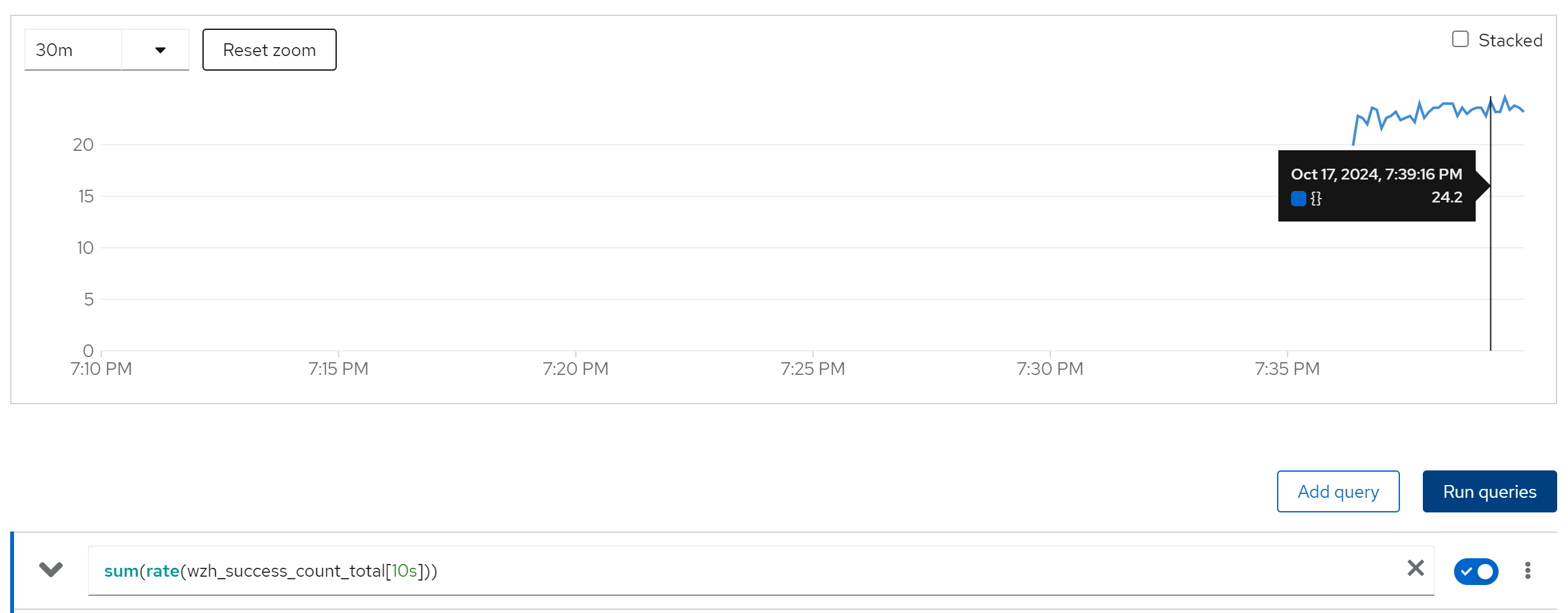
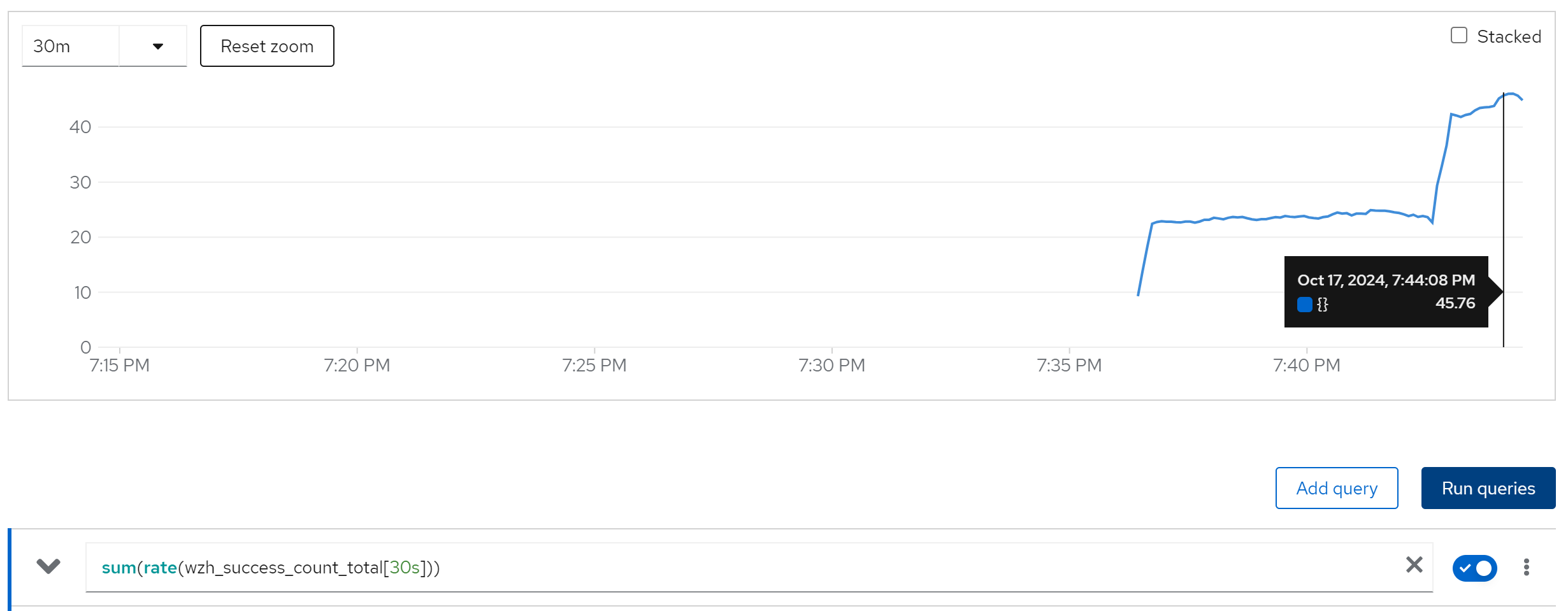
compare with 10x curl instance
2 keycloak instance
10 curl instance
sum(rate(wzh_success_count_total[10s]))
20 curl instance
40 curl instance
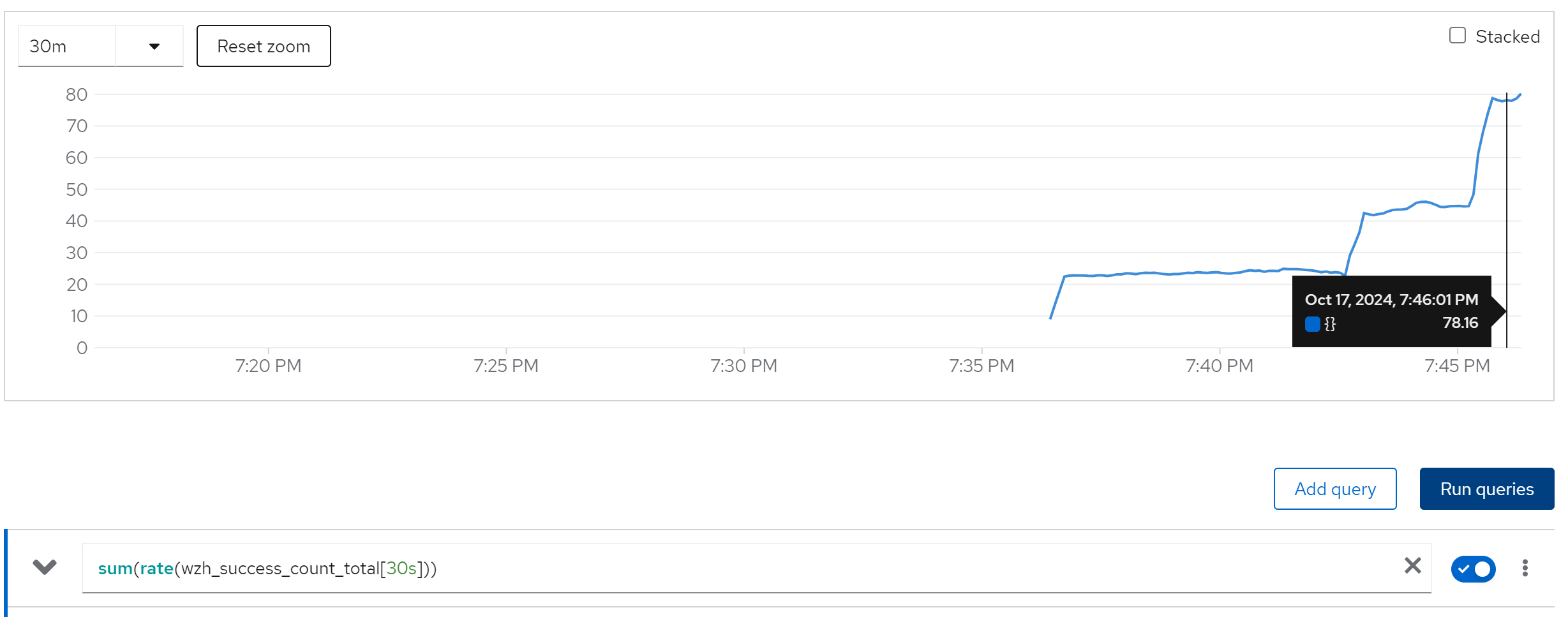
80 curl instance
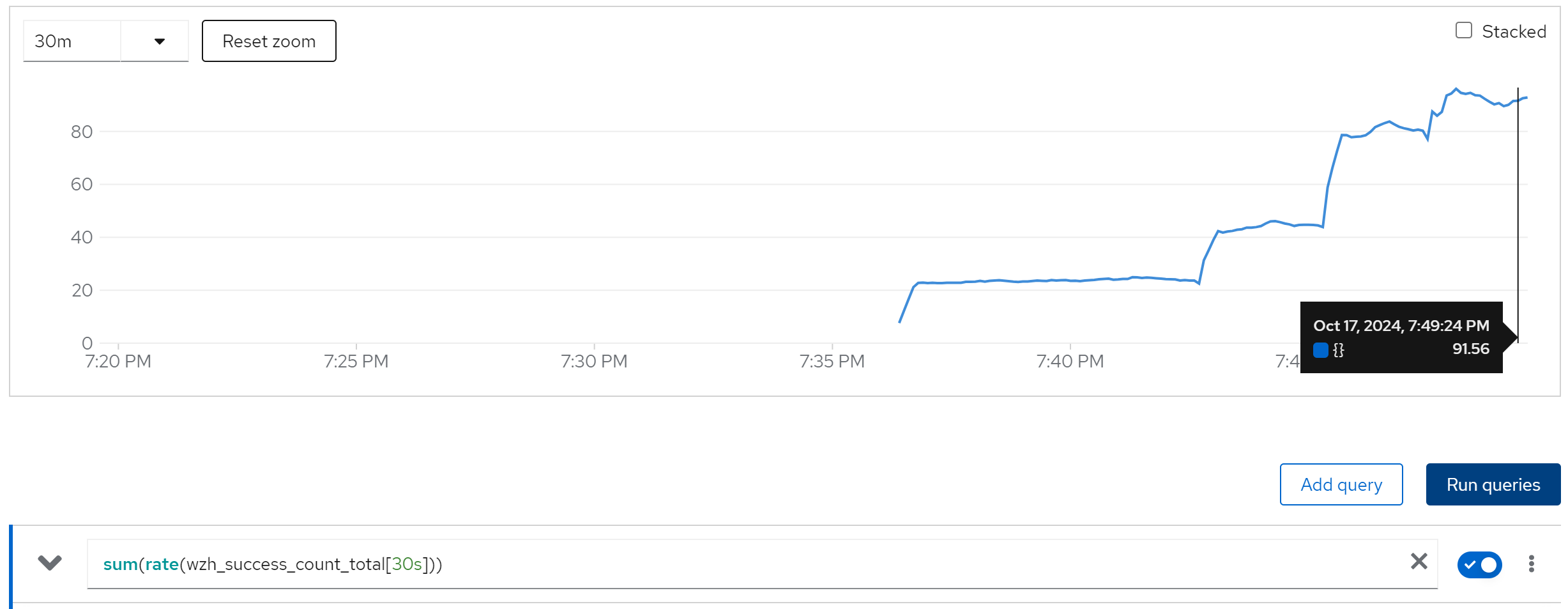

increase the keycloak instance to 4, do not change performance, becasue the single node ocp has 48 core cpu only.
run with 2 instance
direct ouptut of the job
......
Summary (last minute): Success: 1626, Failure: 0, Success Rate: 100.00%, Avg Time: 0.37s
......
Summary (last minute): Success: 1672, Failure: 0, Success Rate: 100.00%, Avg Time: 0.36s
......
Summary (last minute): Success: 1672, Failure: 0, Success Rate: 100.00%, Avg Time: 0.36s
......
in pg log
......
2024-10-10 07:06:45.352 UTC [14] LOG:  checkpoint starting: time
2024-10-10 07:11:15.103 UTC [14] LOG:  checkpoint complete: wrote 2884 buffers (17.6%); 0 WAL file(s) added, 0 removed, 1 recycled; write=269.740 s, sync=0.003 s, total=269.751 s; sync files=25, longest=0.002 s, average=0.001 s; distance=17523 kB, estimate=19068 kB
2024-10-10 12:11:50.170 UTC [14] LOG:  checkpoint starting: time
2024-10-10 12:12:46.692 UTC [14] LOG:  checkpoint complete: wrote 564 buffers (3.4%); 0 WAL file(s) added, 0 removed, 1 recycled; write=56.505 s, sync=0.004 s, total=56.523 s; sync files=19, longest=0.003 s, average=0.001 s; distance=10166 kB, estimate=18177 kB
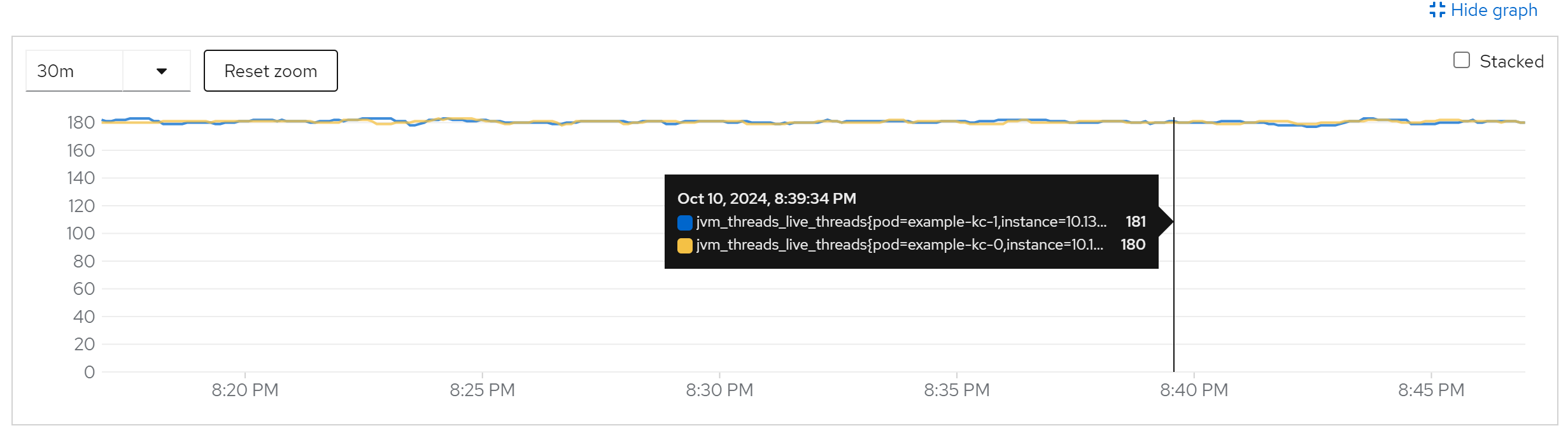
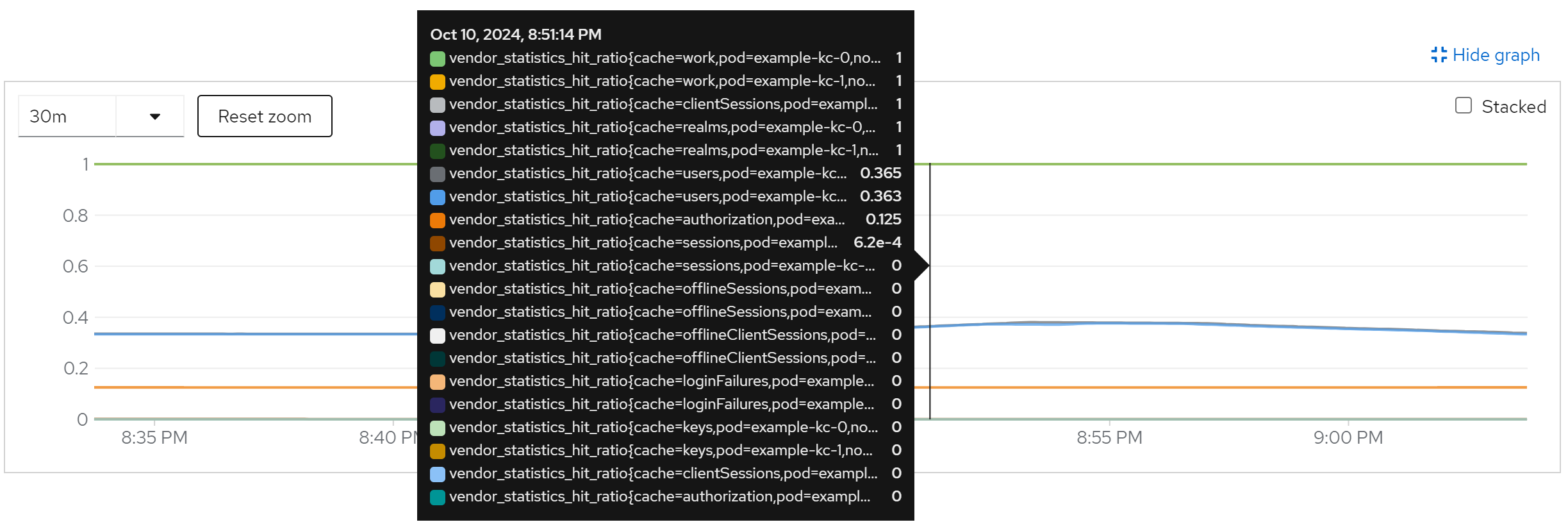
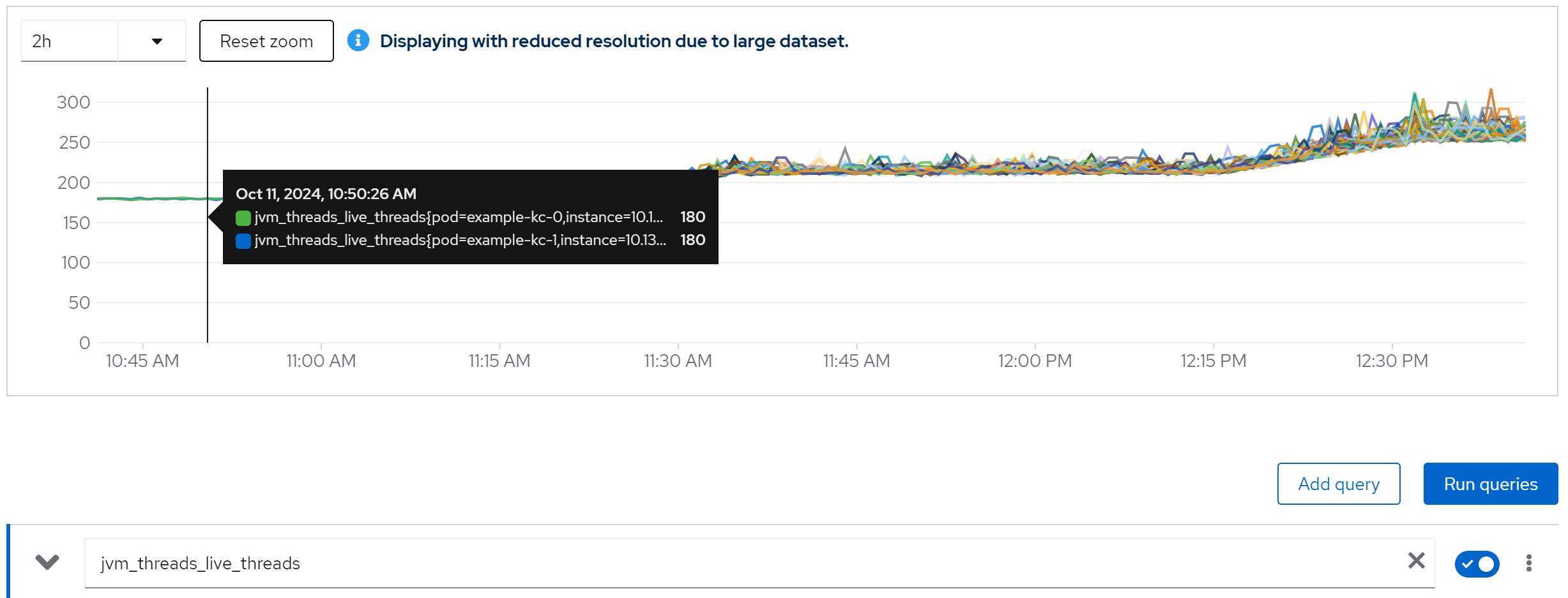
metric: jvm_threads_live_threads -> 180
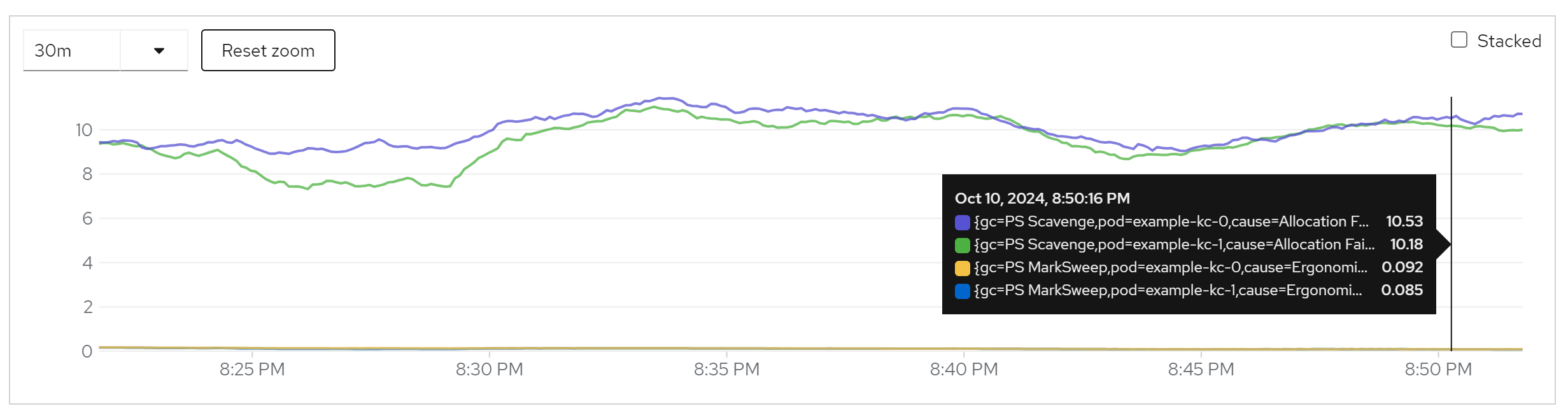
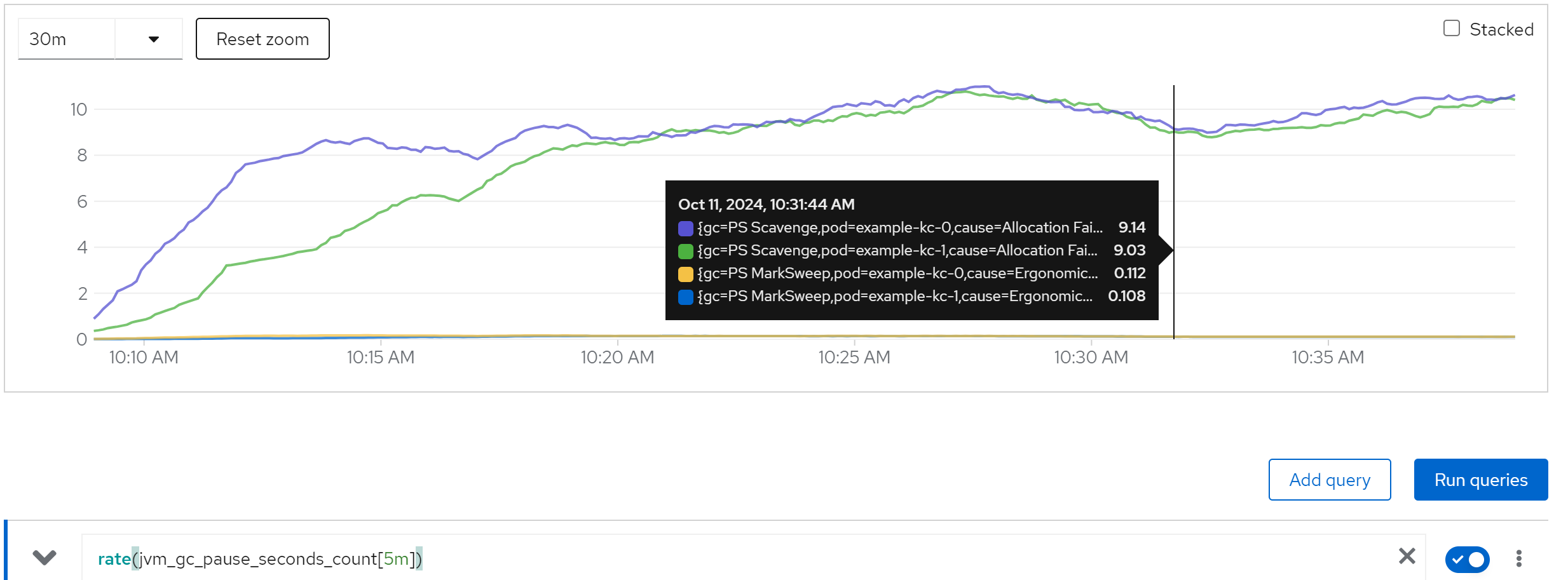
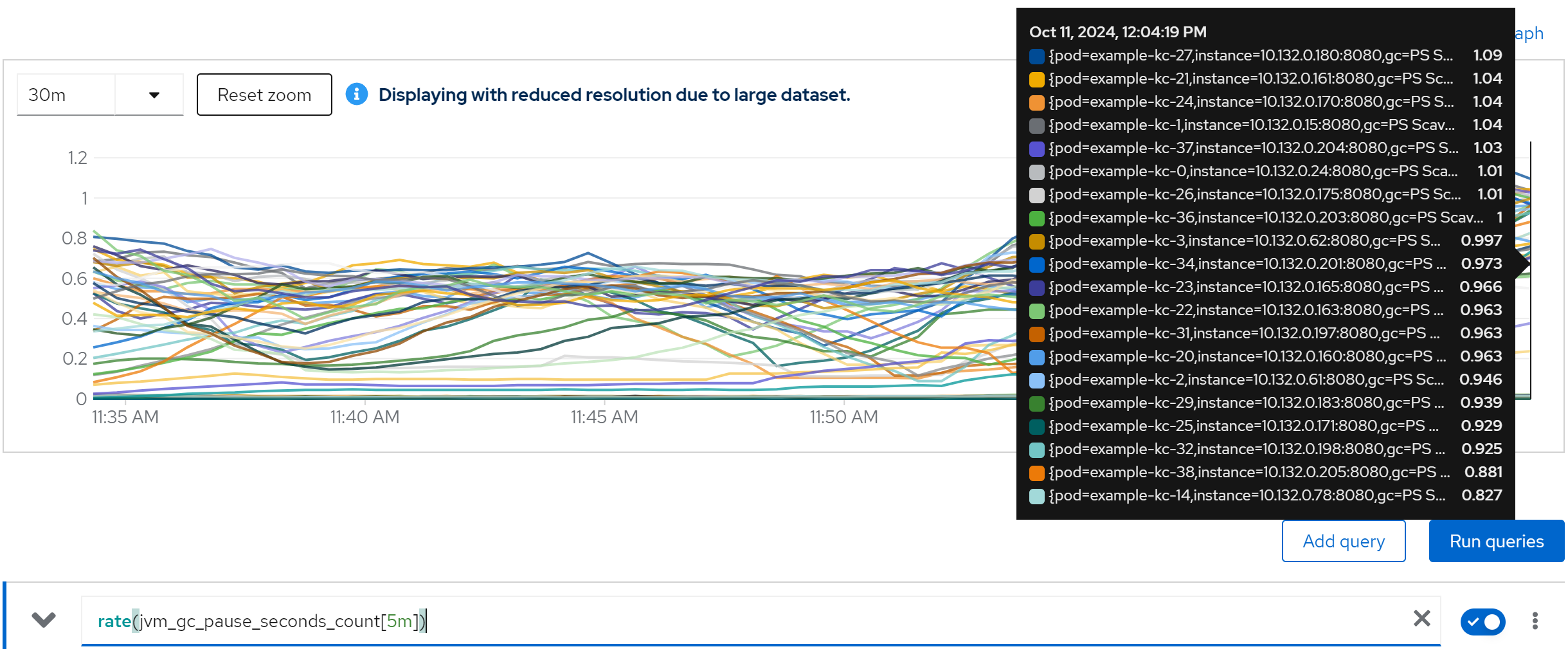
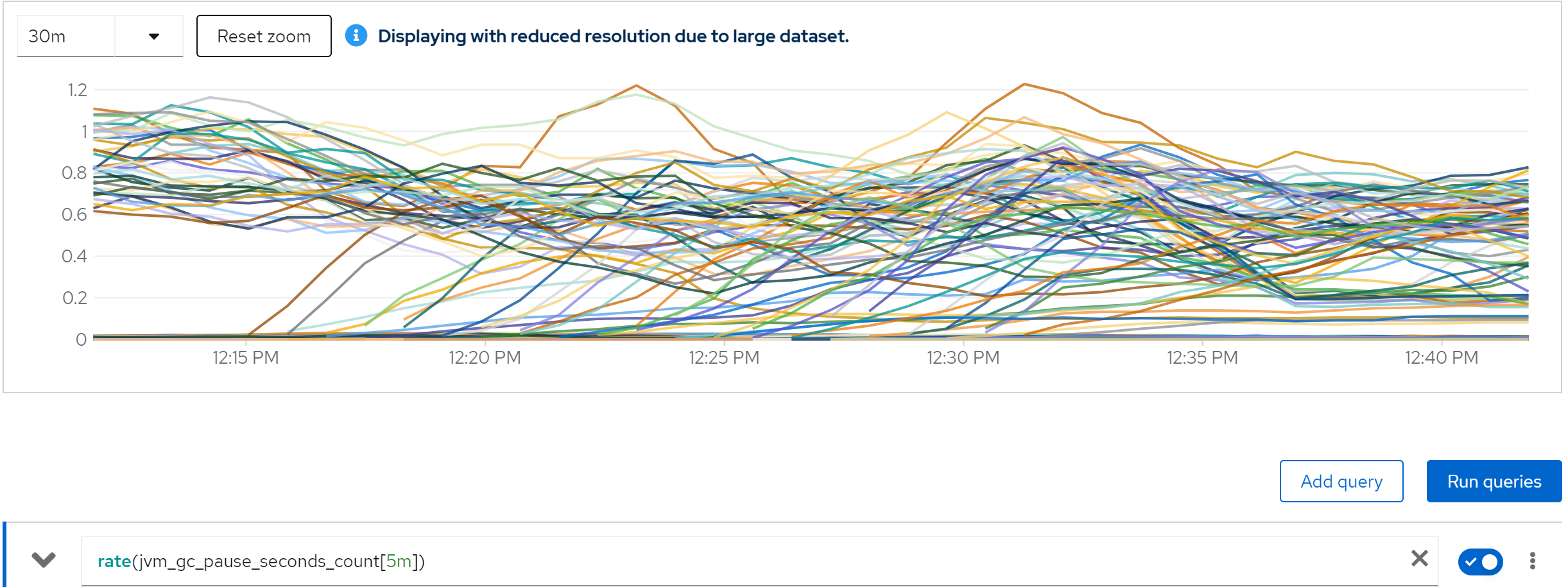
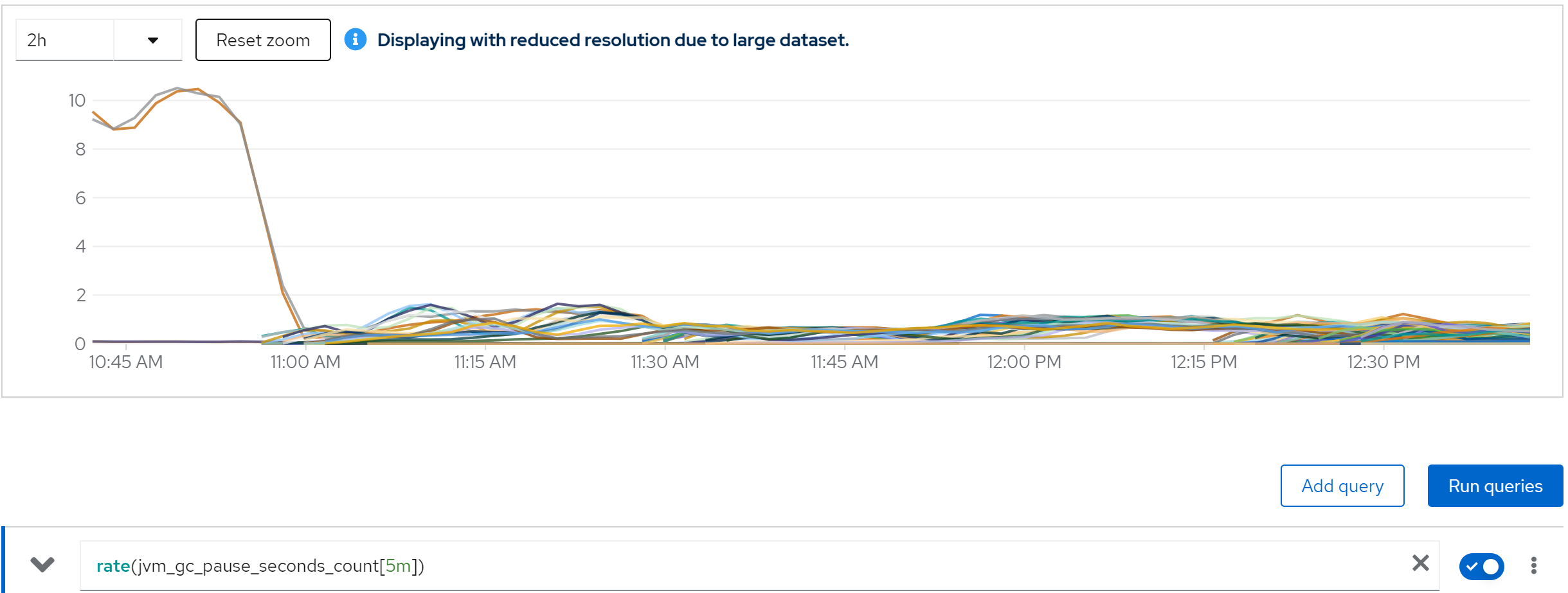
metric: rate(jvm_gc_pause_seconds_count[5m]) -> 10
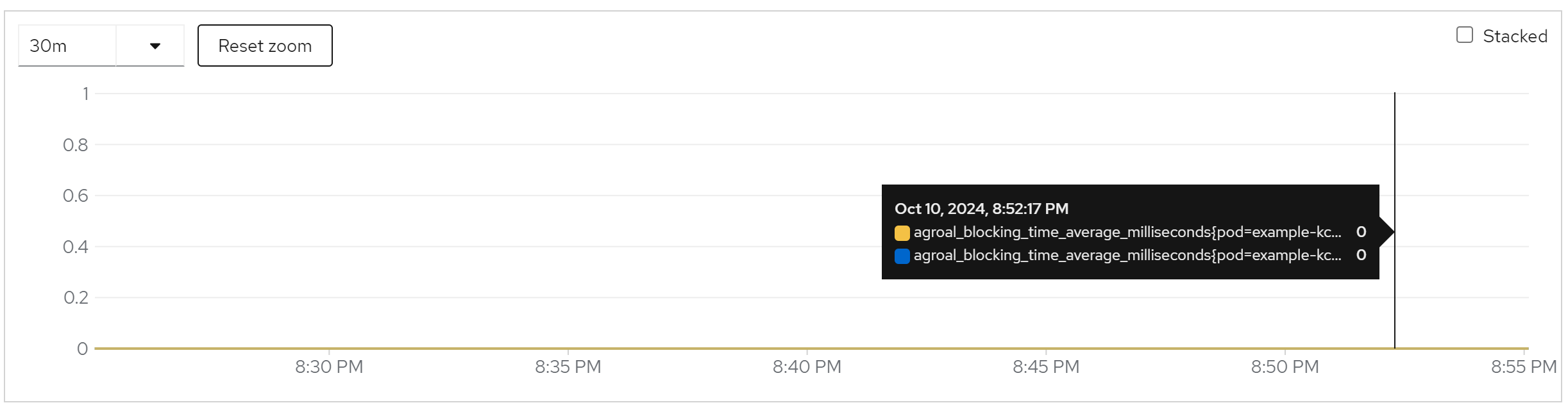
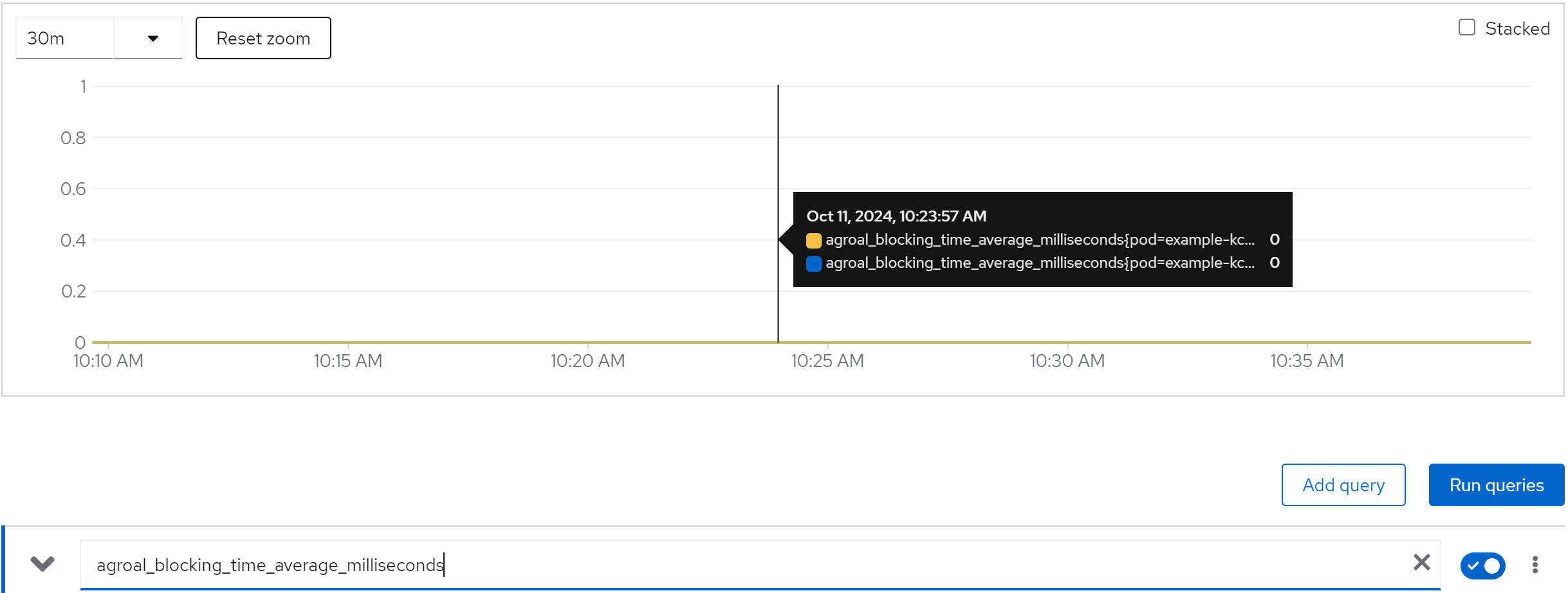
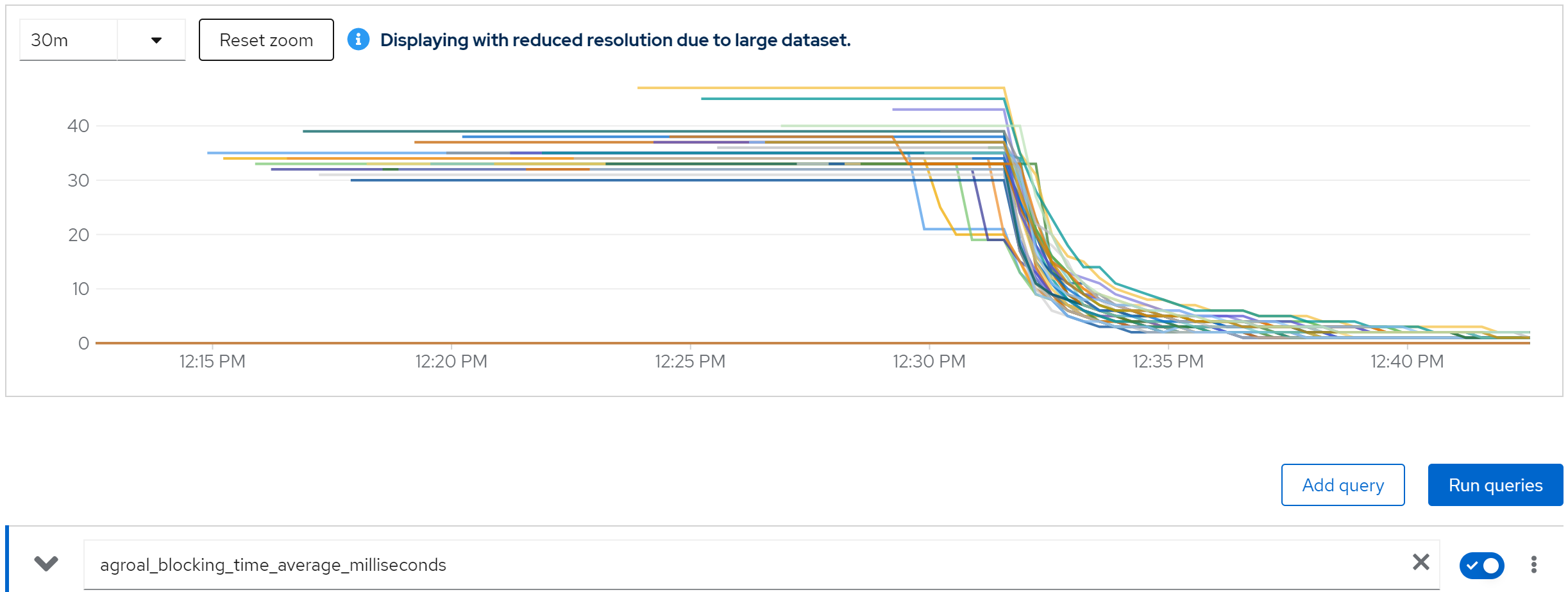
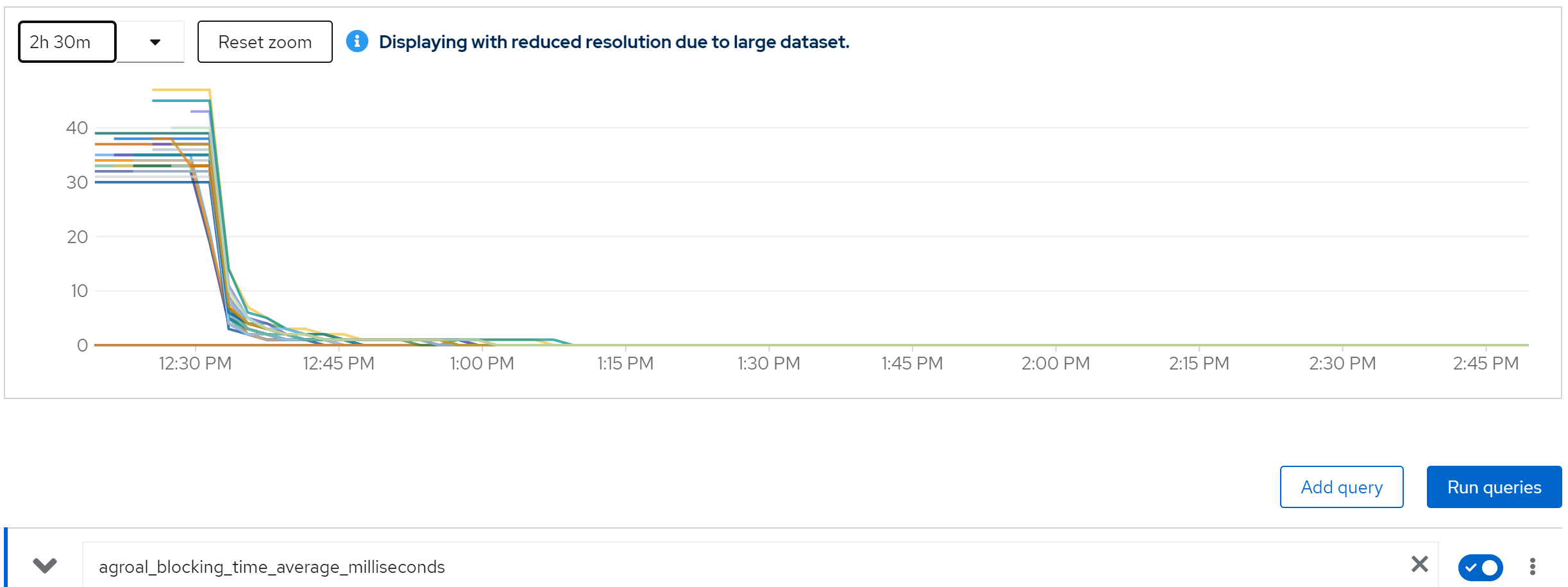
metric: agroal_blocking_time_average_milliseconds -> 0
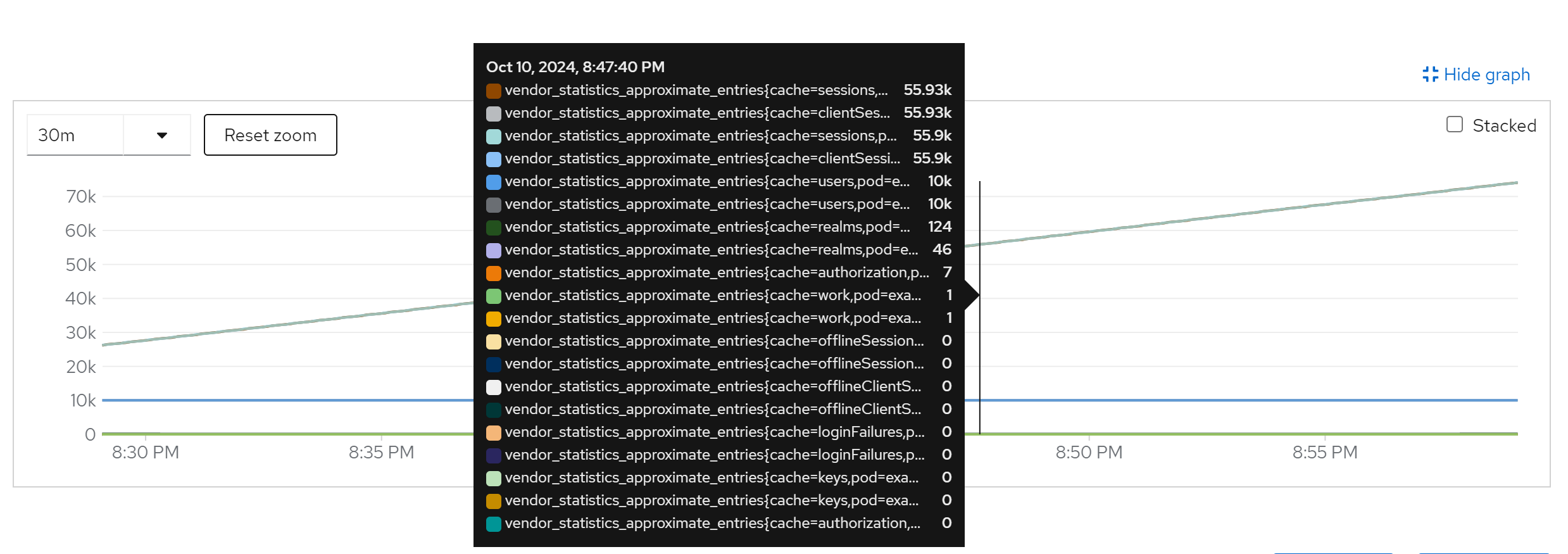
metric: vendor_statistics_approximate_entries
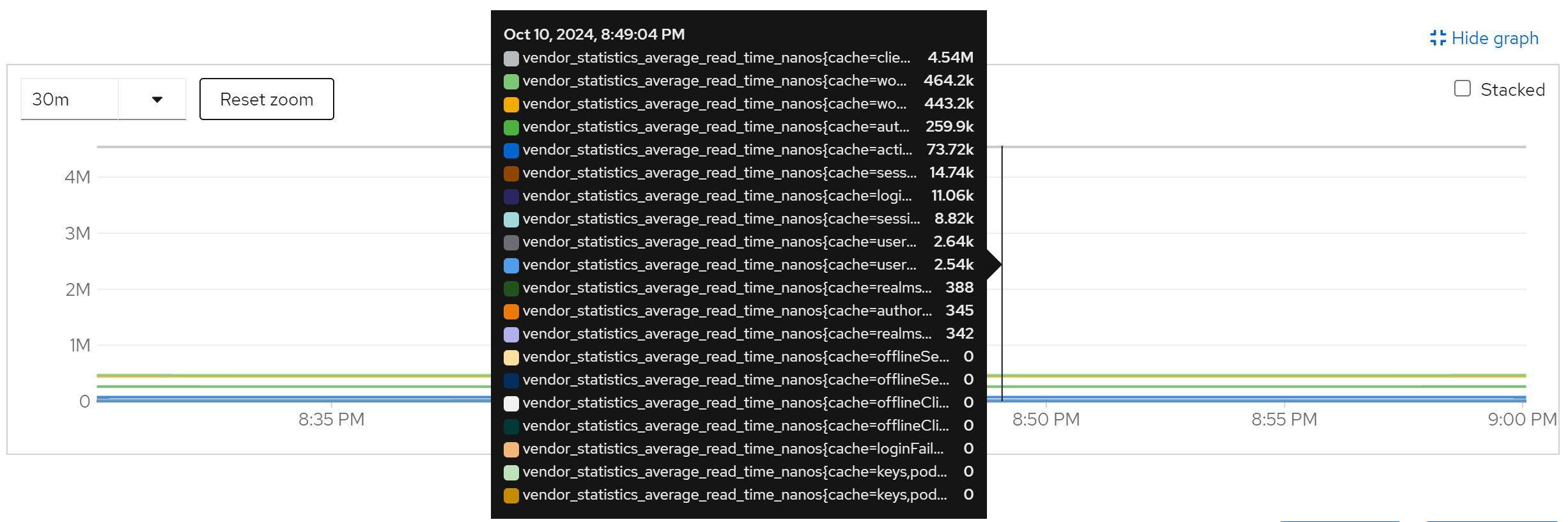
metric: vendor_statistics_average_read_time_nanos
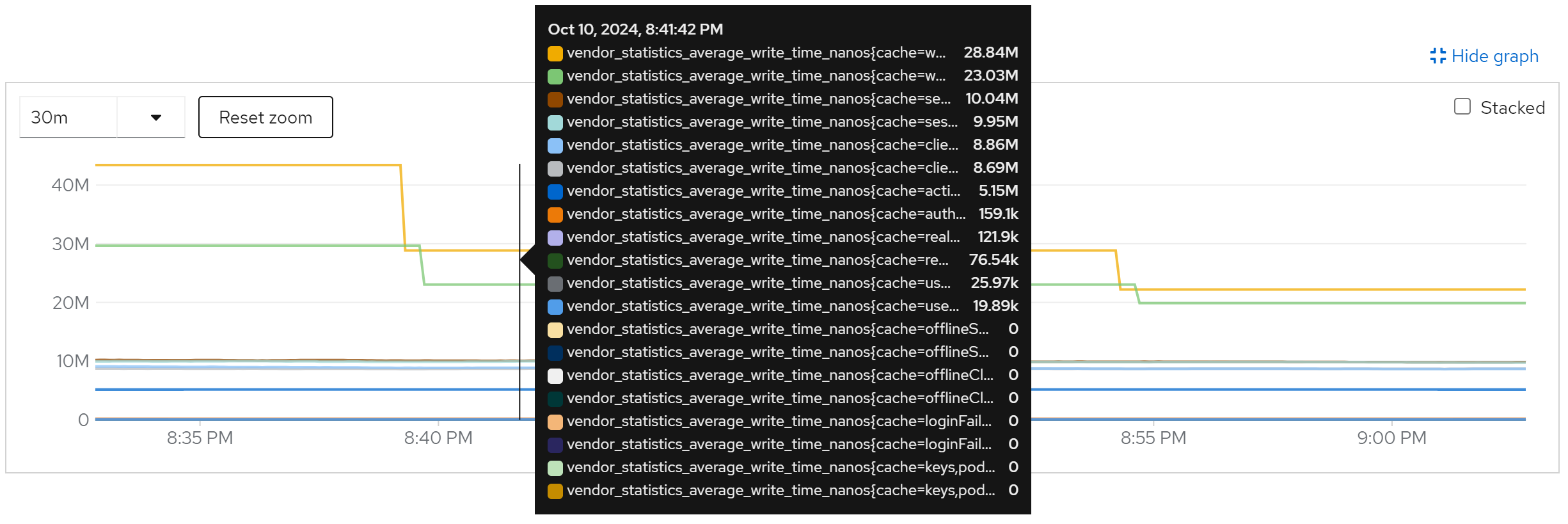
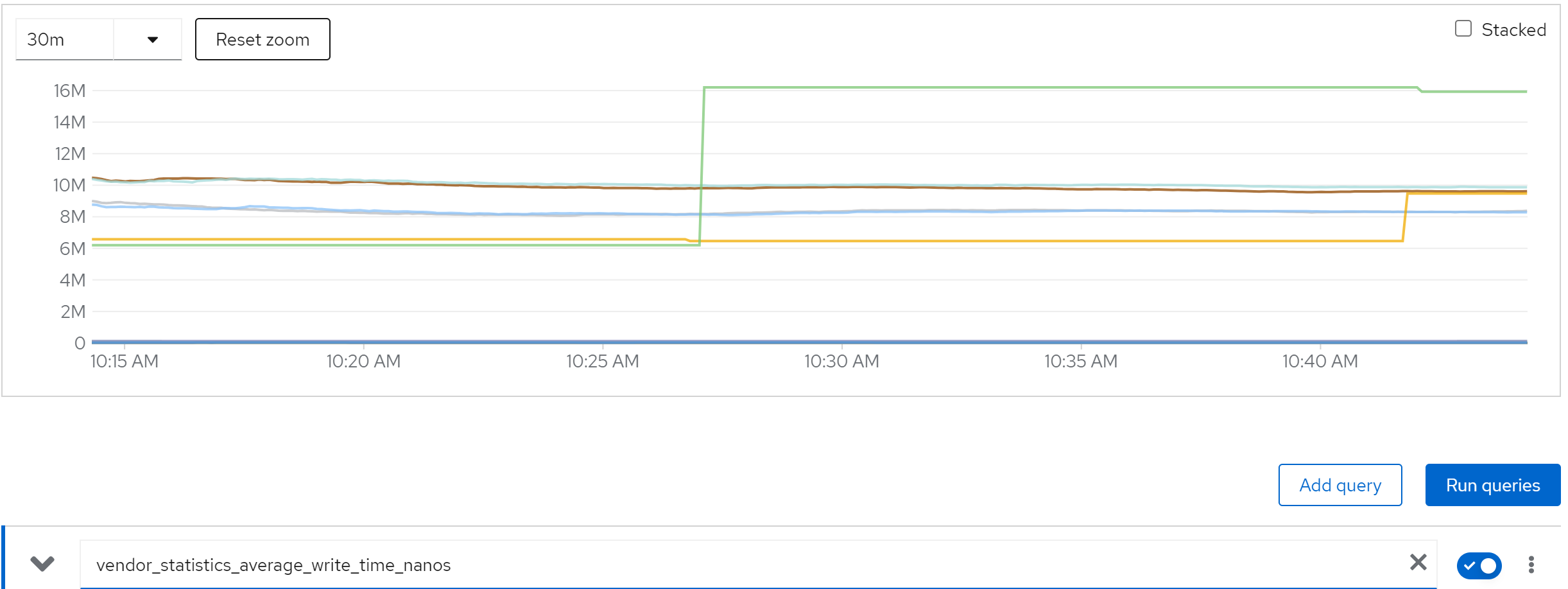
metric: vendor_statistics_average_write_time_nanos
metric: vendor_statistics_hit_ratio
run with 20 instance
direct ouptut of the job
......
Summary (last minute): Success: 1243, Failure: 0, Success Rate: 100.00%, Avg Time: 0.48s
......
Summary (last minute): Success: 1439, Failure: 0, Success Rate: 100.00%, Avg Time: 0.42s
......
Summary (last minute): Success: 1448, Failure: 0, Success Rate: 100.00%, Avg Time: 0.41s
......Summary (last minute): Success: 1439, Failure: 0, Success Rate: 100.00%, Avg Time: 0.42s
......
Summary (last minute): Success: 1459, Failure: 0, Success Rate: 100.00%, Avg Time: 0.41s
......
Summary (last minute): Success: 1479, Failure: 0, Success Rate: 100.00%, Avg Time: 0.41s
......
metric: jvm_threads_live_threads
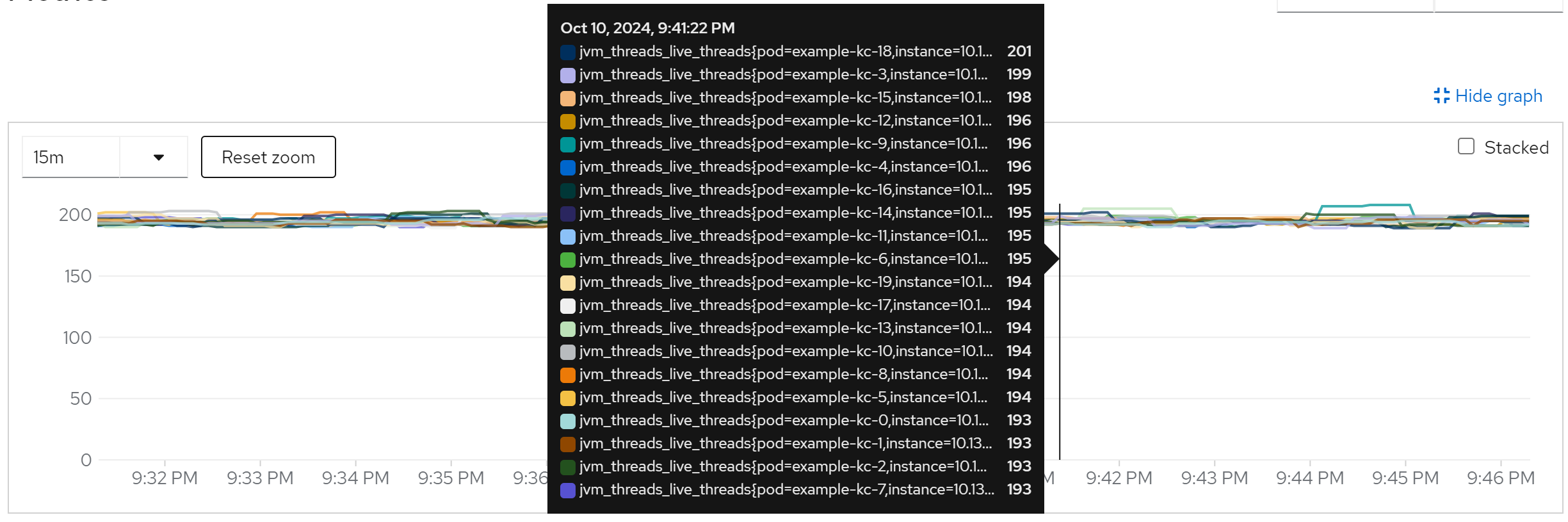
metric: rate(jvm_gc_pause_seconds_count[5m]) -> 10
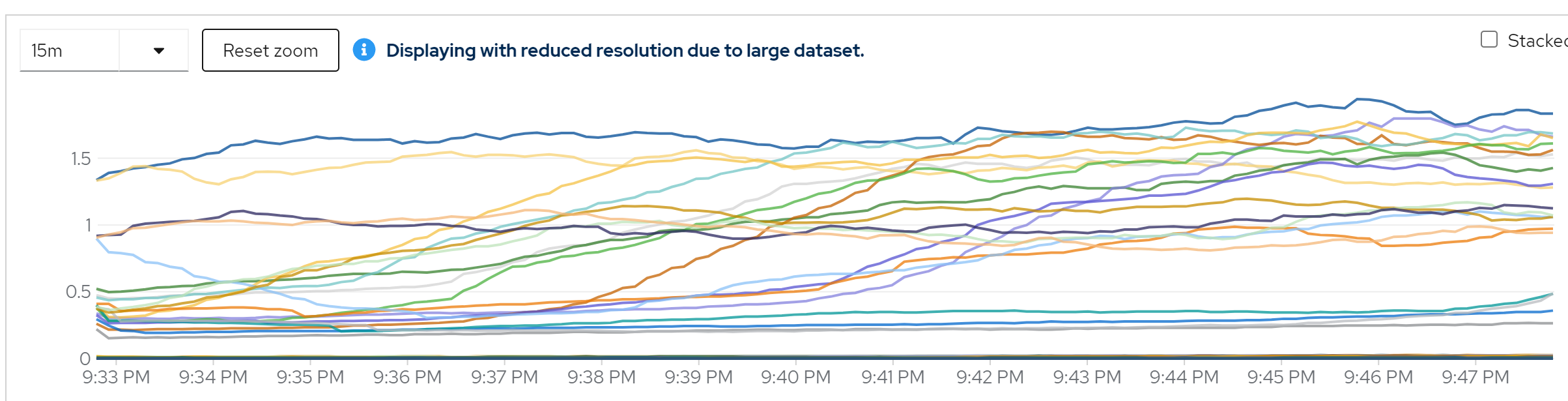
metric: agroal_blocking_time_average_milliseconds -> 0
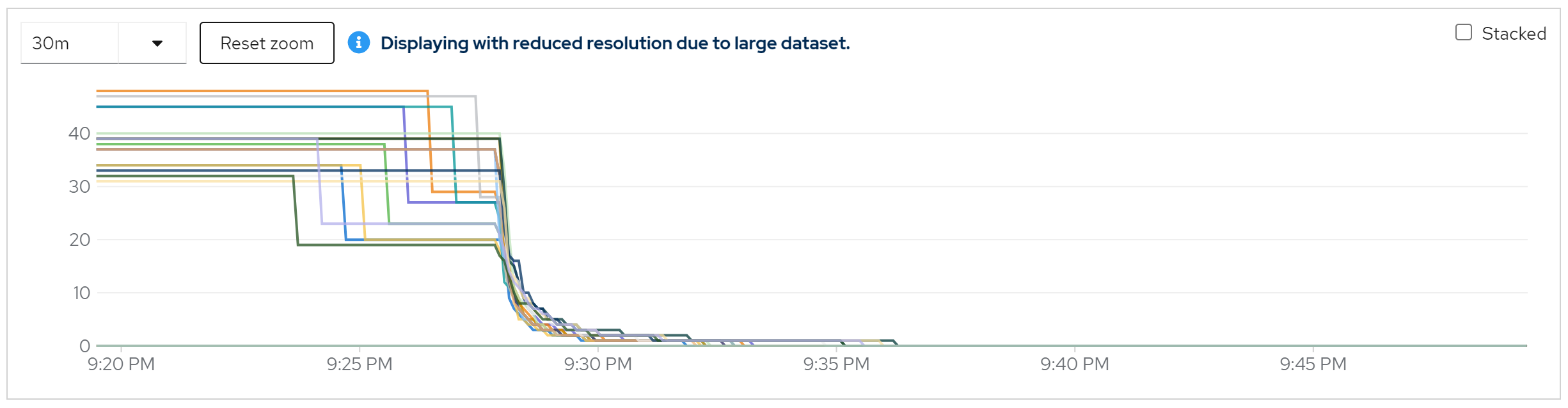
metric: vendor_statistics_approximate_entries
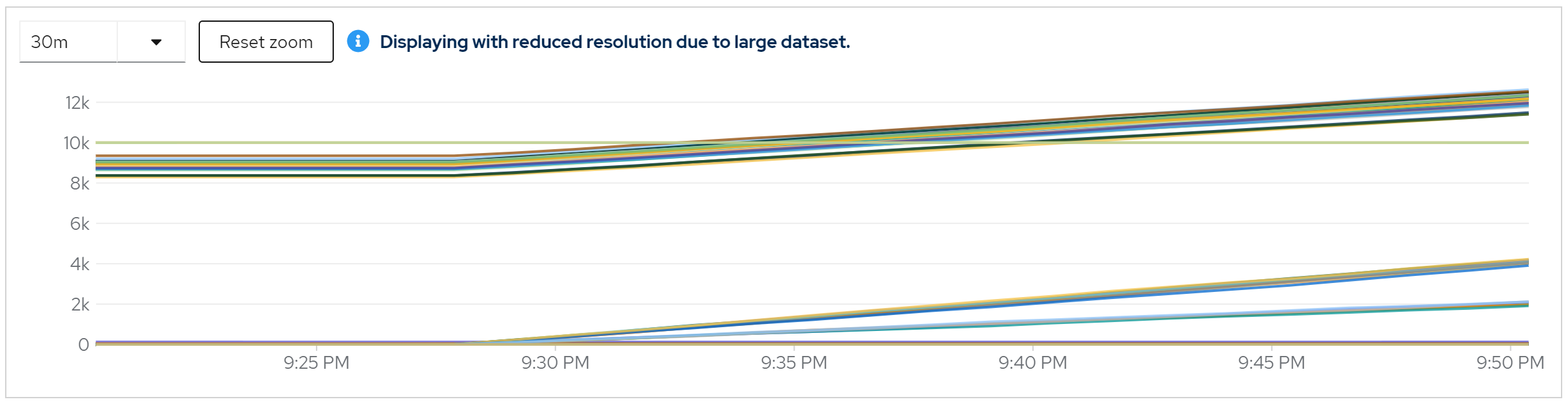
metric: vendor_statistics_average_read_time_nanos
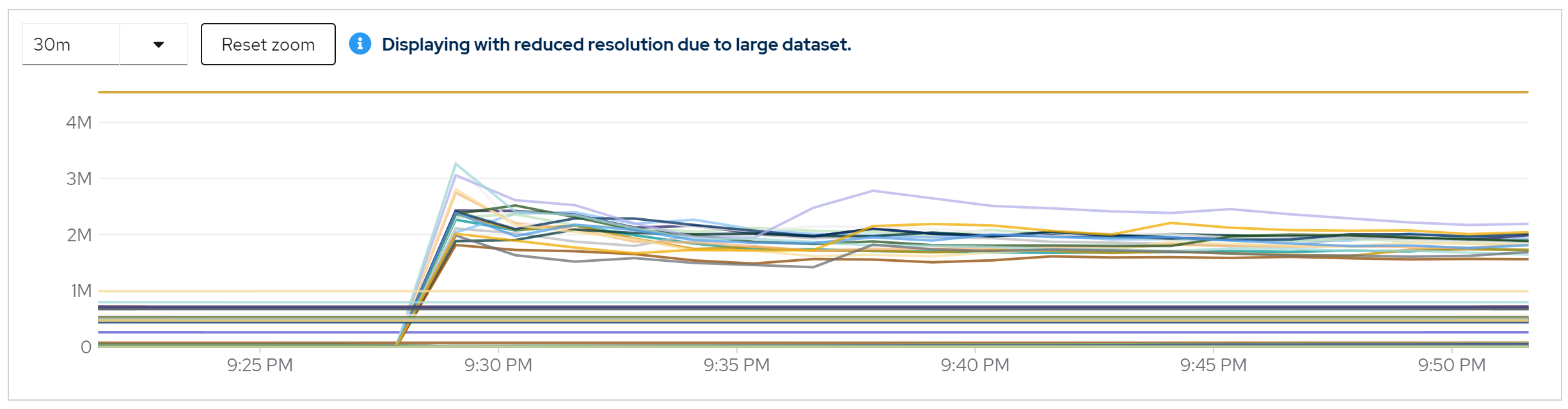
metric: vendor_statistics_average_write_time_nanos
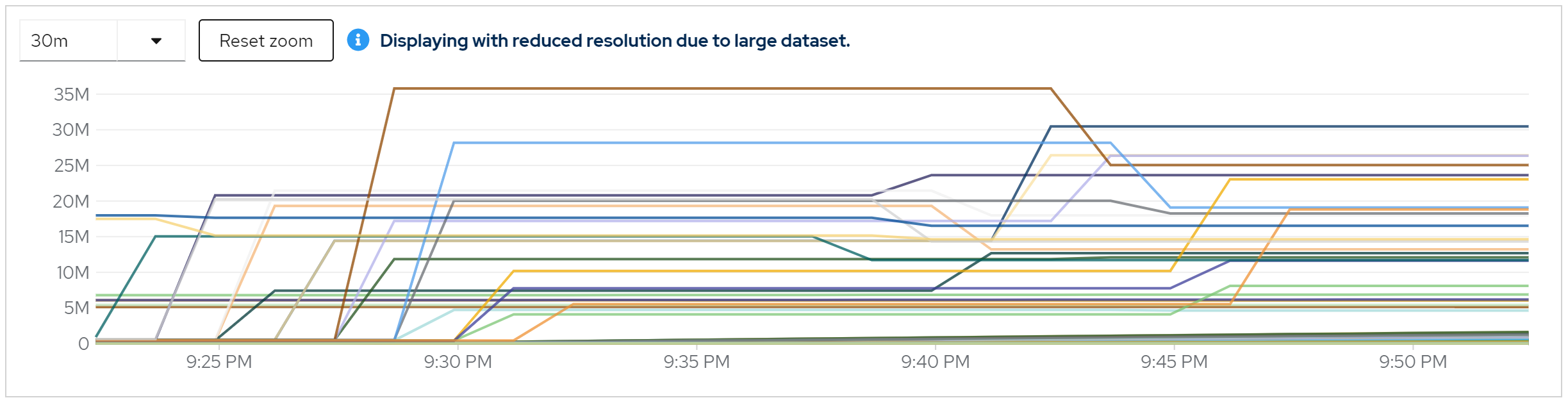
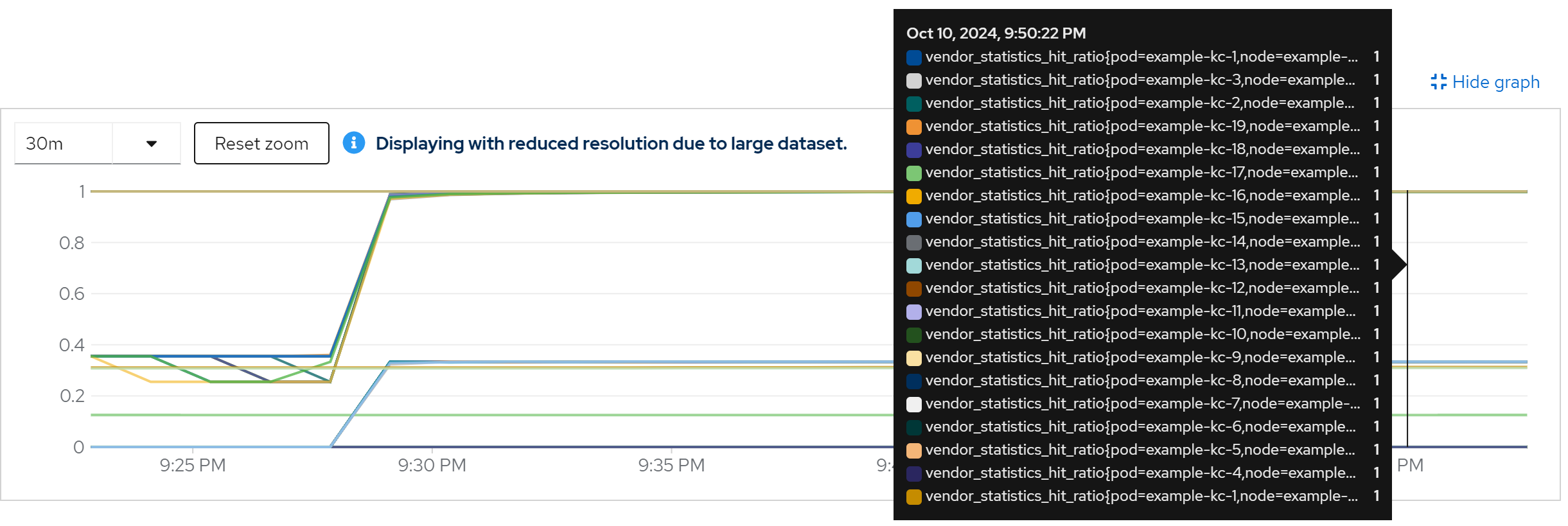
metric: vendor_statistics_hit_ratio
run with 40 instance
direct ouptut of the job
......
Summary (last minute): Success: 1210, Failure: 0, Success Rate: 100.00%, Avg Time: 0.49s
......
Summary (last minute): Success: 1331, Failure: 0, Success Rate: 100.00%, Avg Time: 0.45s
......
Summary (last minute): Success: 1372, Failure: 0, Success Rate: 100.00%, Avg Time: 0.44s
......
Summary (last minute): Success: 1358, Failure: 0, Success Rate: 100.00%, Avg Time: 0.44s
......
Summary (last minute): Success: 1390, Failure: 0, Success Rate: 100.00%, Avg Time: 0.43s
......
Summary (last minute): Success: 1424, Failure: 0, Success Rate: 100.00%, Avg Time: 0.42s
......
Summary (last minute): Success: 1432, Failure: 0, Success Rate: 100.00%, Avg Time: 0.42s
......
metric: jvm_threads_live_threads
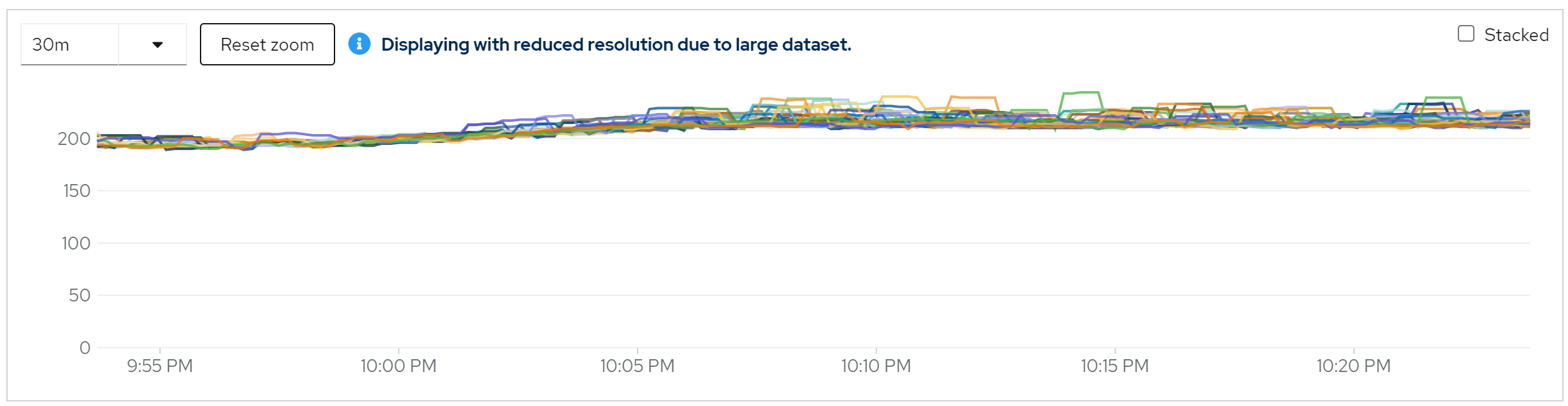
metric: rate(jvm_gc_pause_seconds_count[5m]) -> 10
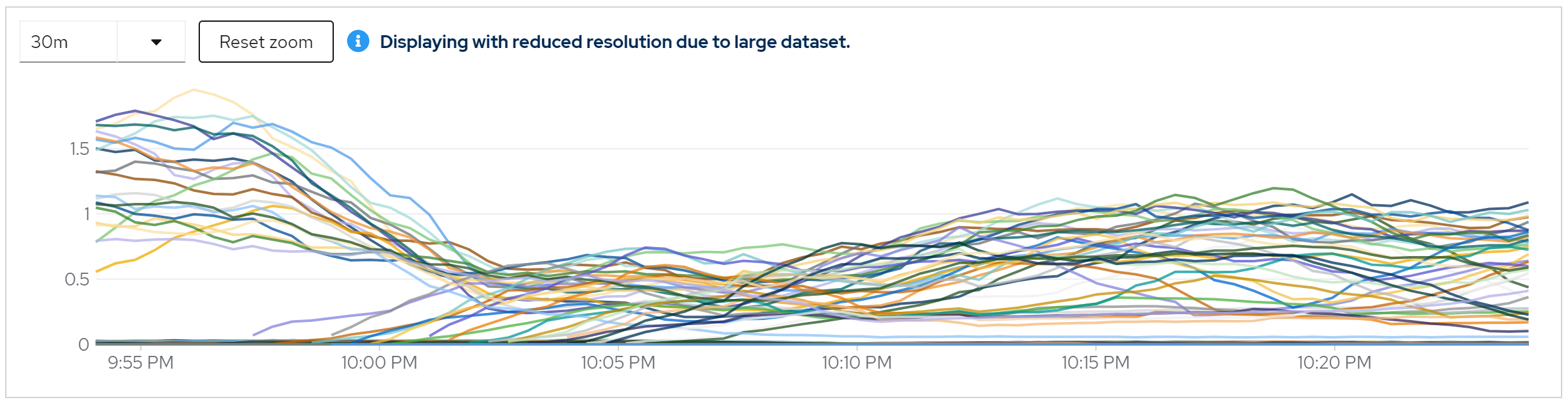
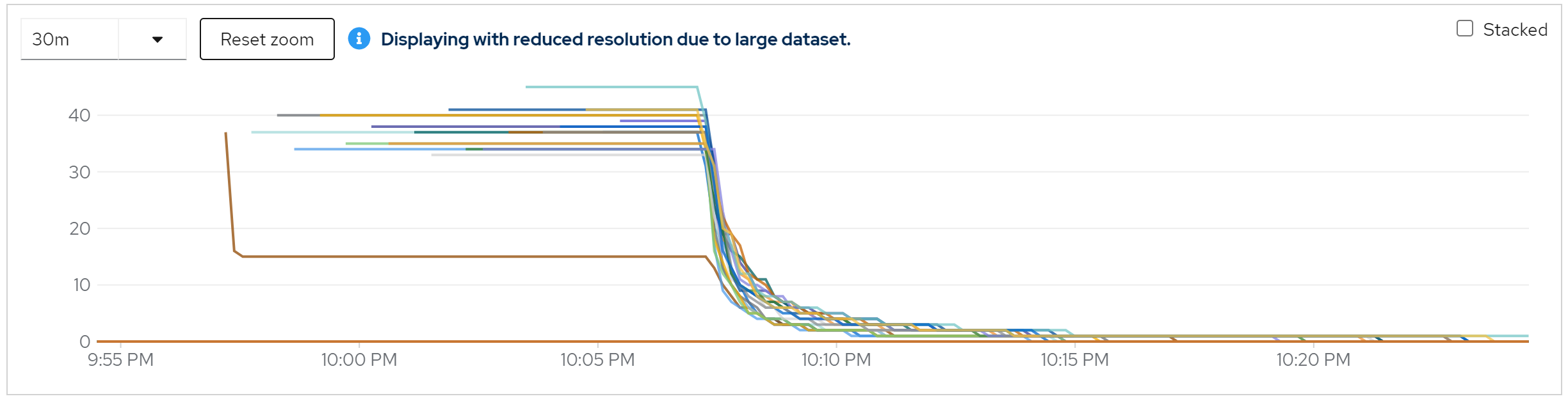
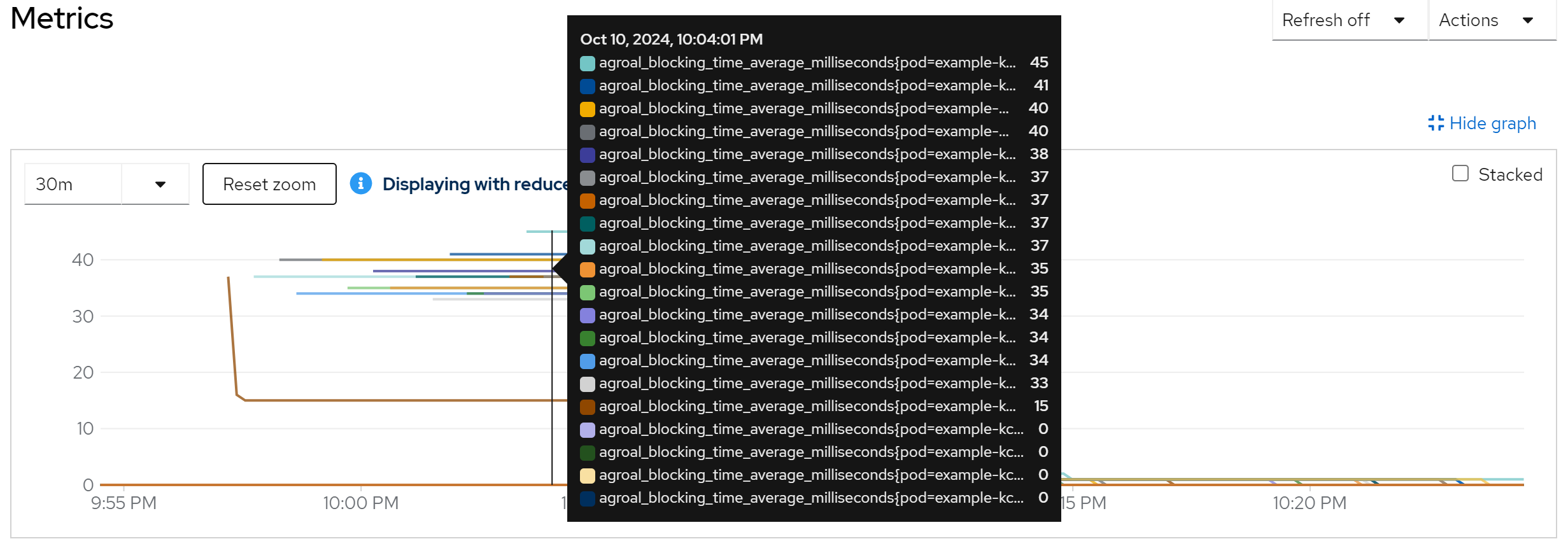
metric: agroal_blocking_time_average_milliseconds -> 0
metric: vendor_statistics_approximate_entries
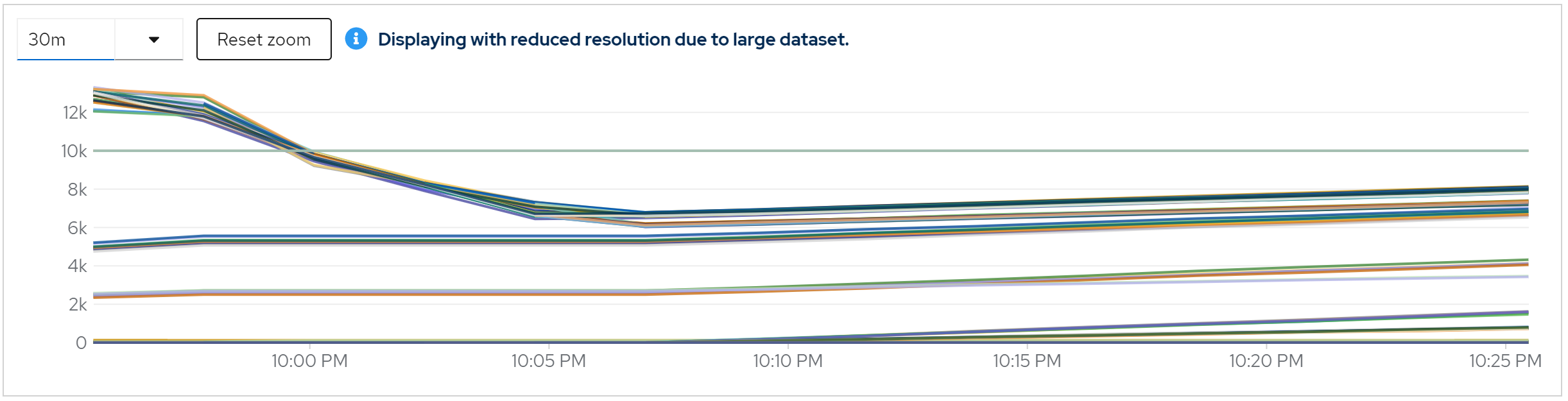
metric: vendor_statistics_average_read_time_nanos
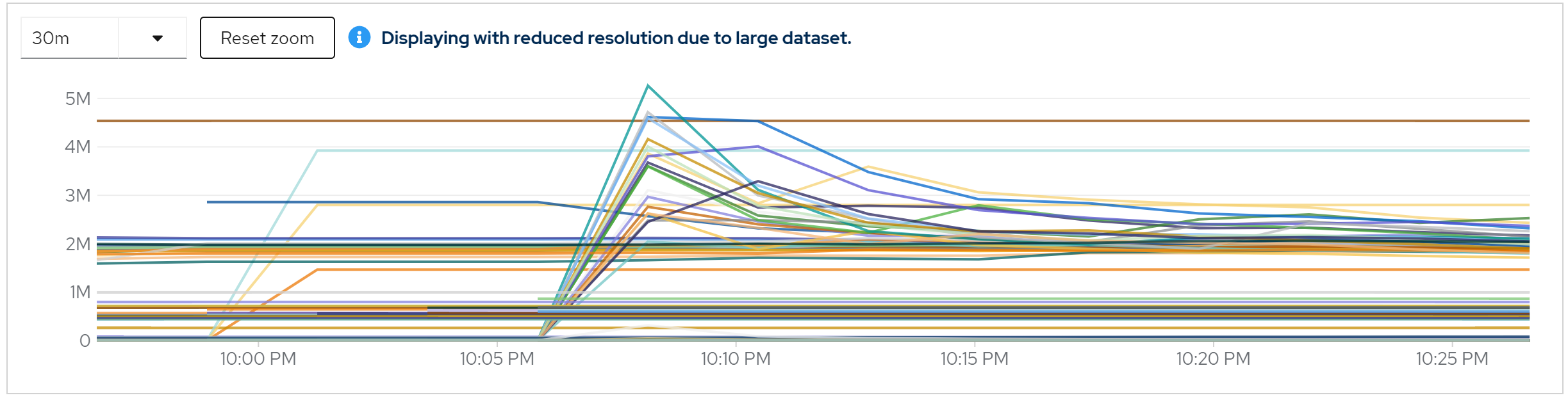
metric: vendor_statistics_average_write_time_nanos
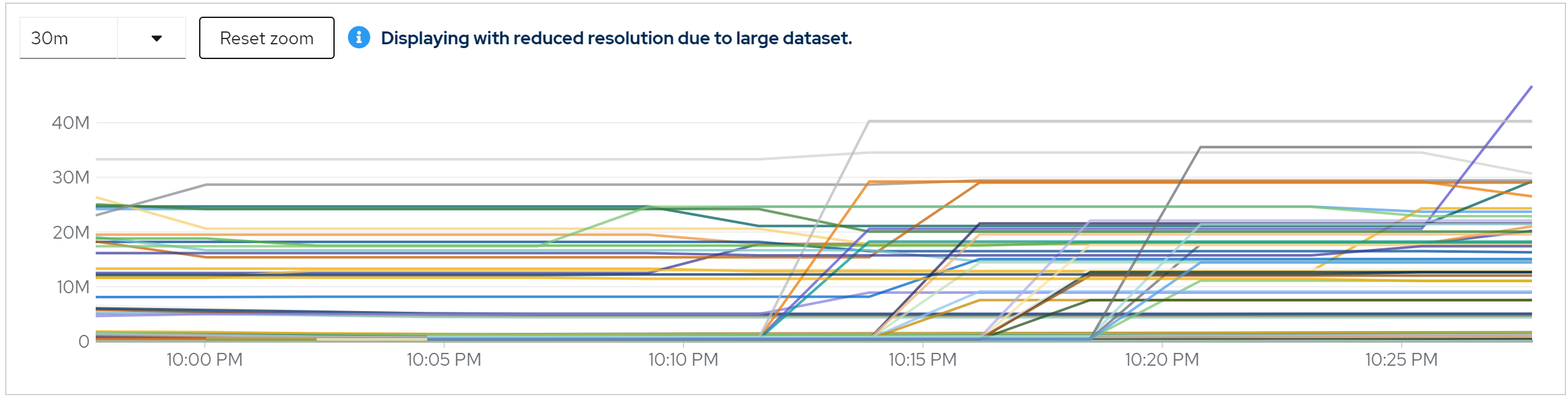
metric: vendor_statistics_hit_ratio
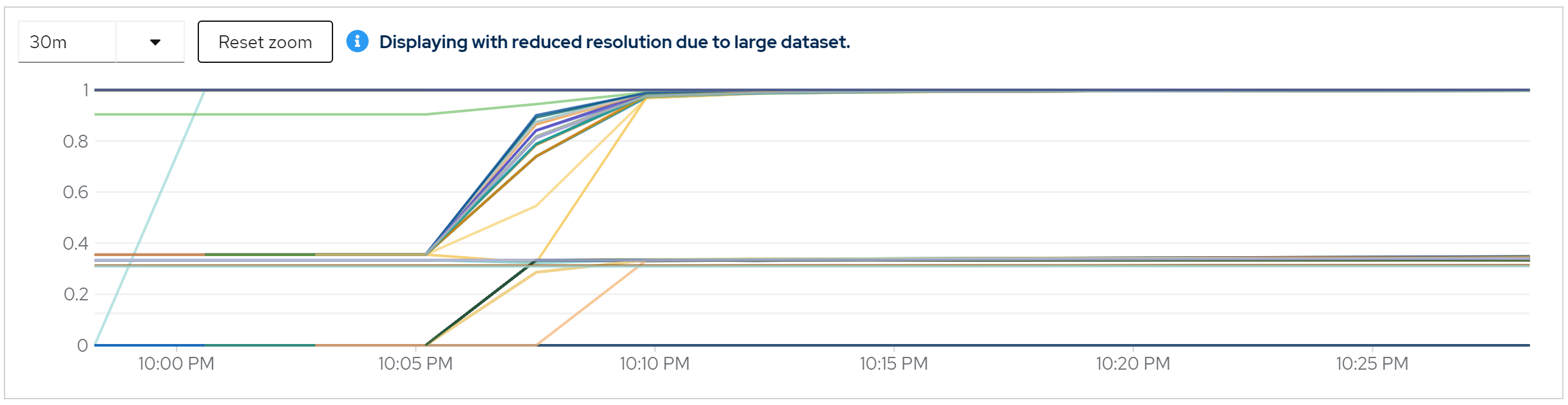
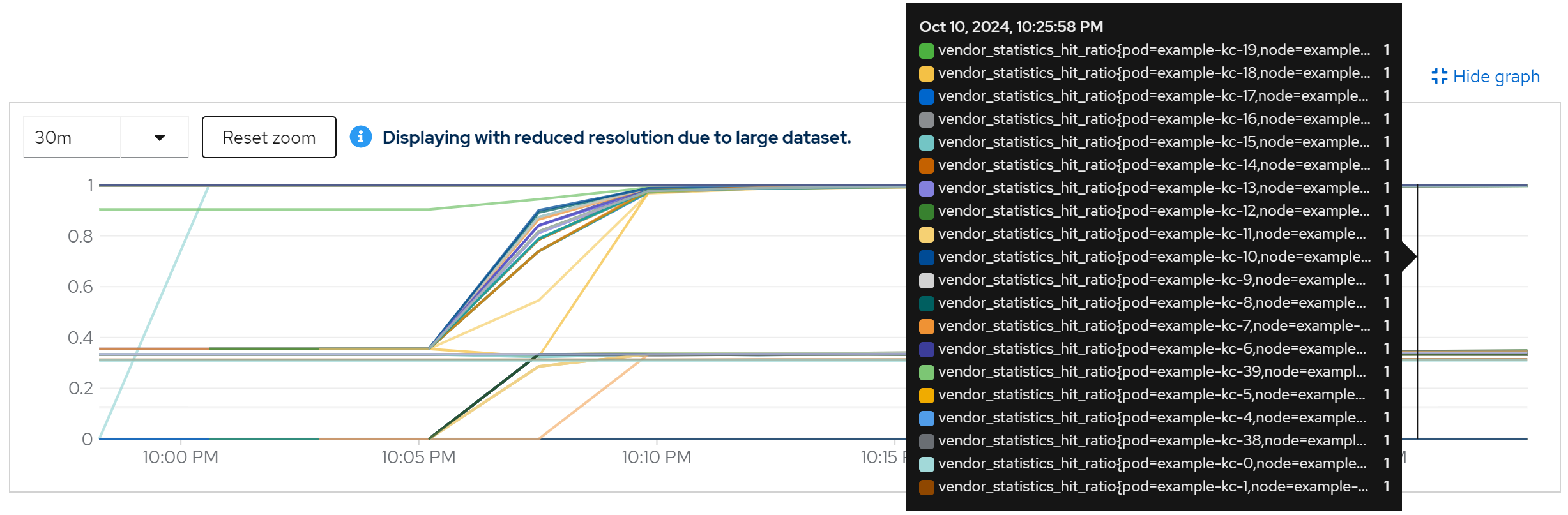
run with 80 instance
direct ouptut of the job
......
Summary (last minute): Success: 1149, Failure: 0, Success Rate: 100.00%, Avg Time: 0.52s
......
Summary (last minute): Success: 1341, Failure: 0, Success Rate: 100.00%, Avg Time: 0.45s
......
Summary (last minute): Success: 1345, Failure: 0, Success Rate: 100.00%, Avg Time: 0.45s
......
Summary (last minute): Success: 1356, Failure: 0, Success Rate: 100.00%, Avg Time: 0.44s
......
Summary (last minute): Success: 1375, Failure: 0, Success Rate: 100.00%, Avg Time: 0.44s
......
Summary (last minute): Success: 1362, Failure: 0, Success Rate: 100.00%, Avg Time: 0.44s
......
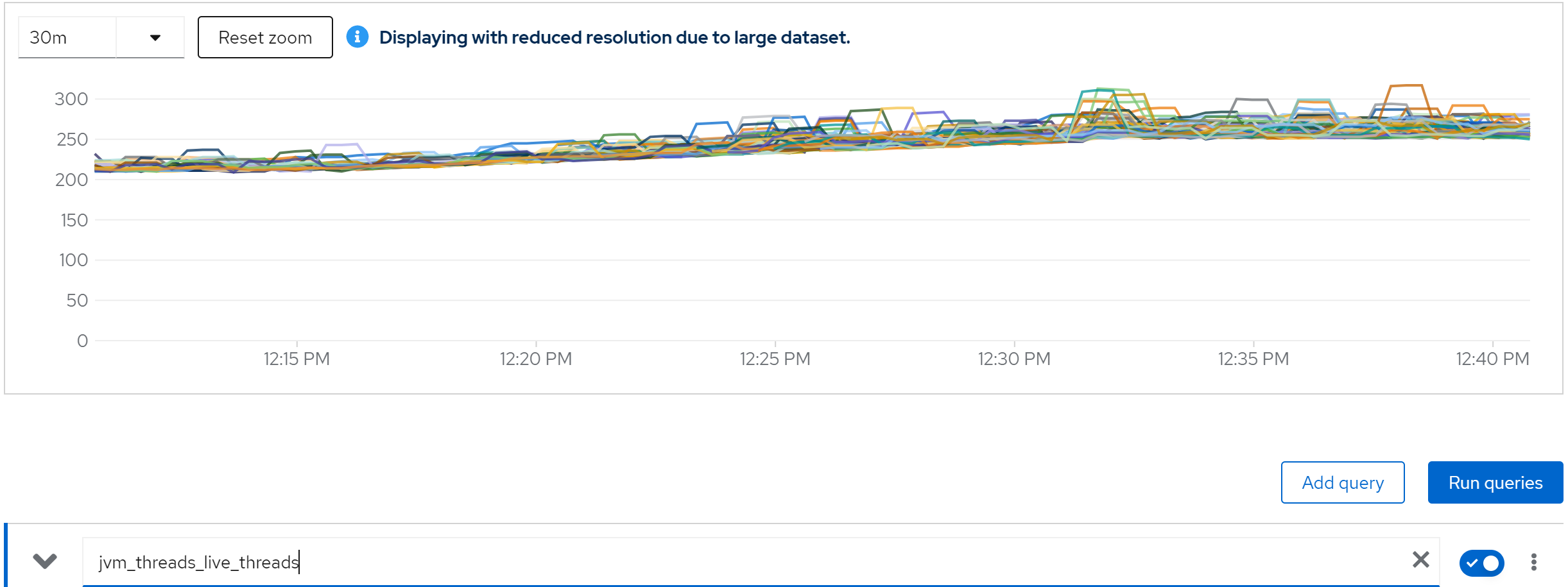
metric: jvm_threads_live_threads
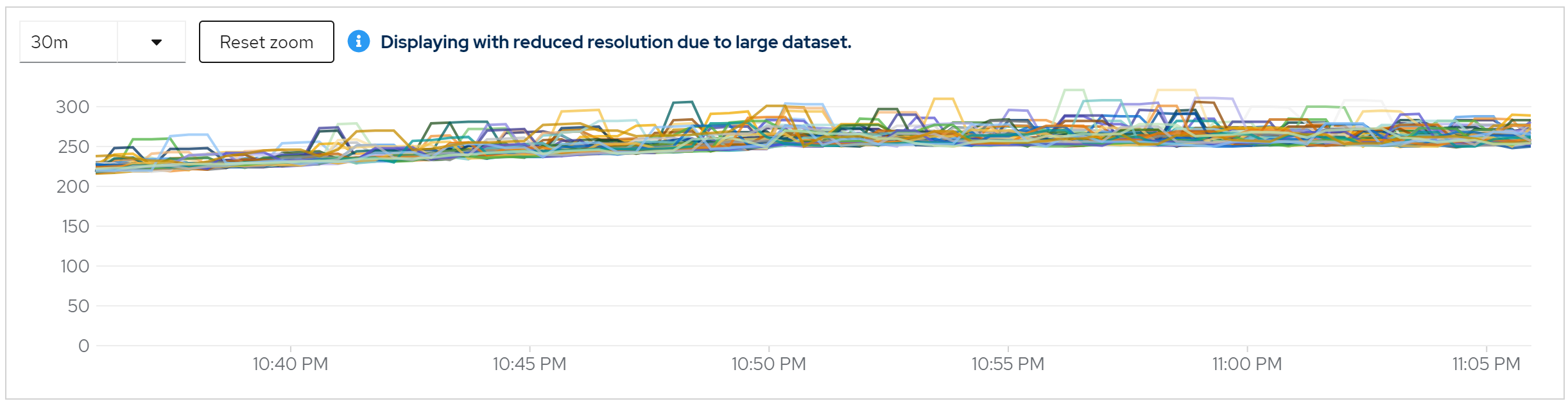
metric: rate(jvm_gc_pause_seconds_count[5m])
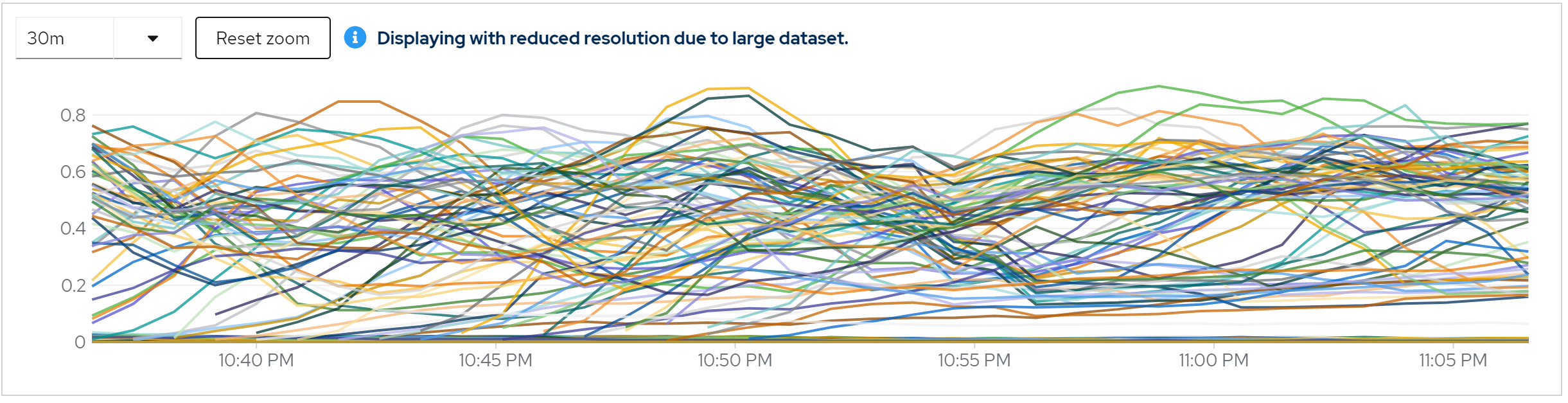
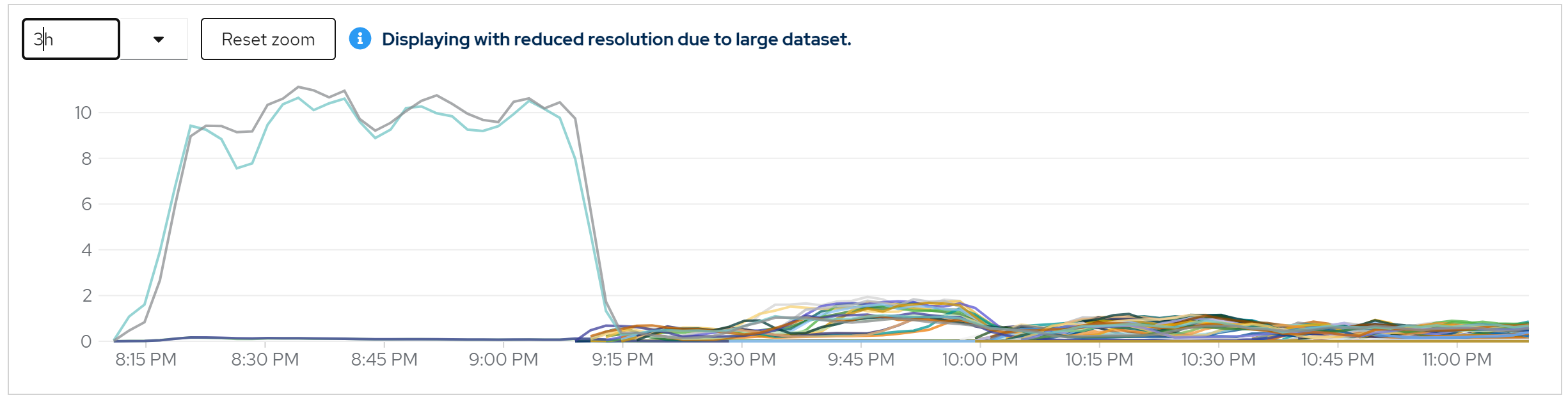
metric: agroal_blocking_time_average_milliseconds -> 0
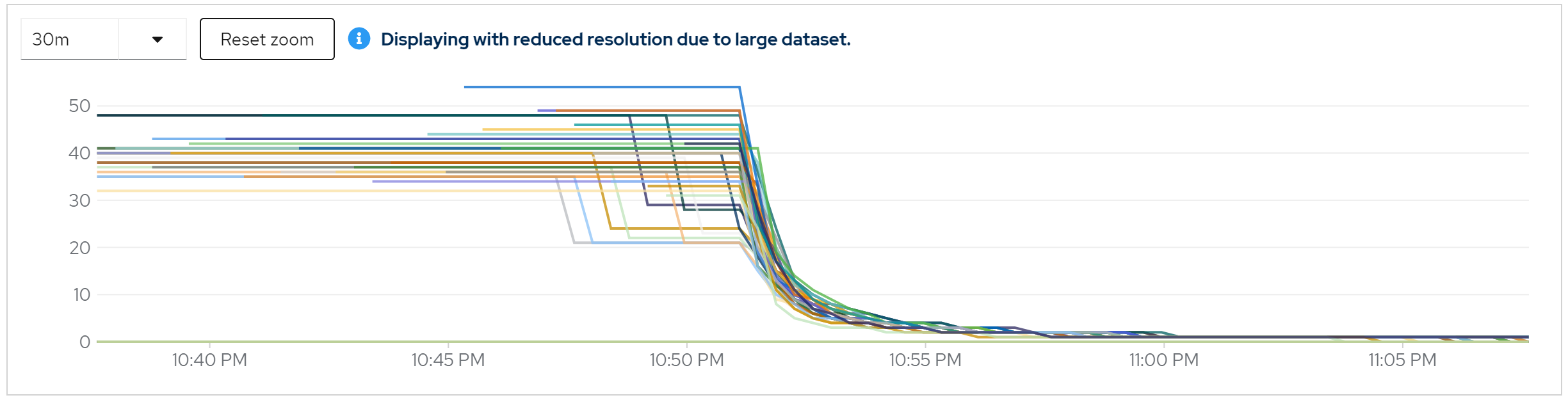
metric: vendor_statistics_approximate_entries
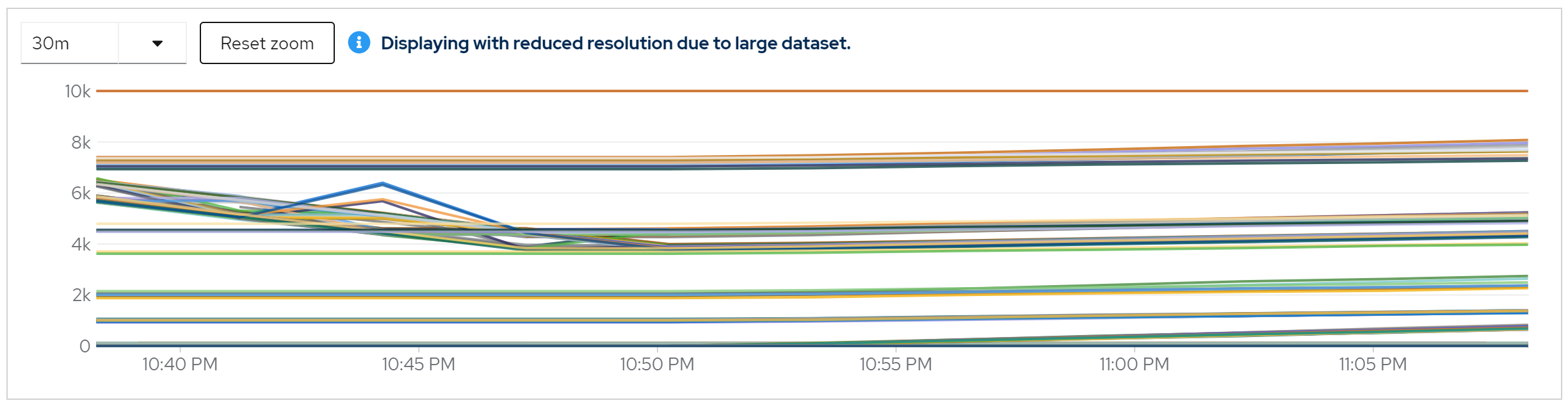
metric: vendor_statistics_average_read_time_nanos
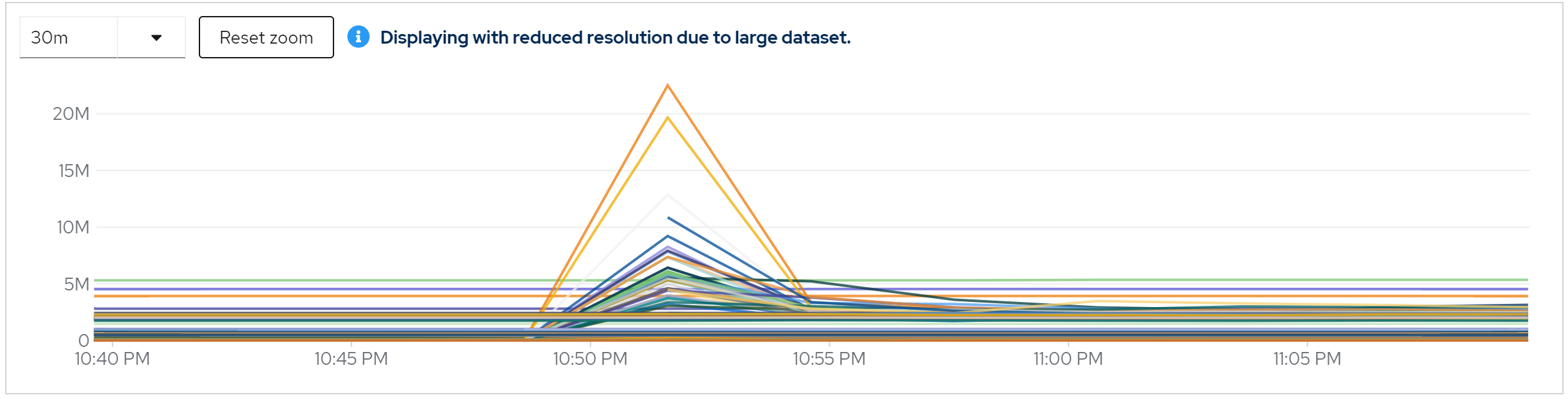
metric: avg(vendor_statistics_average_read_time_nanos) by (cache)
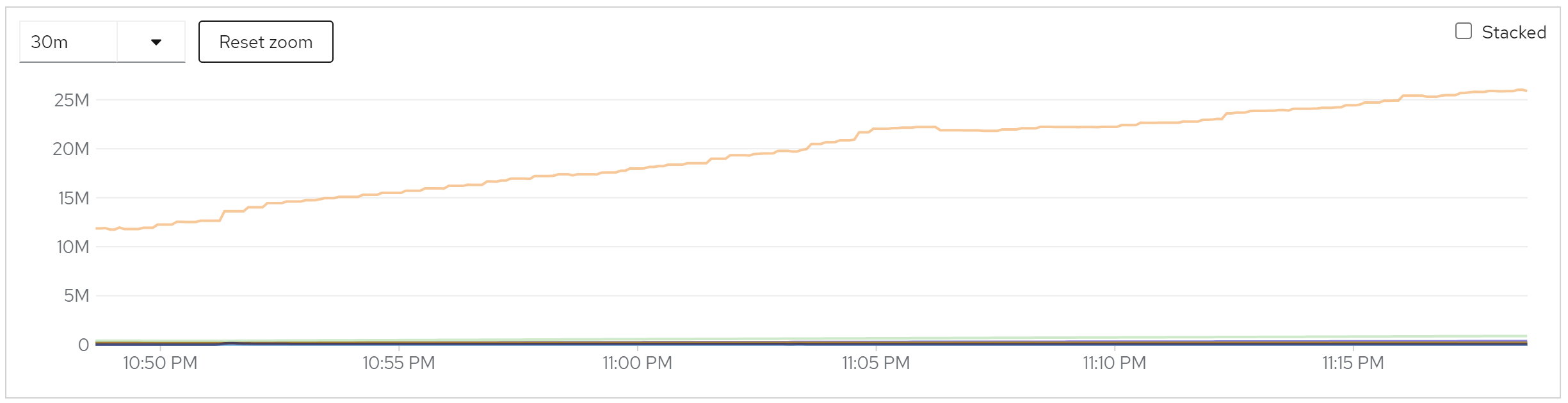
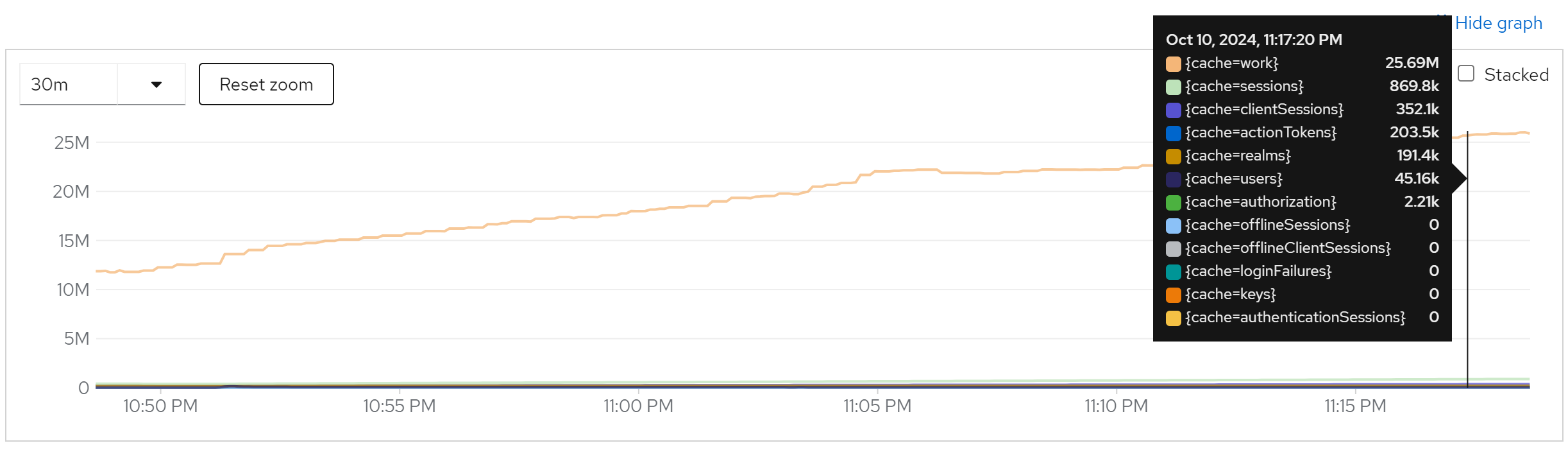
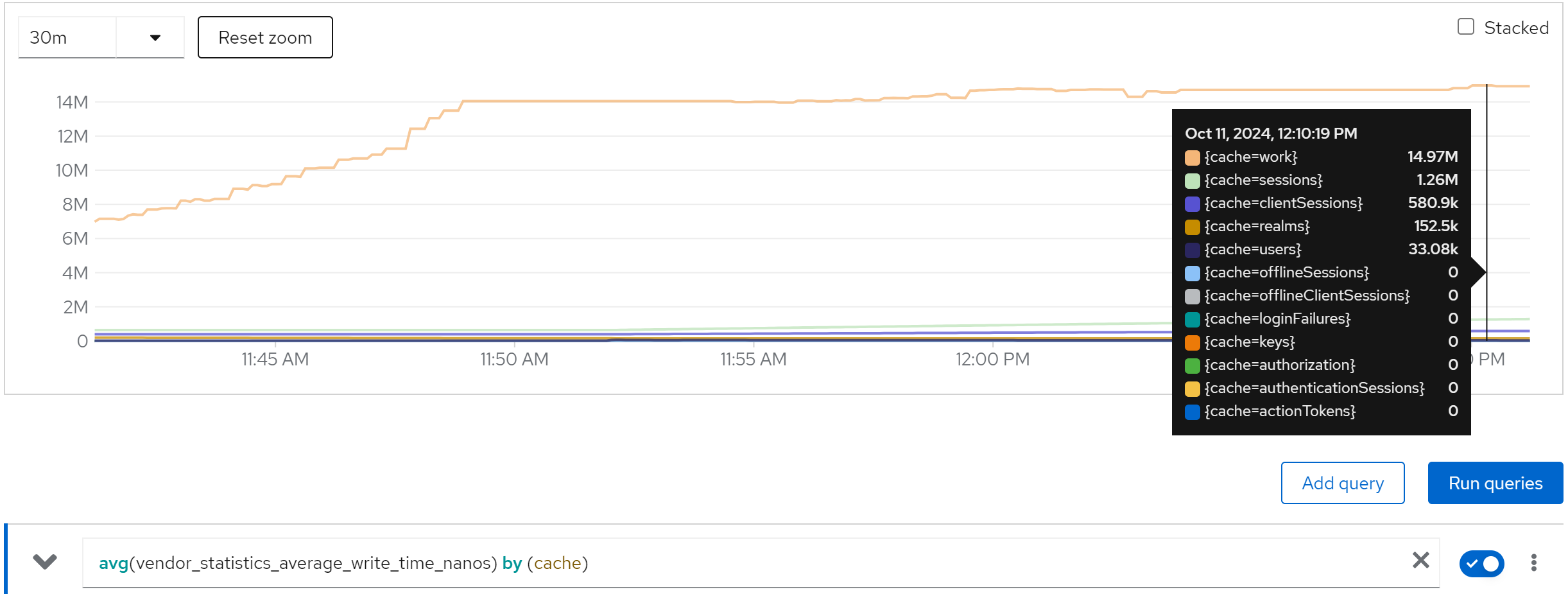
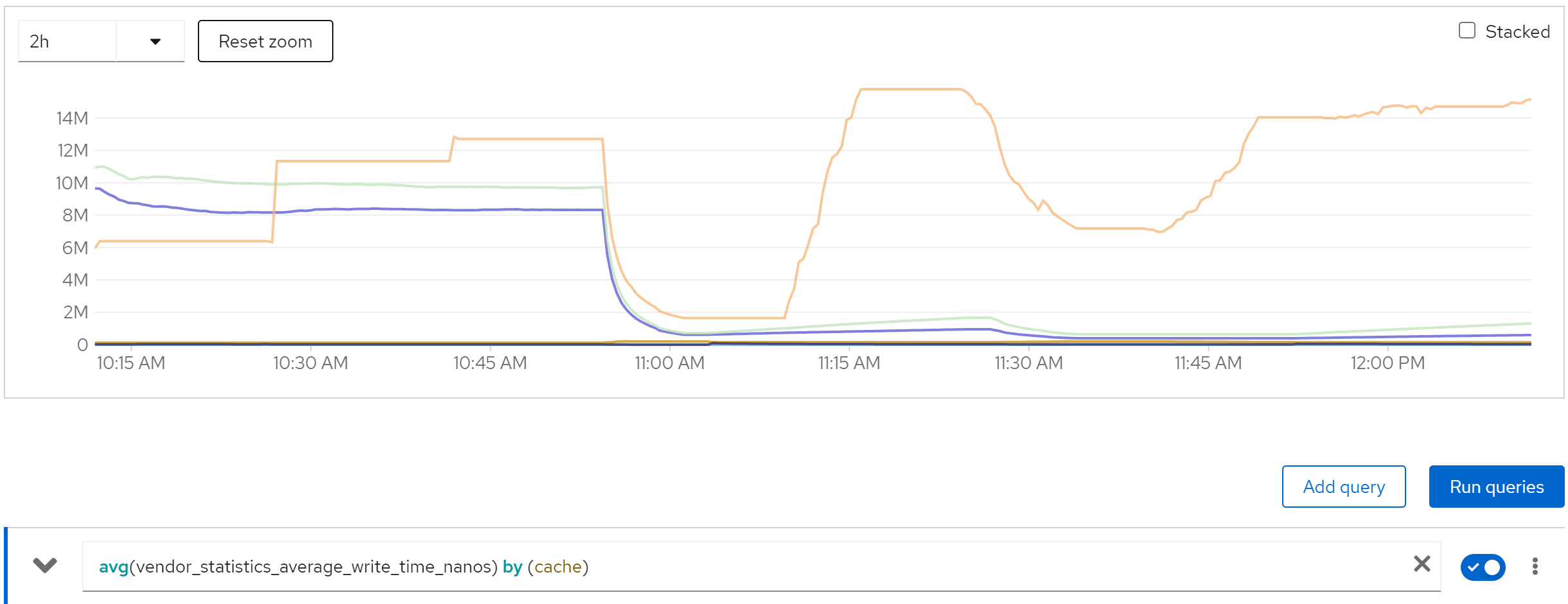
metric: avg(vendor_statistics_average_write_time_nanos) by (cache)
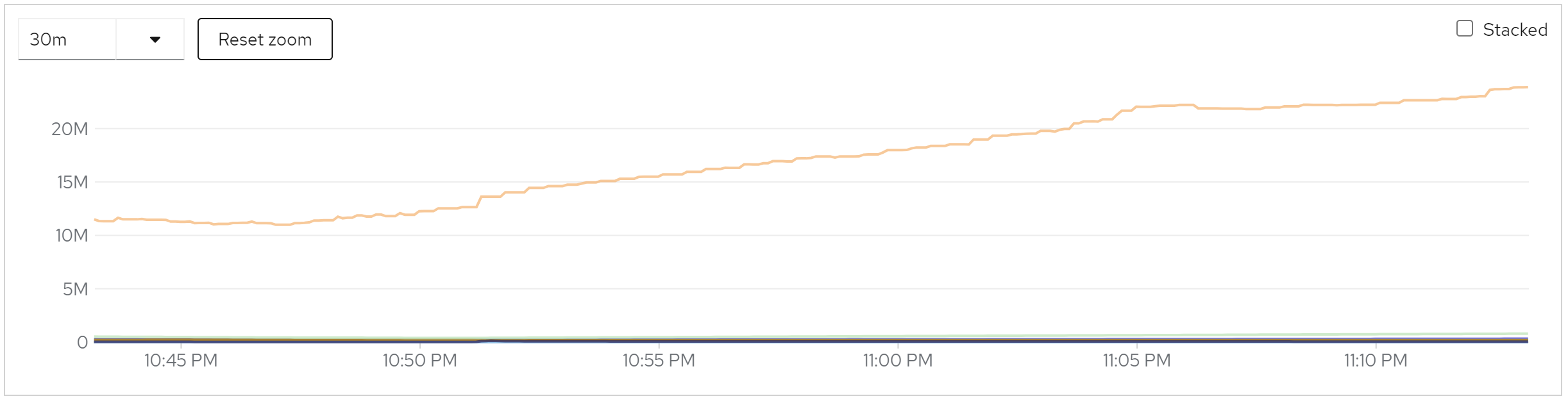
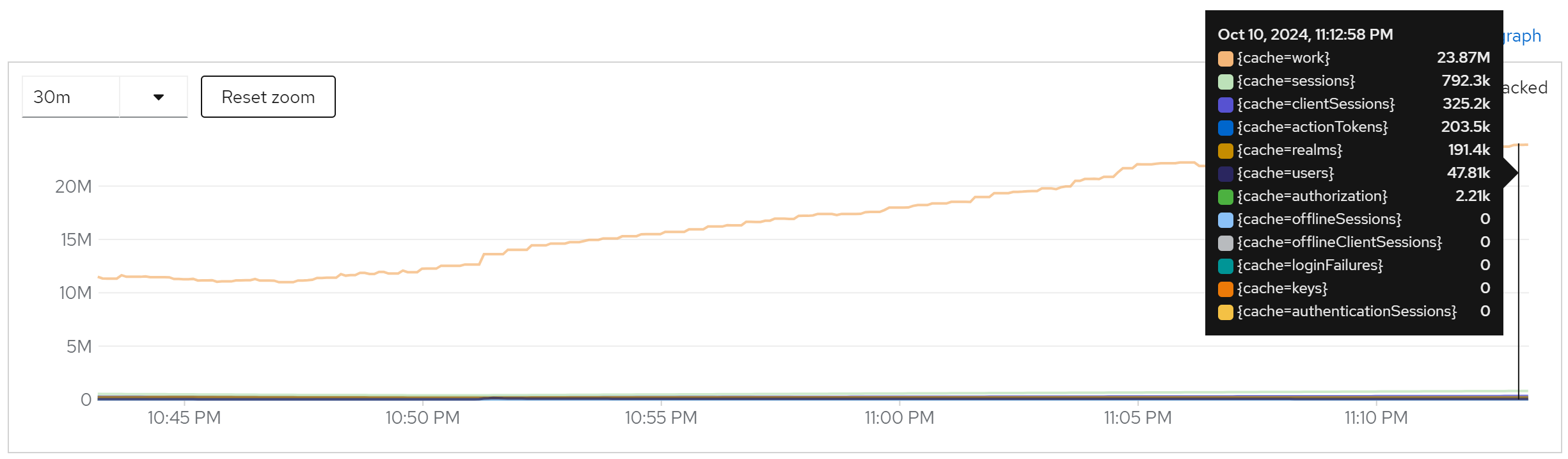
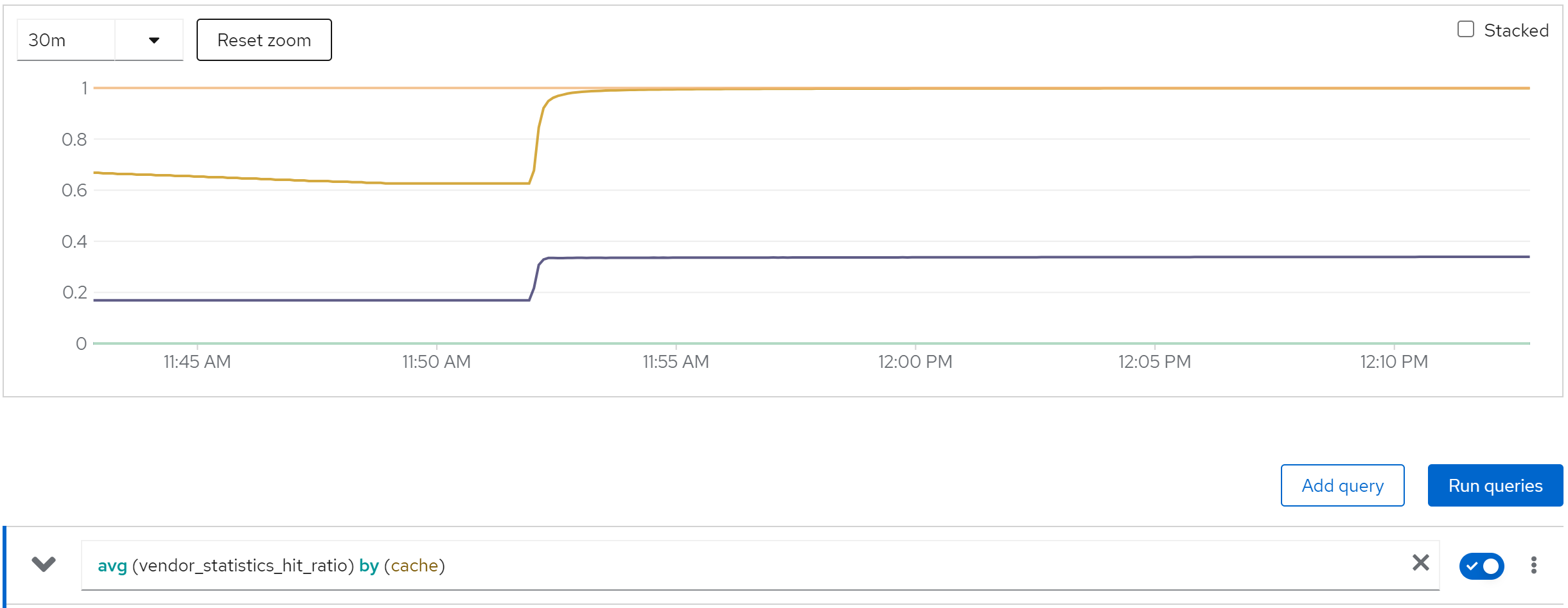
metric: avg (vendor_statistics_hit_ratio) by (cache)
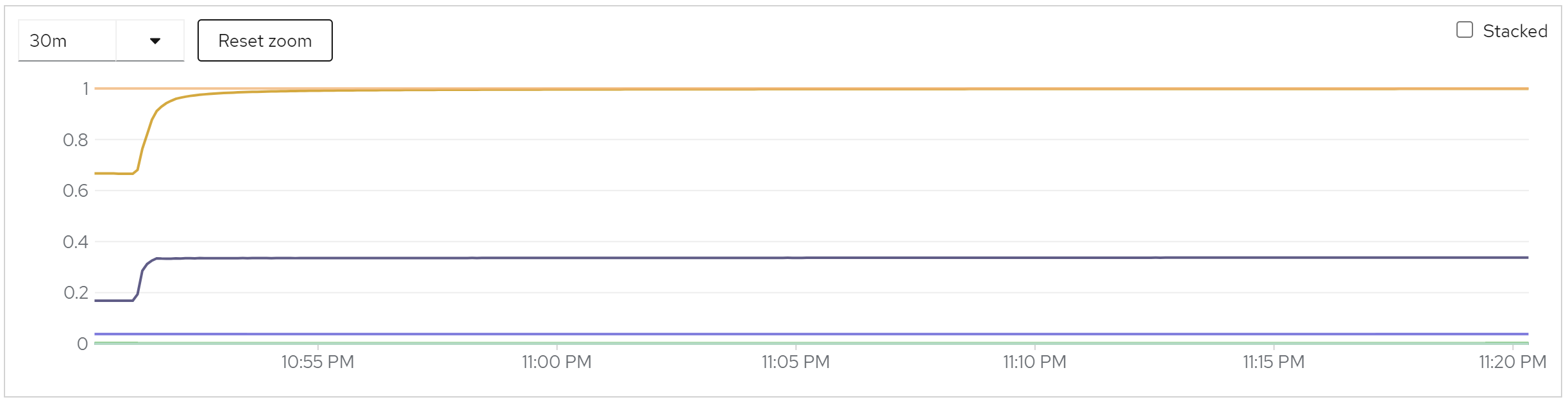
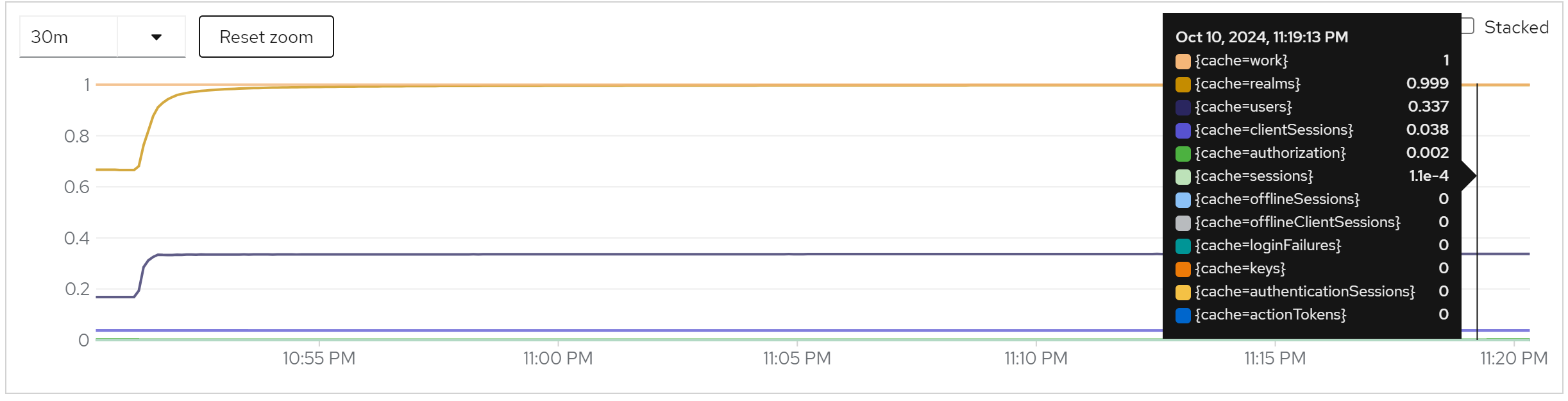
summary
- performance is stable when instance increased
- cache works fine, as in the beginning, db read a lot, then no db read.
- java thread increased a little.
enable monitoring & set the owners to 80
cat << EOF >  ${BASE_DIR}/data/install/keycloak.cache-ispn.xml
<infinispan
        xmlns:xsi="http://www.w3.org/2001/XMLSchema-instance"
        xsi:schemaLocation="urn:infinispan:config:14.0 http://www.infinispan.org/schemas/infinispan-config-14.0.xsd"
        xmlns="urn:infinispan:config:14.0">

    <cache-container name="keycloak" statistics="true">
        <transport lock-timeout="60000" stack="udp"/>
        <metrics names-as-tags="true" />
        <local-cache name="realms" simple-cache="true" statistics="true">
            <encoding>
                <key media-type="application/x-java-object"/>
                <value media-type="application/x-java-object"/>
            </encoding>
            <memory max-count="10000"/>
        </local-cache>
        <local-cache name="users" simple-cache="true" statistics="true">
            <encoding>
                <key media-type="application/x-java-object"/>
                <value media-type="application/x-java-object"/>
            </encoding>
            <memory max-count="10000"/>
        </local-cache>
        <distributed-cache name="sessions" owners="80" statistics="true">
            <expiration lifespan="-1"/>
        </distributed-cache>
        <distributed-cache name="authenticationSessions" owners="80" statistics="true">
            <expiration lifespan="-1"/>
        </distributed-cache>
        <distributed-cache name="offlineSessions" owners="80" statistics="true">
            <expiration lifespan="-1"/>
        </distributed-cache>
        <distributed-cache name="clientSessions" owners="80" statistics="true">
            <expiration lifespan="-1"/>
        </distributed-cache>
        <distributed-cache name="offlineClientSessions" owners="80" statistics="true">
            <expiration lifespan="-1"/>
        </distributed-cache>
        <distributed-cache name="loginFailures" owners="80" statistics="true">
            <expiration lifespan="-1"/>
        </distributed-cache>
        <local-cache name="authorization" simple-cache="true" statistics="true">
            <encoding>
                <key media-type="application/x-java-object"/>
                <value media-type="application/x-java-object"/>
            </encoding>
            <memory max-count="10000"/>
        </local-cache>
        <replicated-cache name="work" statistics="true">
            <expiration lifespan="-1"/>
        </replicated-cache>
        <local-cache name="keys" simple-cache="true" statistics="true">
            <encoding>
                <key media-type="application/x-java-object"/>
                <value media-type="application/x-java-object"/>
            </encoding>
            <expiration max-idle="3600000"/>
            <memory max-count="1000"/>
        </local-cache>
        <distributed-cache name="actionTokens" owners="80" statistics="true">
            <encoding>
                <key media-type="application/x-java-object"/>
                <value media-type="application/x-java-object"/>
            </encoding>
            <expiration max-idle="-1" lifespan="-1" interval="300000"/>
            <memory max-count="-1"/>
        </distributed-cache>
    </cache-container>
</infinispan>
EOF

# create configmap
oc delete configmap keycloak-cache-ispn -n demo-keycloak
oc create configmap keycloak-cache-ispn --from-file=${BASE_DIR}/data/install/keycloak.cache-ispn.xml -n demo-keycloak
run with 2 instance
direct ouptut of the job
......
Summary (last minute): Success: 1149, Failure: 0, Success Rate: 100.00%, Avg Time: 0.52s
......
Summary (last minute): Success: 1341, Failure: 0, Success Rate: 100.00%, Avg Time: 0.45s
......
Summary (last minute): Success: 1345, Failure: 0, Success Rate: 100.00%, Avg Time: 0.45s
......
Summary (last minute): Success: 1356, Failure: 0, Success Rate: 100.00%, Avg Time: 0.44s
......
Summary (last minute): Success: 1375, Failure: 0, Success Rate: 100.00%, Avg Time: 0.44s
......
Summary (last minute): Success: 1362, Failure: 0, Success Rate: 100.00%, Avg Time: 0.44s
......
metric: jvm_threads_live_threads
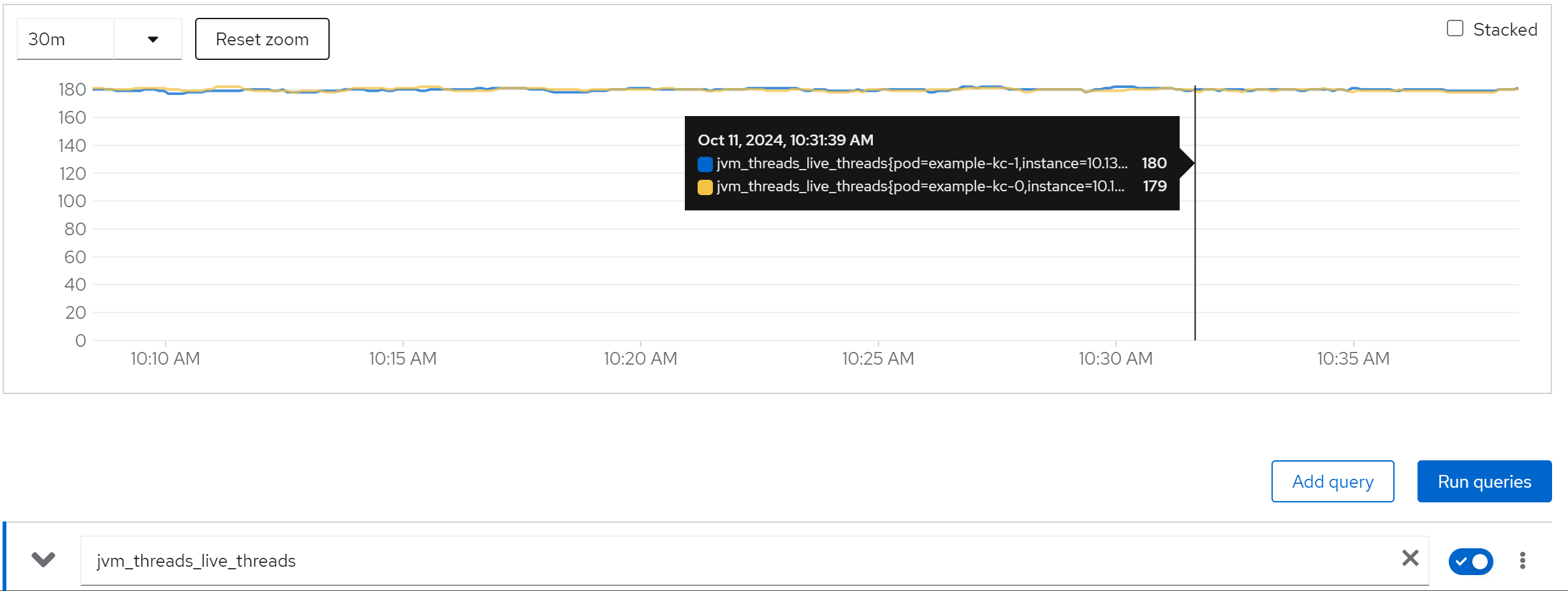
metric: rate(jvm_gc_pause_seconds_count[5m])
metric: agroal_blocking_time_average_milliseconds -> 0
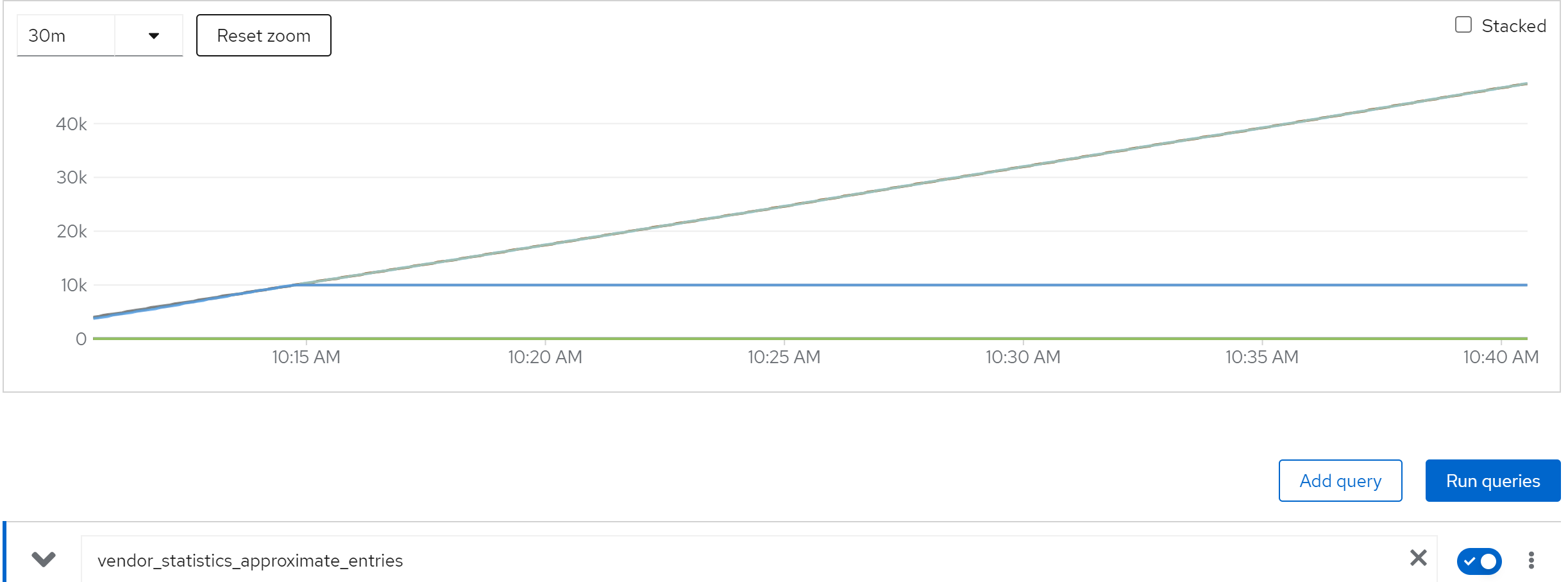
metric: vendor_statistics_approximate_entries
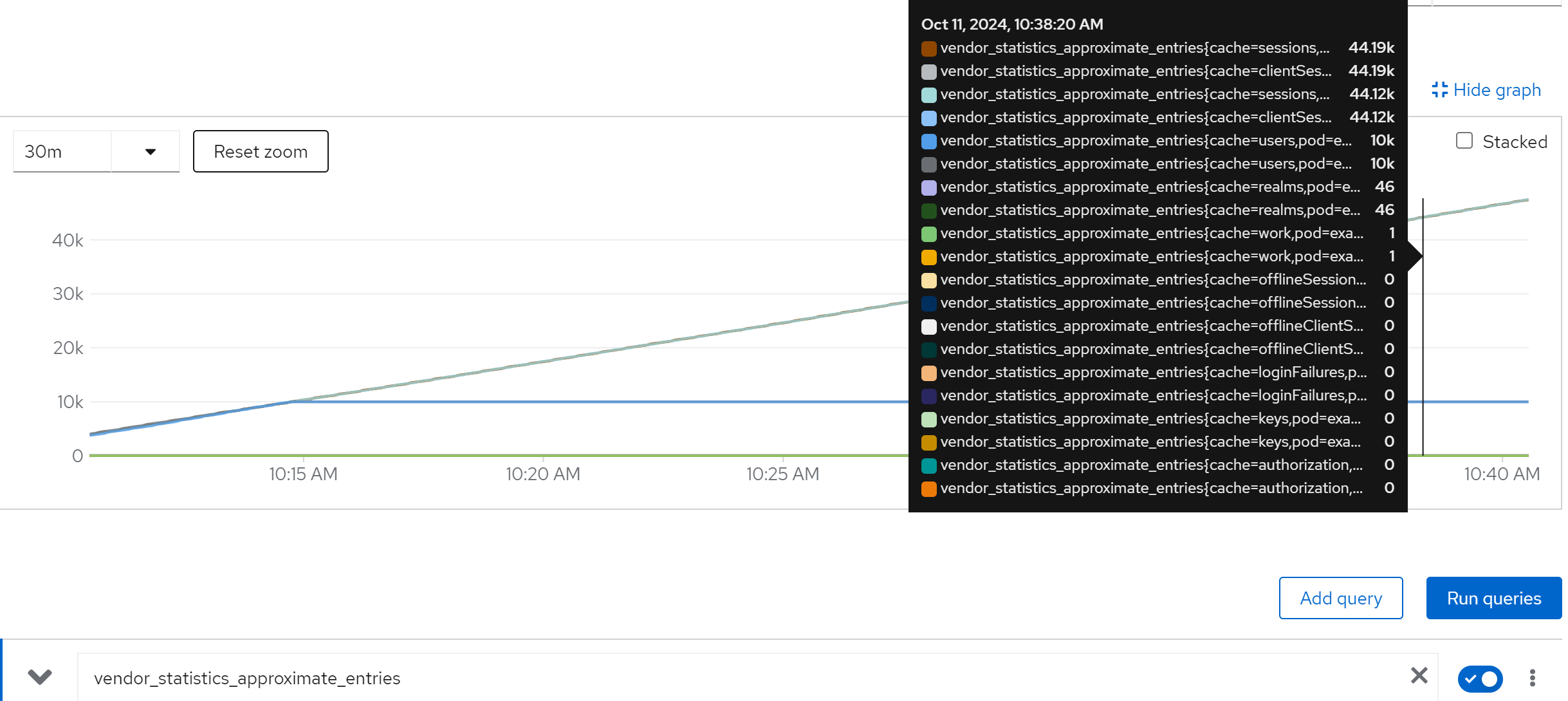
metric: avg(vendor_statistics_approximate_entries) by (cache)
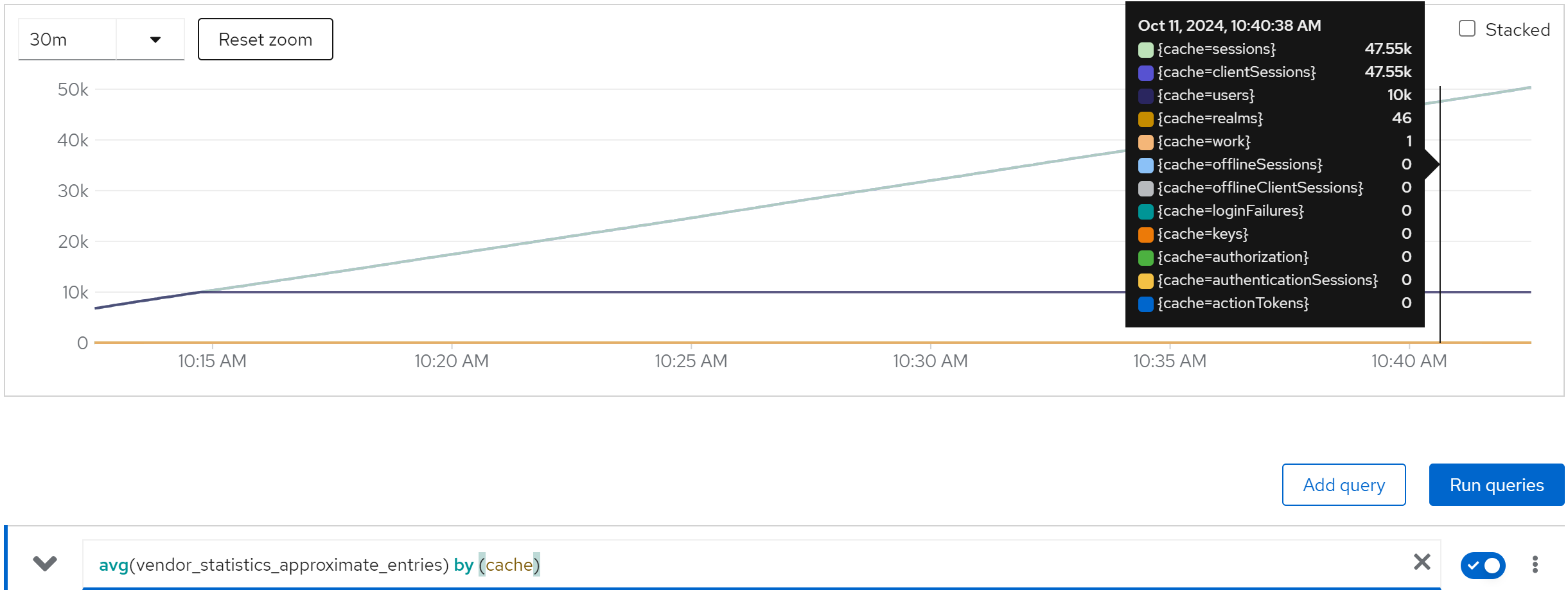
metric: vendor_statistics_average_read_time_nanos
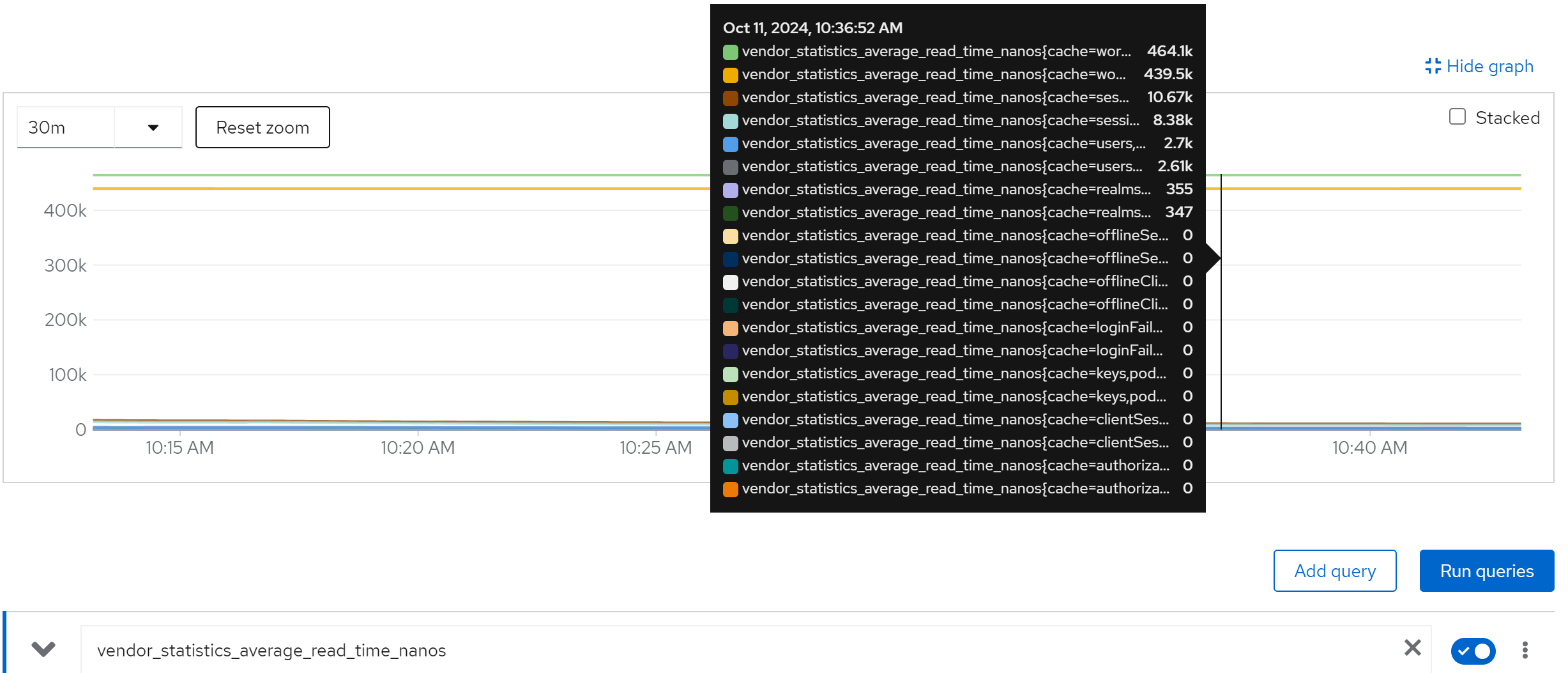
metric: avg(vendor_statistics_average_read_time_nanos) by (cache)
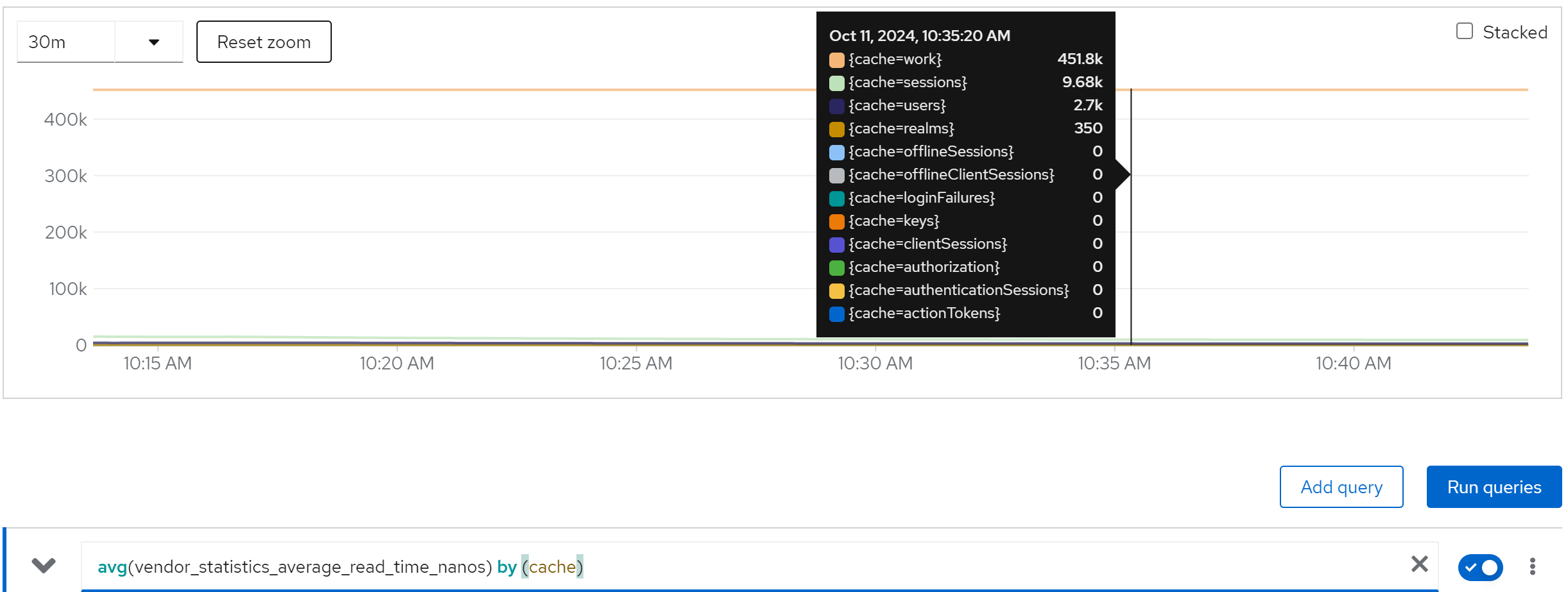
metric: vendor_statistics_average_write_time_nanos
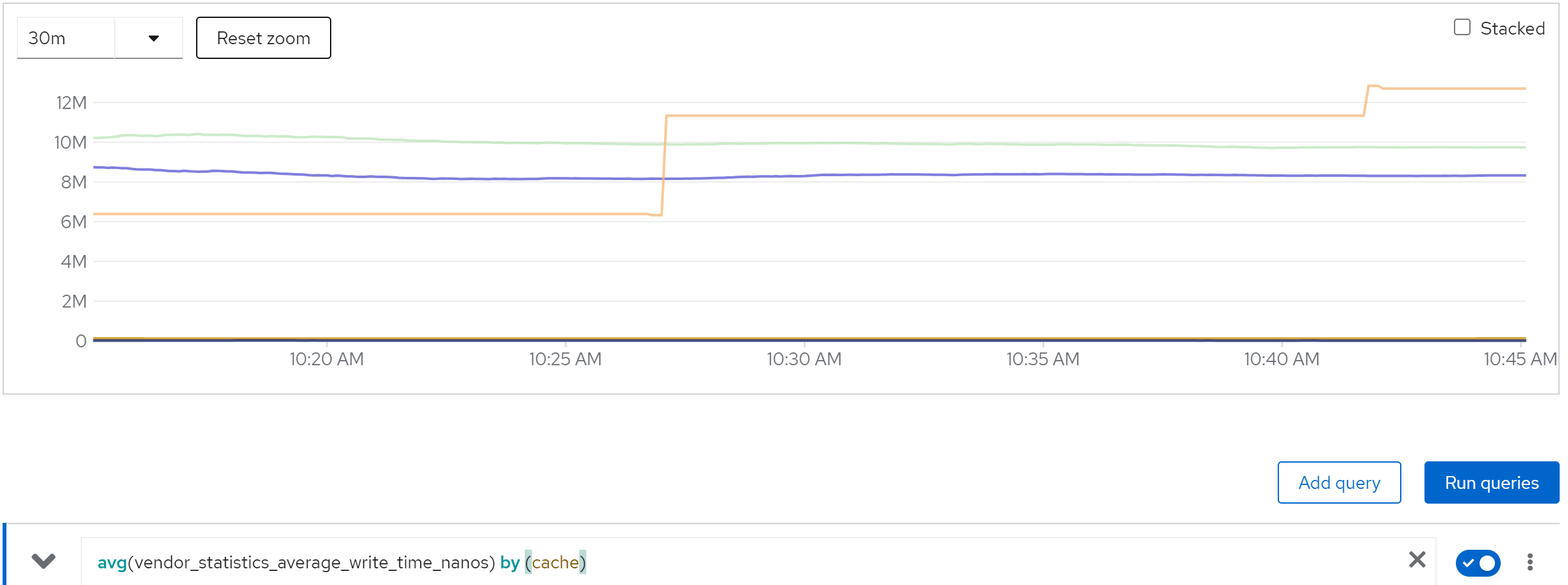
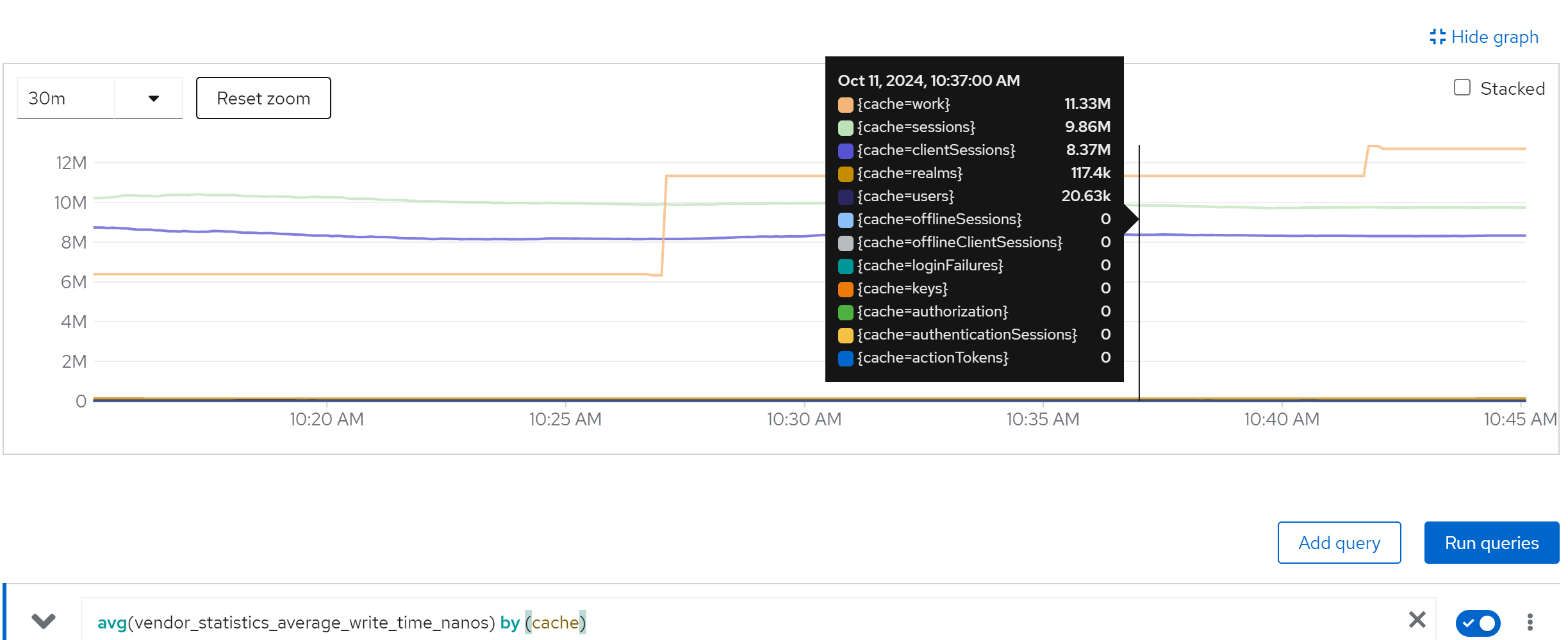
metric: avg(vendor_statistics_average_write_time_nanos) by (cache)
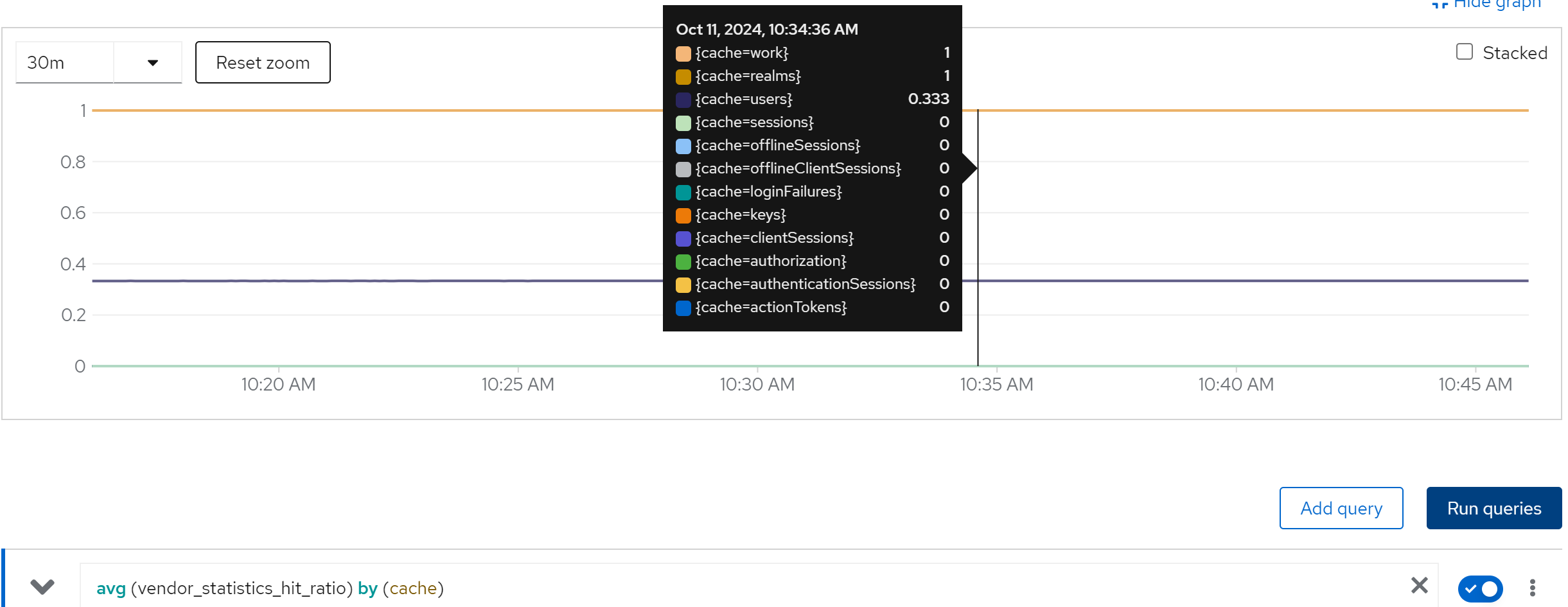
metric: avg (vendor_statistics_hit_ratio) by (cache)
run with 20 instance
direct ouptut of the job
......
Summary (last minute): Success: 1277, Failure: 0, Success Rate: 100.00%, Avg Time: 0.47s
......
Summary (last minute): Success: 1392, Failure: 0, Success Rate: 100.00%, Avg Time: 0.43s
......
Summary (last minute): Success: 1408, Failure: 0, Success Rate: 100.00%, Avg Time: 0.43s
......
Summary (last minute): Success: 1398, Failure: 0, Success Rate: 100.00%, Avg Time: 0.43s
......
Summary (last minute): Success: 1384, Failure: 0, Success Rate: 100.00%, Avg Time: 0.43s
......
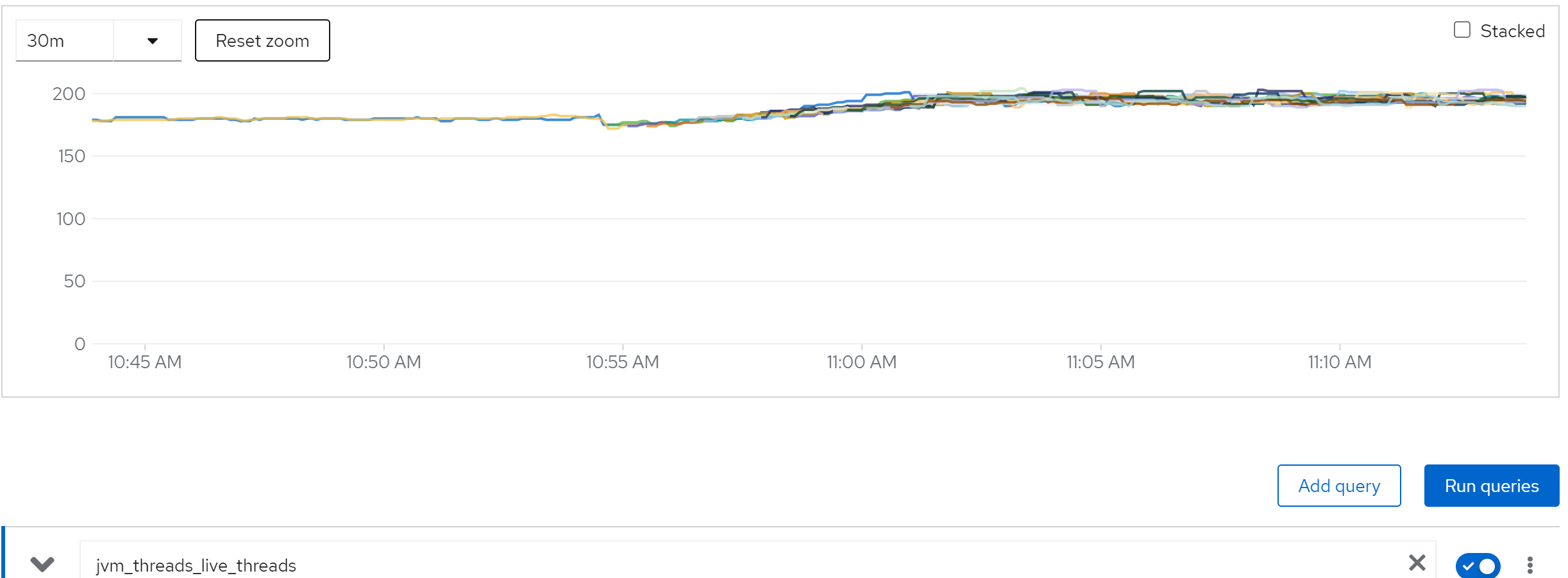
metric: jvm_threads_live_threads
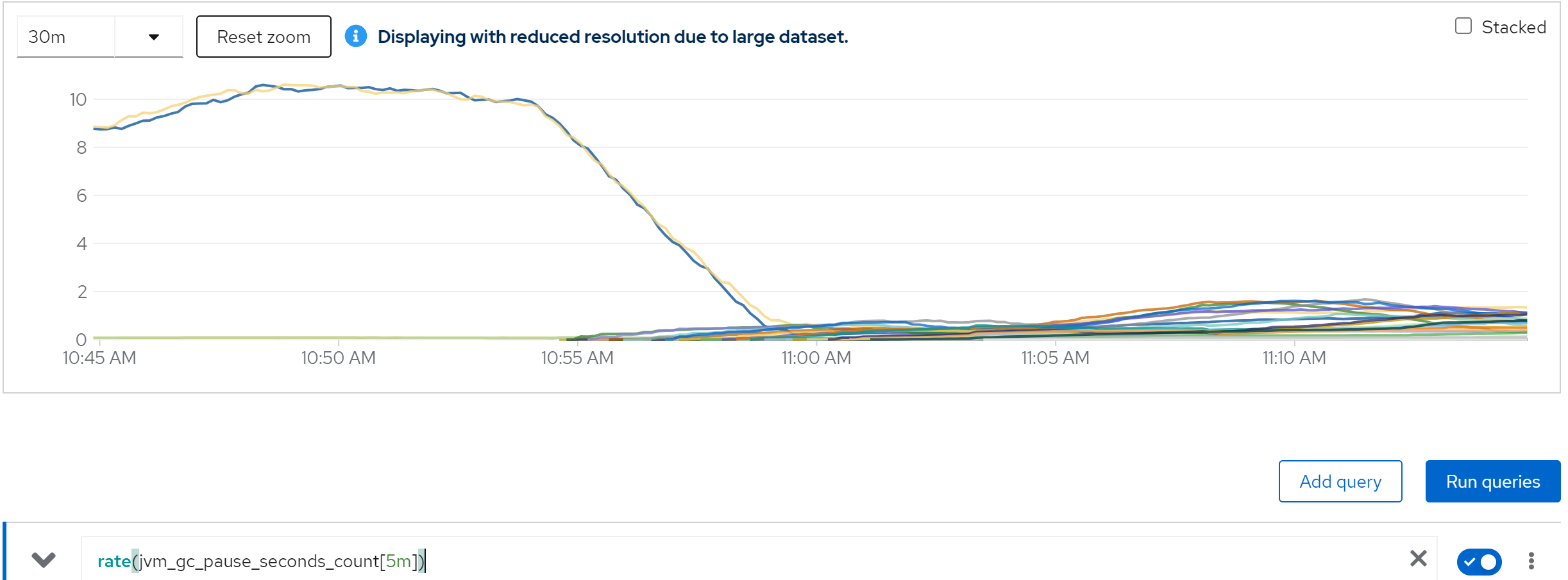
metric: rate(jvm_gc_pause_seconds_count[5m])
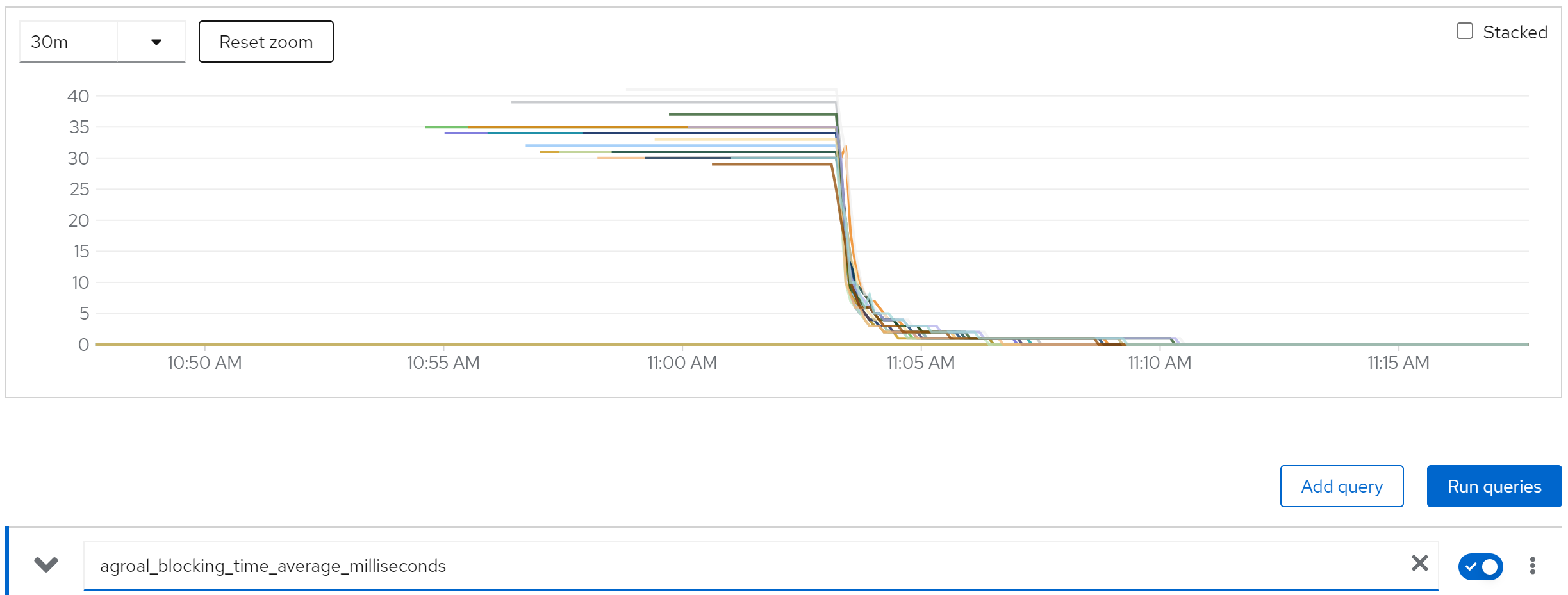
metric: agroal_blocking_time_average_milliseconds -> 0
metric: vendor_statistics_approximate_entries
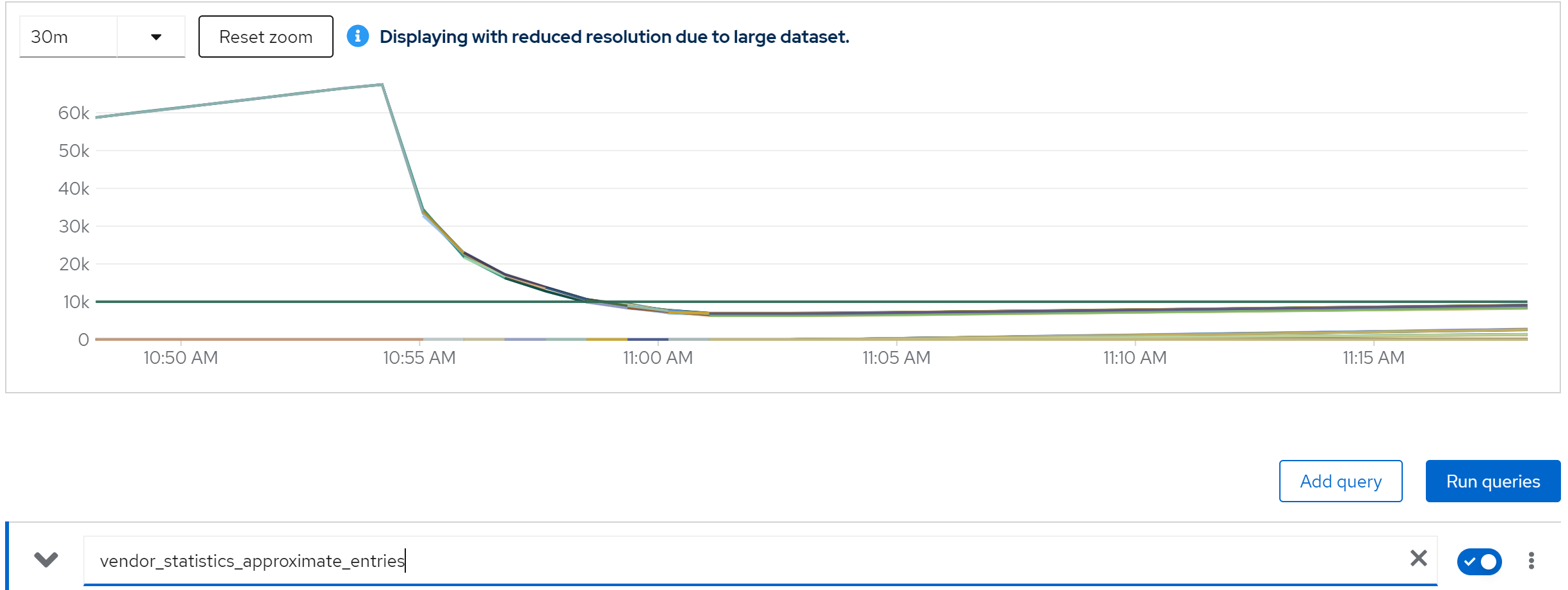
metric: avg(vendor_statistics_approximate_entries) by (cache)
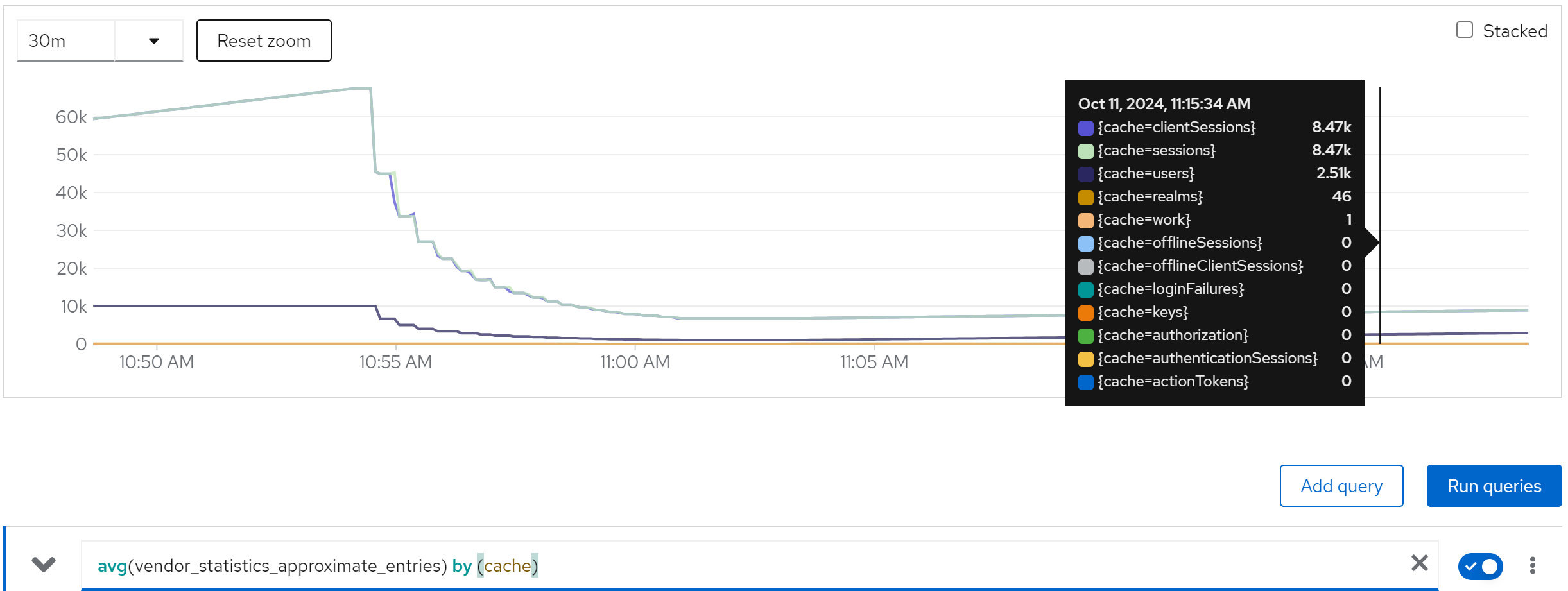
metric: vendor_statistics_average_read_time_nanos
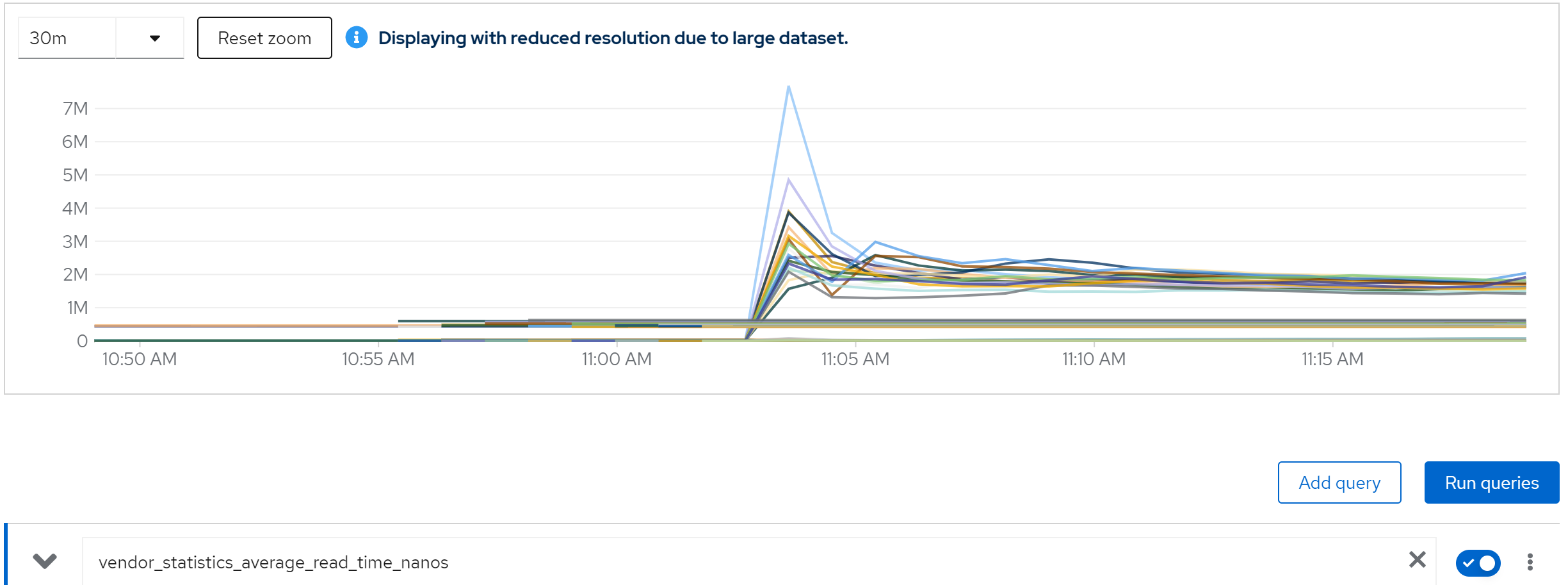
metric: avg(vendor_statistics_average_read_time_nanos) by (cache)
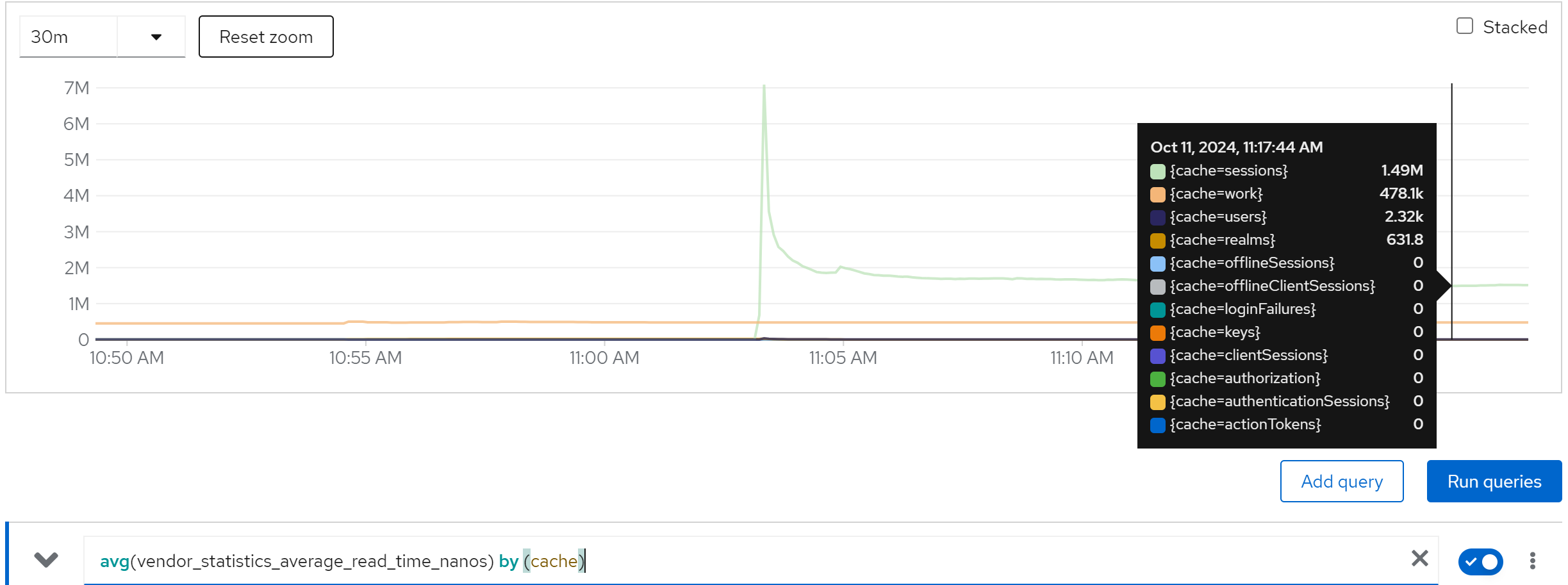
metric: vendor_statistics_average_write_time_nanos
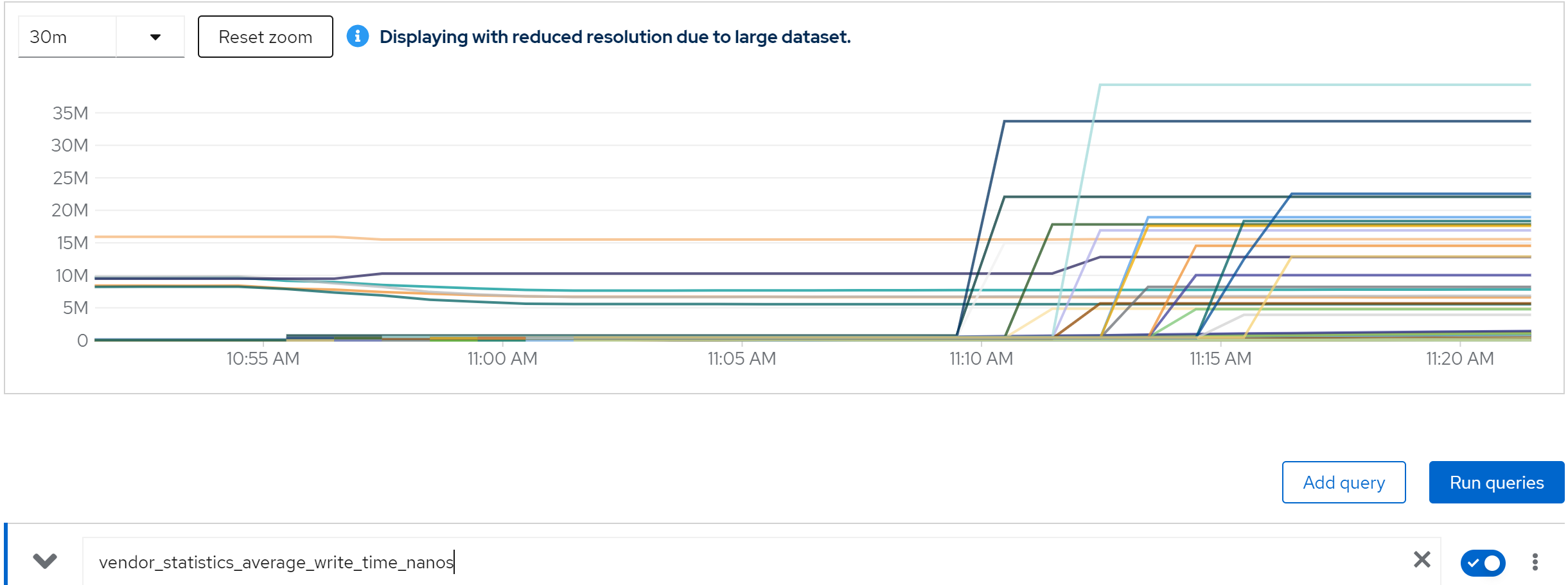
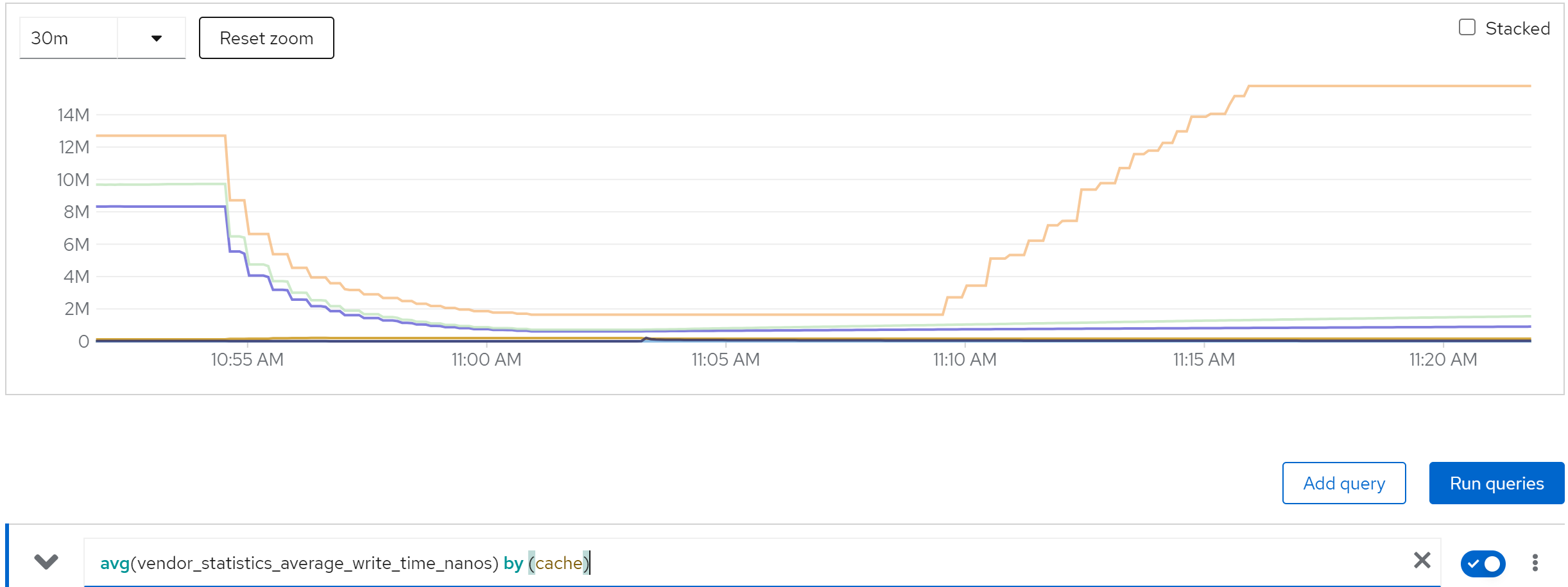
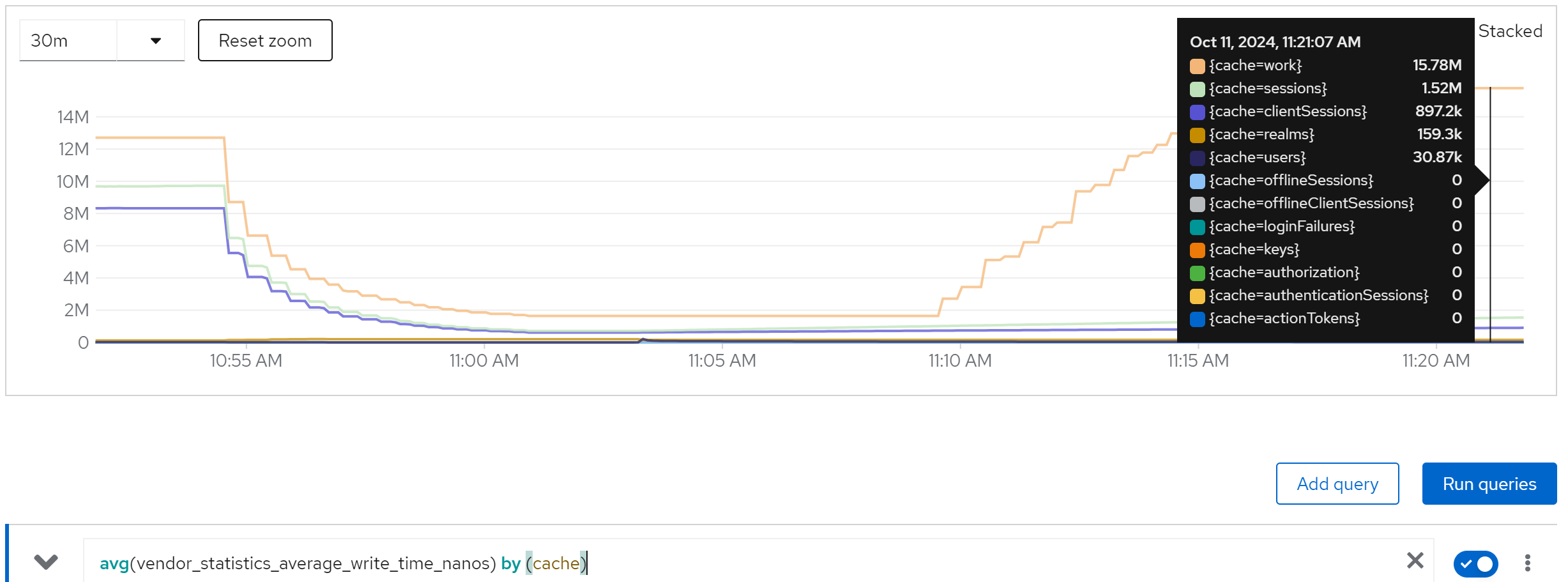
metric: avg(vendor_statistics_average_write_time_nanos) by (cache)
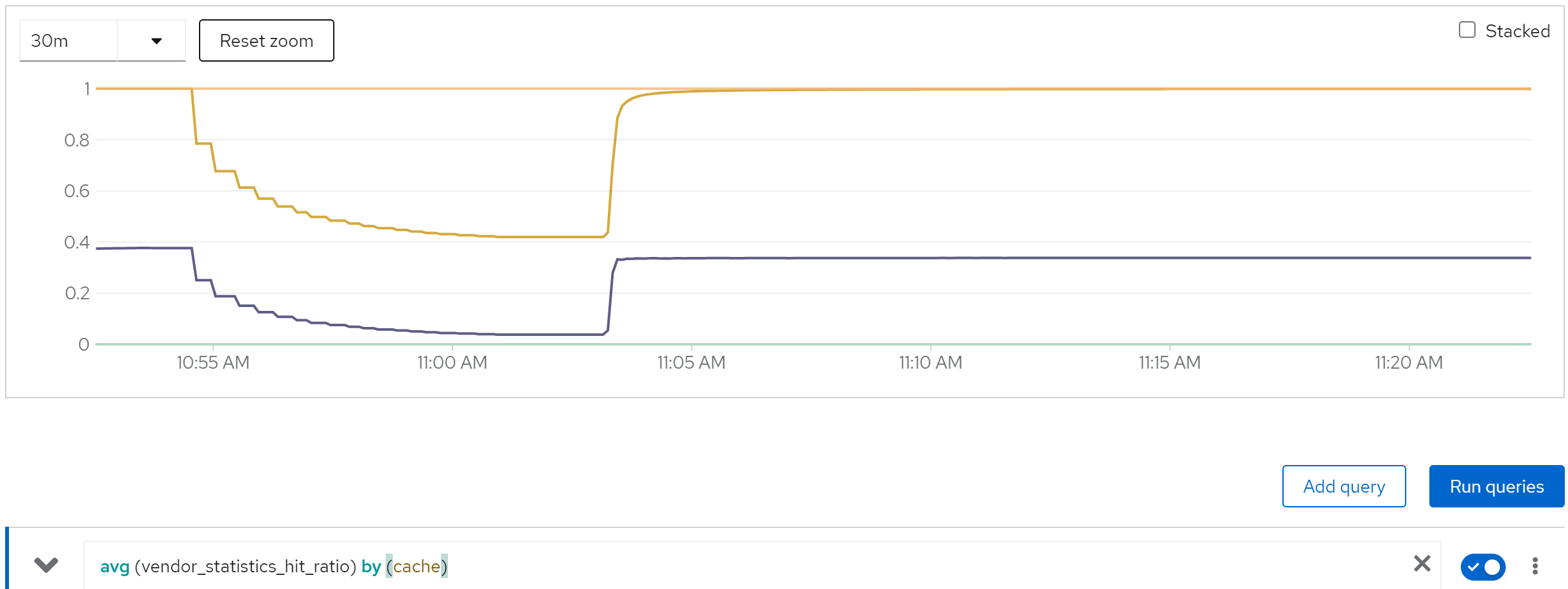
metric: avg (vendor_statistics_hit_ratio) by (cache)
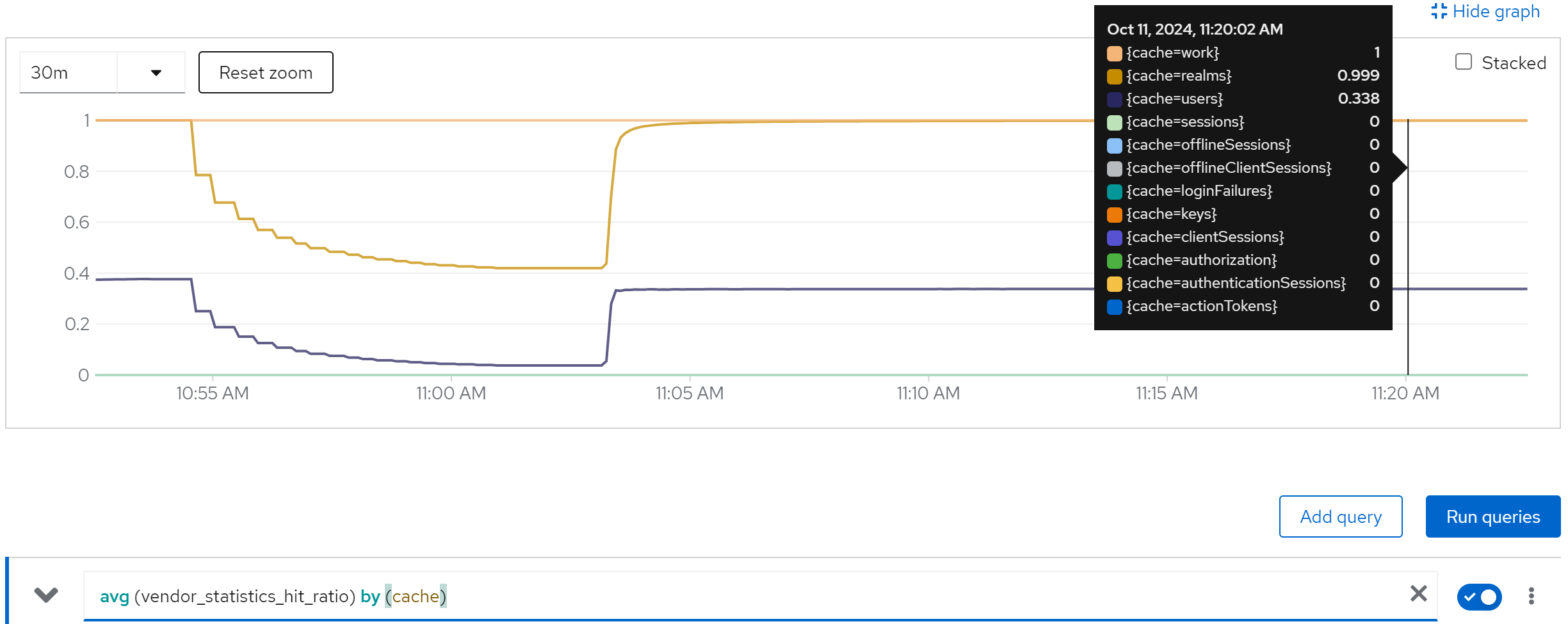
run with 40 instance
direct ouptut of the job
......
Summary (last minute): Success: 1315, Failure: 0, Success Rate: 100.00%, Avg Time: 0.46s
......
Summary (last minute): Success: 1413, Failure: 0, Success Rate: 100.00%, Avg Time: 0.42s
......
Summary (last minute): Success: 1406, Failure: 0, Success Rate: 100.00%, Avg Time: 0.43s
......
Summary (last minute): Success: 1405, Failure: 0, Success Rate: 100.00%, Avg Time: 0.43s
......
Summary (last minute): Success: 1414, Failure: 0, Success Rate: 100.00%, Avg Time: 0.42s
......
metric: jvm_threads_live_threads
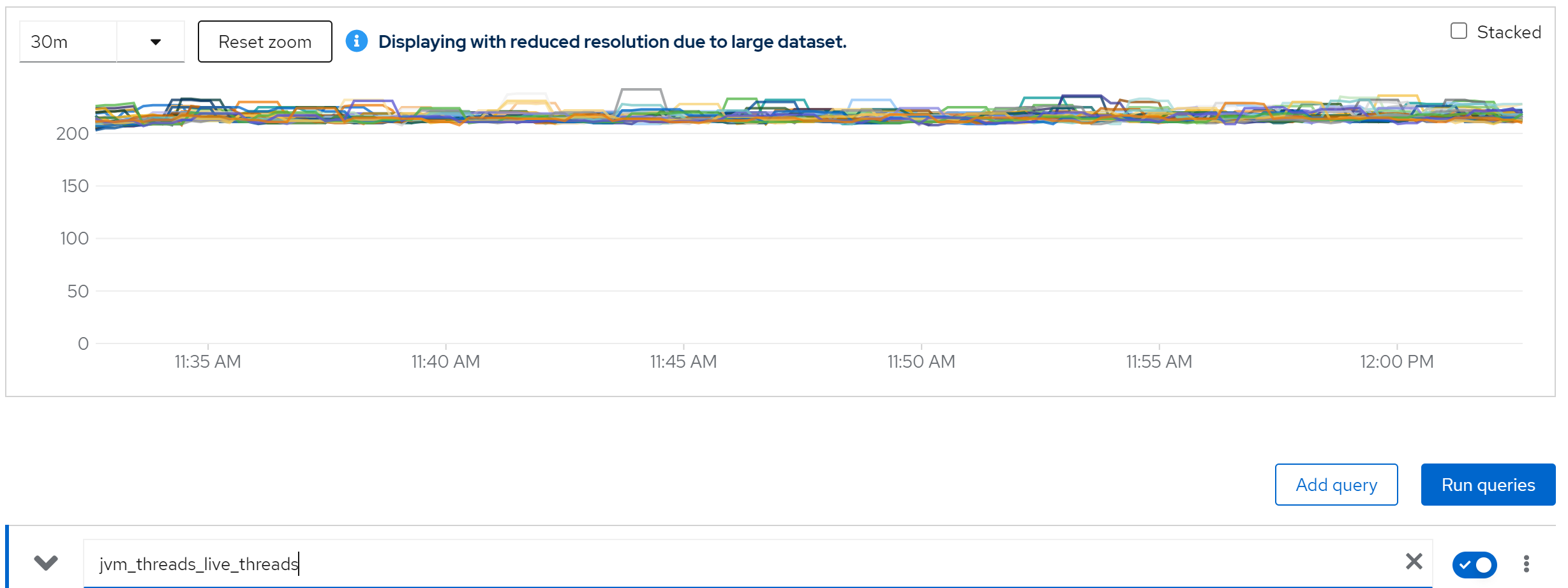
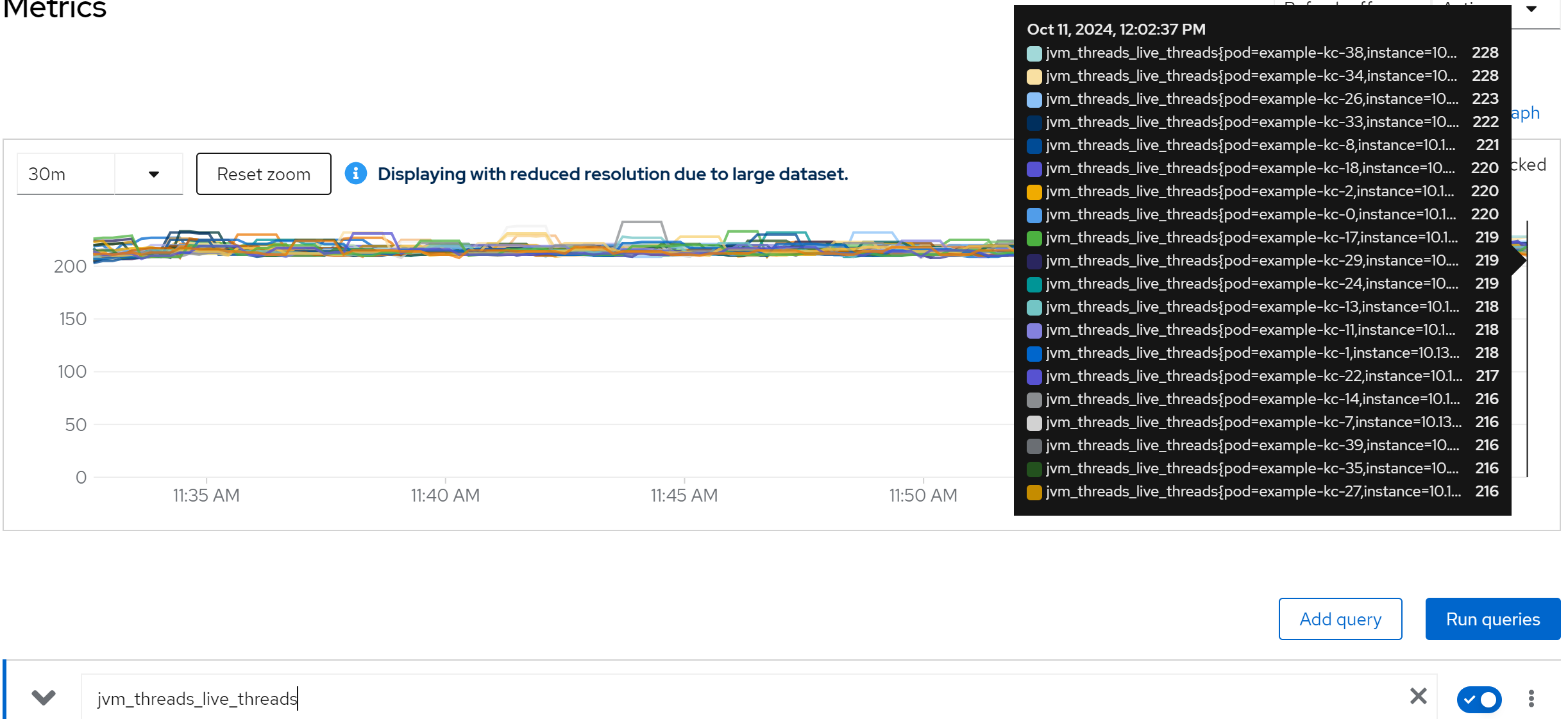
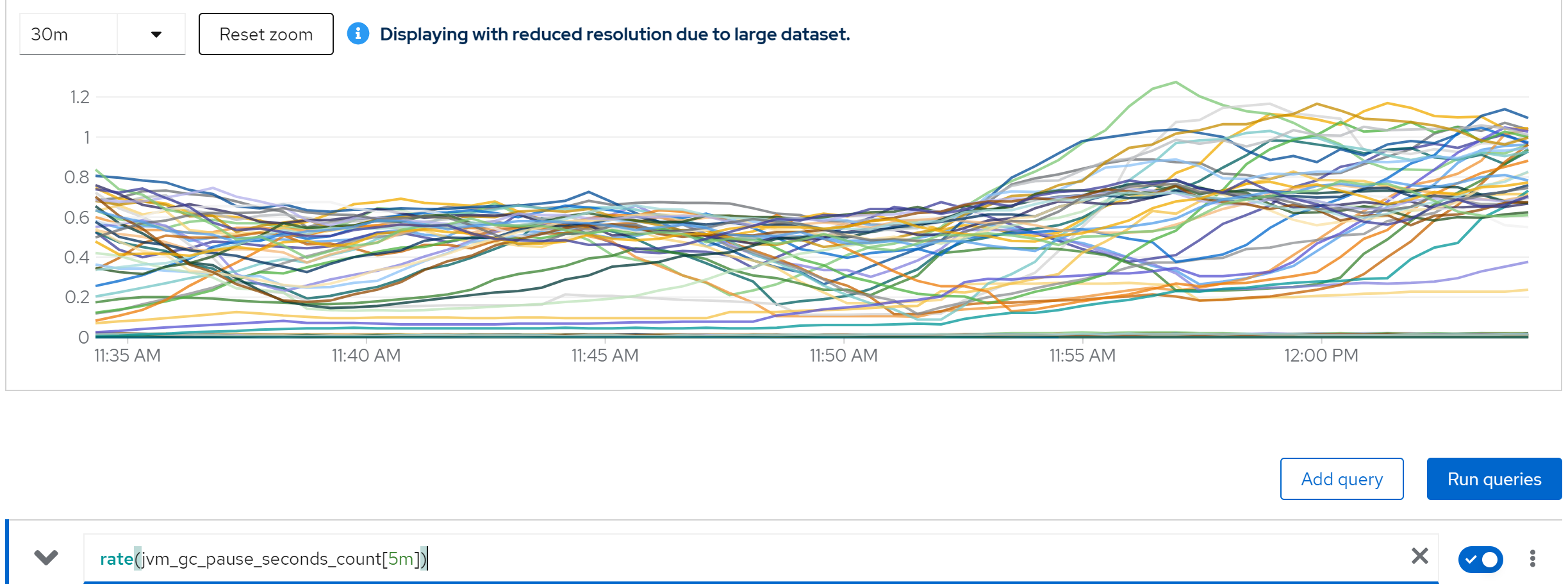
metric: rate(jvm_gc_pause_seconds_count[5m])
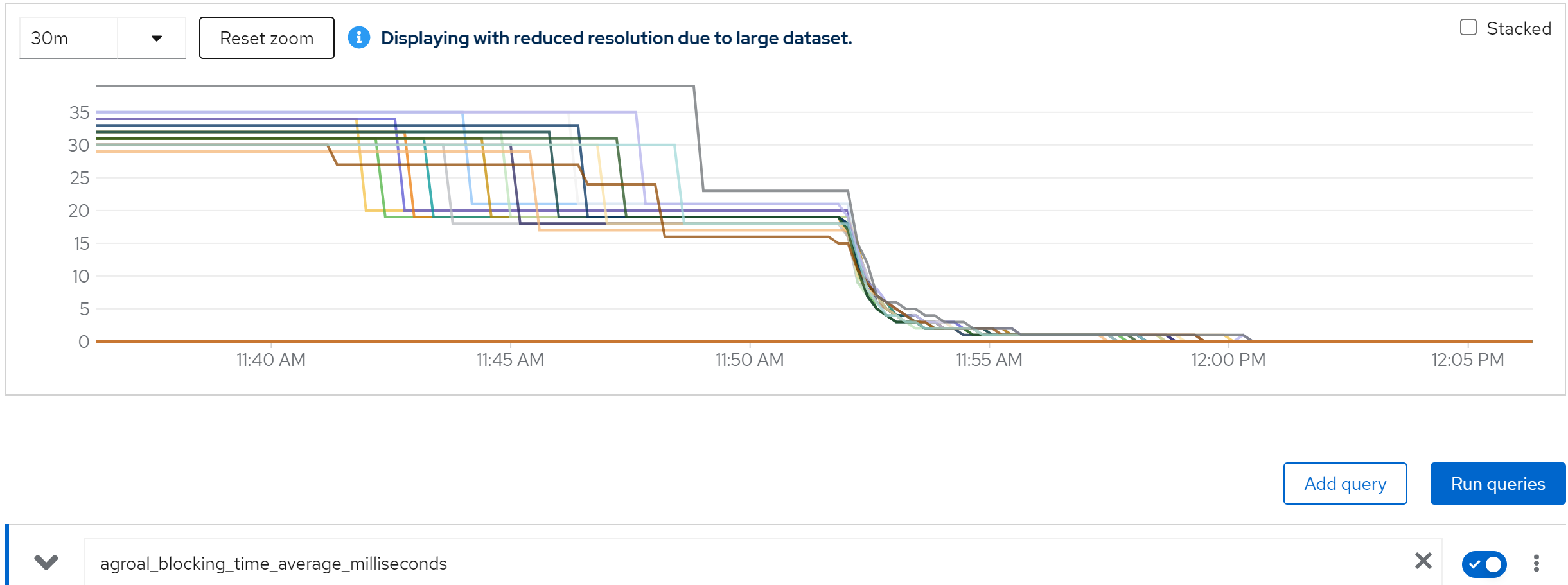
metric: agroal_blocking_time_average_milliseconds -> 0
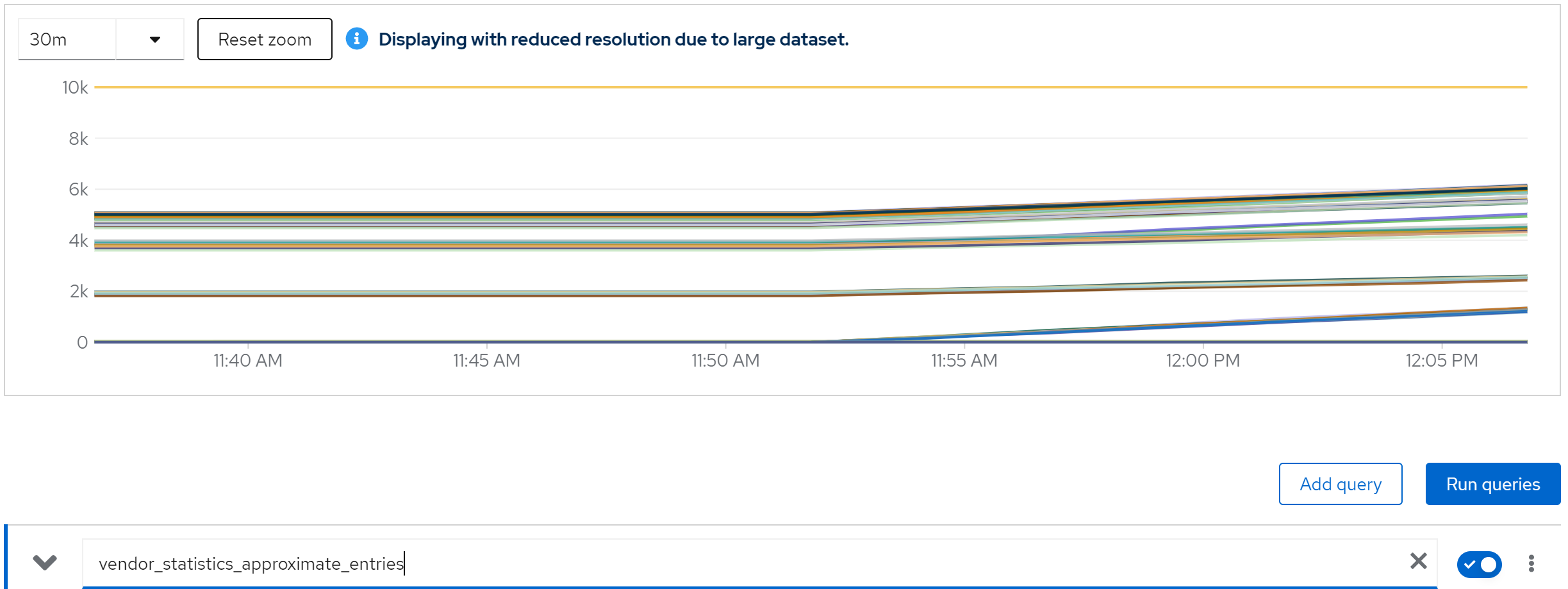
metric: vendor_statistics_approximate_entries
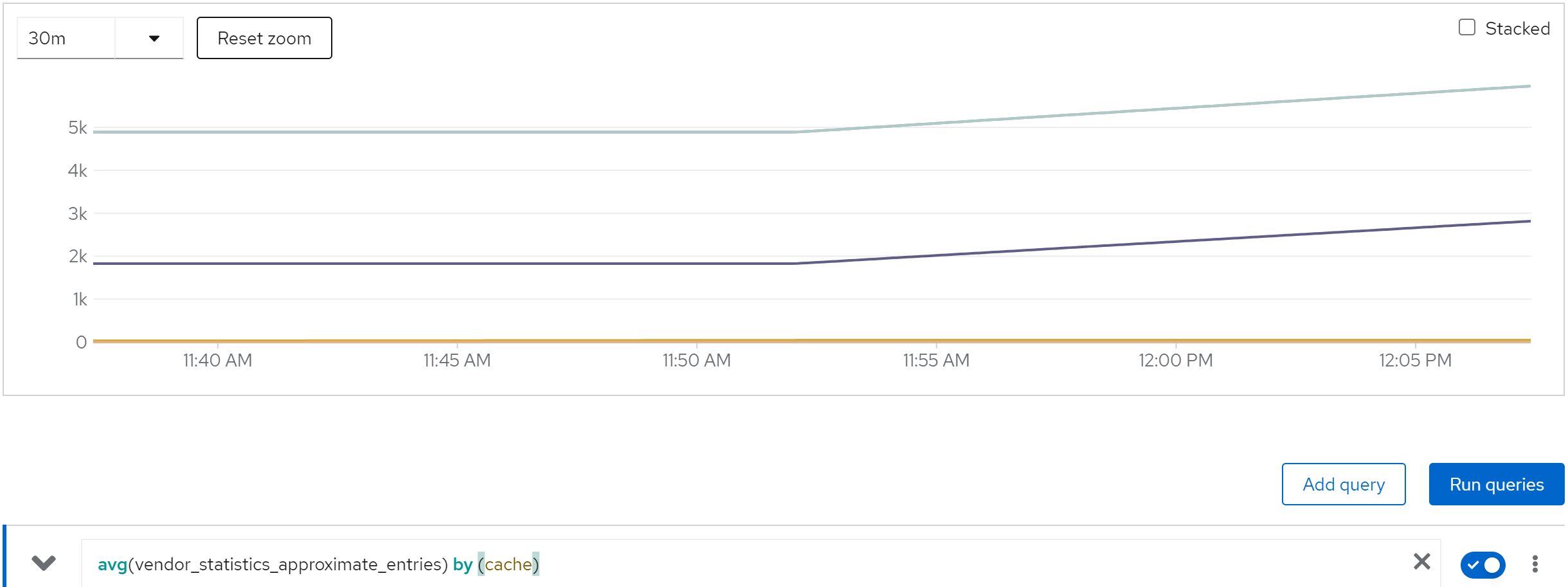
metric: avg(vendor_statistics_approximate_entries) by (cache)
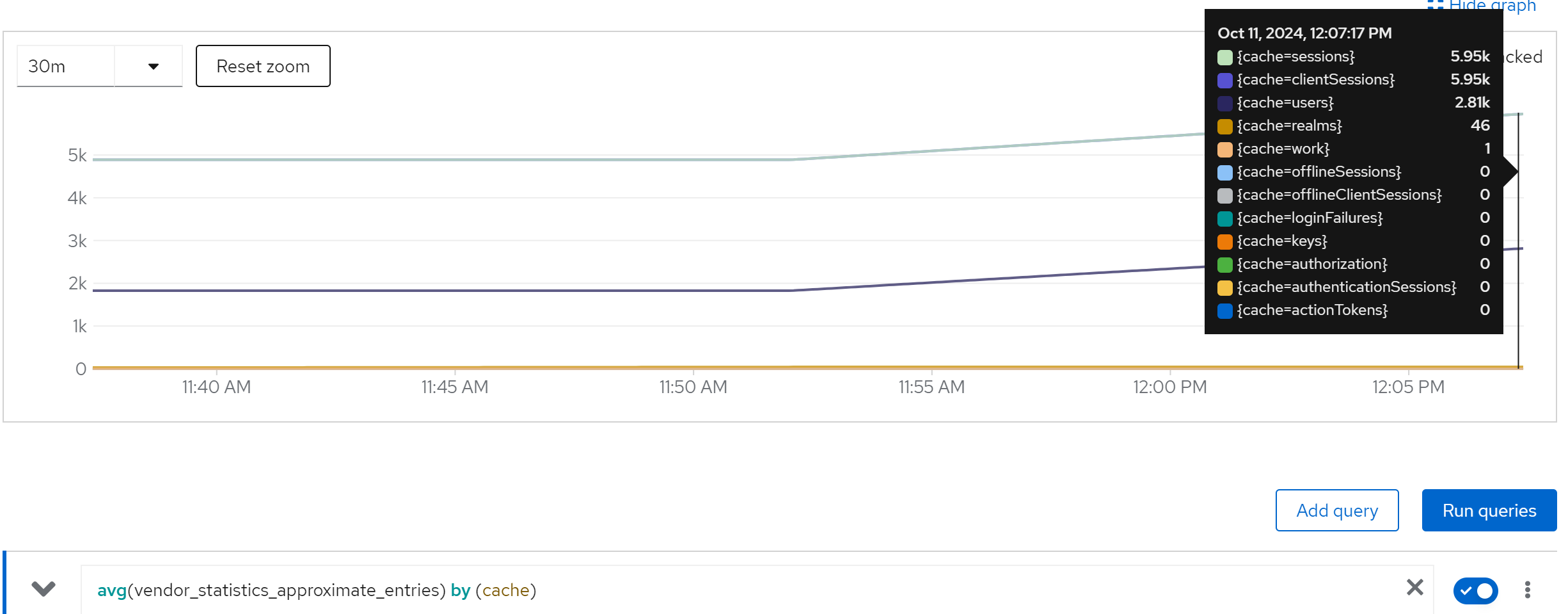
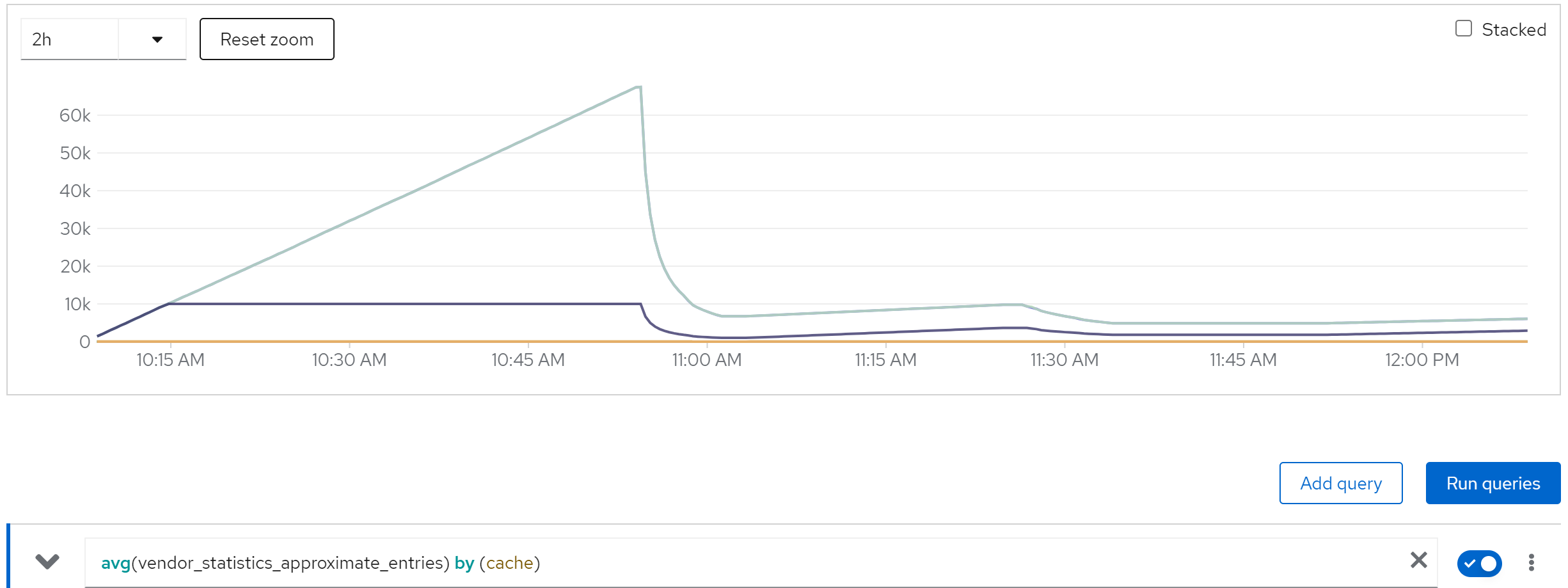
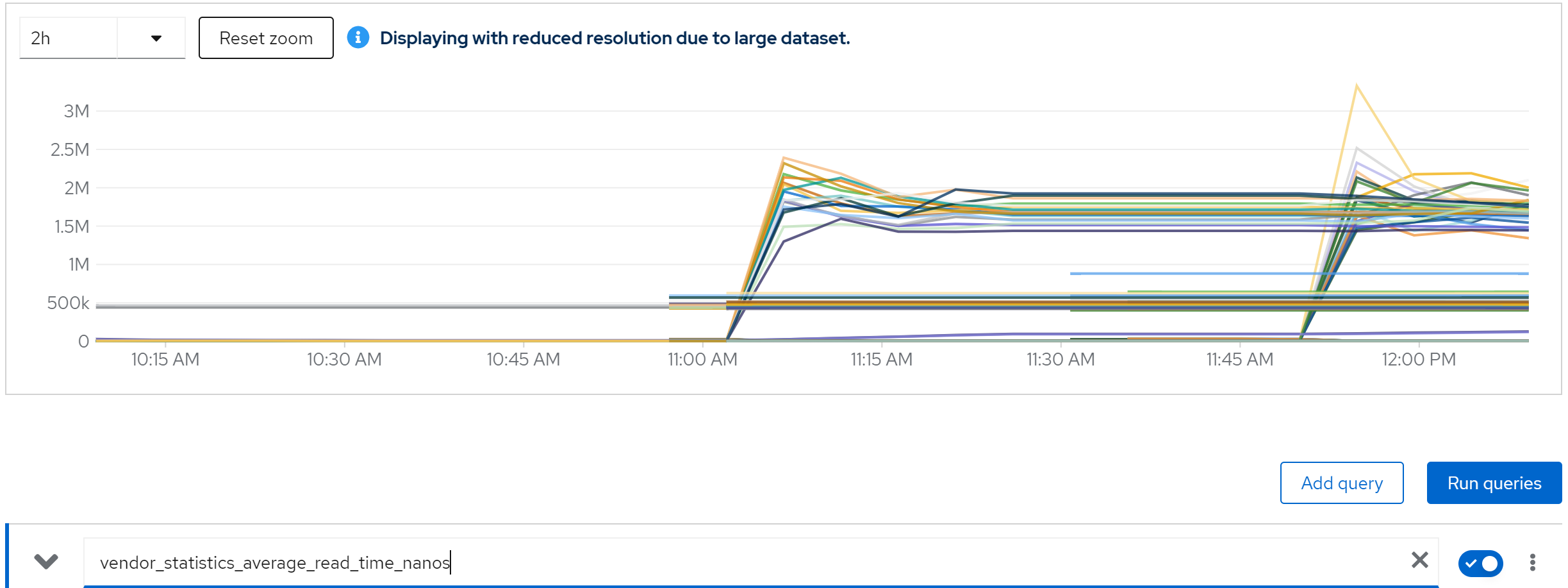
metric: vendor_statistics_average_read_time_nanos
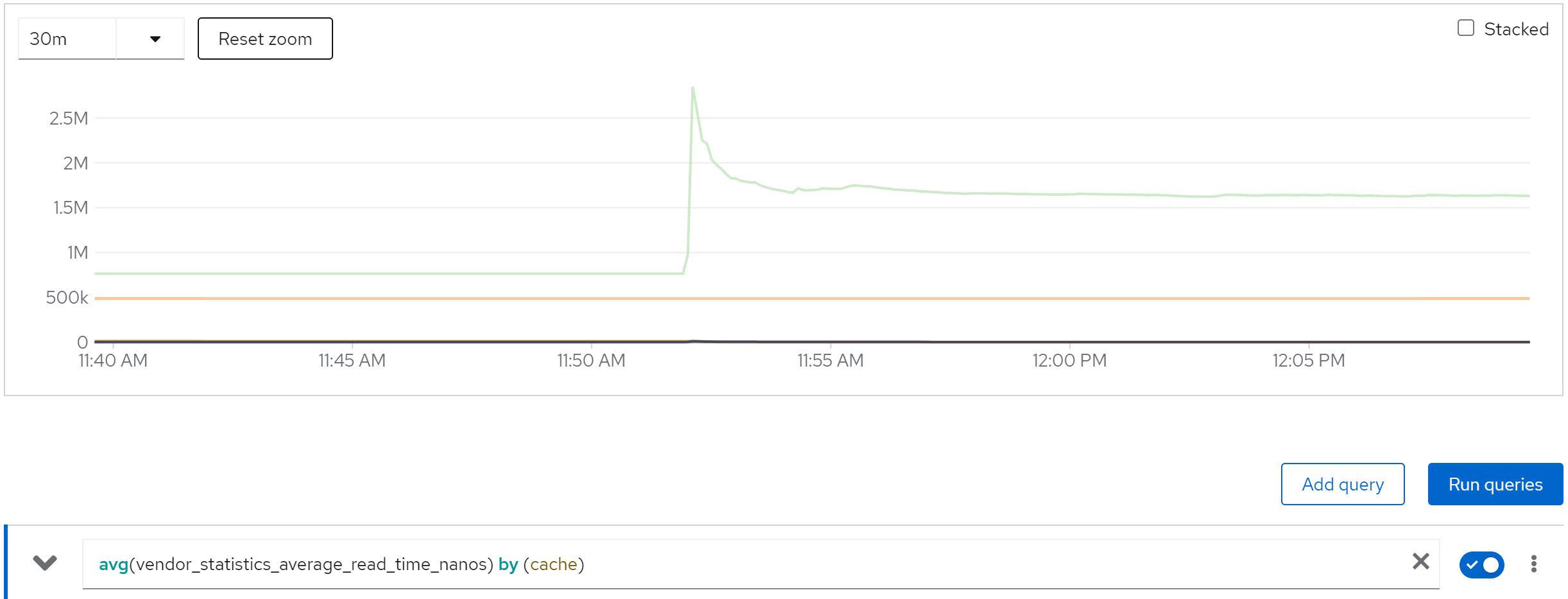
metric: avg(vendor_statistics_average_read_time_nanos) by (cache)
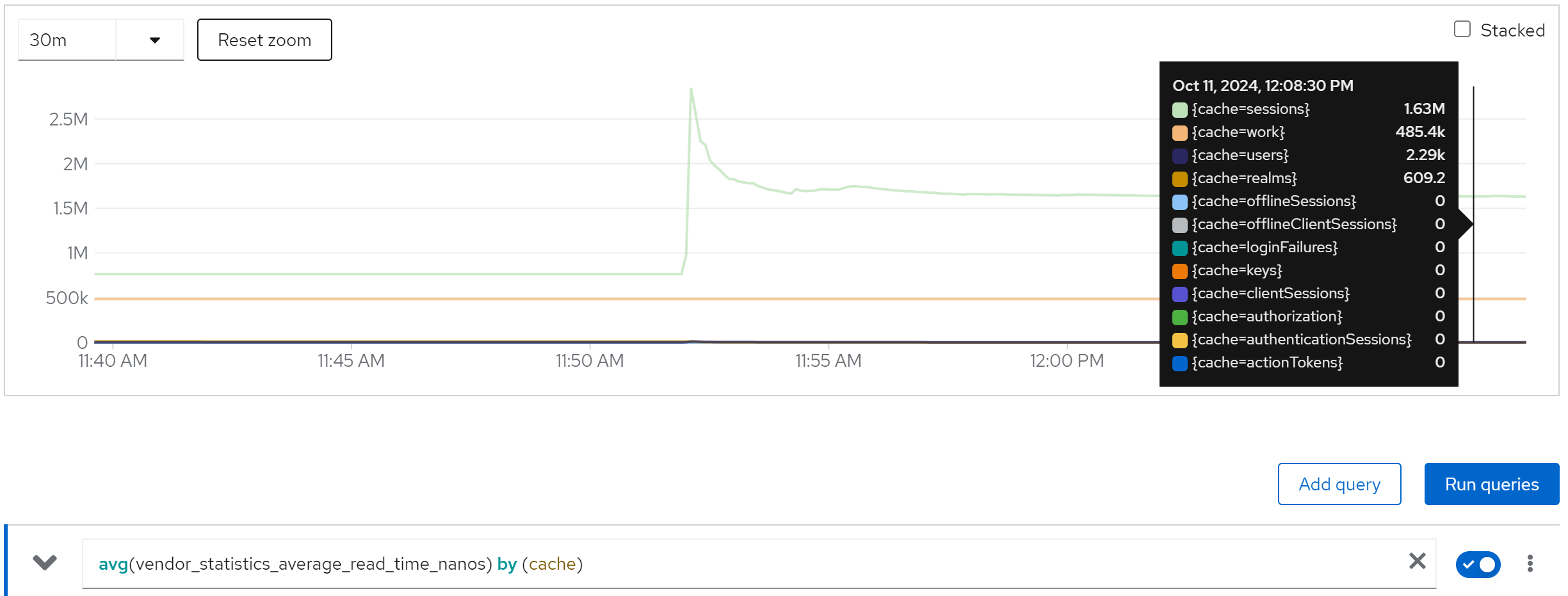
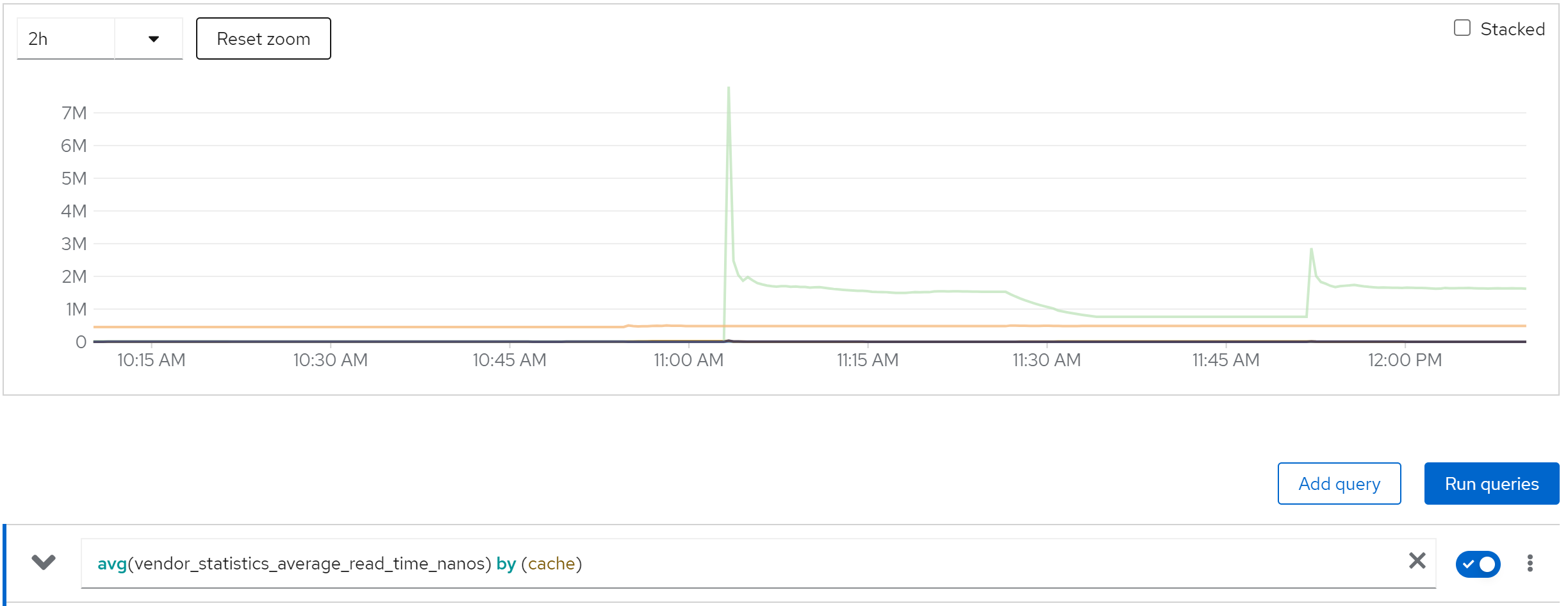
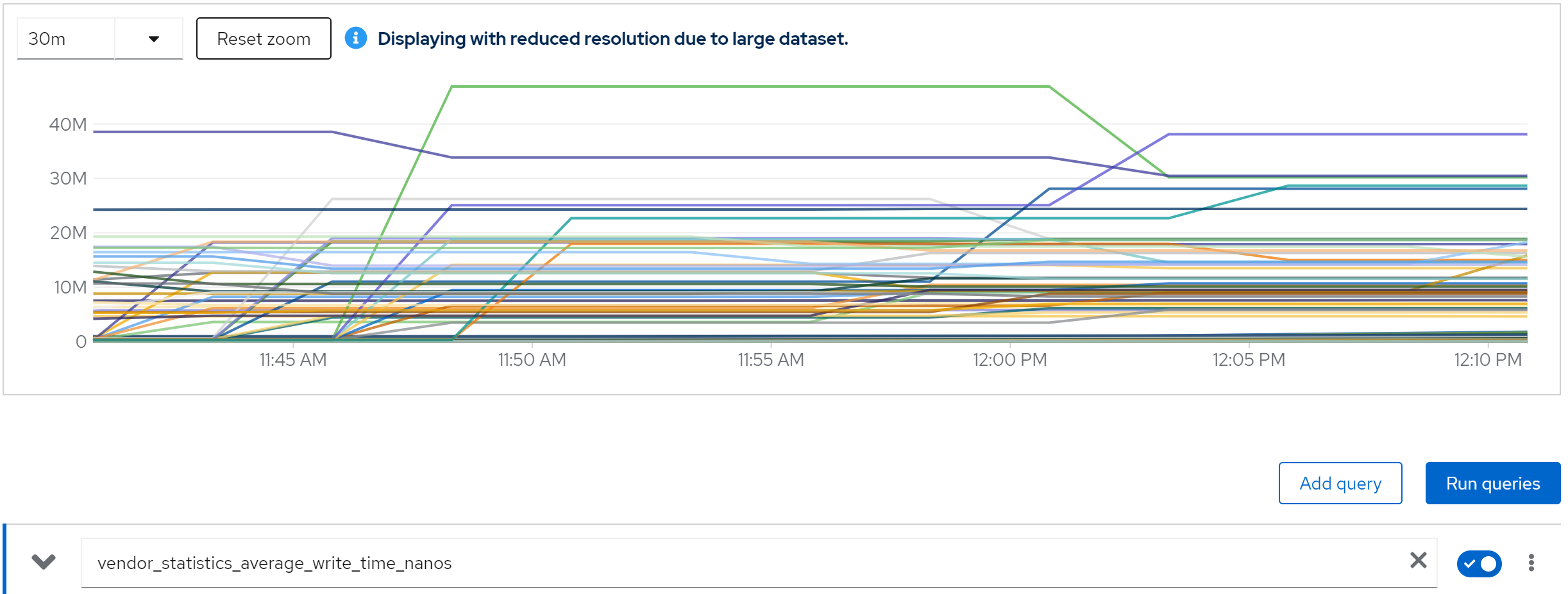
metric: vendor_statistics_average_write_time_nanos
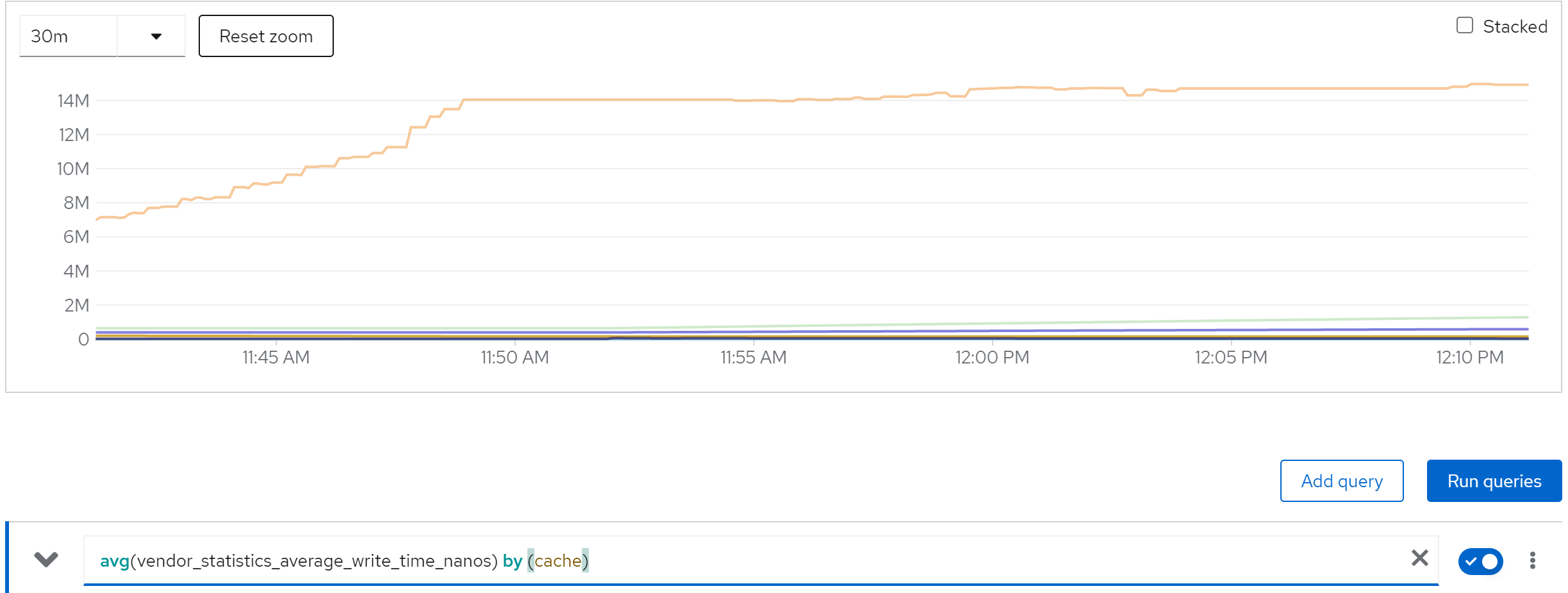
metric: avg(vendor_statistics_average_write_time_nanos) by (cache)
metric: avg (vendor_statistics_hit_ratio) by (cache)
run with 80 instance
direct ouptut of the job
......
Summary (last minute): Success: 1215, Failure: 0, Success Rate: 100.00%, Avg Time: 0.49s
......
Summary (last minute): Success: 1383, Failure: 0, Success Rate: 100.00%, Avg Time: 0.43s
......
Summary (last minute): Success: 1341, Failure: 0, Success Rate: 100.00%, Avg Time: 0.45s
......
Summary (last minute): Success: 1374, Failure: 0, Success Rate: 100.00%, Avg Time: 0.44s
......
Summary (last minute): Success: 1351, Failure: 0, Success Rate: 100.00%, Avg Time: 0.44s
......
metric: jvm_threads_live_threads
metric: rate(jvm_gc_pause_seconds_count[5m])
metric: agroal_blocking_time_average_milliseconds -> 0
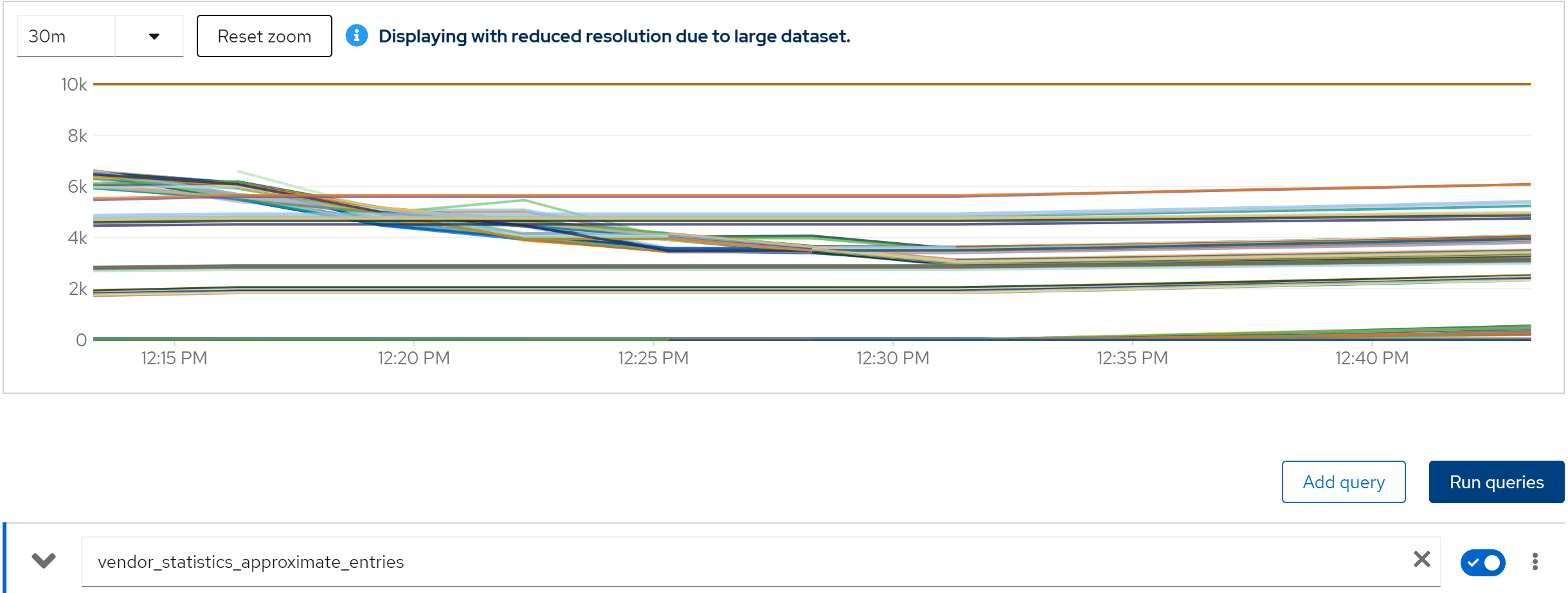
metric: vendor_statistics_approximate_entries
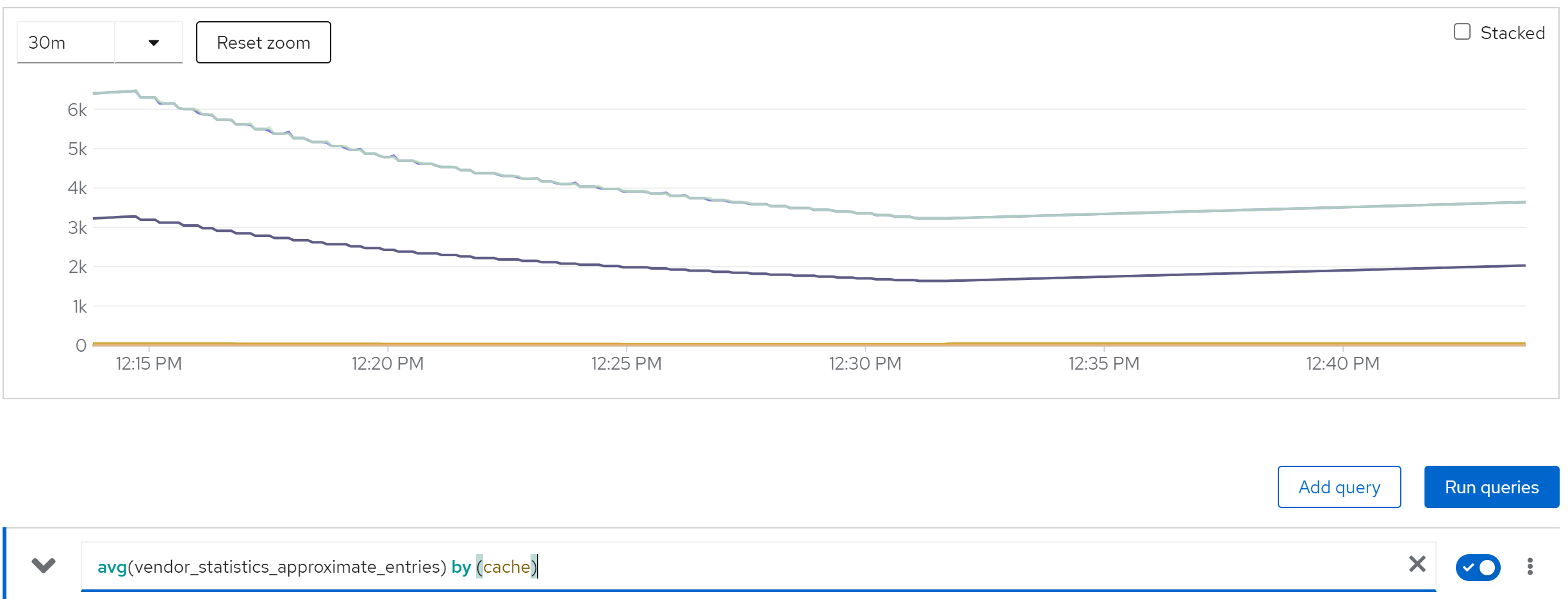
metric: avg(vendor_statistics_approximate_entries) by (cache)
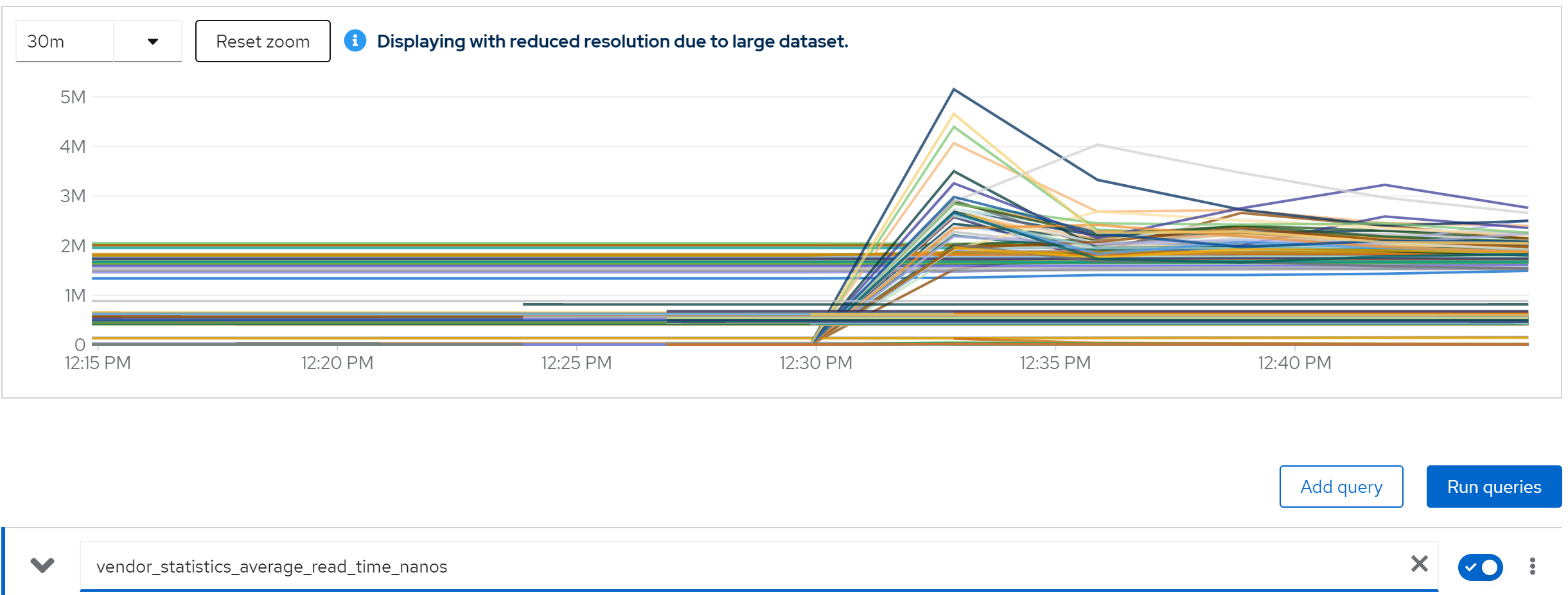
metric: vendor_statistics_average_read_time_nanos
metric: avg(vendor_statistics_average_read_time_nanos) by (cache)
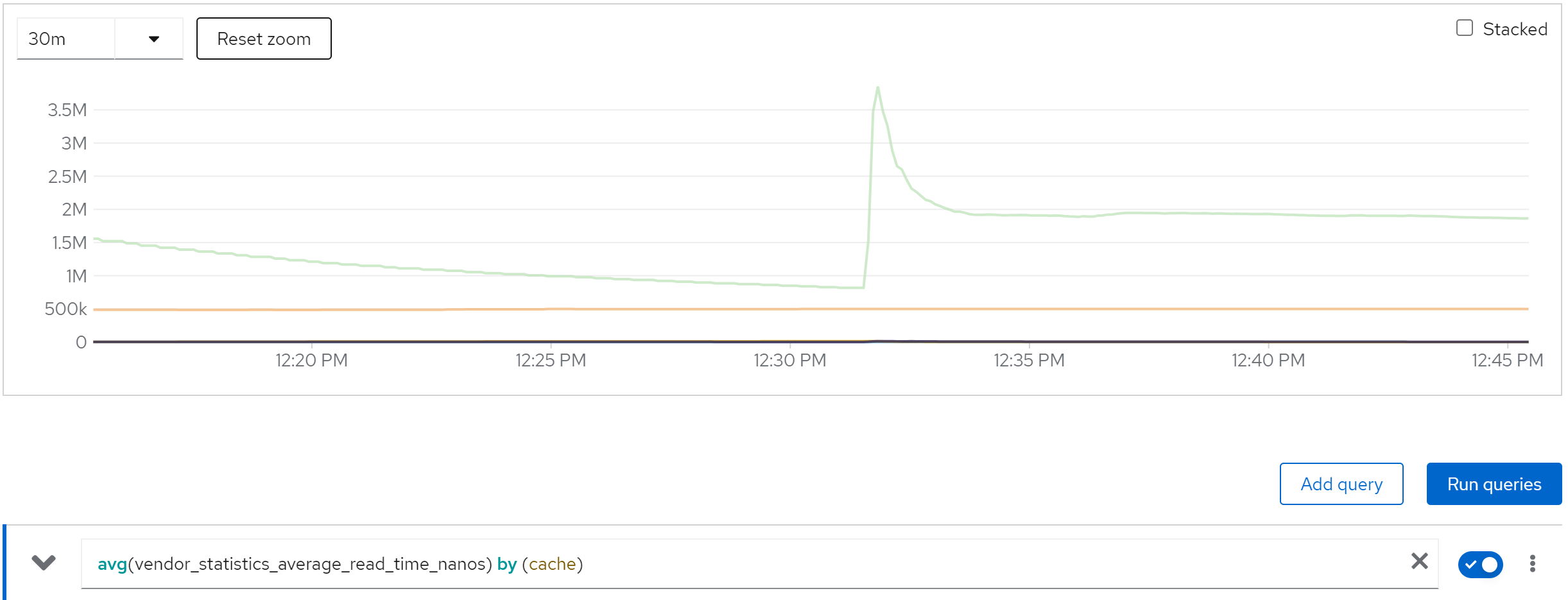
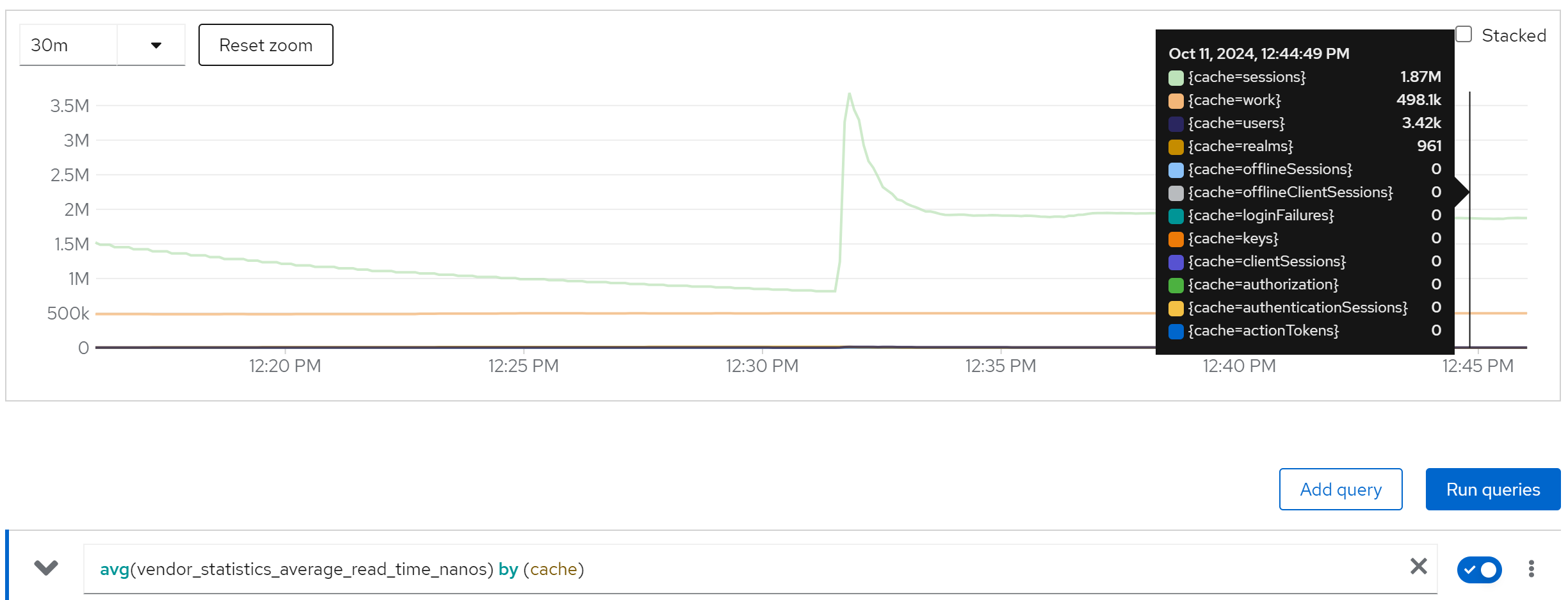
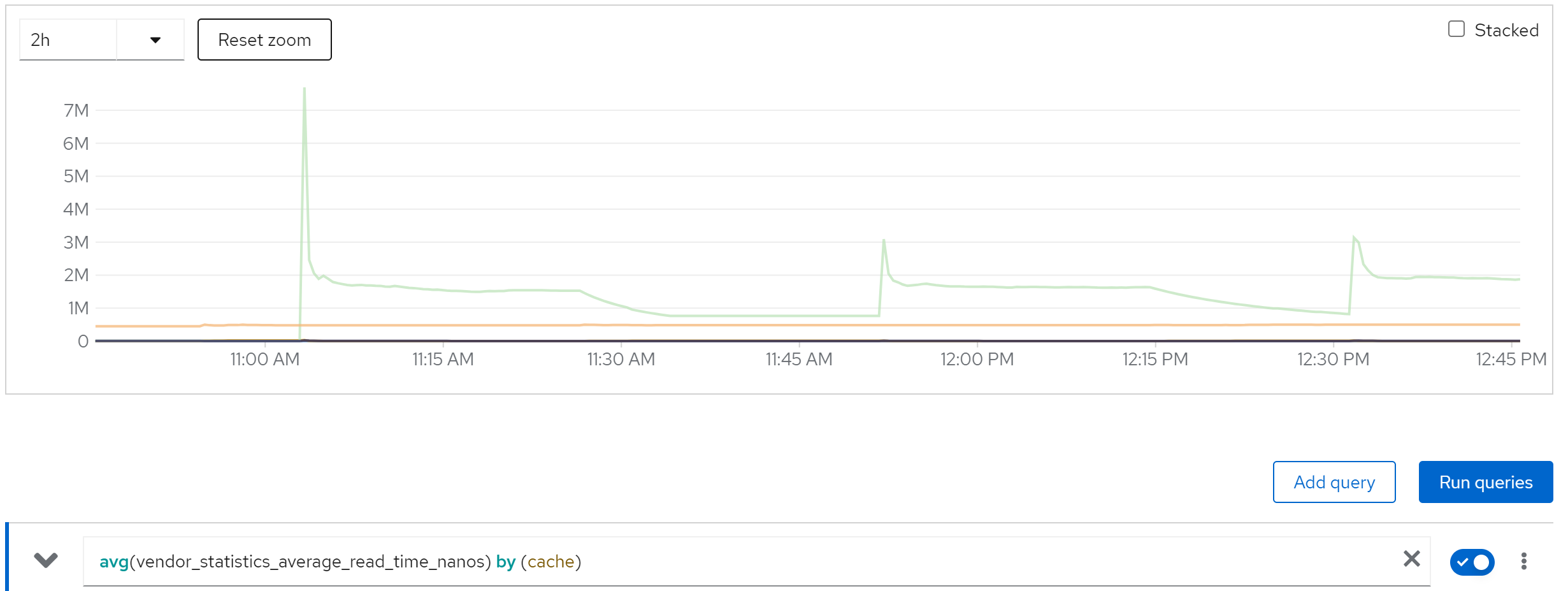
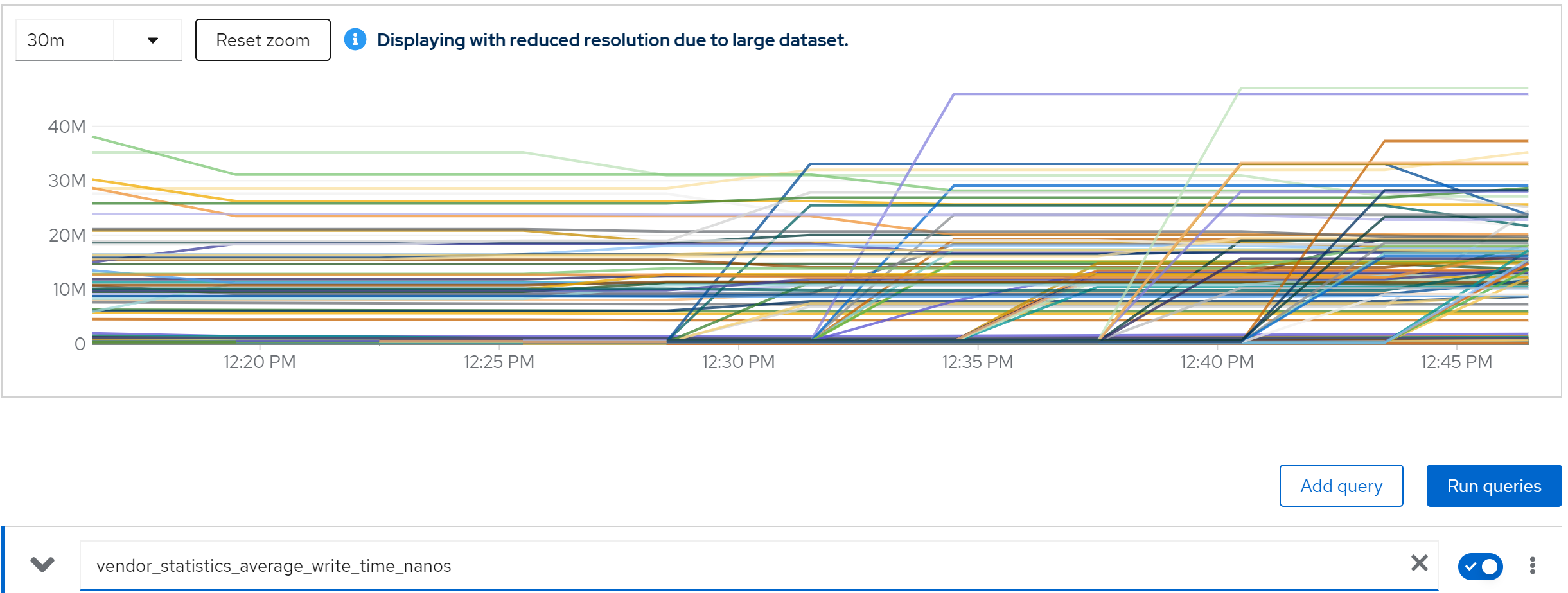
metric: vendor_statistics_average_write_time_nanos
metric: avg(vendor_statistics_average_write_time_nanos) by (cache)
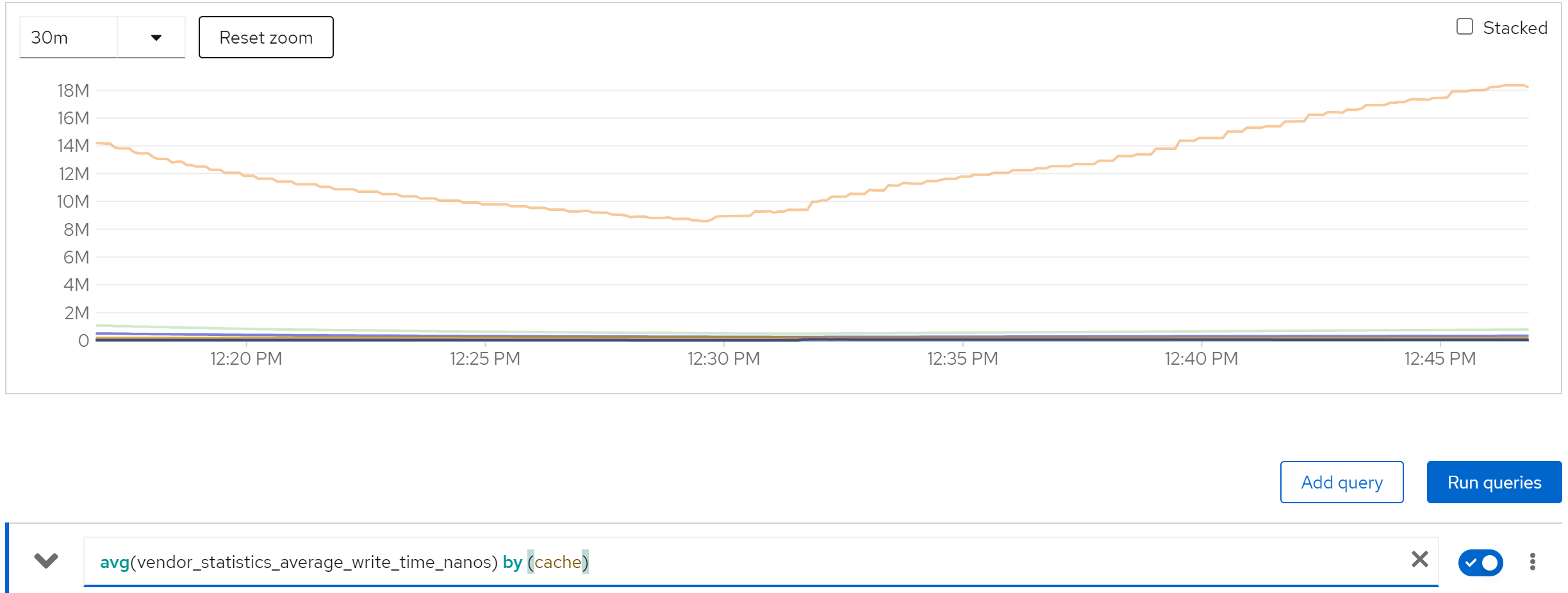
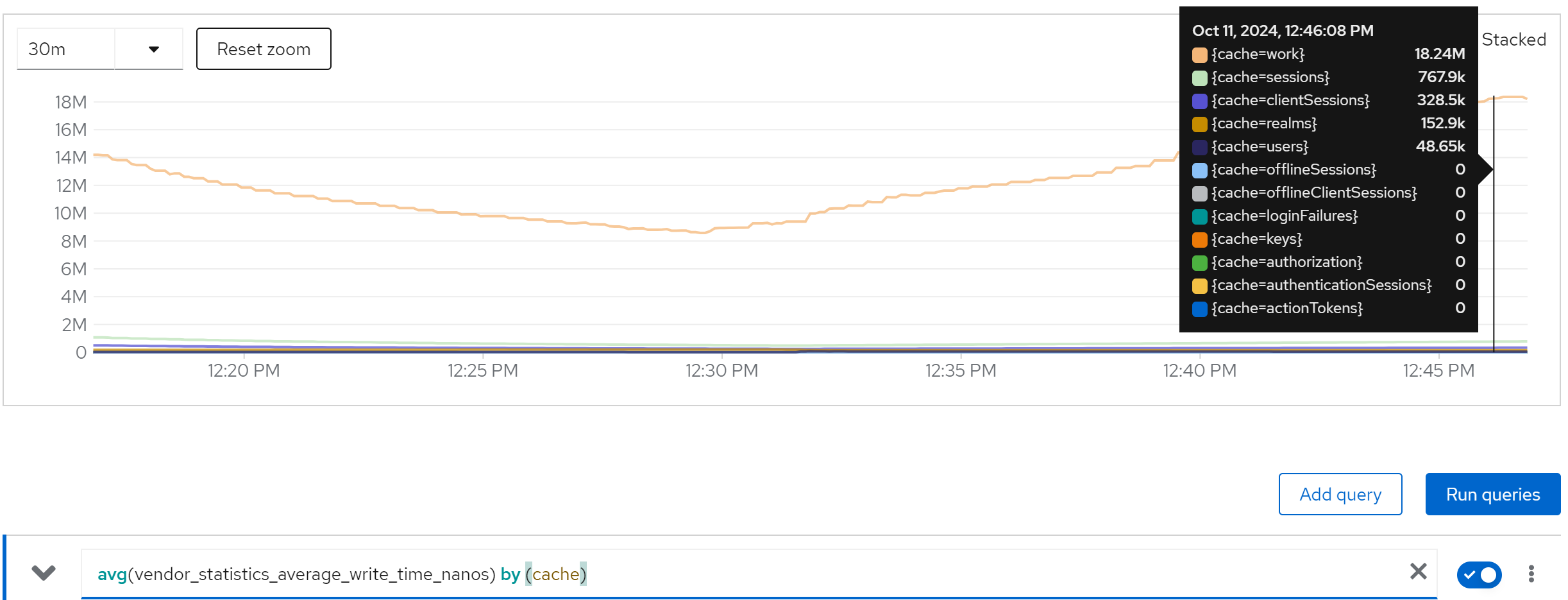
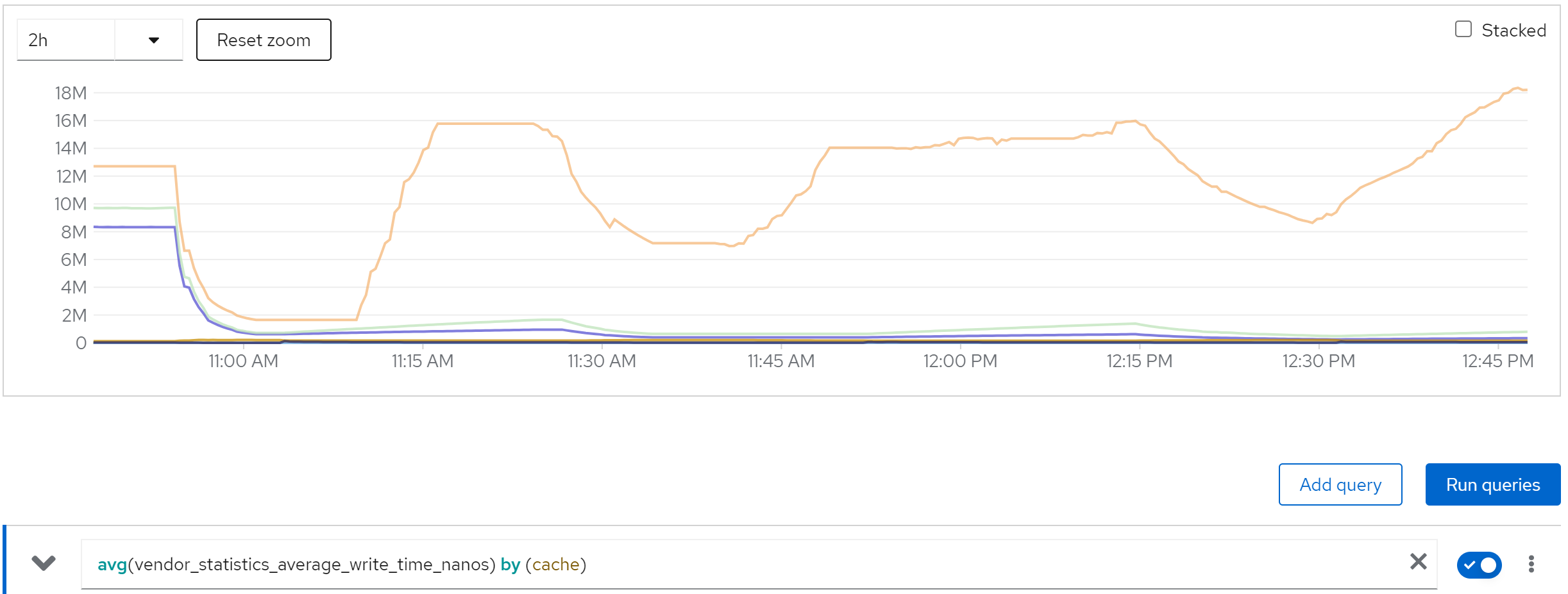
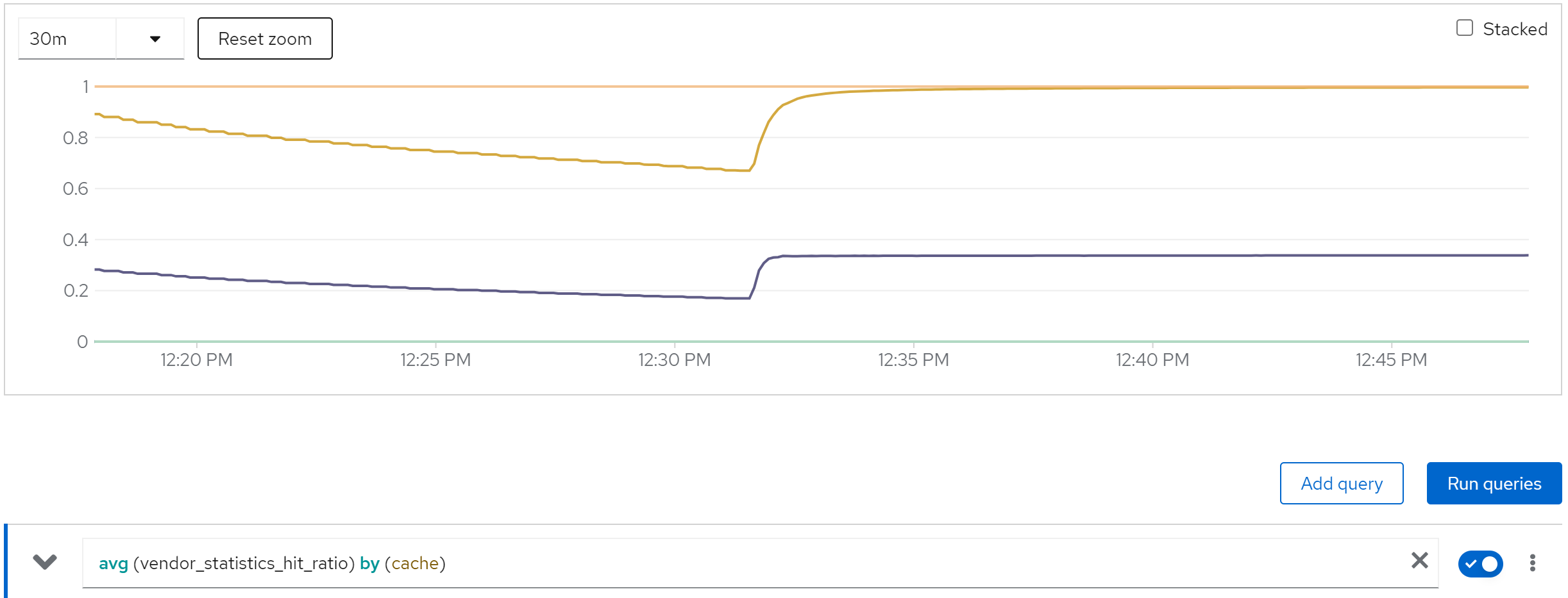
metric: avg (vendor_statistics_hit_ratio) by (cache)
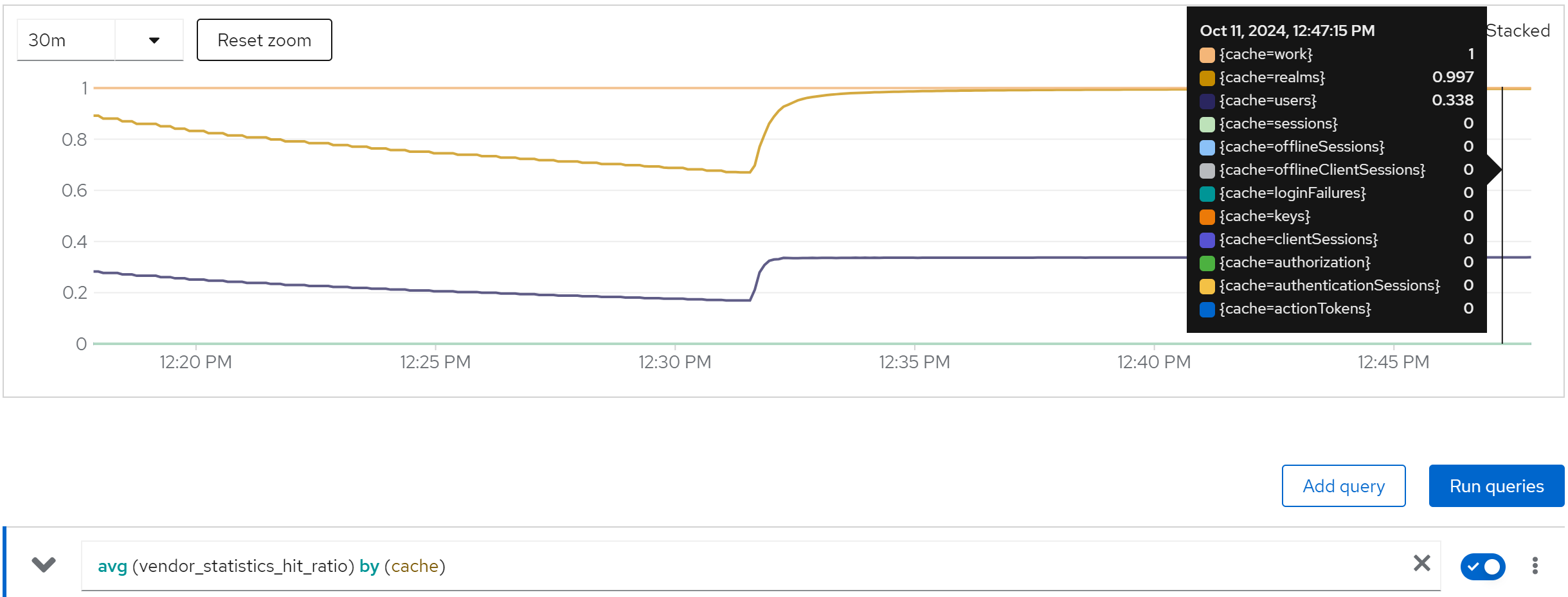
run with 80 instance and db max connection set to 100
In above test, the postgresqldb max connection is set to 1000.
We can see the db connection is full, and the keycloak is blocked. And consequence is
- thread pool full
- thread timeout
direct ouptut of the job
...
Summary (last minute): Success: 796, Failure: 49, Success Rate: 94.20%, Avg Time: 0.71s
...
Summary (last minute): Success: 1076, Failure: 75, Success Rate: 93.48%, Avg Time: 0.52s
...
Summary (last minute): Success: 1053, Failure: 68, Success Rate: 93.93%, Avg Time: 0.54s
...
Summary (last minute): Success: 1060, Failure: 78, Success Rate: 93.15%, Avg Time: 0.53s
...
and lots of errors in keycloak
2024-10-09 12:45:29,804 WARN  [io.vertx.core.impl.BlockedThreadChecker] (vertx-blocked-thread-checker) Thread Thread[vert.x-eventloop-thread-41,5,main] has been blocked for 2544 ms, time limit is 2000 ms: io.vertx.core.VertxException: Thread blocked
    at io.vertx.core.net.impl.SocketAddressImpl.<init>(SocketAddressImpl.java:60)
    at io.vertx.core.http.HttpServer.listen(HttpServer.java:216)
    at io.vertx.core.http.HttpServer.listen(HttpServer.java:229)
    at io.quarkus.vertx.http.runtime.VertxHttpRecorder$WebDeploymentVerticle.setupTcpHttpServer(VertxHttpRecorder.java:1159)
    at io.quarkus.vertx.http.runtime.VertxHttpRecorder$WebDeploymentVerticle.start(VertxHttpRecorder.java:1081)
    at io.vertx.core.impl.DeploymentManager.lambda$doDeploy$5(DeploymentManager.java:210)
    at io.vertx.core.impl.DeploymentManager$$Lambda$2124/0x00007f7fcbd541d8.handle(Unknown Source)
    at io.vertx.core.impl.ContextInternal.dispatch(ContextInternal.java:279)
    at io.vertx.core.impl.ContextInternal.dispatch(ContextInternal.java:261)
    at io.vertx.core.impl.ContextInternal.lambda$runOnContext$0(ContextInternal.java:59)
    at io.vertx.core.impl.ContextInternal$$Lambda$2125/0x00007f7fcbd54400.run(Unknown Source)
    at io.netty.util.concurrent.AbstractEventExecutor.runTask(AbstractEventExecutor.java:173)
    at io.netty.util.concurrent.AbstractEventExecutor.safeExecute(AbstractEventExecutor.java:166)
    at io.netty.util.concurrent.SingleThreadEventExecutor.runAllTasks(SingleThreadEventExecutor.java:470)
    at io.netty.channel.nio.NioEventLoop.run(NioEventLoop.java:569)
    at io.netty.util.concurrent.SingleThreadEventExecutor$4.run(SingleThreadEventExecutor.java:997)
    at io.netty.util.internal.ThreadExecutorMap$2.run(ThreadExecutorMap.java:74)
    at io.netty.util.concurrent.FastThreadLocalRunnable.run(FastThreadLocalRunnable.java:30)
    at java.base@17.0.12/java.lang.Thread.run(Thread.java:840)
after many thread blocked error, then we got
2024-10-09 15:18:51,247 WARN  [io.agroal.pool] (agroal-11) Datasource '<default>': FATAL: sorry, too many clients already
2024-10-09 15:18:51,249 WARN  [org.hibernate.engine.jdbc.spi.SqlExceptionHelper] (executor-thread-1) SQL Error: 0, SQLState: 53300
2024-10-09 15:18:51,249 ERROR [org.hibernate.engine.jdbc.spi.SqlExceptionHelper] (executor-thread-1) FATAL: sorry, too many clients already
2024-10-09 15:18:51,257 ERROR [org.keycloak.services.error.KeycloakErrorHandler] (executor-thread-1) Uncaught server error: org.hibernate.exception.GenericJDBCException: Unable to acquire JDBC Connection [FATAL: sorry, too many clients already] [n/a]
    at org.hibernate.exception.internal.StandardSQLExceptionConverter.convert(StandardSQLExceptionConverter.java:63)
    at org.hibernate.engine.jdbc.spi.SqlExceptionHelper.convert(SqlExceptionHelper.java:108)
    at org.hibernate.engine.jdbc.spi.SqlExceptionHelper.convert(SqlExceptionHelper.java:94)
    at org.hibernate.resource.jdbc.internal.LogicalConnectionManagedImpl.acquireConnectionIfNeeded(LogicalConnectionManagedImpl.java:116)
    at org.hibernate.resource.jdbc.internal.LogicalConnectionManagedImpl.getPhysicalConnection(LogicalConnectionManagedImpl.java:143)
    at org.hibernate.engine.jdbc.internal.StatementPreparerImpl.connection(StatementPreparerImpl.java:54)
    at org.hibernate.engine.jdbc.internal.StatementPreparerImpl$5.doPrepare(StatementPreparerImpl.java:153)
    at org.hibernate.engine.jdbc.internal.StatementPreparerImpl$StatementPreparationTemplate.prepareStatement(StatementPreparerImpl.java:183)
    at org.hibernate.engine.jdbc.internal.StatementPreparerImpl.prepareQueryStatement(StatementPreparerImpl.java:155)
    at org.hibernate.sql.exec.spi.JdbcSelectExecutor.lambda$list$0(JdbcSelectExecutor.java:85)
    at org.hibernate.sql.results.jdbc.internal.DeferredResultSetAccess.executeQuery(DeferredResultSetAccess.java:231)
    at org.hibernate.sql.results.jdbc.internal.DeferredResultSetAccess.getResultSet(DeferredResultSetAccess.java:167)
    at org.hibernate.sql.results.jdbc.internal.JdbcValuesResultSetImpl.advanceNext(JdbcValuesResultSetImpl.java:218)
    at org.hibernate.sql.results.jdbc.internal.JdbcValuesResultSetImpl.processNext(JdbcValuesResultSetImpl.java:98)
    at org.hibernate.sql.results.jdbc.internal.AbstractJdbcValues.next(AbstractJdbcValues.java:19)
    at org.hibernate.sql.results.internal.RowProcessingStateStandardImpl.next(RowProcessingStateStandardImpl.java:66)
    at org.hibernate.sql.results.spi.ListResultsConsumer.consume(ListResultsConsumer.java:202)
    at org.hibernate.sql.results.spi.ListResultsConsumer.consume(ListResultsConsumer.java:33)
    at org.hibernate.sql.exec.internal.JdbcSelectExecutorStandardImpl.doExecuteQuery(JdbcSelectExecutorStandardImpl.java:209)
    at org.hibernate.sql.exec.internal.JdbcSelectExecutorStandardImpl.executeQuery(JdbcSelectExecutorStandardImpl.java:83)
    at org.hibernate.sql.exec.spi.JdbcSelectExecutor.list(JdbcSelectExecutor.java:76)
    at org.hibernate.sql.exec.spi.JdbcSelectExecutor.list(JdbcSelectExecutor.java:65)
    at org.hibernate.query.sqm.internal.ConcreteSqmSelectQueryPlan.lambda$new$2(ConcreteSqmSelectQueryPlan.java:137)
    at org.hibernate.query.sqm.internal.ConcreteSqmSelectQueryPlan.withCacheableSqmInterpretation(ConcreteSqmSelectQueryPlan.java:381)
    at org.hibernate.query.sqm.internal.ConcreteSqmSelectQueryPlan.performList(ConcreteSqmSelectQueryPlan.java:303)
    at org.hibernate.query.sqm.internal.QuerySqmImpl.doList(QuerySqmImpl.java:509)
    at org.hibernate.query.spi.AbstractSelectionQuery.list(AbstractSelectionQuery.java:427)
    at org.hibernate.query.Query.getResultList(Query.java:120)
    at org.keycloak.models.jpa.JpaUserProvider.getUserByUsername(JpaUserProvider.java:531)
    at org.keycloak.storage.UserStorageManager.getUserByUsername(UserStorageManager.java:383)
    at org.keycloak.models.cache.infinispan.UserCacheSession.getUserByUsername(UserCacheSession.java:271)
    at org.keycloak.models.utils.KeycloakModelUtils.findUserByNameOrEmail(KeycloakModelUtils.java:247)
    at org.keycloak.authentication.authenticators.directgrant.ValidateUsername.authenticate(ValidateUsername.java:64)
    at org.keycloak.authentication.DefaultAuthenticationFlow.processSingleFlowExecutionModel(DefaultAuthenticationFlow.java:442)
    at org.keycloak.authentication.DefaultAuthenticationFlow.processFlow(DefaultAuthenticationFlow.java:246)
    at org.keycloak.authentication.AuthenticationProcessor.authenticateOnly(AuthenticationProcessor.java:1051)
    at org.keycloak.protocol.oidc.grants.ResourceOwnerPasswordCredentialsGrantType.process(ResourceOwnerPasswordCredentialsGrantType.java:107)
    at org.keycloak.protocol.oidc.endpoints.TokenEndpoint.processGrantRequest(TokenEndpoint.java:139)
    at org.keycloak.protocol.oidc.endpoints.TokenEndpoint$quarkusrestinvoker$processGrantRequest_6408e15340992839b66447750c221d9aaa837bd7.invoke(Unknown Source)
    at org.jboss.resteasy.reactive.server.handlers.InvocationHandler.handle(InvocationHandler.java:29)
    at io.quarkus.resteasy.reactive.server.runtime.QuarkusResteasyReactiveRequestContext.invokeHandler(QuarkusResteasyReactiveRequestContext.java:141)
    at org.jboss.resteasy.reactive.common.core.AbstractResteasyReactiveContext.run(AbstractResteasyReactiveContext.java:147)
    at io.quarkus.vertx.core.runtime.VertxCoreRecorder$14.runWith(VertxCoreRecorder.java:582)
    at org.jboss.threads.EnhancedQueueExecutor$Task.run(EnhancedQueueExecutor.java:2513)
    at org.jboss.threads.EnhancedQueueExecutor$ThreadBody.run(EnhancedQueueExecutor.java:1538)
    at org.jboss.threads.DelegatingRunnable.run(DelegatingRunnable.java:29)
    at org.jboss.threads.ThreadLocalResettingRunnable.run(ThreadLocalResettingRunnable.java:29)
    at io.netty.util.concurrent.FastThreadLocalRunnable.run(FastThreadLocalRunnable.java:30)
    at java.base/java.lang.Thread.run(Thread.java:840)
Caused by: org.postgresql.util.PSQLException: FATAL: sorry, too many clients already
    at org.postgresql.core.v3.ConnectionFactoryImpl.doAuthentication(ConnectionFactoryImpl.java:698)
    at org.postgresql.core.v3.ConnectionFactoryImpl.tryConnect(ConnectionFactoryImpl.java:207)
    at org.postgresql.core.v3.ConnectionFactoryImpl.openConnectionImpl(ConnectionFactoryImpl.java:262)
    at org.postgresql.core.ConnectionFactory.openConnection(ConnectionFactory.java:54)
    at org.postgresql.jdbc.PgConnection.<init>(PgConnection.java:273)
    at org.postgresql.Driver.makeConnection(Driver.java:446)
    at org.postgresql.Driver.connect(Driver.java:298)
    at java.sql/java.sql.DriverManager.getConnection(DriverManager.java:681)
    at java.sql/java.sql.DriverManager.getConnection(DriverManager.java:229)
    at org.postgresql.ds.common.BaseDataSource.getConnection(BaseDataSource.java:104)
    at org.postgresql.xa.PGXADataSource.getXAConnection(PGXADataSource.java:52)
    at org.postgresql.xa.PGXADataSource.getXAConnection(PGXADataSource.java:37)
    at io.agroal.pool.ConnectionFactory.createConnection(ConnectionFactory.java:231)
    at io.agroal.pool.ConnectionPool$CreateConnectionTask.call(ConnectionPool.java:545)
    at io.agroal.pool.ConnectionPool$CreateConnectionTask.call(ConnectionPool.java:526)
    at java.base/java.util.concurrent.FutureTask.run(FutureTask.java:264)
    at io.agroal.pool.util.PriorityScheduledExecutor.beforeExecute(PriorityScheduledExecutor.java:75)
    at java.base/java.util.concurrent.ThreadPoolExecutor.runWorker(ThreadPoolExecutor.java:1134)
    at java.base/java.util.concurrent.ThreadPoolExecutor$Worker.run(ThreadPoolExecutor.java:635)
    ... 1 more
try on rhsso 7.1
build the metrics spi
dnf install -y java-1.8.0-openjdk java-1.8.0-openjdk-devel

mkdir ./data/spi
cd ./data/spi

# git clone of https://github.com/aerogear/keycloak-metrics-spi/tree/2.5.3
git clone --branch wzh-2.5.3 https://github.com/wangzheng422/keycloak-metrics-spi.git

cd ./data/spi/keycloak-metrics-spi

./gradlew jar
build the rhsso image
mkdir -p ./data/rhsso
cd ./data/rhsso

# wget https://jdbc.postgresql.org/download/postgresql-42.7.4.jar

# wget https://github.com/aerogear/keycloak-metrics-spi/releases/download/2.5.3/keycloak-metrics-spi-2.5.3.jar

# wget https://repo.maven.apache.org/maven2/io/prometheus/jmx/jmx_prometheus_httpserver/1.0.1/jmx_prometheus_httpserver-1.0.1.jar

# wget https://repo.maven.apache.org/maven2/io/prometheus/jmx/jmx_prometheus_javaagent/1.0.1/jmx_prometheus_javaagent-1.0.1.jar


cat << 'EOF' > startup.sh
#!/bin/bash

# Retrieve all IP addresses, filter out loopback, and select the first public IP address
PUBLIC_IP=$(ip addr | grep -oP '(?<=inet\s)\d+(\.\d+){3}' | grep -v '127.0.0.1' | head -n 1)

# Check if a public IP address was found
if [ -z "$PUBLIC_IP" ]; then
  echo "No public IP address found."
  exit 1
fi

echo "Using public IP address: $PUBLIC_IP"

# Start up RHSSO with the selected public IP address
/opt/rhsso/bin/standalone.sh -b 0.0.0.0 -b management=$PUBLIC_IP -Djboss.tx.node.id=$PUBLIC_IP --server-config=standalone-ha.xml
EOF


cat << 'EOF' > Dockerfile
FROM registry.redhat.io/ubi9/ubi

RUN dnf groupinstall 'server' -y --allowerasing

RUN dnf install -y java-1.8.0-openjdk-headless /usr/bin/unzip /usr/bin/ps /usr/bin/curl jq python3 /usr/bin/tar /usr/bin/sha256sum vim nano /usr/bin/rsync && \
    dnf clean all

COPY rh-sso-7.1.0.zip /tmp/rh-sso-7.1.0.zip

RUN mkdir -p /opt/tmp/ && unzip /tmp/rh-sso-7.1.0.zip -d /opt/tmp && \
    rsync -a /opt/tmp/rh-sso-7.1/ /opt/rhsso/ && \
    rm -rf /opt/tmp && \
    rm -f /tmp/rh-sso-7.1.0.zip

COPY postgresql-42.7.4.jar /opt/rhsso/modules/system/layers/keycloak/org/postgresql/main/

COPY module.xml /opt/rhsso/modules/system/layers/keycloak/org/postgresql/main/module.xml

# COPY jmx_prometheus_httpserver-1.0.1.jar /opt/rhsso/modules/system/layers/base/io/prometheus/metrics/main/

# COPY prometheus.module.xml /opt/rhsso/modules/system/layers/base/io/prometheus/metrics/main/module.xml

COPY jmx_prometheus_javaagent-1.0.1.jar /opt/rhsso/wzh/jmx_prometheus_javaagent-1.0.1.jar

COPY prometheus.config.yaml /opt/rhsso/wzh/prometheus.config.yaml

COPY standalone-ha.xml /opt/rhsso/standalone/configuration/standalone-ha.xml

COPY mgmt-users.properties /opt/rhsso/standalone/configuration/mgmt-users.properties

COPY mgmt-groups.properties /opt/rhsso/standalone/configuration/mgmt-groups.properties

COPY mgmt-users.properties /opt/rhsso/domain/configuration/mgmt-users.properties

COPY mgmt-groups.properties /opt/rhsso/domain/configuration/mgmt-groups.properties

COPY application-users.properties /opt/rhsso/standalone/configuration/application-users.properties

COPY application-roles.properties /opt/rhsso/standalone/configuration/application-roles.properties

COPY application-users.properties /opt/rhsso/domain/configuration/application-users.properties

COPY application-roles.properties /opt/rhsso/domain/configuration/application-roles.properties

COPY keycloak-add-user.json /opt/rhsso/standalone/configuration/keycloak-add-user.json

COPY startup.sh /opt/rhsso/startup.sh

# COPY keycloak-metrics-spi-2.5.3.jar /opt/rhsso/standalone/deployments/keycloak-metrics-spi-2.5.3.jar

# RUN touch /opt/rhsso/standalone/deployments/keycloak-metrics-spi-2.5.3.jar.dodeploy

# ARG aerogear_version=2.0.1

# RUN cd /opt/rhsso/standalone/deployments && \
#     curl -LO https://github.com/aerogear/keycloak-metrics-spi/releases/download/${aerogear_version}/keycloak-metrics-spi-${aerogear_version}.jar && \
#     touch keycloak-metrics-spi-${aerogear_version}.jar.dodeploy && \
#     cd -

# RUN cd /opt/rhsso/standalone/deployments && \
#     curl -LO https://github.com/aerogear/keycloak-metrics-spi/releases/download/${aerogear_version}/keycloak-metrics-spi-${aerogear_version}.jar && \
#     cd -


RUN chmod +x /opt/rhsso/startup.sh

RUN echo 'export PATH=/opt/rhsso/bin:$PATH' >> /root/.bashrc

# RUN chown -R 1000:1000 /opt/rhsso

# USER 1000

ENTRYPOINT ["/opt/rhsso/startup.sh"]

EOF

podman build -t quay.io/wangzheng422/qimgs:rhsso-7.1.0-v20 .

# podman run -it quay.io/wangzheng422/qimgs:rhsso-7.1.0-v01

podman push quay.io/wangzheng422/qimgs:rhsso-7.1.0-v20


podman run -it --entrypoint bash quay.io/wangzheng422/qimgs:rhsso-7.1.0-v19

# then add-user.sh to create users
# admin / password
# app / password


# Added user 'admin' to file '/opt/rhsso/standalone/configuration/mgmt-users.properties'
# Added user 'admin' to file '/opt/rhsso/domain/configuration/mgmt-users.properties'
# Added user 'admin' with groups  to file '/opt/rhsso/standalone/configuration/mgmt-groups.properties'
# Added user 'admin' with groups  to file '/opt/rhsso/domain/configuration/mgmt-groups.properties'
# Is this new user going to be used for one AS process to connect to another AS process?
# e.g. for a slave host controller connecting to the master or for a Remoting connection for server to server EJB calls.
# yes/no? yes
# To represent the user add the following to the server-identities definition <secret value="cGFzc3dvcmQ=" />


# Added user 'app' to file '/opt/rhsso/standalone/configuration/application-users.properties'
# Added user 'app' to file '/opt/rhsso/domain/configuration/application-users.properties'
# Added user 'app' with groups  to file '/opt/rhsso/standalone/configuration/application-roles.properties'
# Added user 'app' with groups  to file '/opt/rhsso/domain/configuration/application-roles.properties'
# Is this new user going to be used for one AS process to connect to another AS process?
# e.g. for a slave host controller connecting to the master or for a Remoting connection for server to server EJB calls.
# yes/no? yes
# To represent the user add the following to the server-identities definition <secret value="cGFzc3dvcmQ=" />

add-user-keycloak.sh -r master -u admin -p password
# Added 'admin' to '/opt/rhsso/standalone/configuration/keycloak-add-user.json', restart server to load user
deploy on ocp
VAR_PROJECT='demo-rhsso'

oc new-project $VAR_PROJECT


oc delete -f ${BASE_DIR}/data/install/rhsso-db-pvc.yaml -n $VAR_PROJECT

cat << EOF > ${BASE_DIR}/data/install/rhsso-db-pvc.yaml
apiVersion: v1
kind: PersistentVolumeClaim
metadata:
  name: postgresql-db-pvc
spec:
  accessModes:
    - ReadWriteOnce
  resources:
    requests:
      storage: 1Gi
EOF

oc apply -f ${BASE_DIR}/data/install/rhsso-db-pvc.yaml -n $VAR_PROJECT


oc delete -f ${BASE_DIR}/data/install/rhsso-db.yaml -n $VAR_PROJECT

cat << EOF > ${BASE_DIR}/data/install/rhsso-db.yaml
---
apiVersion: apps/v1
kind: StatefulSet
metadata:
  name: postgresql-db
spec:
  serviceName: postgresql-db-service
  selector:
    matchLabels:
      app: postgresql-db
  replicas: 1
  template:
    metadata:
      labels:
        app: postgresql-db
    spec:
      containers:
        - name: postgresql-db
          image: postgres:15
          args: ["-c", "max_connections=1000"]
          volumeMounts:
            - mountPath: /data
              name: cache-volume
          env:
            - name: POSTGRES_USER
              value: sa
            - name: POSTGRES_PASSWORD
              value: sa
            - name: PGDATA
              value: /data/pgdata
            - name: POSTGRES_DB
              value: keycloak
      volumes:
        - name: cache-volume
          persistentVolumeClaim:
            claimName: postgresql-db-pvc
---
apiVersion: v1
kind: Service
metadata:
  name: postgres-db
spec:
  selector:
    app: postgresql-db
  type: LoadBalancer
  ports:
  - port: 5432
    targetPort: 5432

EOF

oc apply -f ${BASE_DIR}/data/install/rhsso-db.yaml -n $VAR_PROJECT


# Create a ServiceAccount
oc create serviceaccount rhsso-sa -n $VAR_PROJECT

# Bind the ServiceAccount to the privileged SCC
oc adm policy add-scc-to-user privileged -z rhsso-sa -n $VAR_PROJECT


# create a confimap based on startup.sh
cat << 'EOF' > ${BASE_DIR}/data/install/startup.sh
#!/bin/bash

# Retrieve all IP addresses, filter out loopback, and select the first public IP address
PUBLIC_IP=$(ip addr | grep -oP '(?<=inet\s)\d+(\.\d+){3}' | grep -v '127.0.0.1' | head -n 1)

# Check if a public IP address was found
if [ -z "$PUBLIC_IP" ]; then
  echo "No public IP address found."
  exit 1
fi

echo "Using public IP address: $PUBLIC_IP"

# Start up RHSSO with the selected public IP address
export AB_PROMETHEUS_ENABLE=true

echo 'JAVA_OPTS="$JAVA_OPTS -Djboss.modules.system.pkgs=org.jboss.byteman,org.jboss.logmanager -Djava.util.logging.manager=org.jboss.logmanager.LogManager -Dorg.jboss.logging.Logger.pluginClass=org.jboss.logging.logmanager.LoggerPluginImpl -Djboss.tx.node.id=$PUBLIC_IP -Dwildfly.statistics-enabled=true "' >> /opt/rhsso/bin/standalone.conf
echo 'JAVA_OPTS="$JAVA_OPTS -Xbootclasspath/p:$JBOSS_HOME/modules/system/layers/base/org/jboss/logmanager/main/jboss-logmanager-2.0.3.Final-redhat-1.jar"' >> /opt/rhsso/bin/standalone.conf
echo 'JAVA_OPTS="$JAVA_OPTS -javaagent:/opt/rhsso/wzh/jmx_prometheus_javaagent-1.0.1.jar=12345:/opt/rhsso/wzh/prometheus.config.yaml "' >> /opt/rhsso/bin/standalone.conf

cat << EOFO > /opt/rhsso/wzh/prometheus.config.yaml
rules:
- pattern: ".*"
EOFO

/opt/rhsso/bin/standalone.sh -b 0.0.0.0 --server-config=standalone-ha.xml
EOF


cat << 'EOF' > ${BASE_DIR}/data/install/create-users.sh
#!/bin/bash

export PATH=/opt/rhsso/bin:$PATH

# Get the pod name from the environment variable
POD_NAME=$(echo $POD_NAME)

# Extract the pod number from the pod name
POD_NUM=$(echo $POD_NAME | awk -F'-' '{print $NF}')

echo "Pod number: $POD_NUM"

kcadm.sh config credentials --server http://localhost:8080/auth --realm master --user admin --password password

# Function to create users in a given range
create_users() {
  local start=$1
  local end=$2
  for i in $(seq $start $end); do
    echo "Creating user user-$(printf "%05d" $i)"
    kcadm.sh create users -r performance -s username=user-$(printf "%05d" $i) -s enabled=true -s email=user-$(printf "%05d" $i)@wzhlab.top -s firstName=First-$(printf "%05d" $i) -s lastName=Last-$(printf "%05d" $i)
    kcadm.sh set-password -r performance --username user-$(printf "%05d" $i) --new-password password
  done
}

# Total number of users
total_users=50000
# Number of parallel tasks
tasks=10
# Users per task
users_per_task=$((total_users / tasks))

task=$POD_NUM
# Run tasks in parallel
# for task in $(seq 0 $((tasks - 1))); do
  start=$((task * users_per_task + 1))
  end=$(((task + 1) * users_per_task))
  create_users $start $end
# done

# Wait for all background tasks to complete
# wait

EOF

# https://docs.jboss.org/infinispan/8.1/configdocs/infinispan-config-8.1.html#

# create a configmap based on file standalone-ha.xml
oc delete configmap rhsso-config -n $VAR_PROJECT
oc create configmap rhsso-config \
  --from-file=${BASE_DIR}/data/install/startup.sh \
  --from-file=${BASE_DIR}/data/install/standalone-ha.xml \
  --from-file=${BASE_DIR}/data/install/create-users.sh \
  -n $VAR_PROJECT


# deploy the rhsso
oc delete -f ${BASE_DIR}/data/install/rhsso-deployment.yaml -n $VAR_PROJECT

cat << EOF > ${BASE_DIR}/data/install/rhsso-deployment.yaml
---
apiVersion: apps/v1
kind: StatefulSet
metadata:
  name: rhsso-deployment
spec:
  serviceName: rhsso-service
  replicas: 2
  selector:
    matchLabels:
      app: rhsso
  template:
    metadata:
      labels:
        app: rhsso
    spec:
      serviceAccountName: rhsso-sa
      securityContext:
        runAsUser: 0
      containers:
      - name: rhsso
        image: quay.io/wangzheng422/qimgs:rhsso-7.1.0-v20
        # command: ["/bin/bash", "-c","bash /mnt/startup.sh & sleep 30 && bash /mnt/create-users.sh"]
        command: ["/bin/bash", "/mnt/startup.sh"]
        ports:
        - containerPort: 8080
        env:
        - name: POD_NAME
          valueFrom:
            fieldRef:
              fieldPath: metadata.name
        volumeMounts:
        - name: config-volume
          mountPath: /opt/rhsso/standalone/configuration/standalone-ha.xml
          subPath: standalone-ha.xml
        - name: config-volume
          mountPath: /mnt/startup.sh
          subPath: startup.sh
        - name: config-volume
          mountPath: /mnt/create-users.sh
          subPath: create-users.sh
      volumes:
      - name: config-volume
        configMap:
          name: rhsso-config
---
apiVersion: v1
kind: Service
metadata:
  name: rhsso-service
  labels:
    app: rhsso
spec:
  selector:
    app: rhsso
  ports:
    - name: http
      protocol: TCP
      port: 8080
      targetPort: 8080
    - name: monitor
      protocol: TCP
      port: 12345
      targetPort: 12345
---
apiVersion: route.openshift.io/v1
kind: Route
metadata:
  name: rhsso-route
spec:
  to:
    kind: Service
    name: rhsso-service
  port:
    targetPort: 8080
  tls:
    termination: edge
EOF

oc apply -f ${BASE_DIR}/data/install/rhsso-deployment.yaml -n $VAR_PROJECT
deploy rhsso tool on ocp
oc delete -n $VAR_PROJECT -f ${BASE_DIR}/data/install/rhsso.tool.yaml

cat << EOF > ${BASE_DIR}/data/install/rhsso.tool.yaml
apiVersion: v1
kind: Pod
metadata:
  name: rhsso-tool
spec:
  containers:
  - name: rhsso-tool-container
    image: quay.io/wangzheng422/qimgs:rhsso-7.1.0-v05
    command: ["tail", "-f", "/dev/null"]
EOF

oc apply -f ${BASE_DIR}/data/install/rhsso.tool.yaml -n $VAR_PROJECT

# start the shell
oc exec -it rhsso-tool -n $VAR_PROJECT -- bash

# copy something out
oc cp -n $VAR_PROJECT keycloak-tool:/opt/keycloak/metrics ./metrics
testing with curl
# get a pod from rhsso-deployment's pod list
VAR_POD=$(oc get pod -n $VAR_PROJECT | grep rhsso-deployment | head -n 1 | awk '{print $1}')

oc exec -it $VAR_POD -n $VAR_PROJECT -- bash
# in the shell
export PATH=/opt/rhsso/bin:$PATH

ADMIN_PWD='password'
CLIENT_SECRET="09cd9699-3584-47ed-98f5-00553e4a7cb3"

# after enable http in keycloak, you can use http endpoint
# it is better to set session timeout for admin for 1 day :)
kcadm.sh config credentials --server http://localhost:8080/auth --realm master --user admin --password $ADMIN_PWD

# create a realm
kcadm.sh create realms -s realm=performance -s enabled=true

# Set SSO Session Max and SSO Session Idle to 1 day (1440 minutes)
kcadm.sh update realms/performance -s 'ssoSessionMaxLifespan=86400' -s 'ssoSessionIdleTimeout=86400'

# delete the realm
kcadm.sh delete realms/performance

# create a client
kcadm.sh create clients -r performance -s clientId=performance -s enabled=true -s 'directAccessGrantsEnabled=true'

# delete the client
CLIENT_ID=$(kcadm.sh get clients -r performance -q clientId=performance | jq -r '.[0].id')
if [ -n "$CLIENT_ID" ]; then
  echo "Deleting client performance"
  kcadm.sh delete clients/$CLIENT_ID -r performance
else
  echo "Client performance not found"
fi

# create 50k user, from user-00001 to user-50000, and set password for each user
for i in {1..50000}; do
  echo "Creating user user-$(printf "%05d" $i)"
  kcadm.sh create users -r performance -s username=user-$(printf "%05d" $i) -s enabled=true -s email=user-$(printf "%05d" $i)@wzhlab.top -s firstName=First-$(printf "%05d" $i) -s lastName=Last-$(printf "%05d" $i)
  kcadm.sh set-password -r performance --username user-$(printf "%05d" $i) --new-password password
done

# Delete users
for i in {1..5}; do
  USER_ID=$(kcadm.sh get users -r performance -q username=user-$(printf "%05d" $i) | jq -r '.[0].id')
  if [ -n "$USER_ID" ]; then
    echo "Deleting user user-$(printf "%05d" $i)"
    kcadm.sh delete users/$USER_ID -r performance
  else
    echo "User user-$(printf "%05d" $i) not found"
  fi
done


curl -X POST 'http://rhsso-service:8080/auth/realms/performance/protocol/openid-connect/token' \
-H "Content-Type: application/x-www-form-urlencoded" \
-d "client_id=performance" \
-d "client_secret=$CLIENT_SECRET" \
-d "username=user-00001" \
-d "password=password" \
-d "grant_type=password" | jq .


# {
#   "access_token": "eyJhbGciOiJSUzI1NiIsInR5cCIgOiAiSldUIiwia2lkIiA6ICIzT3JibjhYWDE3V0Y0MjFNekZyLTUxX2U3bXVGWmVLZFdPRHRRaEpQcHdnIn0.eyJqdGkiOiJjMTYxOGY3NS02ZWE5LTQ3NGUtOGJhNC03NjY4NTY2OWFiMmIiLCJleHAiOjE3Mjg3MzA5MTEsIm5iZiI6MCwiaWF0IjoxNzI4NzMwNjExLCJpc3MiOiJodHRwOi8vcmhzc28tc2VydmljZTo4MDgwL2F1dGgvcmVhbG1zL3BlcmZvcm1hbmNlIiwiYXVkIjoicGVyZm9ybWFuY2UiLCJzdWIiOiI4YjIzOTgxMS03ODUyLTQzNGQtODkxZS0wM2E2NTk0Njc4M2YiLCJ0eXAiOiJCZWFyZXIiLCJhenAiOiJwZXJmb3JtYW5jZSIsImF1dGhfdGltZSI6MCwic2Vzc2lvbl9zdGF0ZSI6IjY3OTFlMDljLTFhY2EtNGVlOS05MGM1LTE1NmFkZmFmODlhNyIsImFjciI6IjEiLCJjbGllbnRfc2Vzc2lvbiI6IjhkOWJmODIyLTBiYjYtNDEyNy1iODQ5LTcyNGQ3NWM3NjY4OSIsImFsbG93ZWQtb3JpZ2lucyI6W10sInJlYWxtX2FjY2VzcyI6eyJyb2xlcyI6WyJ1bWFfYXV0aG9yaXphdGlvbiJdfSwicmVzb3VyY2VfYWNjZXNzIjp7ImFjY291bnQiOnsicm9sZXMiOlsibWFuYWdlLWFjY291bnQiLCJ2aWV3LXByb2ZpbGUiXX19LCJuYW1lIjoiRmlyc3QtMDAwMDEgTGFzdC0wMDAwMSIsInByZWZlcnJlZF91c2VybmFtZSI6InVzZXItMDAwMDEiLCJnaXZlbl9uYW1lIjoiRmlyc3QtMDAwMDEiLCJmYW1pbHlfbmFtZSI6Ikxhc3QtMDAwMDEiLCJlbWFpbCI6InVzZXItMDAwMDFAd3pobGFiLnRvcCJ9.4I-KdI9PUPWe5CDQlzygJbEjPhi1g3fndFr6ig3flir9NWGUNuWu290hSl0fJ1ZgNjXsvp8uJTpkPB3fukqOuk0lxiidgehVibFeeqkC3azukKAznRNrJqc4Bx6nyU1T5RjLWWQXLmAt2n14yJ8kn_yQMIZnI7h8al5m8DRa0nyrNIf6aCoF8IxebH9IIKgHqrUGdAg-NoviQMDGtN_j6-J3ZRW1zkBzvD63eb0gP6GIeC_A4fc46qHvf_P5tXC7XbJhrc3Et1MHIhg_7--afUKEWLXA_HCc_XwZnWuWiUjxDK8myuPK5LjgNVrbwnh7JIdCbHuraHzu0Il7xXnjKg",
#   "expires_in": 300,
#   "refresh_expires_in": 86400,
#   "refresh_token": "eyJhbGciOiJSUzI1NiIsInR5cCIgOiAiSldUIiwia2lkIiA6ICIzT3JibjhYWDE3V0Y0MjFNekZyLTUxX2U3bXVGWmVLZFdPRHRRaEpQcHdnIn0.eyJqdGkiOiI3MzQwOWY2Zi05MGU1LTQwMmMtYTcyOC04MjVlNWUyNmRmNzYiLCJleHAiOjE3Mjg4MTcwMTEsIm5iZiI6MCwiaWF0IjoxNzI4NzMwNjExLCJpc3MiOiJodHRwOi8vcmhzc28tc2VydmljZTo4MDgwL2F1dGgvcmVhbG1zL3BlcmZvcm1hbmNlIiwiYXVkIjoicGVyZm9ybWFuY2UiLCJzdWIiOiI4YjIzOTgxMS03ODUyLTQzNGQtODkxZS0wM2E2NTk0Njc4M2YiLCJ0eXAiOiJSZWZyZXNoIiwiYXpwIjoicGVyZm9ybWFuY2UiLCJhdXRoX3RpbWUiOjAsInNlc3Npb25fc3RhdGUiOiI2NzkxZTA5Yy0xYWNhLTRlZTktOTBjNS0xNTZhZGZhZjg5YTciLCJjbGllbnRfc2Vzc2lvbiI6IjhkOWJmODIyLTBiYjYtNDEyNy1iODQ5LTcyNGQ3NWM3NjY4OSIsInJlYWxtX2FjY2VzcyI6eyJyb2xlcyI6WyJ1bWFfYXV0aG9yaXphdGlvbiJdfSwicmVzb3VyY2VfYWNjZXNzIjp7ImFjY291bnQiOnsicm9sZXMiOlsibWFuYWdlLWFjY291bnQiLCJ2aWV3LXByb2ZpbGUiXX19fQ.C1ulZ8fI-LAGdzTeWkJPSrgw15Vv5_pWeo3y9cLR4kmByeJtnikVO0uyyMpsas3Vm7gWGiPHCkz2DJs8sSK5Va_wnZ5oVvy29vT6Sm2xoWq82MFnScrf7-Ld0xyuyvhz8UNitsxBkZBrtKJ-JyTkzYnDc6lnzeDFGZ2GihdZgneBOqXtbs2FLbc_qcOaFtIkSMZcyVS7t1f64-Y_TiNKtzM_IPydaogdX-fFXxGFiALewQAWx_MMNg_Eo-50oCF2QerFhpHDMjnR-227ab_FLTREc8yZ78SmCNlFbJDveMM5ufVrRlwSPu1RaDQ4vr4sUfYstTJo4CPNq-n2tmOEvQ",
#   "token_type": "bearer",
#   "id_token": "eyJhbGciOiJSUzI1NiIsInR5cCIgOiAiSldUIiwia2lkIiA6ICIzT3JibjhYWDE3V0Y0MjFNekZyLTUxX2U3bXVGWmVLZFdPRHRRaEpQcHdnIn0.eyJqdGkiOiI0NDllMTkwNC0yYWI2LTRhZTUtYmQyZS05MWYxZjgxODc3NDEiLCJleHAiOjE3Mjg3MzA5MTEsIm5iZiI6MCwiaWF0IjoxNzI4NzMwNjExLCJpc3MiOiJodHRwOi8vcmhzc28tc2VydmljZTo4MDgwL2F1dGgvcmVhbG1zL3BlcmZvcm1hbmNlIiwiYXVkIjoicGVyZm9ybWFuY2UiLCJzdWIiOiI4YjIzOTgxMS03ODUyLTQzNGQtODkxZS0wM2E2NTk0Njc4M2YiLCJ0eXAiOiJJRCIsImF6cCI6InBlcmZvcm1hbmNlIiwiYXV0aF90aW1lIjowLCJzZXNzaW9uX3N0YXRlIjoiNjc5MWUwOWMtMWFjYS00ZWU5LTkwYzUtMTU2YWRmYWY4OWE3IiwiYWNyIjoiMSIsIm5hbWUiOiJGaXJzdC0wMDAwMSBMYXN0LTAwMDAxIiwicHJlZmVycmVkX3VzZXJuYW1lIjoidXNlci0wMDAwMSIsImdpdmVuX25hbWUiOiJGaXJzdC0wMDAwMSIsImZhbWlseV9uYW1lIjoiTGFzdC0wMDAwMSIsImVtYWlsIjoidXNlci0wMDAwMUB3emhsYWIudG9wIn0.LVO7f3RqM-uolKsHYIEffX7DGw_WwAxVJKyXTowCwAAFF7RZ68BG_CIoDpvDEXuYNNmFlCedHtJQ9NbFniAtgOXd_xw8aaoqnp9KK6jHvvt2J_tyP5jDshfyUZWYc3lCWvgeh5udisswraqLdDrpE5NABODiNJUJgs5fathd8tcdk3AB63gKaEQF0Q97BeAmW2qeWRtL-UxgRjlCmbn_bOzboBTZNOlSeYBlJArJ0LqOgHSUd9CCqCaYF9I9x-L3cgP8ifakL5O9m-UbatFS0ehg8zFQMMcyEeST_3kqpFMB6-zL2afzBVUEZHj4YSIYd_7INrIRusK3bDJE77NmPw",
#   "not-before-policy": 0,
#   "session_state": "6791e09c-1aca-4ee9-90c5-156adfaf89a7"
# }
init users
inject another script, and run the init user script on rhsso pod locally. This is because the management interface is bind to localhost, and we can not access it from outside the pod. And we can not change the management interface to public ip, because it will fail to startup right now.
monitoring rhsso
cat << EOF > ${BASE_DIR}/data/install/enable-monitor.yaml
apiVersion: v1
kind: ConfigMap
metadata:
  name: cluster-monitoring-config
  namespace: openshift-monitoring
data:
  config.yaml: |
    enableUserWorkload: true
    # alertmanagerMain:
    #   enableUserAlertmanagerConfig: true
EOF

oc apply -f ${BASE_DIR}/data/install/enable-monitor.yaml

oc -n openshift-user-workload-monitoring get pod

# monitor rhsso
oc delete -n $VAR_PROJECT -f ${BASE_DIR}/data/install/rhsso-monitor.yaml

cat << EOF > ${BASE_DIR}/data/install/rhsso-monitor.yaml
---
apiVersion: monitoring.coreos.com/v1
kind: ServiceMonitor
metadata:
  name: rhsso
spec:
  endpoints:
    - interval: 5s
      path: /metrics
      port: monitor
      scheme: http
  namespaceSelector:
    matchNames:
      - demo-rhsso
  selector:
    matchLabels:
      app: rhsso
# ---
# apiVersion: monitoring.coreos.com/v1
# kind: PodMonitor
# metadata:
#   name: rhsso
#   namespace: $VAR_PROJECT
# spec:
#   podMetricsEndpoints:
#     - interval: 5s
#       path: /metrics
#       port: monitor
#       scheme: http
#   namespaceSelector:
#     matchNames:
#       - $VAR_PROJECT
#   selector:
#     matchLabels:
#       app: rhsso
EOF

oc apply -f ${BASE_DIR}/data/install/rhsso-monitor.yaml -n $VAR_PROJECT
run benchmark with python pod
# change the paramter in performance_test.py
# upload performance_test.py to server

oc delete -n $VAR_PROJECT configmap performance-test-script
oc create configmap performance-test-script -n $VAR_PROJECT --from-file=${BASE_DIR}/data/install/performance_test.py


oc delete -n $VAR_PROJECT -f ${BASE_DIR}/data/install/performance-test-deployment.yaml
cat << EOF > ${BASE_DIR}/data/install/performance-test-deployment.yaml
---
apiVersion: apps/v1
kind: Deployment
metadata:
  name: performance-test-deployment
spec:
  replicas: 1
  selector:
    matchLabels:
      app: performance-test
  template:
    metadata:
      labels:
        app: performance-test
    spec:
      containers:
      - name: performance-test
        image: quay.io/wangzheng422/qimgs:rocky9-test-2024.10.14.v01
        command: ["/usr/bin/python3", "/scripts/performance_test.py"]
        volumeMounts:
        - name: script-volume
          mountPath: /scripts
      restartPolicy: Always
      volumes:
      - name: script-volume
        configMap:
          name: performance-test-script
---
apiVersion: v1
kind: Service
metadata:
  name: performance-test-service
  labels:
    app: performance-test
spec:
  selector:
    app: performance-test
  ports:
    - name: http
      protocol: TCP
      port: 8000
      targetPort: 8000
EOF


oc apply -f ${BASE_DIR}/data/install/performance-test-deployment.yaml -n $VAR_PROJECT


# monitor rhsso
oc delete -n $VAR_PROJECT -f ${BASE_DIR}/data/install/performance-monitor.yaml

cat << EOF > ${BASE_DIR}/data/install/performance-monitor.yaml
---
apiVersion: monitoring.coreos.com/v1
kind: ServiceMonitor
metadata:
  name: performance-test
  namespace: $VAR_PROJECT
spec:
  endpoints:
    - interval: 5s
      path: /metrics
      port: http
      scheme: http
  namespaceSelector:
    matchNames:
      - $VAR_PROJECT
  selector:
    matchLabels:
      app: performance-test
# ---
# apiVersion: monitoring.coreos.com/v1
# kind: PodMonitor
# metadata:
#   name: performance-test
#   namespace: $VAR_PROJECT
# spec:
#   podMetricsEndpoints:
#     - interval: 5s
#       path: /metrics
#       port: '8000'
#       scheme: http
#   namespaceSelector:
#     matchNames:
#       - $VAR_PROJECT
#   selector:
#     matchLabels:
#       app: performance-test
EOF

oc apply -f ${BASE_DIR}/data/install/performance-monitor.yaml -n $VAR_PROJECT
set owner to 2
run with 2 instance
run with 6 hours+
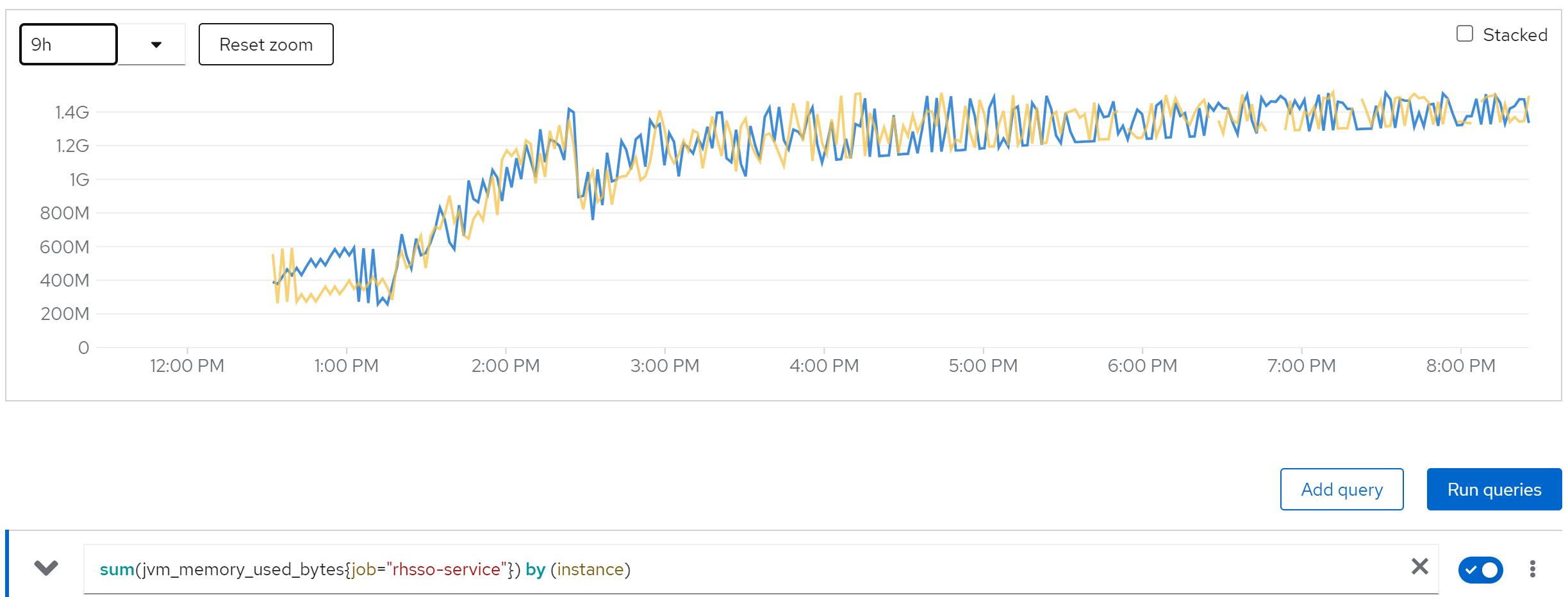
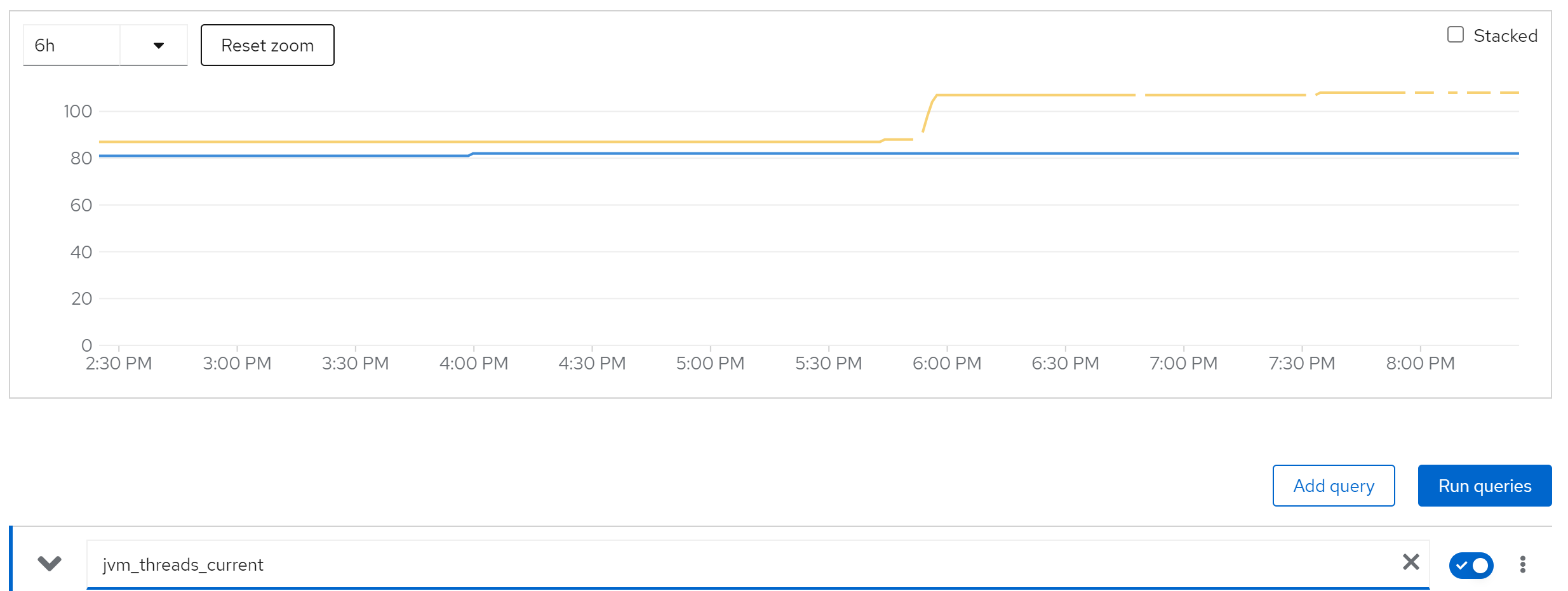
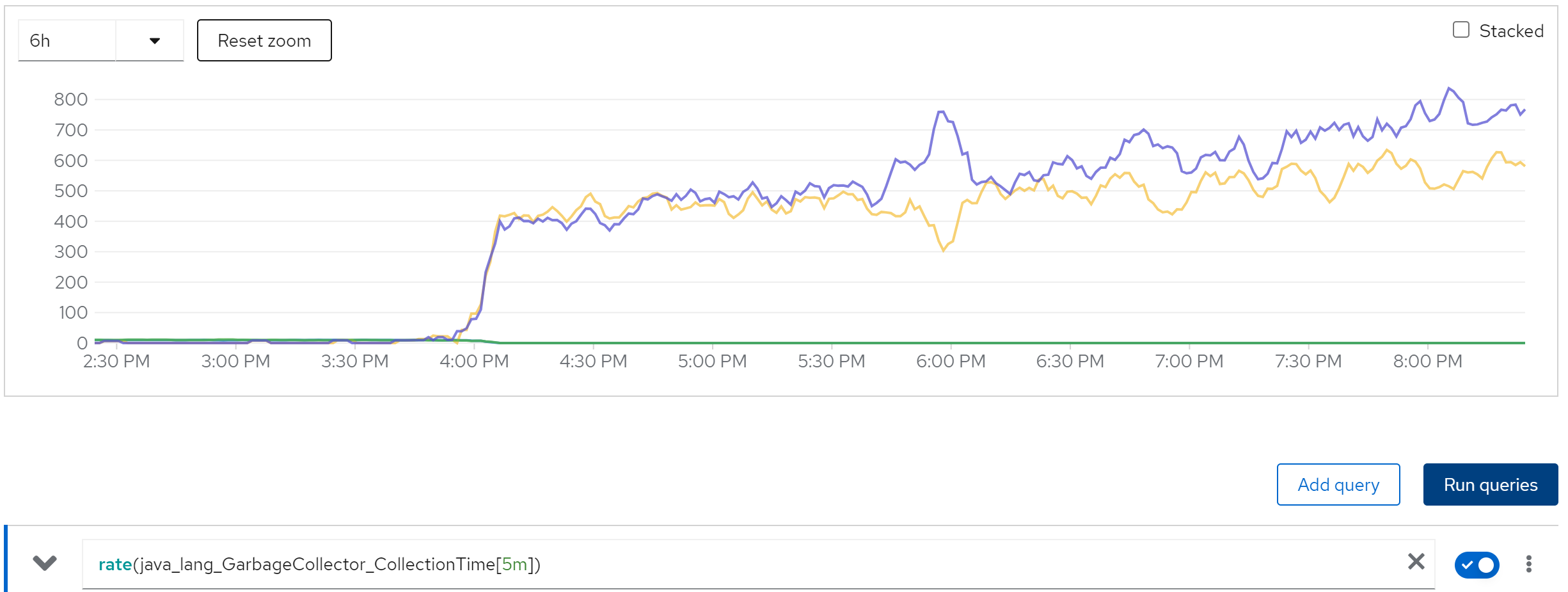
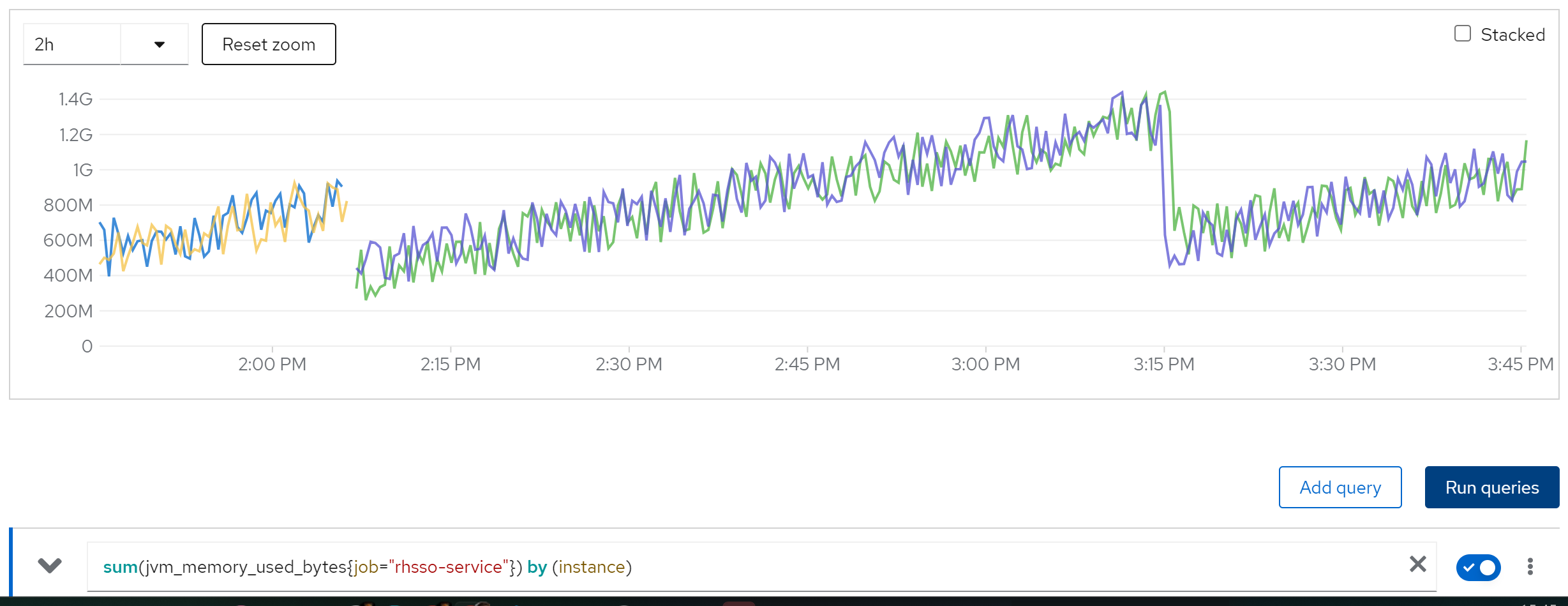
We find memory leak,
sum(jvm_memory_used_bytes{job=“rhsso-service”}) by (instance)
jvm_threads_current
rate(java_lang_GarbageCollector_CollectionTime[5m])
we can see the cache entries do not released
sum(jboss_infinispan_Cache_numberOfEntries) by (name)
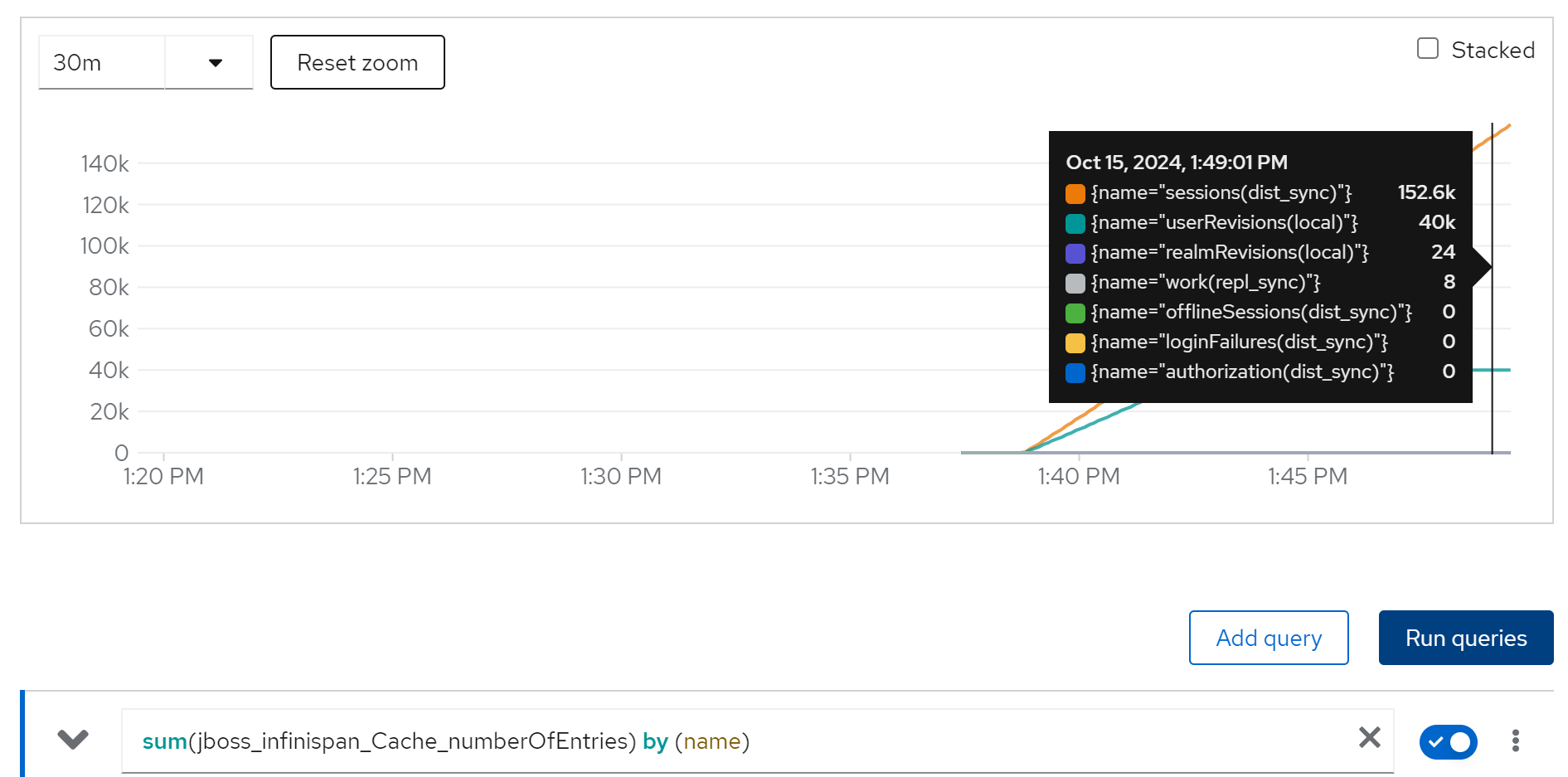
limit cache and try with owner=2, 2 instance
we are 50k user, and we espect each user has 2 login session, so we have 100k session, lets limit the cache entries to 100k.
And try it again.
The configuration patch, we will set 100k cache entries, and 1 day cache timeout.
<distributed-cache name="sessions" mode="SYNC" statistics-enabled="true" owners="2">
    <eviction strategy="LRU" max-entries="100000"/>
    <expiration max-idle="86400000"/>
</distributed-cache>
(jboss_infinispan_Cache_numberOfEntries)
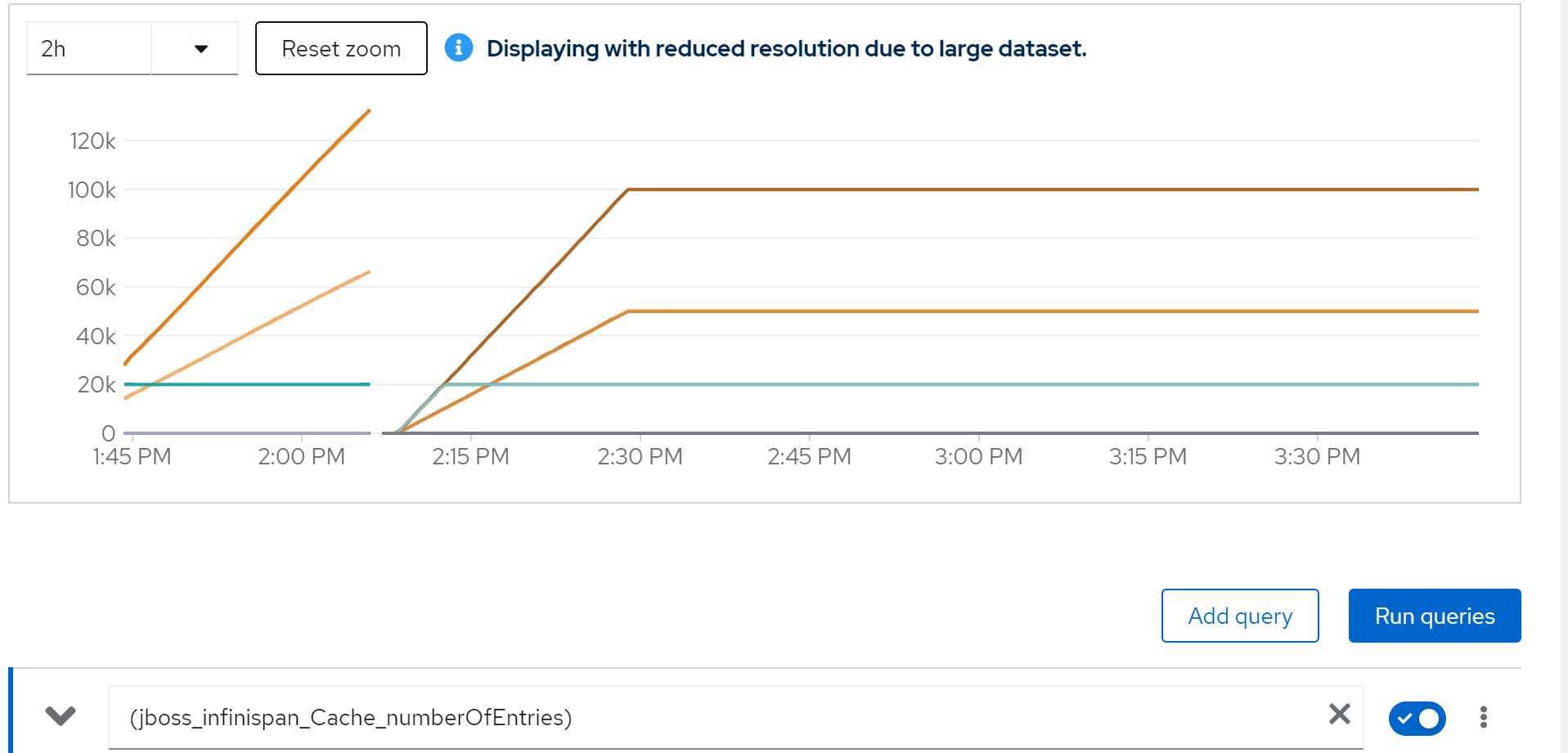
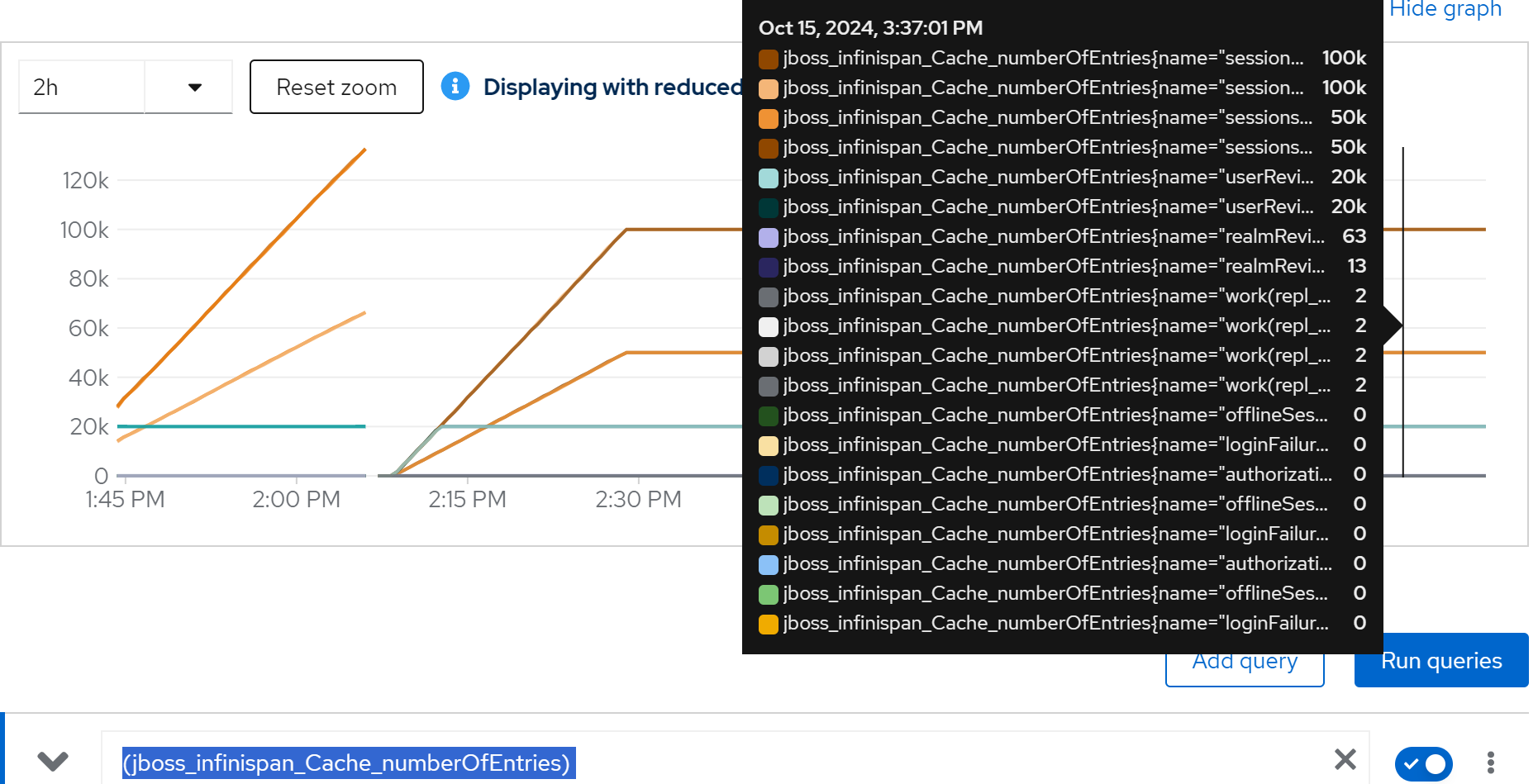
sum(jvm_memory_used_bytes{job=“rhsso-service”}) by (instance)
rate(java_lang_GarbageCollector_CollectionTime[5m])
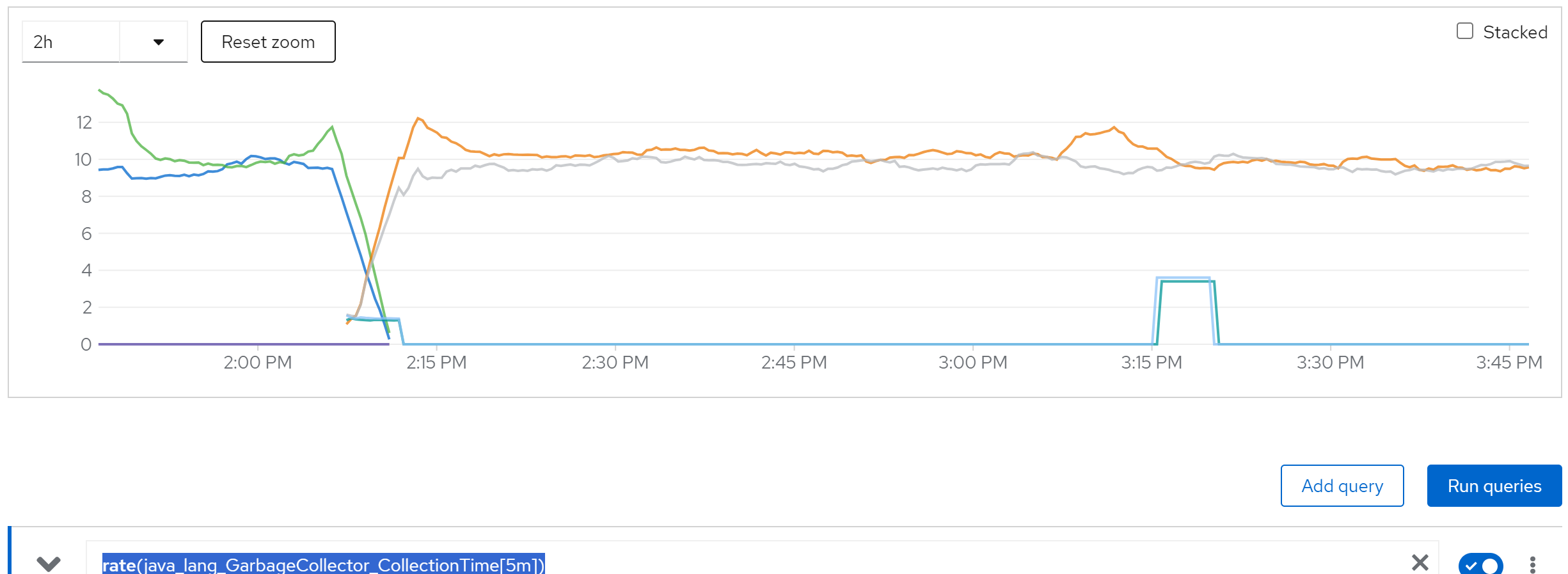
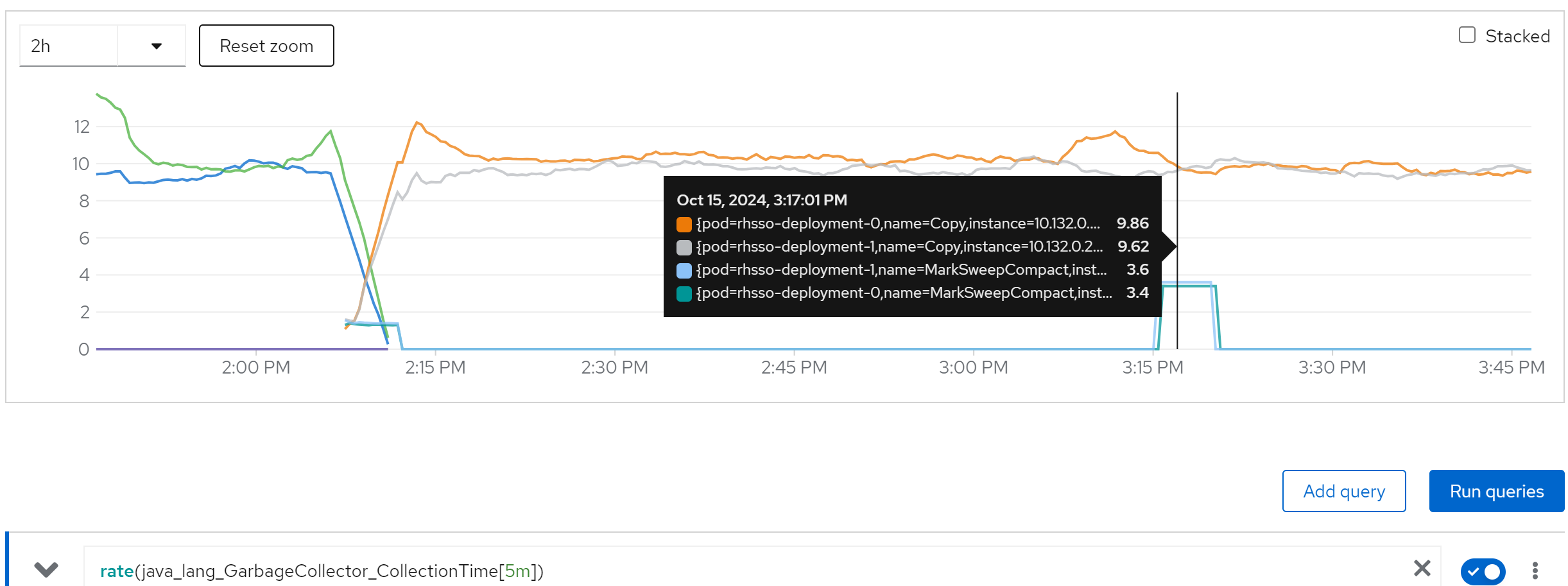
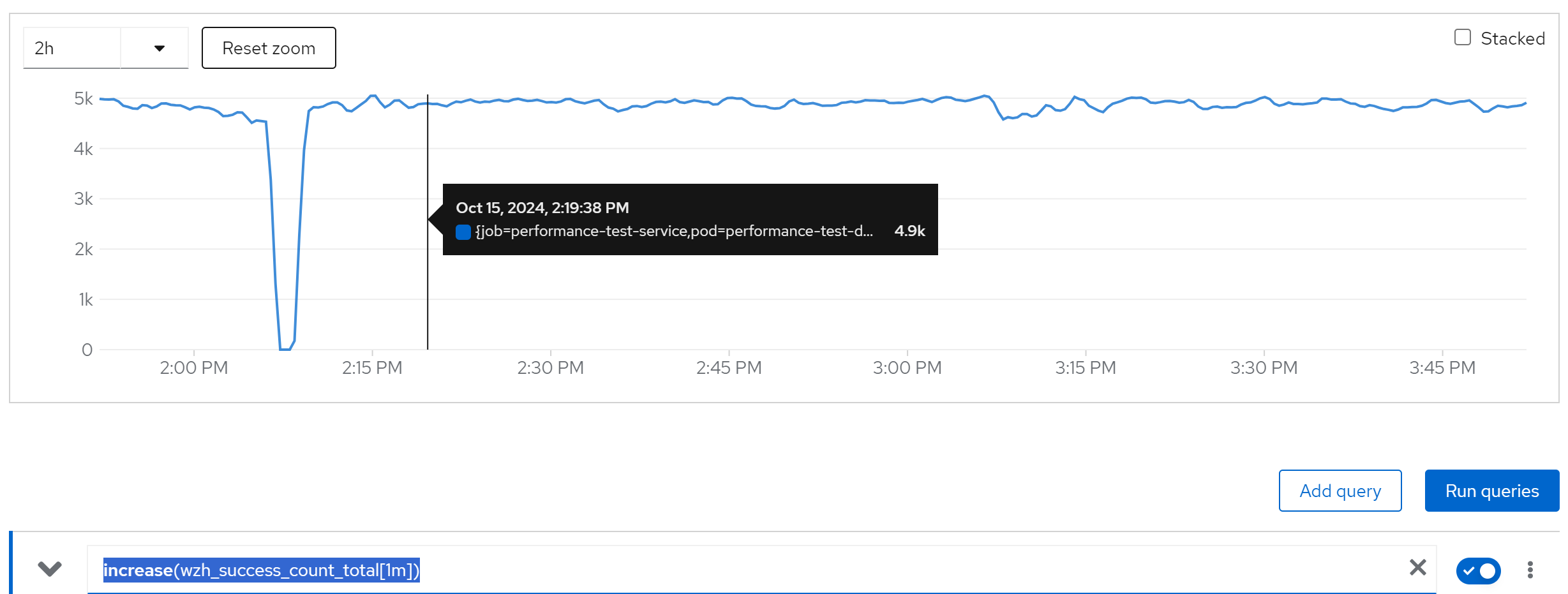
increase(wzh_success_count_total[1m])
limit cache and try with owner=2, 80 instance
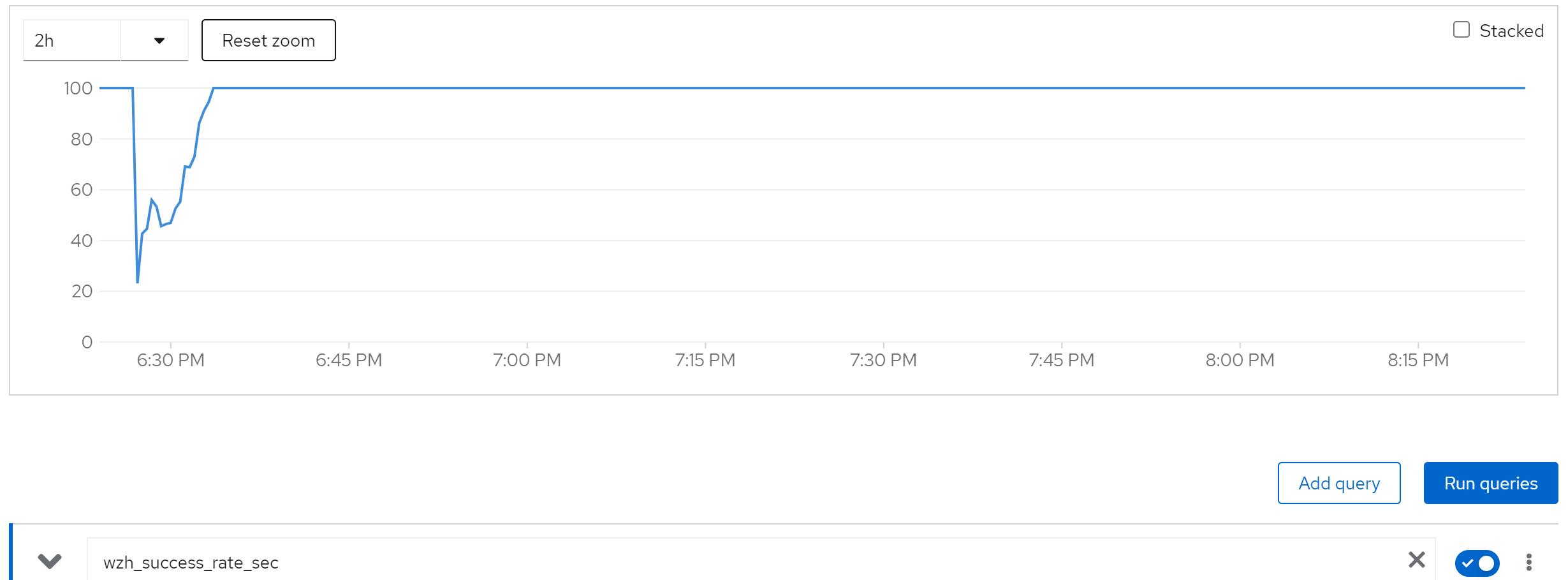
wzh_success_rate_sec
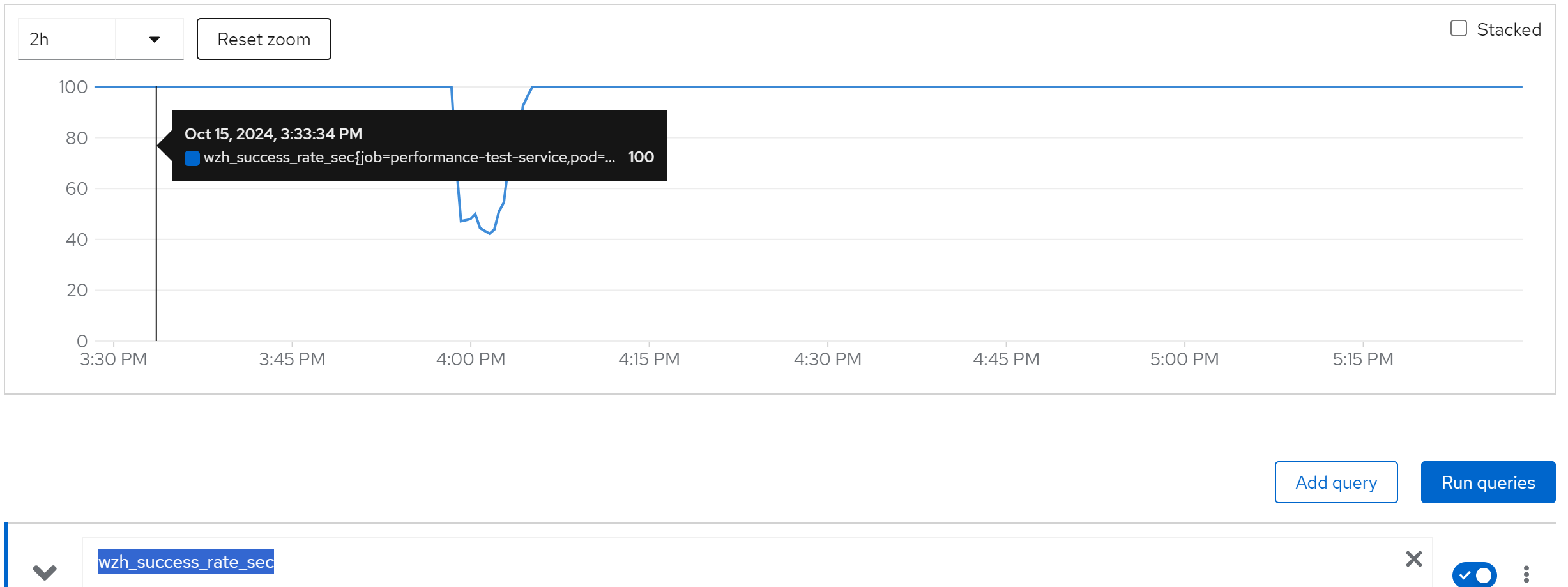
wzh_avg_time_sec
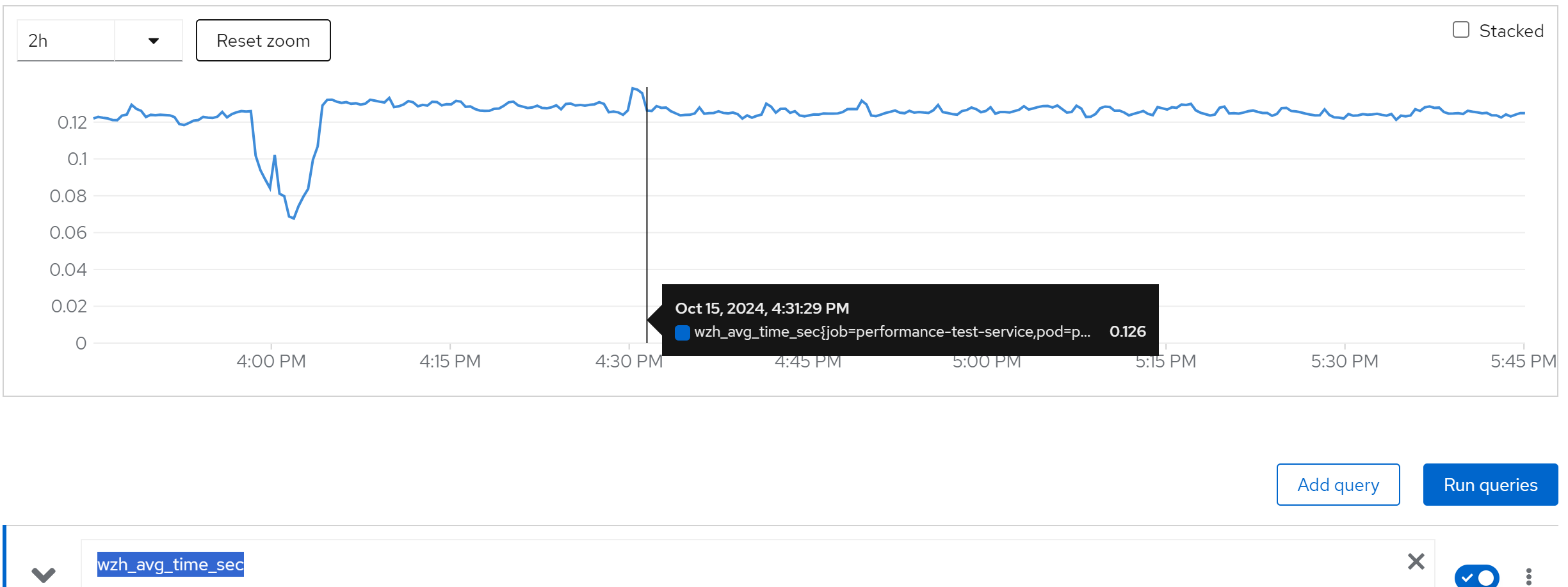
increase(wzh_success_count_total[1m])
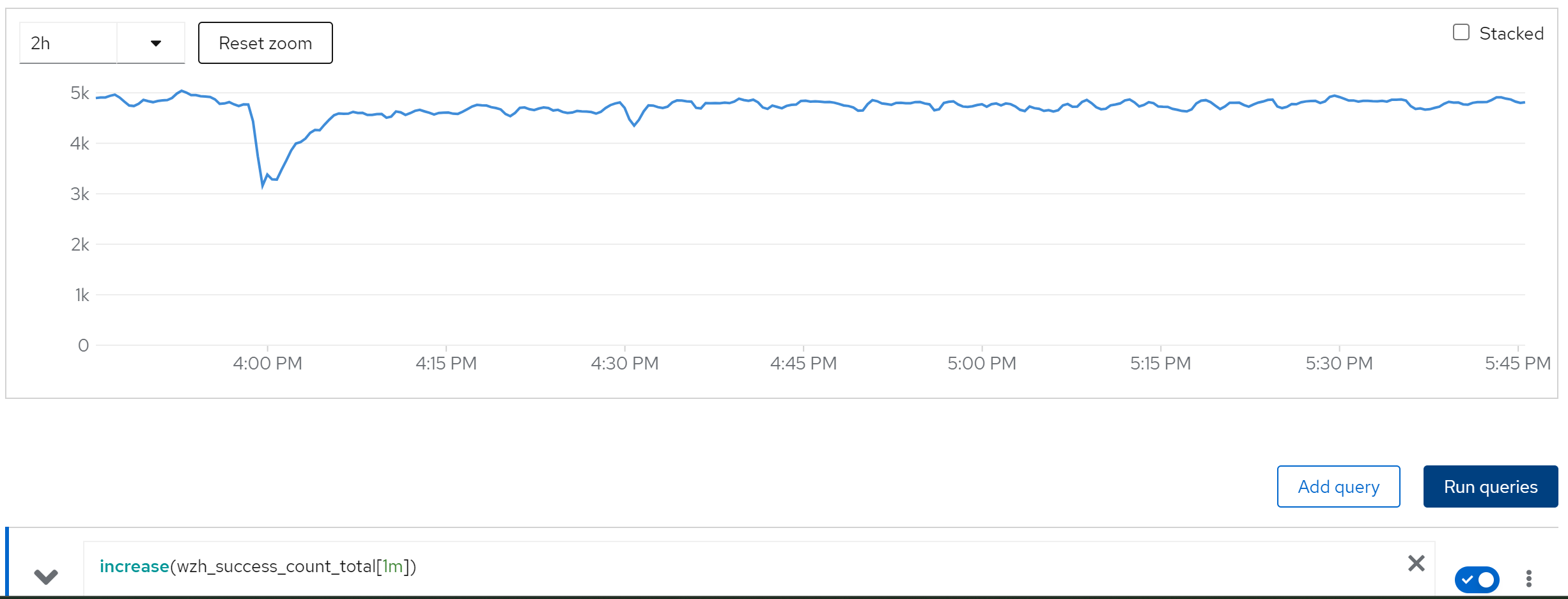
limit cache and try with owner=80, 80 instance
wzh_success_rate_sec
wzh_avg_time_sec
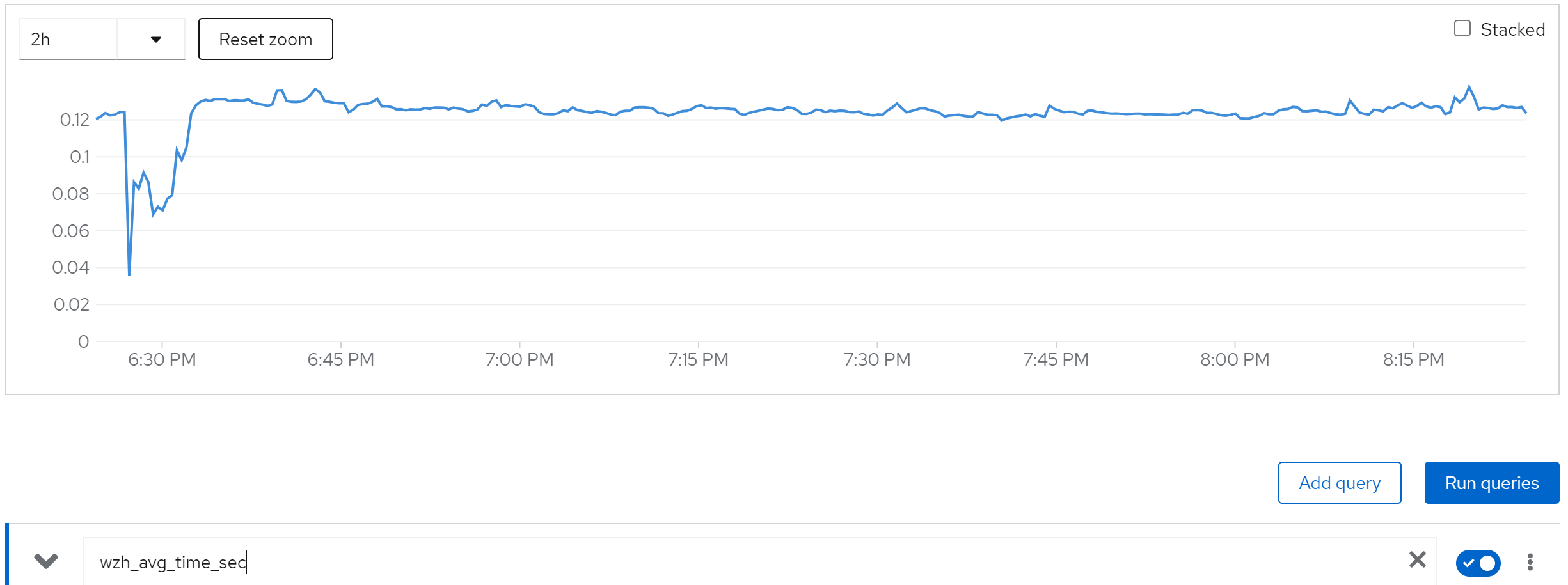
increase(wzh_success_count_total[1m])
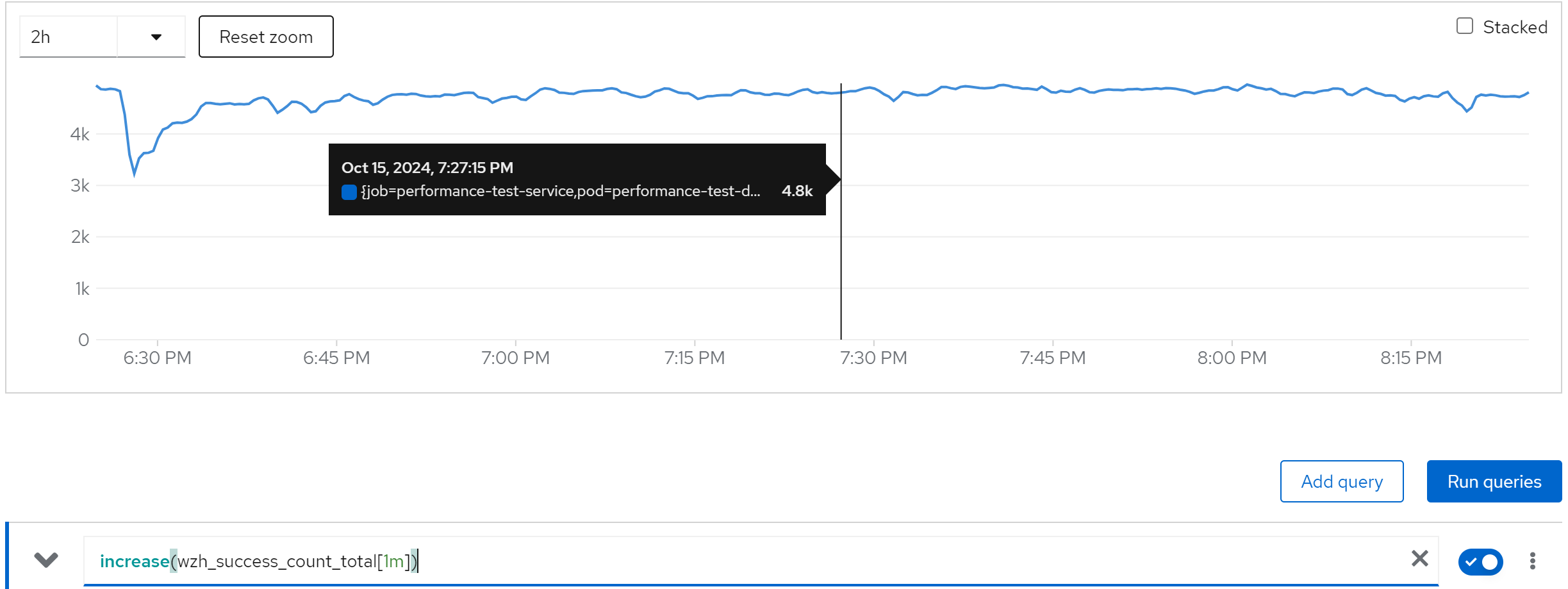
jboss_infinispan_Cache_numberOfEntries{name=“"sessions(dist_sync)"”}
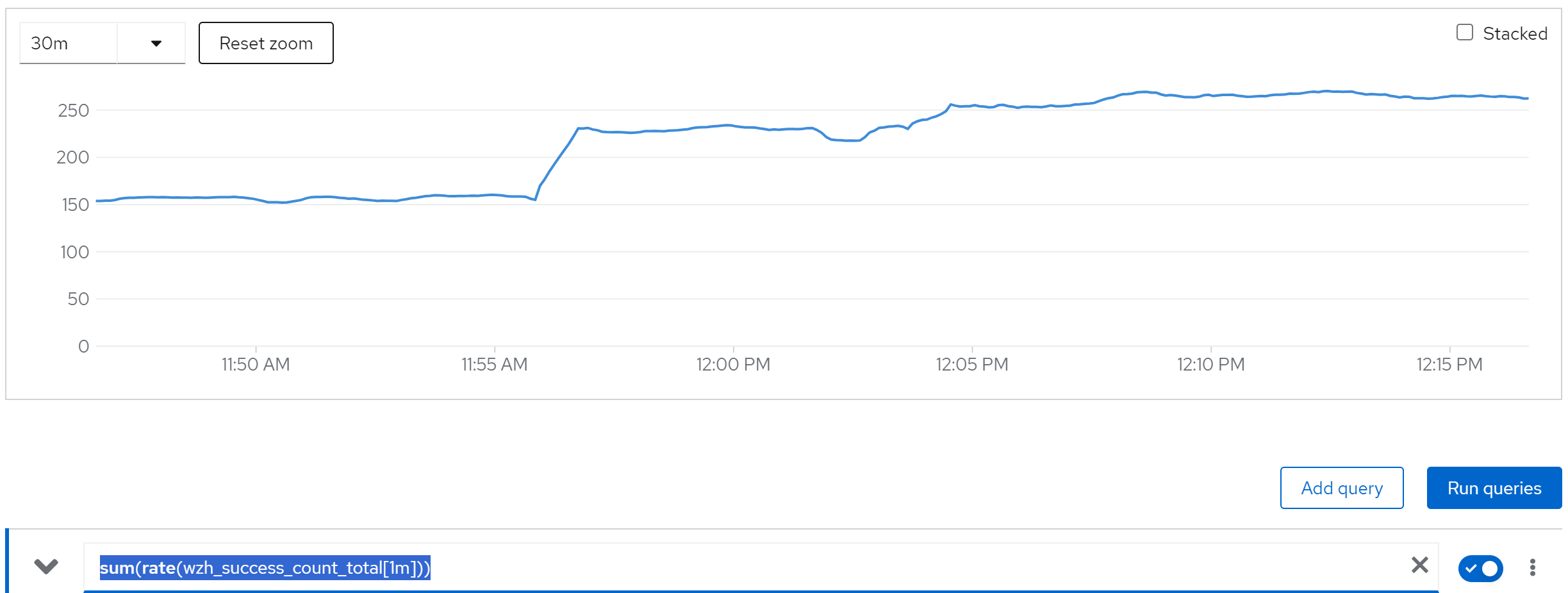
run with 40 curl instance, 2 rhsso instance
sum(rate(wzh_success_count_total[1m]))
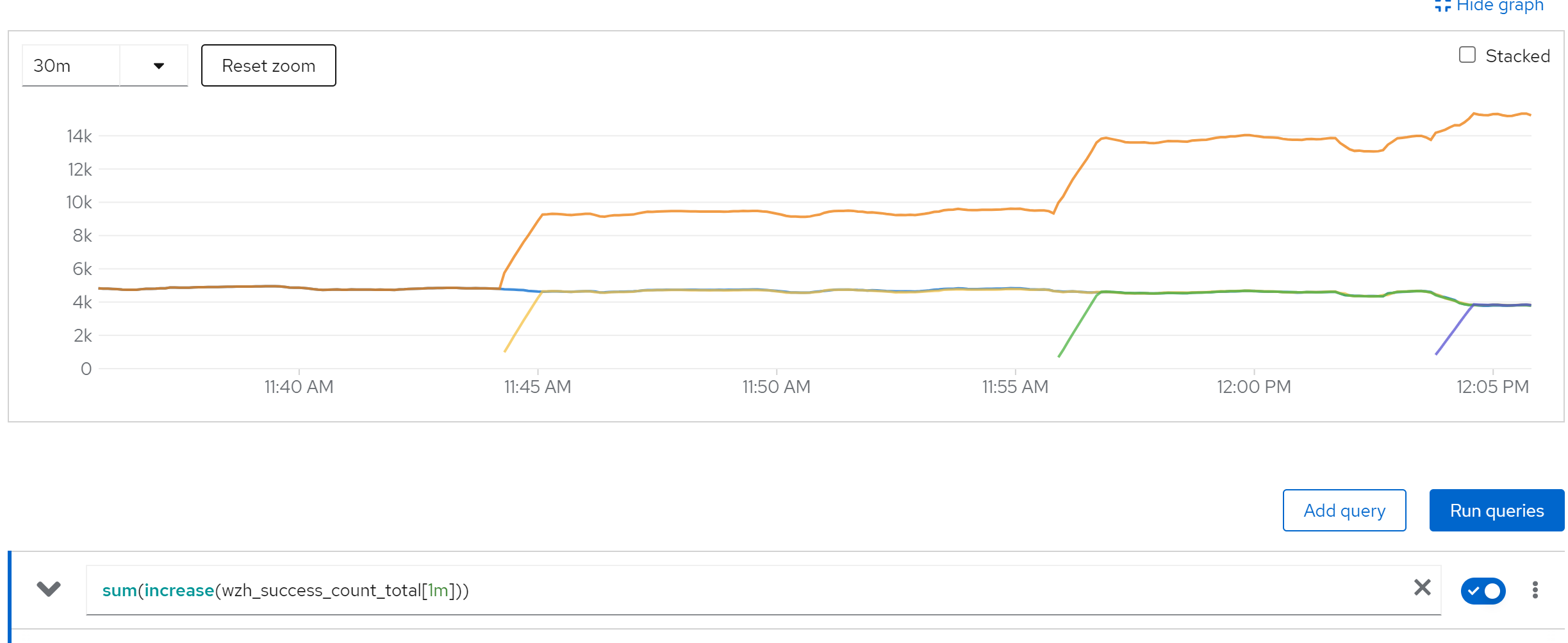
sum(increase(wzh_success_count_total[1m]))
memory & cpu usage

run with 40 curl instance, 4 rhsso instance
sum(rate(wzh_success_count_total[1m]))
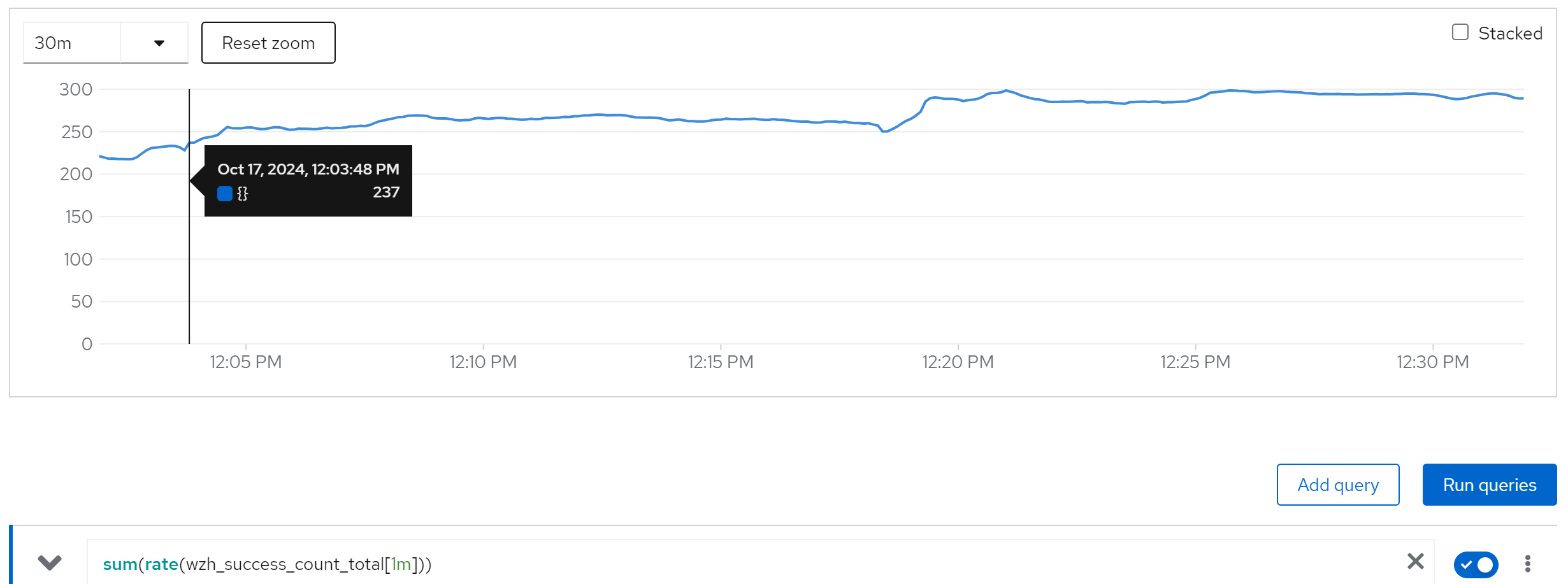
sum(rate(wzh_success_count_total[10s]))