[!NOTE] work in progress
with the help of Gemini pro 2.5
Using Ansible to Get CMDB Data from ServiceNow
A common use case for Ansible is to fetch data from a source system (like ServiceNow) and then perform some operations on that data. Typically, there are two ways to do that:
- Using the
servicenowmodule to directly call the API of ServiceNow. - Using Ansible dynamic inventory to fetch data from ServiceNow.
In this article, we will use the first method to fetch data from ServiceNow.
preparing
You need a testing system to test your playbook. Here are the things you need:
- A working Ansible Automation Platform (AAP 2.5)
- A ServiceNow instance (developer instance is okay)
- Credentials for accessing the ServiceNow instance
You can find detailed instructions in this previous article.
Get CMDB Data from ServiceNow
We already have a playbook to fetch data from ServiceNow; here is the link.
Let’s go through the key points of this playbook.
You need to find the class name of the CMDB object you want to search for. You can search without the class, but it will be very slow.
    # Specify the CMDB class name to query.
    # Examples:
    # - cmdb_ci_server (for general servers)
    # - cmdb_ci_database (for databases)
    # - cmdb_ci_app_server (for application servers like Java app servers)
    # - cmdb_ci_web_server (for web servers)
    # You can find available class names in your ServiceNow instance under "Configuration > CI Class Manager"
    # or by inspecting the 'sys_db_object' table (filter for tables starting with 'cmdb_ci_').
    cmdb_ci_class_name: "cmdb_ci_server" # Default to servers, change as needed
How to find the class name you want? Here is a simple method if you do not know how to get it in another way.
Find the device you want to search for, click on the device, and then go to details. You can find the class name in the url.
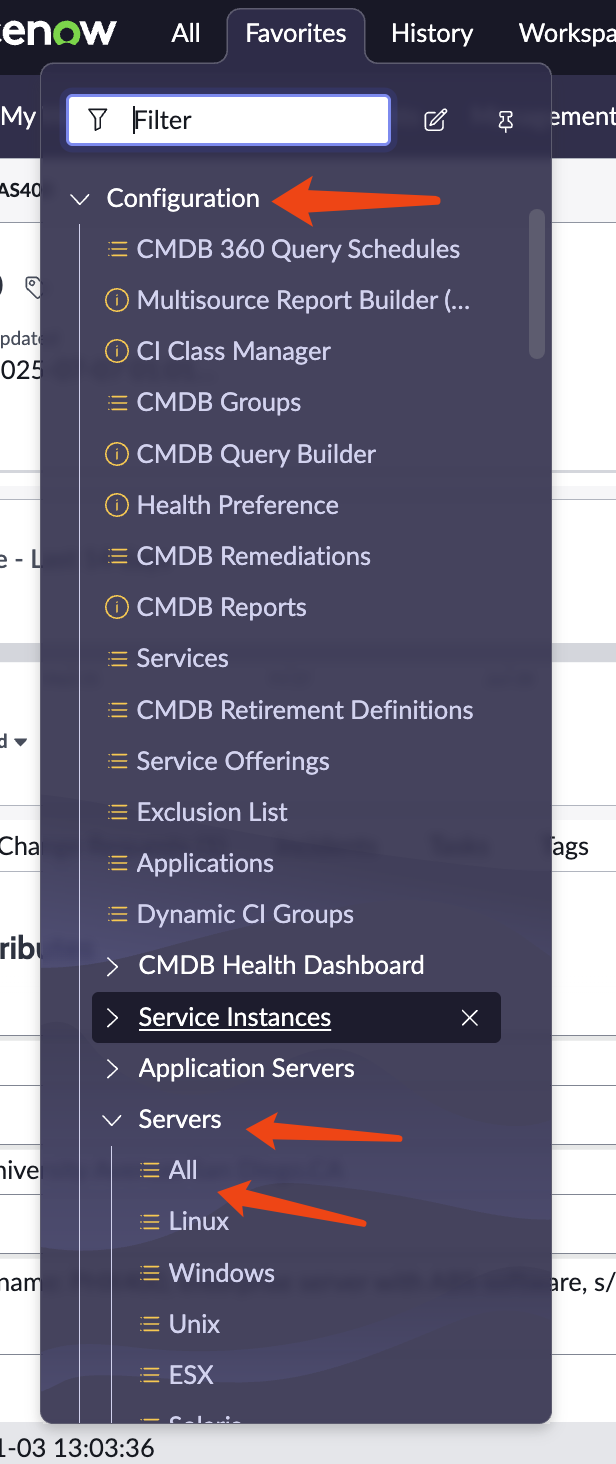
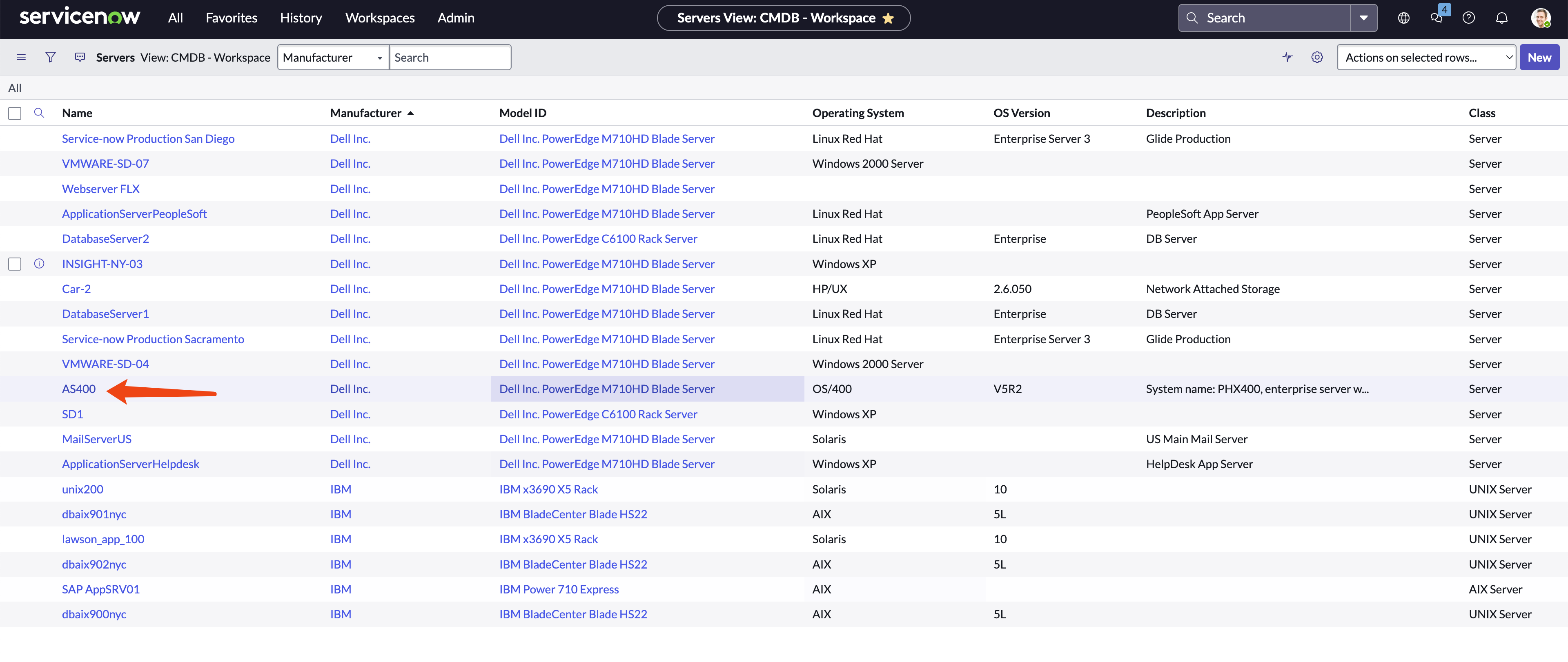
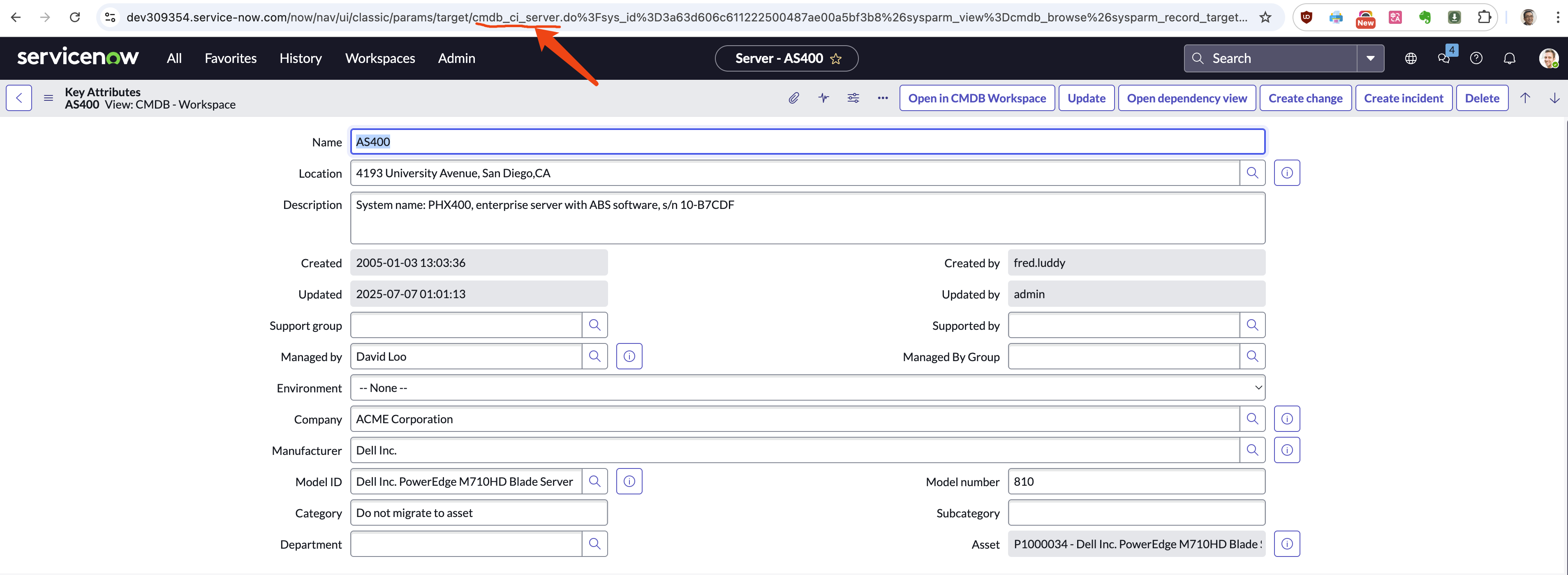
And here is the core logic on how to get the cmdb data.
    - name: Get CMDB information
      servicenow.itsm.configuration_item_info:
        instance:
          host: "{{ snow_instance }}"
          username: "{{ snow_username }}"
          password: "{{ snow_password }}"
        sys_class_name: "{{ cmdb_ci_class_name }}" # Use the variable for class name
        query:
          # - manufacturer.name: "= Dell Inc."
          #   install_status: "= installed"
          - manufacturer.name: "STARTSWITH Dell"
        return_fields: # Specify fields to retrieve (these might vary by class)
          - name
          - ip_address
          - os
          - manufacturer
          - model_id
          - serial_number
          - asset_tag
          - sys_class_name
          - sys_id
      register: cmdb_servers
You can see we limit the search to
sys_class_name, and we also limit the search with
query by matching the manufacturer.name field. We
also limit the return fields. You can find more details on this
ansible model at offical
document.
The other part of the playbook is to parse the JSON returned, convert it to CSV, and upload it.
Get additional information from ServiceNow
The previous example is a simple query that returns basic
information about the CMDB servers, some information like
manufacturer is id only. In this section, we will
add more complex queries to get additional information, like
manufacturer name from ServiceNow.
The playbook is here.
Core logic is another api call to get name for manufacturer
    - name: Get manufacturer names from sys_id
      servicenow.itsm.api_info:
        instance:
          host: "{{ snow_instance }}"
          username: "{{ snow_username }}"
          password: "{{ snow_password }}"
        api_path: "api/now/table/core_company"
        sysparm_query: "sys_idIN{{ manufacturer_sys_ids | join(',') }}"
        columns:
          - sys_id
          - name
      register: manufacturers
      when: manufacturer_sys_ids | length > 0
You can see we use ervicenow.itsm.api_info to
get a list of manufacturers from the core_company table in
Service Now.
for aap 2.4
It seems the service.now model is not updated,
so I have created a new playbook here.
It works in aap 2.4, no major changes, just fix for api
parameters.