openshift 4.3 calico 离线部署
https://docs.projectcalico.org/getting-started/openshift/requirements
image prepare
cd /data/ocp4

cat << EOF > add.image.list
quay.io/tigera/operator-init:v1.3.3
quay.io/tigera/operator:v1.3.3
docker.io/calico/ctl:v3.13.2
docker.io/calico/kube-controllers:v3.13.2
docker.io/calico/node:v3.13.2
docker.io/calico/typha:v3.13.2
docker.io/calico/pod2daemon-flexvol:v3.13.2
docker.io/calico/cni:v3.13.2
EOF

bash add.image.sh add.image.list

bash add.image.load.sh /data/down/mirror_dir
install
# scp install-config.yaml into /root/ocp4
# sed -i 's/OpenShiftSDN/Calico/' install-config.yaml
openshift-install create manifests --dir=/root/ocp4
# scp calico/manifests to manifests
openshift-install create ignition-configs --dir=/root/ocp4

# follow 4.3.disconnect.operator.md to install

oc get tigerastatus

oc get pod -n tigera-operator

oc get pod -n calico-system

# 看看都用了什么image
oc project tigera-operator

oc get pod -o json | jq -r '.items[].spec.containers[].image' | sort | uniq
# quay.io/tigera/operator-init:v1.3.3
# quay.io/tigera/operator:v1.3.3

oc project calico-system

oc get pod -o json | jq -r '.items[].spec.containers[].image' | sort | uniq
# calico/ctl:v3.13.2
# docker.io/calico/kube-controllers:v3.13.2
# docker.io/calico/node:v3.13.2
# docker.io/calico/typha:v3.13.2

# docker.io/calico/pod2daemon-flexvol:v3.13.2
# docker.io/calico/cni:v3.13.2

# 安装控制命令行
oc apply -f calicoctl.yaml

oc exec calicoctl -n calico-system -it -- /calicoctl get node -o wide

oc exec calicoctl -n calico-system -it -- /calicoctl ipam show --show-blocks

oc exec calicoctl -n calico-system -it -- /calicoctl get ipPool -o wide
calico 下,创建 pod,指定 ip pool
视频讲解
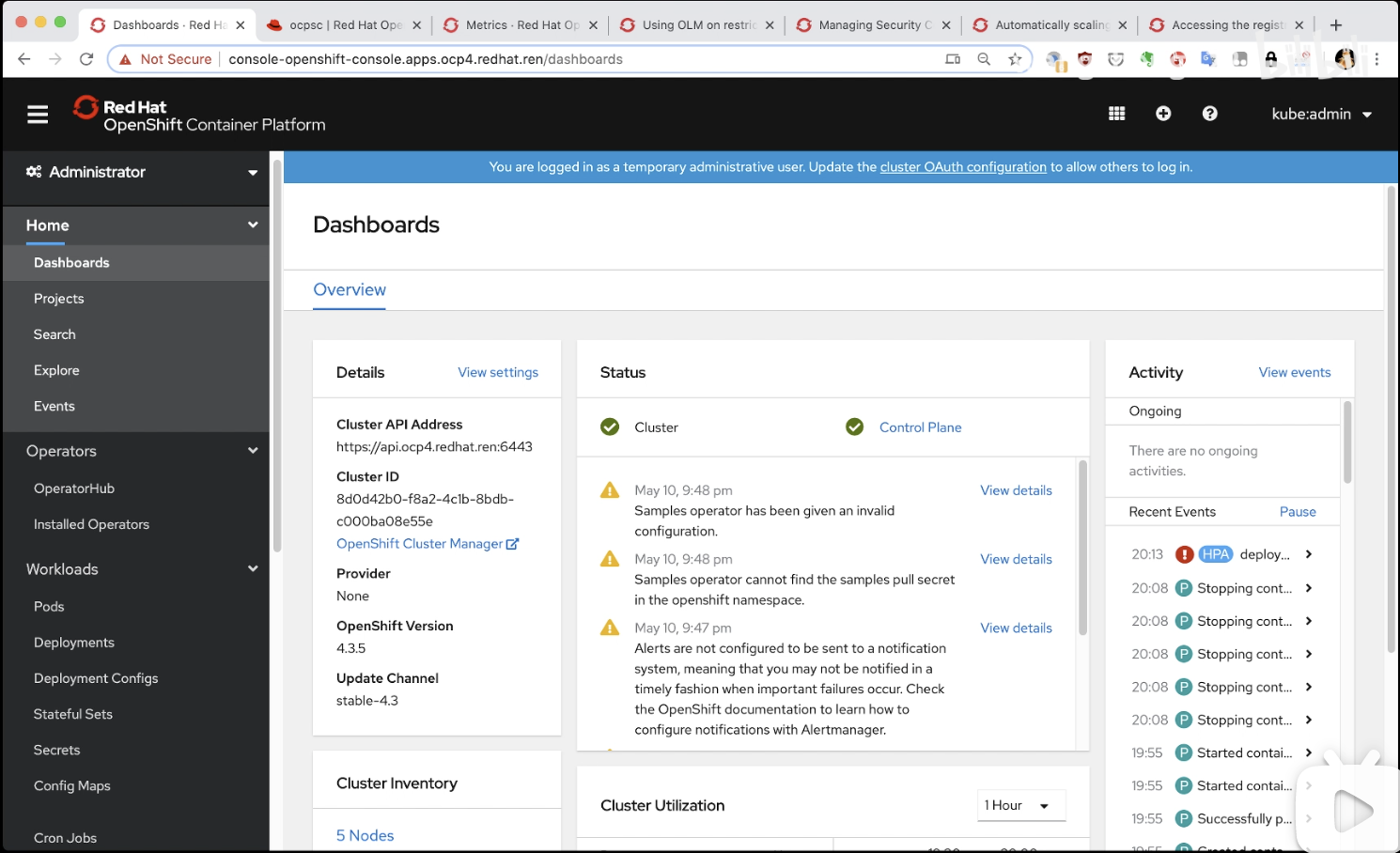
- https://youtu.be/GJSFF7DDCe8
- https://www.bilibili.com/video/BV14Z4y1p7wa/
https://www.tigera.io/blog/calico-ipam-explained-and-enhanced/
# 创建ip pool
cat << EOF > calico.ip.pool.yaml
---
apiVersion: projectcalico.org/v3
kind: IPPool
metadata:
  name: ip-pool-1
spec:
  cidr: 172.110.110.0/24
  ipipMode: Always
  natOutgoing: true
---
apiVersion: projectcalico.org/v3
kind: IPPool
metadata:
  name: ip-pool-2
spec:
  cidr: 172.110.220.0/24
  ipipMode: Always
  natOutgoing: true
EOF
cat calico.ip.pool.yaml | oc exec calicoctl -n calico-system -i -- /calicoctl apply -f -

# 检查ip pool的创建情况
oc exec calicoctl -n calico-system -it -- /calicoctl get ipPool -o wide

cat << EOF > calico.pod.yaml
---
kind: Pod
apiVersion: v1
metadata:
  name: demo-pod1
  namespace: demo
  annotations:
    cni.projectcalico.org/ipv4pools: '["ip-pool-1"]'
spec:
  nodeSelector:
    kubernetes.io/hostname: 'worker-0.ocp4.redhat.ren'
  restartPolicy: Always
  containers:
    - name: demo
      image: >-
        registry.redhat.ren:5443/docker.io/wangzheng422/centos:centos7-test
      env:
        - name: key
          value: value
      command: ["iperf3", "-s", "-p" ]
      args: [ "6666" ]
      imagePullPolicy: Always
---
kind: Pod
apiVersion: v1
metadata:
  name: demo-pod2
  namespace: demo
  annotations:
    cni.projectcalico.org/ipv4pools: '["ip-pool-1"]'
spec:
  nodeSelector:
    kubernetes.io/hostname: 'worker-0.ocp4.redhat.ren'
  restartPolicy: Always
  containers:
    - name: demo
      image: >-
        registry.redhat.ren:5443/docker.io/wangzheng422/centos:centos7-test
      env:
        - name: key
          value: value
      command: ["iperf3", "-s", "-p" ]
      args: [ "6666" ]
      imagePullPolicy: Always
---
kind: Pod
apiVersion: v1
metadata:
  name: demo-pod3
  namespace: demo
  annotations:
    cni.projectcalico.org/ipv4pools: '["ip-pool-2"]'
spec:
  nodeSelector:
    kubernetes.io/hostname: 'worker-0.ocp4.redhat.ren'
  restartPolicy: Always
  containers:
    - name: demo
      image: >-
        registry.redhat.ren:5443/docker.io/wangzheng422/centos:centos7-test
      env:
        - name: key
          value: value
      command: ["iperf3", "-s", "-p" ]
      args: [ "6666" ]
      imagePullPolicy: Always
---
kind: Pod
apiVersion: v1
metadata:
  name: demo-pod4
  namespace: demo
  annotations:
    cni.projectcalico.org/ipv4pools: '["ip-pool-1"]'
spec:
  nodeSelector:
    kubernetes.io/hostname: 'worker-1.ocp4.redhat.ren'
  restartPolicy: Always
  containers:
    - name: demo
      image: >-
        registry.redhat.ren:5443/docker.io/wangzheng422/centos:centos7-test
      env:
        - name: key
          value: value
      command: ["iperf3", "-s", "-p" ]
      args: [ "6666" ]
      imagePullPolicy: Always
---
kind: Pod
apiVersion: v1
metadata:
  name: demo-pod5
  namespace: demo
  annotations:
    cni.projectcalico.org/ipv4pools: '["ip-pool-2"]'
spec:
  nodeSelector:
    kubernetes.io/hostname: 'worker-1.ocp4.redhat.ren'
  restartPolicy: Always
  containers:
    - name: demo
      image: >-
        registry.redhat.ren:5443/docker.io/wangzheng422/centos:centos7-test
      env:
        - name: key
          value: value
      command: ["iperf3", "-s", "-p" ]
      args: [ "6666" ]
      imagePullPolicy: Always
EOF
oc apply -f calico.pod.yaml

# 查看pod的IP分配,是按照我们指定的ip地址范围分配的
oc get pod -o wide -n demo
# [root@helper ocp4]# oc get pod -o wide -n demo
# NAME        READY   STATUS    RESTARTS   AGE     IP                NODE                       NOMINATED NODE   READINESS GATES
# demo-pod1   1/1     Running   0          8m52s   172.110.110.67    worker-0.ocp4.redhat.ren   <none>           <none>
# demo-pod2   1/1     Running   0          8m52s   172.110.110.68    worker-0.ocp4.redhat.ren   <none>           <none>
# demo-pod3   1/1     Running   0          8m52s   172.110.220.64    worker-0.ocp4.redhat.ren   <none>           <none>
# demo-pod4   1/1     Running   0          8m52s   172.110.110.128   worker-1.ocp4.redhat.ren   <none>           <none>
# demo-pod5   1/1     Running   0          8m52s   172.110.220.130   worker-1.ocp4.redhat.ren   <none>           <none>

# 获得除了demo-pod1以外的所有pod的ip地址
oc get pod -o json | jq -r '.items[] | select(.metadata.name != "demo-pod1") | .status.podIP'

# 从demo-pod1上pind这些pod的ip地址,都能ping通。
for var_i in $(oc get pod -o json | jq -r '.items[] | select(.metadata.name != "demo-pod1") | .status.podIP'); do
    oc exec -n demo demo-pod1 -it -- ping -c 5 ${var_i}
done

# clean up
oc delete -f calico.pod.yaml

cat calico.ip.pool.yaml | oc exec calicoctl -n calico-system -i -- /calicoctl delete -f -
calico + multus
视频讲解
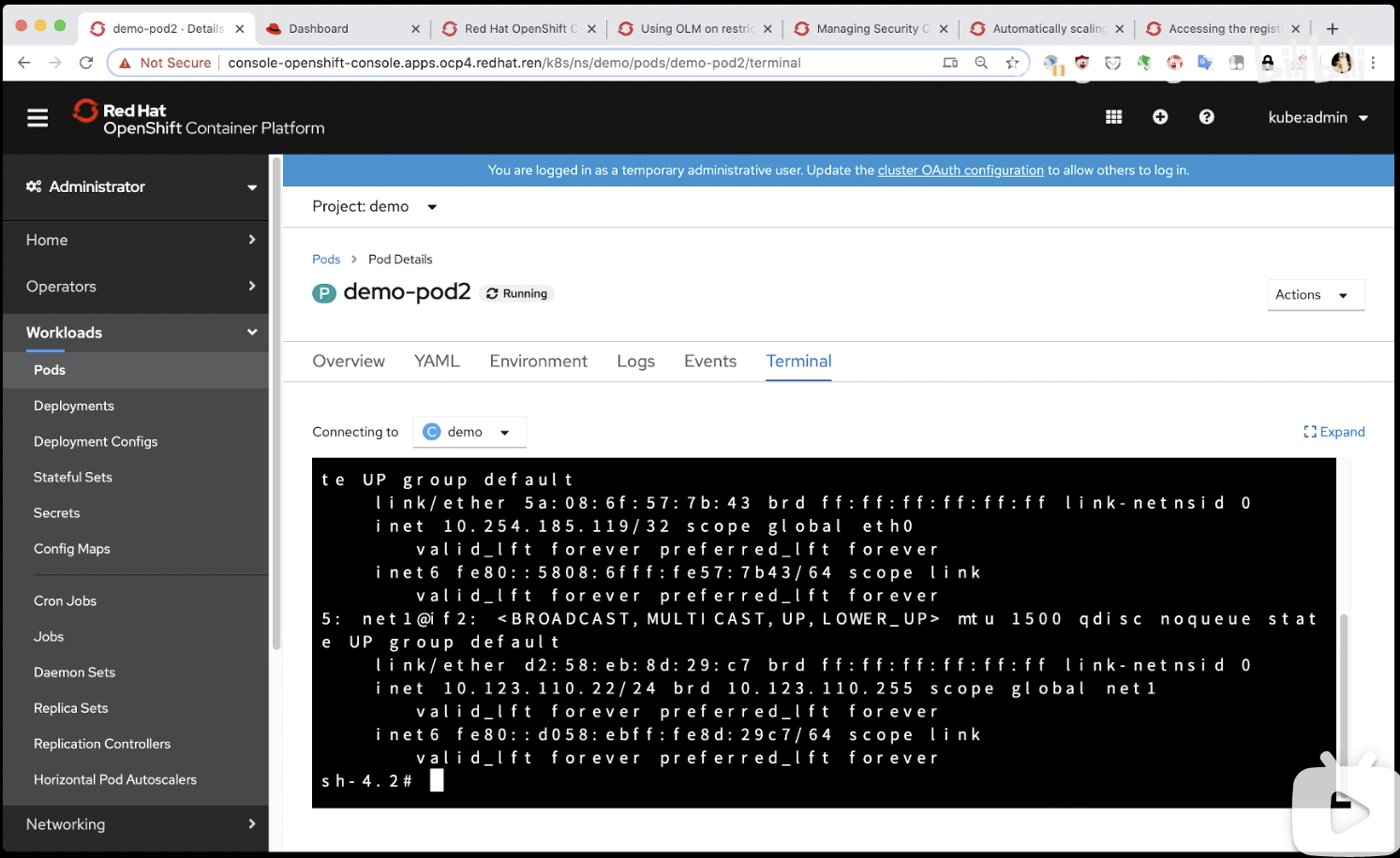
- https://youtu.be/MQRv6UASZcA
- https://www.bilibili.com/video/BV1zi4y147sk/
- https://www.ixigua.com/i6825969911781655048/
# 创建multus macvlan需要的ip地址
cat << EOF > calico.macvlan.yaml
apiVersion: operator.openshift.io/v1
kind: Network
metadata:
  name: cluster
spec:
  additionalNetworks:
  - name: multus-macvlan-0
    namespace: demo
    type: SimpleMacvlan
    simpleMacvlanConfig:
      ipamConfig:
        type: static
        staticIPAMConfig:
          addresses:
          - address: 10.123.110.11/24
          routes:
  - name: multus-macvlan-1
    namespace: demo
    type: SimpleMacvlan
    simpleMacvlanConfig:
      ipamConfig:
        type: static
        staticIPAMConfig:
          addresses:
          - address: 10.123.110.22/24

EOF
oc apply -f calico.macvlan.yaml

# 检查创建的ip地址
oc get Network.operator.openshift.io -o yaml

# 创建pod,并配置multus,使用macvlan
cat << EOF > calico.pod.yaml
---
kind: Pod
apiVersion: v1
metadata:
  name: demo-pod1
  namespace: demo
  annotations:
    k8s.v1.cni.cncf.io/networks: '
      [{
        "name": "multus-macvlan-0"
      }]'
spec:
  nodeSelector:
    kubernetes.io/hostname: 'worker-0.ocp4.redhat.ren'
  restartPolicy: Always
  containers:
    - name: demo
      image: >-
        registry.redhat.ren:5443/docker.io/wangzheng422/centos:centos7-test
      env:
        - name: key
          value: value
      command: ["iperf3", "-s", "-p" ]
      args: [ "6666" ]
      imagePullPolicy: Always
---
kind: Pod
apiVersion: v1
metadata:
  name: demo-pod2
  namespace: demo
  annotations:
    k8s.v1.cni.cncf.io/networks: '
      [{
        "name": "multus-macvlan-1"
      }]'
spec:
  nodeSelector:
    kubernetes.io/hostname: 'worker-1.ocp4.redhat.ren'
  restartPolicy: Always
  containers:
    - name: demo
      image: >-
        registry.redhat.ren:5443/docker.io/wangzheng422/centos:centos7-test
      env:
        - name: key
          value: value
      command: ["iperf3", "-s", "-p" ]
      args: [ "6666" ]
      imagePullPolicy: Always

EOF
oc apply -f calico.pod.yaml

# 查看demo-pod2上的ip地址
var_ips=$(oc get pod -o json | jq -r '.items[] | select(.metadata.name != "demo-pod1") | .metadata.annotations["k8s.v1.cni.cncf.io/networks-status"] | fromjson | .[].ips[0] ' )
echo -e "$var_ips"

# oc get pod -o json | jq -r ' .items[] | select(.metadata.name != "demo-pod1") | { podname: .metadata.name, ip: ( .metadata.annotations["k8s.v1.cni.cncf.io/networks-status"] | fromjson | .[].ips[0] ) } | [.podname, .ip] | @tsv'

# 从demo pod1上ping demo pod2上的2个ip地址
for var_i in $var_ips; do
  oc exec -n demo demo-pod1 -it -- ping -c 5 ${var_i}
done

# restore
oc delete -f calico.pod.yaml

cat << EOF > calico.macvlan.yaml
apiVersion: operator.openshift.io/v1
kind: Network
metadata:
  name: cluster
EOF
oc apply -f calico.macvlan.yaml
calico + static ip
https://docs.projectcalico.org/networking/use-specific-ip
视频讲解
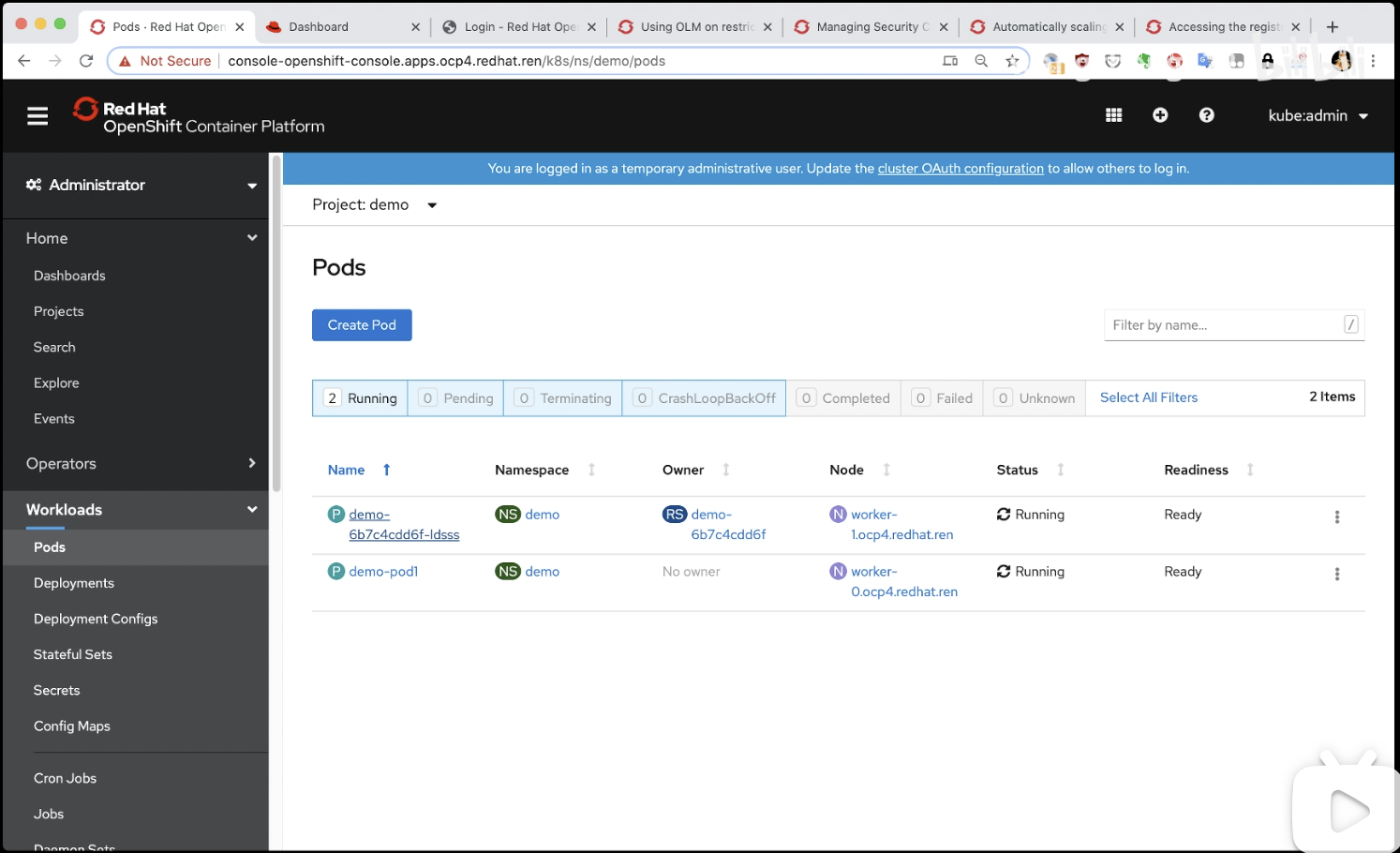
- https://youtu.be/q8FtuOzBixA
- https://www.bilibili.com/video/BV1zz411q78i/
# 创建测试用的静态ip deployment,和pod
cat << EOF > demo.yaml
---
kind: Deployment
apiVersion: apps/v1
metadata:
  annotations:
  name: demo
spec:
  replicas: 1
  selector:
    matchLabels:
      app: demo
  template:
    metadata:
      labels:
        app: demo
      annotations:
        "cni.projectcalico.org/ipAddrs": '["10.254.22.33"]'
    spec:
      nodeSelector:
        # kubernetes.io/hostname: 'worker-1.ocp4.redhat.ren'
      restartPolicy: Always
      containers:
        - name: demo1
          image: >-
            registry.redhat.ren:5443/docker.io/wangzheng422/centos:centos7-test
          env:
            - name: key
              value: value
          command: ["/bin/bash", "-c", "--" ]
          args: [ "trap : TERM INT; sleep infinity & wait" ]
          imagePullPolicy: Always
---
kind: Pod
apiVersion: v1
metadata:
  name: demo-pod1
  namespace: demo
spec:
  nodeSelector:
    kubernetes.io/hostname: 'worker-0.ocp4.redhat.ren'
  restartPolicy: Always
  containers:
    - name: demo
      image: >-
        registry.redhat.ren:5443/docker.io/wangzheng422/centos:centos7-test
      env:
        - name: key
          value: value
      command: ["iperf3", "-s", "-p" ]
      args: [ "6666" ]
      imagePullPolicy: Always
EOF
oc apply -n demo -f demo.yaml

# 检查pod的ip地址
oc get pod -o wide
# NAME                    READY   STATUS    RESTARTS   AGE   IP              NODE                       NOMINATED NODE   READINESS GATES
# demo-8688cf4477-s26rs   1/1     Running   0          5s    10.254.22.33    worker-1.ocp4.redhat.ren   <none>           <none>
# demo-pod1               1/1     Running   0          6s    10.254.115.48   worker-0.ocp4.redhat.ren   <none>           <none>

# ping测试
oc exec -n demo demo-pod1 -it -- ping -c 5 10.254.22.33

# 移动pod到其他node
oc get pod -o wide

# ping测试
oc exec -n demo demo-pod1 -it -- ping -c 5 10.254.22.33

# clean up
oc delete -n demo -f demo.yaml
calico + mtu
https://docs.projectcalico.org/networking/mtu
视频讲解
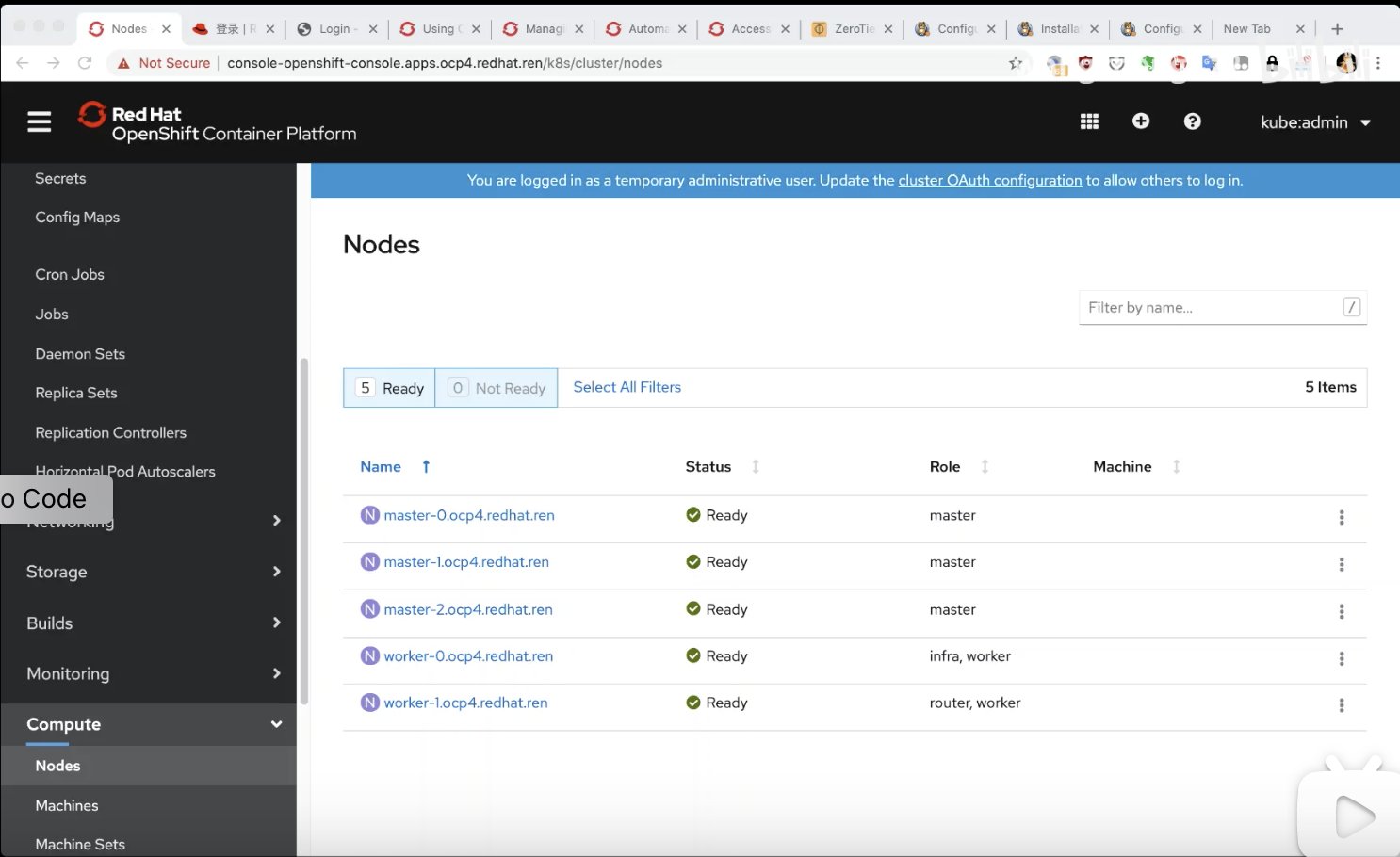
- https://youtu.be/hTafoKlQiY0
- https://www.bilibili.com/video/BV1Tk4y167Zs/
# 先检查一下已有的mtu
cat << EOF > demo.yaml
---
kind: Pod
apiVersion: v1
metadata:
  name: demo-pod1
  namespace: demo
spec:
  nodeSelector:
    kubernetes.io/hostname: 'worker-0.ocp4.redhat.ren'
  restartPolicy: Always
  containers:
    - name: demo
      image: >-
        registry.redhat.ren:5443/docker.io/wangzheng422/centos:centos7-test
      env:
        - name: key
          value: value
      command: ["iperf3", "-s", "-p" ]
      args: [ "6666" ]
      imagePullPolicy: Always
---
kind: Pod
apiVersion: v1
metadata:
  name: demo-pod2
  namespace: demo
spec:
  nodeSelector:
    kubernetes.io/hostname: 'worker-1.ocp4.redhat.ren'
  restartPolicy: Always
  containers:
    - name: demo
      image: >-
        registry.redhat.ren:5443/docker.io/wangzheng422/centos:centos7-test
      env:
        - name: key
          value: value
      command: ["iperf3", "-s", "-p" ]
      args: [ "6666" ]
      imagePullPolicy: Always
EOF
oc apply -n demo -f demo.yaml

# 检查 mtu,现在tunl上是1480,eth0上是1410
oc exec -it demo-pod1 -- ip a
# 1: lo: <LOOPBACK,UP,LOWER_UP> mtu 65536 qdisc noqueue state UNKNOWN group default qlen 1000
#     link/loopback 00:00:00:00:00:00 brd 00:00:00:00:00:00
#     inet 127.0.0.1/8 scope host lo
#        valid_lft forever preferred_lft forever
#     inet6 ::1/128 scope host
#        valid_lft forever preferred_lft forever
# 2: tunl0@NONE: <NOARP> mtu 1480 qdisc noop state DOWN group default qlen 1000
#     link/ipip 0.0.0.0 brd 0.0.0.0
# 4: eth0@if54: <BROADCAST,MULTICAST,UP,LOWER_UP> mtu 1410 qdisc noqueue state UP group default
#     link/ether c2:e9:6a:c8:62:77 brd ff:ff:ff:ff:ff:ff link-netnsid 0
#     inet 10.254.115.50/32 scope global eth0
#        valid_lft forever preferred_lft forever
#     inet6 fe80::c0e9:6aff:fec8:6277/64 scope link
#        valid_lft forever preferred_lft forever

# 把mtu 从1410改成700
oc get installations.operator.tigera.io -o yaml

oc edit installations.operator.tigera.io
# spec:
#   calicoNetwork:
#     mtu: 700

# 重启calico node pod
# oc delete deploy calico-kube-controllers -n calico-system
# oc delete deploy calico-typha -n calico-system
# oc delete ds calico-node -n calico-system
oc delete -n demo -f demo.yaml

# 重启worker node

# 重新创建pod
# oc apply -n demo -f demo.yaml

# 查看mtu
oc exec -i demo-pod1 -- ip a
oc exec -i demo-pod2 -- ip a

# 各种ping测试
var_ip=$(oc get pod -o json | jq -r '.items[] | select(.metadata.name == "demo-pod1") | .status.podIP')
echo $var_ip
# ICMP+IP 的包头有 28 bytes
#  the IP stack of your system adds ICMP and IP headers which equals to 28 bytes
oc exec -i demo-pod2 -- ping -M do -s $((600-28)) -c 5 $var_ip
oc exec -i demo-pod2 -- ping -M do -s $((700-28)) -c 5 $var_ip
oc exec -i demo-pod2 -- ping -M do -s $((800-28)) -c 5 $var_ip

# 把mtu从700恢复成1410
oc edit installations.operator.tigera.io
# spec:
#   calicoNetwork:

oc get installations.operator.tigera.io -o yaml

# 重启calico node pod
# oc delete deploy calico-kube-controllers -n calico-system
# oc delete deploy calico-typha -n calico-system
# oc delete ds calico-node -n calico-system
oc delete -n demo -f demo.yaml

# 重启worker node

# 重新创建pod
# oc apply -n demo -f demo.yaml

# 查看mtu
oc exec -i demo-pod1 -- ip a
oc exec -i demo-pod2 -- ip a

# 各种ping测试
var_ip=$(oc get pod -o json | jq -r '.items[] | select(.metadata.name == "demo-pod1") | .status.podIP')
echo $var_ip
# ICMP+IP 的包头有 28 bytes
#  the IP stack of your system adds ICMP and IP headers which equals to 28 bytes
oc exec -i demo-pod2 -- ping -M do -s $((600-28)) -c 5 $var_ip
oc exec -i demo-pod2 -- ping -M do -s $((700-28)) -c 5 $var_ip
oc exec -i demo-pod2 -- ping -M do -s $((800-28)) -c 5 $var_ip

# restore
oc delete -n demo -f demo.yaml
calico + ipv4/v6 dual stack
视频讲解
- https://youtu.be/ju4d7jWs7DQ
- https://www.bilibili.com/video/BV1va4y1e7c1/
- https://www.ixigua.com/i6827830624431112715/
# 在集群安装之前,配置文件写入ipv6地址信息
# install openshift with calico and ipv6 config
# networking:
#   clusterNetworks:
#   - cidr: 10.254.0.0/16
#     hostPrefix: 24
#   - cidr: fd00:192:168:7::/64
#     hostPrefix: 80

# 在安装集群的过程中,给主机添加ipv6地址,安装就可以顺利继续了
## add ipv6 address to hosts
# helper
nmcli con modify eth0 ipv6.address "fd00:192:168:7::11/64" ipv6.gateway fd00:192:168:7::1
nmcli con modify eth0 ipv6.method manual
nmcli con reload
nmcli con up eth0

# master0
nmcli con modify ens3 ipv6.address fd00:192:168:7::13/64 ipv6.gateway fd00:192:168:7::1 ipv6.method manual
nmcli con reload
nmcli con up ens3

# master1
nmcli con modify ens3 ipv6.address fd00:192:168:7::14/64 ipv6.gateway fd00:192:168:7::1 ipv6.method manual
nmcli con reload
nmcli con up ens3

# master2
nmcli con modify ens3 ipv6.address fd00:192:168:7::15/64 ipv6.gateway fd00:192:168:7::1 ipv6.method manual
nmcli con reload
nmcli con up ens3

# worker0
nmcli con modify ens3 ipv6.address fd00:192:168:7::16/64 ipv6.gateway fd00:192:168:7::1 ipv6.method manual
nmcli con reload
nmcli con up ens3

# worker1
nmcli con modify ens3 ipv6.address fd00:192:168:7::17/64 ipv6.gateway fd00:192:168:7::1 ipv6.method manual
nmcli con reload
nmcli con up ens3

oc apply -f calicoctl.yaml

oc exec calicoctl -n calico-system -it -- /calicoctl get node -o wide

oc exec calicoctl -n calico-system -it -- /calicoctl ipam show --show-blocks

oc exec calicoctl -n calico-system -it -- /calicoctl get ipPool -o wide

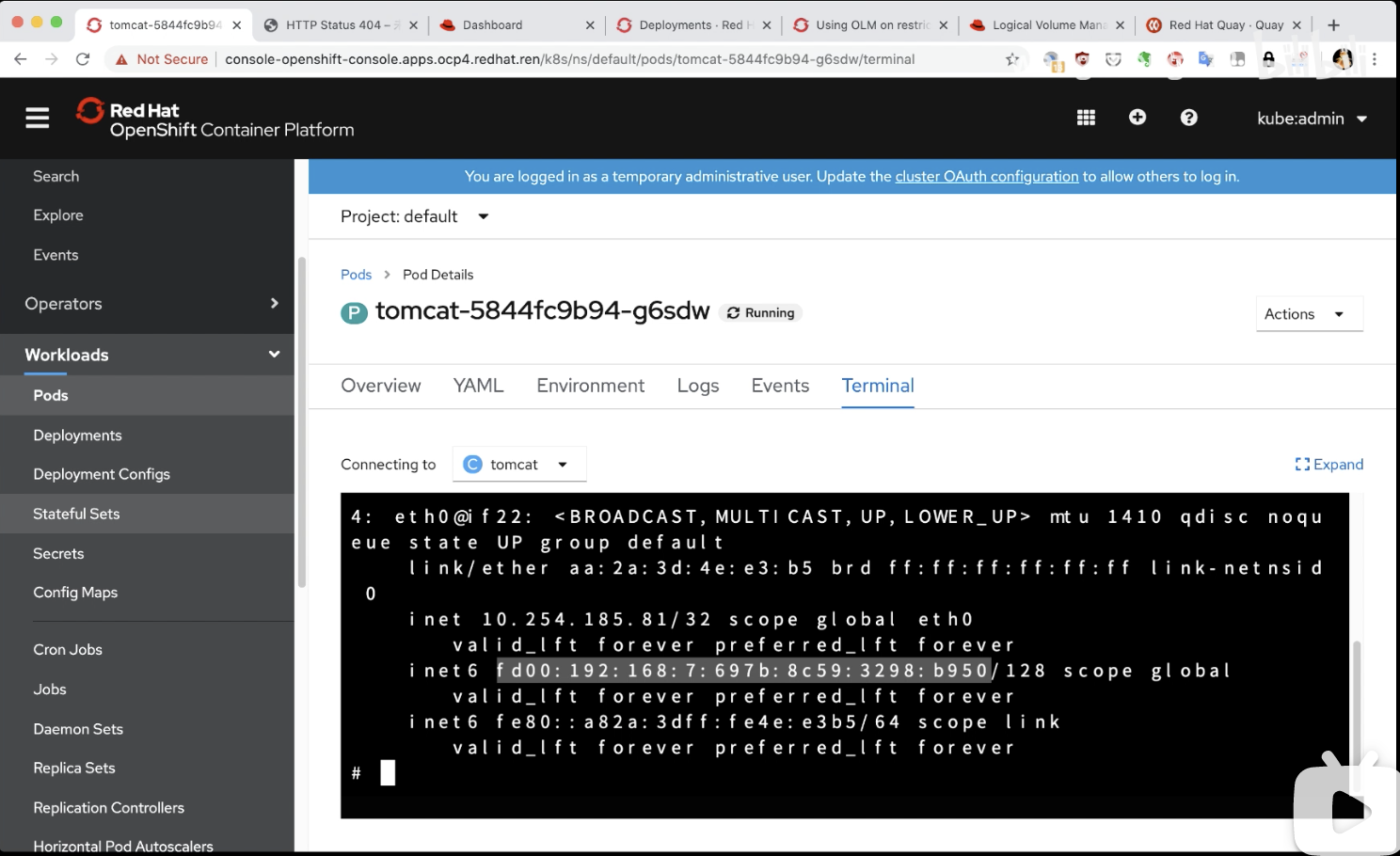
# 在openshift的开发者视图上部署一个tomcat

# 从浏览器上,直接访问route入口,测试ipv4的效果。

# 在master0上直接访问worker1上的pod ipv6地址
curl -g -6 'http://[fd00:192:168:7:697b:8c59:3298:b950]:8080/'

# 在集群外,直接访问worker0上的pod ipv6地址
ip -6 route add fd00:192:168:7:697b:8c59:3298::/112 via fd00:192:168:7::17 dev eth0
curl -g -6 'http://[fd00:192:168:7:697b:8c59:3298:b950]:8080/'
calico + bgp
cat << EOF > calico.serviceip.yaml
apiVersion: projectcalico.org/v3
kind: BGPConfiguration
metadata:
  name: default
spec:
  serviceClusterIPs:
  - cidr: 10.96.0.0/16
EOF
cat calico.serviceip.yaml | oc exec calicoctl -n calico-system -i -- /calicoctl apply -f -

oc exec calicoctl -n calico-system -i -- /calicoctl patch bgpconfiguration default -p '{"spec": {"nodeToNodeMeshEnabled": true}}'

oc exec calicoctl -n calico-system -it -- /calicoctl get bgpconfig default -o yaml

oc exec calicoctl -n calico-system -it -- /calicoctl get node -o wide

oc exec calicoctl -n calico-system -it -- /calicoctl ipam show --show-blocks

oc exec calicoctl -n calico-system -it -- /calicoctl get ipPool -o wide


oc exec calicoctl -n calico-system -it -- /calicoctl get workloadEndpoint

oc exec calicoctl -n calico-system -it -- /calicoctl get BGPPeer

cat << EOF > calico.bgp.yaml
---
apiVersion: projectcalico.org/v3
kind: BGPPeer
metadata:
  name: my-global-peer
spec:
  peerIP: 192.168.7.11
  asNumber: 64513
EOF
cat calico.bgp.yaml | oc exec calicoctl -n calico-system -i -- /calicoctl apply -f -

# on helper
# https://www.vultr.com/docs/configuring-bgp-using-quagga-on-vultr-centos-7
yum install quagga
systemctl start zebra
systemctl start bgpd
cp /usr/share/doc/quagga-*/bgpd.conf.sample /etc/quagga/bgpd.conf
vtysh
show running-config
configure terminal
no router bgp 7675
router bgp 64513
no auto-summary
no synchronization
neighbor 192.168.7.13 remote-as 64512
neighbor 192.168.7.13 description "calico"
neighbor 192.168.7.13 attribute-unchanged next-hop
neighbor 192.168.7.13 ebgp-multihop 255
neighbor 192.168.7.13 next-hop-self
# no neighbor 192.168.7.13 next-hop-self
neighbor 192.168.7.13 activate
interface eth0
exit
exit
write
show running-config
show ip bgp summary

# 测试一下
cat << EOF > calico.ip.pool.yaml
---
apiVersion: projectcalico.org/v3
kind: IPPool
metadata:
  name: ip-pool-1
spec:
  cidr: 172.110.110.0/24
  ipipMode: Always
  natOutgoing: false
---
apiVersion: projectcalico.org/v3
kind: IPPool
metadata:
  name: ip-pool-2
spec:
  cidr: 172.110.220.0/24
  ipipMode: Always
  natOutgoing: false
EOF
cat calico.ip.pool.yaml | oc exec calicoctl -n calico-system -i -- /calicoctl apply -f -

oc exec calicoctl -n calico-system -it -- /calicoctl get ipPool -o wide

cat << EOF > calico.pod.yaml
---
kind: Pod
apiVersion: v1
metadata:
  name: demo-pod1
  namespace: demo
  annotations:
    cni.projectcalico.org/ipv4pools: '["ip-pool-1"]'
spec:
  nodeSelector:
    kubernetes.io/hostname: 'worker-0.ocp4.redhat.ren'
  restartPolicy: Always
  containers:
    - name: demo
      image: >-
        registry.redhat.ren:5443/docker.io/wangzheng422/centos:centos7-test
      env:
        - name: key
          value: value
      command: ["iperf3", "-s", "-p" ]
      args: [ "6666" ]
      imagePullPolicy: Always
---
kind: Pod
apiVersion: v1
metadata:
  name: demo-pod2
  namespace: demo
  annotations:
    cni.projectcalico.org/ipv4pools: '["ip-pool-1"]'
spec:
  nodeSelector:
    kubernetes.io/hostname: 'worker-0.ocp4.redhat.ren'
  restartPolicy: Always
  containers:
    - name: demo
      image: >-
        registry.redhat.ren:5443/docker.io/wangzheng422/centos:centos7-test
      env:
        - name: key
          value: value
      command: ["iperf3", "-s", "-p" ]
      args: [ "6666" ]
      imagePullPolicy: Always
---
kind: Pod
apiVersion: v1
metadata:
  name: demo-pod3
  namespace: demo
  annotations:
    cni.projectcalico.org/ipv4pools: '["ip-pool-2"]'
spec:
  nodeSelector:
    kubernetes.io/hostname: 'worker-0.ocp4.redhat.ren'
  restartPolicy: Always
  containers:
    - name: demo
      image: >-
        registry.redhat.ren:5443/docker.io/wangzheng422/centos:centos7-test
      env:
        - name: key
          value: value
      command: ["iperf3", "-s", "-p" ]
      args: [ "6666" ]
      imagePullPolicy: Always
---
kind: Pod
apiVersion: v1
metadata:
  name: demo-pod4
  namespace: demo
  annotations:
    cni.projectcalico.org/ipv4pools: '["ip-pool-1"]'
spec:
  nodeSelector:
    kubernetes.io/hostname: 'worker-1.ocp4.redhat.ren'
  restartPolicy: Always
  containers:
    - name: demo
      image: >-
        registry.redhat.ren:5443/docker.io/wangzheng422/centos:centos7-test
      env:
        - name: key
          value: value
      command: ["iperf3", "-s", "-p" ]
      args: [ "6666" ]
      imagePullPolicy: Always
---
kind: Pod
apiVersion: v1
metadata:
  name: demo-pod5
  namespace: demo
  annotations:
    cni.projectcalico.org/ipv4pools: '["ip-pool-2"]'
spec:
  nodeSelector:
    kubernetes.io/hostname: 'worker-1.ocp4.redhat.ren'
  restartPolicy: Always
  containers:
    - name: demo
      image: >-
        registry.redhat.ren:5443/docker.io/wangzheng422/centos:centos7-test
      env:
        - name: key
          value: value
      command: ["iperf3", "-s", "-p" ]
      args: [ "6666" ]
      imagePullPolicy: Always
EOF
oc apply -f calico.pod.yaml
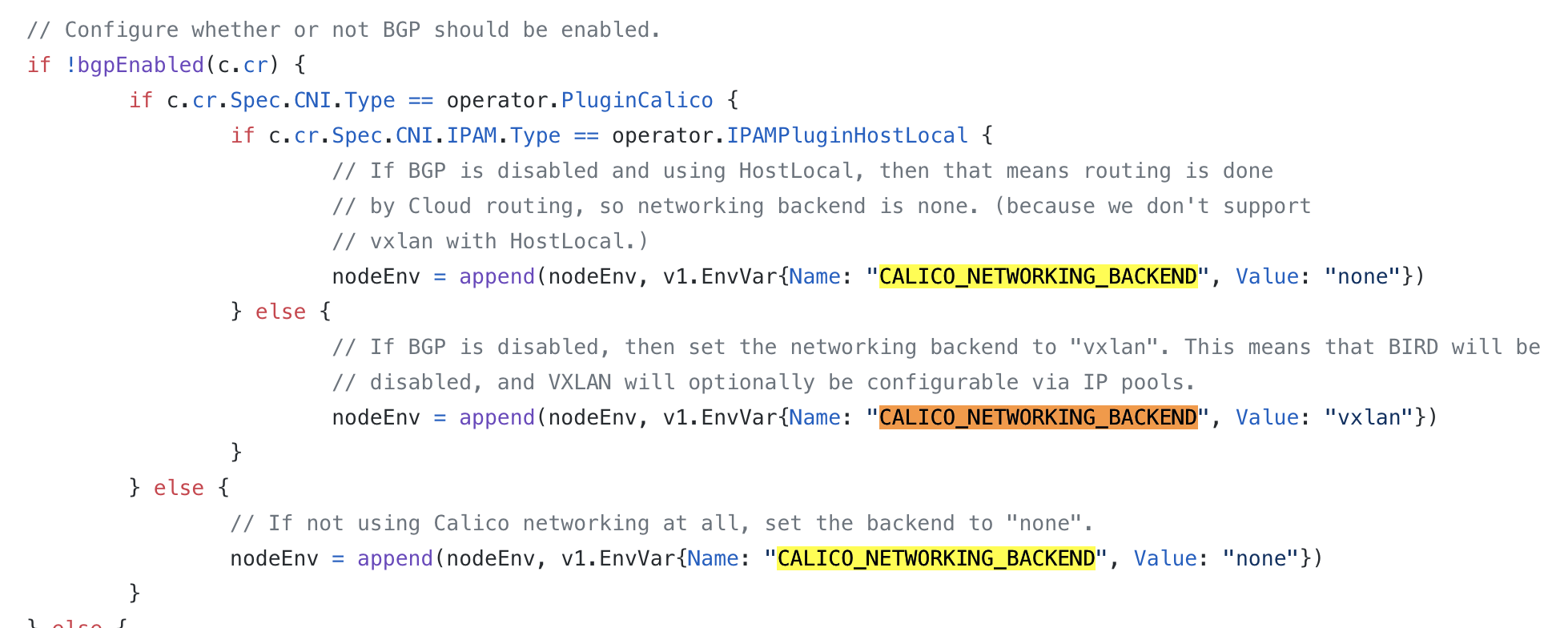
run calico/node with —backend=none
CALICO_NETWORKING_BACKEND none
https://docs.projectcalico.org/reference/node/configuration
backups
skopeo copy docker://quay.io/tigera/operator-init:v1.3.3 docker://registry.redhat.ren:5443/tigera/operator-init:v1.3.3
skopeo copy docker://quay.io/tigera/operator:v1.3.3 docker://registry.redhat.ren:5443/tigera/operator:v1.3.3

skopeo copy docker://docker.io/calico/ctl:v3.13.2 docker://registry.redhat.ren:5443/calico/ctl:v3.13.2
skopeo copy docker://docker.io/calico/kube-controllers:v3.13.2 docker://registry.redhat.ren:5443/calico/kube-controllers:v3.13.2
skopeo copy docker://docker.io/calico/node:v3.13.2 docker://registry.redhat.ren:5443/calico/node:v3.13.2
skopeo copy docker://docker.io/calico/typha:v3.13.2 docker://registry.redhat.ren:5443/calico/typha:v3.13.2
skopeo copy docker://docker.io/calico/pod2daemon-flexvol:v3.13.2 docker://registry.redhat.ren:5443/calico/pod2daemon-flexvol:v3.13.2
skopeo copy docker://docker.io/calico/cni:v3.13.2 docker://registry.redhat.ren:5443/calico/cni:v3.13.2

curl https://docs.projectcalico.org/manifests/ocp/crds/01-crd-installation.yaml -o manifests/01-crd-installation.yaml
curl https://docs.projectcalico.org/manifests/ocp/crds/01-crd-tigerastatus.yaml -o manifests/01-crd-tigerastatus.yaml
curl https://docs.projectcalico.org/manifests/ocp/crds/calico/kdd/02-crd-bgpconfiguration.yaml -o manifests/02-crd-bgpconfiguration.yaml
curl https://docs.projectcalico.org/manifests/ocp/crds/calico/kdd/02-crd-bgppeer.yaml -o manifests/02-crd-bgppeer.yaml
curl https://docs.projectcalico.org/manifests/ocp/crds/calico/kdd/02-crd-blockaffinity.yaml -o manifests/02-crd-blockaffinity.yaml
curl https://docs.projectcalico.org/manifests/ocp/crds/calico/kdd/02-crd-clusterinformation.yaml -o manifests/02-crd-clusterinformation.yaml
curl https://docs.projectcalico.org/manifests/ocp/crds/calico/kdd/02-crd-felixconfiguration.yaml -o manifests/02-crd-felixconfiguration.yaml
curl https://docs.projectcalico.org/manifests/ocp/crds/calico/kdd/02-crd-globalnetworkpolicy.yaml -o manifests/02-crd-globalnetworkpolicy.yaml
curl https://docs.projectcalico.org/manifests/ocp/crds/calico/kdd/02-crd-globalnetworkset.yaml -o manifests/02-crd-globalnetworkset.yaml
curl https://docs.projectcalico.org/manifests/ocp/crds/calico/kdd/02-crd-hostendpoint.yaml -o manifests/02-crd-hostendpoint.yaml
curl https://docs.projectcalico.org/manifests/ocp/crds/calico/kdd/02-crd-ipamblock.yaml -o manifests/02-crd-ipamblock.yaml
curl https://docs.projectcalico.org/manifests/ocp/crds/calico/kdd/02-crd-ipamconfig.yaml -o manifests/02-crd-ipamconfig.yaml
curl https://docs.projectcalico.org/manifests/ocp/crds/calico/kdd/02-crd-ipamhandle.yaml -o manifests/02-crd-ipamhandle.yaml
curl https://docs.projectcalico.org/manifests/ocp/crds/calico/kdd/02-crd-ippool.yaml -o manifests/02-crd-ippool.yaml
curl https://docs.projectcalico.org/manifests/ocp/crds/calico/kdd/02-crd-networkpolicy.yaml -o manifests/02-crd-networkpolicy.yaml
curl https://docs.projectcalico.org/manifests/ocp/crds/calico/kdd/02-crd-networkset.yaml -o manifests/02-crd-networkset.yaml
curl https://docs.projectcalico.org/manifests/ocp/tigera-operator/00-namespace-tigera-operator.yaml -o manifests/00-namespace-tigera-operator.yaml
curl https://docs.projectcalico.org/manifests/ocp/tigera-operator/02-rolebinding-tigera-operator.yaml -o manifests/02-rolebinding-tigera-operator.yaml
curl https://docs.projectcalico.org/manifests/ocp/tigera-operator/02-role-tigera-operator.yaml -o manifests/02-role-tigera-operator.yaml
curl https://docs.projectcalico.org/manifests/ocp/tigera-operator/02-serviceaccount-tigera-operator.yaml -o manifests/02-serviceaccount-tigera-operator.yaml
curl https://docs.projectcalico.org/manifests/ocp/tigera-operator/02-configmap-calico-resources.yaml -o manifests/02-configmap-calico-resources.yaml
curl https://docs.projectcalico.org/manifests/ocp/tigera-operator/02-configmap-tigera-install-script.yaml -o manifests/02-configmap-tigera-install-script.yaml
curl https://docs.projectcalico.org/manifests/ocp/tigera-operator/02-tigera-operator.yaml -o manifests/02-tigera-operator.yaml
curl https://docs.projectcalico.org/manifests/ocp/01-cr-installation.yaml -o manifests/01-cr-installation.yaml

curl https://docs.projectcalico.org/manifests/calicoctl.yaml -o manifests/calicoctl.yaml

oc get Network.operator.openshift.io -o yaml
  # defaultNetwork:
  #   calicoSDNConfig:
  #     mtu: 700
  #   openshiftSDNConfig:
  #     mtu: 700
oc api-resources | grep -i calico
oc api-resources | grep -i tigera

oc get FelixConfiguration -o yaml

oc exec calicoctl -n calico-system -it -- /calicoctl get bgpconfig default

cat << EOF > calico.serviceip.yaml
apiVersion: projectcalico.org/v3
kind: BGPConfiguration
metadata:
  name: default
spec:
  serviceClusterIPs:
  - cidr: 10.96.0.0/16
  - cidr: fd00:192:168:7:1:1::/112
EOF
cat calico.serviceip.yaml | oc exec calicoctl -n calico-system -i -- /calicoctl apply -f -

oc exec calicoctl -n calico-system -it -- /calicoctl get workloadEndpoint
oc exec calicoctl -n calico-system -it -- /calicoctl get BGPPeer

cat << EOF > calico.bgp.yaml
---
apiVersion: projectcalico.org/v3
kind: BGPPeer
metadata:
  name: my-global-peer
spec:
  peerIP: 192.168.7.11
  asNumber: 64513
---
apiVersion: projectcalico.org/v3
kind: BGPPeer
metadata:
  name: my-global-peer-v6
spec:
  peerIP: fd00:192:168:7::11
  asNumber: 64513
EOF
cat calico.bgp.yaml | oc exec calicoctl -n calico-system -i -- /calicoctl apply -f -

# on helper
# https://www.vultr.com/docs/configuring-bgp-using-quagga-on-vultr-centos-7
yum install quagga
systemctl start zebra
systemctl start bgpd
cp /usr/share/doc/quagga-*/bgpd.conf.sample /etc/quagga/bgpd.conf
vtysh
show running-config
configure terminal
no router bgp 7675
router bgp 64513
no auto-summary
no synchronization
neighbor 192.168.7.13 remote-as 64512
neighbor 192.168.7.13 description "calico"
neighbor fd00:192:168:7::13 remote-as 64512
neighbor fd00:192:168:7::13 description "calico"
interface eth0
?? no ipv6 nd suppress-ra
exit
exit
write
show running-config
show ip bgp summary

# https://access.redhat.com/documentation/en-us/openshift_container_platform/4.3/html/networking/cluster-network-operator

oc get Network.operator.openshift.io -o yaml
oc edit Network.operator.openshift.io cluster
  # - cidr: fd01:192:168:7:11:/64
  #   hostPrefix: 80

oc get network.config/cluster
oc edit network.config/cluster

oc get installations.operator.tigera.io -o yaml
oc edit installations.operator.tigera.io
    # nodeAddressAutodetectionV6:
    #   firstFound: true
    - blockSize: 122
      cidr: fd01:192:168:7:11:/80
      encapsulation: None
      natOutgoing: Disabled
      nodeSelector: all()