openshift tcp-router
本文描述,如何通过定制化haproxy template, 通过给route添加annotation,就可以向外界开放tcp路由。本文相关脚本和文件,在scripts目录中。
初衷和原理
经常会在openshift的poc中遇到L4负载均衡的测试,我们知道默认ocp router是haproxy做的,而且默认只支持http, https, 虽然tls/sni 也算是支持tcp的一种方式,但是这个也还是7层的。官方文档只是简单的说,如果有其他的需求,就定制haproxy template来满足,不过定制说的很少,例子也不多。本文就是一个通过定制化haproxy template,来达到动态监听route配置,并动态开放tcp端口。
定制haproxy template需要了解openshift router的一些原理要点
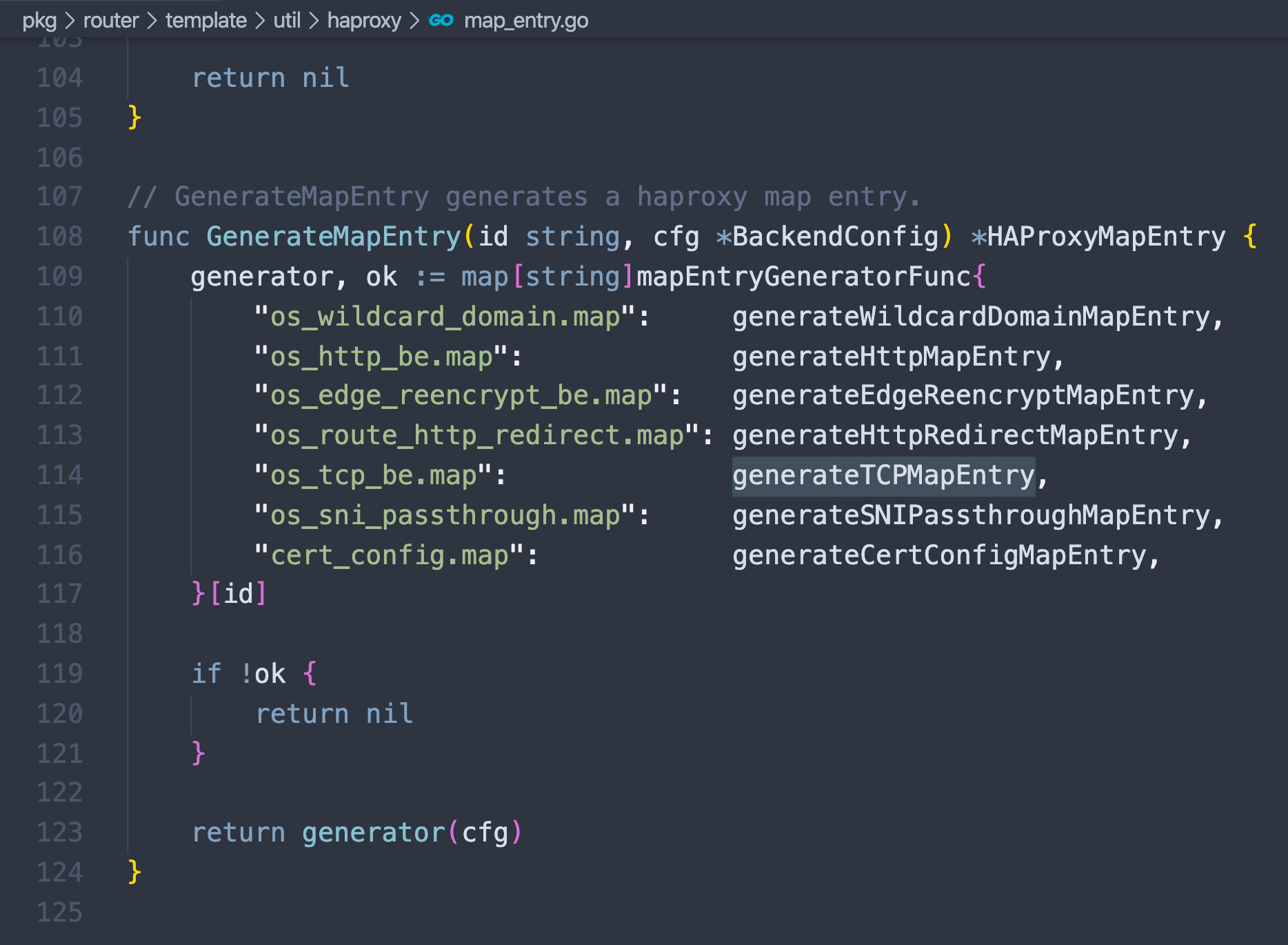
- openshift router不仅仅是haproxy,它还有一个go程序,监听了openshift的配置,并且写入了一堆的map文件,这个文件是非常关键的配置haproxy template的配置文件。
- openshift router里面的tls passthrough方式,对应到haproxy的配置里面,就是tcp的模式,我们的定制点就是在这里。
- 定制过程集中在,屏蔽掉http/https 的edge和reencrypt部分,对于打annotation 的route,开放tls passthrough的frontend
- route annotation 配置形式是 haproxy.router.openshift.io/external-tcp-port: “13306”
- 当然,ocp4现在还不支持定制化route template,所以本文直接创建了一个route的deployment。
- 现场实施的时候,注意更改router的image,每个版本的image可以去release.txt文件中找到。
既然是面向poc的,就肯定有局限
- route annotation 定义的开放tcp端口,是手动定义,而且面向整个集群各个project开放,必然会导致tcp端口冲突。需要已有端口管理方案,这个就交给GPS吧。
以下是route的配置示例
kind: Route
apiVersion: route.openshift.io/v1
metadata:
  name: ottcache-002
  annotations:
    haproxy.router.openshift.io/wzh-router-name: "wzh-router-1"
    haproxy.router.openshift.io/external-tcp-port: "6620"
spec:
  to:
    kind: Service
    name: ottcache-002-service
  port:
    targetPort: 6620
  tls:
    termination: passthrough
    insecureEdgeTerminationPolicy: None
以下是template里面,关键的定制点
{{/*try to add tcp support*/}}

{{- if eq (env "WZH_ROUTER_NAME" "wzh-router-name") (index $cfg.Annotations "haproxy.router.openshift.io/wzh-router-name") }}
  {{- if (isInteger (index $cfg.Annotations "haproxy.router.openshift.io/external-tcp-port")) }}
  frontend tcp-{{ (index $cfg.Annotations "haproxy.router.openshift.io/external-tcp-port") }}
    bind *:{{ (index $cfg.Annotations "haproxy.router.openshift.io/external-tcp-port") }}
    mode tcp
    default_backend {{genBackendNamePrefix $cfg.TLSTermination}}:{{$cfgIdx}}

  {{- end}}{{/* end haproxy.router.openshift.io */}}
{{- end}}{{/* end WZH_ROUTER_NAME */}}

{{/*end try to add tcp support*/}}
测试步骤
测试步骤不复杂,就是创建一个新的router,然后就可以去其他project创建应用,给route打annotation就可以了。
本文的例子,包含两个应用,一个是web应用,一个是mysql,都通过tcp端口对外开放。
# tcp-router will install in the same project with openshift router
oc project openshift-ingress

# install the tcp-router and demo
oc create configmap customrouter-wzh --from-file=haproxy-config.template
oc apply -f haproxy.router.yaml

oc apply -f haproxy.demo.yaml

# test your tcp-router, replace ip with router ip, both command will success.
curl 192.168.7.18:18080

podman run -it --rm registry.redhat.ren:5443/docker.io/mysql mysql -h 192.168.7.18 -P 13306 -u user -D db -p

# if you want to delete the tcp-router and demo
oc delete -f haproxy.router.yaml
oc delete configmap customrouter-wzh

oc delete -f haproxy.demo.yaml

# oc set volume deployment/router-wzh --add --overwrite \
#     --name=config-volume \
#     --mount-path=/var/lib/haproxy/conf/custom \
#     --source='{"configMap": { "name": "customrouter-wzh"}}'

# oc set env dc/router \
#     TEMPLATE_FILE=/var/lib/haproxy/conf/custom/haproxy-config.template
参考
https://docs.openshift.com/container-platform/3.11/install_config/router/customized_haproxy_router.html#go-template-actions
https://www.haproxy.com/blog/introduction-to-haproxy-maps/
https://access.redhat.com/solutions/3495011
https://blog.zhaw.ch/icclab/openshift-custom-router-with-tcpsni-support/
以下是弯路
分析源码,我们可以看到,openshift
router还是对haproxy做了扩展的,那些map文件,都是router的扩展生成的,目的是对接endpoint,绕过service。所以我们想做tcp转发,可以借助sni-tcp来实现tcp转发。